Federico Viticci

10975 posts on MacStories since April 2009

Federico is the founder and Editor-in-Chief of MacStories, where he writes about Apple with a focus on apps, developers, iPad, and iOS productivity. He founded MacStories in April 2009 and has been writing about Apple since. Federico is also the co-host of AppStories, a weekly podcast exploring the world of apps, Unwind, a fun exploration of media and more, and NPC: Next Portable Console, a show about portable gaming and the handheld revolution.

Jobs, Healthcare, and the Apple Watch→

Tim Bajarin, writing for TIME:

I recently spent time with Apple executives involved with the Watch. I asked them to explain the real motivation for creating the device. Although Apple has made fashion and design a key cornerstone of its existence, it turns out that this was not at the heart of why they created this product.

The late Apple CEO Steve Jobs developed pancreatic cancer in 2004. He then spent a great deal of time with doctors and the healthcare system until his death in 2011. While that personal health journey had a great impact on Jobs personally, it turns out that it affected Apple’s top management, too. During this time, Jobs discovered how disjointed the healthcare system can be. He took on the task of trying to bring some digital order to various aspects of the healthcare system, especially the connection between patients, their data, and their healthcare providers.
Permalink

Linky 5.3 Adds ‘Markup’ Feature for Image Annotations

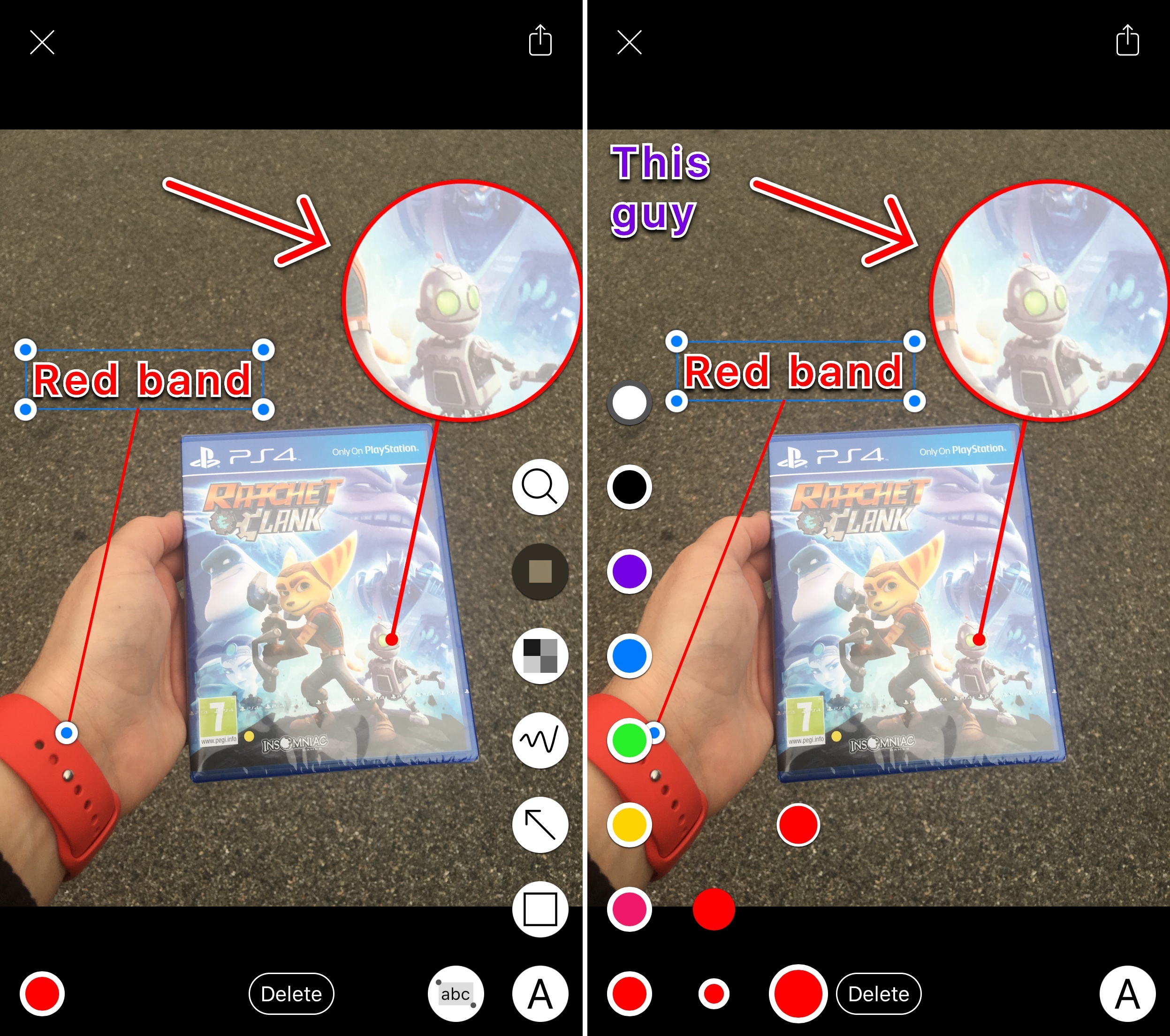
Linky's new Markup mode.

Linky’s new Markup mode.

I’ve been using Linky for a few years now to share images, links, and app deals to Twitter. The app has a powerful share sheet with support for multiple Twitter accounts, and its developer introduced clever additions such as textshots and suggested images when sharing from the web. It’s a solid app that comes in handy every day.

Today, Linky has reached version 5.3, which brings compatibility with Twitter’s accessible image captions (useful for textshots) and a new Markup option to edit and annotate images before sharing them.

Read more


Building a Photography Workflow with the iPad Pro→

Perhaps it should have been obvious to me — and maybe it’s always been obvious to you — but I’m just now realizing that the more and more I embrace each creative process, the less time I want to give to anything but the act of creating. Over time I begin to build negative associations with each creative act, mentally, but it’s not because of the ‘art’ itself; it’s because of all the work I put into a thing after the component I love most is over and done with.

These realizations have led me to try and create ‘less workflow’ in my life, not just in writing, but across the board. For photography, that means if I innately desire more than anything else to just shoot, then I need to learn more about composing and ‘editing’ in camera, and being happy with the result.

So, I’ve begun building a new way of processing photos using only the device I love — the iPad Pro — but it’s been a challenge.

Drew Coffman has been trying to rebuild his established photography workflow on an iPad Pro. His post has a good rundown of photo editing apps (with a final pick I didn’t know), but, more importantly, it highlights how iOS still needs improvements for basic tasks such as bulk editing and exporting.

Permalink


Tweetbot 4.3 Introduces ‘Topics’ for Easier Tweetstorm Creation

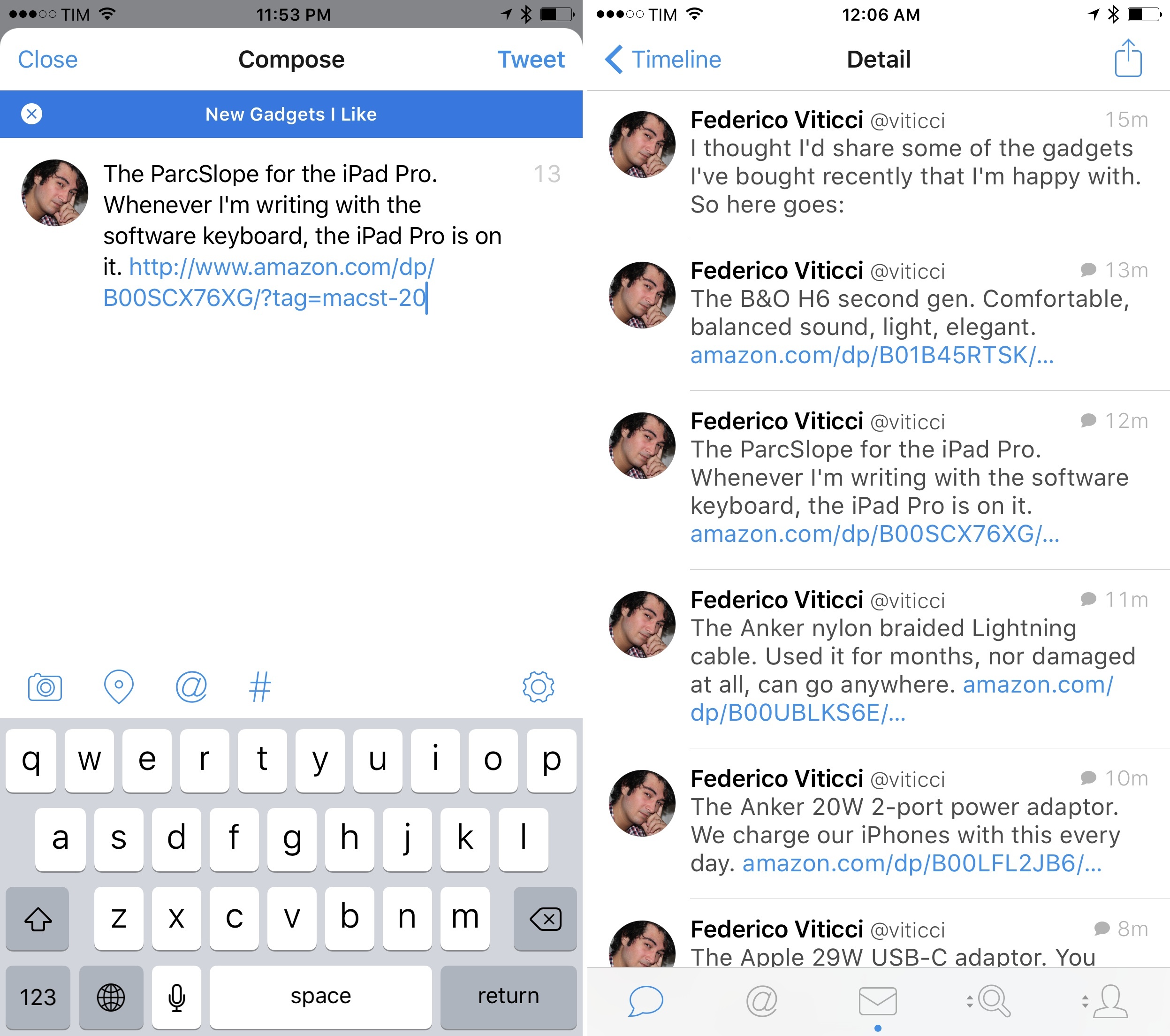
A topic in the new Tweetbot 4.3.

A topic in the new Tweetbot 4.3.

Picture this: it’s WWDC keynote day and you’re following the event. You want to live tweet as the event unfolds. What do you do?

The answer is that, so far, Twitter the company has mostly failed to provide users with ways to rapidly tweet commentary and have tweets intelligently grouped together once an event is over. Sure, you could append the same hashtag to every tweet, “tagging it” for context, but that wouldn’t fix the underlying problem of a bunch of messages related to the same event and yet treated as atomic units with no relationship between them.

Thus Twitter the community came up with the idea of the tweetstorm, a clever workaround based on how Twitter threads work. If you want to post multiple tweets in a row and establish a thread between them from start to finish, reply to your own tweet, removing your username at the beginning of the message, and you’ll “fake” a series of topical tweets which Twitter sees as part of a conversation…with yourself. It’s not the most elegant solution, and it doesn’t work well for rapid fire live tweeting, but it sort of works and a lot of people use it by now.

Tweetbot, the excellent Twitter client developed by Tapbots which relaunched with version 4.0 in October, is introducing an update today that fully embraces the concept of tweetstorms with a feature called “topics”.

Topics simplify the process of chaining tweets together with an intuitive interface that makes it look like Twitter rolled out support for topics. Under the hood, Tapbots is still leveraging the aforementioned @reply workaround, but they’ve been clever enough to completely abstract that from the UI, building what is, quite possibly, one of the most ingenious Tweetbot features to date.

Read more


Tips

Here’s something I’ve recently discovered: if you have an iPhone 6s with 3D Touch, there’s a quick way to activate text selection while you’re in cursor control mode on the software keyboard. First, press on the keyboard to enter trackpad mode, which lets you move the cursor around. With your thumb pressed down on...


Member Requests

Question: One of things I love about OmniFocus is being able to email a task into my inbox from work. I have a locked down work Outlook setup. How can I do the same directly with 2Do, without Toodledo? (Ken, @dillonk)

Assuming you mean that you’d like to be able to email messages as...


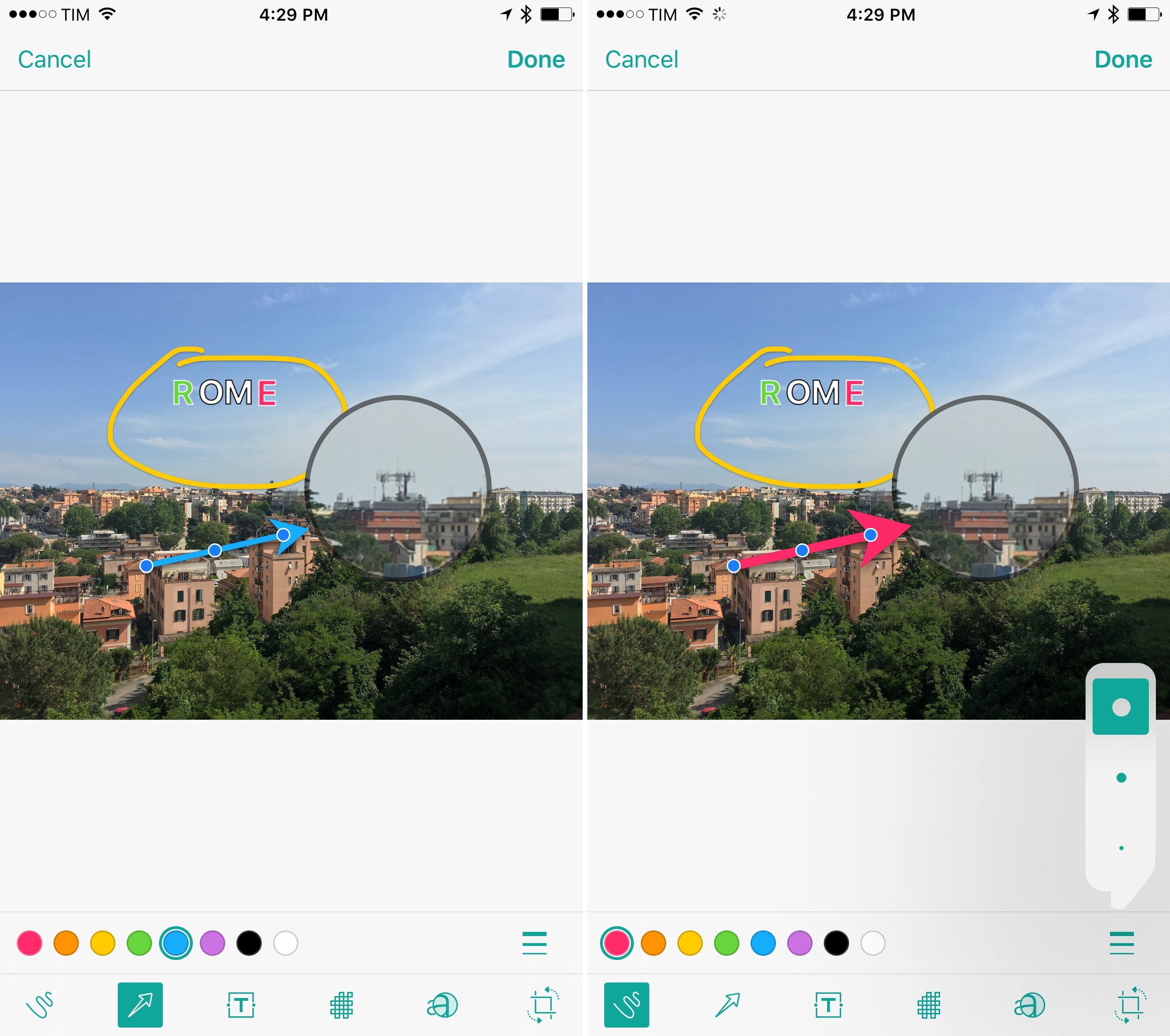
Annotable Is the Most Versatile Image Annotation Tool for iOS Yet

Over the years of writing at MacStories, I’ve covered a fair share of image annotation apps. As reviewing apps is part of what I do for a living, I end up taking a lot of screenshots of software on a daily basis, and, often, those screenshots need to be annotated.

I’ve tried them all – Skitch (let’s pour one out), Pinpoint (née Bugshot), PointOut, image annotations in Workflow, and others. A problem persisted: I couldn’t find an image annotation tool that would pack the simplicity of Pinpoint and Skitch and the variety of tools I’d expect from a Mac app. Every app ended up missing one or two functionalities I needed, which resulted – and if you work on iOS, you’ve likely been in this situation, too – in having to keep a folder of multiple annotation apps, each serving a different purpose.

This changes today with Annotable, a new app for the iPhone and iPad created by developer Ling Wang. Annotable builds on the foundation of Skitch – with a layout heavily reminiscent of Evernote’s product – and adds annotation features seen in Pinpoint, PointOut, and various Mac apps to provide a powerful annotation environment with support for screenshots and photos.

Read more


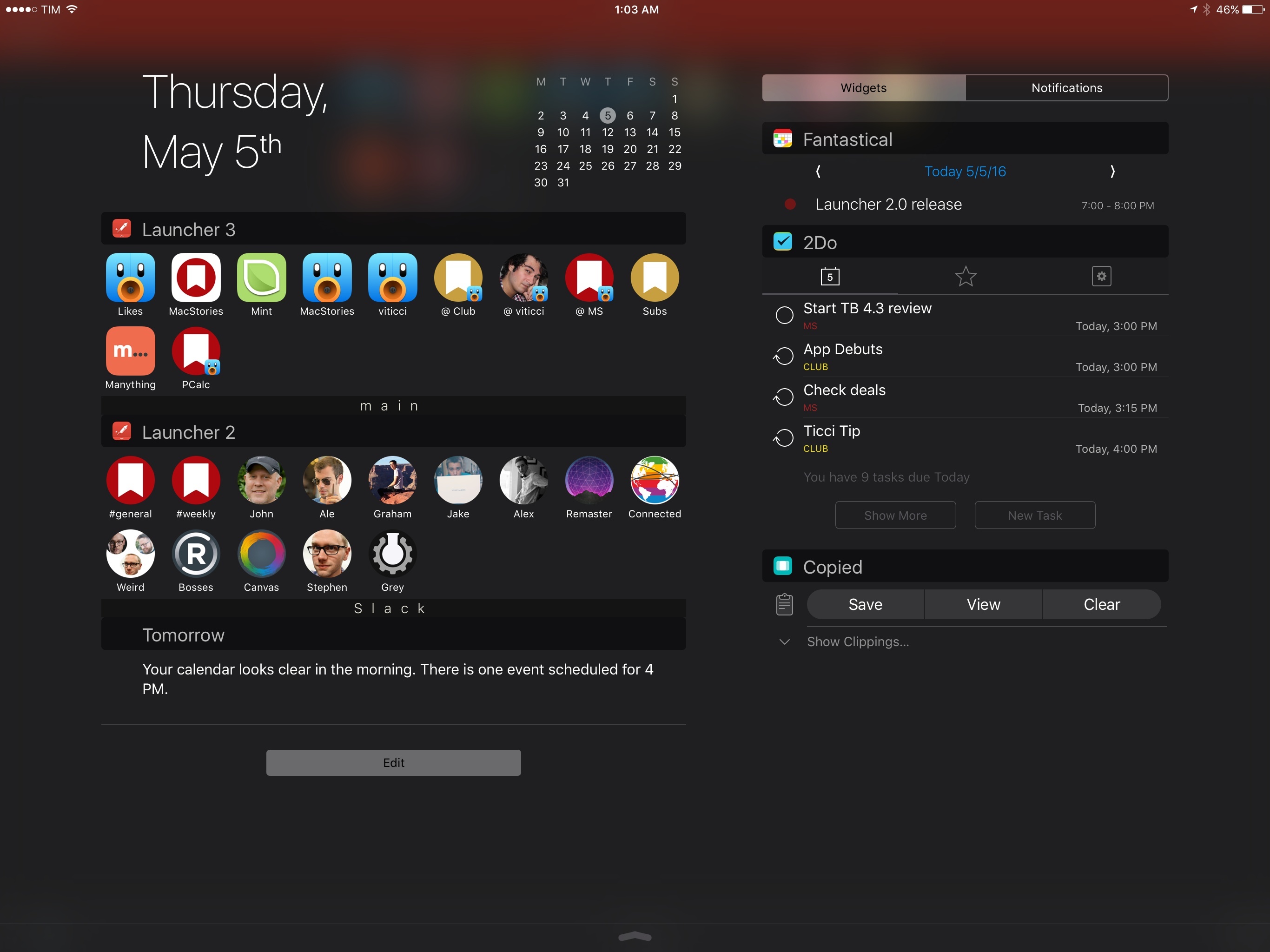
With Launcher 2.0, I’m Rethinking My Notification Center Widgets

When iOS 8 came out, I thought I’d stop using URL schemes altogether. Until two years ago1, my attempts at working on iOS had focused on overcoming the lack of inter-app communication with URL scheme automation, as our old coverage here at MacStories can attest. iOS 8 showed a new way to get things done on the iPhone and iPad thanks to extensions, eschewing the limited functionality (and security concerns) of URL schemes for a native, integrated foundation.

Two years later, I’ve largely reappraised my usage of URL schemes, but, unlike I first imagined, they haven’t disappeared completely from my iOS computing life. iOS automation has taken on a different form since 2014: thanks to its action extension, Workflow has brought deeply integrated automation to every app, while Pythonista remains the most powerful environment for those who prefer to dabble with Python scripting and advanced tasks (also while taking advantage of an action extension to be activated from apps).

Today, URL schemes are being used by developers and users who want to go beyond the limitations of system extensions: apps like Drafts and Workflow use URL schemes to invoke specific apps directly (which extensions can’t do – see Airmail and its custom app actions) and to link more complex chains of automated actions. URL schemes are also the best way to set up templates and import workflows for dedicated functionalities – a good example being The Omni Group with their latest automation options for template generation in OmniFocus.

While Apple’s goal with iOS 8 might have been to “kill” URL schemes by turning them into a niche technology mostly supplanted by extensions, that niche has continued to quietly thrive. iOS automation is drastically better (and more secure) today because of extensions, but, for many, URL schemes still are the backbone of app shortcuts and complex workflows. Where extensions can’t go, there’s a good chance a URL scheme will do the trick.

It’s in this modern iOS automation landscape that Launcher, first released in 2014, is graduating to version 2.0 with a focus on what it does best: standalone app shortcuts. Launcher 2.0 offers more control than its predecessor over widget customization and activation, with new features and settings that have pushed me to reconsider how I use Notification Center widgets on both my iPhone and iPad Pro.

Read more