

As someone who reviews apps on a weekly basis and tests betas of upcoming apps every day, I often need to annotate and share screenshots. Whether I have to point out a bug or highlight a feature, image annotations are a common occurrence in my workflow. After years of half-baked utilities, Annotable has managed to...
 App Debuts
iShows Games Based on the excellent iShows for iOS, iShows Games lets you keep track of upcoming videogame releases for multiple platforms. You can mark games as played or favorite, organize your library, and add new entries thanks to the Giant Bomb game database. Charm Collections are a great Twitter feature to collect and...
Member Requests
Question: Is there a way to use Workflow to access the Club MacStories archive and make a PDF from each of the underlying links? I’d love to have all of the Club MacStories content archived as PDFs in Evernote. (Dex Cure, @dexcure)
Thanks to Workflow’s Content Graph engine, it’s easy to go from a...
Connected, Episode 93: The Funky Honeycomb→
I Made You a Mixtape
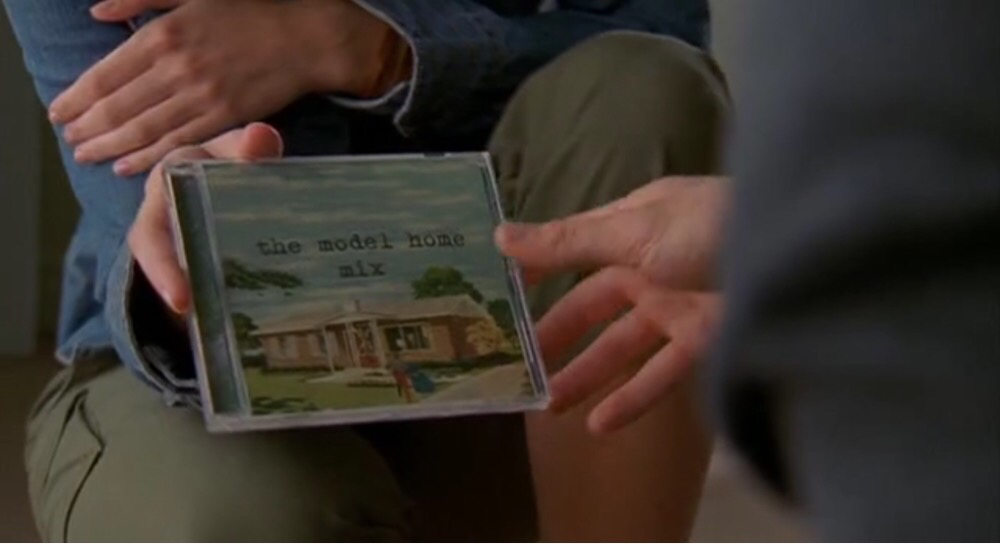
I’ve always loved the idea of someone else making a mixtape for me.
When I was in middle school and until the first year of high school, we didn’t have the Internet at home. My parents were against buying me a PC; they thought it was a waste of time. Unlike many of my friends, I depended on books and magazines for my school research and hobbies. I was a voracious reader.
That was 2002. I wasn’t exactly a music fan back then: I heard music on the radio in my mom’s car on the way to school in the morning, and I occasionally slid my dad’s cassette tapes in our Siemens Club 793 stereo, but he only listened to Italian music. I wanted the English stuff.
Until one day my friend Luca told me about MP3s and compact discs with hundreds of songs on them. By leaving his computer plugged in all night, he explained elatedly, he could download any music he wanted from the Internet using programs with exotic names I had never heard – WinMX, eMule, iMesh. Then, all those songs could be “burned” onto a CD as MP3s, and I could play them back for as long as I wanted with a CD player.
I was 14, we were chatting after school, and I didn’t know what piracy was. And then, the surprise: because he knew I didn’t have the Internet (or a computer), he had made a sample CD for me with about 30 songs on it. He gave me the CD, told me to buy a CD player for myself, and he concluded with “Get back to me soon about the songs you like. I put in a bit of everything except Italian music”.
Fourteen years ago, I was handed the first mixtape someone ever made for me.
When iCloud Works
I’ve had my fair share of criticism for iCloud since 2011. What I don’t usually write about, however, is my experience with iCloud in the past couple of years – particularly after going all-in with iOS and modern iCloud-based apps. Like millions of others, my iCloud account began as a MobileMe subscription in the...
Timing for Mac Tracks Your Time So You Don’t Have To [Sponsor]
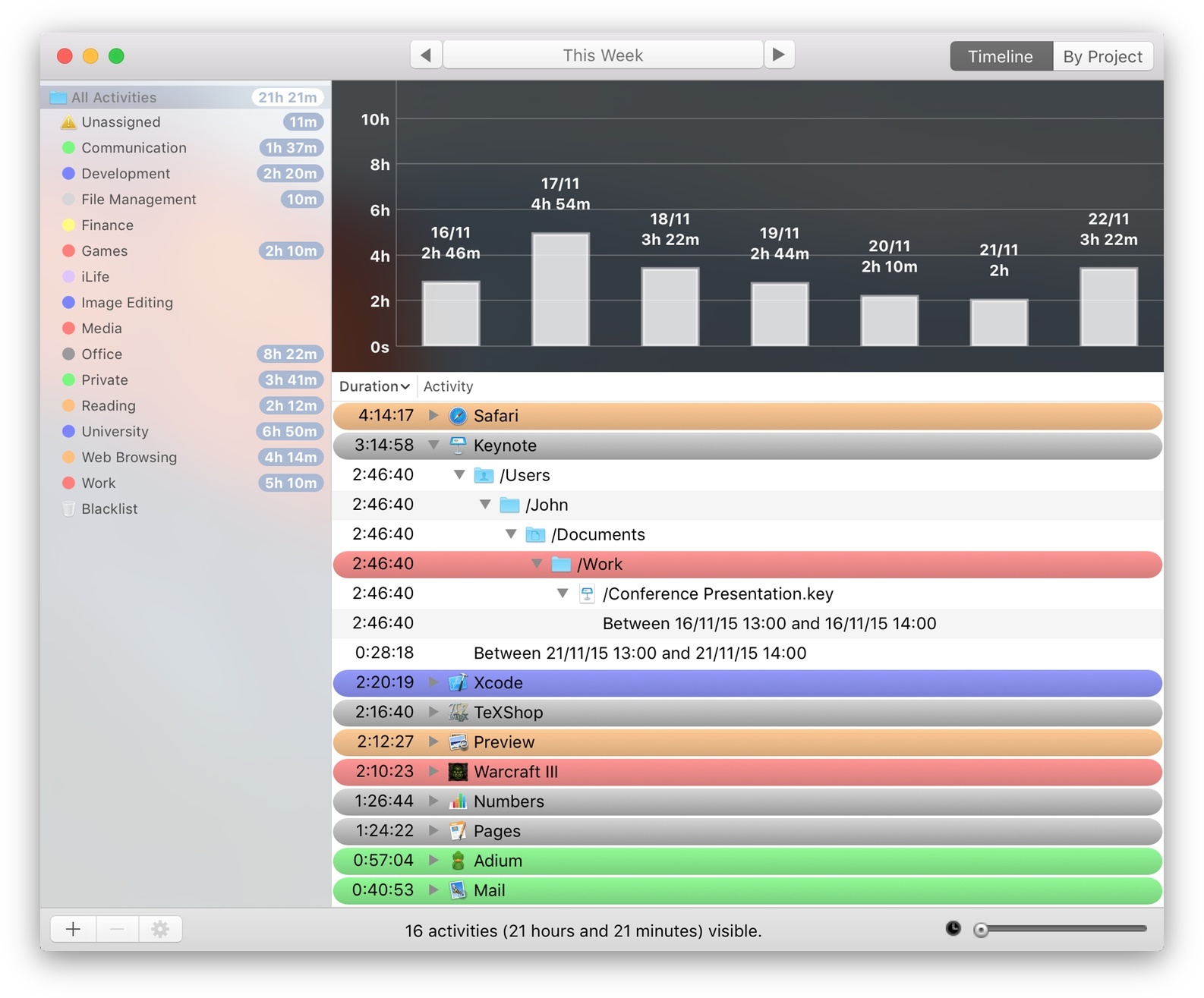
Have you ever spent all day in front of your Mac, just to wonder where the heck all that time went?
Or tried to bill a client, but couldn’t reconstruct how many hours you spent working for them?
You could use a time tracker. But to be honest, manual time tracking sucks. You have to start and stop timers, enter what you did, and so on. And if you forget that, you are back to square one.
Not so with Timing.
Instead of making you do all the work, Timing automatically tracks how you spend your time. It logs which apps you use, which websites you visit, and which documents you edit. You can easily categorize activities into projects.
Also, your data is not uploaded to anyone’s server. It stays safe on your Mac at all times.
Still not convinced? Download the free trial (direct link) now and on Friday review all the gory details of what you did this week. (But don’t blame Timing when you see all those hours wasted on Facebook and elsewhere!)
You can purchase Timing on the Mac App Store or check out the website at timingapp.com. The app is 20% off this week at $19.99 – that already pays for itself by recovering just half an hour of unproductive or unbilled time.
Our thanks to Timing for sponsoring MacStories this week.
Twitter for iPhone Gets Extended 3D Touch Support with Peek & Pop
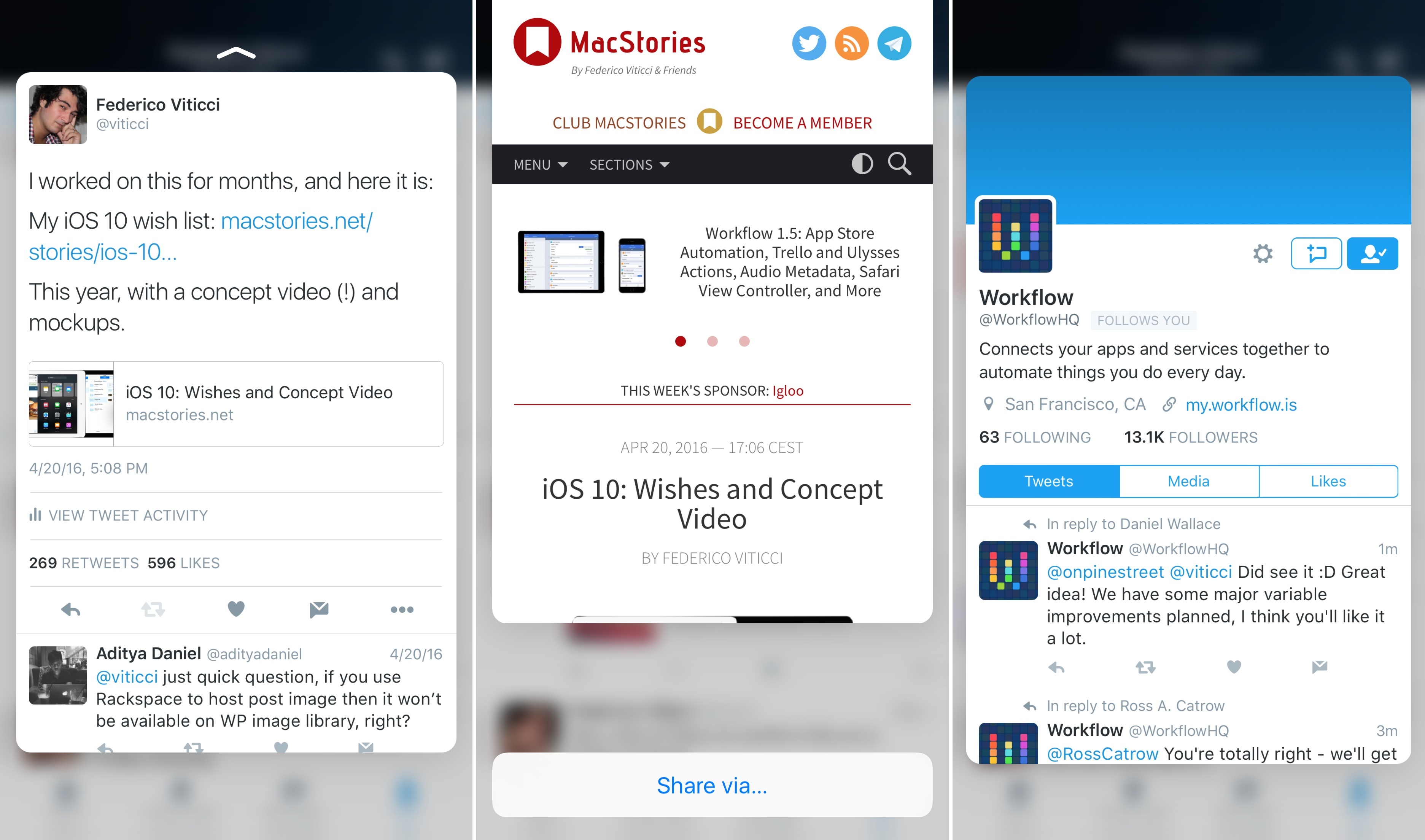
With an update released earlier today on the App Store, Twitter has extended integration with 3D Touch in their iPhone app (previously limited to quick actions on the Home screen) to peek and pop previews in the timeline and other sections of the app.
With the latest version of Twitter for iPhone, you’ll be able to press on tweets, links, pictures, and profiles to bring up a 3D Touch preview of the content. By swiping a peek upwards, you’ll also gain access to shortcuts to either share via direct message and iOS extensions or, in the case of profiles, mute, block, and report a user.
Twitter’s extended 3D Touch support isn’t as advanced as Tweetbot – for instance, peek and pop previews don’t seem to work in the Notifications tab – but it’s a step forward regardless.
You can get the latest version of Twitter for iPhone from the App Store.
What Google Photos Could Do Next→
Mat Honan, writing for BuzzFeed, interviewed Anil Sabharwal, vice president of Photos at Google, on the future of the service. It sounds like they’re thinking of more ways to let artificial intelligence make photo management and sharing smarter:
Google refers to these auto-generated moments as “creations.” According to Sabharwal, the company has made 1.6 billion of them in the past year and has big plans to do more. “I think there’s a really great opportunity to mix the machine learning and creations together,” he said. “One [creation] we love is the concept of ‘rediscover this day’ — where we present to our users meaningful moments on a particular date in previous years. Rather than ‘here’s what happened a year ago,’ it’s here’s a set of photos from the last time you were with these people, or the last time you were at this restaurant.”
Sabharwal also said Photos might become smarter about the albums and movies it creates by giving them a stronger perspective and point of view. It might, for example, automatically select a wedding shot in which you and your partner are looking at each other for the hero shot in an anniversary album.
The success of Google Photos doesn’t surprise me. Unlike other Google products, it’s focused, updated often, and it distills the best of Google (machine learning at scale, speed, online backup) down to a clear, user-friendly product. I think it’s the best consumer service they’ve launched in years.