
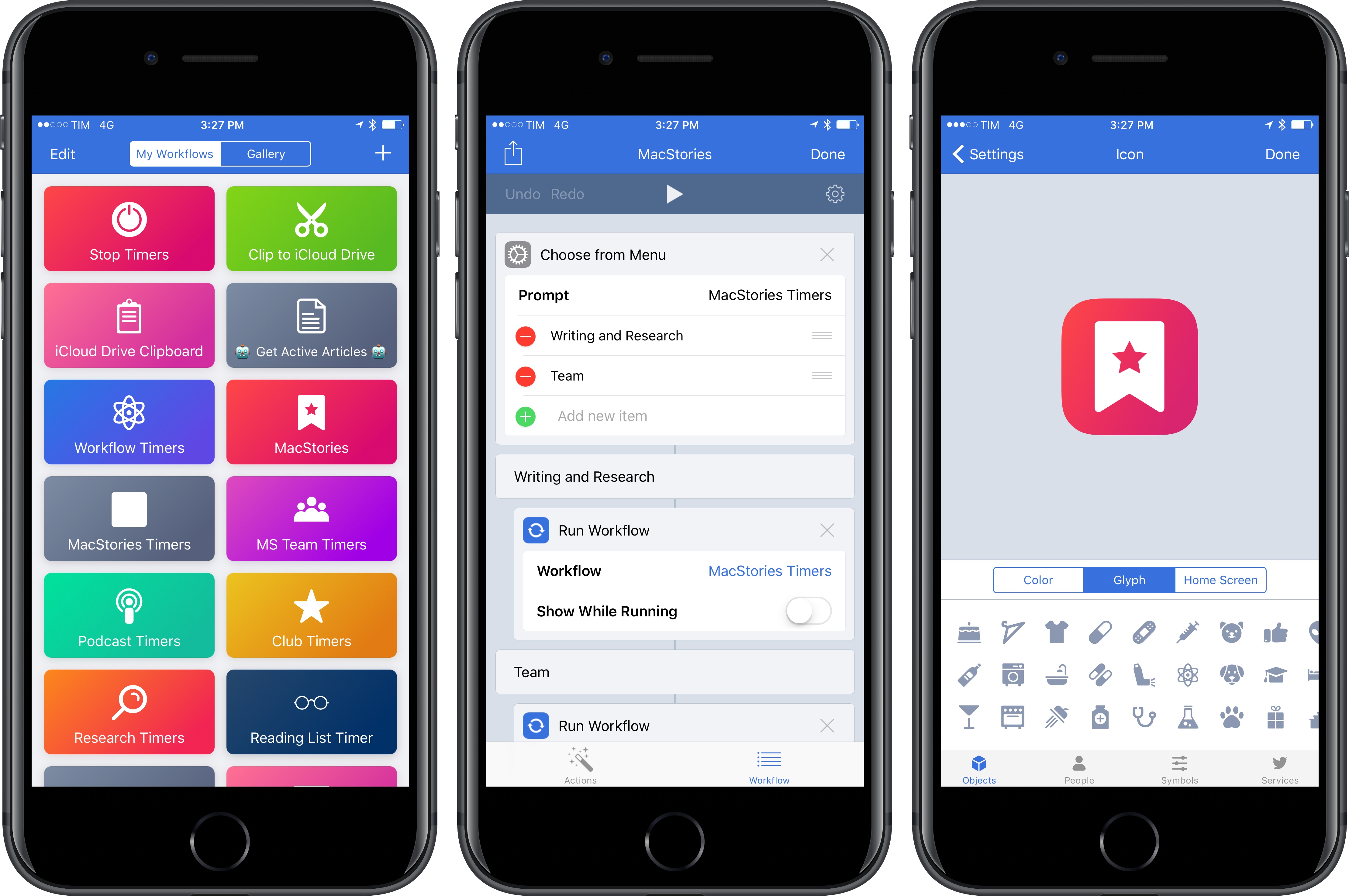
Following the release of Workflow 1.7 earlier this month, the Workflow team is debuting a set of tweaks and additions this week that further simplify the creation and management of workflows for both beginners and advanced users.
Connected, Episode 131: The High School Reunion of Phones→
This week, Stephen yells at the cloud, Myke gets new emojis and Federico speaks wisdom to the masses.
Another fun episode of Connected this week, with plenty of speculation about USB-C on future Apple devices and what other companies are doing with smartphones in 2017. You can listen here.
Sponsored by:
- Mack Weldon: Smart underwear for smart guys. Get 20% off with the code CONNECTED.
- Incapsula: Secure and accelerate your website. Connected listeners get one month free.
- Blue Apron: A better way to cook. Get three meals free with your first purchase, and free shipping.
Record Bird Is Apple Music’s Missing Discovery Tool for New Releases
When it comes to keeping track of new music releases from my favorite artists, streaming services have always been a disappointment. After nearly eight years of streaming music every day, I’ve realized that the problem lies on the two ends of the New Releases spectrum: these days, services either prioritize front page curation skewed towards new pop, R&B/hip-hop, or EDM tracks (the most popular and lucrative genres), or they algorithmically suggest new releases for artists I may like, but which I’m not necessarily familiar with.
I’ve tried all of the major streaming services since 2009, and only two of them have gotten close to my ideal implementation of “Here’s everything artists you already know have released or are about to release”.
Rdio (forever in our hearts) had a solid New Releases section featuring a mix of variegate editorial picks culled from a variety of genres, labels, and trends. Unlike the modern equivalents in Spotify and Apple Music, I remember Rdio’s New Releases page1 offered a more balanced, heterogeneous mix of new songs.
Spotify, on the other hand, has invested heavily on algorithmic and serendipitous discovery of songs, but it still hasn’t quite figured out how to display every new release from every artist you care about. Spotify can send emails for new release highlights, but those are only a subset of new releases from your favorite artists – usually, only the most popular ones. Other Spotify features are similarly focused on highlights.
In comparing the treatment of new music releases among different services, I realized that this is largely what Apple had set out to solve with Connect in Apple Music: a way to follow all your favorite artists and view updates for their announcements – whether they were new songs, video clips, tour dates, or photos.
Apple Music Connect, however, has faltered due to Apple’s inability to scale a music-centric network (twice) and because it was predicated on a commitment from artists – both superstars and smaller acts – to post regular updates on their Connect feeds. After an initial spur of song previews and photos published on Connect, Apple Music’s network has mostly turned into a ghost town of sporadic updates, often automatically cross-posted to other networks (without any exclusivity), with hashtags that can’t be tapped and shortened links that open Safari webpages after multiple redirects. It’s not a good user experience. Apple Music Connect is an afterthought; it’s also been regarded as such by Apple itself with the removal of the dedicated page in iOS 10.
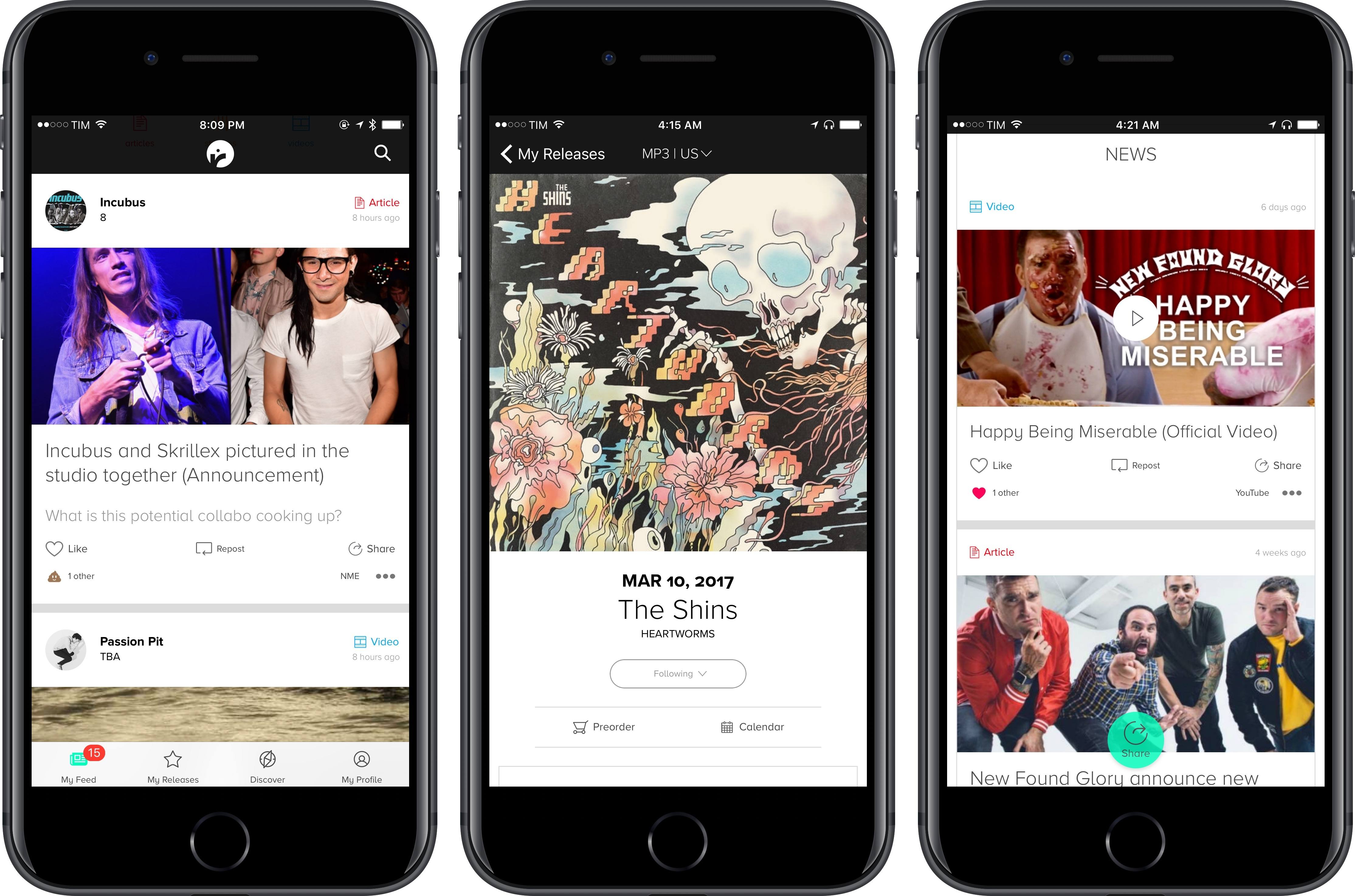
Fortunately, there are still people who understand what a music lover with a broad range of preferences wants from a tool designed to discover new music. For the past couple of months, I’ve been using Record Bird, a free iPhone app hailing from Austria, to check on updates from my favorite artists every day, stream songs, watch videos, and even read related stories.
iOS 10.2.1 Has Reduced Unexpected iPhone 6s Shutdown Issues→
Matthew Panzarino, writing for TechCrunch following a statement from Apple:
Over the past couple of iPhone versions users have complained of “unexpected” shutdowns of their devices. Some iPhone 6, 6s, 6 Plus and 6s Plus devices could basically go dark unexpectedly, forcing a user to have to plug them into an outlet to get them to power back on.
Apple has been working on this very annoying bug and it says it has come up with a fix of sorts that should mitigate the problem on a majority of iPhone 6 and iPhone 6s devices. The fix is actually already on your iPhone if you have installed iOS 10.2.1 — something that around 50 percent of iOS users have already done. After letting the fix simmer on customer devices, Apple now has statistics to share on how it has improved the issue, citing 80 percent reduction on iPhone 6s and 70 percent reduction on iPhone 6 devices.
These unexpected shutdowns were a different issue than the iPhone 6s battery recall. From personal experience, I’ve heard quite a few friends mention how their iPhones’ serial number weren’t eligible for the battery replacement program despite frequent shutdowns. iOS 10.2.1 should fix that, and Apple is also rolling out a new message in the Settings app in case a device’s battery has to be replaced.
 AudioMail
I was recently talking to a friend who’s an Airmail and Workflow user, and he told me how he’s gotten into the habit of replying to people over email using “audio mails” – brief voice memos embedded as attachments to a message that allow him to talk freely without spending too much time typing....
Easier Mute Filters in Tweetbot
I’ve been going back and forth between Twitterrific and Tweetbot lately and, this past week, I primarily interacted with my timeline using Tapbots’ app. Coming from Twitterrific, I immediately noticed how slow Tweetbot was in letting me create new mute filters. In Twitterrific, you can create new “muffles” directly from the timeline with a...
Member Requests
Question: I use regex a lot to build workflows, and in doing so I’ve come to realize that it’s critical to be able to see invisible characters. On my Mac, I use TextWrangler’s ‘Show Invisibles’ feature to do this. But I haven’t found a text editor on iOS that has similar functionality. Are you aware...
Remaster, Episode 29: Waiting for the Switch→
We are just one week away from the Nintendo Switch. What do we know?
The Nintendo Switch is launching in a week. On the latest Remaster, we go over the latest details we know about the console, the games that have been announced, and all the hardware we’re buying. You can listen here.
Sponsored by:
- Mack Weldon: Smart underwear for smart guys. Get 20% off with the code REMASTER.
- Squarespace: Make your next move. Enter offer code INSERTCOIN at checkout to get 10% off your first purchase.