
Cupcakes and Unicorns Delicious cupcakes and magical unicorns come together in an adorable sticker pack that will liven up your iMessage conversations. Trash Bandits From the creator of the amazing Trash Doves, Trash Bandits is another sticker pack focused on your favorite garbage friends – raccoons. Featuring 24 stickers (9 of which animated), Trash...
The Future of Workflow
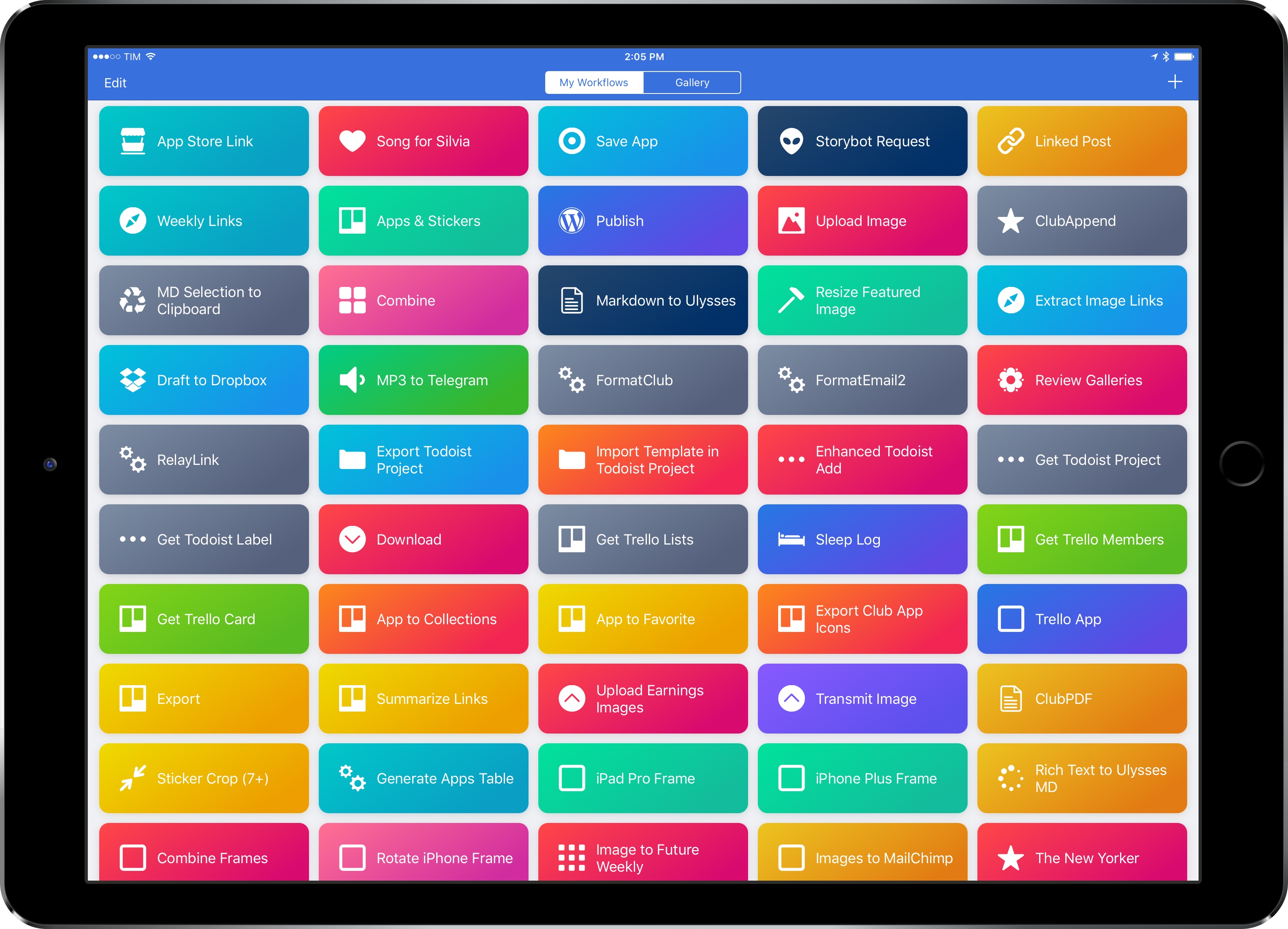
I’ve loved Workflow since the first beta I was sent in August 2014. Workflow is my most-used iOS app of all time, and, in many ways, it is the reason my iPad Pro can be my primary computer. I’ve written thousands of words on the app and have created hundreds of workflows for myself and others over the course of two years.
I referred to Workflow as Minecraft for iOS productivity and the modern bicycle for the mind in the past. I stand by those analogies. There’s nothing else on iOS like Workflow, which deftly walked the fine line between absurd innovation and Apple rejections with a bold vision and technical prowess. Workflow embraced the limitations of iOS and turned them into strengths, resulting in a power-user app with no competition. After two years, no app gets remotely close to the automation features shipped by the Workflow team.
And now Workflow and its creators are going to be part of Apple and the company’s bigger (and more secretive) plans.
Somewhere in the back of my mind, I had always kept the possibility that Workflow could eventually be discontinued or acquired. In a somewhat prescient move, Stephen quizzed me on this problem a few weeks ago on Connected. My “worst-case scenario” of Workflow going away became the new reality of iOS automation last week.
Workflow as an app is an incredibly good acquisition for Apple, but there’s a deeper subtext here. Workflow represents a movement from a large number of users who enjoy working from iOS devices so much, they want to optimize the experience as much as possible. Workflow’s goal wasn’t to merely provide a capable alternative to the Mac’s AppleScript and Automator; Workflow wanted to eclipse legacy scripting environments and usher iOS users into a new era of mobile automation. There’s the Workflow app and team – technically impressive and absolutely talented – and there’s the bigger theme behind Workflow.
But what has Apple acquired, exactly? Under Apple’s control, can Workflow continue on its mission to make automation accessible for everyone? If Apple sees a future in iOS automation powered by Workflow, what else can be done with a virtually infinite budget and stronger ties to the platform? And what does this acquisition mean for Apple’s commitment to pro users on iOS?
I’ve been mulling over these questions for the past week. I don’t have any absolute answers at this point, but, after building workflows and following the app’s development for two years, I have some ideas on where Workflow can go next.
Below, you’ll find two possible scenarios for Workflow as an Apple app, as well as some considerations on how Apple could evolve Workflow into a native feature of iOS devices and a new developer platform.
Connected, Episode 135: This Might Be Our Fault→
Workflow has been purchased by Apple and everyone has feelings about it.
On the latest episode of Connected, we share some initial thoughts on Apple’s acquisition of Workflow. I’m working on a feature story about this – in the meantime, this is a good starting point. You can listen here.
Sponsored by:
- Incapsula: Secure and accelerate your website. Connected listeners get one month free.
- Blue Apron: A better way to cook. Get three meals free with your first purchase, and free shipping.
- Eero: Blanket your home in fast, reliable WiFi.
Curtis Herbert on App Store Review Replies→
Curtis Herbert, creator of the excellent Slopes for iOS (I wish I was a skier or snowboarder to use his app), has some great tips for developers on dealing with replies to App Store reviews:
I’d recommend every app owner do the following, today. Head into the review section in iTunes Connect and sort by “Most Helpful.” These are reviews that customers have voted should be floated to the top, and that’s what Apple does. Take a quick look through there and see which ones you can address.
Future customers are most likely to see your replies to these reviews, so that’s the best bang-for-the-buck you can do right now. I went further than that, personally, and re-read a ton of my negative reviews and replied to the ones that met the above goals, but you don’t have to rush it.
If you’re a developer, you’ll want to start engaging with customers right away and work through your existing backlog of reviews. I have a feeling the new ability for developers to reply to customers will fundamentally change the tone and utility of App Store reviews.
Shapego – Beautiful Word Clouds for iPad and iPhone [Sponsor]
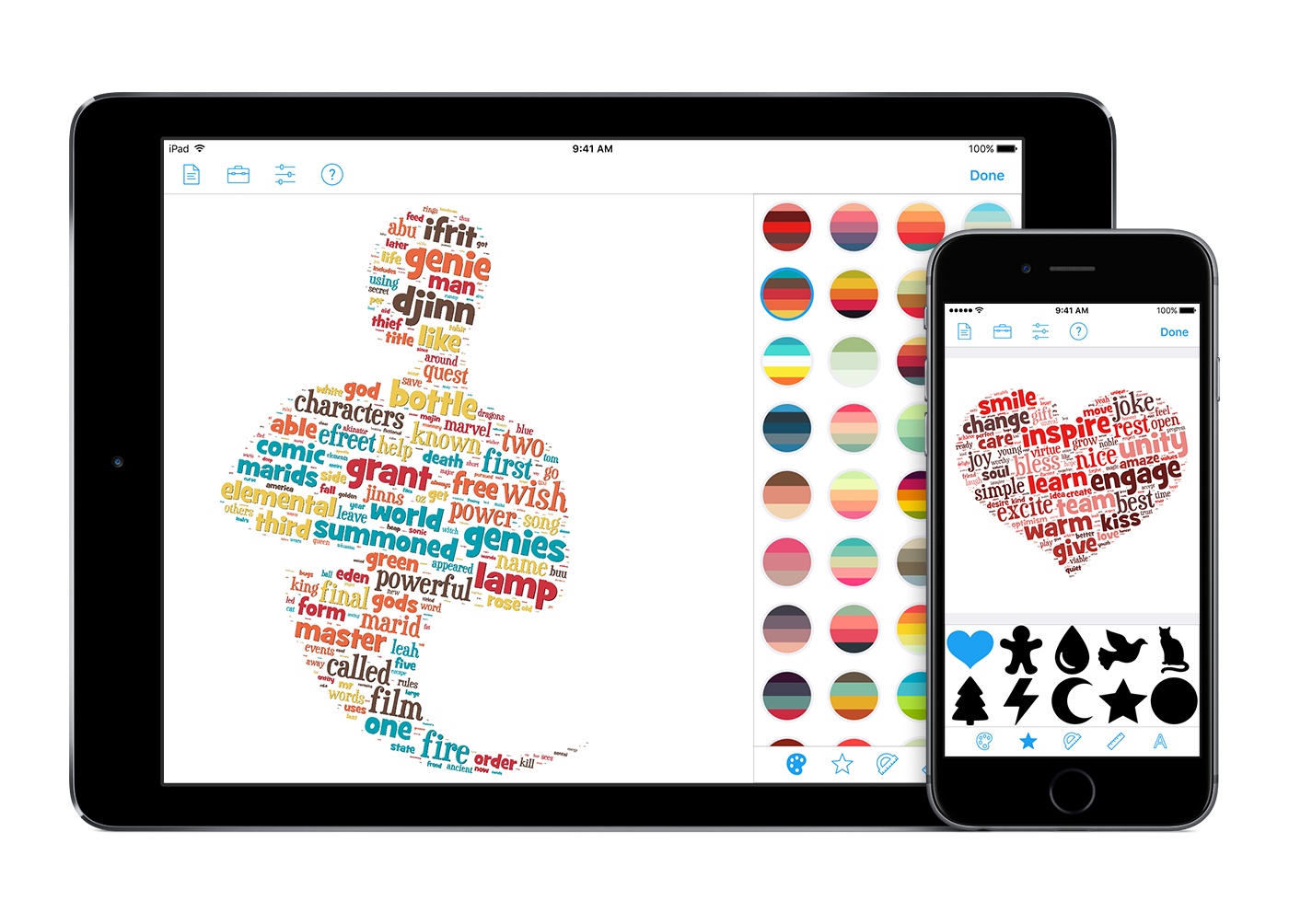
Shapego is a full-featured word cloud generator that gives you everything you need to create amazing word clouds for your presentations, marketing, and communication materials.
Whether you are a marketing professional, a teacher, a community manager, or somebody that wants to communicate a message in a visual manner, Shapego is the app you need.
Shapego features a streamlined user interface that was built to fine-tune the appearance, shape, and position of the words that compose your word cloud. Once you are satisfied with your creations, Shapego lets you export to PDF vector documents or layered Photoshop files.
Still have doubts? Here are some real-world use cases:
- Need to brainstorm on a document and need a quick way to highlight the words that matter most? Shapego can help you by making a word cloud with only the most recurrent words thanks to iOS state-of-the-art Natural Language Processing technologies.
- Need to express your ideas in a different way? Tired of the old PowerPoint thing? Just create a word cloud with Shapego and accurately position the key words of your message.
- Need to engage your students? Let them write a description of an object or an animal and use Shapego to have their words laid out in a word cloud that has the shape of what they are describing.
Check out the video teaser and find more information at shapegoapp.com. Shapego is available exclusively on the App Store as a free download with In-App-Purchases.
Our thanks to Shapego for sponsoring MacStories this week.
Remaster, Episode 31: ‘The Legend of Zelda: Breath of the Wild’ Review→
Federico and Myke give their review of The Legend of Zelda: Breath of the Wild.
On the latest Remaster, we go deep into Breath of the Wild with our thoughts on the game after 60-70 hours, tips on gameplay, and more. You can listen here.
Sponsored by:
- Blue Apron: A better way to cook. Get three meals free with your first purchase, and free shipping.
- Squarespace: Make your next move. Enter offer code INSERTCOIN at checkout to get 10% off your first purchase.
How Drake and Apple Music Broke Streaming Records with More Life→
Fascinating look by Micah Singleton at how Drake’s latest mixtape More Life broke streaming records on Apple Music despite not being exclusive to it:
After setting a record with 89.9 million streams in its first 24 hours on Apple’s streaming service — over 33 million streams ahead of Sheeran’s Divide in its first 24 hours on Spotify, which has around 80 million more users — it’s clear Drake and his favorite music service have cracked the streaming formula.
So how did Apple manage to break a record with an album that’s also available on Spotify, with only 20 million users compared to Spotify’s 100 million? The answer, according to the Apple Music team, is the power of Beats 1 and OVO Sound Radio.
For Drake, Beats 1 has essentially replaced SoundCloud, the platform he once dominated and released singles through — a move that Jackson and Apple VP of apps and content Robert Kondrk said was a risk for Drake at the time. “We weren’t a proven hit, we weren’t a proven entity at all, whatsoever,” says Jackson. SoundCloud just got a shoutout from Chance The Rapper at the Grammys, but the service has been having a rough time since Drake left, with Recode reporting it recently had to raise a $70 million debt round just to stay afloat.
I still wish Beats 1 shows were easier to access and discover, but clearly the system has been working out well for Drake.
 Q&A
Q&A
Question: I often want to extract the details of an author’s name and the date from an article in the browser – i.e. like for the article where you published the Ulysses workflow. But, I work more on my MacBook than on my iPad and want to use the same kind of automation on macOS...
Exporting Multiple Dropbox Files at Once with Workflow’s New File Actions
In a timely update released the day after I shared some workflows for working with multiple DEVONthink files in Issue 71 of MacStories Weekly, the Workflow team introduced expanded file actions in version 1.7.2 of the app. I covered the update on the site earlier this week, and I’d like to further elaborate upon...