Reeder got me into reading RSS feeds on my iPhone several years ago. The app isn’t updated often these days, but developer Silvio Rizzi always makes sure to release updates that support the latest Apple hardware and iOS versions, which I appreciate. Reeder is as smooth and elegant as the day it came out (specifically, version 2 in 2013), and today’s 3.1 update is a welcome one as it brings support for iOS 11 and the iPhone X.
There are no new features in this version, but I recommend trying it out on an iPhone X if only to look at the “pure black” theme on the device’s OLED display. It’s glorious. I’m looking at Reeder now as I’m reading some articles in bed, and I can’t tell where the display and the bezels meet. I wish more apps would implement dark themes like this on the iPhone X. And as always, it’s great to see that Reeder is still around.
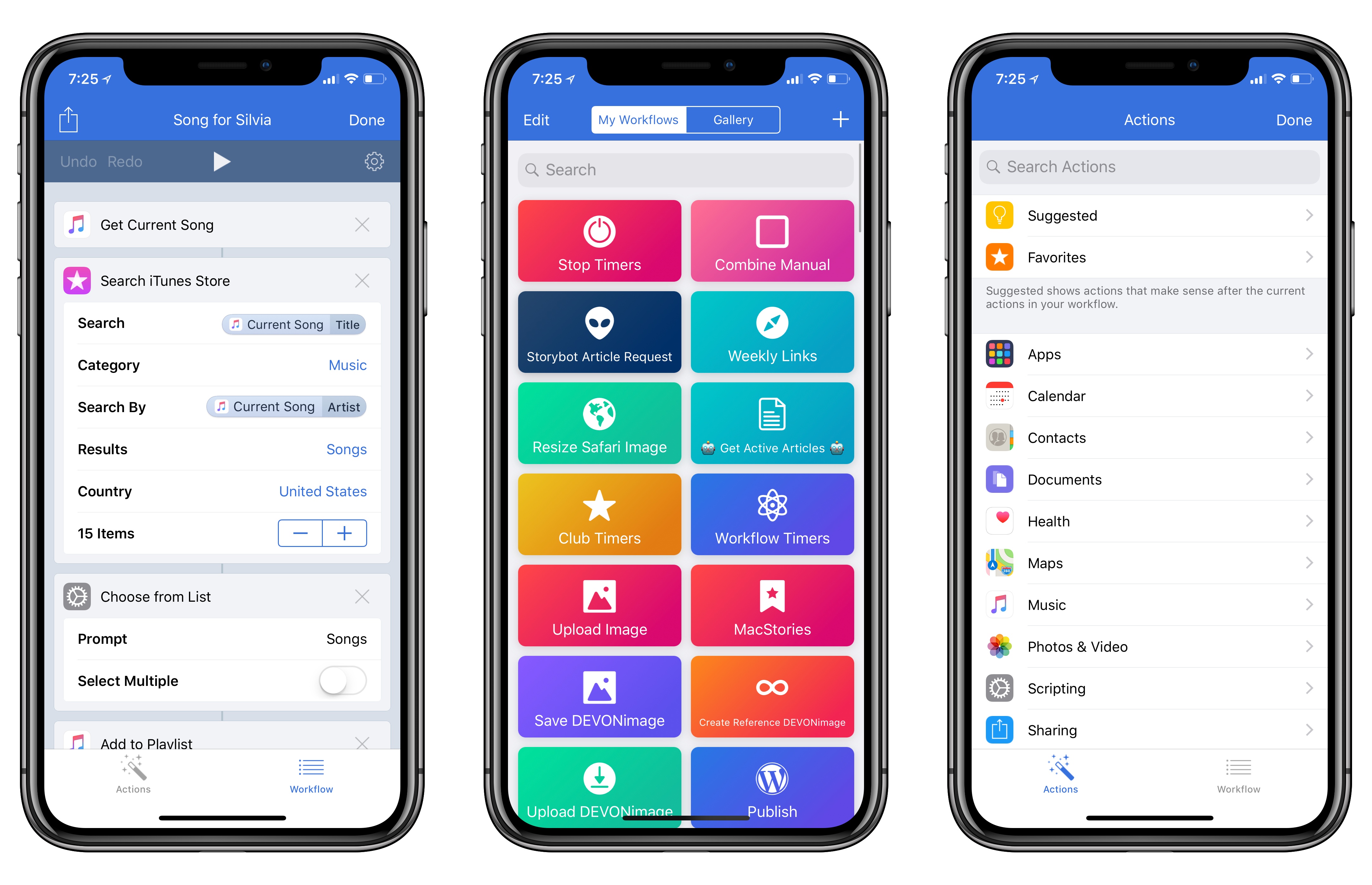
Workflow, the iOS automation app acquired by Apple earlier this year, received a major update today, adding support for the iPhone X and a variety of iOS 11-only features.
Read more
Developer Simon Støvring has put together SBSAnimoji, an iPhone X app that uses Apple’s private AvatarKit framework to let you record Animoji videos that aren’t limited to 10-second clips or the Messages app. You can download the project from GitHub and install it with Xcode on your iPhone X.
It’s fascinating to consider how Animoji could expand beyond iMessage through AvatarKit, or how the same tech that powers the framework could be used for the creation of different system avatars not necessarily modeled after popular emoji. Also: wouldn’t it be interesting to have AvatarKit as a proper API for third-party developers?
On this week’s episode of Connected, we share our first impressions on the iPhone X and discuss the experience of using the device. This is a long one. You can listen here.
Sponsored by:
- Balance Open: Find out more about Balance Open and get $2 in Ethereum.
- Casper: Start sleeping ahead of the curve. Get $50 off with the code ‘CONNECTED’.
- TextExpander, from Smile: Communicate smarter with TextExpander. Get 20% off your first year when you tell them you came from this show.
I received my iPhone X earlier today, but because I didn’t add AppleCare+ to my shopping bag when the preorders opened (I wanted to be as quick as possible, and I was sleepy), today I had to buy it separately.
AppleCare+ came in handy earlier this year when I (inexplicably) bent my 12.9-inch iPad Pro and the repair’s cost ended up being €49 instead of €550. After Stephen Hackett pointed at the more expensive repair costs for the iPhone X, I was even more convinced to add the extra coverage to my new iPhone. Buying AppleCare online is surprisingly easy: you receive an email from Apple with a link, which takes you to iOS’ built-in diagnostics app that verifies your device’s eligibility with Apple’s servers. It takes a couple of minutes, after which you can continue with the checkout in Safari. I never did this myself before because I thought driving to the Apple store just to buy AppleCare was easier; it’s not. The diagnostics app has an iOS 11 large title design, too.
If you also have a new iPhone X without AppleCare, Apple has a support document that explains how you can purchase it here.
Federico and John explain the apps and workflows they use to cover Apple earnings calls and then cover updates to Newsify on iOS and Twitterrific for macOS.
Read more
Mario is back! Is he better than ever?
On this week’s episode of Remaster, we share our thoughts on Super Mario Odyssey. There are spoilers in the second half of the show. This is a good one. You can listen here.
Sponsored by:
- Squarespace: Make your next move. Enter offer code INSERTCOIN at checkout to get 10% off your first purchase.
- Podcast Listener Survey: We rely on advertising as a way to support this show. If you could do us a favor and answer a few short questions, it would be really helpful to us.
One of my favorite features of Todoist is the ability to create filters to visualize subsets of tasks based on their due dates, tags, projects, and other criteria. Think of Todoist’s filters as the equivalent of OmniFocus’ perspectives, but more flexible thanks to a natural language syntax and available on every platform, including the...
Noteshelf 2 Launched last month, this major update to the popular note-taking app for iPad (I first reviewed it in 2010) has brought dozens of new features well worth the upgrade. Noteshelf 2 has an iPhone version, which syncs with the iPad using iCloud; books can be grouped into categories, are sorted by date,...



 John
John