
Over the past few months, I’ve explored various techniques to take advantage of Base64 encoding to open custom webpages in Safari using Shortcuts. First, I shared Home Screen Icon Creator, an advanced shortcut that lets you create personalized home screen launchers with an icon of your choosing. Then, a couple of weeks ago, I...
Connected, Episode 226: The Instagram Secret Society→
The boys discuss a bunch of Apple products that may be receiving refreshes after years of neglect, including the iPad mini and iPod touch, then are taught how to edit photos like pros by Tyler Stalman.
If you want to get better at taking pictures on your iPhone, you don’t want to miss the second half of this week’s Connected. I learned a lot from Tyler and now have a handful of new apps to play with. You can listen here.
Sponsored by:
- PDFpen, from Smile: The ultimate tool for editing PDFs. Click here to learn more.
- Away: Travel smarter with the suitcase that charges your phone. Get $20 off with the code ‘connected’.
- Squarespace: Make your next move. Enter offer code CONNECTED at checkout to get 10% off your first purchase.
 Interview: iOS Game Design with Edwin Smith of Feral Interactive
 John
John
AppStories Episode 94 - Interview: iOS Game Design with Edwin Smith of Feral Interactive
0:00
37:16
37:16
This week, we interview Edwin Smith of Feral Interactive, the developer and publisher of Mac and iOS games about the design challenges of bringing complex desktop games to the iPad and iPhone.
 Presenting a List of Agenda Calendar Events
In Issue 154 of MacStories Weekly last year, I shared a custom shortcut to find events created from Agenda – my favorite note-taking app from 2018 – delete them, and turn them into reminders containing the same details for title, date, and URLs. Over the past few weeks, however, I have realized that I...
Dates with Siri→
Before I get any further, let me tell you that some of what I’m going to say here was already covered by David Sparks in this post from almost six years ago. This was just a year and a half after the “beta” introduction of Siri with the iPhone 4S, and David was pleased with what Siri could do. I like a lot of what Siri can do with dates, too, but there are still some frustrating blind spots and inconsistencies. In fact, with one of David’s examples, Siri isn’t as convenient as it was six years ago.
Context has always been one of Siri’s weaknesses, and that’s where it failed Casey. Any normal human being would understand immediately that a question asked in January about days since a day in December is talking about the December of the previous year. But Siri ignores (or doesn’t understand) the word “since” and calculates the days until the next December 18.
Solid collection of examples of date calculations with Siri by Dr. Drang. As he notes, it’s not that Siri can’t answer complex questions involving dates – it’s that you often have to phrase your questions with an exact syntax that a computer program can understand. This is frustrating because Apple promotes Siri as a smart assistant that can infer context without a refined syntax. I still run into a similar problem with time zone conversions; of course, the old trick I used to rely on no longer works for me unless I preface the question with “Ask Wolfram”.
Connected, Episode 225: The Bear Will Charge You→
Stephen, Myke and Federico kick off 2019 with annual predictions, a look at Apple’s recent TV moves and the most amazing Shortcut of all time.
On this week’s episode of Connected, we share our predictions for Apple in 2019. You can listen here.
Sponsored by:
- ExpressVPN: High-Speed, Secure & Anonymous VPN Service. Get 3 months free with a 1-year package.
- Hover: Celebrate Hover’s 10 year anniversary with awesome promotions for a limited time only
- Zola: Sign up and receive a $50 credit towards your registry.
Apple Frames Shortcut, Now with Support for the 11” iPad Pro and Apple Watch Series 4 40mm
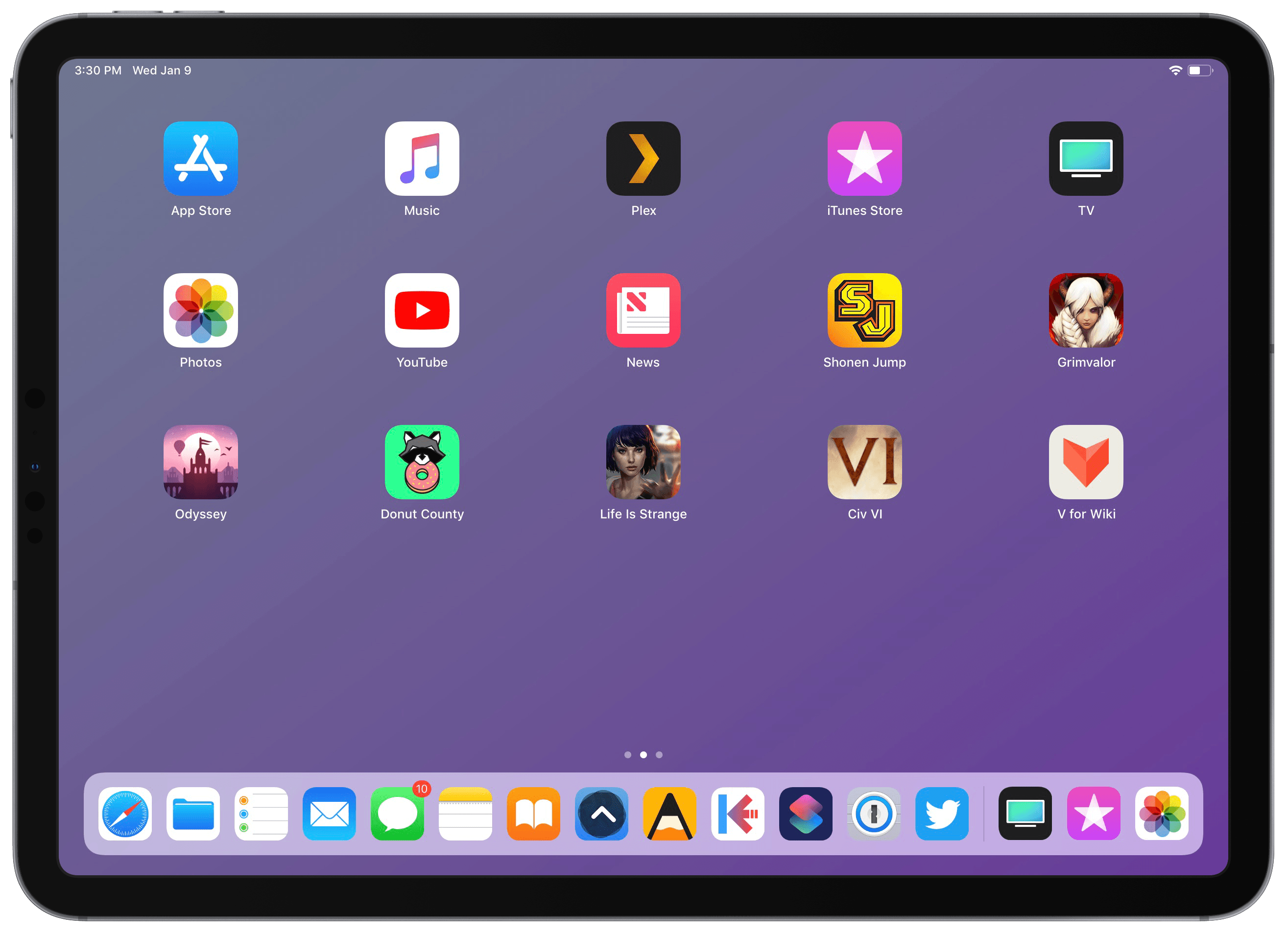
Apple Frames, my shortcut to add device frames to screenshots taken on modern Apple devices, has been updated with support for the 11” iPad Pro and 40mm Apple Watch Series 4. This marks the second major update to Apple Frames, which now supports the following Apple devices:
- iPhone 6, 7, 8, and X
- iPhone XS and XS Max
- iPad Pro 11” and 12.9” (2018 models)
- Apple Watch Series 4 (44mm and 40mm)
- MacBook Pro (Retina 13”)
- iMac 5K
Apple Music Wrapped: A Shortcut to Visualize Your Most Listened Songs, Artists, and Genres of the Year
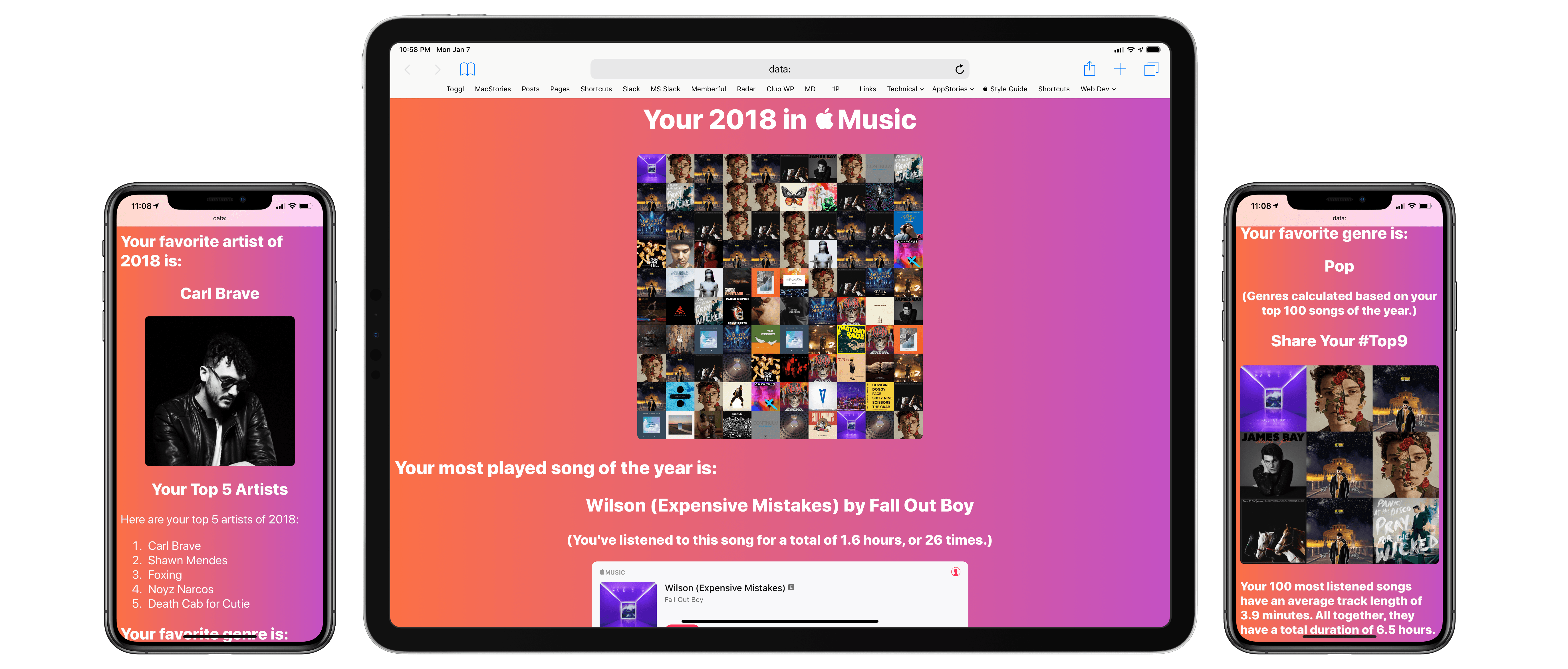
When Spotify was my music streaming service of choice, one of the features I really liked was its personalized Wrapped report generated at the end of the year. I’ve always been a fan of geeky annual reports and stats about the usage of any given web service – be it Spotify, Pocket, or Toggl. I appreciate a detailed look at 12 months of collected data to gain some insight into my habits and patterns.
I’ve always been annoyed by the lack of a similar feature in Apple Music; I’m surprised that Apple still hasn’t added a native “Year in Review” option – a baffling omission given how the company is already collecting all of the necessary data points in the cloud. Official “Apple Music Wrapped” functionality would bolster the service’s catalog of personalized features, providing users with a “reward” at the end of the year in the form of reports and playlists to help them rediscover what they listened to over the past year.
But Apple doesn’t seem interested in adding this feature to Apple Music, so I decided to build my own using Shortcuts. The result is the most complex shortcut I’ve ever created comprising over 540 actions. It’s not perfect due to the limitations of iOS and Shortcuts, but it’s the closest I was able to come to replicating Spotify’s excellent Wrapped feature.