

As I wrote on MacStories earlier this week, I’ve been testing an agentic workflow in Claude that allows the model to interact with Zapier and connect my Gmail inbox to Todoist. The idea is that every few days, I can take advantage of natural language understanding in a “hybrid automation” setup that scans my inbox...
Early Impressions of Claude Opus 4 and Using Tools with Extended Thinking
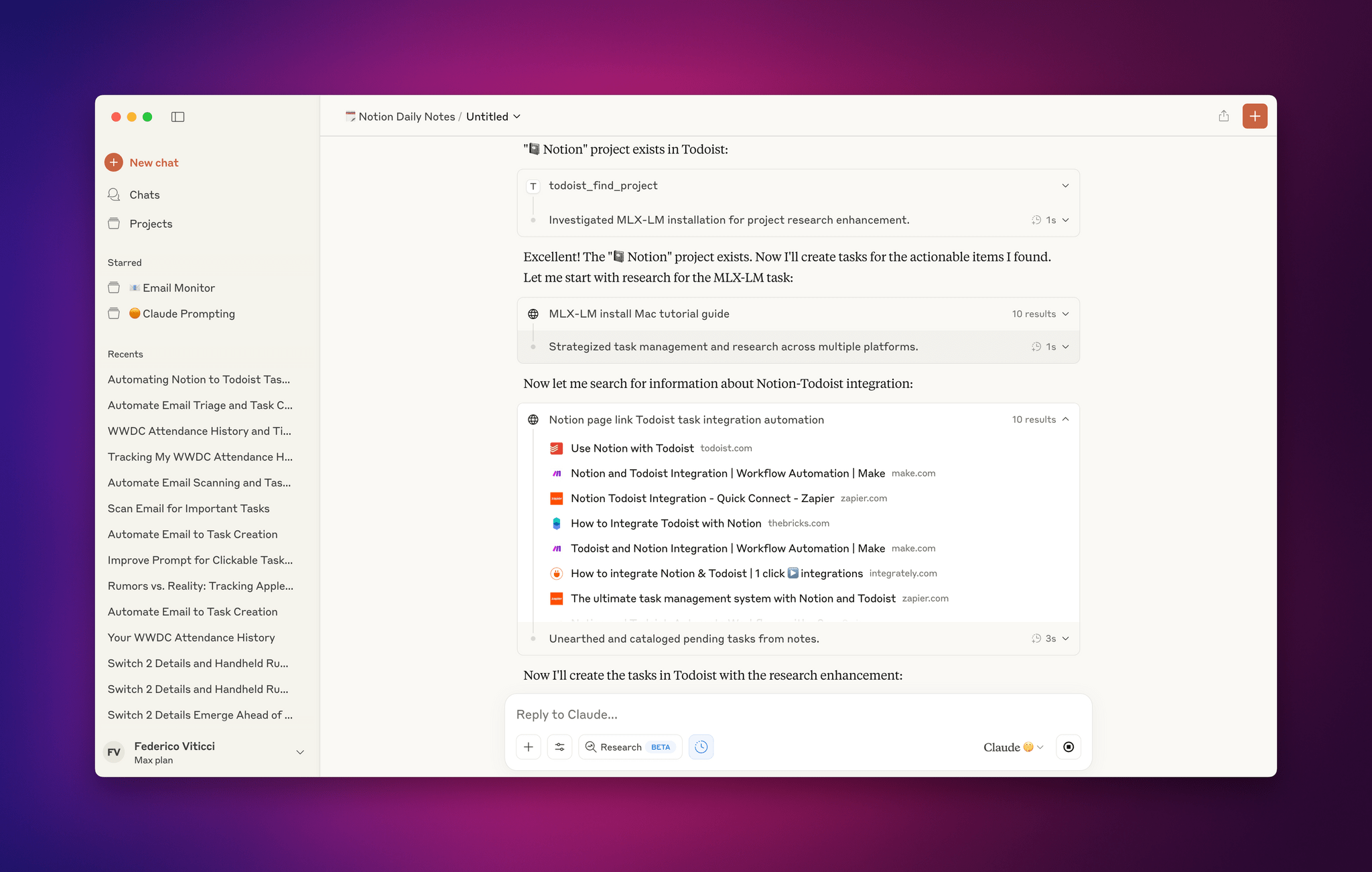
For the past two days, I’ve been testing an early access version of Claude Opus 4, the latest model by Anthropic that was just announced today. You can read more about the model in the official blog post and find additional documentation here. What follows is a series of initial thoughts and notes based on the 48 hours I spent with Claude Opus 4, which I tested in both the Claude app and Claude Code.
For starters, Anthropic describes Opus 4 as its most capable hybrid model with improvements in coding, writing, and reasoning. I don’t use AI for creative writing, but I have dabbled with “vibe coding” for a collection of personal Obsidian plugins (created and managed with Claude Code, following these tips by Harper Reed), and I’m especially interested in Claude’s integrations with Google Workspace and MCP servers. (My favorite solution for MCP at the moment is Zapier, which I’ve been using for a long time for web automations.) So I decided to focus my tests on reasoning with integrations and some light experiments with the upgraded Claude Code in the macOS Terminal.

Access Extra Content and Perks
Founded in 2015, Club MacStories has delivered exclusive content every week for nearly a decade.
What started with weekly and monthly email newsletters has blossomed into a family of memberships designed for every MacStories fan.
Club MacStories: Weekly and monthly newsletters via email and the web that are brimming with apps, tips, automation workflows, longform writing, early access to the MacStories Unwind podcast, periodic giveaways, and more;
Club MacStories+: Everything that Club MacStories offers, plus an active Discord community, advanced search and custom RSS features for exploring the Club’s entire back catalog, bonus columns, and dozens of app discounts;
Club Premier: All of the above and AppStories+, an extended version of our flagship podcast that’s delivered early, ad-free, and in high-bitrate audio.
Notes on Early Mac Studio AI Benchmarks with Qwen3-235B-A22B and Qwen2.5-VL-72B
I received a top-of-the-line Mac Studio (M3 Ultra, 512 GB of RAM, 8 TB of storage) on loan from Apple last week, and I thought I’d use this opportunity to revive something I’ve been mulling over for some time: more short-form blogging on MacStories in the form of brief “notes” with a dedicated Notes category on the site. Expect more of these “low-pressure”, quick posts in the future.
I’ve been sent this Mac Studio as part of my ongoing experiments with assistive AI and automation, and one of the things I plan to do over the coming weeks and months is playing around with local LLMs that tap into the power of Apple Silicon and the incredible performance headroom afforded by the M3 Ultra and this computer’s specs. I have a lot to learn when it comes to local AI (my shortcuts and experiments so far have focused on cloud models and the Shortcuts app combined with the LLM CLI), but since I had to start somewhere, I downloaded LM Studio and Ollama, installed the llm-ollama plugin, and began experimenting with open-weights models (served from Hugging Face as well as the Ollama library) both in the GGUF format and Apple’s own MLX framework.
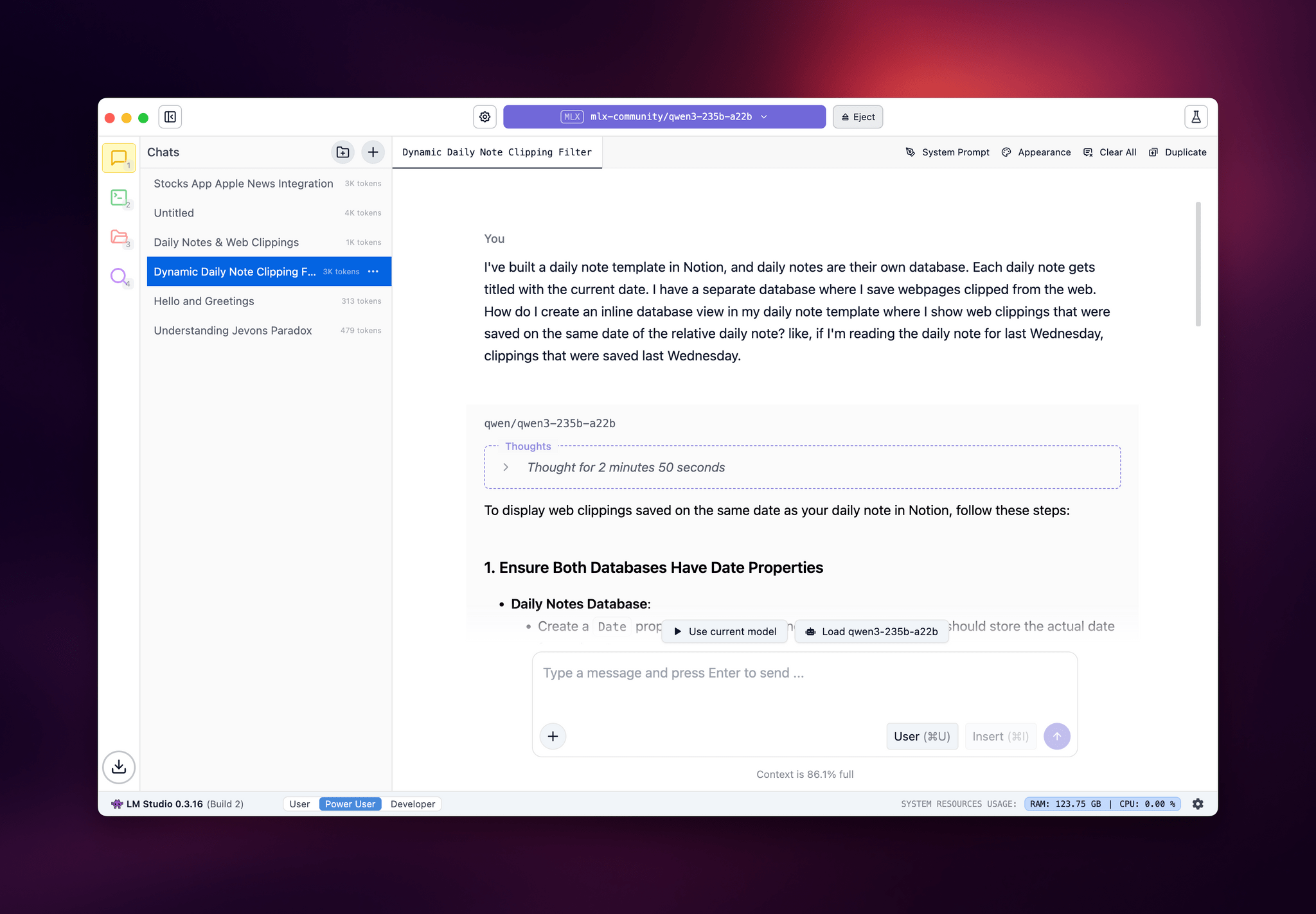
I posted some of these early tests on Bluesky. I ran the massive Qwen3-235B-A22B model (a Mixture-of-Experts model with 235 billion parameters, 22 billion of which activated at once) with both GGUF and MLX using the beta version of the LM Studio app, and these were the results:
- GGUF: 16 tokens/second, ~133 GB of RAM used
- MLX: 24 tok/sec, ~124 GB RAM
As you can see from these first benchmarks (both based on the 4-bit quant of Qwen3-235B-A22B), the Apple Silicon-optimized version of the model resulted in better performance both for token generation and memory usage. Regardless of the version, the Mac Studio absolutely didn’t care and I could barely hear the fans going.
I also wanted to play around with the new generation of vision models (VLMs) to test modern OCR capabilities of these models. One of the tasks that has become kind of a personal AI eval for me lately is taking a long screenshot of a shortcut from the Shortcuts app (using CleanShot’s scrolling captures) and feed it either as a full-res PNG or PDF to an LLM. As I shared before, due to image compression, the vast majority of cloud LLMs either fail to accept the image as input or compresses the image so much that graphical artifacts lead to severe hallucinations in the text analysis of the image. Only o4-mini-high – thanks to its more agentic capabilities and tool-calling – was able to produce a decent output; even then, that was only possible because o4-mini-high decided to slice the image in multiple parts and iterate through each one with discrete pytesseract calls. The task took almost seven minutes to run in ChatGPT.
This morning, I installed the 72-billion parameter version of Qwen2.5-VL, gave it a full-resolution screenshot of a 40-action shortcut, and let it run with Ollama and llm-ollama. After 3.5 minutes and around 100 GB RAM usage, I got a really good, Markdown-formatted analysis of my shortcut back from the model.
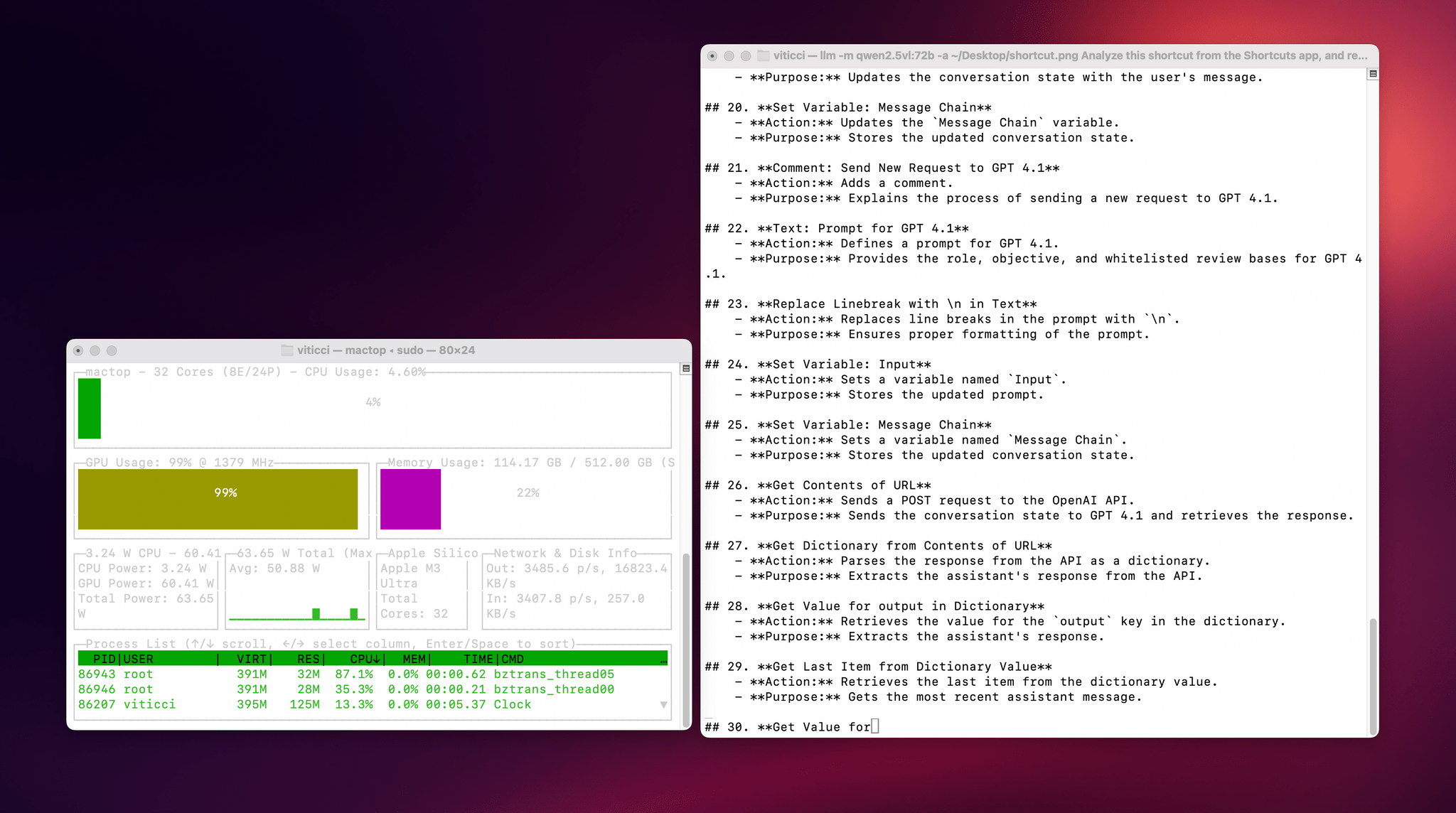
To make the experience nicer, I even built a small local-scanning utility that lets me pick an image from Shortcuts and runs it through Qwen2.5-VL (72B) using the ‘Run Shell Script’ action on macOS. It worked beautifully on my first try. Amusingly, the smaller version of Qwen2.5-VL (32B) thought my photo of ergonomic mice was a “collection of seashells”. Fair enough: there’s a reason bigger models are heavier and costlier to run.
Given my struggles with OCR and document analysis with cloud-hosted models, I’m very excited about the potential of local VLMs that bypass memory constraints thanks to the M3 Ultra and provide accurate results in just a few minutes without having to upload private images or PDFs anywhere. I’ve been writing a lot about this idea of “hybrid automation” that combines traditional Mac scripting tools, Shortcuts, and LLMs to unlock workflows that just weren’t possible before; I feel like the power of this Mac Studio is going to be an amazing accelerator for that.
Next up on my list: understanding how to run MLX models with mlx-lm, investigating long-context models with dual-chunk attention support (looking at you, Qwen 2.5), and experimenting with Gemma 3. Fun times ahead!
Access Extra Content and Perks
Founded in 2015, Club MacStories has delivered exclusive content every week for nearly a decade.
What started with weekly and monthly email newsletters has blossomed into a family of memberships designed for every MacStories fan.
Club MacStories: Weekly and monthly newsletters via email and the web that are brimming with apps, tips, automation workflows, longform writing, early access to the MacStories Unwind podcast, periodic giveaways, and more;
Club MacStories+: Everything that Club MacStories offers, plus an active Discord community, advanced search and custom RSS features for exploring the Club’s entire back catalog, bonus columns, and dozens of app discounts;
Club Premier: All of the above and AppStories+, an extended version of our flagship podcast that’s delivered early, ad-free, and in high-bitrate audio.
 Airbnb 2025 Summer Release: An Interview with Jud Coplan and Teo Connor
 John
JohnThis week, Federico and John interview Airbnb Vice President of Product Marketing, Jud Coplan, and Vice President of Design, Teo Connor.
On AppStories+, Federico explores running LLMs locally on an M3 Ultra Mac Studio.
](https://cdn.macstories.net/banneras-1629219199428.png)
We deliver AppStories+ to subscribers with bonus content, ad-free, and at a high bitrate early every week.
To learn more about an AppStories+ subscription, visit our Plans page, or read the AppStories+ FAQ.

AppStories Episode 436 - Airbnb 2025 Summer Release: An Interview with Jud Coplan and Teo Connor
0:00
50:20
50:20
This episode is sponsored by:
The Swift Student Challenge Interviews and watchOS and tvOS Wishes
This week, Federico and John interview Apple’s VP of Developer Relations, Education, and Enterprise, Susan Prescott, along with Amy Key and Omar Firdaus, Distinguished Swift Student Challenge Winners. Then, they also share their 2025 wishes for watchOS and tvOS.
On AppStories+, John leads a philosophical discussion about art, culture, and creativity and where it’s heading in an AI world.
We deliver AppStories+ to subscribers with bonus content, ad-free, and at a high bitrate early every week.
To learn more about an AppStories+ subscription, visit our Plans page, or read the AppStories+ FAQ.
AppStories Episode 435 - The Swift Student Challenge Interviews and watchOS and tvOS Wishes
0:00
41:04
41:04
This episode is sponsored by:
Play – Save and Organize Videos to Watch Later. New subscribers can use the code MACSTORIES2025for 50% off their first year of Play Premium.
Automation Academy: How I Built a Smarter Web Clipper for Obsidian Using Shortcuts and AI
I’ve been trying to use web clippers for as long as I can remember. From Evernote’s old browser extension to the more recent Raindrop extension, Readwise Reader’s clipper, and finally the Obsidian Web Clipper, I’ve always believed in the theoretical value of saving web content for future reference. The only problem: I’ve never been able...
Read morePost-Chat UI→
Fascinating analysis by Allen Pike on how, beyond traditional chatbot interactions, the technology behind LLMs can be used in other types of user interfaces and interactions:
While chat is powerful, for most products chatting with the underlying LLM should be more of a debug interface – a fallback mode – and not the primary UX.
So, how is AI making our software more useful, if not via chat? Let’s do a tour.
There are plenty of useful, practical examples in the story showing how natural language understanding and processing can be embedded in different features of modern apps. My favorite example is search, as Pike writes:
Another UI convention being reinvented is the search field.
It used to be that finding your flight details in your email required typing something exact, like “air canada confirmation”, and hoping that’s actually the phrasing in the email you’re thinking of.
Now, you should be able to type “what are the flight details for the offsite?” and find what you want.
Having used Shortwave and its AI-powered search for the past few months, I couldn’t agree more. The moment you get used to searching without exact queries or specific operators, there’s no going back.
Experience this once, and products with an old-school text-match search field feel broken. You should be able to just find “tax receipts from registered charities” in your email app, “the file where the login UI is defined” in your IDE, and “my upcoming vacations” in your calendar.
Interestingly, Pike mentions Command-K bars as another interface pattern that can benefit from LLM-infused interactions. I knew that sounded familiar – I covered the topic in mid-November 2022, and I still think it’s a shame that Apple hasn’t natively implemented these anywhere in their apps, especially now that commands can be fuzzier (just consider what Raycast is doing). Funnily enough, that post was published just two weeks before the public debut of ChatGPT on November 30, 2022. That feels like forever ago now.
Our 2025 iOS and iPadOS WWDC Wishes
This week, Federico and John begin their annual look at what they’d like to see Apple announce at WWDC 2025, starting with iOS and iPadOS 19.
On AppStories+, John explains why the recent contempt order entered against Apple is a bigger deal than most people realize, on multiple levels.
We deliver AppStories+ to subscribers with bonus content, ad-free, and at a high bitrate early every week.
To learn more about an AppStories+ subscription, visit our Plans page, or read the AppStories+ FAQ.
AppStories Episode 434 - Our 2025 iOS and iPadOS WWDC Wishes
0:00
01:03:41
01:03:41
GPT-4.1 Talker: A Proof of Concept to Enable Stateful Conversations with GPT-4.1 in Shortcuts
I’m in the process of updating some of our internal shortcuts to use OpenAI’s API-only GPT-4.1 model instead of Claude, and in doing that, I realized that it was a good opportunity to finally learn the new Responses API. Announced by OpenAI a couple months back, the Responses API will eventually replace the old Chat...