Ryan Christoffel

984 posts on MacStories since November 2016

Ryan is an editor for MacStories and co-hosts the [Adapt](https://www.relay.fm/adapt) podcast on Relay FM. He most commonly works and plays on his iPad Pro and bears no regrets about moving on from the Mac. He and his wife live in New York City.

Kindle for iOS Redesigned with Clean, Streamlined Organization

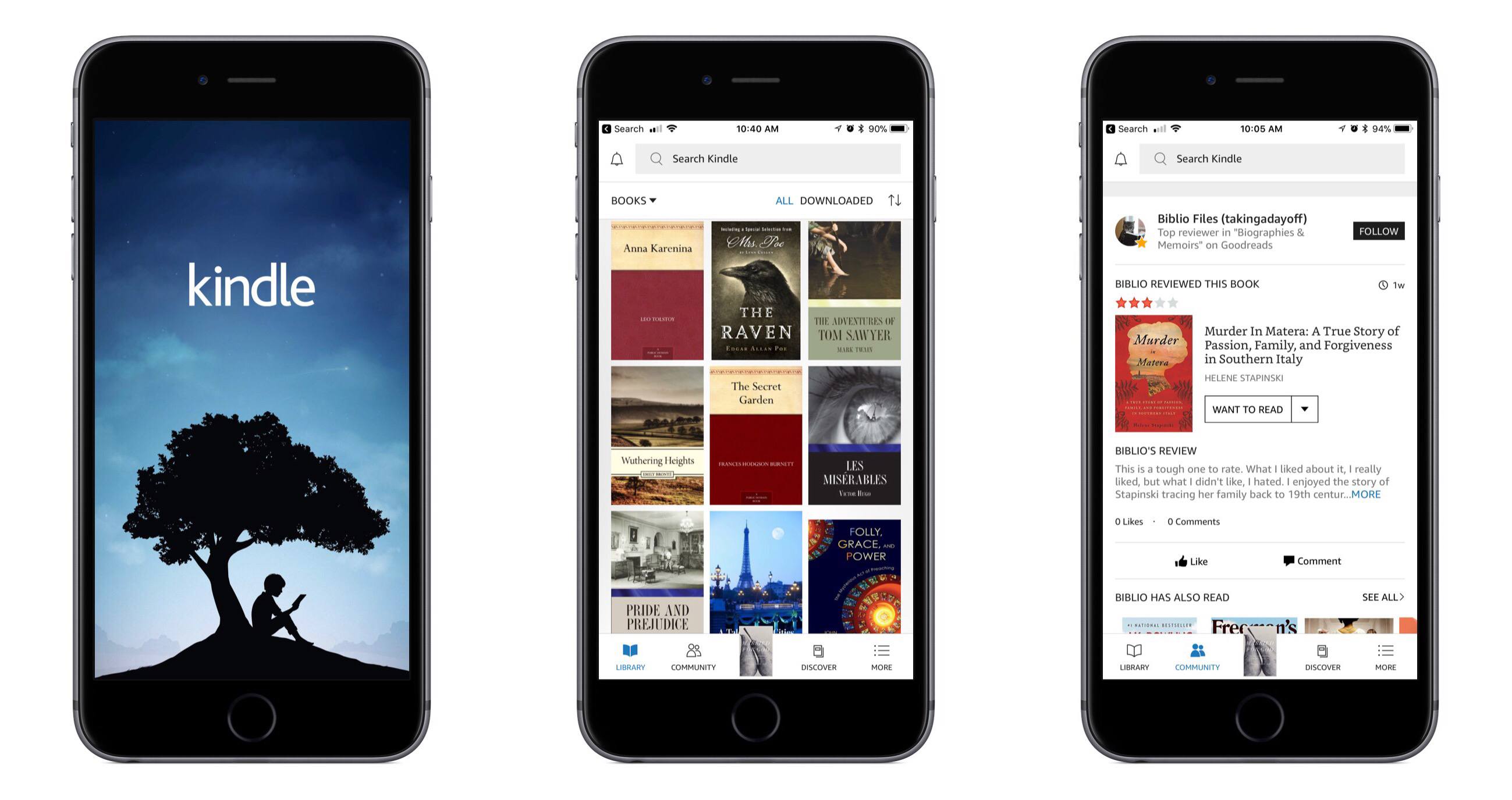
Amazon’s Kindle app for iOS received a major update today, bringing redesigned navigation tabs, a new light theme, and more. The change that excited me most, small as it may be, is the greatly improved app icon – it includes a beautiful new illustration, and the word Kindle has been removed.

The Kindle app now feels more at home on iOS, with a familiar navigation tab layout lining the bottom of the screen. The first tab, Library, is essentially what the main interface of the app was before – all your books are found there. The Library tab is cleaner and simpler now, as several options it formerly contained have been assigned to other areas of the app. The Goodreads and Discover pages, for example, now live in the main navigation bar as Community and Discover tabs, respectively. Extra items like settings and sync have been moved into the navigation bar’s final tab, More. There’s also now a search bar at the top of the screen that’s accessible from nearly anywhere in the app. Overall, these layout changes make the app easier to navigate and less cluttered than before.

Joining the app’s original dark theme, you can now turn on a light theme for the app; this navigation theme is separate from the reading theme, which has long had dark and light options. The light theme looks nice, and I plan to keep it turned on. Another change is that while reading, it’s easier to get back to your library – the upper left corner contains a down-facing arrow that instantly closes your book.

I do nearly all of my book reading digitally, and I’ve long preferred reading in iBooks over Kindle due to it having the superior app in my mind. Today’s update fixes several of the issues I’ve had with Kindle, but unfortunately there’s one big problem outstanding: Kindle still doesn’t support Split View on iPad. Once Amazon adds that to its app, I’ll have less reason to always go with iBooks.


Apollo: A Powerful, Modern Reddit Client for iOS

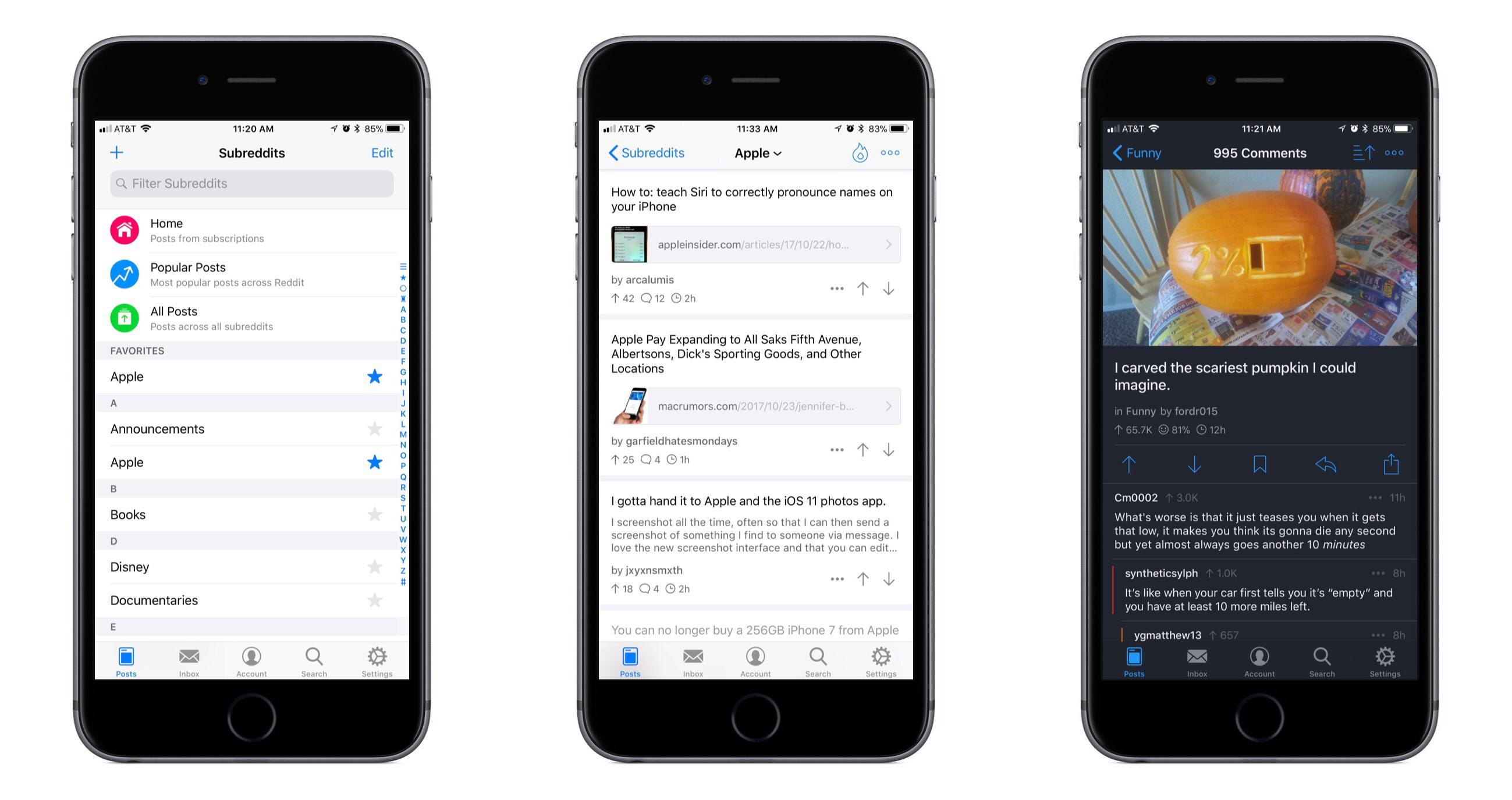
Reddit is one of those spaces on the Internet that I’ve historically stayed mostly away from. Due to my role at MacStories, however, and a thriving Apple subreddit, I’ve been there more in the past year than all prior years combined. During that time I’ve tried all the best iOS Reddit clients in an attempt to find one that’s right for me. For one reason or another, none have stuck; today, however, that changes, with the release of Apollo.

Read more


Ulysses 12: Writing on iOS Has Never Been Better

This summer Ulysses announced a major business model shift, with its iOS and macOS apps moving from up front purchases to subscription supported. As tends to happen, the move stirred up some controversy. In my mind at least, the company’s reasoning was sound – as the app’s co-founder stated, “Writers want to rely on a professional tool that is constantly evolving, and we want to keep delivering just that.”

Today brings the first major update to Ulysses following its switch to subscriptions. Bolstered by Apple’s recent focus on evolving the iPad platform, Ulysses 12 is primarily an iOS release; while the Mac version gains some improvements, it clearly isn’t the centerpiece here. Ulysses on iOS gains drag and drop support, multi-pane editing, streamlined library navigation, and image previews – all of which make an already powerful writing tool even better.

Read more


Microsoft Outlook for Mac Undergoing Major Redesign

Tom Warren of The Verge reports on Outlook for Mac details shared at the Microsoft Ignite conference last month:

A lot of the changes look very similar to the Outlook for iOS app, with a single-line ribbon and a smaller set of default commands. Reducing complexity is one of the key aims of the redesign, to make it easier for new and existing Outlook users to navigate the email app.

A new customizable ribbon will let Outlook for Mac and Windows users control which buttons are available, so you can tailor the email interface to your own common tasks. The left navigation panel will include quicker access to folders across multiple accounts, and looks like the switcher in Outlook for iOS.

Outlook for iOS has long been among the top email clients on the mobile platform. It pairs a clean, beautiful interface reminiscent of iOS’ Mail.app with the power user features Apple appears content to ignore. Moving Outlook for Mac away from its traditional desktop roots and further into the modern era looks to be a clear win.

The full Ignite session detailing future Outlook changes is available on YouTube.

Permalink


More Great Shelf Apps to Boost iPad Productivity

Left to right: Yoink, Gladys, Copied

Left to right: Yoink, Gladys, Copied

Last month after iOS 11’s launch I pulled together a roundup of iPad apps belonging to a whole new category of apps. Dropped, Workshelf, The Shelf, and Scrawl Pouch all launched as manifestations of Federico’s dream for a drag and drop-powered temporary holding place for content on the iPad. If you’re unfamiliar with this concept, here’s how I described it in my last shelf roundup:

The need for a shelf springs from the addition of drag and drop to iOS 11. It’s not always practical to drag content directly from one app to another; sometimes you know you’ll need that content soon, but you’re not ready to drop it elsewhere yet. Additionally, in some situations you may wish to drop the same data into multiple places over a short period of time, and it can be cumbersome to re-open the data’s source app to pull it out multiple times. A shelf can solve these problems: it serves as a temporary resting place for anything you know you’ll need quick access to soon. In this way it can serve a role similar to the macOS desktop, which is commonly used as a temporary holding zone.

While all the apps I originally highlighted continue to fill this role well, several additional quality apps have launched that bring new things to the table in this young category of apps.

Read more