

TextExpander from Smile Software is one of those indie apps that feels like it’s been around forever. TextExpander has saved customers countless hours of typing by letting them define short abbreviations that it expands into longer snippets of text. Today, Smile released TextExpander 6 for Mac, TextExpander 4 for iOS, and even an all-new Windows beta. The apps include some interesting updates, but at the center of the updates is a new service, TextExpander.com, which provides snippet group syncing, sharing services, and team management. Smile is simultaneously moving TextExpander to a subscription pricing model, a development that I expect will not be popular with some long-time customers.
Hey Siri, Play Ball!→
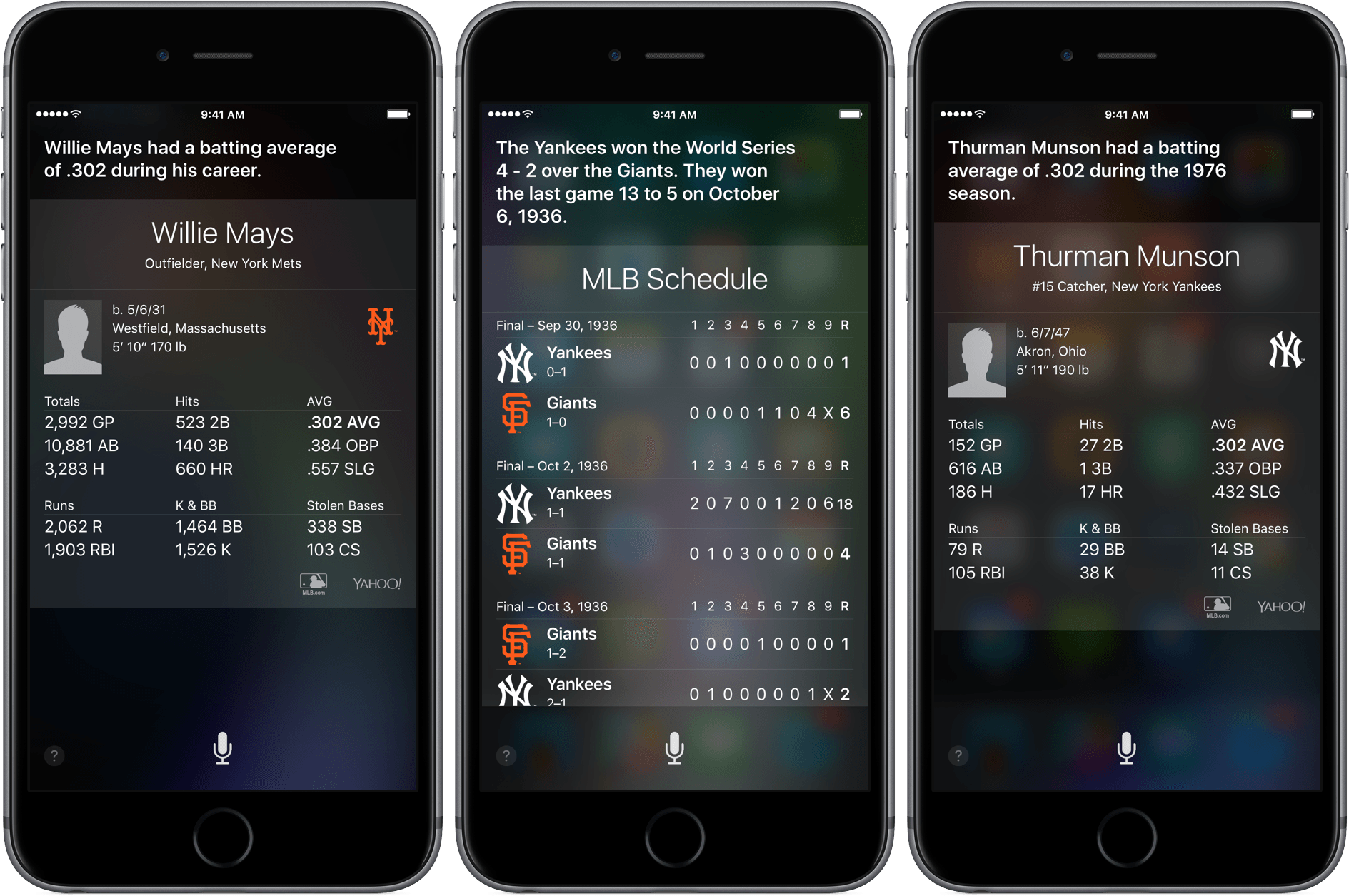
The Verge reports today that Siri has been upgraded with a load of baseball facts, just in time for Opening Day:
Siri now has some more baseball smarts: it can answer questions about more detailed statistics, according to Apple, including historical stats going back to the beginning of baseball records. You can also get information on career statistics, and there’s now specific information for leagues other than the Majors — there are 28 other leagues, including the Minors, that are covered now.
I tested out a number of questions with Siri and, like Dante D’Orazio of the Verge, found that certain questions like “Who hit the most home runs ever in baseball?” tended to return either Google search results or in the case of the home run question above, the results for the 2016 season, not all time.
In case you were wondering, right now Troy Tulowitzki and Corey Dickerson are tied for the lead with one home run each.
Run Better Meetings with Agenda Minder

Sometimes it feels as though meetings are designed purposefully to waste time. Research suggests that some simple steps can make meetings far more productive. Internodal has synthesized the research on planning better meetings into a new Mac app called Agenda Minder that tackles the problem by facilitating the setting of objectives, and the creation and sharing of agendas. If you care about your own time and respect others’ time, you’re already half way there, and an app like Agenda Minder may help you turn those good intentions to action.
Apple’s First 40 Years: Inspiring New Generations to Create

Anniversaries are a good time to look a back and reflect on the past. I’m a relative late-comer to Apple products, but at the same time, Apple has been in my peripheral vision since before the introduction of the very first Mac in 1984. My relationship with Apple is the story that has taken a long time to unfold, but in recent years has made a big dent in my universe.
 Developer’s Grab Bag
Homebrew Homebrew is a free open source package management system for installing software on OS X. Homebrew automates the download, installation, and compiling processes from the command line, saving developers considerable time and frustration. If Xcode’s command line tools aren’t installed yet, install those first, and then go to brew.sh for instructions on...
Chasing Wireless Audio
I don’t like wires, especially headphone wires. There is no set of headphones that I can’t break. My commute is a little over an hour most days. I walk a mile to the train, ride the train and then have a shorter walk on the other end. In the evening, I do the reverse...
Capture Ideas Quickly and Easily With Yeti

Yeti is all about quick capture and effortless export. Yeti’s main interface is dominated by four colorful buttons that allow you to capture your thoughts with a note, a photo or video, audio, or a sketch. What you create is stored on iCloud Drive in one of a handful of non-proprietary formats that can be easily opened in other apps. And while Yeti does an admirable job of making it fast and easy to record information on your iPhone, the lack of support for capturing data from other devices or apps, will limit Yeti’s utility for some people.
Twitter Makes Photos Accessible to the Visually Impaired
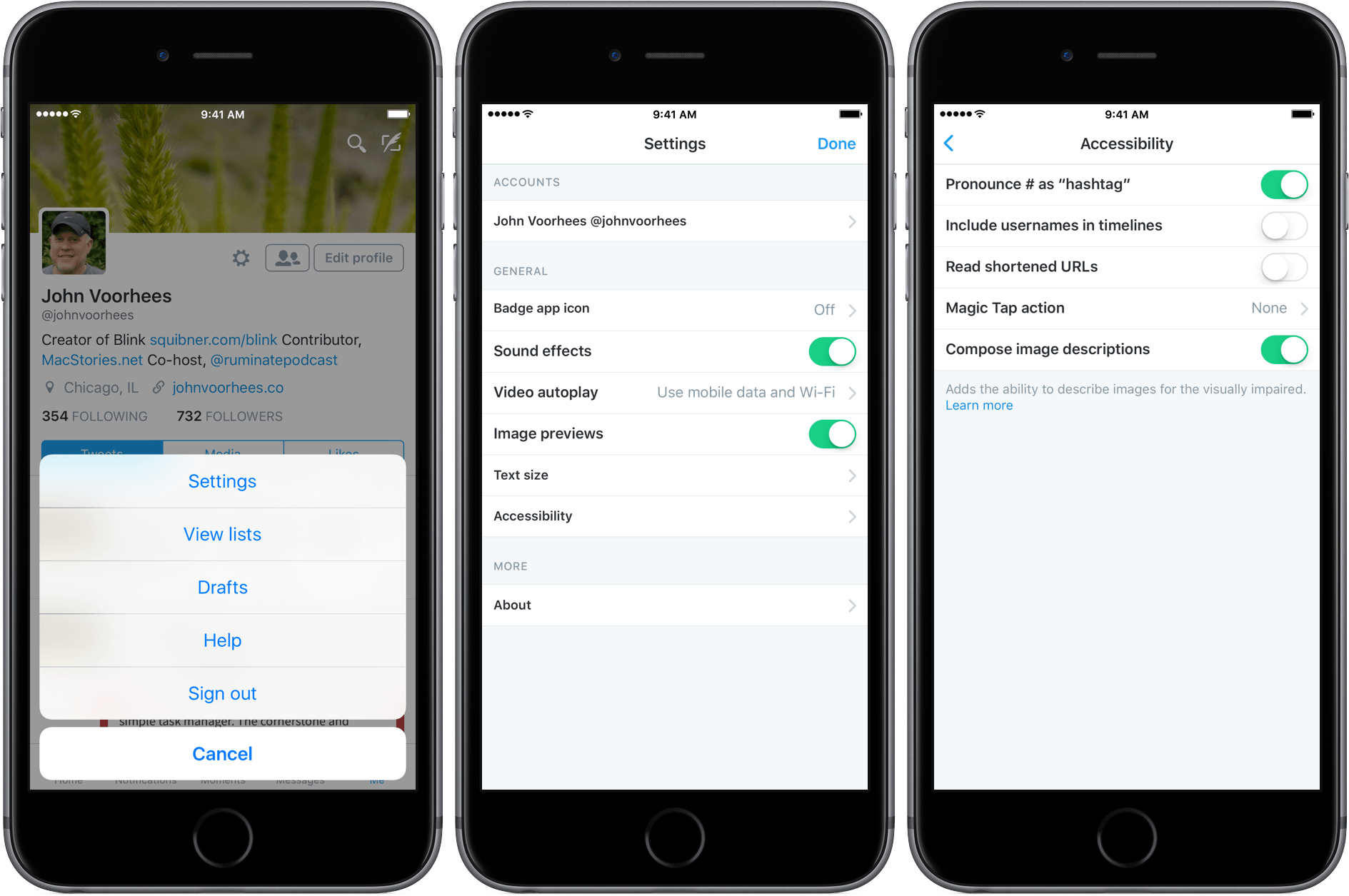
Photography has always been a big part of Twitter, and today, it announced a new accessibility feature that brings photos to the visually impaired. The new feature is simple to enable. Just go to the ‘Me’ tab in Twitter’s official client and tap the gear icon near the top of the screen. Next, go to the Accessibility section of Settings and turn on the ‘Compose image descriptions’ toggle.
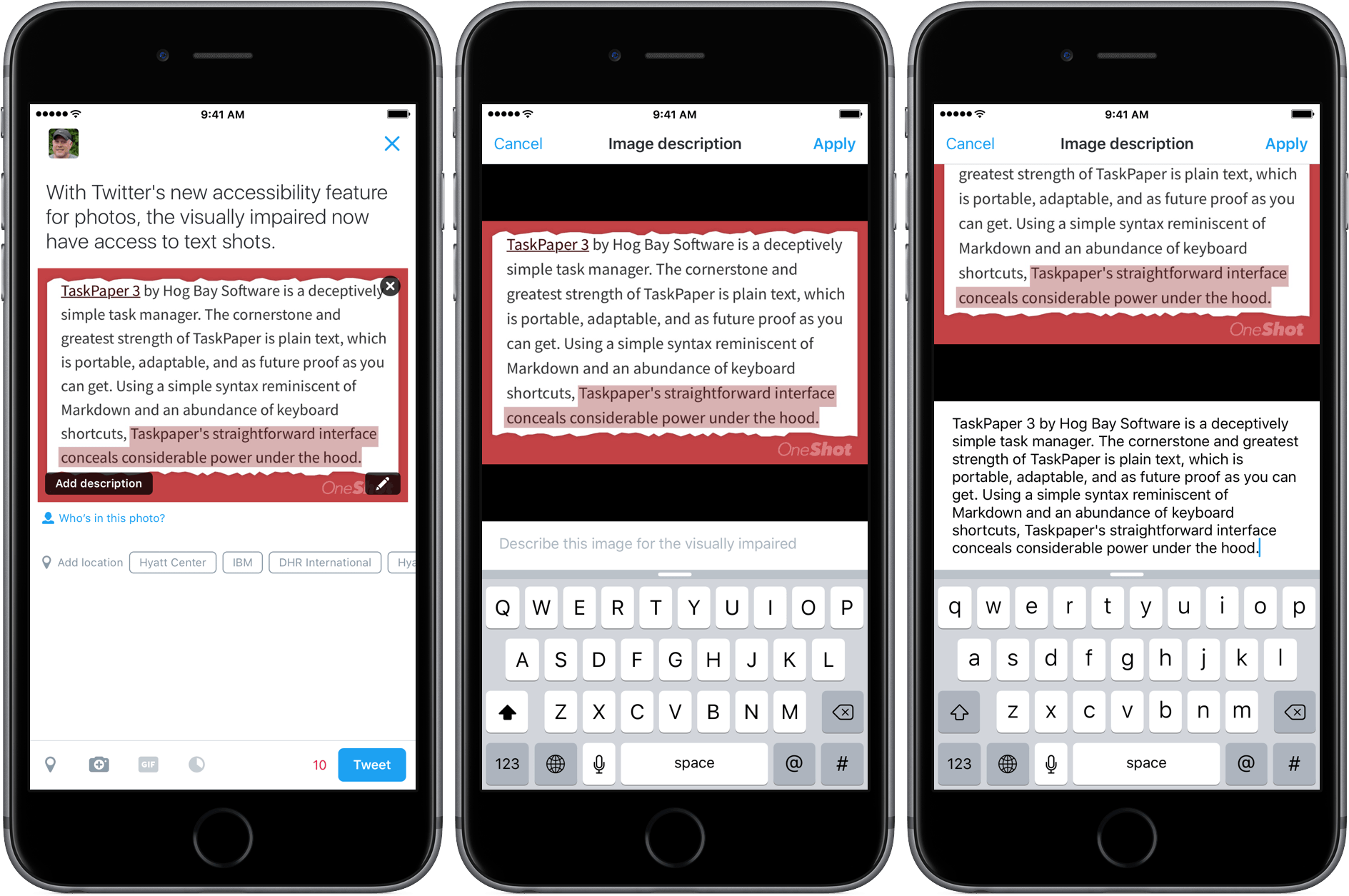
Once enabled, when you compose a tweet with an image, a button will appear in the lower left corner of the image that says ‘Add description.’ Tapping on that button allows you to add a description of up to 420 characters – three times the normal length of a tweet. Unlike some recent innovations at Twitter, photo descriptions will be available as part of Twitter’s REST API and Twitter Cards, which means third-party developers can add the feature to their own Twitter clients too.
Twitter should be commended for what is an important, and I think will prove to be a popular, feature. Not only does it bring photography to the visually impaired, but it also brings text shots, which have been widely used to get around Twitter’s 140-character limit, but criticized for being inaccessible, to a wider audience. Here’s a short video I made with a text shot of one of my recent reviews:
Apple Releases iOS 9.3 Update For Users With Older Devices→
MacRumors is reporting that Apple has released a new build of iOS 9.3 that fixes a setup problem that people with older iOS devices experienced with the initial release of iOS 9.3.
When iOS 9.3 launched, people with iOS devices older than the iPhone 5s or iPad Air experienced problems activating the update. Instead of the usual process where you are asked for your current Apple ID and password, owners of older models of iOS devices were required to input the Apple ID and password used when the device was originally set up. If someone had changed their credentials and couldn’t recall the ones used to set up the device, it could be rendered unusable. As a result, Apple pulled the iOS 9.3 update for older devices shortly after it was launched.
As reported by MacRumors, Apple released an update to iOS 9.3 (build 13E237) a short time ago that addresses the activation problem on older devices. With the new build of iOS 9.3, people with older devices who didn’t previously update to version 9.3 should be able to do so now via an over-the-air update.