John is MacStories' Managing Editor, has been writing about Apple and apps since joining the team in 2015, and today, runs the site alongside Federico.
John also co-hosts four MacStories podcasts: AppStories, which covers the world of apps, MacStories Unwind, which explores the fun differences between American and Italian culture and recommends media to listeners, Ruminate, a show about the weird web and unusual snacks, and NPC: Next Portable Console, a show about the games we take with us.
Mophie introduced a new line of modular cases today with what it calls Hold Force technology. The system lets you pick a thin base case for your iPhone 7 or 7 Plus and add optional accessories like a 4000 mAh Powerstation battery or a credit card wallet. The accessories connect to the case with magnets.
A case with a removable parts that extend its utility is an interesting approach. With respect to the Powerstation, MacRumors says:
the Hold Force Powerstation Plus Mini can provide up to 12 hours of extra battery life for average smartphones, thanks to its integrated 4,000 mAh battery. The accessory’s basic charging system is focused on micro-USB, so an included Lightning adapter allows for support of recharging the iPhone 7 and 7 Plus.
I like the idea behind this modular design. I don’t generally use a case on my iPhone, but if I did, the ability to swap accessories depending on what I need on a particular day would be nice. I do wonder how well that lightning to Micro-USB dongle required for the Powerstation will hold up over time though.
Telegram received a significant update today that adds SiriKit support for sending messages and upgrades its bot platform. Both features will help keep Telegram closer in line with the features available in Apple’s own Messages app.
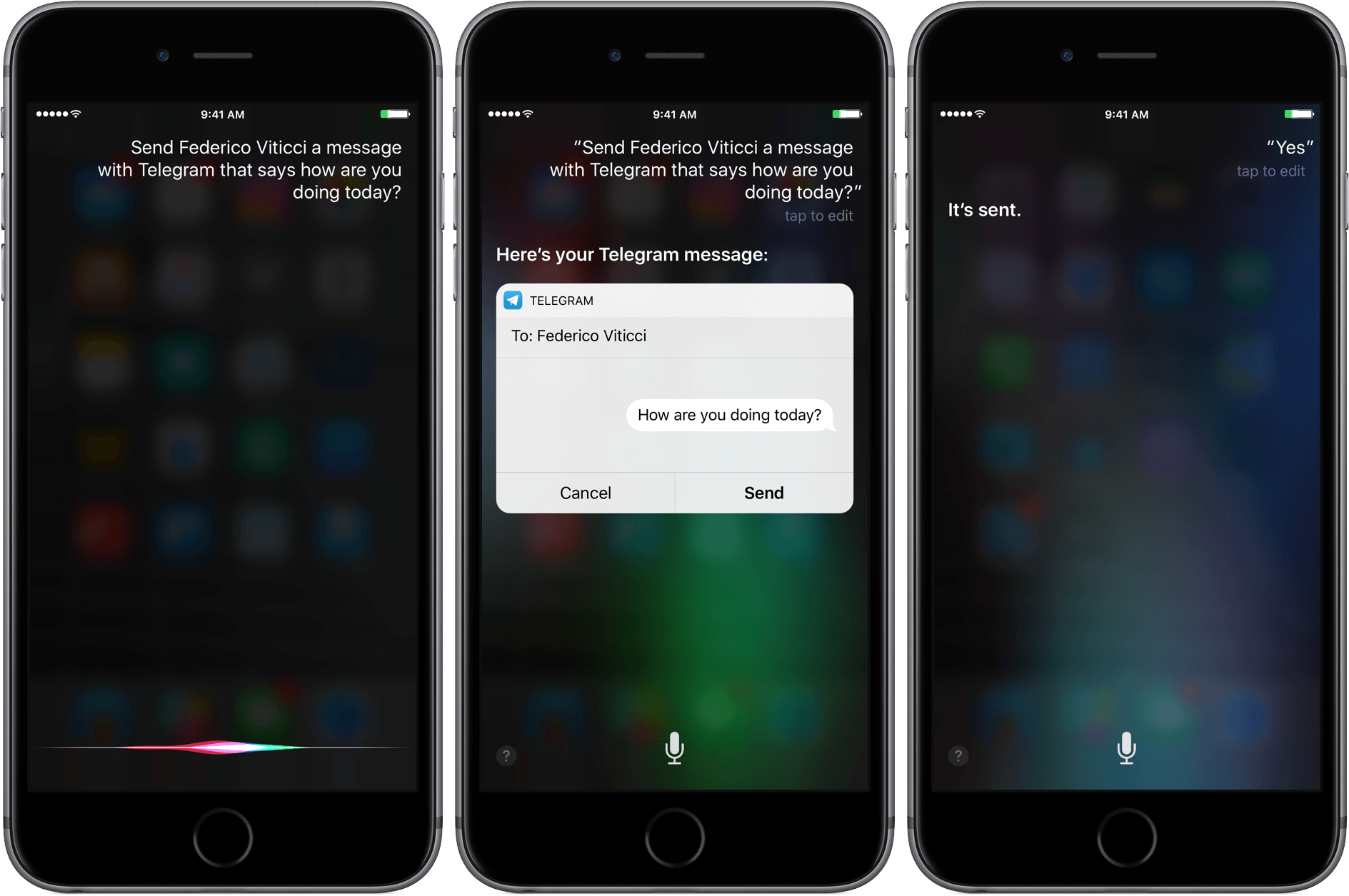
By integrating with Siri, messages can be sent with Telegram using commands like ‘Send Federico a Telegram message that says what’s the weather like in Rome today?’ Similar to Messages, Siri interprets your instructions and presents you with a draft message before sending it. In my tests, the feature worked to send messages to individuals, but I couldn’t send a message to The MacStories Lounge channel, which broadcasts messages to everyone who subscribes to that channel.
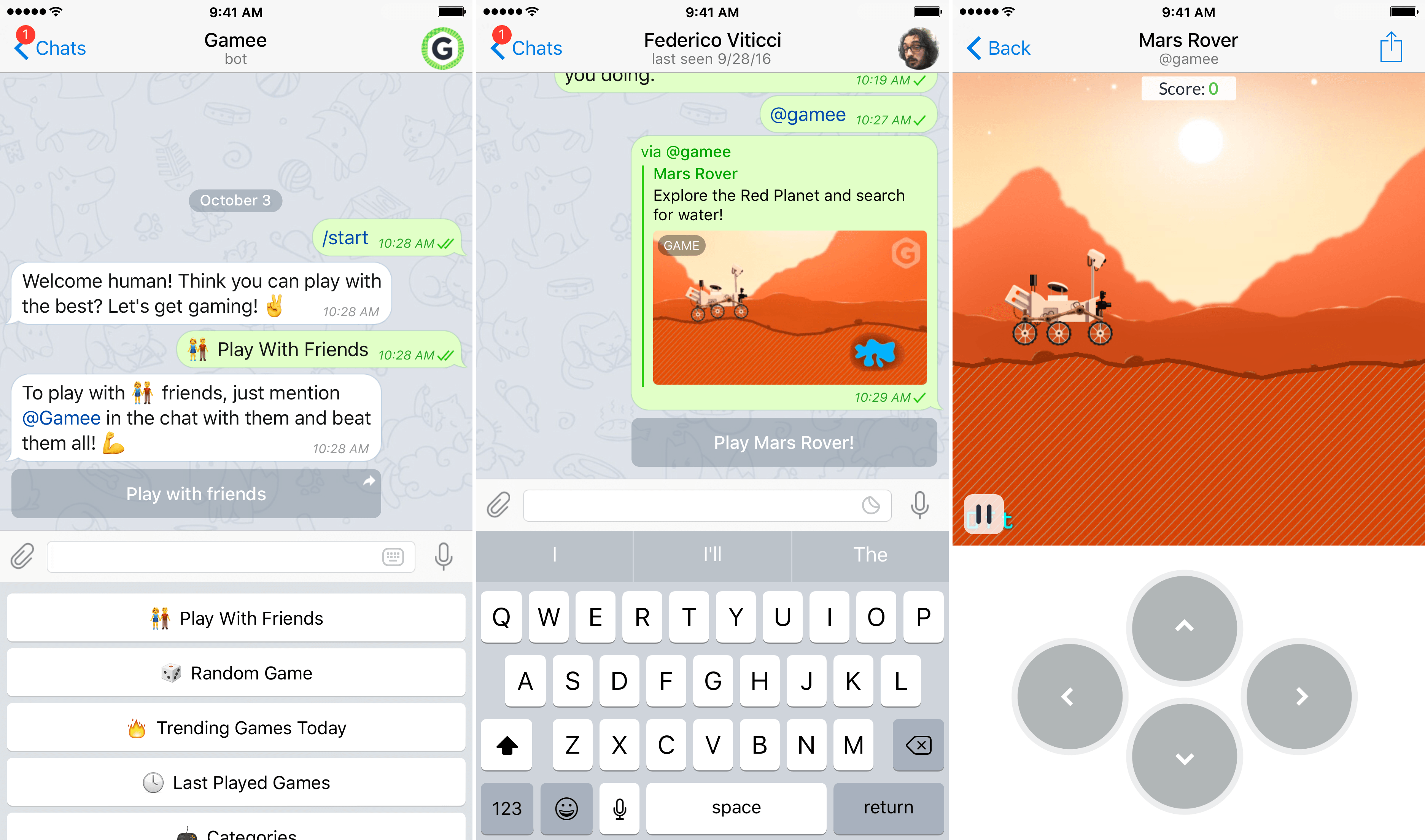
Starting a game in Telegram with a bot.
Telegram also updated its bot platform to support games made using HTML5. The iOS release notes for Telegram also suggest that the changes to bots could be used for other rich media experiences, but for now, Telegram has chosen to focus on games. According to Telegram’s blog:
The best part of the Telegram Gaming Platform is the competition across all your existing chats. We save high scores for every game played in every chat, and you can instantly check out how you and your friends are doing against each other. Every time there’s a new leader in the game, other playing members of the chat are notified that they need to step it up.
I took a quick look at a few of the thirty games available at launch from Gamee and they were fairly basic games, but it’s a good start, and it will be interesting to see what developers do with the new APIs.
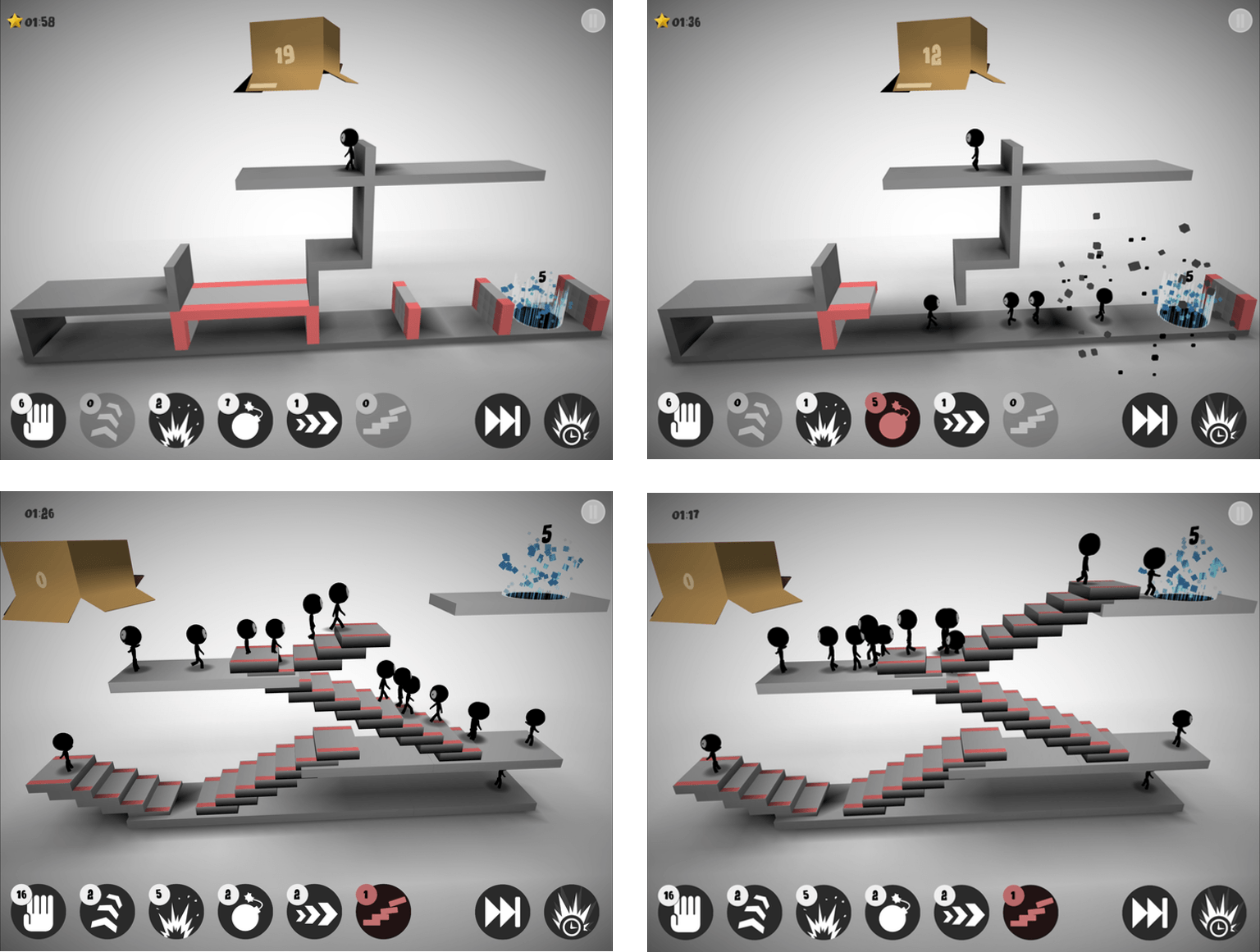
One of my favorite games on SNES was Lemmings. Sticklings, by Austrian development house Djinnworks, is a clear evolution of the core elements of Lemmings, but with creative twists that make Sticklings an addictive casual puzzle game in its own right.
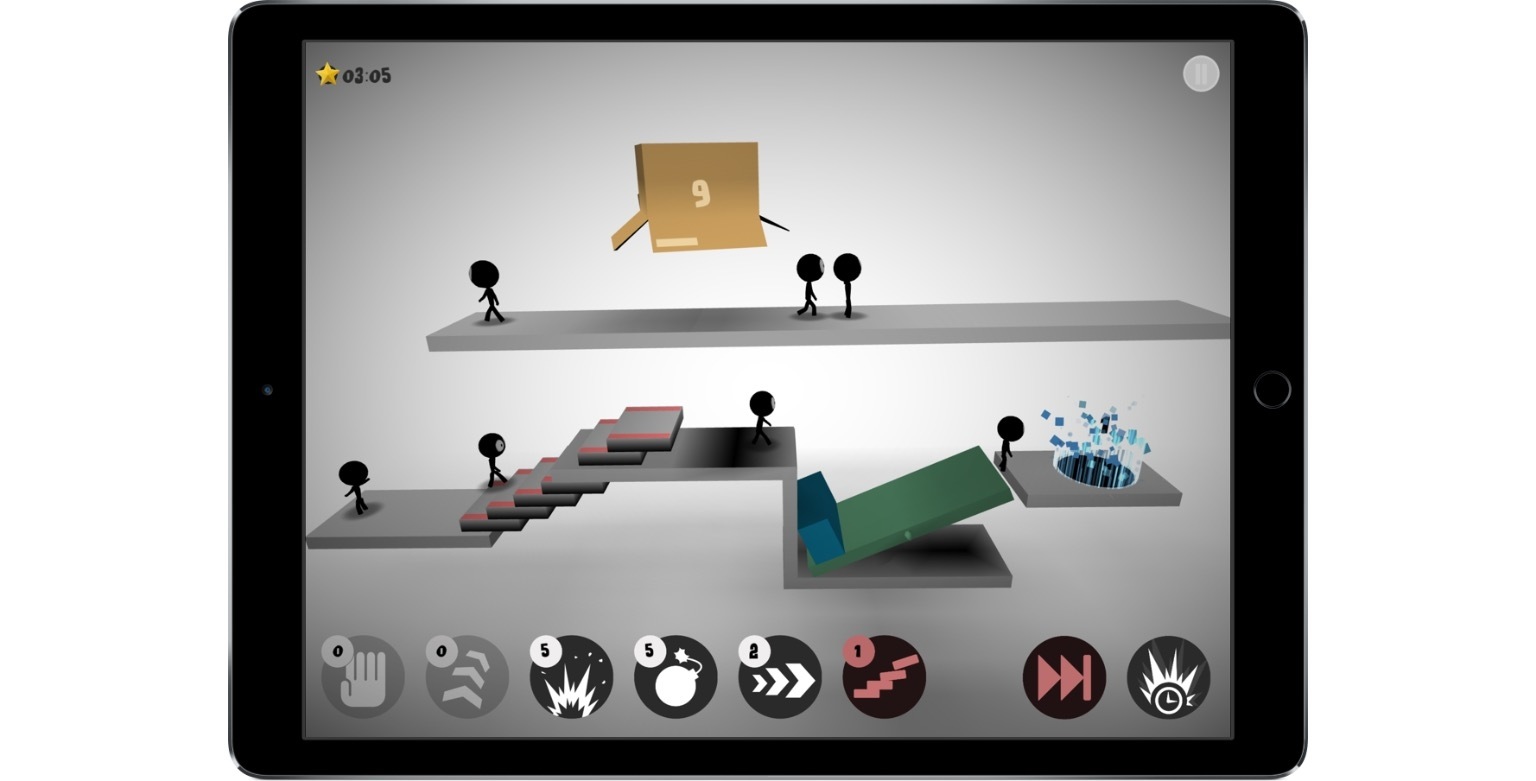
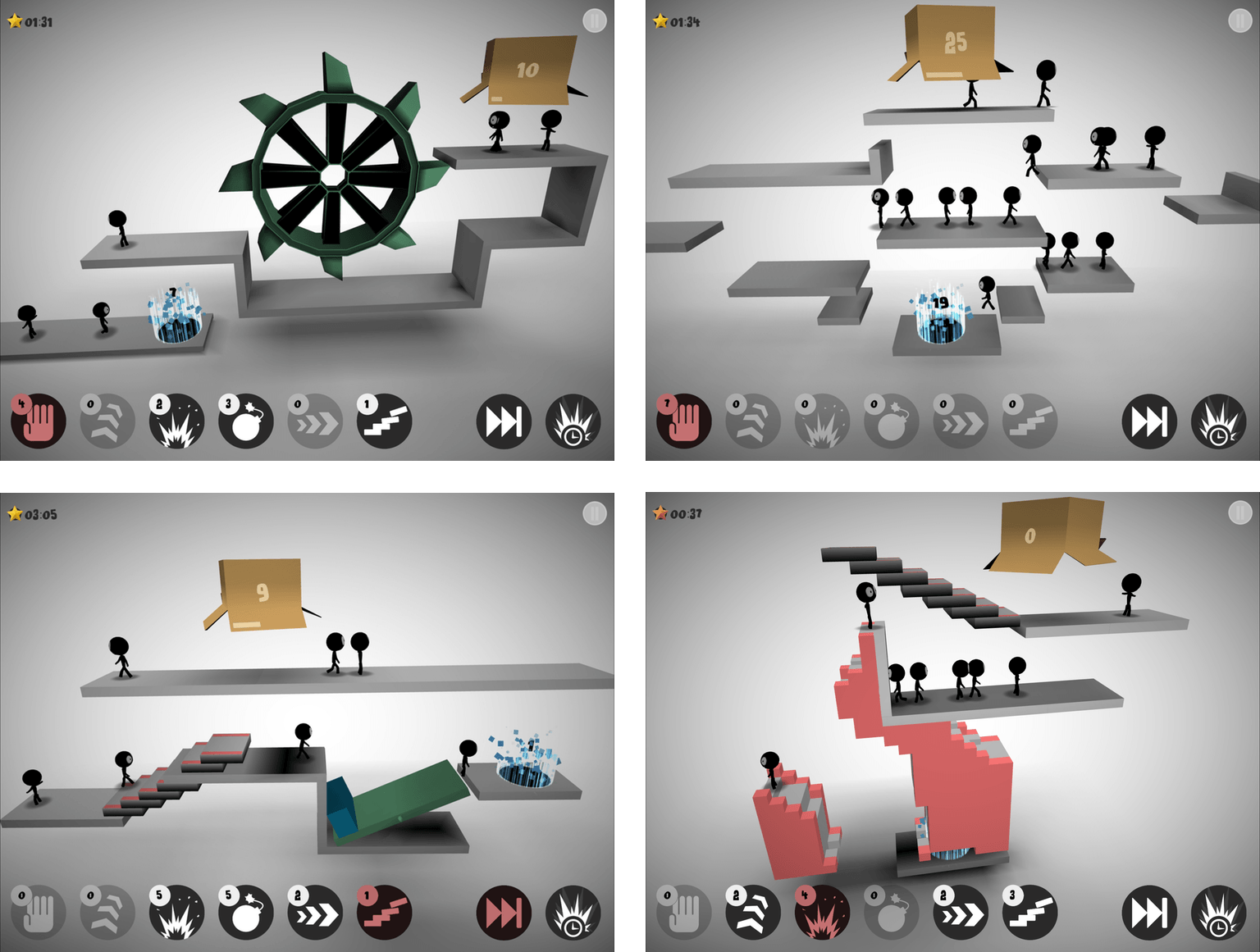
Stick figures emerge from a box at regular intervals. Your job is to maneuver them to a glowing portal. Each progressively harder level requires you to steer a certain number of stick figures into the portal before time runs out.
If you do nothing, stick figures will walk off the end of platforms, disappearing as they seemly melt into the background. To get the stick figures to their destination, each level has some combination of up to six tools that give your stick figures special abilities. You need to use abilities sparingly though, because Sticklings limits the number of each tool you get per level. Among other things, you can use stick figures as ‘blockers’ that reverse the course of figures that walk into them, for building staircases to clear obstacles, or for throwing bombs that blow up barriers.
Sticklings is striking. The first thing you’ll notice is the spare use of color. Each 3D puzzle is rendered almost entirely in grayscale and lit from above in a way that adds to the game’s dimensionality. Special segments of the platforms are in color as is the the box from which your stick figures emerge and the portal goal to which you steer them, but that’s about it. The effect gives the game a modern, abstract feeling that I like.
There are a couple things that bother me about Sticklings. The first is interstitial ads for Djinnworks’ other apps when you start the game and between levels. I don’t mind a link to other apps by a developer that I can choose to tap, but these appear full screen and require you to tap a tiny ‘x’ that doesn’t appear for a couple seconds, which is is too disruptive for my taste. I also don’t like that progress isn’t synced between devices, which is an all too common occurrence among iOS games.
That said, I like Sticklings for the Lemmings nostalgia factor, the visual aesthetic, and the challenging puzzles. A few of the games I’ve reviewed lately have been ones where you’ll want to set aside some time to play. Sticklings is perfect for killing time and boredom by playing a few levels here and there as time permits.
Deliveries has been a MacStories favorite for a long time. It’s the best way to track packages on iOS devices and the Mac. Deliveries for iOS comes with an excellent watchOS app too. Deliveries for the Watch is limited to tracking your packages. You can’t input tracking numbers or other information necessary to set...
Creating a Great Press Kit When I finished my talk on how to get attention for an app at CocoaConf this past Spring, one of the first questions I got was ‘What should be included in a press kit?’ I had mentioned that a press kit is good to have when pitching your app to...
macOS Sierra brings Picture in Picture (PIP), which was introduced to the iPad in iOS 9, to the Mac. Where it’s supported, PIP is a simple matter of clicking the PIP icon, which pulls a video from a website and throws it in a corner of your screen. You can resize a video to...
Apple released another advertisement in its ‘practically magic’ series, focusing on the new effects that can be used with Messages. ‘Balloons’ begins with a single red balloon floating out the window of a house. The balloon travels across landscapes, through forests, swamps, and across a large body of water. Eventually, it’s joined by a second balloon under a rusted structure.
When the camera pulls back, it becomes apparent that the balloons are in Chicago. As the camera follows the balloons, they pass by several Chicago landmarks, including an ‘L’ train, the Chicago Board of Trade, and finally, the Chicago River near the Wrigley Building.
The scene cuts to an office where a woman is working. Balloons begin to blow into an open window as she receives an iMessage wishing her a happy birthday, which is sent with Messages’ new balloons effect, echoing the scene surrounding her. The spot ends with the camera pulling back to a wide angle view of millions of balloons rising among Chicago’s skyscrapers, including the Willis (née Sears) Tower with the tag line ‘expressive messages on iPhone 7.’
Previous spots have focused on iPhone 7 hardware features like its water resistance and camera. This is the first ad since iOS 10 was released that focuses solely on a new feature of iOS.
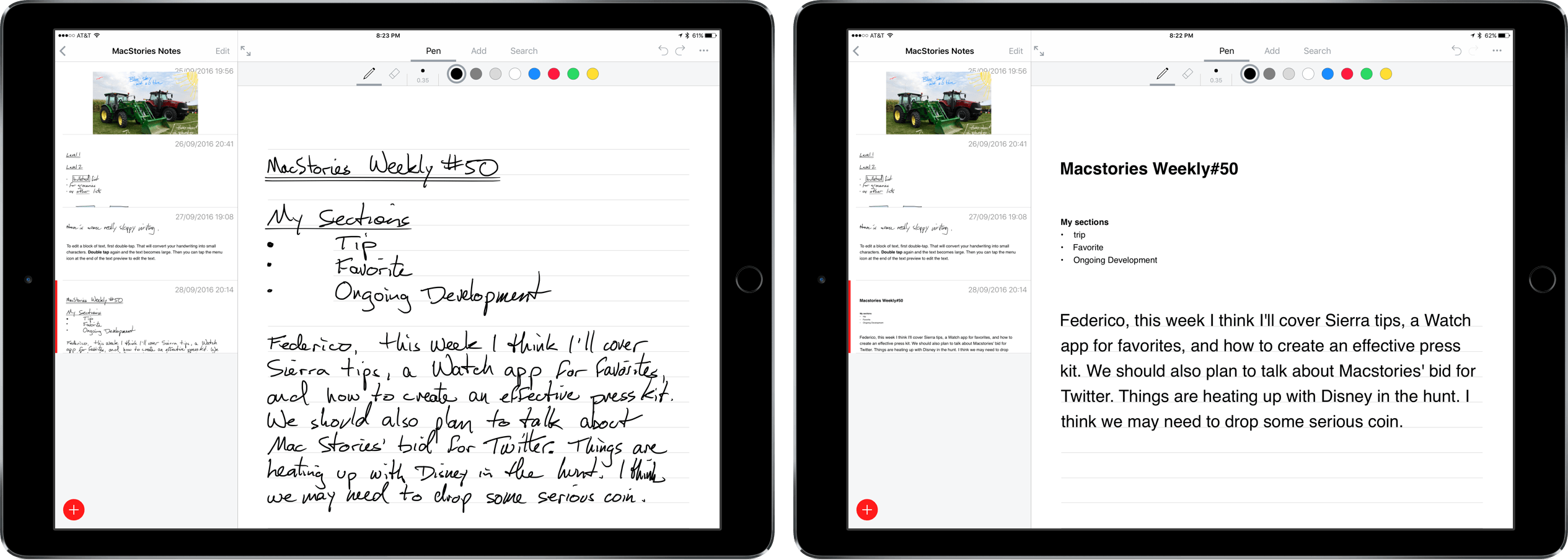
Nebo is a digital notetaking app that was created by MyScript to showcase its handwriting recognition technology known as Ink. The app is iPad-only because it requires an Apple Pencil for input. Nebo can also convert hand-drawn diagrams and mathematical equations and embed photos and sketches within notes. I’ve been using Nebo to research this review and the accuracy of its handwriting recognition is remarkable. Nebo is a solid notetaking tool. It lacks a few features that would make it more competitive with notetaking apps that have been around longer, but the handwriting recognition is so good, that Nebo has become my default notetaking app.
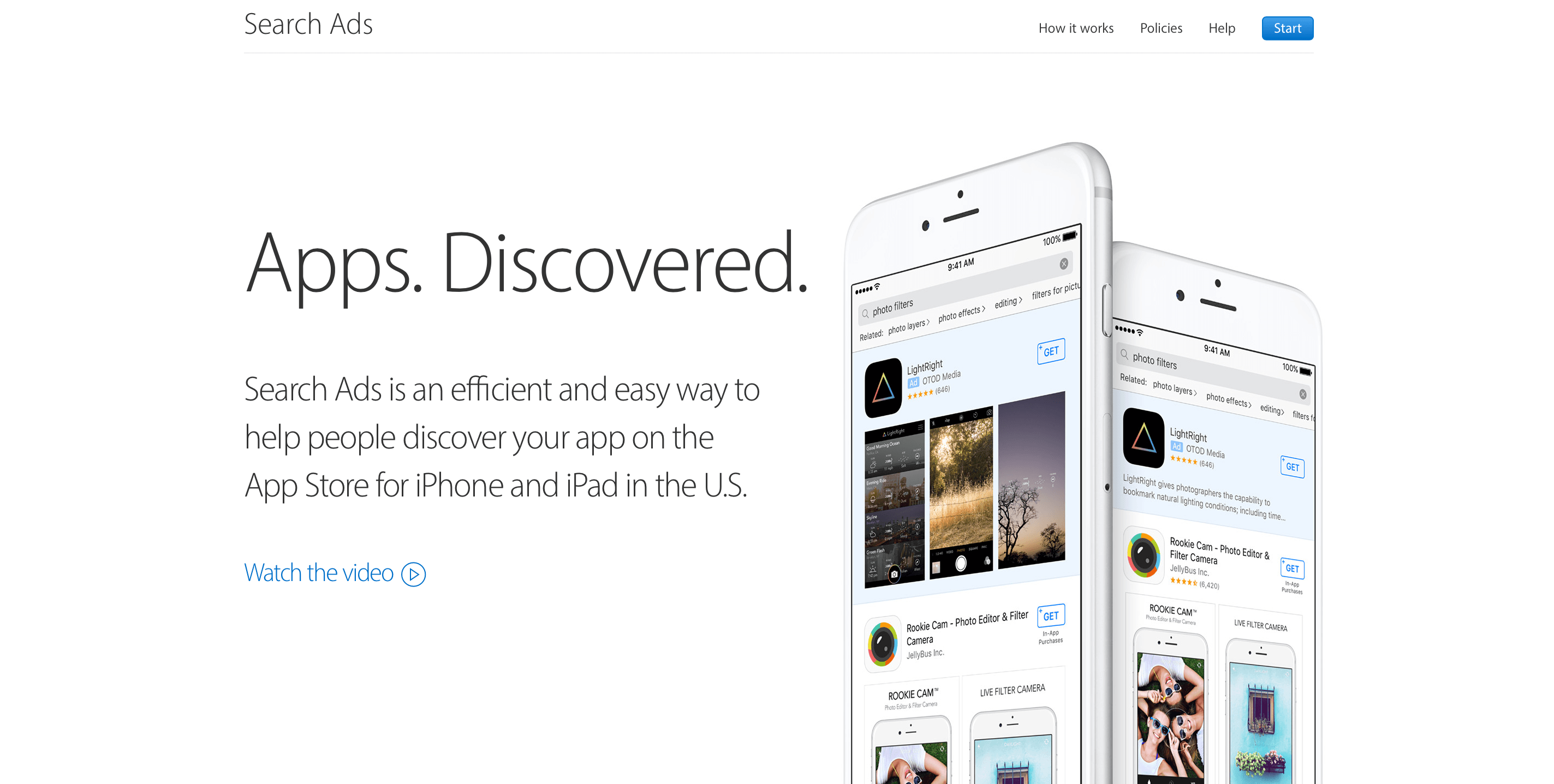
First announced at WWDC in June and beta-tested over the Summer, Apple launched Search Ads for iOS apps today. The ads will appear at the top of App Store customers’ search results based on a combination of search relevancy and bidding. According to Apple, the program is designed to be a simple way for developers to get their apps in front of potential customers. Developers can sign up today and schedule campaigns, but ads won’t go live until October 5, 2016.
In an email to developers Apple says:
Search Ads was designed to be effortless for small and independent developers. Invest as much or as little time as you have and still get results. We create your ads and match them to relevant searches. You can refine who sees your ad with optional keyword, audience and location features, and you only pay when a customer taps on your ad.