John Voorhees

5388 posts on MacStories since November 2015

John is MacStories' Managing Editor, has been writing about Apple and apps since joining the team in 2015, and today, runs the site alongside Federico. John also co-hosts four MacStories podcasts: AppStories, which covers the world of apps, MacStories Unwind, which explores the fun differences between American and Italian culture and recommends media to listeners, Ruminate, a show about the weird web and unusual snacks, and NPC: Next Portable Console, a show about the games we take with us.

Apple Announces the New iPad Air and Base Model iPad

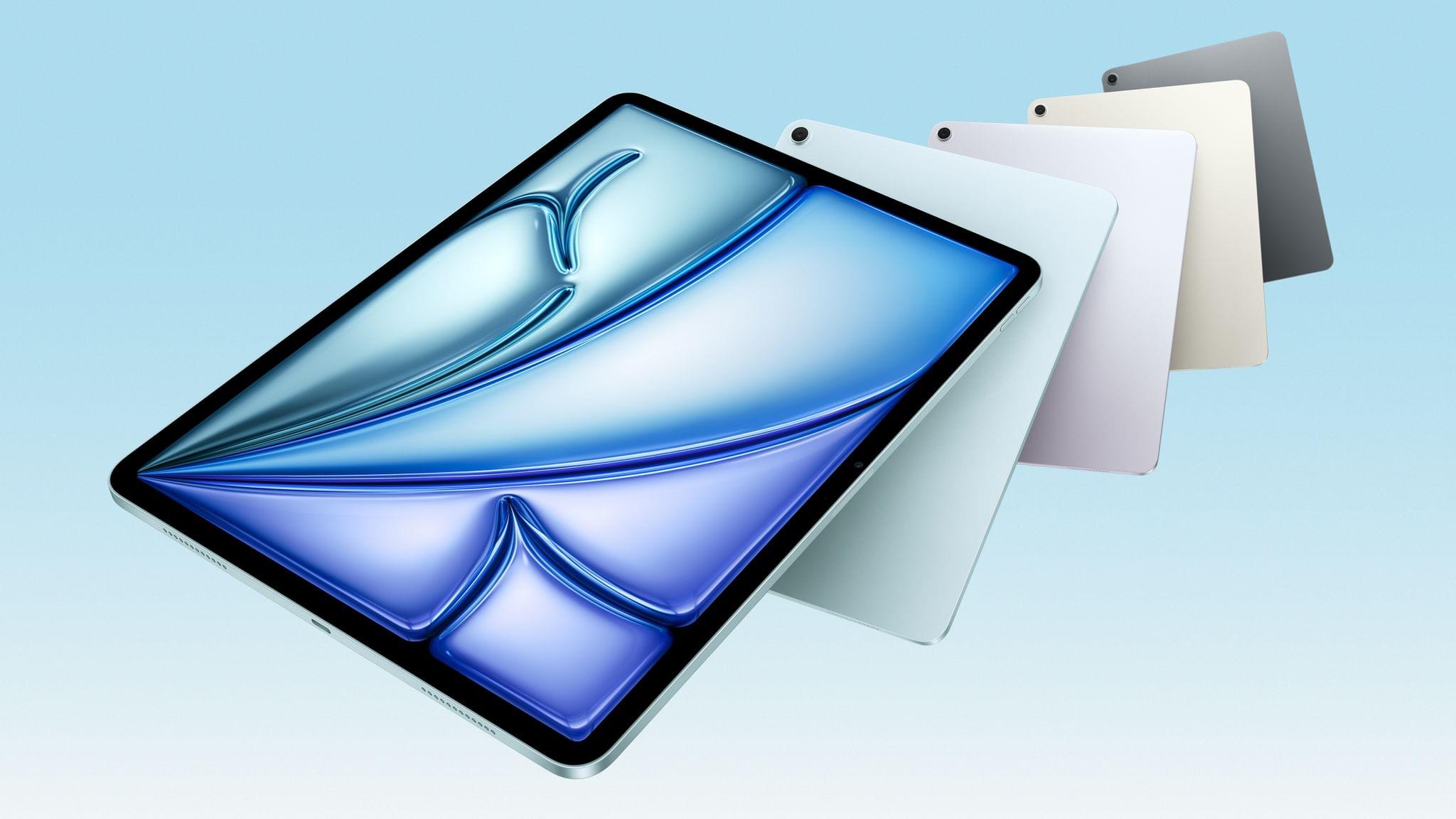
The new iPad Air. Source: Apple.

The new iPad Air. Source: Apple.

Apple today introduced an update to the iPad Air featuring the company’s M3 chip and a new base model iPad with the A16 chip and more starting storage at 128GB.

According to Apple’s press release, the new Air is almost twice as fast as the model with an M1 chip and up to 3.5 times faster than the Air with an A14 Bionic chip. Apple elaborates:

The powerful M3 chip offers a number of improvements over M1 and previous-generation models. Featuring a more powerful 8-core CPU, M3 is up to 35 percent faster for multithreaded CPU workflows than iPad Air with M1. M3 features a 9-core GPU with up to 40 percent faster graphics performance over M1. M3 also brings Apple’s advanced graphics architecture to iPad Air for the first time with support for dynamic caching, along with hardware-accelerated mesh shading and ray tracing. For graphics-intensive rendering workflows, iPad Air with M3 offers up to 4x faster performance than iPad Air with M1, enabling more accurate lighting, reflections, shadows, and extremely realistic gaming experiences.

The new model is available in blue, purple, starlight, and space gray and in 11-inch and 13-inch screen sizes. The Air also has 128GB, 256GB, 512GB, and 1TB storage options.

The 11-inch iPad Air starts at $599, and the 13-inch model starts at $799 with education customers getting $50 off those prices. The cellular models add $150 to the price tag. The iPad Air can be preordered today for delivery and in-store pickup on March 12th.
The base model iPad. Source: Apple.

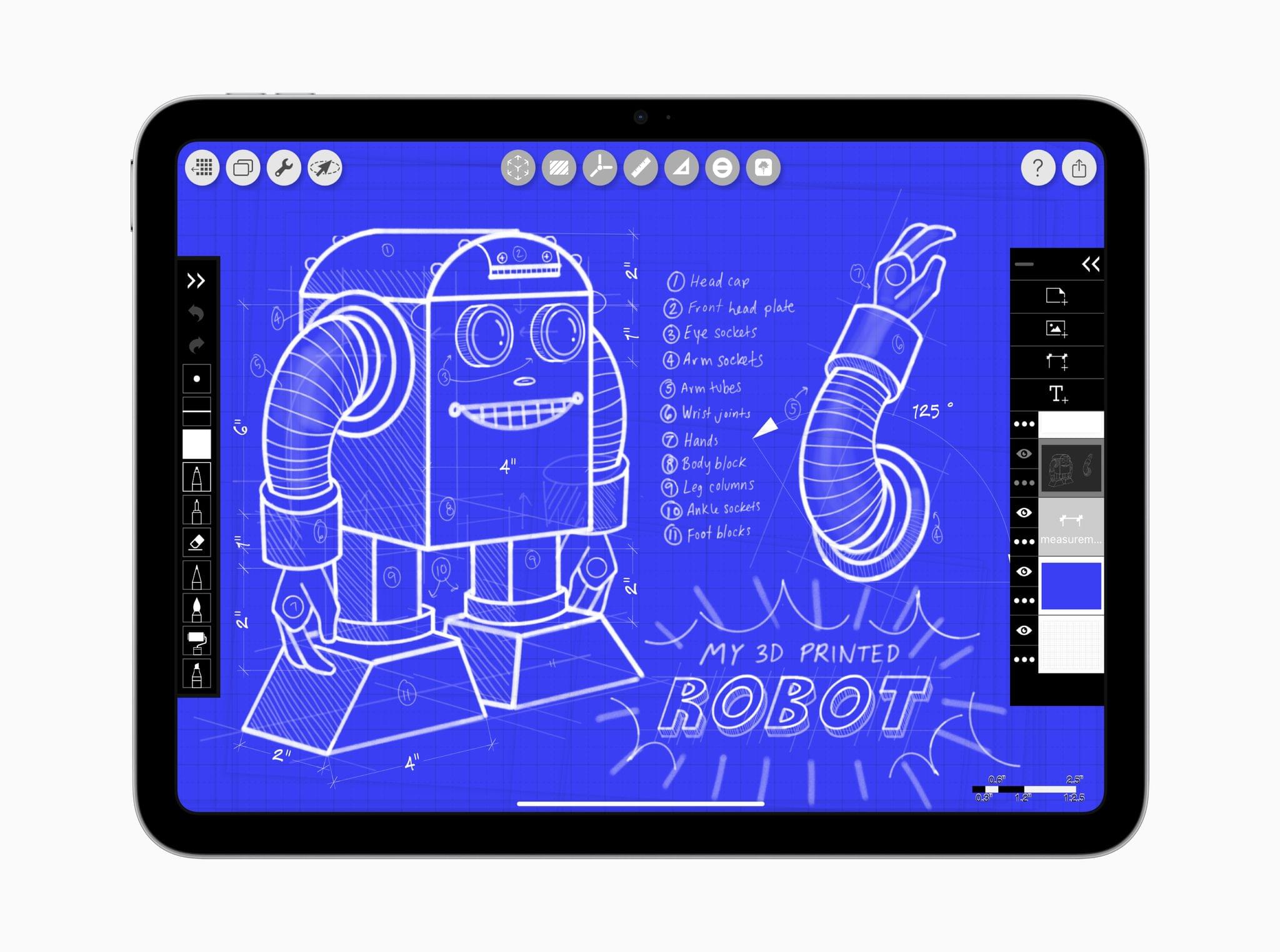
The base model iPad. Source: Apple.

As for the base model iPad, it comes in blue, pink, yellow, and silver, starting at $349 for the 128GB model. Cellular costs an additional $150, and education customers get $20 off. The other storage options for the iPad update are 256GB and 512GB. Like the iPad Air, the base model iPad can be ordered today for delivery March 12th.

Access Extra Content and Perks

Founded in 2015, Club MacStories has delivered exclusive content every week for nearly a decade.

What started with weekly and monthly email newsletters has blossomed into a family of memberships designed for every MacStories fan.

Learn more here and from our Club FAQs.

Club MacStories: Weekly and monthly newsletters via email and the web that are brimming with apps, tips, automation workflows, longform writing, early access to the MacStories Unwind podcast, periodic giveaways, and more;

Club MacStories+: Everything that Club MacStories offers, plus an active Discord community, advanced search and custom RSS features for exploring the Club’s entire back catalog, bonus columns, and dozens of app discounts;

Club Premier: All of the above and AppStories+, an extended version of our flagship podcast that’s delivered early, ad-free, and in high-bitrate audio.

Learn more here and from our Club FAQs.


The Missing Middle

This week, Federico and John examine the widening gap between consumer and enterprise apps, asking what happened to prosumer and small business app market.

On AppStories+, John doesn’t buy Apple’s explanation of why the iPhone 16e doesn’t have MagSafe and has an email-adjacent theory about task managers.


We deliver AppStories+ to subscribers with bonus content, ad-free, and at a high bitrate early every week.

To learn more about an AppStories+ subscription, visit our Plans page, or read the AppStories+ FAQ.


AppStories+ Deeper into the world of apps

AppStories Episode 425 - The Missing Middle

0:00
32:14

AppStories+ Deeper into the world of apps

This episode is sponsored by:

  • Incogni – Take your personal data back with Incogni! Use code APPSTORIES with this link and get 60% off an annual plan.

Read more


The Latest from Comfort Zone, MacStories Unwind, and Magic Rays of Light

Enjoy the latest episodes from MacStories’ family of podcasts:

Comfort Zone

Chris has a first look at a new iPad stand, Matt is ready to drop out and have some fun, and a our Coldplay challenges pushes some of the gang to their limits.


MacStories Unwind

This week, Federico questions my character before discovering the joy of audiobooks, while I have been listening to more podcasts and have a question for listeners about which TV show he should watch next.


Magic Rays of Light

Devon and Jonathan highlight the premiere of German-language medical drama Berlin ER and go immersive arctic surfing on Apple Vision Pro.

Read more

Access Extra Content and Perks

Founded in 2015, Club MacStories has delivered exclusive content every week for nearly a decade.

What started with weekly and monthly email newsletters has blossomed into a family of memberships designed for every MacStories fan.

Learn more here and from our Club FAQs.

Club MacStories: Weekly and monthly newsletters via email and the web that are brimming with apps, tips, automation workflows, longform writing, early access to the MacStories Unwind podcast, periodic giveaways, and more;

Club MacStories+: Everything that Club MacStories offers, plus an active Discord community, advanced search and custom RSS features for exploring the Club’s entire back catalog, bonus columns, and dozens of app discounts;

Club Premier: All of the above and AppStories+, an extended version of our flagship podcast that’s delivered early, ad-free, and in high-bitrate audio.

Learn more here and from our Club FAQs.


Interesting Links

Apple published new developer docs explaining how apps can integrate with Apple Intelligence’s text summarization and priority classification of emails and messages thanks to new Core Spotlight APIs in iOS 18.4 and macOS 15.4. (Link) Legendary Apple designer Susan Kare, known for creating the original Macintosh icons, has released a collection of 32 new...


Can Apple Intelligence Fulfill the Promise of Workflow?

As we wait for Siri to gain the features promised last June by Apple, I thought it would be worthwhile to look further into the future. I’ve been thinking beyond Siri in part because I’m skeptical that Apple will be able to pull off what was shown off last year. The technical challenge alone is...


App Debuts

Plain Text Editor The latest app by indie developer Sindre Sorhus is an extremely simplified text editor for iPhone and iPad that embraces minimalism as the core feature of the app. As the name implies, the app is a barebones window where you can type in plain text. (It’s worth noting that Plain Text...


Beyond Search: Digital Hoarding Finally Pays Off

The age of AI will reward digital hoarders in ways that search never has. As a computer user, I grew up on search. As a law student at the dawn of the ’90s, I cut my teeth on Westlaw and Lexis terminals. Back then, both services – enormous databases of court decisions and related materials...


How I’m Learning Japanese 14 Days In

Brendon Bigley, my co-host on NPC: Next Portable Console, is getting married soon and planning a honeymoon to Japan. Before leaving, he and his partner decided to learn Japanese together. In doing so, Brendon has done a ton of research, quizzing friends who have learned the language, and trying a long list of resources, which he’s published on Wavelengths.

I love the idea that one of the biggest steps in learning Japanese is to learn how to learn Japanese:

So there are about one million different ways to go from here, and because every person is different it means you’ll need to try a few different things to get going. Many people say the first step of learning Japanese is to learn how to learn Japanese, and I’d say that’s almost correct. The first step, once again, is to learn hiragana and katakana… second is learning how to learn Japanese.

The reason things get so wild here is that people will say that you need to start learning kanji, vocab, and grammar simultaneously and it’s not not true. Learning even the most basic grammar helps make sense of sentence structure, which enables you to discern kanji and vocab words in the context of real written language. Conversely, the more kanji and vocab you learn the easier it will become to intuitively parse new grammatical rules as they’re introduced.

Learning how to learn something is a crucial step to any new and complicated undertaking but often gets overlooked. That’s because, as Brendon points out, everyone’s path to expertise in anything is different. It pays to listen to the advice of people you trust, as he did, but it’s just as important to listen to yourself and understand how you learn.

Brendon’s story has great advice for learning anything, but in particular, it’s packed with resources for learning Japanese. There are Mac and iOS apps, web apps, Android apps, textbooks, and more. As someone who has a kid traveling around Tokyo and Kyoto right now, I immediately sent him the link. It’s a great one to file away if you’ve ever thought to yourself, “Maybe I’ll try to learn Japanese some day.”

Permalink

PicoChat or PictoChat: Can You Tell the Difference?

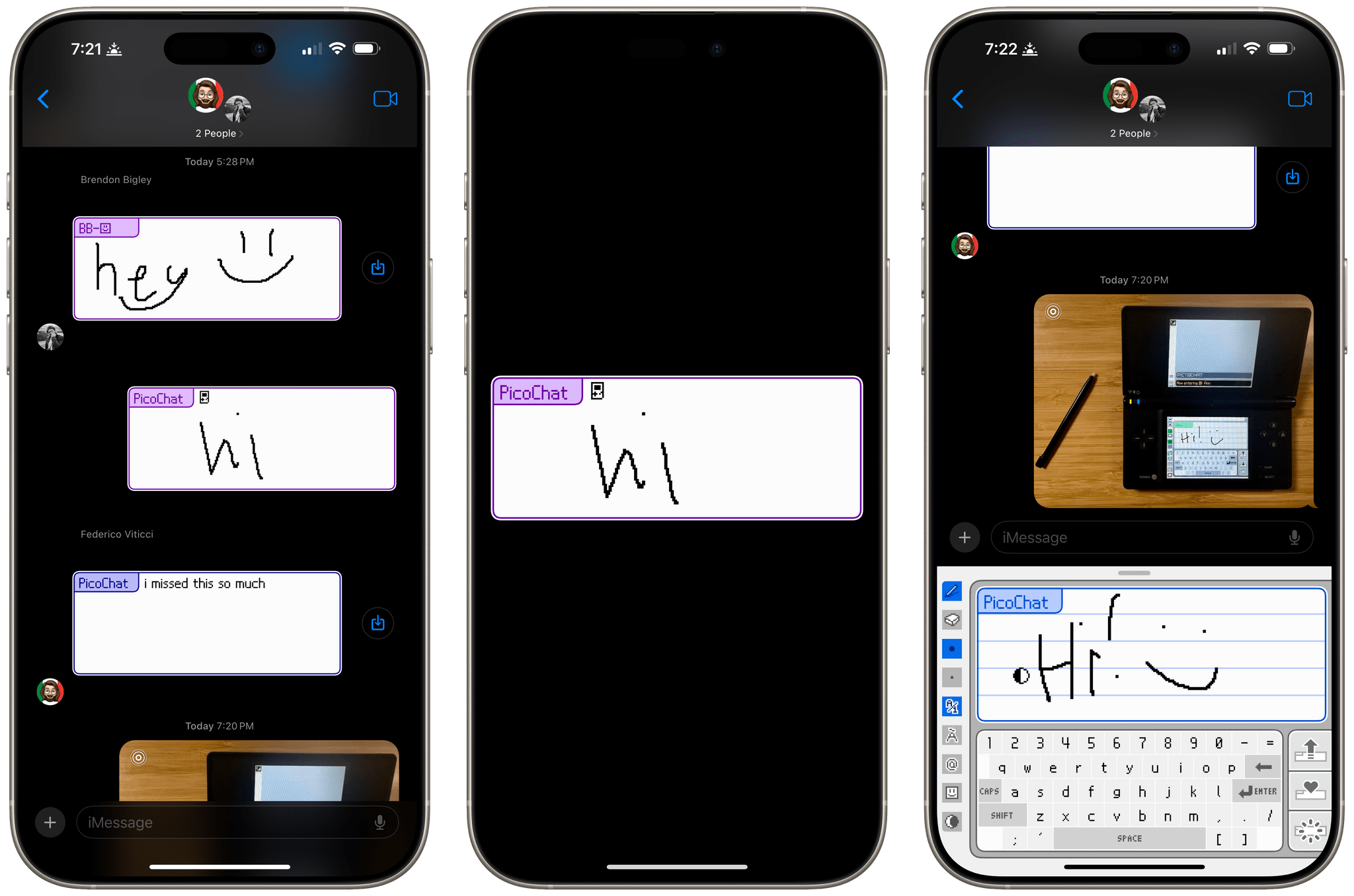
It’s been a very long time since I reviewed an iMessage app, but past issues of MacStories Weekly and this site chronicle the hundreds of iMessage apps Federico and I tried and wrote about. Today, though, I was reminded that there’s still fun to be had in what has to be Apple’s most obscure corner of the App Store because this afternoon, Brendon Bigley sent me a link to PicoChat for iMessage, a nostalgia-filled delight from developer Idrees Hassan.

PicoChat lovingly recreates the look and feel of PictoChat, a local messaging app that shipped with the Nintendo DS beginning in 2004 and later with the DS Lite and DSi. PictoChat used a short-range proprietary wireless protocol that could only extend about 65 feet, which ultimately led to its demise as smartphones with cellular connections and Wi-Fi became popular. However, for several years, it served as a short-range communications and creative outlet for a generation of kids.

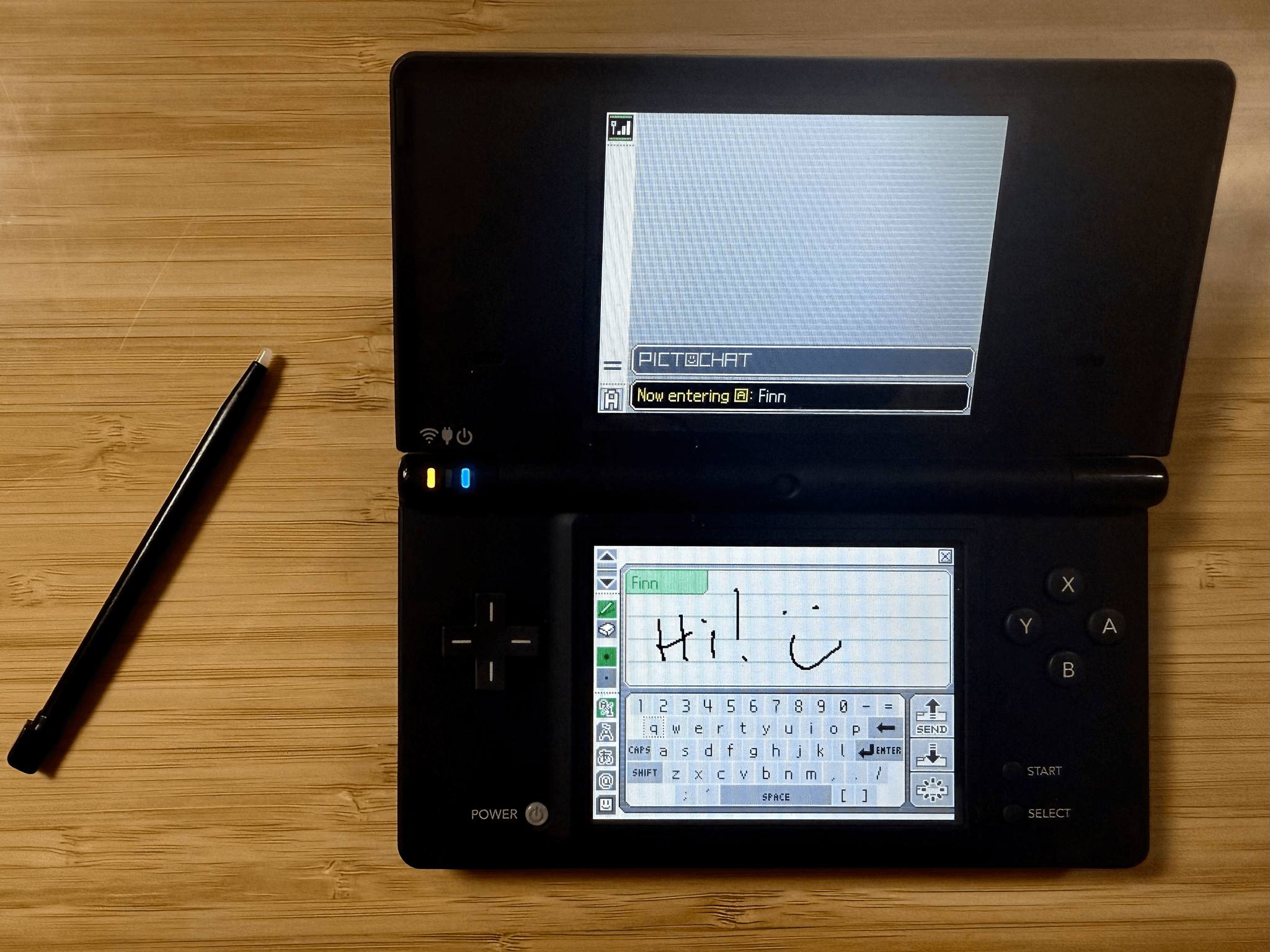
For context, here’s PictoChat running on my matte black Nintendo DSi, a model that is one of Brendon’s ‘dream devices,’ as he recently shared on NPC: Next Portable Console:

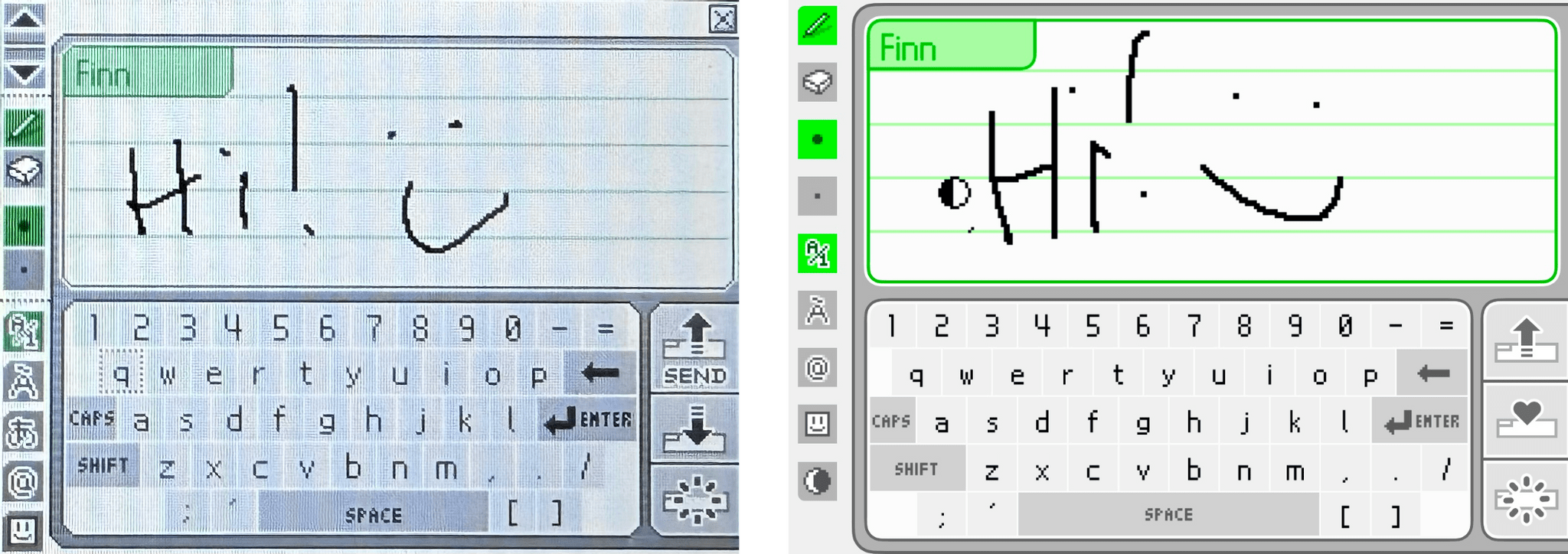
Now, here’s a close-up of the original PictoChat interface and the iMessage app side-by-side.

PictoChat on a DS (left) and the PicoChat for iMessage app (right).

PictoChat on a DS (left) and the PicoChat for iMessage app (right).

Just like the DS, the iMessage version has a teeny tiny keyboard with space above it for doodles. If it weren’t for the lower resolution of the DS’s screen, I bet most people would have a hard time telling them apart.

Getting back to Hassan’s app, it’s accessed like other iMessage apps from the Plus button in a Messages thread. Once you’re finished composing your masterpiece, the app converts it into an image and sends it like any other image is sent in Messages.

That’s it, but it’s more than enough to have sent a whole lot of Nintendo DS fans down a nostalgia-filled rabbit hole today, which was cool. Even if the DS wasn’t your thing, check out PicoChat and send some doodles to your friends and family. It’s a lot of fun.

PicoChat is available as a free download on the App Store.

Access Extra Content and Perks

Founded in 2015, Club MacStories has delivered exclusive content every week for nearly a decade.

What started with weekly and monthly email newsletters has blossomed into a family of memberships designed for every MacStories fan.

Learn more here and from our Club FAQs.

Club MacStories: Weekly and monthly newsletters via email and the web that are brimming with apps, tips, automation workflows, longform writing, early access to the MacStories Unwind podcast, periodic giveaways, and more;

Club MacStories+: Everything that Club MacStories offers, plus an active Discord community, advanced search and custom RSS features for exploring the Club’s entire back catalog, bonus columns, and dozens of app discounts;

Club Premier: All of the above and AppStories+, an extended version of our flagship podcast that’s delivered early, ad-free, and in high-bitrate audio.

Learn more here and from our Club FAQs.