
Mixel - Cocktail Recipes Mixel is a stylish cocktail recipe app. As the name suggests, the app is illustrated with pixel art depicting each cocktail and its ingredients. It’s a quirky approach to a genre of apps that often look the same, which I like. If you tell Mixel what ingredients you have on...
Sebastiaan de With Tackles RAW Photo Editing→
Editing RAW photo files can be intimidating for beginners. There are a seemingly endless number of adjustments that can be made, and it’s not always clear what each does. However, if you take the time to learn the tools and shoot RAW images on your iPhone or another camera, the results can be stunning.
Sebastiaan de With, the designer of Halide, an excellent RAW camera app for iPhone, has published the second in a series of articles about shooting and editing RAW photos. As de With explains at the outset of this second article in the series:
This guide will walk you through the basics of RAW editing and adjustment. Most of these pointers also apply to editing RAW files from other cameras, but some parts focus on iOS editing workflows and how to transfer your RAW files from your iPhone to your Mac or PC.
The remainder of the article is full of great tips and eye-opening examples of what can be done on a Mac or iOS to edit RAW photos. If you’re interested in photography on any platform, this is a must-read article. In an upcoming installment de With will cover advanced editing and editing with depth channels.
Questioning the Snow Leopard Moment→
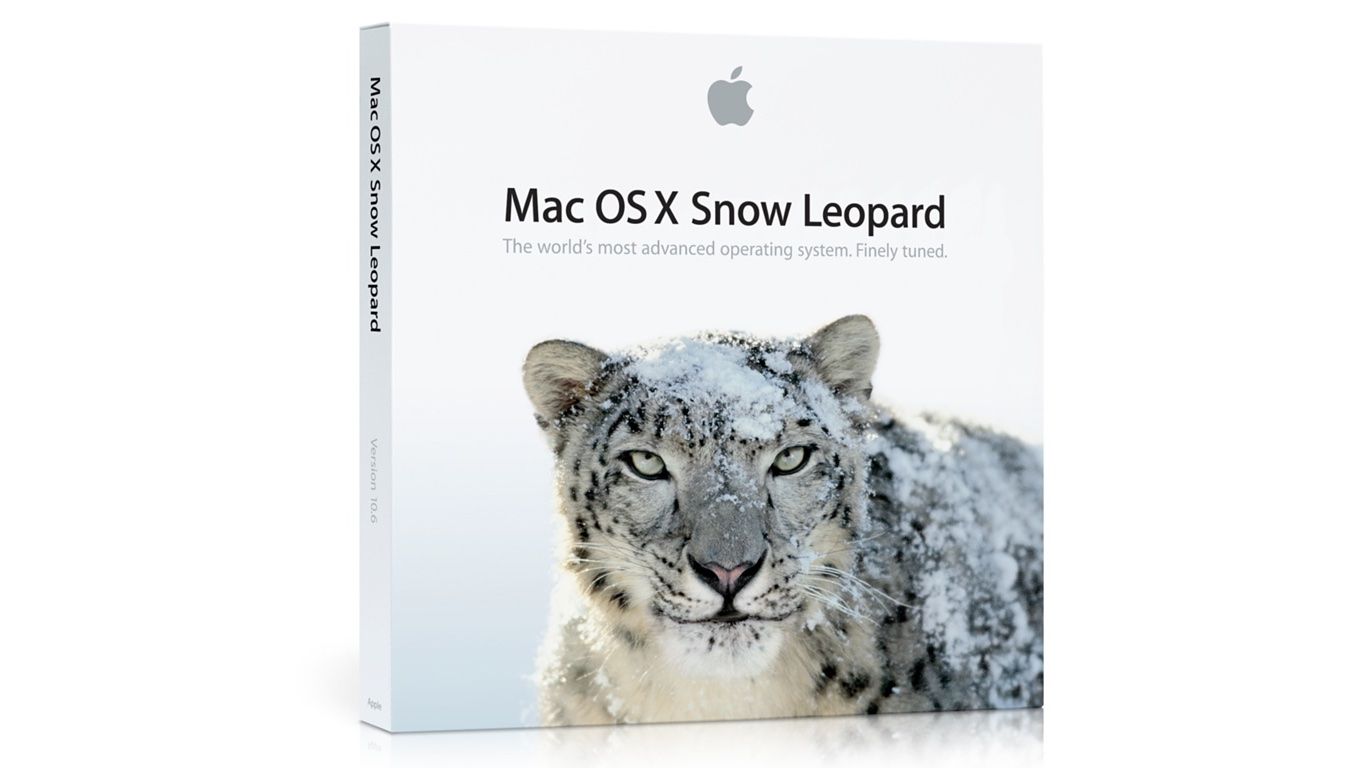
If you’ve followed Apple for any length of time, you’ve no doubt encountered someone reminiscing about Mac OS X Snow Leopard or wondering whether the time was right for some products’ ’Snow Leopard’ moment. Snow Leopard, which was released in 2009, has become synonymous with a software release focused on stability and bug fixes instead of new features.
Michael Steeber at 9to5Mac takes an in-depth look at the legend behind Snow Leopard and questions whether it’s deserved. As Steeber notes, Snow Leopard was marketed as having no new features, but it was far from bug-free. Nonetheless, the release’s marketing message, a general perception that the quality of Apple’s software declined in subsequent years, and other factors, have led to Snow Leopard’s mythological status. As Steeber puts it:
…a kernel of truth persists underneath the mythology. Improvements to iOS and macOS, no matter how small, contribute to a better experience for everyone. Fixing bugs might not be as marketable as shiny new Animoji or a fresh design, but maintenance can only be deferred so long. If Apple can knock stability out of the park in 2018, maybe the legend of Snow Leopard can finally be put to rest.
I suspect Snow Leopard’s reputation, which has become conventional wisdom at this point, will persist regardless of what happens this year. Still, it’s instructive to see how we got to this point and worth noting for the next time a similar meme circulates.
Snapthread Combines Live Photos and Videos into Special Shareable Moments
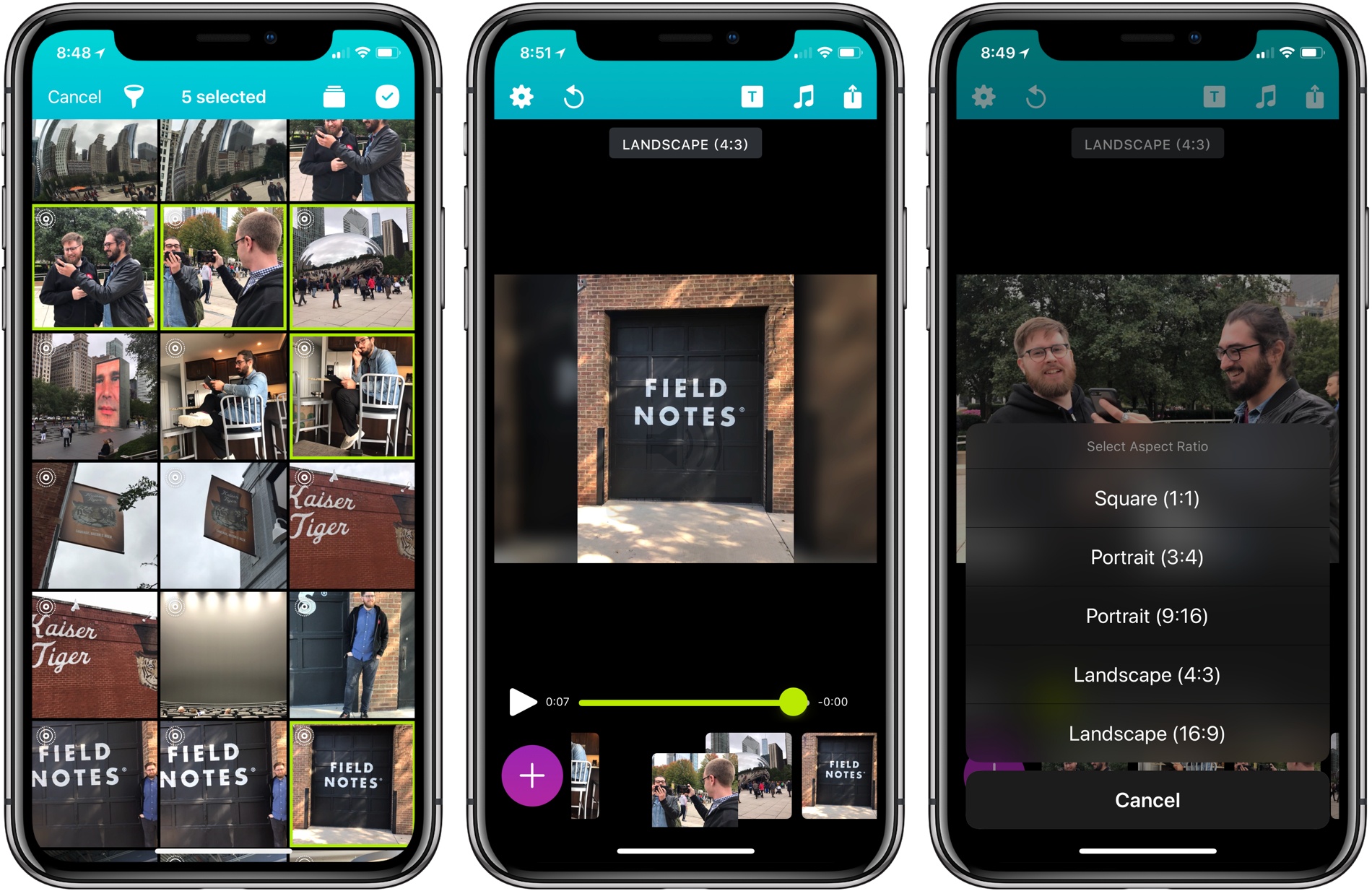
Becky Hansmeyer started building Snapthread to combine Snapchat videos. What she ended up creating is an elegant way to combine Live Photos and videos into short movies that are greater than the sum of their parts and perfect for sharing with friends and family.
What I love about the origin story of Snapthread is how much the app changed from its inception to launch, yet how close the resulting app remains to Hansmeyer’s original vision. That’s because at its core is a great idea: creating a better way to share life’s fleeting moments.
With version 1.5, Snapthread has grown into a mini iPhone video studio with a focus on making it as quick and simple as possible to assemble a video from several Live Photos or standard videos. The approach is smart. It’s easy to get caught up in filters, effects, and transitions when you’re editing video. There’s a place for that sort of app, and Snapthread lets you add things like a title card and overlay music, but what I like most about it is that the app’s focus on the basics prevents me from obsessing about my creation. It’s a design choice that makes me far more likely to create and share a clip.
 My Battery Go-Bag
Last week I came home from visiting a relative who had just had surgery. I was away for a total of eight days. I knew about the trip a couple of weeks in advance, but what exactly I’d be doing, how much I’d be needed to help out, and where I’d be day-to-day was...
AppStories, Episode 40 – How Apps Fit Into Our TV and Movie Watching→
On this week’s episode of AppStories, we discuss our TV and movie watching habits, hardware, and how we use apps as part of the process.
Sponsored by:
- Backblaze: Unlimited, cloud backup for Macs and PCs for just $5/month
- Sign up for a 15-day free trial today.

AppStories Episode 40 - How Apps Fit Into Our TV and Movie Watching
0:00
35:51
35:51






OneDrive for iOS Updated with Drag and Drop on iPad, A New Design, and More
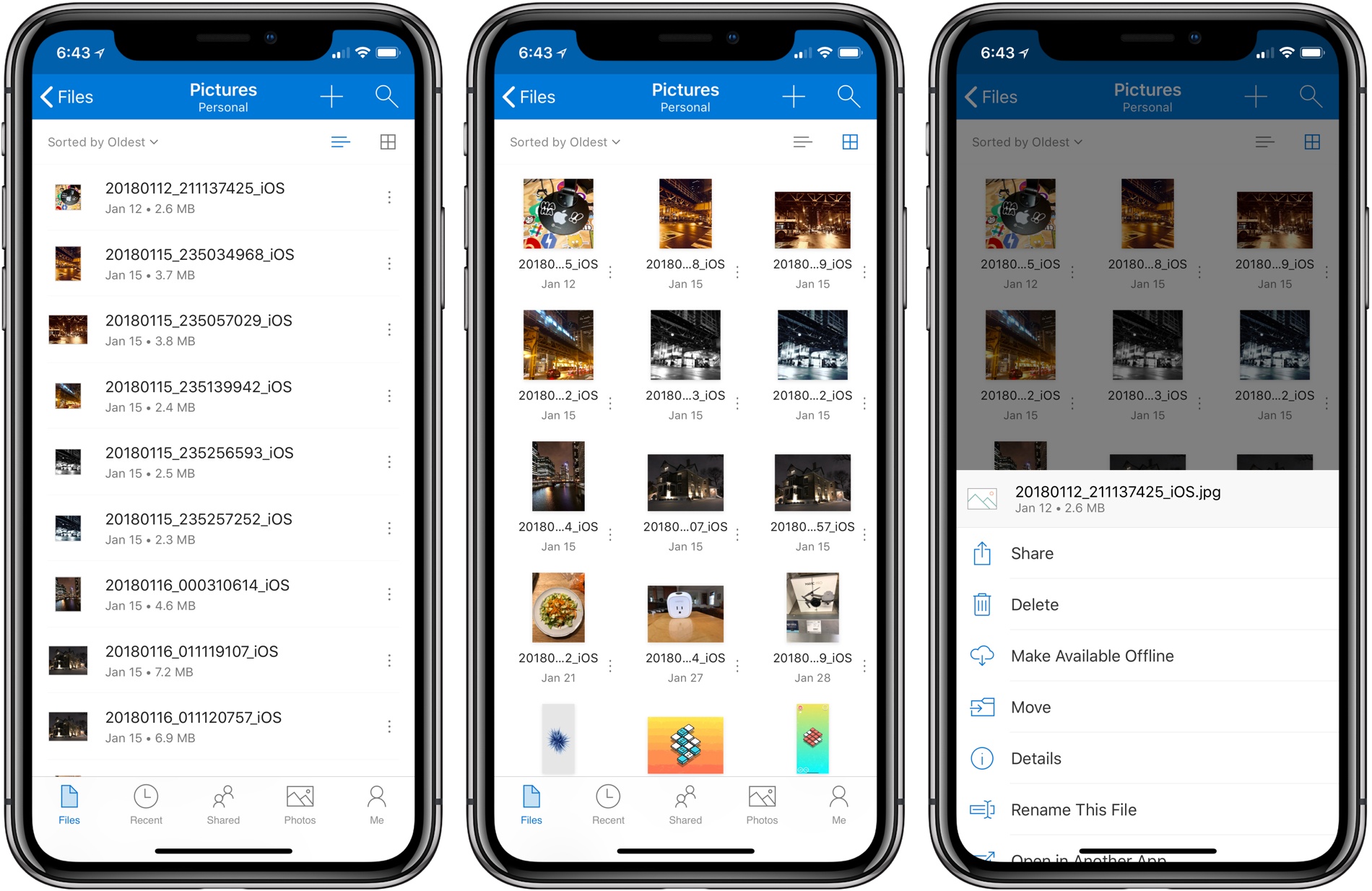
Microsoft has released version 10.1 of its OneDrive app with support for drag and drop on the iPad and a new, cleaner design.
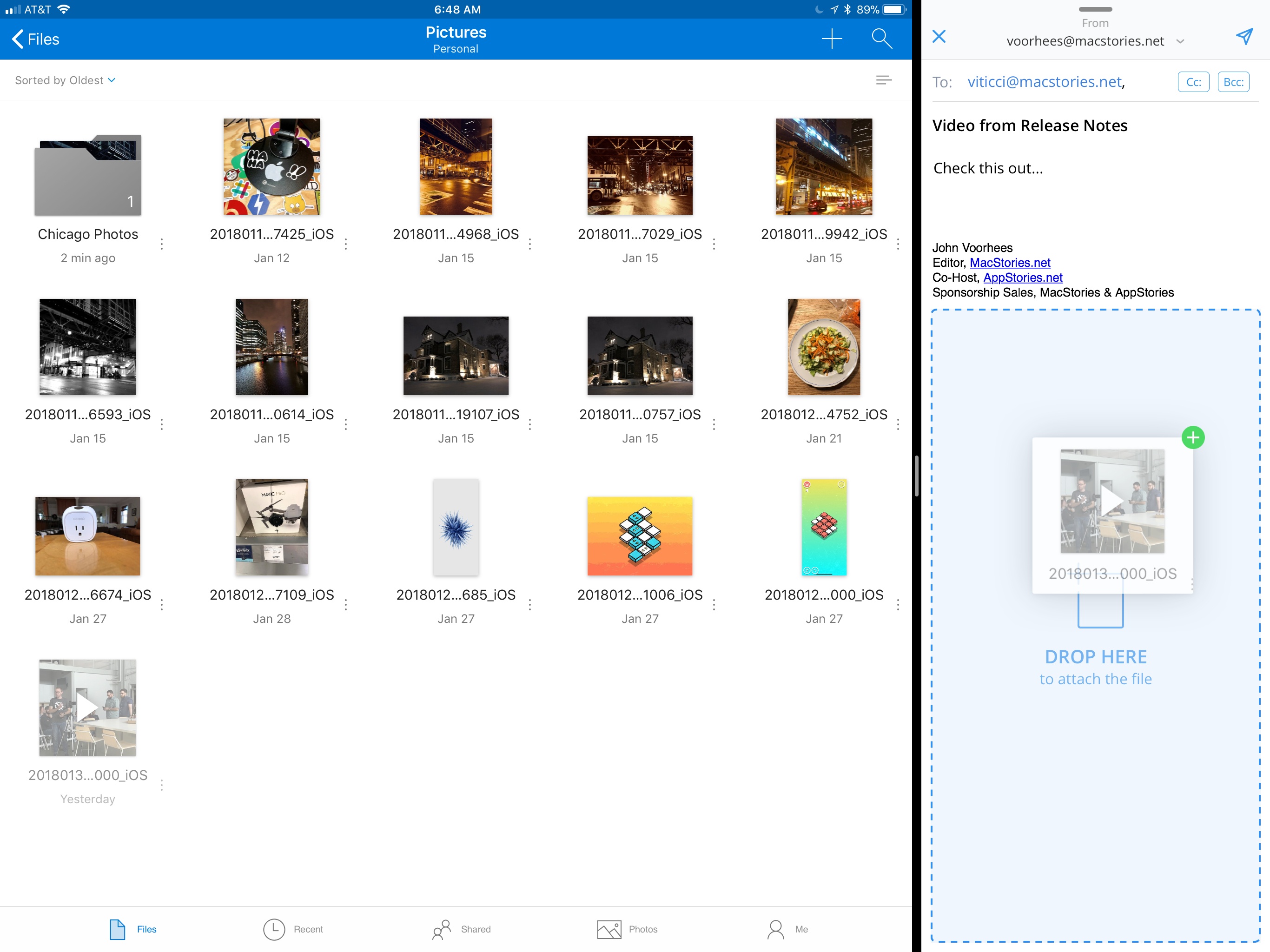
Drag and drop support allows users to move files and folders within the OneDrive app or drag files into and out of other apps. For example, users can drag photos from OneDrive into an email message to add as an attachment or drag attachments from messages into OneDrive. Users can also access their OneDrive files from Apple’s Files app.
OneDrive also received a significant UI redesign. File names are easier to read on all devices, the organization more closely mirrors what users expect to see on a Mac or PC, and the icons of shared files have been updated to make them easier to identify at a glance.
Before the update, file and folder actions required users to tap and hold on an item, which created discoverability issues. Now, there is a tiny three-dot button next to each file and folder that opens a contextual menu with options like ‘Share,’ ‘Delete,’ ‘Make Available Offline,’ ‘Move,’ and more. Additional file and folder actions, including ‘Copy Link,’ ‘Email in Outlook,’ ‘Send File,’ and ‘Invite People,’ are available via the system share sheet. OneDrive can now preview 130 different file types too.
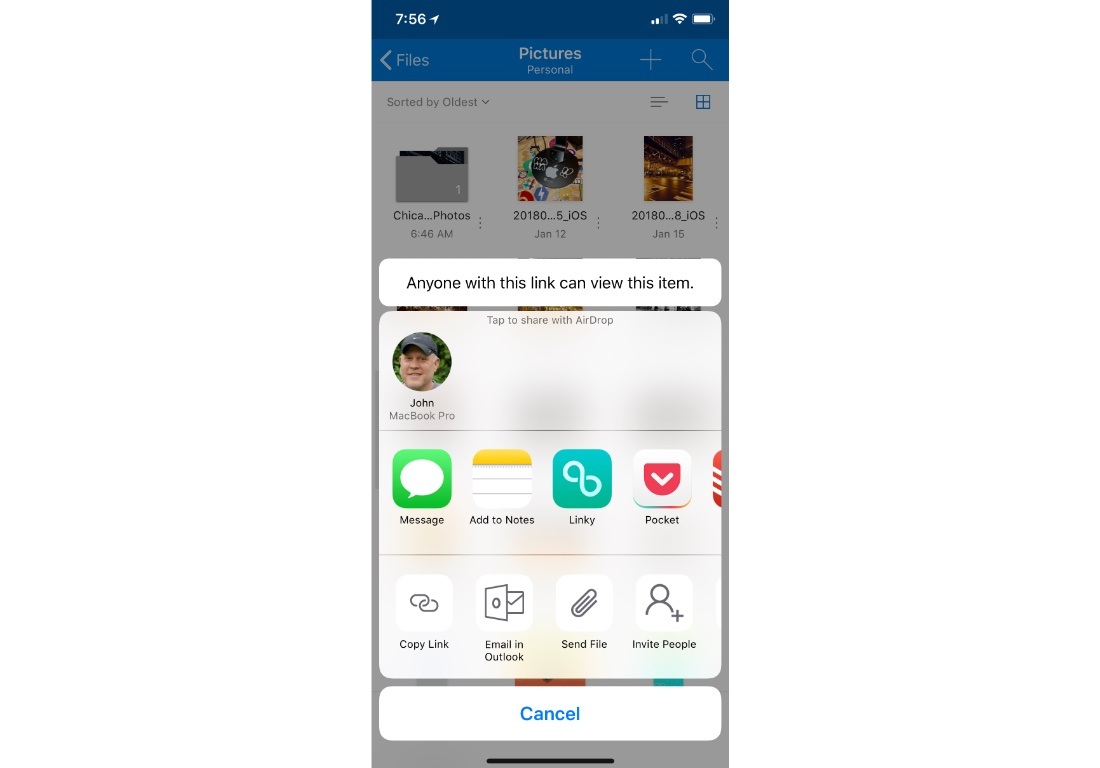
It’s unfortunate that it’s taken so long for OneDrive to adopt iOS 11 features like drag and drop. Still, the update is a significant improvement over previous versions and brings the app’s functionality in line with many of its competitors, which makes it worth another look if you have been thinking about switching online storage providers.
Backblaze: Unlimited Cloud Backup [Sponsor]
Backblaze is unlimited cloud backup for Macs and PCs for just $5 per month. Backups are critical. The drive on your computer is packed with your most precious content: home movies, family photos, work documents, your music and video collections, and much more. Backblaze backs it all up and makes it easy to recover.
Having a Backblaze cloud backup means your files are safe even if your computer isn’t. If your computer is stolen or your house burns down, you can still recover your files. But Backblaze is valuable even when disaster doesn’t strike because it’s also a handy way to access your files wherever you are using your phone or a web browser.
Best of all, you can access a single file or restore everything you’ve backed up just as easily. If you need to restore more files than you can download quickly, you can use Backblaze’s Restore by Mail service. Backblaze will overnight you a flash drive or hard drive by Fedex so you have your files the next day. If you need to recover files after a complete system failure, it’s painful enough as it is, so Backblaze provides you with a full refund of the cost of the drive they ship you if you return it within thirty days.
When you use Backblaze, you know your files are in good hands. Backblaze is currently managing over 400 Petabytes of data for its customers and has restored over 27 billion files. Those are big numbers that show just how many people have entrusted their documents and precious memories to Backblaze.
It’s the start of a new year, which is a good time to re-evaluate your backup strategy and take Backblaze for a spin. Start a 15-day free trial today and rest easy knowing your files are in good hands Backblaze.
Thanks to Backblaze for supporting MacStories this week.
 Federico