

Agenda is a beautifully-designed, calendar-centric note-taking app for the Mac. When I reviewed it in January, my primary criticism was that there was no iOS version available. It’s a limitation I ran into almost immediately when I took notes for an issue of MacStories Weekly and then found myself unable to access them when...
 Q&A
Q&A
Question: There’s an iOS utility called GridMaker by NNN Software that can be used to output tailor-made sheets of virtual paper. Graphs can be printed or used in another app like GoodNotes. I’d love to know which sizes, print types, and background colors you prefer the most. (Antonio Lopez, @PayenCIDH)
Thanks for the app...
Game Day: Pocket Run Pool
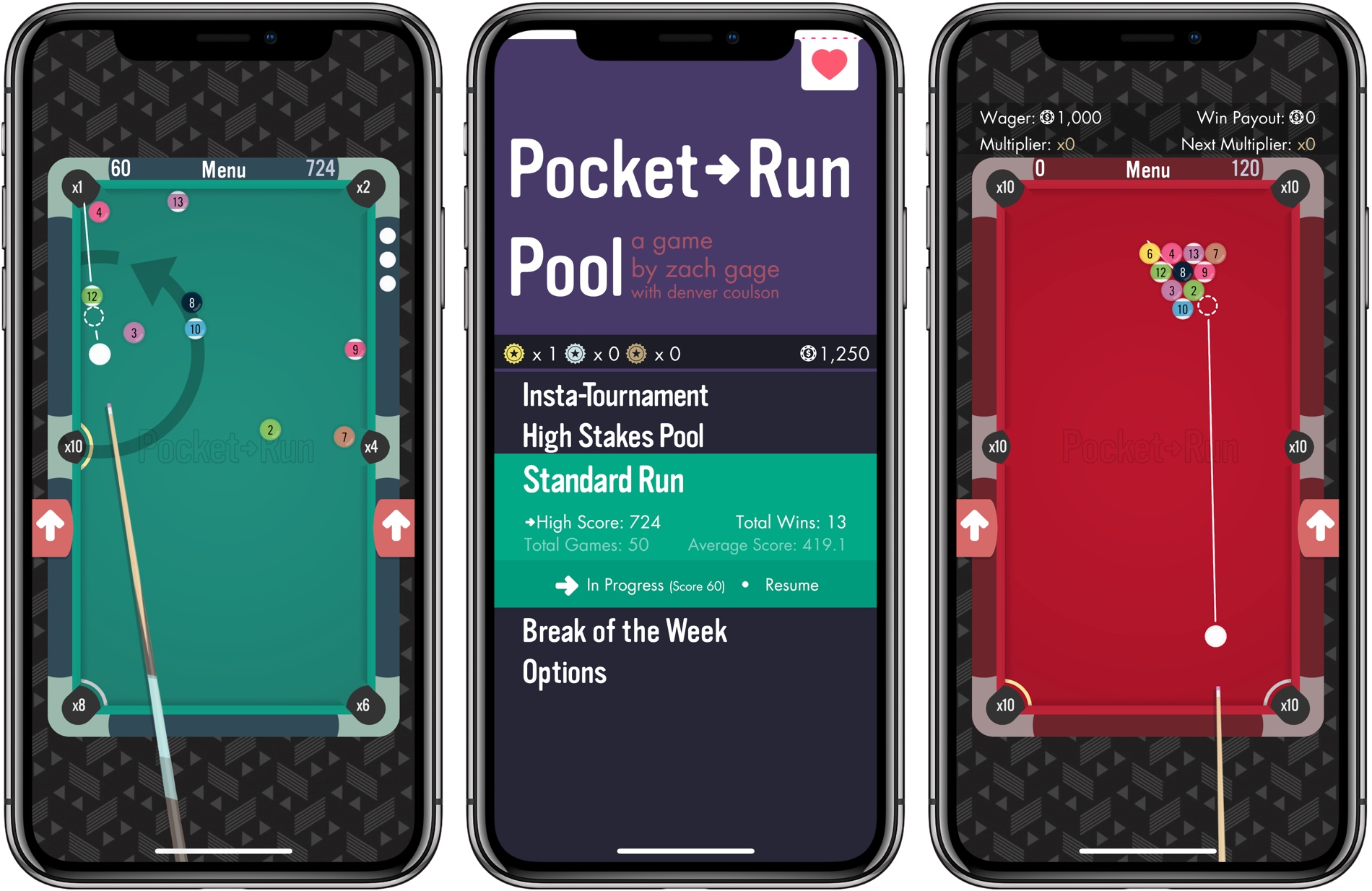
Zach Gage has earned a reputation by taking time-tested but tired classic games and reinventing them for mobile. Past hits from Gage like Flip Flop Solitaire, Really Bad Chess, and Typeshift zero in on what is fun about classic games and add a twist that breathes new life them. Pocket Run Pool is no different.
Obscura 2 Review: An Approachable Manual Camera App with Tasteful Filters
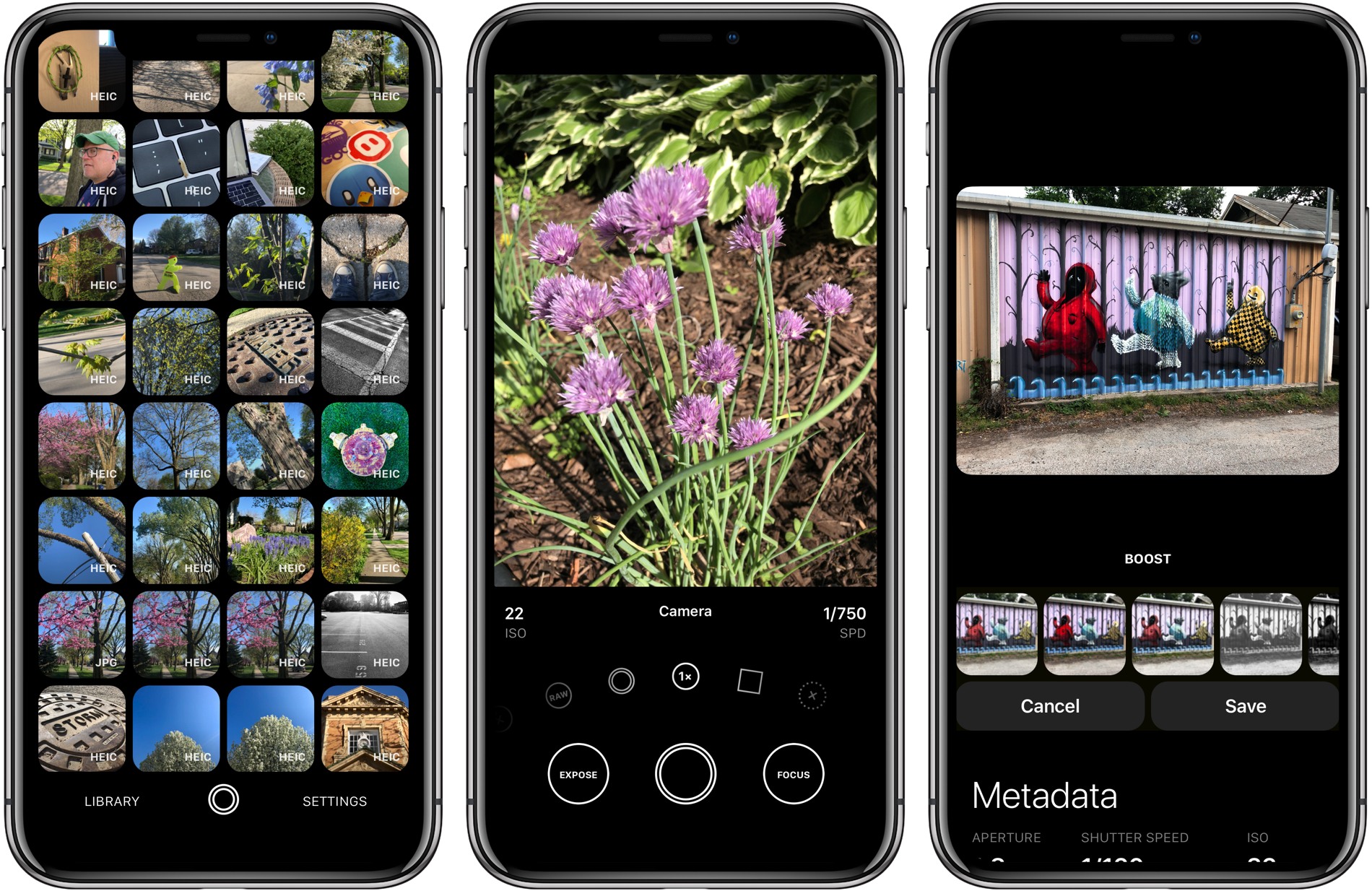
I enjoy taking lots of photos. Over the years, I’ve dabbled with DSLRs, but more often than not these days, I use my iPhone because it’s always nearby.
I’ve historically used Apple’s built-in Camera app. It has the advantage of being available from the Lock screen, which is a big plus because it lowers the barrier to getting up and running with the camera. Later, I would go back and pick out the best shots, edit them a little in the Photos app, and share a few.
Over the past couple of weeks though, I’ve been moving between Apple’s Camera app and Obscura 2, which was released today by developer Ben McCarthy. I’ve used manual camera apps in the past, but always wound up going back to Apple’s option in the end.
Obscura has been different. I’ve found myself going back to it repeatedly because I enjoy the way it approaches taking pictures and editing them so much. I don’t expect I’ll stop using Apple’s Camera app altogether; it’s just too convenient. However, when I leave the house with the intention of finding something interesting to photograph this summer, I’m going to use Obscura.
One of the things I like most about photography is that it’s a creative outlet that’s just for me. Sure, I share some of the pictures I take, but it’s entirely for fun.
One of the issues I’ve always had with pro camera apps is that many take the fun out of photography for me. They have intimidating UIs that throw lots of photography jargon and controls at you in a way that sends me looking for a manual. It feels too much like work.
Obscura doesn’t dispense with camera-speak entirely, but it succeeds by presenting the complexities of manual camera features in a simple, thoughtful UI. Instead of sending me looking for support pages, I found myself experimenting with Obscura’s controls, learning what each does by doing, which has been an enjoyable, organic process.
Apple Debuts New Data and Privacy Website in Europe Ahead of GDPR Effective Date
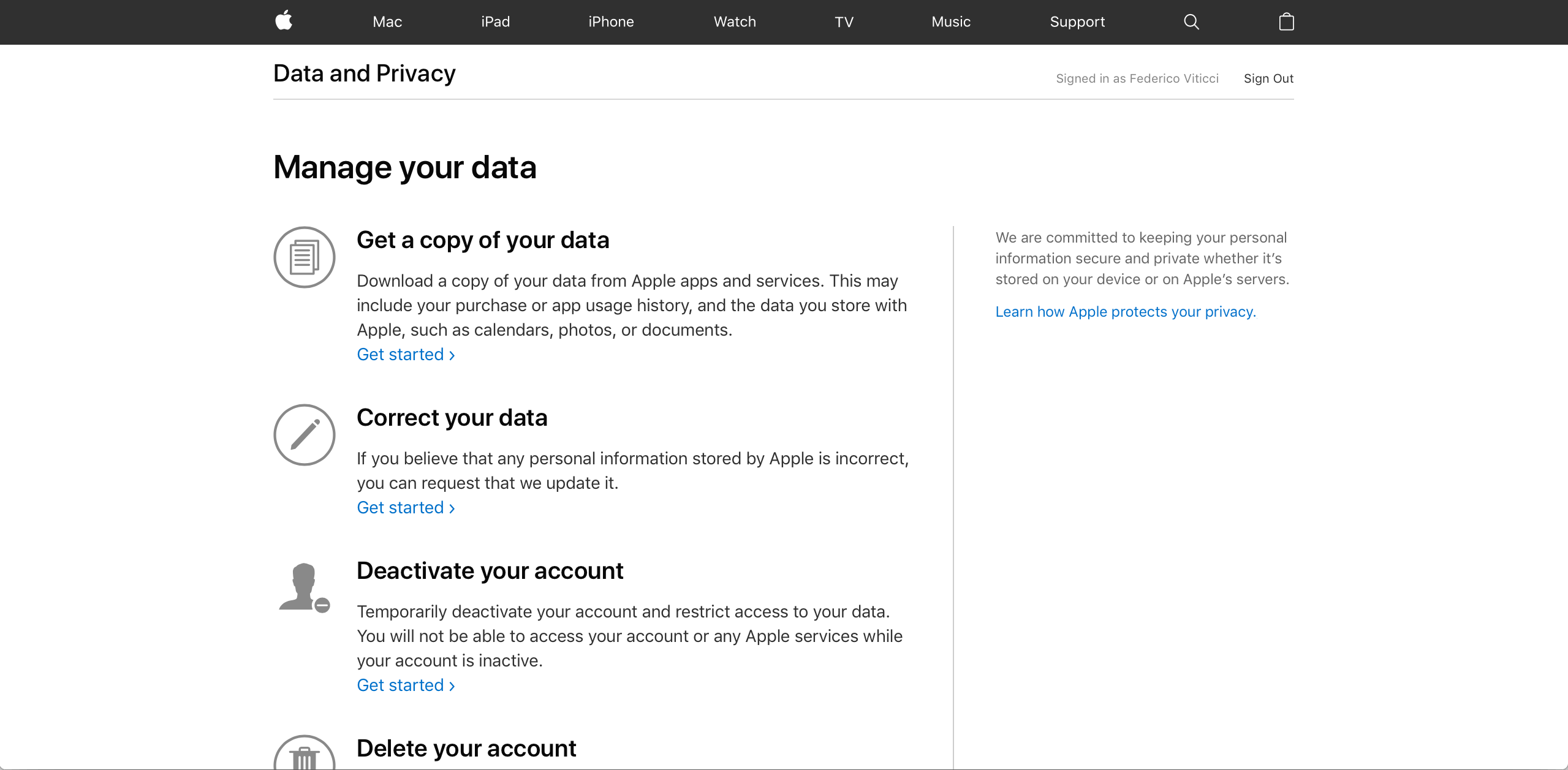
Today, Apple unveiled a new data and privacy website to comply with the European Union’s GDPR legislation that goes into effect on May 25th. The site allows users to copy and correct personally identifiable information associated with their Apple IDs and deactivate or delete their accounts. Although the new copy and deactivation options are only available in the EU, they will be rolling out throughout the remainder of the year to the rest of the world.
AppStories, Episode 56 – Controlling The Time Spent on Your iPhone→
On this week’s episode of AppStories, we talk about managing time spent on smartphones, including what manufacturers like Apple and Google are doing to address the issue, what users can do, and how we deal with being on our iPhones too much.
Sponsored by:
- Techmeme Ride Home – Search for Techmeme Ride Home on your podcast app now.
- AutoWake - the world’s first haptic smart alarm for your Apple Watch.
- The first 11 people to tweet at @AutoWakeApp with the code word ‘Espresso’ will receive a free promo code.

AppStories Episode 56 - Controlling The Time Spent on Your iPhone
0:00
32:26
32:26






A Redesigned 1Password 7 for Mac Enhances Watchtower and Adds Flexibility to Vaults, App Login Support, and More
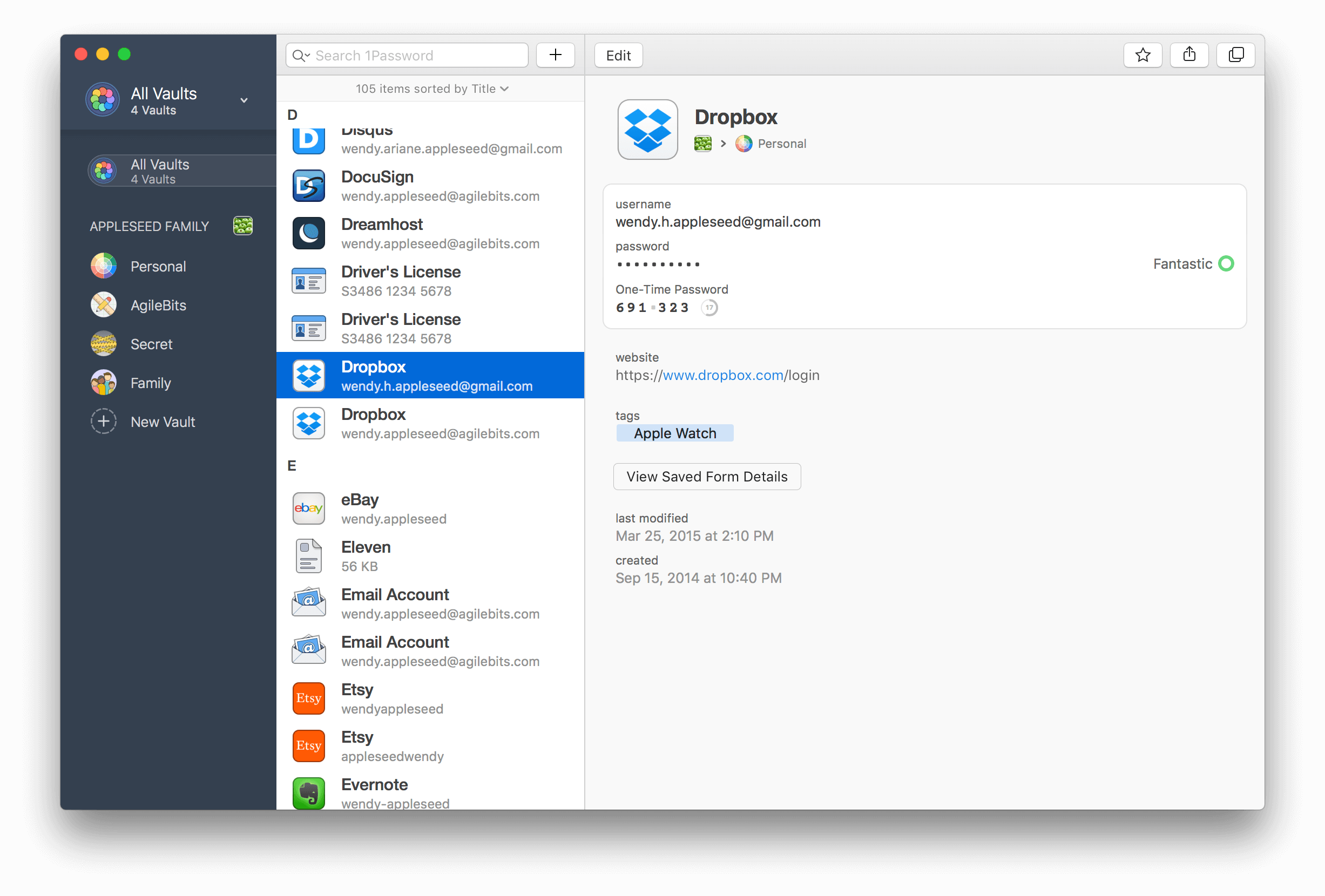
AgileBits has released 1Password 7 for Mac, a significant update that is free to subscribers but also available as a standalone download. I’ve used 1Password since I started using a Mac. The app has always been the best way to store passwords for websites, and for years, that’s primarily how I’ve thought of it.
There’s been more to 1Password than just password storage for a while now though, and what sets this update apart is the depth of those other features and the ease with which they can be incorporated in your everyday computing life. That’s important because it doesn’t take much friction for someone to get lazy about security.
1Password 7 is a comprehensive update that touches every corner of the app. The app will still be familiar to long-time users, but features like Watchtower and Vaults have been extended with new capabilities that are worth exploring if you haven’t in a while. 1Password also works better than ever with app logins. There are dozens of other changes big and small that along with a design refresh that make 1Password 7 an excellent update.
Gemini Photos Declutters Your Photo Library
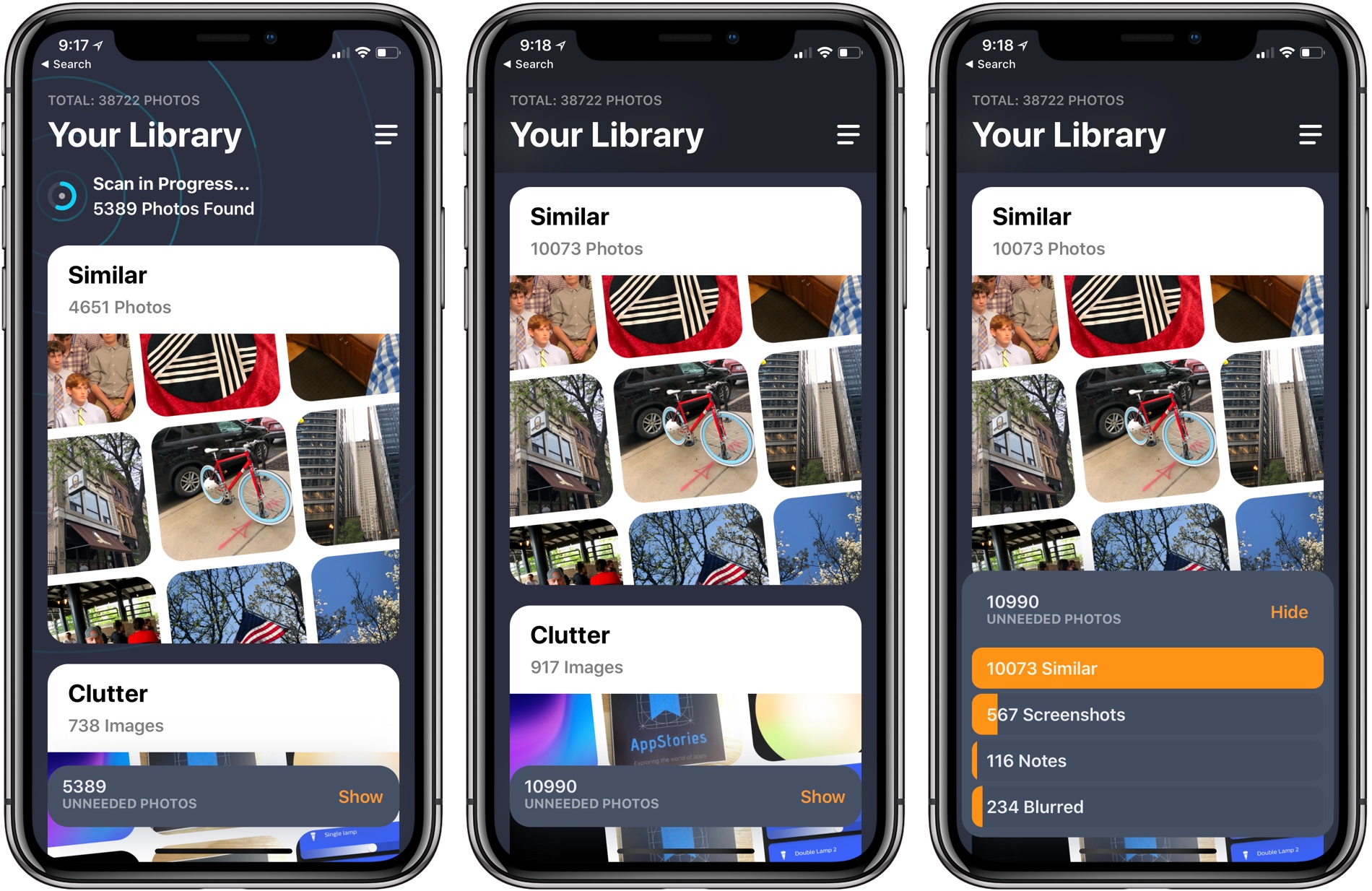
MacPaw has released a brand new iPhone app that takes the ideas from Gemini 2, the company’s duplicate file finder on the Mac, and applies them to your iOS photo library. Gemini Photos uses an algorithm to analyze your photos that suggests the ones you should consider deleting. With photo files getting bigger with each improvement of the iPhone’s camera and features like Live Photos and burst mode, a utility like Gemini Photos can save significant amounts of space on your iPhone.
Regain Control of Your Inbox with SaneBox’s Customizable Tools [Sponsor]

At its core, SaneBox is about making sure that only your most important messages hit your inbox. Other messages are safely stored in automated folders like the @SaneLater, @SaneBulk, and @SaneNews folders for reviewing later.
But email sorting is just the tip of the iceberg. With custom folders, custom snooze settings, and @SaneReminders, SaneBox takes email management to the next level.
Set up a custom folder and train it by dragging in a few messages. SaneBox will send all messages from the senders to your new folder. It’s a painless way to organize messages for a special project.
SaneSnooze folders can be customized to defer messages anywhere from hours to weeks. SaneBox comes with default snooze folders like @SaneTommorrow and @SaneNextWeek, but adding custom snooze folders lets you set when messages reappear in your inbox with precision.
SaneReminders are a great way to keep on top of tasks. Send yourself a reminder to do something later or get a reminder that someone hasn’t responded to a messages. For example, blind copy [email protected] and the message will show up back in your inbox only if the recipient doesn’t reply within 3 days.
Also, don’t forget that SaneBox works on top of your existing email setup. There’s no app to download or new email account to set up. You can use any email client you want.
Sign up today for a free 14-day SaneBox trial to take back control of your email. MacStories readers can receive a special $25 credit automatically by using this link to sign up.
Our thanks to SaneBox for sponsoring MacStories this week.