John Voorhees

5810 posts on MacStories since November 2015

John is MacStories' Managing Editor, has been writing about Apple and apps since joining the team in 2015, and today, runs the site alongside Federico. John also co-hosts four MacStories podcasts: AppStories, which covers the world of apps, MacStories Unwind, which explores the fun differences between American and Italian culture and recommends media to listeners, Ruminate, a show about the weird web and unusual snacks, and NPC: Next Portable Console, a show about the games we take with us.

This Week's Sponsor:

Crickets

The first alarm app for families.


Twitter Announces News Features, Opt-Out Push Notifications, and Redesigned Moments

Twitter has begun introducing a series of features aimed at highlighting the news and events of the day. The company has also updated how Moments are displayed in the official Twitter app. According to Twitter, the goal of the changes is to make it easier for users to follow the news without having to know which accounts, hashtags, and Moments to follow.

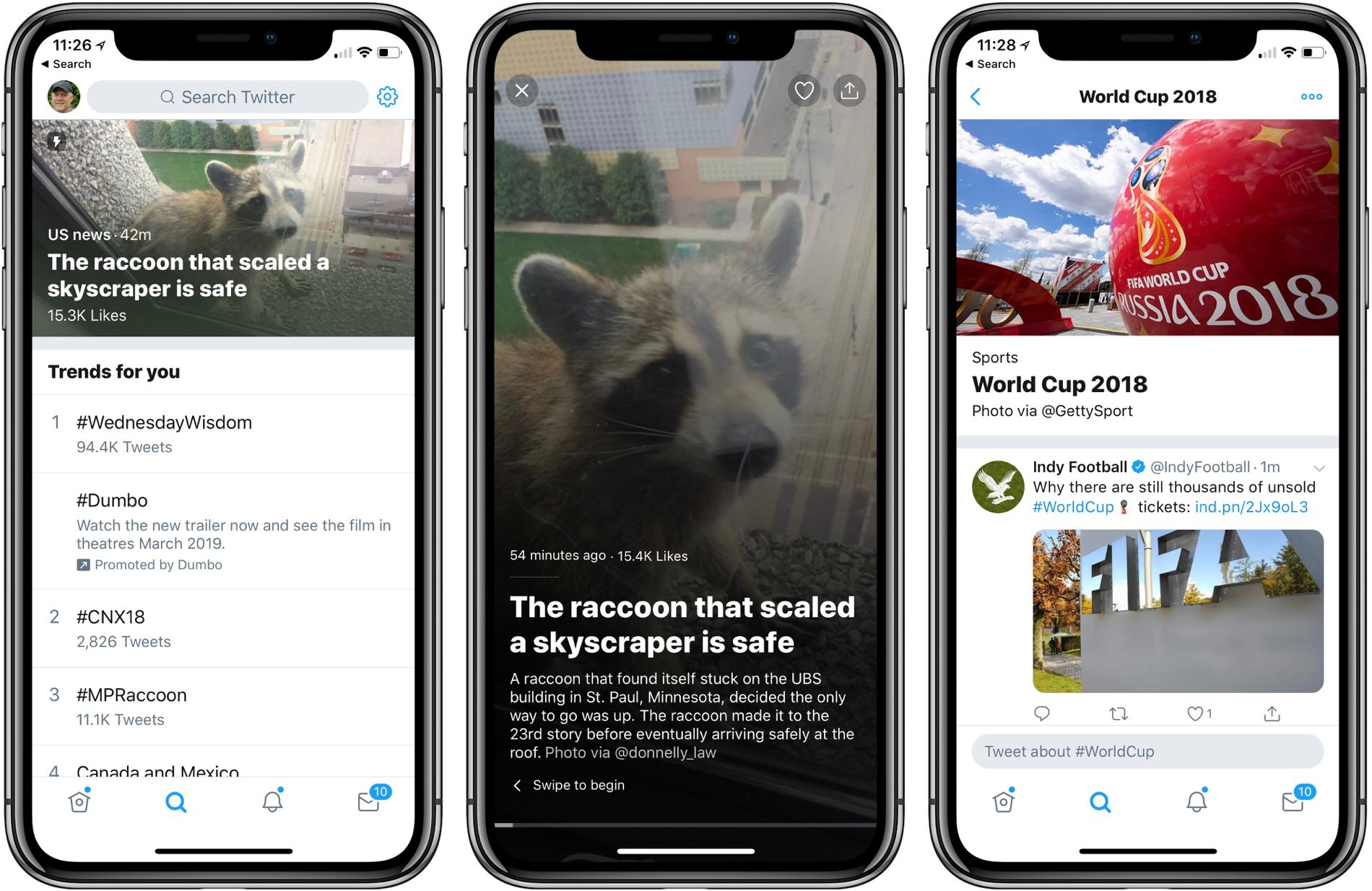
Current events is the primary focus of the new Twitter features, many of which will not be rolled out for weeks or months according to a Twitter blog post. The Explore tab now includes breaking news stories displayed as captioned image banners across the top of the section. Tapping into a story opens a collection of images, video, and tweets in a horizontally scrolling narrative.

Below the highlighted story, Explore is divided into separate sections according to topic. My sections include ‘Trends for you,’ and ‘Today’s Moments’ followed by topical tabs like Software Engineers, Gal Godot, Technology Journalists, and Indie Game Developers. The quality of the content of each section is hit or miss. As you can see from the screenshot below, Twitter’s definition of ‘Software Engineer’ is loose and I got a section full of tweets about Gal Godot because, as Twitter helpfully explains, I liked an MKBHD tweet that mentioned her.
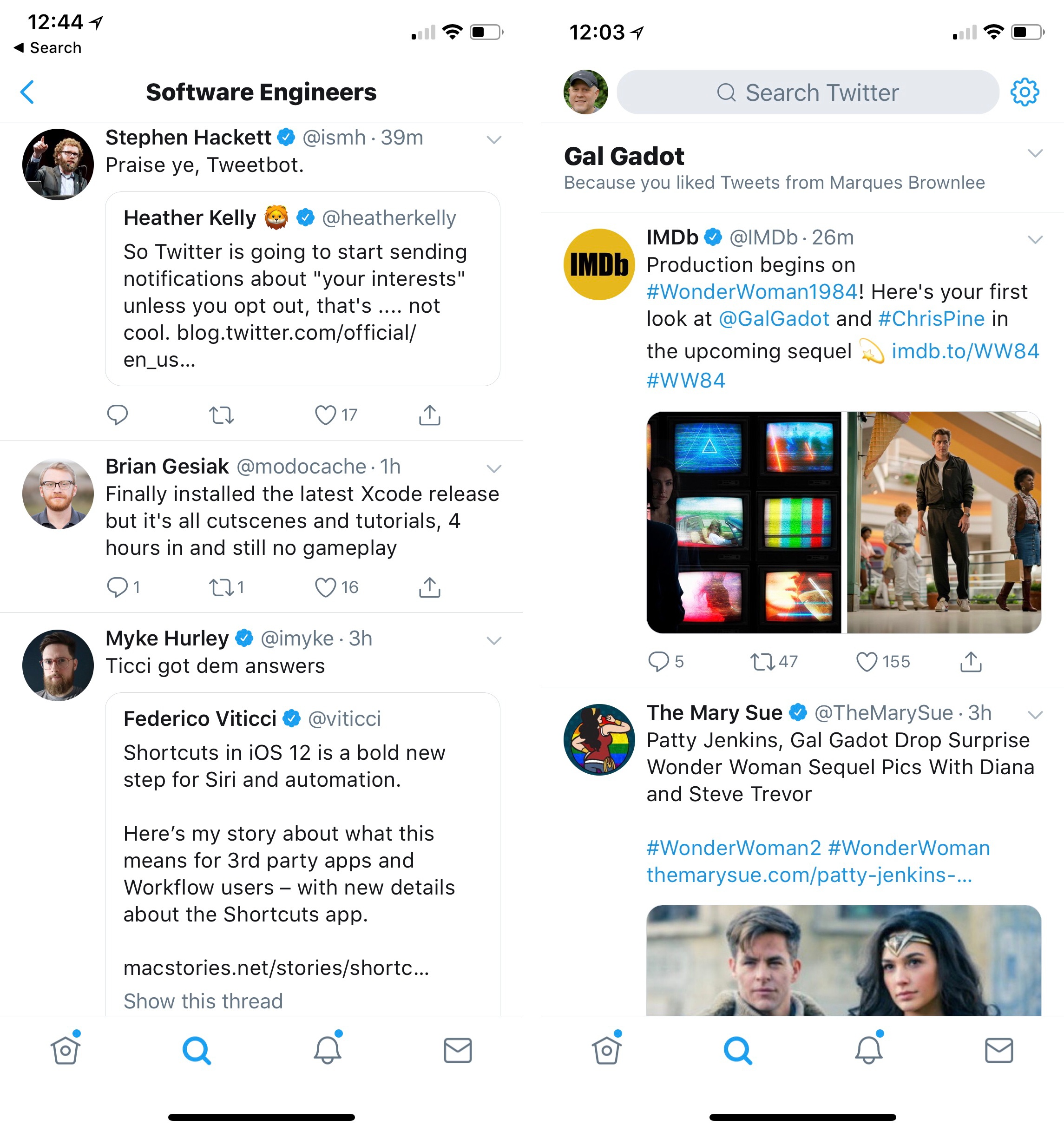
Twitter could use some help figuring out who is a software engineer, and adding a section dedicated to Gal Godot after I liked one MKBHD tweet mentioning her is a bit of a stretch.

Twitter could use some help figuring out who is a software engineer, and adding a section dedicated to Gal Godot after I liked one MKBHD tweet mentioning her is a bit of a stretch.

In the coming months, Twitter plans to add breaking and personalized news at the top of users’ feeds similar to the sports news feature that the company introduced in 2017. Twitter has said that it plans to start sending users push notifications based on their interests in the coming weeks too. From Twitter’s blog post, it appears these will be turned on by default requiring anyone who doesn’t want to see the notifications to turn them off:

Now we’re experimenting with sending notifications to you based on your interests (like who you follow and what you Tweet about), so you won’t miss a beat. You can always turn off these notifications by going to your recommendations settings and toggling to not see news.

Twitter is also changing Moments to scroll vertically like your timeline and adding a dedicated World Cup page.

None of these changes has a meaningful impact on my Twitter use because I use a third-party client, but they still bother me. I prefer to manage what I see on Twitter myself. Twitter may think it knows what I want to see, but judging from the suggestions in my Explore tab today, it’s ability to do that is questionable. Also, the addition of notifications that will be turned on by default strikes me as tone deaf considering current efforts of companies like Google and Apple to help users better manage notifications.

For now, the changes are contained mainly in the Explore tab. It will be interesting to see how users react when the changes spread to targeted news in their timelines and they begin receiving push notifications about raccoons climbing skyscrapers.



A Close-Up Look at macOS Mojave’s Dark Mode→

One of the marquee features that Apple showed off for macOS Mojave at WWDC is Dark Mode. As the company demonstrated during the WWDC keynote, Dark Mode is a far more ambitious feature than the dark theme added to macOS Yosemite in 2014. The new look extends much deeper into the system affecting everything from app chrome to window shadows and Desktop Tinting.

There is a lot more to Dark Mode than you might assume. To help developers navigate when and how to implement Dark Mode, Apple has provided developers with guidelines, which Stephen Hackett covers on 512 Pixels:

The biggest is that not all apps should always follow the Appearance that has been set by the user. As before, Apple believes that media-focused tools should be dark at all times. I don’t foresee something like Final Cut Pro X gaining a light theme anytime soon.

Apple has also given developers the ability to use the Light Appearance in sections of their applications. One example is Mail, which can use the Light Appearance for messages, but the Dark Appearance for its window chrome, matching the system[.] This lets text and attachments be viewed more easily for some users. I think it’s a nice nod to accessibility for text-heavy apps, and I hope third-party developers take advantage of this ability.

Hackett also covers Accents, an adaptation and expansion of what is currently called Appearances that affect the look of things like drop-down menus, and how Accessibility features affect Dark Mode.

I like the look of Dark Mode a lot and hope third-party developers adopt it quickly. I expect the pressure to add Dark Mode to existing apps will rapidly increase as more and more third parties begin to use it and hold-out apps become bright, glaring reminders among a sea of muted windows.

Permalink


Our iPhone X Home Screens

AppStories+ Deeper into the world of apps

AppStories Episode 59 - Our iPhone X Home Screens

0:00
35:53

↓

AppStories+ Deeper into the world of apps

Federico and John discuss the apps on their current iPhone X Home screens.

Read more


App Debuts

Microsoft To-Do Microsoft To-Do, the spiritual successor to Wunderlist, was updated this week with a big new feature: shared lists. There’s a new icon in the top-right corner of a list that turns it into a shared list. Copy the given link and share it with whoever you want to collaborate with, and they’ll...


Rebooting the Mac App Store

This week on AppStories, Federico and I speculated about ways Apple could revitalize the Mac App Store. A fair amount of what we had hoped to see was announced, including a redesigned Mac App Store with an iOS-like focus on editorial content and the support of third-party apps that had left the store years...


Q&A

Question: I’m looking for a weather app for both Mac and iPad. I would like it to include daily forecasts and severe weather notifications. I have tried Forecast Bar and CARROT Weather, but would prefer to use something else. (Lukáš Raynor Majer, @CBC_Raynor)

Your options for macOS weather apps are much more limited than...


macOS Mojave: A Roundup of All the Little Things

Now that people have had a chance to dig deeper into macOS Mojave, a number of smaller features have been discovered that didn’t get mentioned during the keynote on Monday and weren’t included in our initial overview of the updated OS that will be released in the fall. Here are a few of our favorite discoveries:

macOS Updates in System Preferences. What Apple didn’t explain when it updated the Mac App Store is that macOS updates have been moved from the Mac App Store to System Preferences.

HomeKit Support for Siri. Among the iOS apps ported to macOS as part of the upcoming release of Mojave is Home. The app does not currently support AirPlay 2, but control of HomeKit devices is not limited to the Home app itself; Siri can also be used to control devices.

System-Wide Twitter and Facebook Support Removed. In High Sierra, users could log into Twitter and Facebook from the Internet Accounts section of System Preferences and share content using the share button in apps like Safari. Like iOS did in iOS 11, the Mojave beta has removed system-level support for sharing content via Twitter and Facebook.

The Final Version to Support 32-Bit Apps. During the State of the Union presentation, Apple confirmed that Mojave will be the last version of macOS to support 32-bit apps. When a user tries to open a 32-bit app, Mojave currently displays a one-time warning that the app will not work in future versions of macOS.

Favicon Support in Safari Tabs. Unlike Google’s Chrome browser, macOS doesn’t currently support favicons in Safari tabs. According to an article by John Gruber last summer, that led a significant number of people to use Chrome and third-party solutions like Faviconographer, which overlaid favicons on Safari’s tabs. When Mojave ships, Safari will add support for tab favicons, which are coming to iOS too.

Apple Mail Stationary Removed. According to the release notes for the macOS Mojave beta, Stationary, the HTML email feature that allowed users to choose from pre-built email templates, has been removed from the app.


​
You can also follow all of our WWDC coverage through our WWDC 2018 hub, or subscribe to the dedicated WWDC 2018 RSS feed.


AppStories, Episode 58 – Imagining What iOS Could Do for Mac Apps→

On this week’s episode of AppStories, we look at what Apple could do to use iOS and its large developer community to revitalize the Mac app ecosystem.

Sponsored by:

AppStories+ Deeper into the world of apps

AppStories Episode 58 - Imagining What iOS Could Do for Mac Apps

0:00
26:20

↓

AppStories+ Deeper into the world of apps

Permalink