

Today, we’re introducing 20% off discounts for four great Mac apps: DeskMat, ScreenFloat, Transloader, and Yoink by Matthias Gansrigler-Hrad. I’ve been a long-time fan of Matthias’ work. ScreenFloat is one of my favorite screenshot utilities because it goes beyond the typical tools you find in other screenshot apps. Yoink is one of the original shelf...
Apple Announces That Kate Adams, Its General Counsel, and Lisa Jackson, Head of Environment, Policy, and Social Initiatives, Are Retiring

If you thought Apple’s leadership changes were finished, you’d be wrong. Today, the company announced two more changes.
The first change is to Apple’s General Counsel position, which has been led by Kate Adams since 2017. Adams will step down as general counsel on March 1, 2026 and will be replaced by Jennifer Newstead, Meta’s recent general counsel. Newstead will begin her tenure at Apple at the beginning of 2026 as a senior vice president and report to Tim Cook.
The second change is that Lisa Jackson, Apple’s vice president for Environment, Policy, and Social Initiatives is retiring in late January 2026. Under her leadership, Apple says it has reduced its global greenhouse emissions by 60% in the past ten years. Upon Jackson’s retirement, Government Affairs will be handled by Adams who will be staying at Apple until late 2026 when she plans to retire herself, at which point Government Affairs will become Newstead’s responsibility. The team handling Environmental and Social Initiatives will report to Sabih Khan, Apple’s chief operating officer.
Although Apple doesn’t say so in its press release, it’s pretty clear that a few things are playing out among its executive ranks. First, a large number of them are approaching retirement age, and Apple is transitioning and changing roles internally to account for those who are retiring. Second, the company is dealing with departures like Alan Dye’s and what appears to be the less-than-voluntary retirement of John Giannandrea. Finally, the company is reducing the number of Tim Cook’s direct reports, which is undoubtedly to simplify the transition to a new CEO in the relatively near future.
2025 App Store Award Winners Revealed
From a pool of 45 finalists, Apple has named 17 App Store Award winners comprised of apps and games across all of its platforms. This year’s App Store Award honors were presented to:
Apps
iPhone App of the Year: Tiimo from tiimo.
iPad App of the Year: Detail from Detail Technologies B.V.
Mac App of the Year: Essayist from Essayist Software Inc.
Apple Vision Pro App of the Year: Explore POV by James Hustler.
Apple Watch App of the Year: Strava from Strava, Inc.
Apple TV App of the Year: HBO Max from WarnerMedia Global Digital Services, LLC.
Games
iPhone Game of the Year: Pokémon TCG Pocket from The Pokemon Company.
iPad Game of the Year: DREDGE from Black Salt Games.
Mac Game of the Year: Cyberpunk 2077: Ultimate Edition from CD PROJEKT S.A.
Apple Vision Pro Game of the Year: Porta Nubi by Michael Temper.
Apple Arcade Game of the Year: WHAT THE CLASH? from Triband ApS.
Cultural Impact
Art of Fauna by Klemens Strasser
Chants of Sennaar from Playdigious
despelote from Panic, Inc.
Be My Eyes from Be My Eyes
Focus Friend by Hank Green from B-Tech Consulting Group LLC
StoryGraph from The StoryGraph
Tim Cook had this to say about the winners and their apps:
Every year, we’re inspired by the ways developers turn their best ideas into innovative experiences that enrich people’s lives. This year’s winners represent the creativity and excellence that define the App Store, and they demonstrate the meaningful impact that world-class apps and games have on people everywhere.
This year’s list of App Store winners is one of my favorites for a bunch of reasons. There are excellent games ranging from Art of Fauna by indie developer Klemens Strasser to Cyberpunk 2077 by CD PROJEKT S.A., as well as other great titles like despelote, which was published by our friends at Panic, Chants of Sennaar, and DREDGE, whose creators Federico and I interviewed at WWDC this year. There were other excellent apps, too, like Essayist, the academic-focused word processor.
Of course, my favorite app among the bunch is Detail, this year’s iPad App of the Year. Yes, I’m hopelessly biased because my son Finn is part of the team that built the app. But it’s also a great example of an app that lowers the barriers to creativity by leveraging Apple’s hardware in a unique way.
Congratulations to all of this year’s App Store Award winners. Of all the apps on the App Store, it’s quite an honor to be among the 17 apps recognized by Apple’s editorial team.
Finally, the year-end award season isn’t over. We’ll be presenting the 2025 MacStories Selects Awards later this month, so keep an eye out for more award-winning app coverage from us.
Coming Soon: What’s Next on Apple TV and Apple Arcade in December 2025

This month is a relatively quiet one for Apple TV, but there are a few gems coming soon, and Apple Arcade has a bunch of new games that are out tomorrow, so let’s dig into the highlights of both.
Apple Arcade Games (December 4)

Apple Arcade is kicking things off this month with four new games:
This sequel to the popular platformer SpongeBob: Patty Pursuit is filled with the same colorful mayhem as its predecessor.
I was pretty excited to see PowerWash Simulator coming to Apple Arcade. I know a lot of people find these types of simulator games relaxing, but I’ve never tried one, so I think I’ll dip into PowerWash over the holidays.
Cult of the Lamb Arcade Edition
Cult of the Lamb is a great roguelite from Massive Monster that was originally published by Devolver Digital in 2022 and is coming to Apple Arcade. According to Apple’s press release:
This version includes exclusive content, including new follower forms, decorations, and outfits, along with all existing content updates and paid packs.
If you haven’t played it yet, be sure to check out Cult of the Lamb. It’s a game I have returned to several times since its initial release, and I expect it will do well on Apple platforms.
Subway Surfers is an App Store classic that remains popular more than a decade after its original release. With the plus version on Arcade, subscribers can enjoy the game uninterrupted by ads or in-app purchases.
NARUTO: Ultimate Ninja STORM+ originally debuted on the Sony PS3 and was later ported to other platforms including mobile phones. On iOS, the 3D arena fighting game that’s based on a manga and anime series was available as a paid upfront game. With the plus version, there’s no upfront cost beyond a subscription to Apple Arcade, and the game adds new characters and a new stage.
The First Snow of Fraggle Rock (December 5)
The holiday season is upon us, and Apple TV is kicking things off on Friday with The First Snow of Fraggle Rock, featuring the characters from the Apple TV series.
Add to your Calendar:
F1: The Movie (December 12)
The biggest event of December for Apple TV is the streaming debut of F1: The Movie. The film has been available to buy or rent for a while after playing in theaters last summer, and now it will be available to stream as part of an Apple TV subscription, too. I haven’t seen F1 since WWDC in June, so I’m looking forward to rewatching it with my family over the holidays.
Add to your Calendar:
Bloomberg Reports That Alan Dye Is Leaving Apple

Mark Gurman, writing for Bloomberg, reports that Alan Dye, Apple vice president of Human Interface Design, is leaving the company to head up Meta’s design team. Dye’s departure was confirmed by Apple to Bloomberg, with Apple CEO Tim Cook telling the publication that Steve Lemay will take over Dye’s role:
Steve Lemay has played a key role in the design of every major Apple interface since 1999. He has always set an extraordinarily high bar for excellence and embodies Apple’s culture of collaboration and creativity.
Dye, who led the rollout of Apple’s Liquid Glass design language across all of its OSes, will be in charge of hardware, software, and AI across Meta’s product lines. Billy Sorrentino, who worked with Dye, is also leaving Apple’s design group for Meta.
Dye’s departure comes at an interesting moment for Apple and Meta. Meta, which has seen some success with its Ray-Ban smart glasses, has struggled with other consumer product projects but clearly wants to do more with AI-infused hardware. Meanwhile, Apple has had trouble infusing its software and hardware lineup with AI and has experienced a rash of departures among its AI team and retirements within its executive ranks. 2026 is shaping up to be a year of change across much of Apple.
Apple Music’s Replay 2025 Is Live→
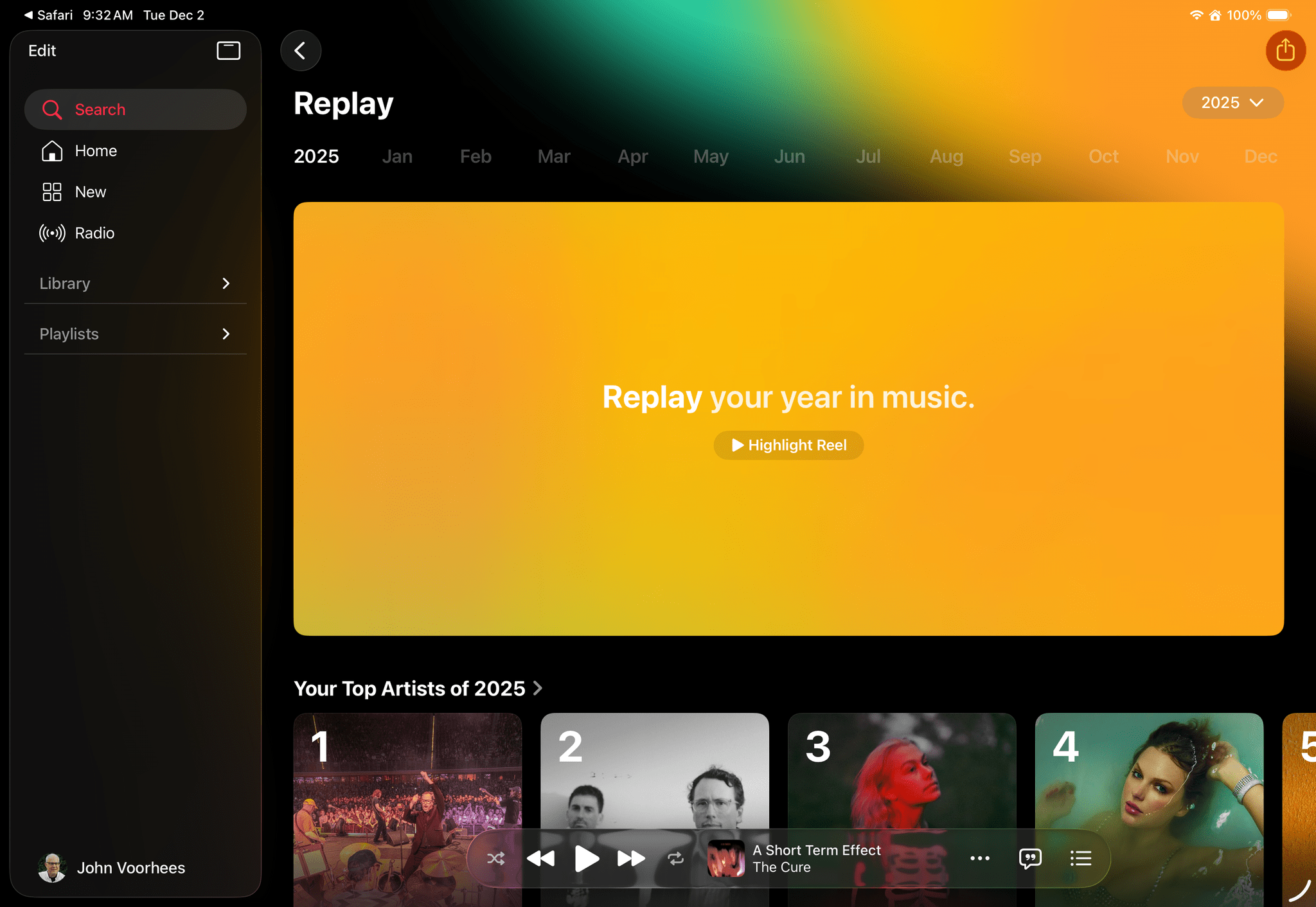
Apple Music has released its annual Apple Music Replay overview of subscribers’ listening statistics for 2025 along with top charts for 2025. The recap can be accessed on https://replay.music.apple.com, where you’ll find details about the music you listened to throughout the year, including your top albums, songs, artists, playlists, and genres.
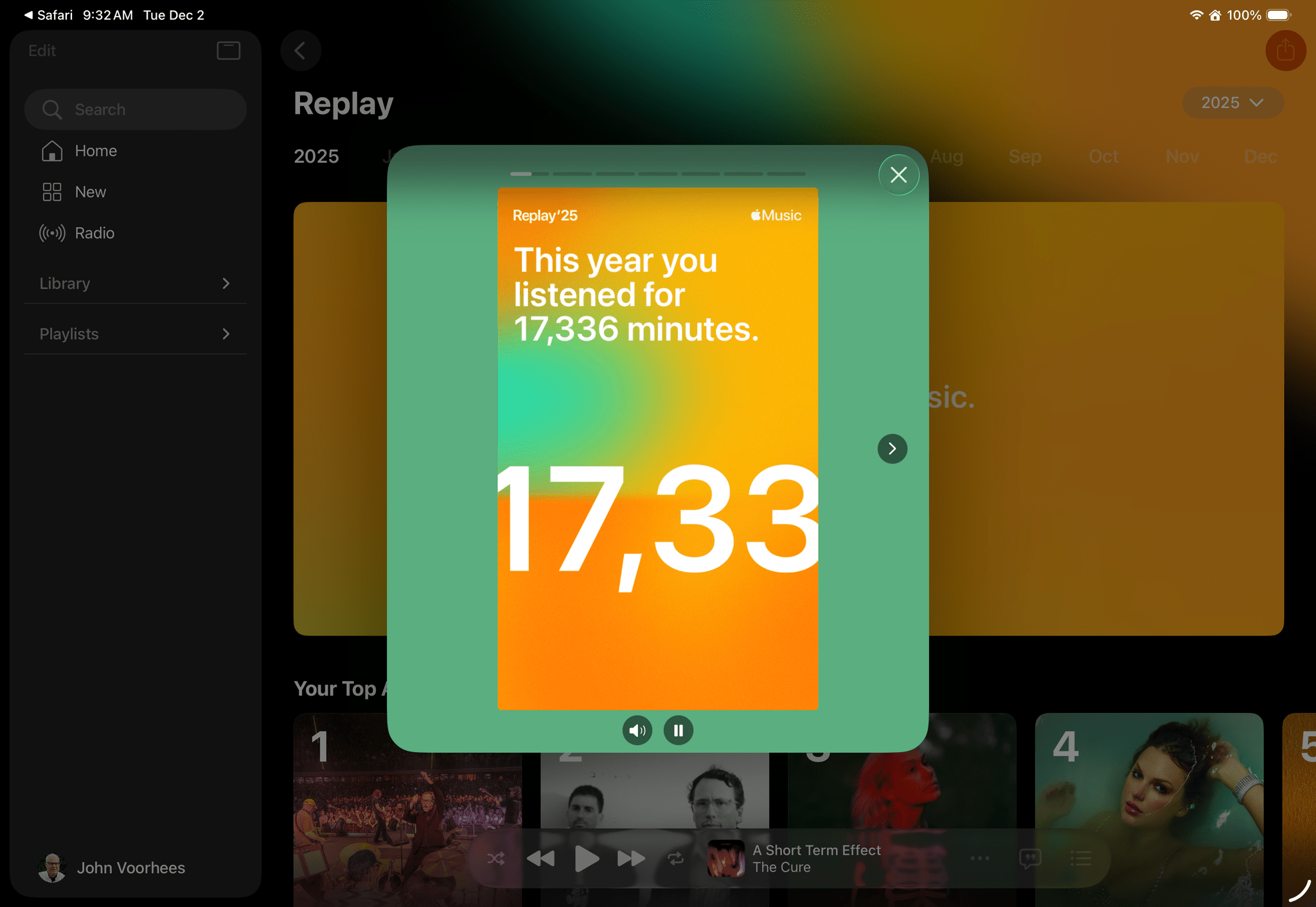
As with past years, Replay ‘25 begins with an animated highlights reel of your year in music set to the songs you enjoyed throughout the year. Replay also spotlights listening milestones like the total number of minutes listened and the number of artists and songs played. Subscribers can browse through their statistics by month, too. Your Replay ‘25 playlist, which includes your 100 most listened-to songs is available from the Replay website and Apple’s Music app. In addition to Replay ‘25 Apple Music released top charts for countries around the world and genres.
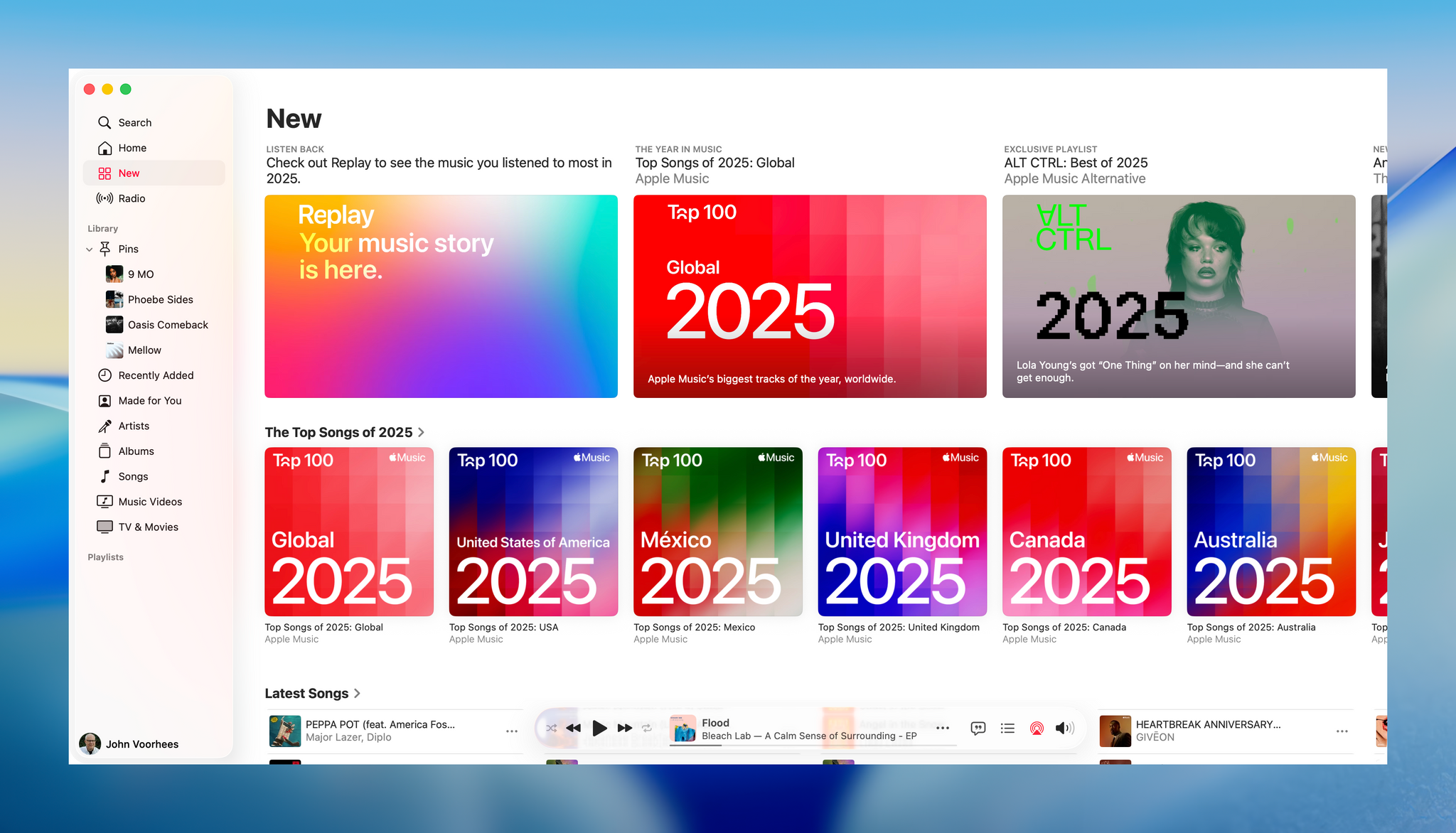
The timing of Replay ‘25 is opportune for me, since Federico and I are beginning to assemble our lists of favorite music of 2025 for an upcoming episode of MacStories Unwind. Most of all though, I just enjoy using Replay ‘25 as a way to revisit my favorite music of the year.
To view your own Replay 2025 statistics, visit music.apple.com/replay.
John Giannandrea’s Retirement From Apple Announced

Today Apple announced the retirement of John Giannandrea, the company’s senior vice president for Machine Learning and AI Strategy. Giannandrea will remain at Apple as an advisor until next spring.
News of Giannandrea’s retirement was paired with an announcement that Apple has hired Amar Subramanya as vice president of AI. Subramanya, who worked at Microsoft since this past summer, previously worked at Google for 16 years on projects including the company’s Gemini Assistant. Subramanya will take the lead on Apple Foundation Models, ML research, and AI Safety and Evaluation, while other areas of Giannandrea’s work will be inherited by Sabih Khan and Eddy Cue.
Apple CEO Tim Cook thanked Giannandrea for his tenure at the company:
We are thankful for the role John played in building and advancing our AI work, helping Apple continue to innovate and enrich the lives of our users. AI has long been central to Apple’s strategy, and we are pleased to welcome Amar to Craig’s leadership team and to bring his extraordinary AI expertise to Apple. In addition to growing his leadership team and AI responsibilities with Amar’s joining, Craig has been instrumental in driving our AI efforts, including overseeing our work to bring a more personalized Siri to users next year.
Given the troubled history of Apple’s AI efforts, the retirement of Giannandrea isn’t surprising. It will be interesting to see if Subramanya settles into his new role given the frequency with which top AI talent tends to turn over in the tech industry.
 Designing for Liquid Glass: Outstanding Indie Apps
 Federico
This week, Federico and John dig into some of their favorite apps that have adopted Apple’s Liquid Glass design language.
On AppStories+, it’s John’s 10th anniversary at MacStories, so he and Federico look back at the last decade.
Also available on YouTube here.
](https://cdn.macstories.net/banneras-1629219199428.png)
We deliver AppStories+ to subscribers with bonus content, ad-free, and at a high bitrate early every week.
To learn more about an AppStories+ subscription, visit our Plans page, or read the AppStories+ FAQ.

AppStories Episode 463 - Designing for Liquid Glass: Outstanding Indie Apps
0:00
26:28
26:28
Black Friday 2025 App Deals
There’s more than just gadgets on sale this Black Friday. There are also hundreds of excellent app deals from collections and bundles to one-off sales. We’ve gathered some of our favorites for you here, which are generally available through Monday, December 1, but check for details on the websites linked below:
The biggest collection I’ve seen is from Indie App Sales with ouver 475 app deals. Indie App Sales has been curating a list of apps from indie developers for years now, and there are always a bunch of gems on this list. Be sure to check it out for deals on apps like:
- Pyxis Travel Journal
- TypingMind
- Capture
- TextSniper
- Elements
- GamingBuddy
- Lasso
- Orchard
- PastePal
- CardioBot
- EagleFiler
- Presentify
- Streets
- Lingon
- Textastic
- Longplay
- Dark Noise
- Hand Mirror
- Sequel
- Sofa
- Sunlitt
- Screens 5
- GoodTask
- Text Workflow
- Launcher
- PCalc
- Play
- World Clock Widgets
- Cascable
- Cork
- Dato
- Everlog
- Gentler Streak
- HomePass for HomeKit
- Kaleidoscope
- PowerPhotos
- Zenitizer
- Craft 3
- Denim
- Finalist
- Unsqueeze
There are hundreds more deals in the Indie App Sale, so be sure to visit the site to browse through them all.
There are other great sales happening elsewhere too, including the following:
- The Editors’ Choice Bundle, which includes DaisyDisk, CleanShot X, Bike Outliner, Downie 4, PopChar, Default Folder X, Keysmith, Marked 2, HoudahSpot 6, Workspaces, Unclutter, and Forklift 4, each for 50% off or $76 for all 12 apps.
- Acorn by Flying Meat is just $19.99 for a limited time. That’s a $10 discount.
- Things from Cultured Code os 30% off on every platform
- The Eternal Storms apps, including Yoink, ScreenFloat, DeskMat, and others, are all on sale for 50-77% off with 30% of sales being donated to St. Anna Children’s Cancer Research Institute in Austria.
- Paul Hudson’s great development books are all 50% off
- StopTheMadness Pro is just $10.99 until December 5, which is $4 off its usual price
- DEVONthink and the other apps by DEVONtechnologies are 25% off
- The clipboard manager Paste: 50% off your first year subscription
Happy deal hunting!