

 Federico
This week, Federico and John talk about how the global COVID-19 pandemic has changed the way they relax, work, and approach their days.
 App Debuts
Tot Pocket Tot, The Iconfactory’s minimalistic scratchpad, has been updated on iOS and iPadOS this week. The new version introduces some useful options, which I pointed out as missing in my initial review of the app: Tot now supports automatic list continuation; you can use the ⌘0-7 keyboard shortcuts on iPad to switch between...
A Grab Bag of Fun iOS Diversions
To say it’s been a long week is an understatement. I know I need a break from bad news and the multitude of worries everyone faces as we wait out COVID-19. That’s why I dug back through my collection of iOS games, looking for lighthearted, absorbing games to take my mind off of...
Apple Podcasts Adds Curated Collections to Help Listeners Stay Informed, Calm, and Entertained During the Coronavirus Pandemic
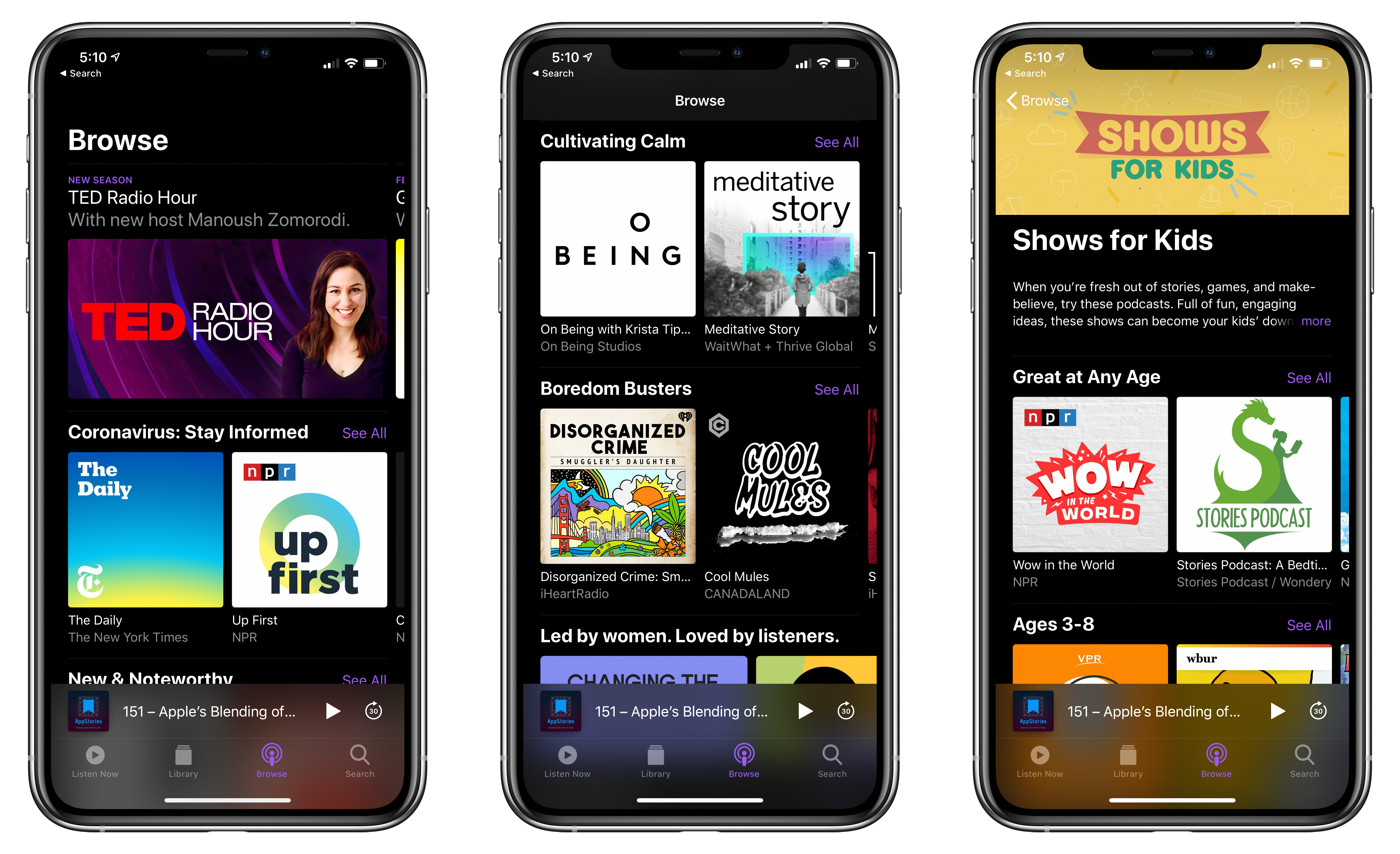
As the COVID-19 pandemic spreads worldwide, there’s a lot of information coming at everyone all day long. It’s a stressful time, and it doesn’t help that people are stuck at home with more time than usual on their hands, and often, kids to entertain.
To help people cope, the Apple Podcasts editorial team has put together curated collections of podcasts. The ‘Coronavirus: Stay Informed’ collection draws on shows from respected, reputable news sources like CNN, NPR, the BBC, and ABC News. The shows spotlighted are excellent resources staying on top of the latest news.
However, because dealing with stressful times extends beyond keeping up-to-date with the developments, Apple Podcasts has three other collections too:
- ‘Cultivating Calm,’ which is designed to help listens cope with current events and includes shows like Oprah Winfrey’s SuperSoul Conversations and On Being with Krista Tippett
- ‘Boredom Busters,’ which features absorbing shows like This American Life and Jungle Prince from The New York Times
- ‘Shows for Kids,’ which has shows to help kids explore and cultivate their natural curiosity and includes NPR’s Wow in the World, Ologies with Alie Ward, and many others
Each collection is available in the Browse tab of the Apple Podcasts app on all of the company’s platforms.
I’ve had most of my whole family at home all week, and it’s been an adjustment for everyone. My work life hasn’t changed much, but it has been a new experience for my wife and two of our kids who are working and going to school alongside me every day now. Despite those obligations, staying at home has meant that everyone has more time on their hands, which is why it’s terrific to see Apple promoting a wide range of podcasts to help people stay informed, calm, and entertained through these difficult times.
Vote for Your Most-Loved Mac in 512 Pixel’s Mac Madness→

I was immediately excited when Stephen Hackett told me a couple of nights ago about an idea he had. With bad news dominating the headlines, events canceled around the world, and people stuck at home with new-found time on their hands, he wanted to create a fun diversion for Mac fans. What he came up with is Mac Madness, a March Madness basketball tournament-inspired face-off among 32 beloved Macs.
Hackett has all the details on 512pixels.net where you’ll also find this video introducing the match-ups:
The initial matchups were chosen randomly, which adds to the fun because there are some very tough choices to make when you vote. Remember, the goal is to find the most-loved Mac, which doesn’t have to be what you’d consider the ‘best Mac.’
Round one voting closes tomorrow, March 20th, and the final winner will be announced on Friday, April 3rd. Along the way, Hackett will be live-streaming each bracket’s winners on the Relay FM Twitch channel and posting the videos later on 512 Pixels where he’s set up a special page to collect all the results. So, join in on the fun and vote now to see if your most-loved Mac takes home top honors.
Apple Releases Faster MacBook Air with New Keyboard and Increased Storage Starting at $999 and Doubles Storage on Base-Model Mac minis
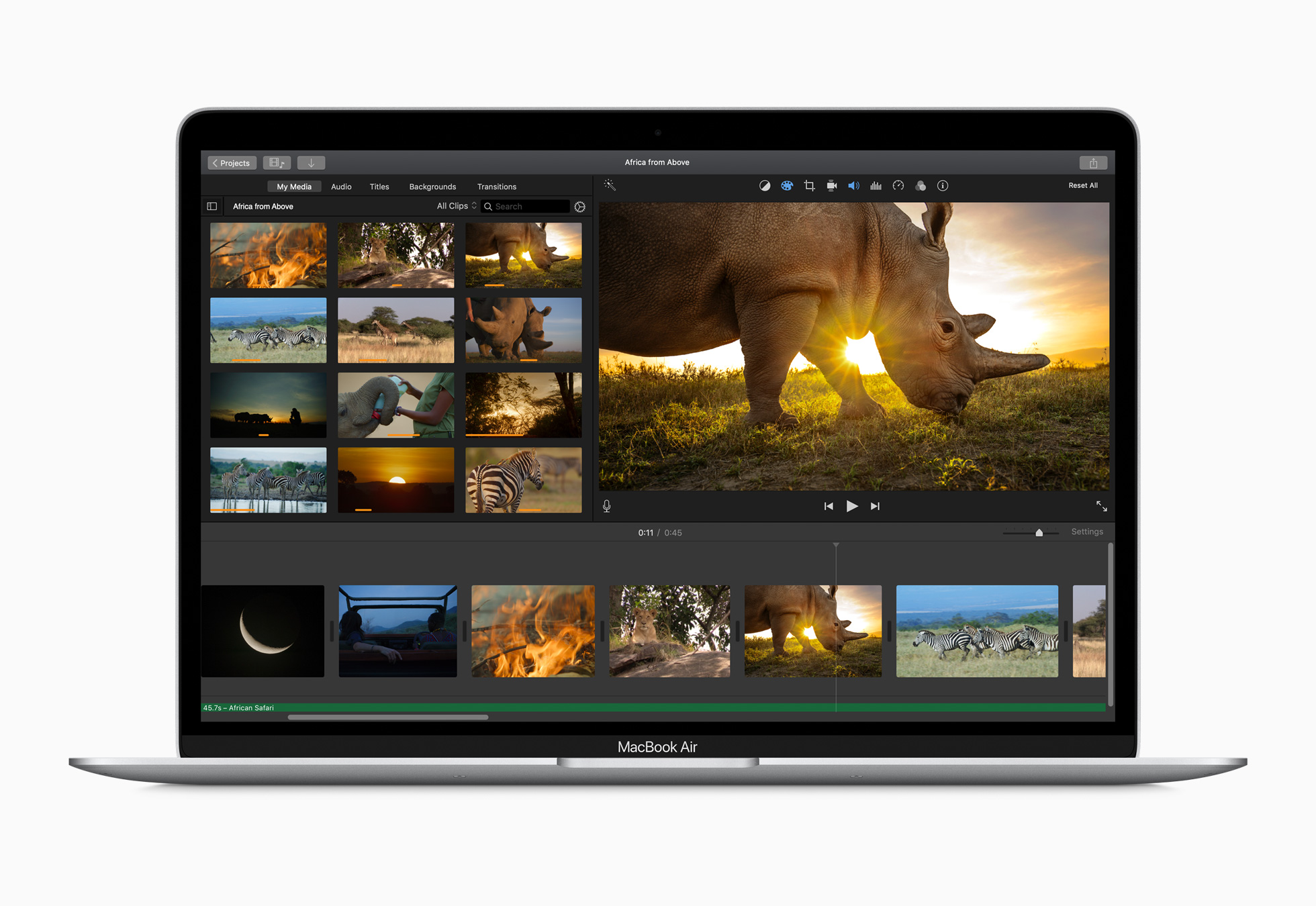
Apple has released a new, faster MacBook Air with an updated keyboard and more storage at a lower price. The company also released a minor update to the storage of base-model Mac minis.
According to a press release from the company, the new Air features a 1.2GHz quad-core Core i7 that, with Turbo Boost, can achieve speeds up to 3.8GHz. This is the first time the Air has included a quad-core processor. The laptop also features Intel Iris Plus Graphics, which Apple says are 80% faster than previous models.
The Air’s keyboard has been updated too with a scissor switch-based Magic Keyboard that has 1 mm of key travel and an inverted-T layout of the arrow keys.
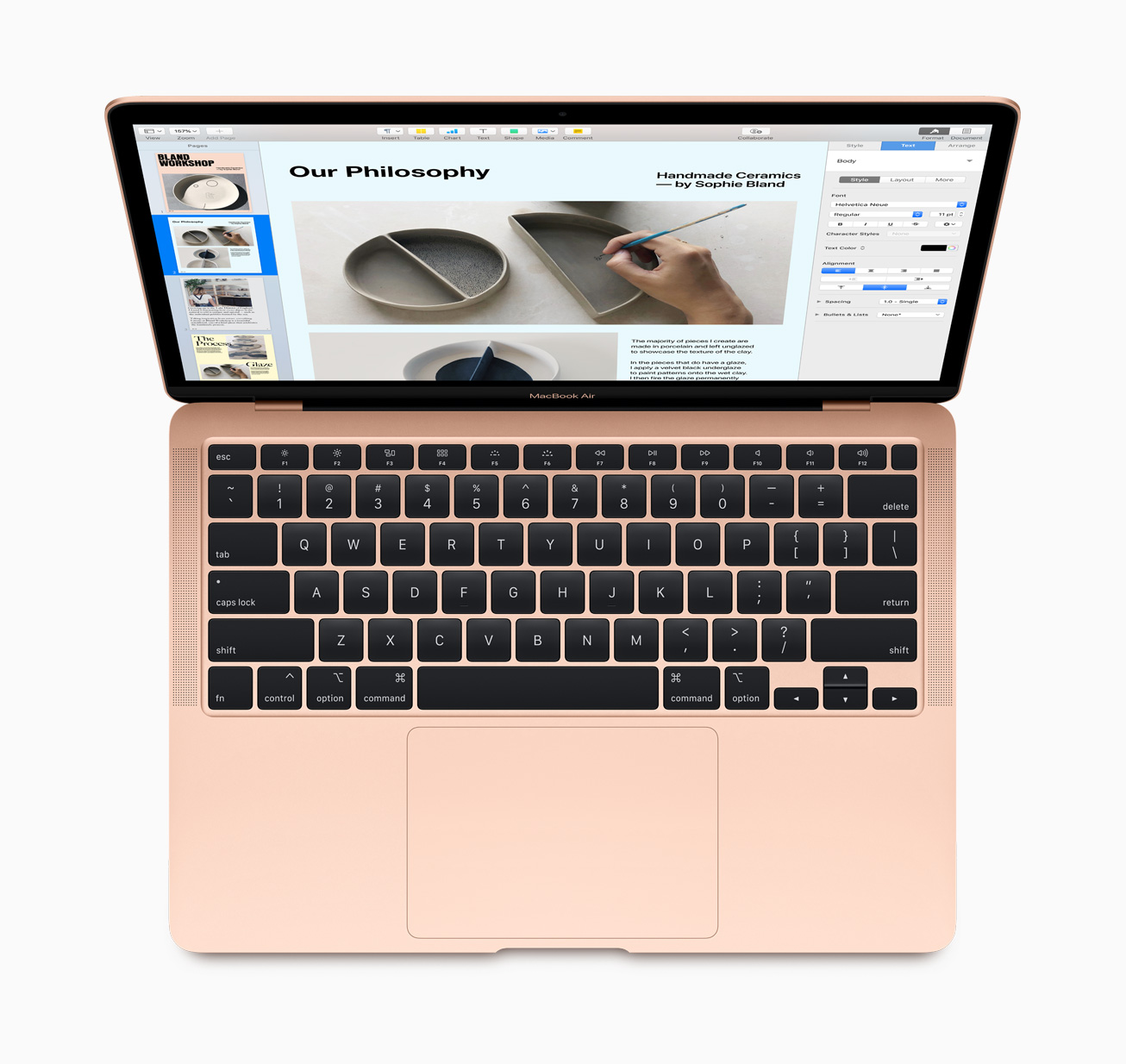
The Air, which is available in gold, silver, and space gray, starts at $999, a $100 drop from prior models. Thankfully, Apple has also increased the base storage of the entry-level model from 128GB to 256GB SSD storage, a capacity that will make it easier for users to store photos and other media locally without resorting to external solutions. The new Air can also be configured with up to 2TB of storage, which is twice as much as could be previously configured, and is equipped with Apple’s T2 Security Chip, which ensures a secure boot process and handles Touch ID information.
Apple’s press release highlights the following features too:
- A three-mic array for more clear voice capture for FaceTime calls with friends and family.
- The industry-best Force Touch trackpad for precise cursor control and multi-touch navigation.
- Thunderbolt 3 ports for data transfer, charging and video output in a single connector.
- Support for up to a 6K external display, a first for the MacBook Air.
- Advanced stereo speakers for immersive, wide stereo sound for activities like watching Apple TV+ content or playing games in Apple Arcade.
The new Airs can be ordered on apple.com starting today.
Finally, the base configurations of the Mac mini received a small update today. The $799 model now comes with 256GB of storage and the $1,099 configuration has a 512GB SSD.
The MacBook Air has been difficult to recommend because of its previous-generation keyboard. With a new keyboard, increased storage, faster CPU and graphics, all at a lower price-point, the MacBook Air looks like the Mac that will meet most people’s needs.
Arcade Highlights: Roundguard

Roundguard by Wonderbelly Games is a delightful mashup of genres that I highly recommend. Like a lot of our readers, I’ve been looking for distractions. It’s easy to get sucked into the constant barrage of bad news delivered to our devices, which feeds an unhealthy stress loop. One effective way I’ve broken that cycle is with video games, and the more absorbing and lighthearted, the better.
Roundguard fits the bill perfectly. The game has been universally described as a combination of Peggle and a dungeon-crawler RPG. That’s a strange mix to be sure, but it’s absolutely true, and it works.
The mechanics of Roundguard are simple. You shoot your character out of a medieval-style cannon from the top of the screen at pots, potions, mana, enemies, and other items. When you collide with something, you bounce off pinball-style until eventually you reach the bottom of the screen, which ends your turn. The game requires skill and planning, but also a heavy dose of good luck as your character careens off items in unexpected ways.
Colliding with enemies, including goblins, spiders, and skeletons, causes both of you to take damage. At times, enemies can also poison you or will shoot arrows at you as you bounce around, adding elements of strategy and timing to the mix. Along the way there will be XP to earn, items to collect, abilities to acquire, and difficult boss levels like any good dungeon crawler. Of course, when your health runs out and you die, you have to start from the beginning too.
There’s a lot of depth to Roundguard. Early on, it’s fun to play the game like you would Peggle or an idle tapper game. Along the way, though, Roundguard pulls you in deeper with helpful tips without being overbearing. Before long, I found myself managing my inventory of items and planning my approach to levels in a way that was reminiscent of classic RPGs. It’s a gradual, evolutionary process that keeps the game interesting and engaging.

I’ve been playing Roundguard on a variety of devices, including my iPhone 11 Pro Max, iPad mini, iPad Pro, and even the Apple TV, and it’s hard to say which I like best. The game features excellent controller support, which I’ve been using with my iPad Pro and Apple TV. Bigger screens add dimension to the fun artwork and sound effects of the game, which gives them the edge over my iPhone. Even so, Roundguard is a truly mobile game at heart, which makes it fun to play in short bursts on the iPhone, where the rich colors really stand out too. As a result, I expect to continue to play across all of my devices, which is seamless because my progress is synced between them.

Stepping back, Apple Arcade feels like it is starting to really come into its own with games like Roundguard. The service started out with an extensive catalog of excellent games, but many felt like they were modified free-to-play games or were adaptations of games previously released on other platforms.
In contrast, Roundguard was released on Arcade, Switch, Xbox One, and Steam simultaneously, and it shows. Instead of feeling like it’s been retrofitted for Apple’s platforms, Roundguard was clearly developed with touch in mind from the start. The pace of new releases on Arcade has slowed considerably since its launch, but if that means more games like Roundguard and the recently released Crossy Road Castle, that’s fine by me.
It’s always a good sign when I struggle to finish a game review because every time I launch it to test something, I get sidetracked and wind up playing longer than I intended. That has absolutely been the case with Roundguard. There’s a depth of gameplay, personality, and good humor here that has made it one of my favorite Arcade titles yet. If you subscribe to Apple Arcade, Roundguard is a fun distraction you don’t want to miss.
AppStories, Episode 154 – Apps We’d Like to See Apple Make→
This week on AppStories, apps we’d like to see Apple build into iOS and iPadOS 14.
Sponsored by:
- Linode – Cloud Hosting & Linux Servers. Get a $20 credit.
- SaneBox – Clean up your inbox in minutes. Sign up for a two-week free trial and a $25 credit.

AppStories Episode 154 - Apps We’d Like to See Apple Make
0:00
47:17
47:17





