
I’ve been working on updating my research system before WWDC. I also recently reviewed Highlights, a PDF annotation app, and have been testing a similar app that adds handwritten notes to the mix called Flexcil. A small percentage of my research involves PDFs, but after using these two apps, I’ve begun to wonder how...
Directive: A Terrific Way to Manage Recurring Maintenance Tasks
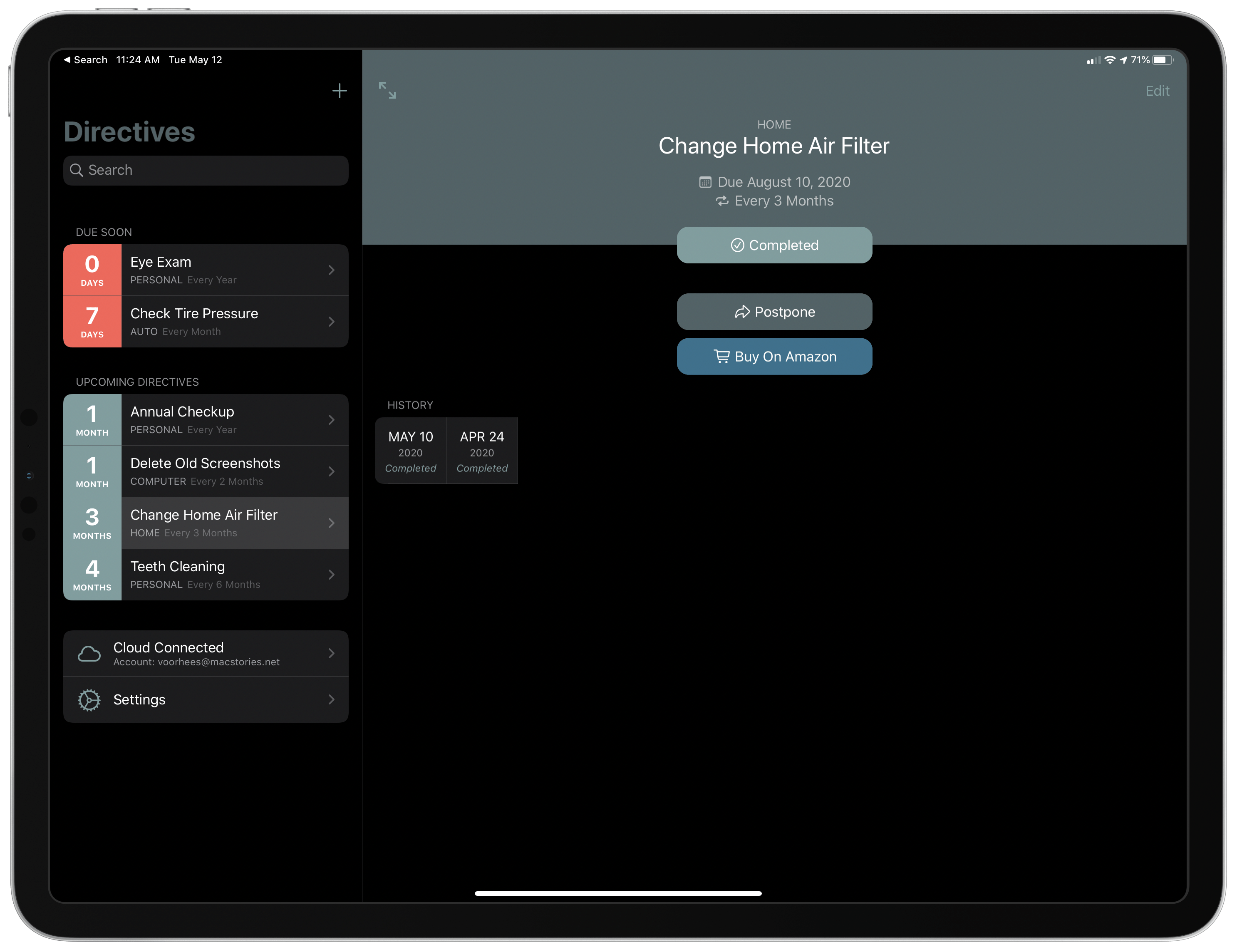
When I look back at the apps I’ve used over the last several years, there is an unmistakable ebb and flow between generalized apps that try to do and be everything and those that don’t. The former type has the benefit of reducing the overhead of having to track data in multiple apps by centralizing it. However, the focus of the latter often allows them to fulfill a particular need better than a general-purpose app ever could. Directive, a new app released today by LittleFin on the iPhone, iPad, and Mac, is a perfect example of a thoughtfully-designed, focused utility for managing recurring maintenance tasks.
AppStories, Episode 163 – The Next Generation of Apps→
This week on AppStories, we discuss the evolution of Apple’s platforms and the new generation apps that are emerging across every platform from the Apple Watch to the Mac and embracing those new technologies and business models.

AppStories Episode 163 - The Next Generation of Apps
0:00
28:45
28:45






Apple Releases Substantial Update to Logic Pro X and Logic Remote
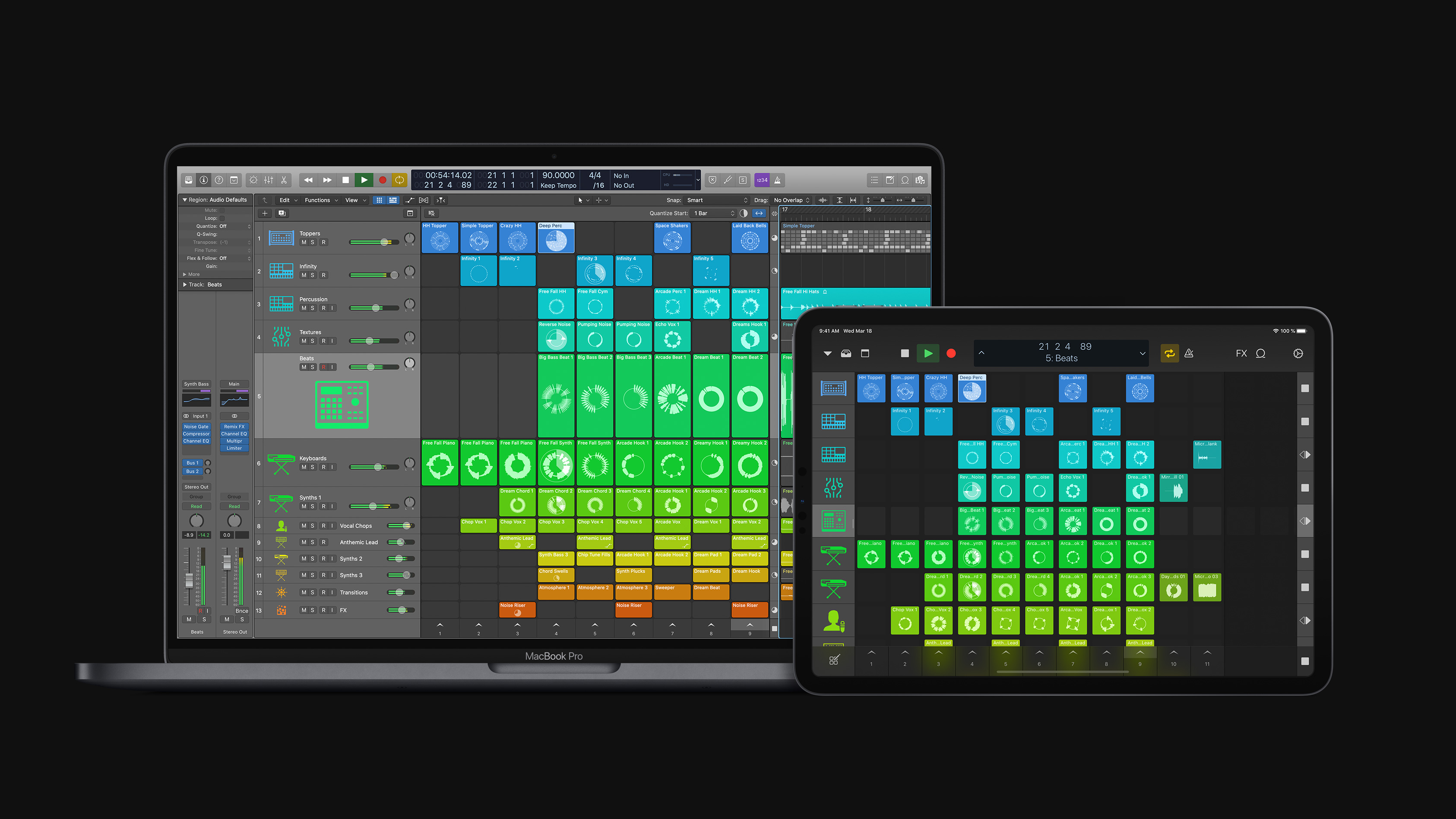
Apple has released a substantial update to Logic Pro X for macOS and the Logic Remote companion app for iOS and iPadOS that is focused on loops, sampling, and beat creation. According to Susan Prescott, Apple’s vice president of Apps Product Marketing:
Logic Pro X 10.5 represents the biggest update to Logic since the launch of Logic Pro X, with powerful new tools that will inspire every artist — from those just getting started with Logic, to those already using it to produce Grammy Award-winning albums.
Finneas O’Connell, Billie Eilish’s producer, says:
Logic Pro X has always been my one and only DAW. The workflow is unmatched, and the built-in sound libraries have been essential to my music from the beginning. Now with the addition of Quick Sampler and Drum Machine Designer, I’m getting back hours I used to spend in the studio building sounds and kits. This lets me spend more time writing new verses and editing 70-take vocals.
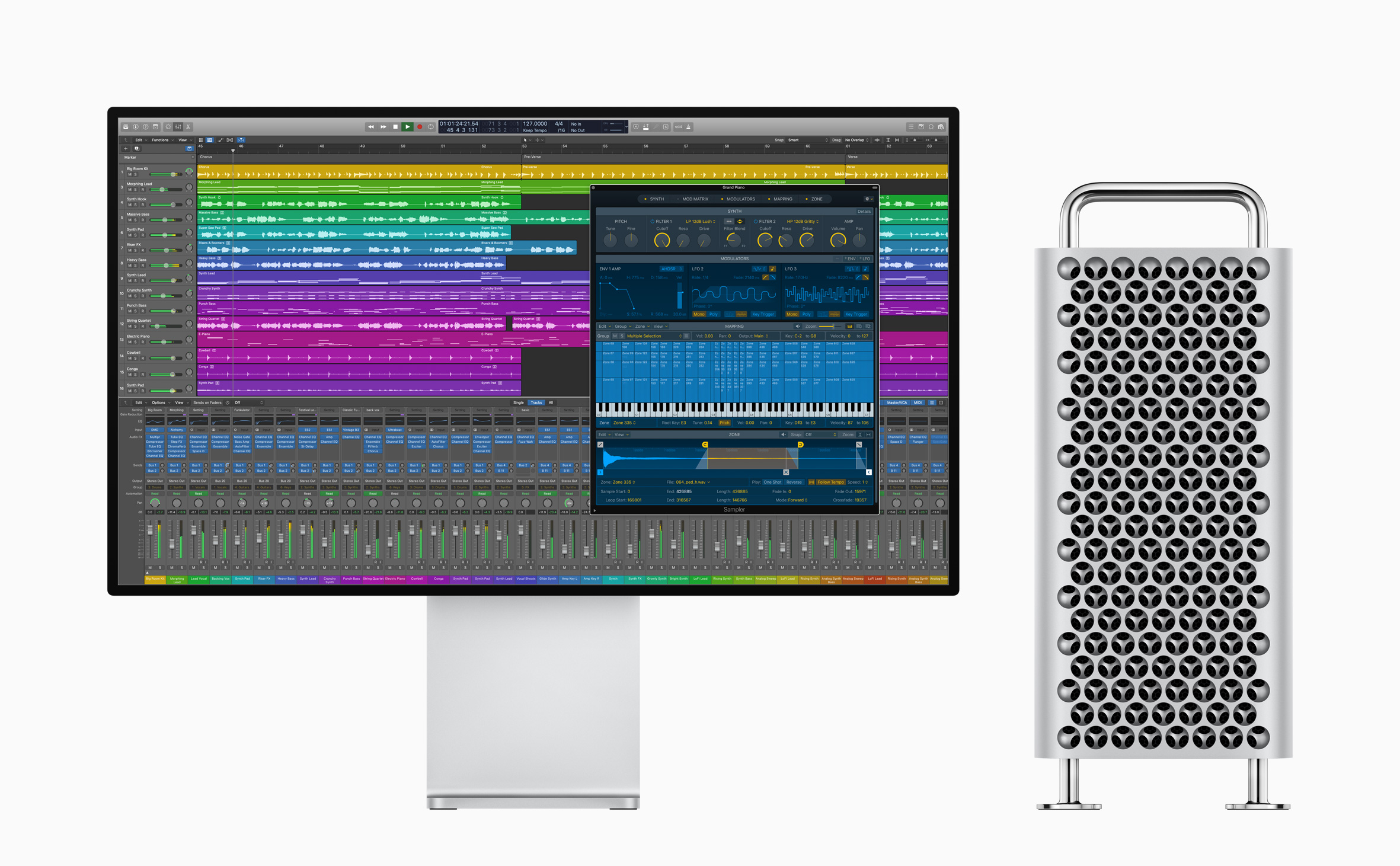
The update emphasizes non-linear production workflows that rely on loops, samples, and drum machine design, a departure from Logic Pro X’s historically timeline-focused approach.
With the new Live Loops tools, Apple says:
Loops, samples, and recordings can be organized into a new musical grid, where musicians can spontaneously perform and capture different arrangement ideas into the timeline. From there, tracks can be further refined using all of the professional production features in Logic.
Sampler is a backward-compatible, redesigned expansion of existing Logic tools to “edit sophisticated multisampled instruments, using elegant drag-and-drop workflows that automate complex production tasks.”
For beat creation, Logic offers Step Sequencer, Drum Synth, and Drum Machine Designer. Step Sequencer is an editor that Apple describes as inspired by drum machine workflows, Drum Synth is a collection of software-generated beats, and Drum Machine Designer is Logic’s drum kit tool that now integrates with both Quick Sampler and Drum Synth, providing more control over editing kits and integrating with the new Step Sequencer.
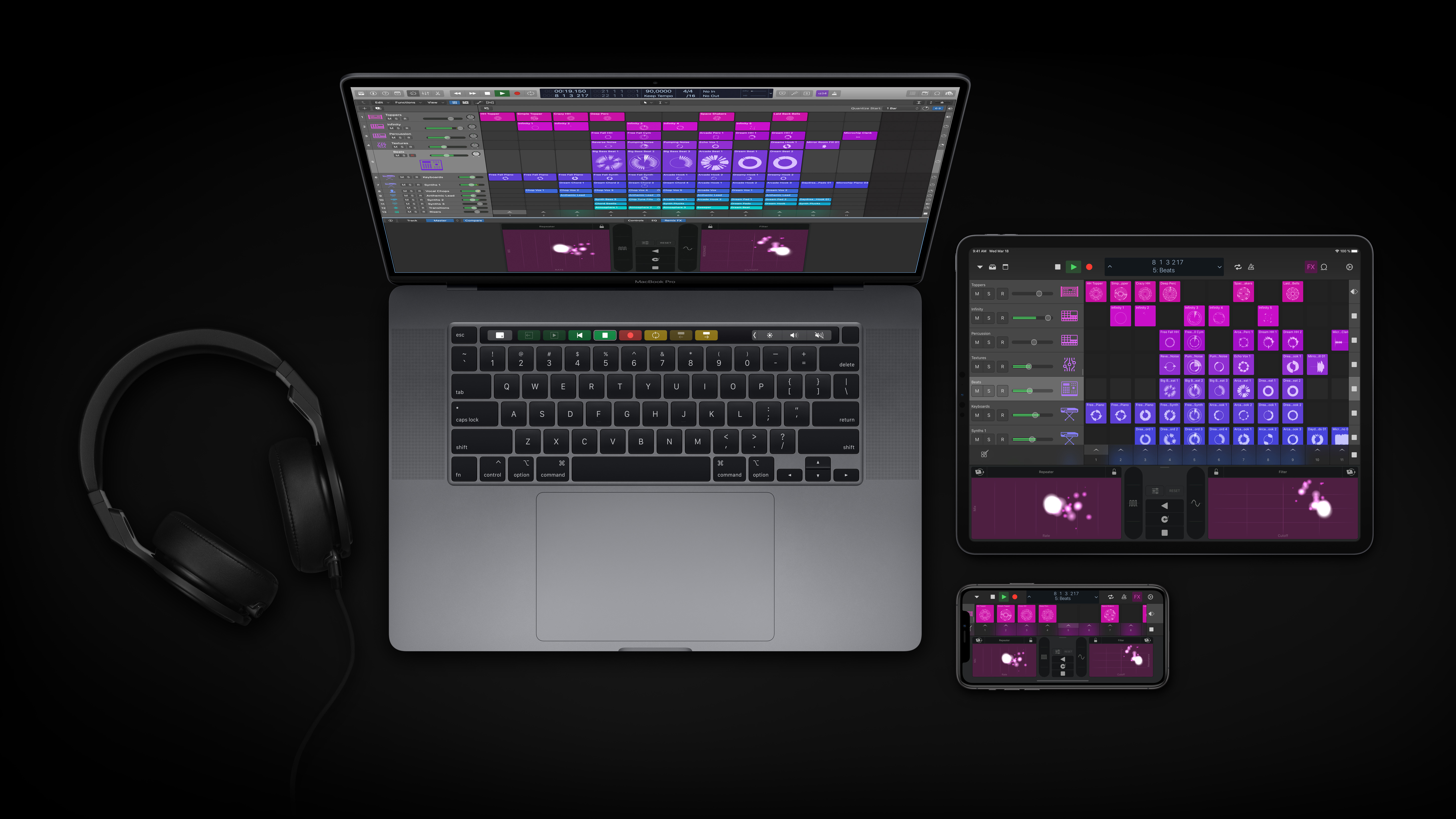
Finally, Apple is updating Logic Remote, the free iOS and iPadOS companion apps to Logic Pro X. The update will allow musicians to browse and add loops, trigger Live Loops, and apply Remix FX to a session.
Logic is available on the Mac App Store for $199.99. Additional information about the update is available on Apple’s dedicated Logic webpage.
 The Next Generation of Apps
 Federico
AppStories Episode 163 - The Next Generation of Apps
0:00
28:45
28:45
This week, Federico and John discuss the evolution of Apple’s platforms and the new generation apps that are emerging across every platform from the Apple Watch to the Mac and embracing those new technologies and business models.
MacStories Unwind: An Interview with Craig Federighi and Picking an iPad Pro
This week on MacStories Unwind:
MacStories
- iPadOS and Pointer Support with Craig Federighi
- My 11-inch iPad Pro Experiment
- Apple Refreshes the 13-inch MacBook Pro with a New Keyboard, More Storage, and Updated Processors and RAM
- Apple Announces WWDC Will Begin June 22
Club MacStories
- MacStories Weekly
- Infuse
- The MacStories Team’s iPad Home Screen Widgets
- A six-month check-in on TV+
- MacStories Interview with Rodrigo Araujo, the developer of Charty
- Brian King’s Home Screen
AppStories
- AppStories, Episode 161 – The Apps Federico Will Use For His Annual iOS Review
- AppStories, Episode 162 – iPadOS and Pointer Support with Craig Federighi
Unwind
- Federico’s Picks:
- Wake Up, Sunshine by All Time Low
- CybertronVGC on YouTube: Videos on competitive Pokémon play
- John’s Pick:
- Home on TV+
Sponsored by:
SoundSource – Superior sound control from Rogue Amoeba
 Infuse 6

Infuse is a video app for the iPhone, iPad, and Apple TV with two big advantages. First, the app can play nearly any type of video file you throw at it. Second, those files can be pulled into the app from almost any source imaginable. I use Infuse primarily as a way to play...
App Debuts
 Ryan
RyanPortal Last week I featured Portal as the Favorite in our newsletter because it’s been an essential app for me during this time of working from home and maintaining focus in a small studio apartment even while my wife has video calls throughout the day. I wasn’t planning to write about the app again...
The MacStories Team’s iPad Home Screen Widgets

I suggested to Federico and Ryan that we share our iPad Home screen widgets with Club members in Weekly today because I had an ulterior motive. I’ve been experimenting with my widgets lately, and I needed to commit to a setup. Because I’ve been trying new widgets, my list had grown a little too...