
 Federico
Unsmartifier The latest utility by Arno Appenzeller (the creator of PiPifier) is a Safari extension that fixes something that has long bothered me: it gets rid of the annoying Smart App Banners you often see at the top of webpages that offer you to see an associated app on the App Store. I usually...
 Interesting Links
Writing at 512 Pixels, Stephen Hackett explains why the iPad mini makes him feel less guilty for not taking advantage of the iPad Pro’s power. (Link) As reported by MacRumors, Apple is rolling out a slimmed down Apple TV+ app for older 2016 and 2017 LG TVs (such as mine!) to watch Apple TV+...
Anticipating New Macs and Living with Shortcuts Bugs
[[unplugged_artwork]] In this episode, Federico and John discuss how they advise friends and family about hardware updates, speculate about when the next Apple event will be and what the company might announce, and consider the impact Shortcuts bugs could have on automation across all of Apple’s platforms. Upcoming Apple Hardware Rumors MacBook Pros Mac mini...
MacStories Unwind: Halide’s Macro Mode, the AirPods Find My Update, and a Safari 15 Extension to Identify the Active Tab







Sponsored by: Firstseed Calendar – Best Calendar, Best Widgets
This week on MacStories Unwind:
MacStories
-
ActiveTab: A Simple Extension to Tell Which Safari 15 Tab is Active
-
Apple Watch Series 7 Orders Begin October 8th and Will Be Available Beginning October 15th
-
Google Appears to Have Stopped Serving AMP Search Results to Safari Users on iOS and iPadOS 15
Club MacStories
- MacStories Weekly
- Federico rethinks personal task management with Due and a new shortcut
- John reviews the Roomba j7
- Peter Zarko-Flynn’s desk setup
- MacStories Unplugged
- Federico and John discuss how they advise friends and family about hardware updates, speculate about when the next Apple event will be and what the company might announce, and consider the impact Shortcuts bugs could have on automation across all of Apple’s platforms.
AppStories
Unwind
- John’s Pick:
AppStories, Episode 243 – Safari Extensions for iPhone and iPad→
This week on AppStories, we look at the best of the first Safari extensions released for the iPhone and iPad.
](https://cdn.macstories.net/banneras-1629219199428.png)
On AppStories+, we cover iPhone 13 Pro macro photography, Yoink’s ingenious clipboard feature, and Federico’s dedicated Metroid emulator device.
We deliver AppStories+ to subscribers with bonus content, ad-free, and at a high bitrate early every week.
To learn more about the benefits included with an AppStories+ subscription, visit our Plans page, or read the AppStories+ FAQ.
Google Appears to Have Stopped Serving AMP Search Results to Safari Users on iOS and iPadOS 15
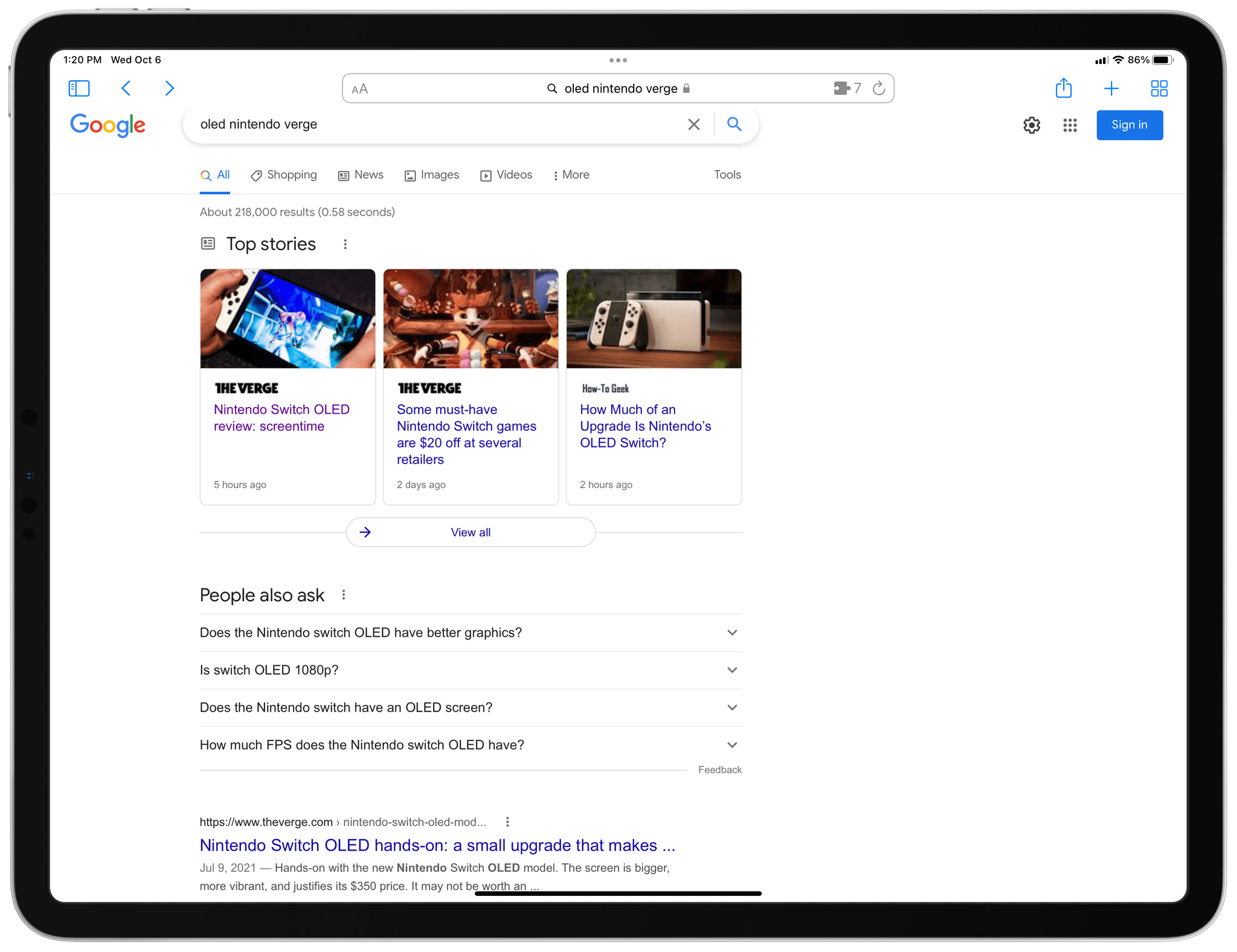
Update: Although Google has not commented on the lack of AMP links in its search results, Danny Sullivan has tweeted that their disappearance from iOS and iPadOS 15 is a bug that Google is working to fix.
Earlier today, developer Jeff Johnson published a story, noting that AMP links have seemingly vanished from Safari on iOS and iPadOS 15. AMP is Google’s cached URL system that’s designed to speed up the mobile web but often ruins website functionality and junks up URLs. I’ve never been a fan of AMP and neither has Federico.

iOS and iPadOS 15 introduced extensions to Safari, and one of the most popular categories has been extensions that redirect AMP links to the canonical version of the URL. I covered two of our favorites, Amplosion by Christian Selig and Overamped, both of which continue to be among the top paid Safari extensions on the App Store.
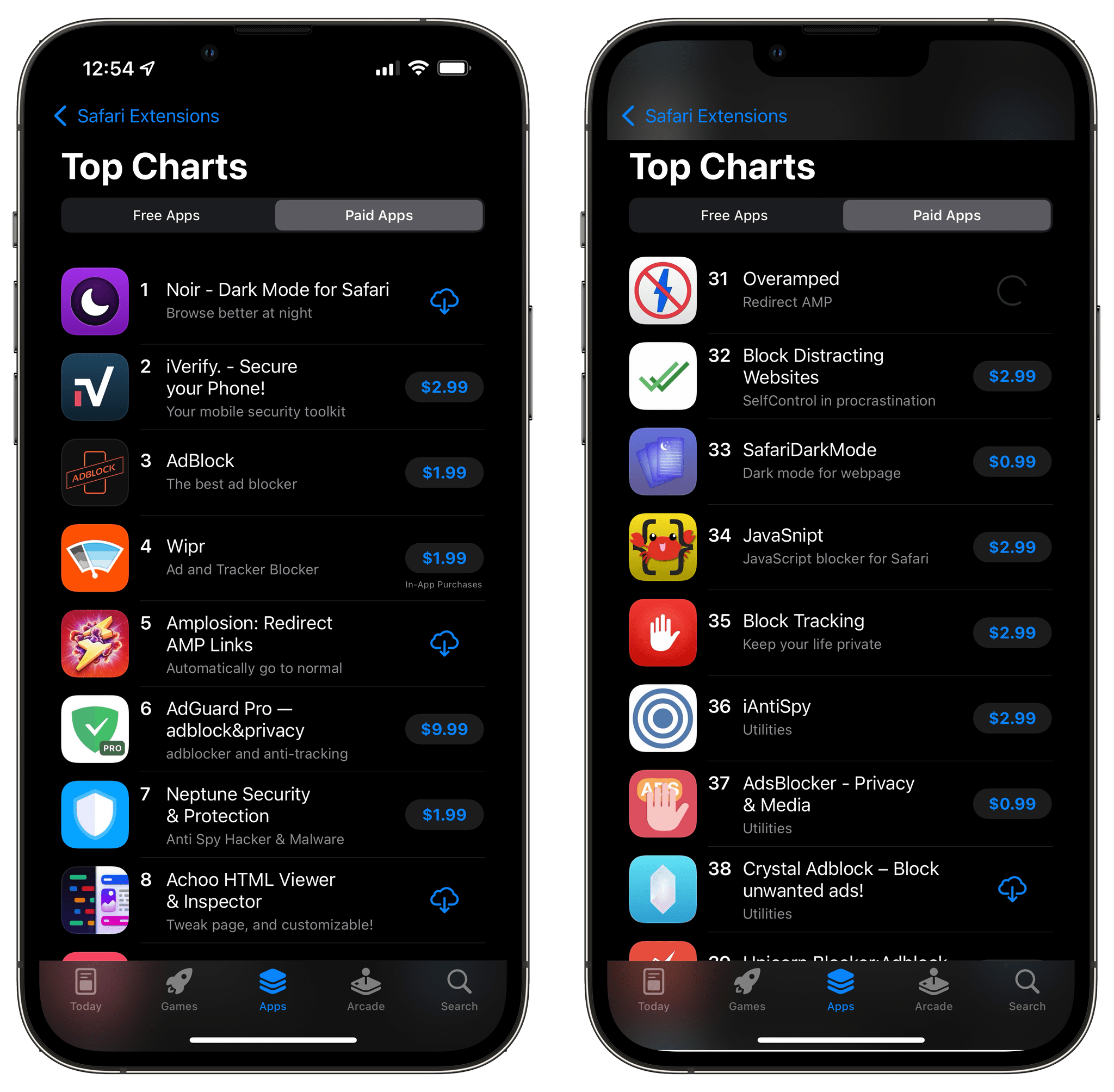
Jeff Johnson, the maker of Stop the Madness, another Safari extension that redirects AMP links, noticed, while updating his extension, that AMP links had disappeared from Google search results.
Johnson ran some tests:
With this User-Agent [iOS 15’s], there are no AMP links in Google search results, but if I simply change
Version/15.0toVersion/14.0and keep the rest the same, Google search results suddenly have AMP links again! This is reproducible on my iPhone, in the Xcode iPhone simulator, and also in desktop Safari Mac with its User-Agent spoofed as iPhone.

I’ve done some digging myself, as has Federico, and we have been able to reproduce the same results. I searched Google for an article published today on The Verge. Sure enough, on iOS 14, I get AMP results, but not on iOS 15, where the links point to theverge.com. I ran the same test using Google Chrome, Firefox, and Microsoft’s Edge browser on iOS 15, and all returned Google search results with AMP links. Safari for iOS and iPadOS 15 stands alone among these four browsers and is the only one that doesn’t return AMP links in Google search results.
I wondered what might be going on, so I contacted Google PR to see if they could explain it. I haven’t heard back yet but will update this story if I do.
Meanwhile, Johnson has a theory that seems plausible to me:
So, is it possible that Google has given up on AMP in Safari on iOS 15 because of the popularity of AMP blocking extensions? Who can say, but it’s certainly an interesting coincidence. I can say that it’s a very recent change. I know from my own testing that Google search results still included AMP links for the first week after iOS 15 was released on September 20.
The timing certainly lines up. I know there were AMP links to redirect when I was testing Amplosion and Overamped on the iOS 15 betas and shortly after its launch, but sometime in the past two weeks or so, they have completely vanished from Google search results in Safari for iOS and iPadOS 15. I hope the change sticks.
Halide 2.5 Adds New Macro Mode

Halide 2.5 is out, and it includes a brand new Macro Mode. Macro photography is an exclusive feature of the iPhone 13 Pro and 13 Pro Max. Still, Halide has managed to make its Macro Mode available on the iPhone 8 and newer models thanks to some cool machine learning tricks.
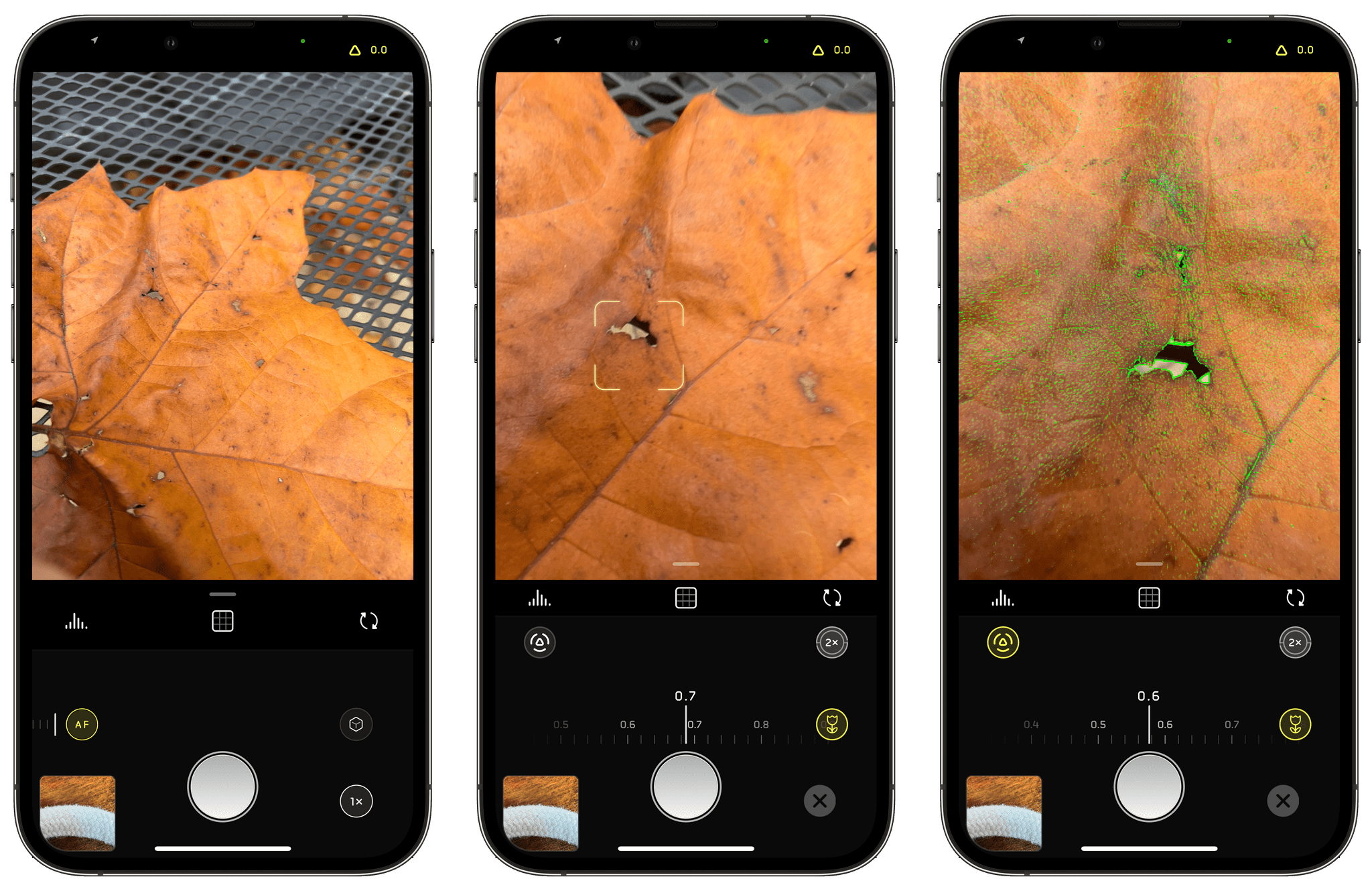
Macro Mode is easy to use. When you open the app, auto-focus (AF) is selected by default. Tap it, and the focus controls slide into place with the auto-focus at one end of the app’s focus dial and Macro Mode (the button with the flower) at the other end. Select Macro Mode, and you’ll see a new focus dial with smaller increments appear. The Halide team says this enables sub-millimeter focusing for extra-precise close-up focusing.
Halide takes its close-ups by first switching to the camera on your iPhone that can take the closest shots. Focusing is handled by its precision focus dial, and the final step is to enhance the image’s details using an AI-based enhancement process. That last super-resolution step is what allows Halide’s Macro Mode to be used on cameras on older models of iPhones and to enhance Apple’s own macro system too.
In my testing over the past day, the results have been impressive. I’m especially fond of the precise focus dial that allows for minute adjustments that make a difference at such close range.
If you’re a Club MacStories+ and Club Premier member, head over to the new Photography channel in our Club Discord to see even more of my experiments with Halide’s Macro Mode and share your own macro shots.
Halide is available as on the App Store as a subscription for $2.99/month or $11.99/year or for a one-time payment of $49.99. The app also offers a 7-day free trial.
Hands On with AirPods’ New Find My Support
Yesterday, an AirPods firmware update was released, enabling new Find My features for Apple’s wireless headphones. Before the update, you could use Find My to see the last spot they were used, but that wasn’t always helpful if you carried them around for a while without opening the case before losing them.
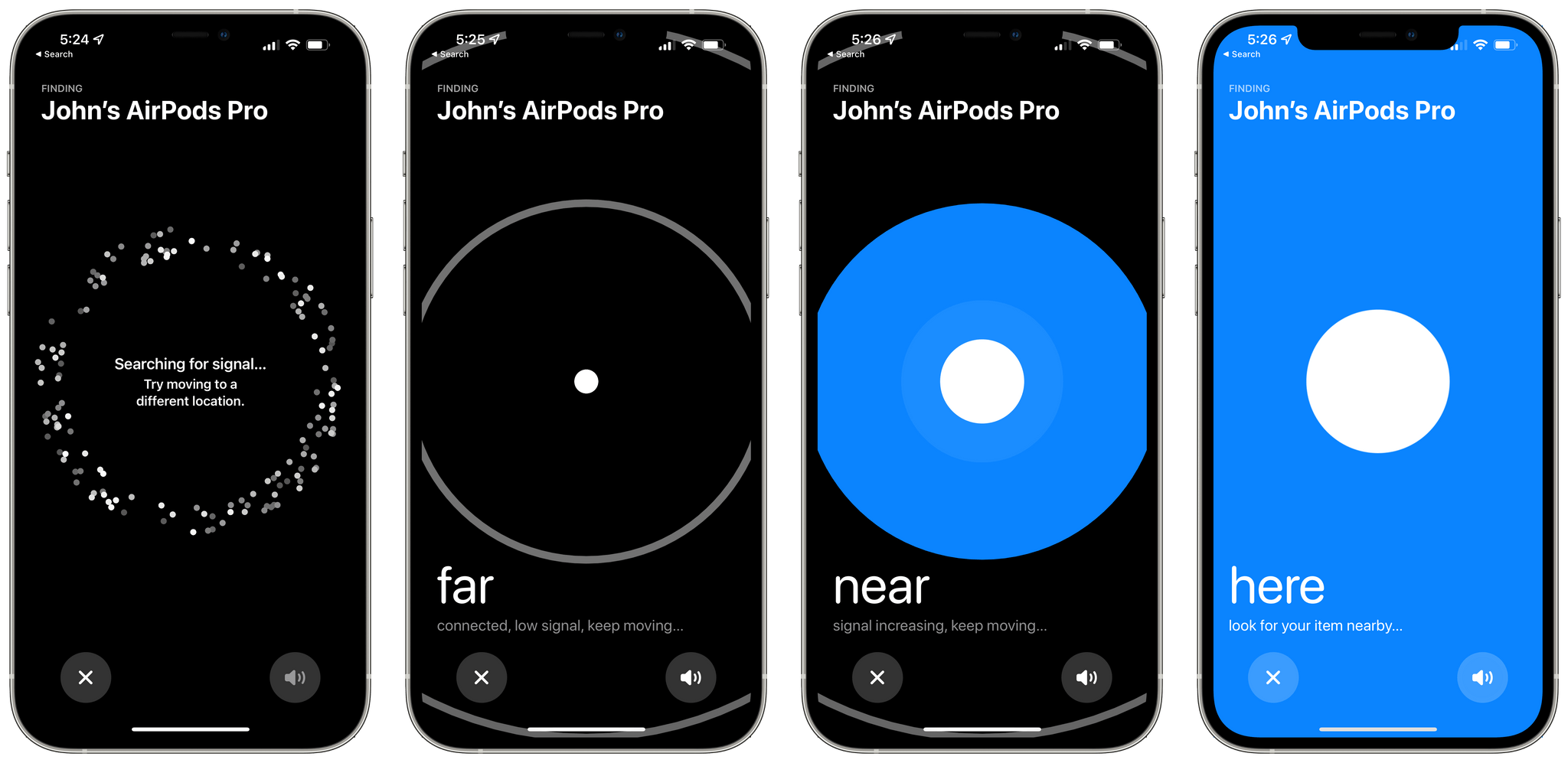
With the firmware update, it’s easier to find misplaced AirPods Pro and AirPods Max. From Find My, choose your AirPods, and tap on the Find button. The app will begin searching for a signal and will suggest moving to a different location if it can’t find anything. In my tests, the time it took to locate the signal of my AirPods Pro varied from around 30-60 seconds when they were nearby.
Once Find My detects a signal, it will tell you whether your AirPods are nearby or far away, allowing you to move around to pinpoint the location. There’s also an option to play a sound through your AirPods to help locate them, which is handy once you’re close to them. However, with my AirPods Pro in their case, the sound playing from my AirPods Pro was understandably a little hard to hear. Also, you don’t have the benefit of the directional arrows you get when searching for an AirTag.
The feature worked well sitting at my desk with my iPhone and AirPods Pro sitting within sight of each other, but that’s not a realistic scenario. To get a better sense of the process, I put my AirPods under a pillow and blanket on our couch in another room on the same floor of our house. I went back to my office, opened Find My, and waited to see if it could pick up the signal roughly 10 meters away in a different room.
After about 30 seconds, Find My picked up a weak signal reporting that my AirPods Pro were far away. I began slowly walking through the house, watching Find My as it updated the distance to my AirPods from far to near and eventually ‘here.’ As I walked around and Find My updated, it provided haptic feedback with increasing frequency as I got closer to my AirPods Pro. I tried playing a sound on the AirPods Pro, but the pillow and blanket made the sound impossible to hear. However, the sound wasn’t really necessary because by the time Find My reported my AirPods as ‘here,’ I was right on top of them anyway, and they were easy to locate.
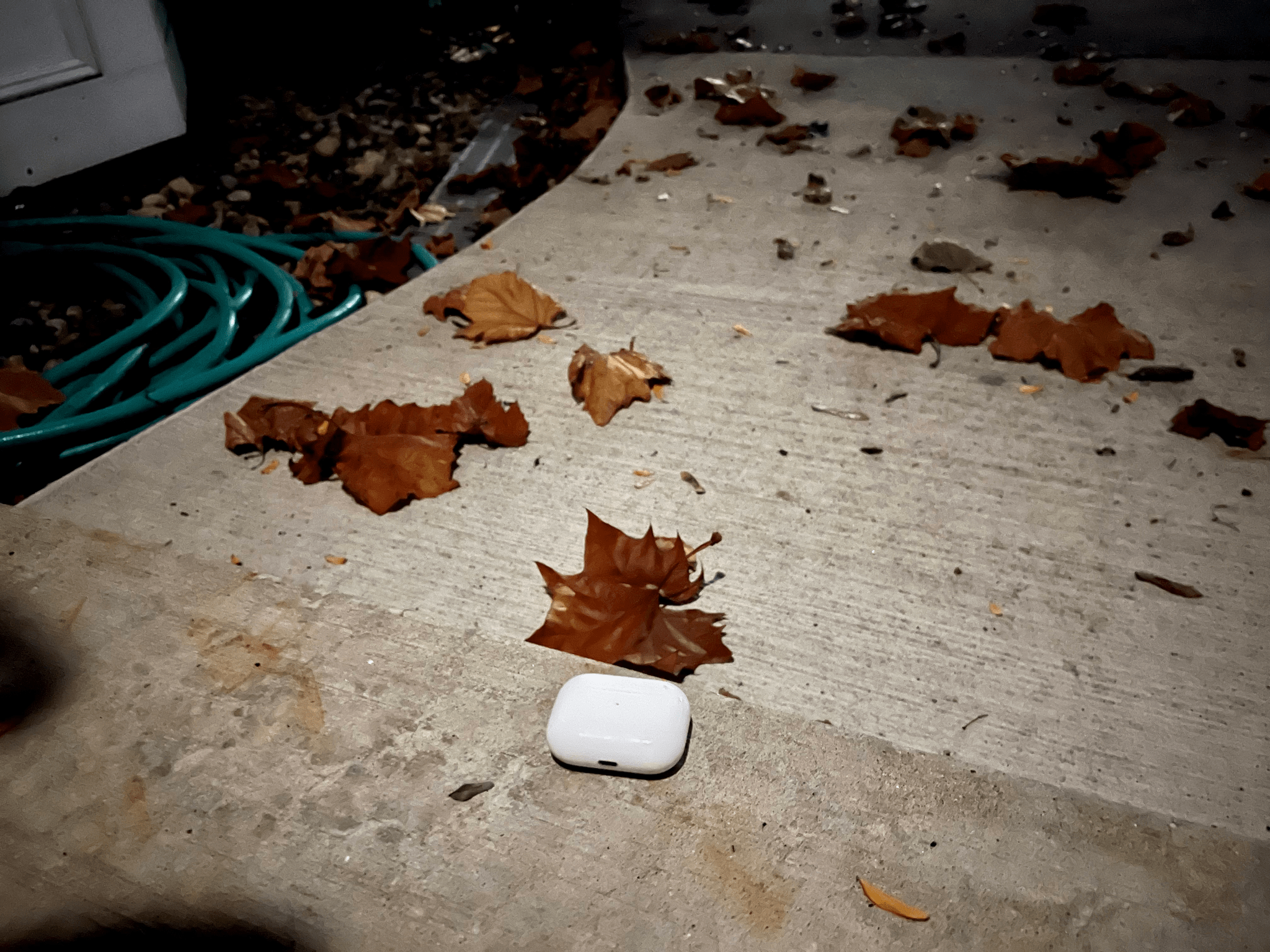
I also tried putting my AirPods Pro just outside my back door. Find My took a little longer to find a signal, and I had to be a little closer to the AirPods, but even though more walls, Find My picked up a signal.
I’ve only tested the new Find My feature in contrived scenarios so far, but I was impressed with the process. The feature isn’t going to pick up a signal if your AirPods are far away, but more often than not, I’ve simply misplaced my AirPods somewhere at home, and Find My should be perfect for that.
ActiveTab: A Simple Extension to Tell Which Safari 15 Tab is Active

Safari 15, which is already available for macOS Catalina and Big Sur, will be part of macOS Monterey too. One of the design changes to the updated browser is the separation of tab indicators from its web content. Apple has inexplicably interposed the Favorites bar in between the two, and even if you hide the bar, figuring out which tab is the active one can be difficult.
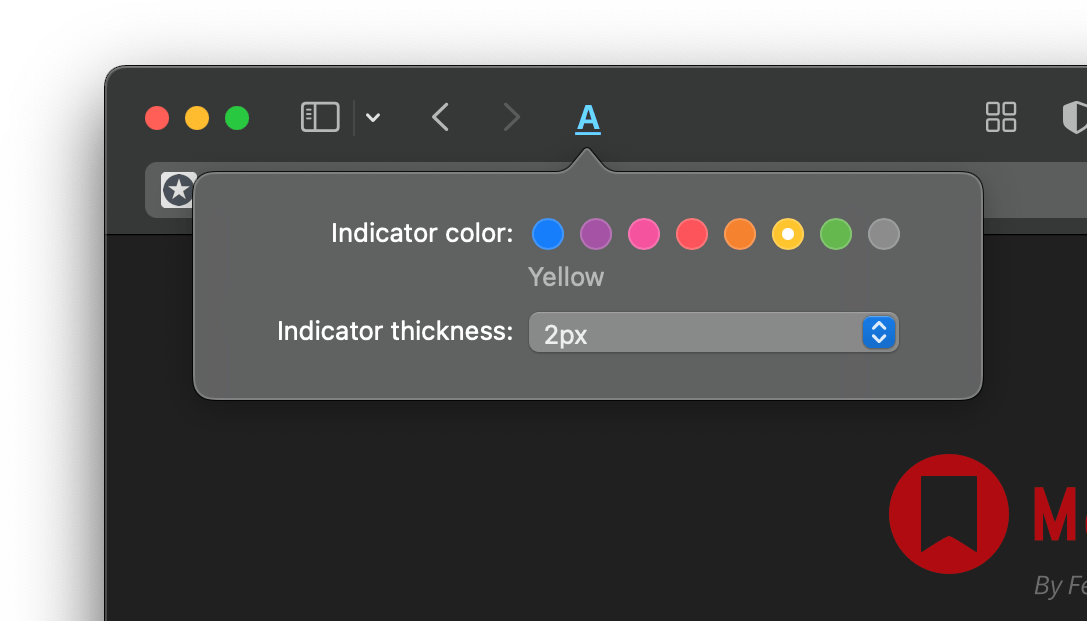
ActiveTab is a new Safari extension inspired by The Tragedy of Safari 15 for Mac’s ‘Tabs’ a story John Gruber wrote on Daring Fireball recently that you should read if you haven’t already. To make it easier to distinguish the active tab, ActiveTab draws a line underneath it along the top of the tab’s web content. There are eight colors to choose from, and the line can be anywhere from 1 to 7 pixels wide. Note that a page needs to be open for the line to appear because it’s being drawn on top of the content. As a result, you won’t see the line if a tab is empty.

The extension, which Stephen Hackett shared with me earlier today, undeniably makes it easier to spot the active tab in Safari. However, I found myself wishing almost immediately for light and dark mode versions of the color options that could switch between light and dark mode in sync with my system settings because the colors don’t all work equally well in both modes. The colors of the site you visit can affect the visibility of ActiveTab’s indicator too.
Of course, I’d prefer if Apple fixed the design of its tabs, but if you find yourself being tripped up by the new design, ActiveTab is worth considering.
ActiveTab is available on the Mac App Store for $1.99.