John Voorhees

5892 posts on MacStories since November 2015

John is MacStories' Managing Editor, has been writing about Apple and apps since joining the team in 2015, and today, runs the site alongside Federico. John also co-hosts four MacStories podcasts: AppStories, which covers the world of apps, MacStories Unwind, which explores the fun differences between American and Italian culture and recommends media to listeners, Ruminate, a show about the weird web and unusual snacks, and NPC: Next Portable Console, a show about the games we take with us.

CARROT Weather 5.9: A Robot Relationship and Layouts

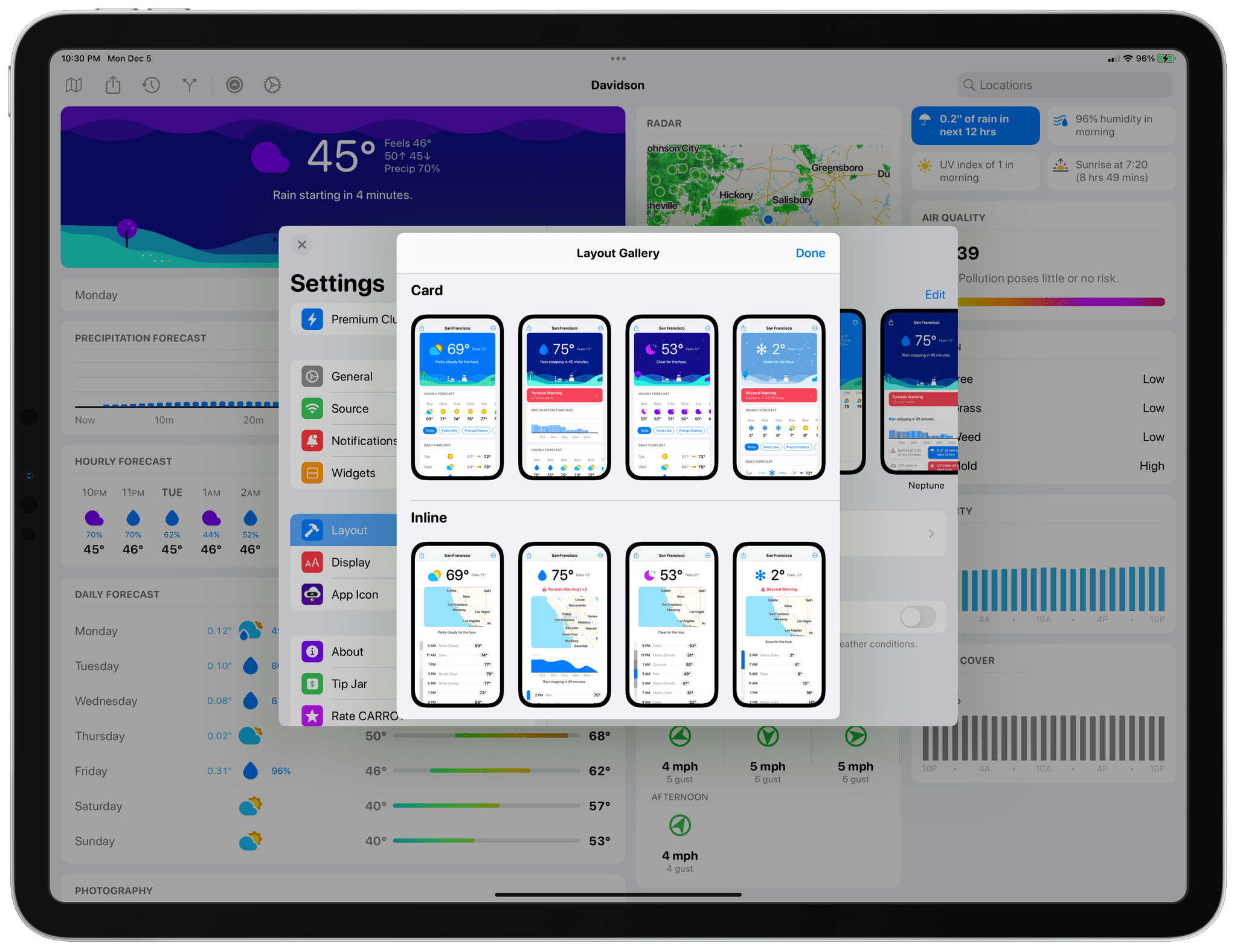
It’s never been about just the weather when it comes to CARROT Weather, and version 5.9 of Brian Mueller’s app is no exception. With the latest update, you can participate in bonding activities with CARROT. Yes, it’s as strange as it sounds, and a lot of fun too. Still, if getting to know CARROT better isn’t your thing, the update has also expanded Live Activities, updated the app’s layout UI, and more.
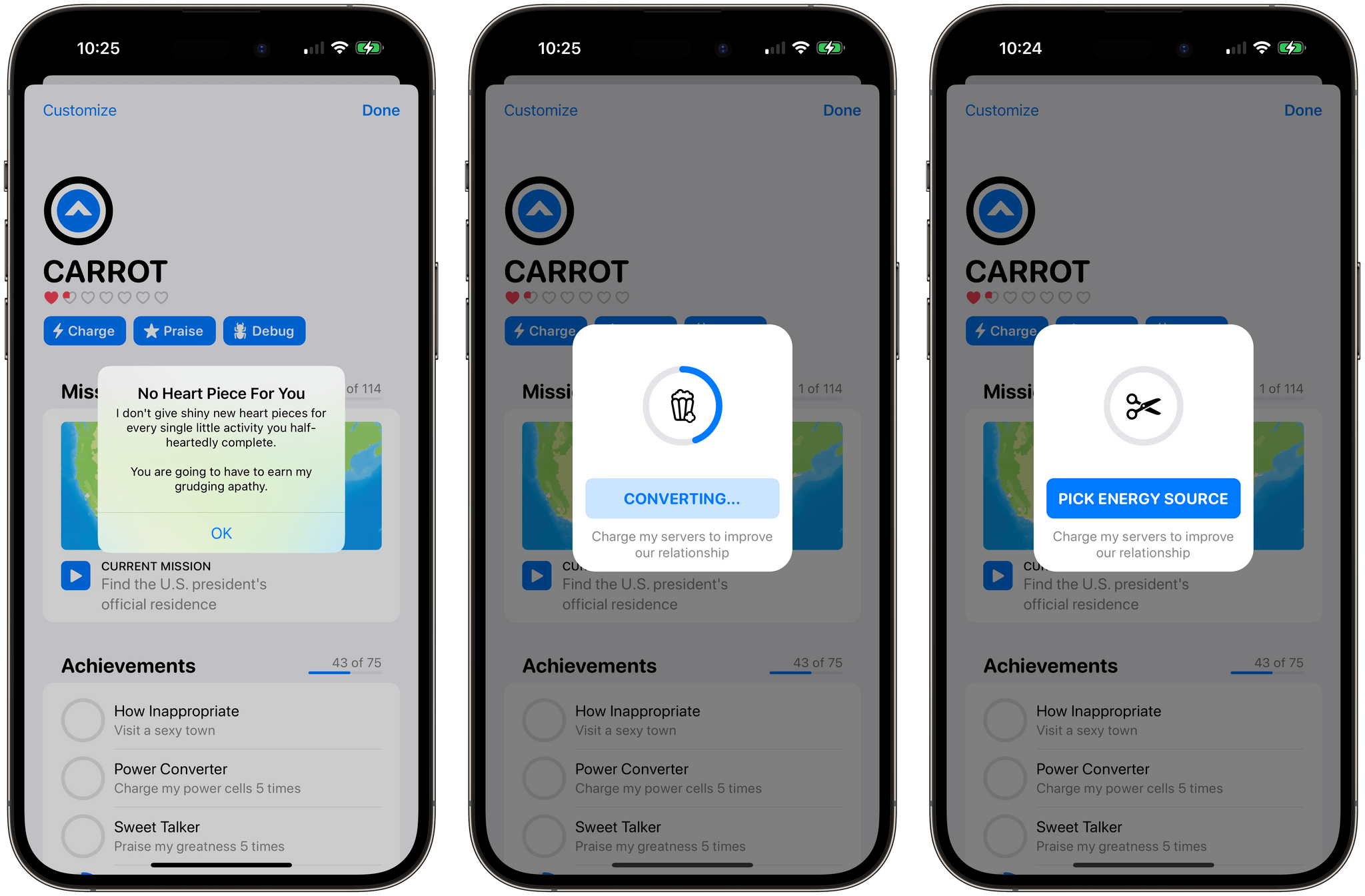
Charging up CARROT to earn hearts.

Charging up CARROT to earn hearts.

Tap the CARROT icon in the toolbar to get to know her better through a series of mini-games. At the outset there are three games:

  • Charging CARROT’s batteries by feeding her an assortment of objects that rotate roulette-wheel-style onscreen until you tap a button
  • Stroking her ego by repeating nice things to CARROT, which uses speech recognition to make sure you get the compliments right
  • Debugging CARROT’s code by shaking your device

But relationships take time, so you’ll find that after a while, you’ll stop earning hearts and have to wait before you can continue earning your way into CARROT’s good graces.
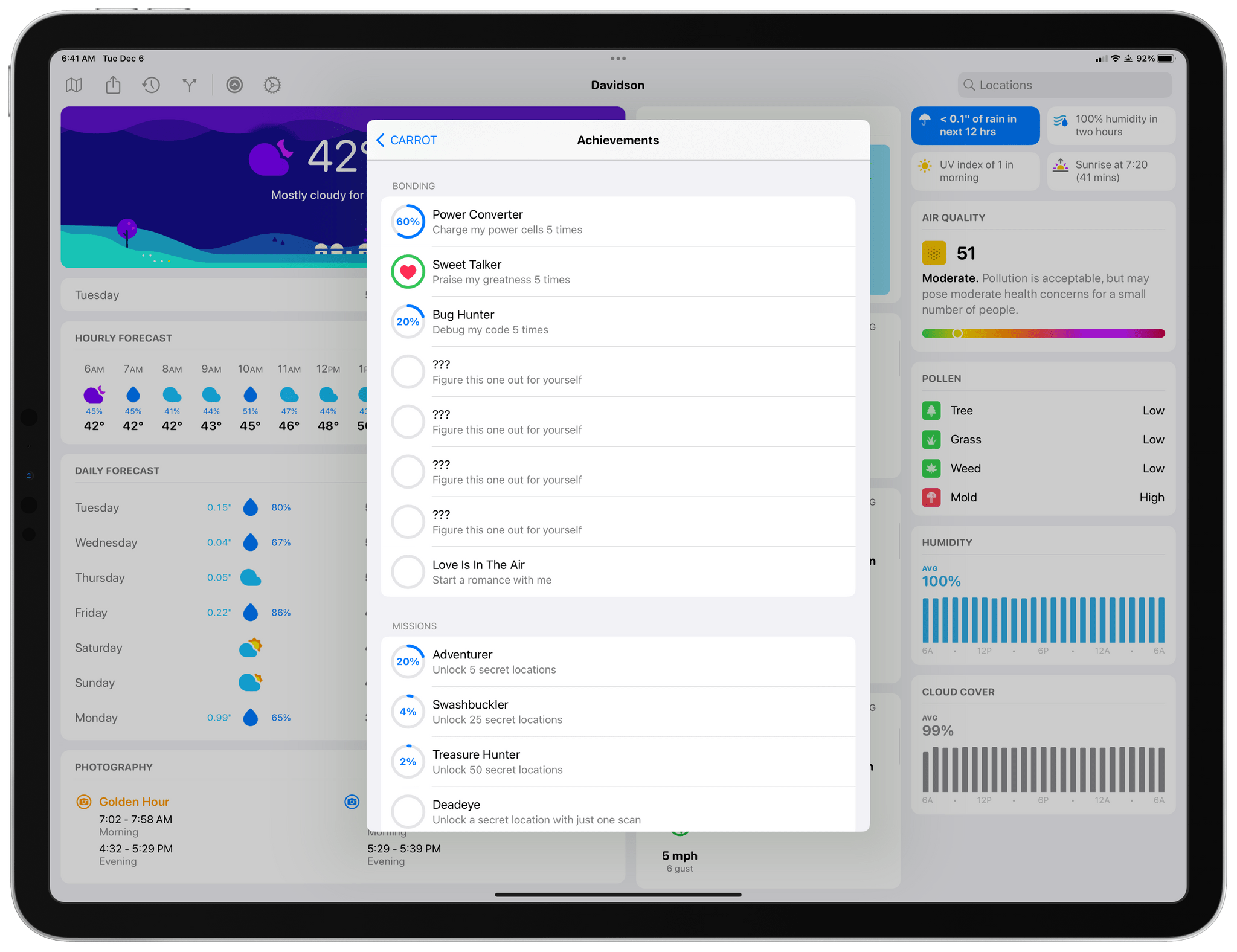
Complete enough bonding activities with CARROT and you can start a romance with her.

Complete enough bonding activities with CARROT and you can start a romance with her.

Bonding with CARROT is part of the app’s Achievements system, and you’ll see if you visit that section of the CARROT menu that there are additional mystery tasks available to complete once you fill op the rings of the first set. Fill enough rings, and you can even start a romance with CARROT.
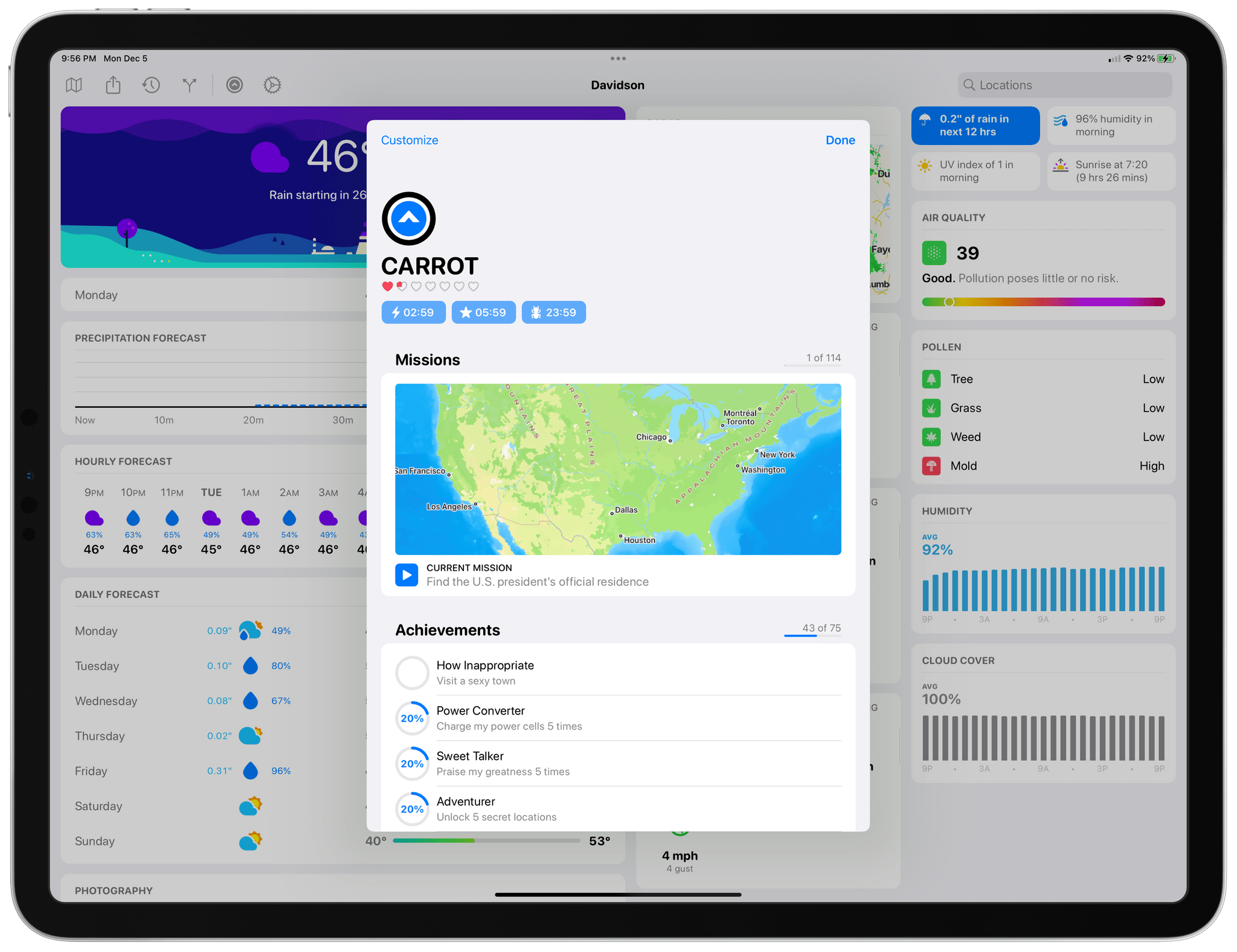
Tracking your CARROT achievements.

Tracking your CARROT achievements.

I love CARROT’s new bonding activities. They’re fun and breathe new life and personality into the character that’s been abusing users for years as they check the weather. I’ve only begun earning hearts, so it remains to be seen where this all will lead, so stay tuned to MacStories for updates on that, I guess.
Read more


Pixelmator Pro 3.2 Moves into Video Editing

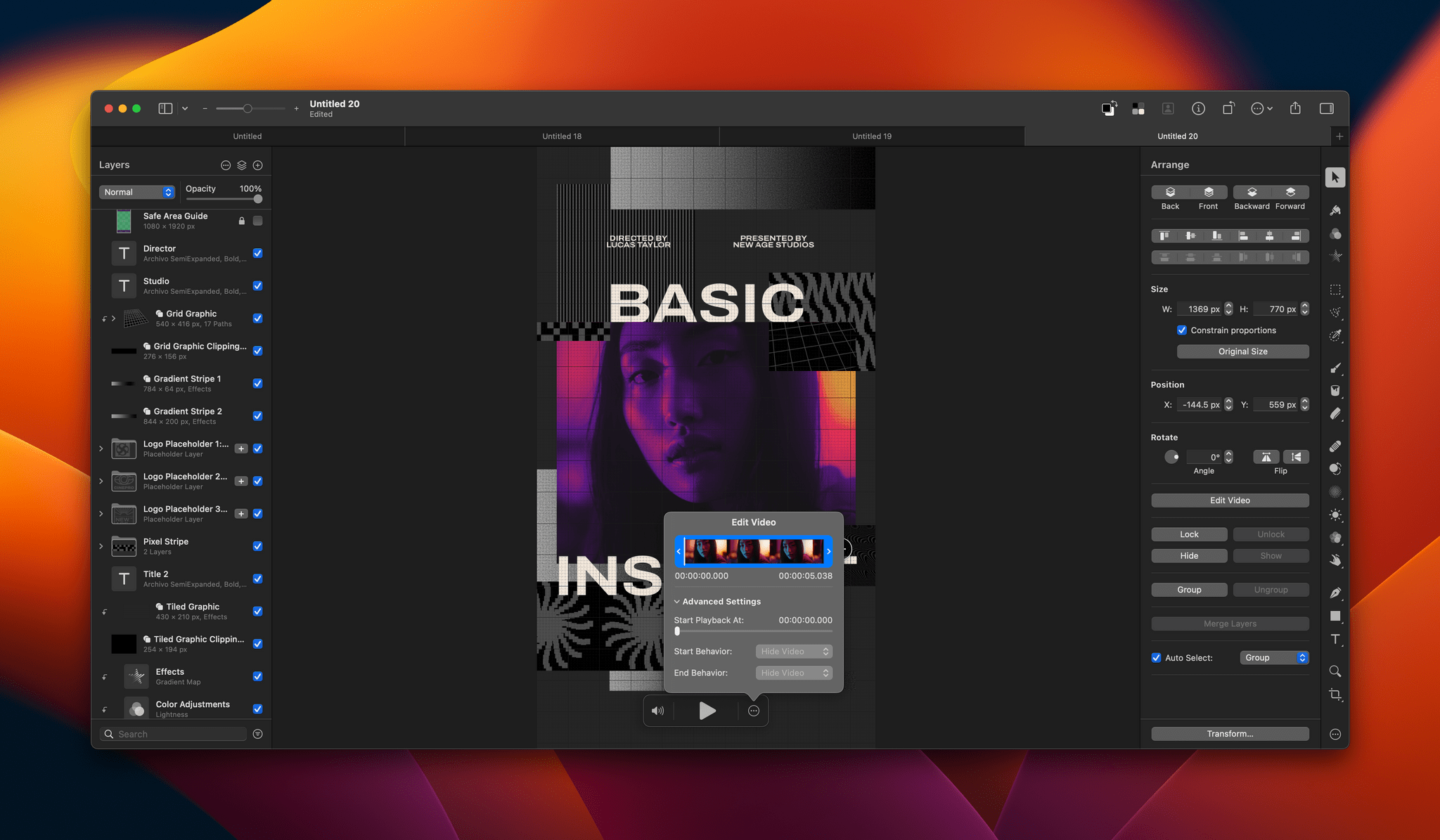
Pixelmator Pro 3.2 adds a new dimension to the Pixelmator team’s flagship app: video. I have yet to spend much time with the app’s new video features yet, but anyone familiar with Pixelmator Pro should feel right at home because working with video works a lot like editing still images.

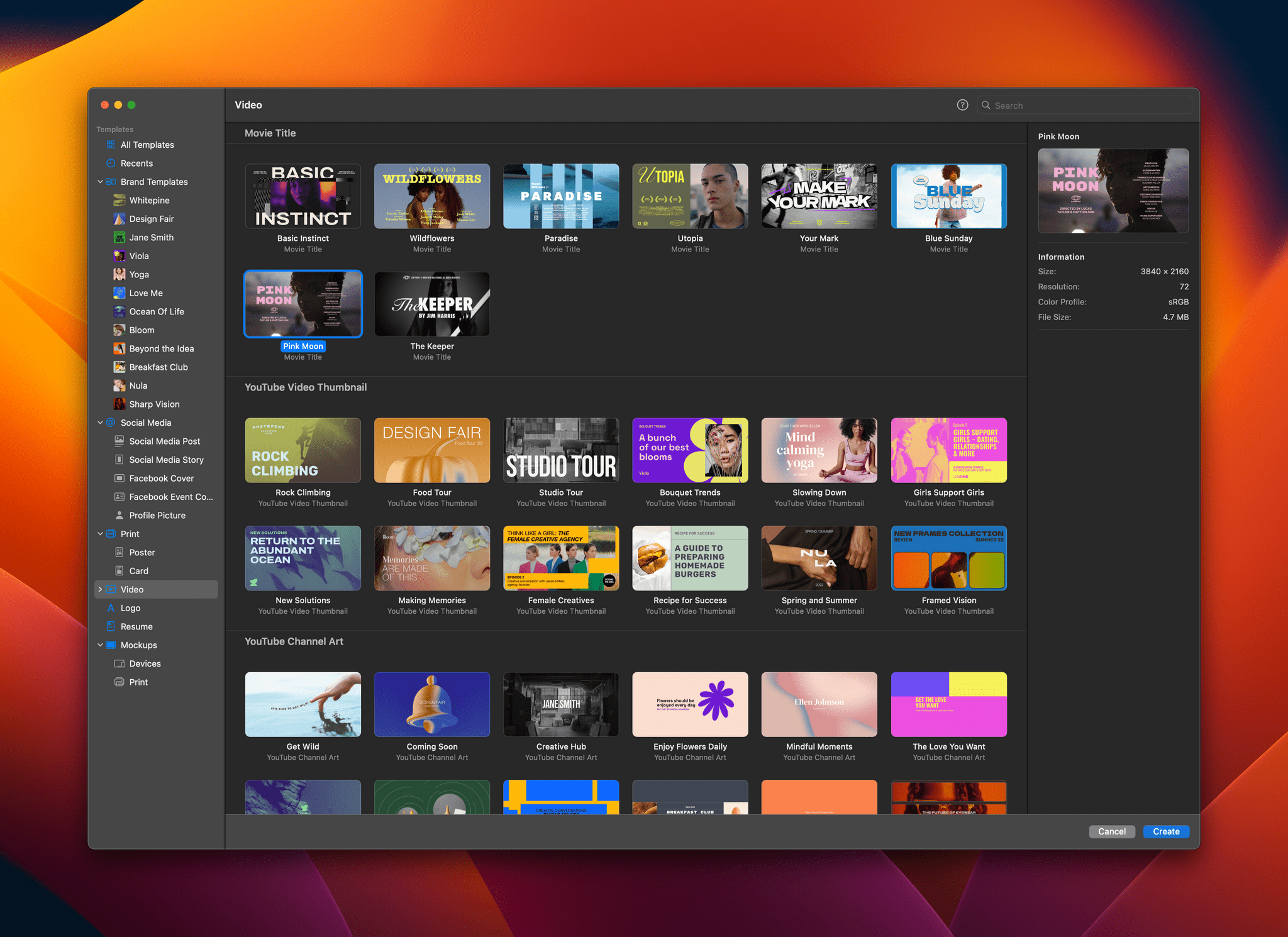
Pixelmator Pro adds new video templates.

Pixelmator Pro adds new video templates.

To get you started, Pixelmator Pro includes templates, a feature that was added in version 3.0. There are templates for a movie title clip, a YouTube thumbnail, YouTube channel art, and story-style vertical video. Only some templates incorporate placeholder video clips, but those that do are a great way to get a better feel of the video features added to the app.

Pixelmator Pro's editing controls.

Pixelmator Pro’s editing controls.

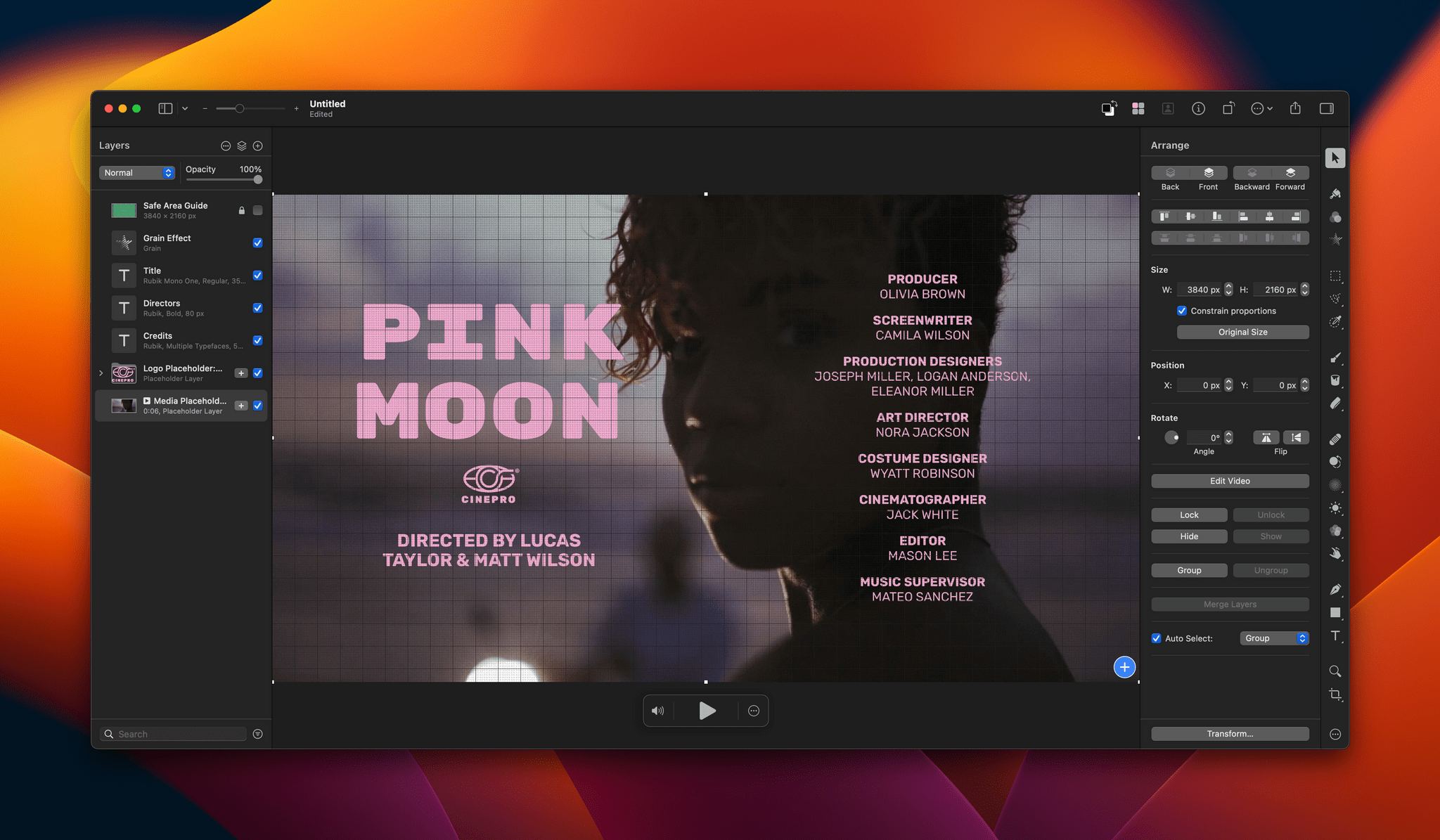
Editing a video isn’t much different from working with still images, except you’ll notice playback controls at the bottom of the clip you’re editing for controlling sound and playing back the clip. Also, a three-dot ‘more’ button reveals a scrubber with clip trimming controls and other advanced options when clicked. Other than that, video layers work just like other layers. You can adjust brightness, exposure, colors, and other aspects of a clip, apply filters, crop your video, overlay text, and more.

Video can be exported as MP4 files, QuickTime movies, animated GIFs, or PNGs. The Pixelmator team also says it has improved support for Motion projects.

Pixelmator Pro isn’t a replacement for a timeline-based video editor that lets you build a video from multiple clips. However, for clips like title segments and short-form social media posts, Pixelmator Pro strikes me as a far simpler solution than a more complex video editor like Final Cut Pro.

Pixelmator Pro 3.2 is available on the Mac App Store and is a free update to existing users. New users can purchase currently purchase Pixelmator Pro for $19.99, a 50% discount of its usual price.


Last Week, on Club MacStories: Anybox, Music Tips, A Universal and VNC Desk Setup, and Lessons Learned From Going Indie

Because Club MacStories now encompasses more than just newsletters, we’ve created a guide to the past week’s happenings along with a look at what’s coming up next:

MacStories Weekly: Issue 347

Anybox.

Anybox.

The Monthly Log, November 2022


Gone but Not Forgotten

AppStories+ Deeper into the world of apps

AppStories Episode 308 - Gone but Not Forgotten

0:00
0:00

AppStories+ Deeper into the world of apps

This week, Federico and John explore the Apple apps and features that have disappeared from its platforms in recent years.

Read more


Scrobbling, Shell Scripts, Emoji, Password Managers, and Themes

Here are the highlights from the Club MacStories Discord this week: Niléane had a great recommendation for Club members who want to use Apple’s Music app but scrobble their tracks to Last.fm in the background. akido shared two shell scripts that can be used with Shortcuts to save and retrieve bits of text. FlohGro had...


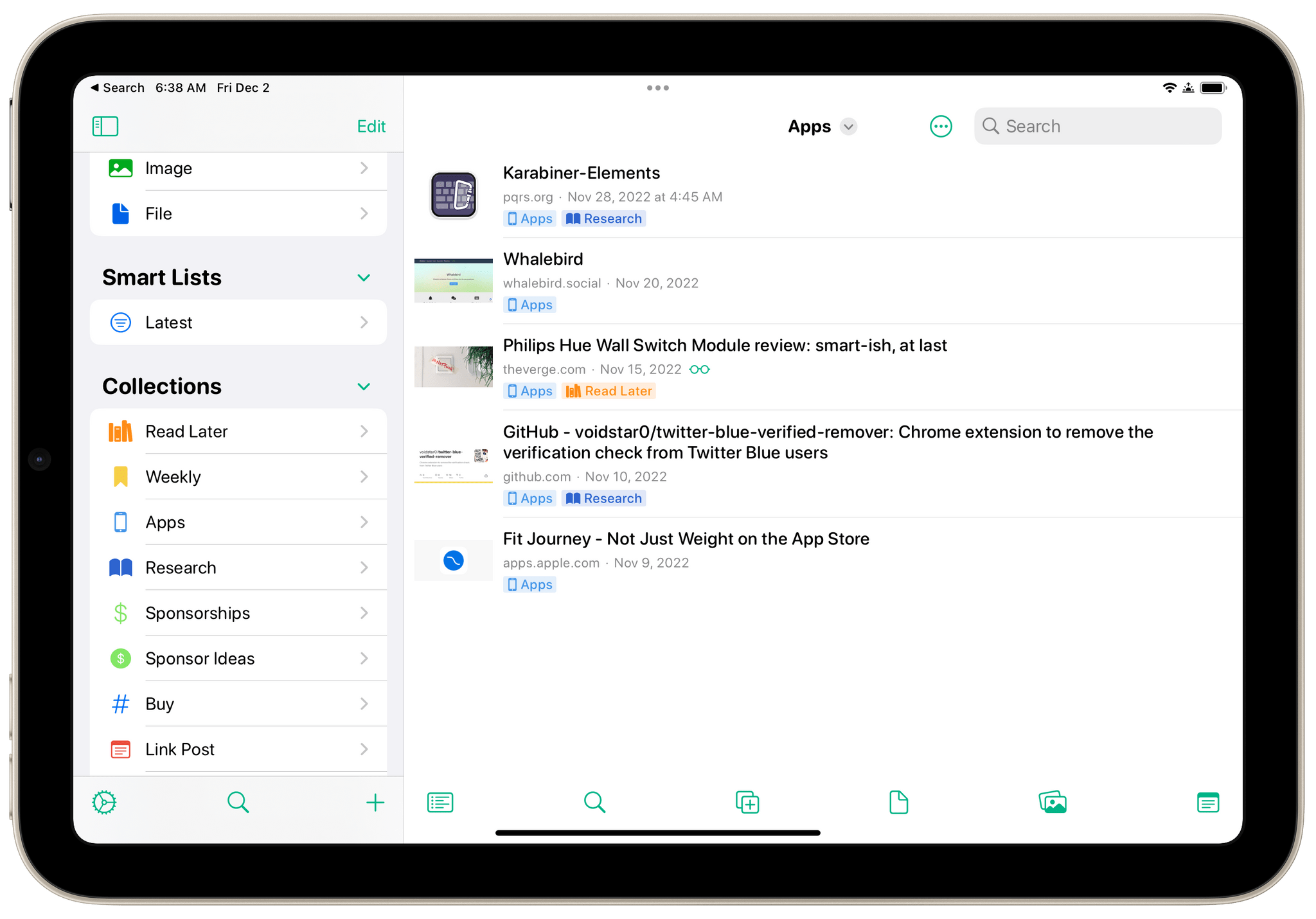
Anybox

Anybox is a link, note, image, and file organizer, with read-later functionality, many ways to get items in and out of the app, and a simple, modern design. Few apps have grabbed me as quickly as Anybox has. Two things caught my eye. First, Anybox’s design makes navigating extensive collections of items easy. More...


App Debuts

Pixel Pals Christian Selig’s Pixel Pals app that adds pixelated creatures to your Home Screen widgets and the Dynamic Island has added some new pals. The existing animals in the app’s collection were joined this week by a tiger, panda, and platypus. The app’s widgets have been updated too. The Pixel Pals still roam...


MacStories Unwind: The Best Music of 2022

AppStories+ Deeper into the world of apps
0:00
37:06

AppStories+ Deeper into the world of apps


This week on MacStories Unwind, we kick off the first of our annual ‘best of’ Unwind recaps with the best music releases of 2022.

The Best Music of 2022

Federico’s Pick:

John’s Pick: