
 Federico
Ivory Tapbots’ excellent Mastodon client was updated to version 1.1 earlier this week, and you can now edit posts in Ivory if your server supports the feature. Not only does Ivory support editing an existing post, but it also shows you if a post has been edited by the author along with a button...
 Interesting Links
Kevin Roose of The New York Times has a disturbing conversation with Bing’s AI. (Link) PSVR 2 is coming from Sony next week, and The Verge took it for a spin. The new headset requires you to be tethered to a PS5 and has a somewhat weak launch day lineup of games, but it...
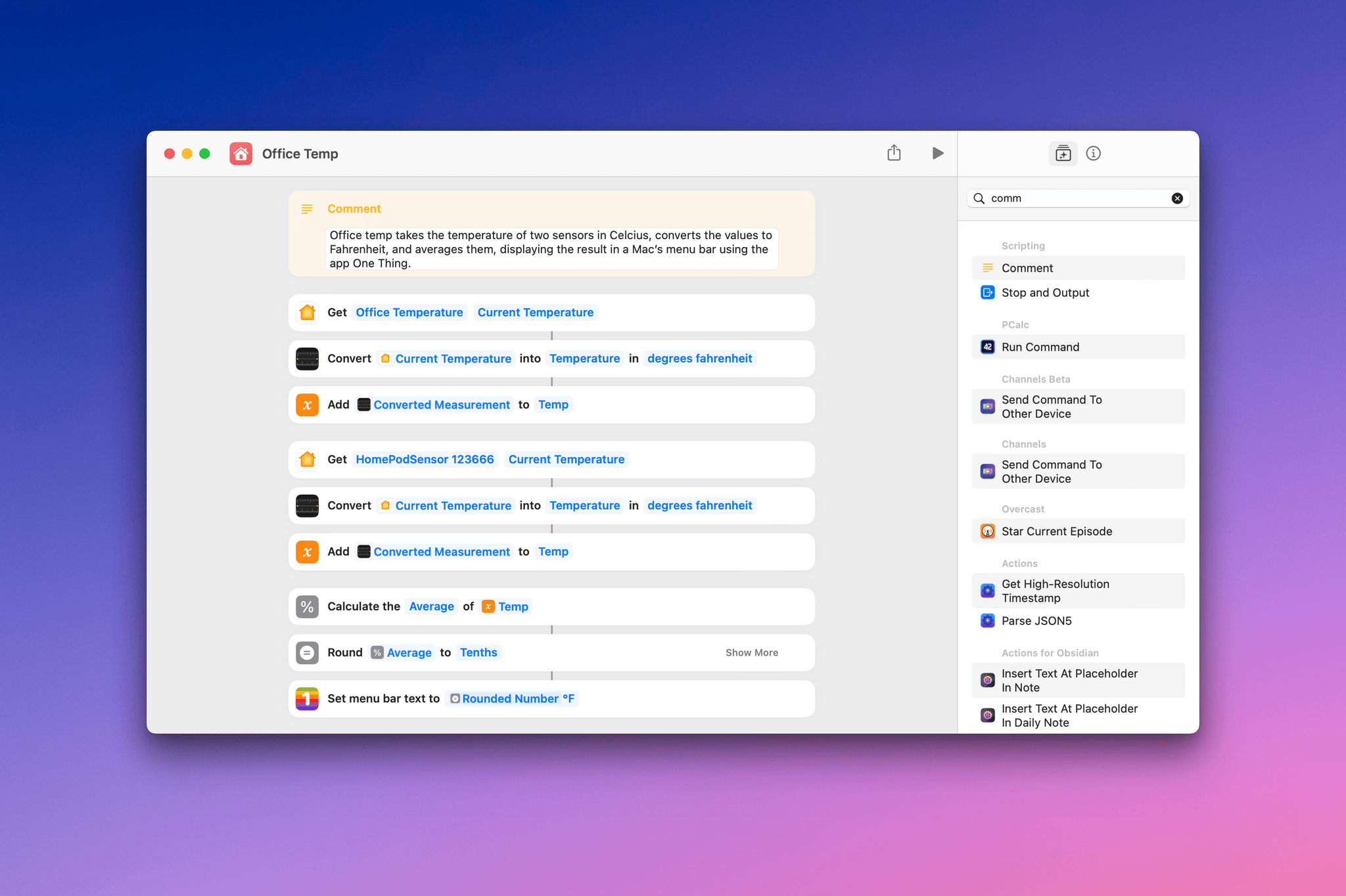
Adding the Average Indoor Temperature to My Mac’s Menu Bar
Accessing the Battery Health on an iPad, What Happens When Your iPhone or iPad Updates, Mona Themes, and a GPT Shortcut
Here are the highlights from the Club MacStories Discord this week:
A cool trick for finding the battery health of your iPad. Rod explains what’s going on when you update your iPhone or iPad and you see the ‘preparing update’ message.
Over in the app-theming channel, members have been posting some great themes...
HomeKit Apps for Easy Access to Scenes and Devices
After a long hiatus, I’m digging back into HomeKit. We’ve settled into our new home, and I’m in the process of repurposing older HomeKit devices and buying some new items that will fit better with our new setup. For more on my projects, check out this week’s episode of MacStories Unplugged. That process has me...
MacStories Unwind: Metroid Prime Remastered and Shrinking







This week, Federico’s dream comes true with the release of Metroid Prime Remastered, and John has fallen hard for Shrinking, an Apple TV+ comedy from the makers of Ted Lasso.
Links and Show Notes
Federico’s Pick:
- Metroid Prime Remastered
- Trailer (2023)
- Original Metroid Prime trailer (2001)
- Triple Click Podcast, Triple Play: Metroid Prime Remastered
John’s Pick:
iOS and iPadOS 16.4 Betas Are Out with New Emoji, Loads of Safari Updates, Apple Podcasts Enhancements, Shortcuts Actions, and More

Apple has released betas of iOS and iPadOS 16.4 with new features and its version of new emoji approved by the Unicode Consortium last summer.
Some of the biggest changes coming to iOS and iPadOS later this spring will be to Safari. Many of the biggest user-facing features relate to web apps. Apple has supported saving web apps to the iPhone and iPad’s Home Screen since the earliest days of those devices, but today’s announcements put web apps on a more even footing with native apps than before.
According to a post by Brady Eidson and Jen Simmons on WebKit.org:
- Safari will support Web Push with iOS and iPadOS 16.4, which will work like other notifications on the system. Once a user authorizes a web app to send notifications, they will be sent and managed just like notifications from native apps.
- Users will be able to associate notifications from web apps with Focus modes, too, allowing or filtering them out based on the options picked when setting up a Focus mode.
- Web app icons on your Home Screen will gain the ability to display badges.
- Third-party browsers will be able to add web apps to the Home Screen for the first time from the share sheet.
- Multiple web apps can be added to the Home Screen and renamed by users allowing them to be part of different Focus filters.
There are many other interesting additions and changes to the WebKit framework for developers that they can check out on the WebKit site.
Last summer, the Unicode Consortium announced its draft candidates for new emoji. The betas of iOS and iPadOS 16.4 include Apple’s renderings of those emoji, a handful of which are in the image at the beginning of this story. Included among the new emoji are a shaking face, three new colors of hearts, left and right pushing hands in multiple skin tones, a moose, a donkey, a blackbird, a goose, ginger, a hair pick, a flute, peas, and more.
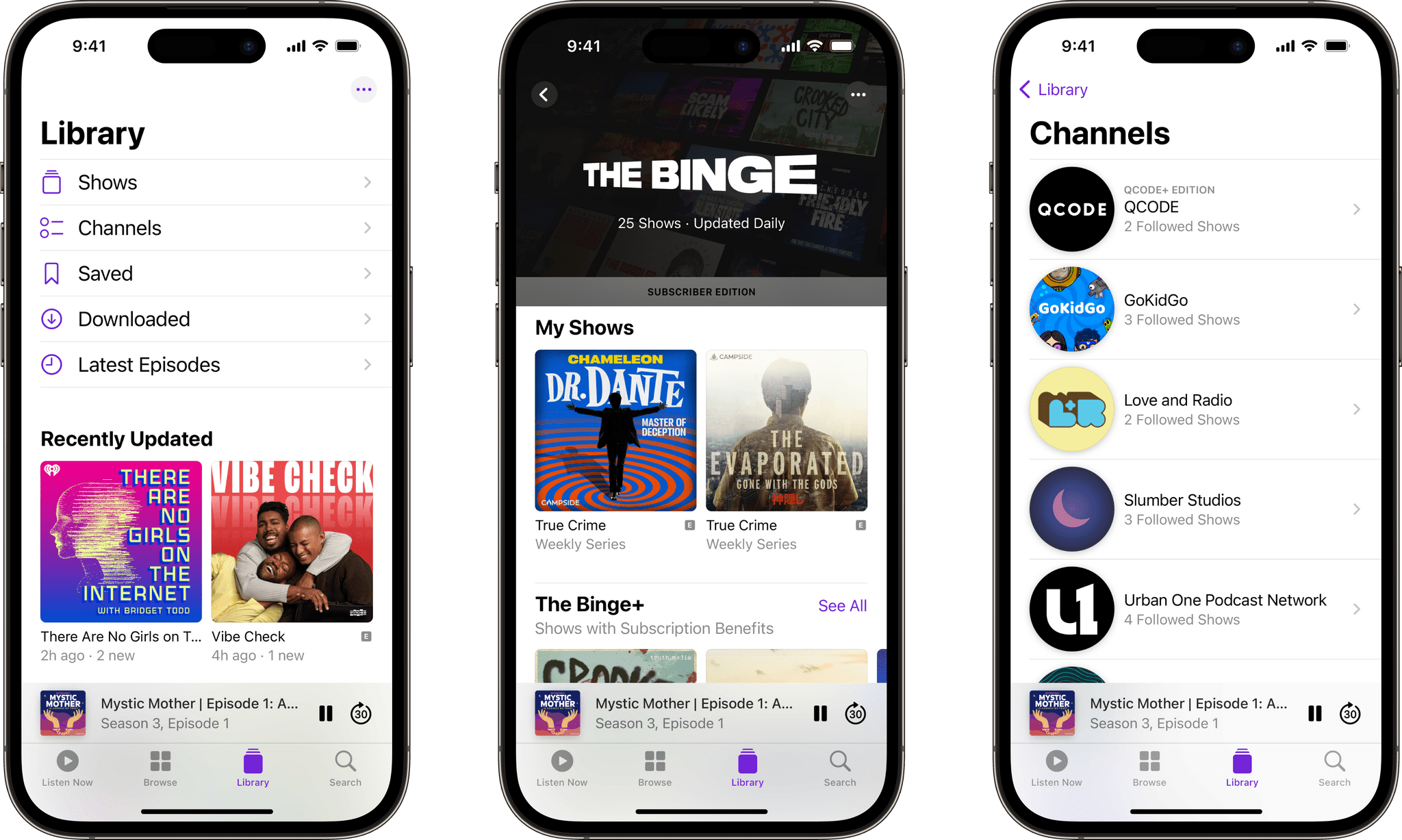
Apple Podcasts includes changes in the betas too. Channels are Apple Podcasts’ collections of shows from a single publisher. In iOS and iPadOS 16.4, Channels will be included in the library, allowing users to access the ones they follow and subscribe to more easily. Up Next is adding the ability to resume episodes, start saved episodes, and remove any you want to skip. Plus, episodes you’re listening to in the app that you don’t follow or subscribe to will live in Up Next until you finish or remove them. Users will also be able to access their Up Next and Recently Played queues from CarPlay, which should add a lot more flexibility than before. For more detail on these changes, which are also coming to the Mac, check out Apple’s post on the Apple Podcasts for Creators website.
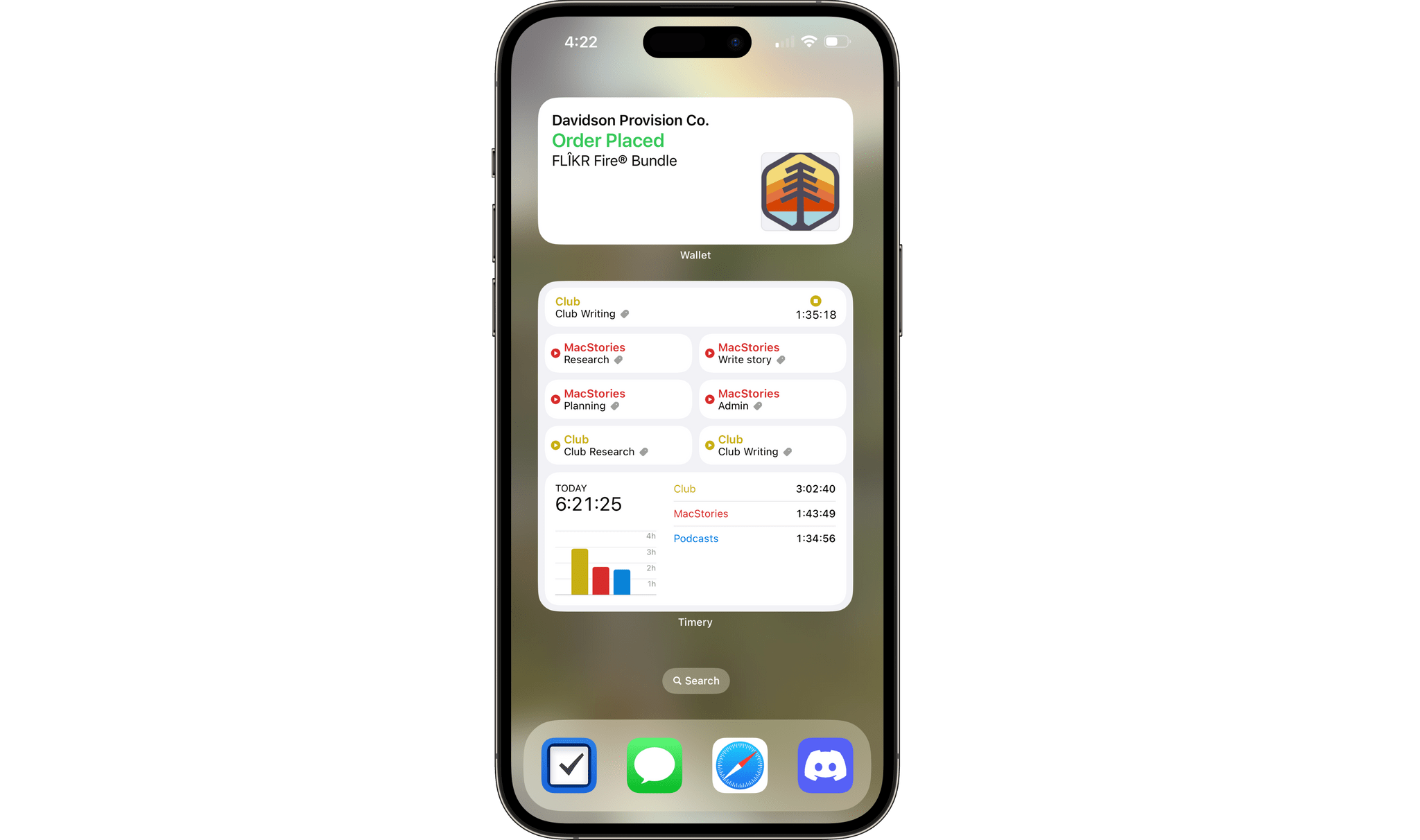
There are a bunch of other smaller changes coming too:
- Messages is gaining Mastodon post previews.
- Focus modes will be able to turn the iPhone’s Always-On display on and off.
- Shortcuts will gain actions to turn Stage Manager and the Always-On display on and off.
- The ability to upgrade your HomeKit architecture has returned to the Home Settings of the Home app.
- Anyone with a paid developer account can now install the betas without first installing a developer profile on their iPhone or iPad.
- Wallet has gained a package tracking Home Screen widget.
Primate Labs Updates Geekbench on All Platforms→
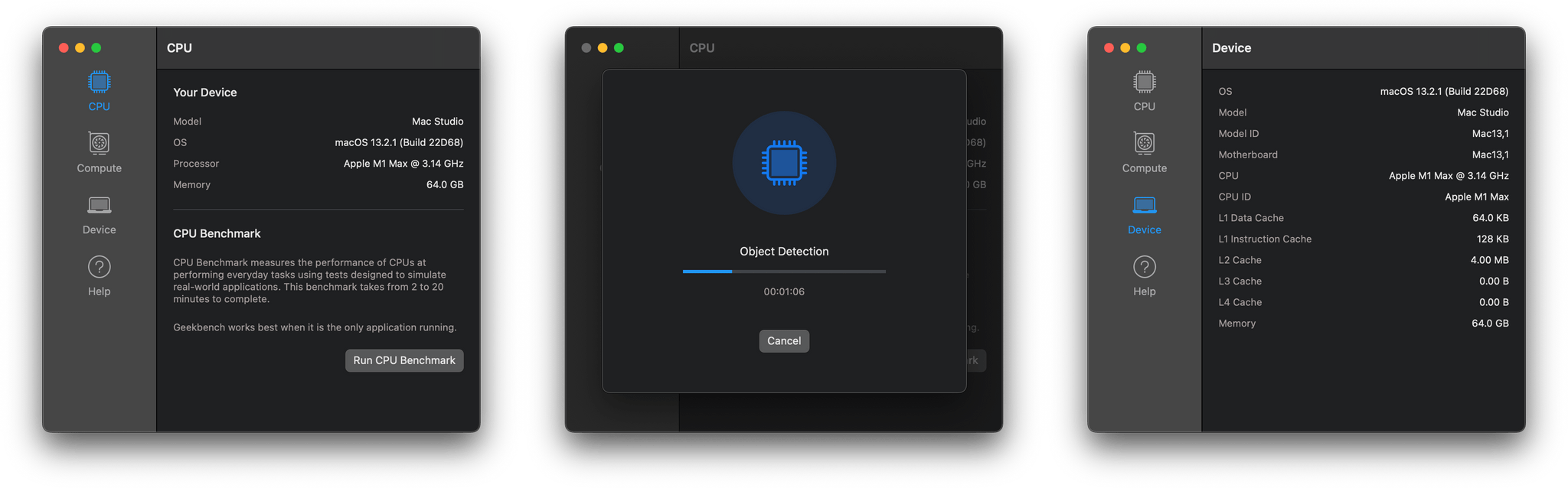
Yesterday, Primate Labs released Geekbench 6, the suite of benchmarking tools for Apple and other vendors’ hardware. According to the company:
Geekbench tests have always been grounded in real-world use cases and use modern. With Geekbench 6, we’ve taken this to the next level by updating existing workloads and designing several new workloads, including workloads that:
- Blur backgrounds in video conferencing streams
- Filter and adjust images for social media sites
- Automatically remove unwanted objects from photos
- Detect and tag objects in photos using machine learning models
- Analyse, process, and convert text using scripting languages
In addition to updating benchmark workflows, Primate Labs says Geekbench includes modern file types and file sizes that reflect current computing tasks on Macs, iPhones, iPads, and other devices. The company also changed its multi-core benchmark to include tasks that span multiple cores to align the tests with how modern devices typically tackle a job.
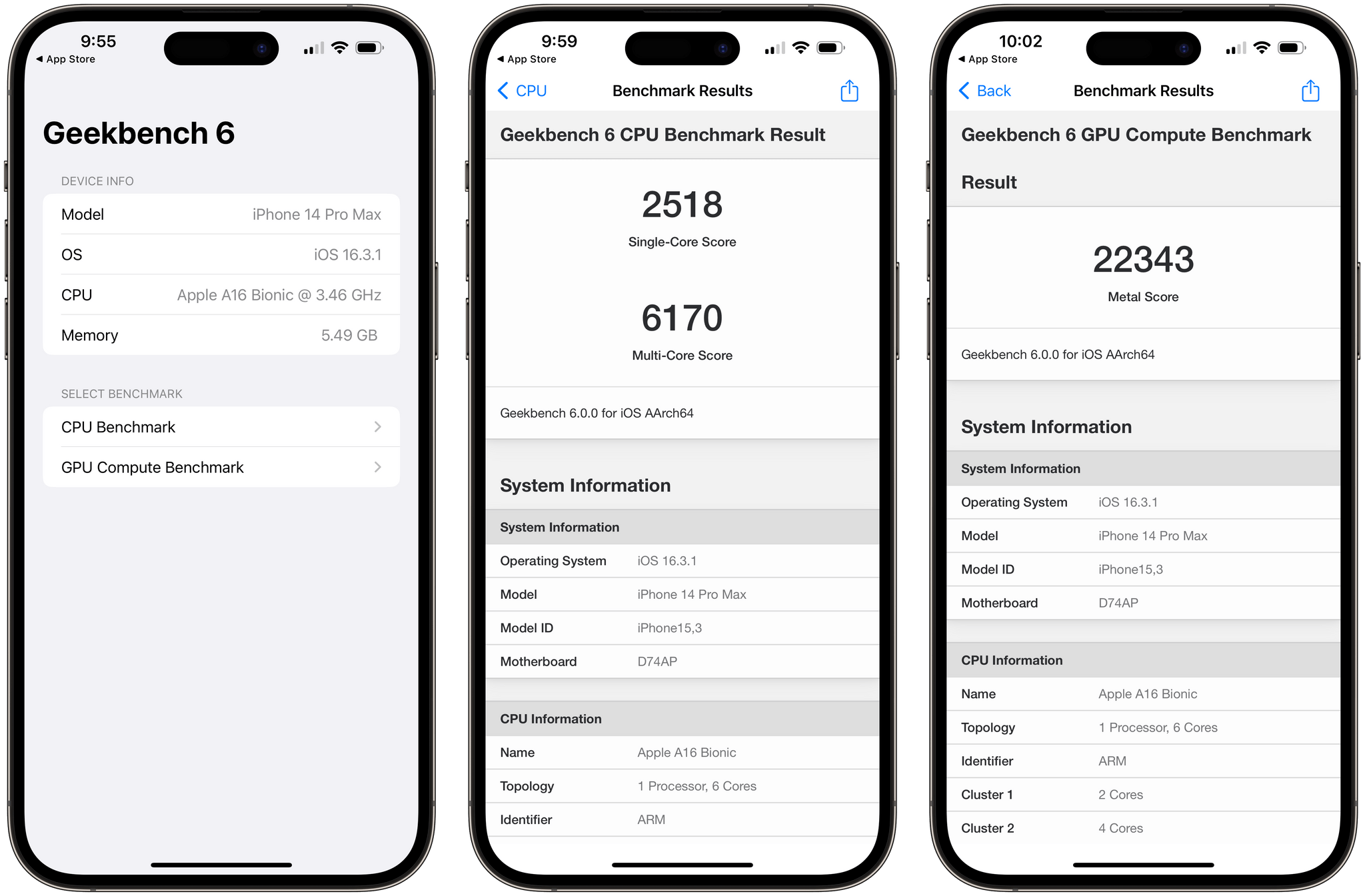
My time with the new benchmark apps has been limited, but running them on my Mac and iPhone went smoothly. It’s worth noting that the apps are significantly larger, and it take longer than before due to the changes made to the underlying benchmark tests. However, it’s great to see Primate Labs working to make its tests reflect modern usage patterns and hardware.
Geekbench 6 for Mac is available as a direct download from Primate Labs. The iOS and iPadOS versions of the app are available on the App Store.
AppStories, Episode 316 – Artificial Intelligence and Apps (Part 1)→
This week on AppStories, we begin a new series on the impact of artificial intelligence on apps and the world around us. This week’s episode sets the stage with a look at chatbots, image-generation tools, and issues and opportunities they raise.
Sponsored by:
- Sofa – Be more intentional with your downtime.
- Daylite – Not just another CRM, the small business app that grow your business and Mac users love!
- Squarespace – Make your next move. Enter offer code APPSTORIES at checkout to get 10% off your first purchase.
](https://cdn.macstories.net/banneras-1629219199428.png)
On AppStories+, we share our experiments with Whisper, OpenAI’s audio to text engine, and their very different approaches to it.
We deliver AppStories+ to subscribers with bonus content, ad-free, and at a high bitrate early every week.
To learn more about the benefits included with an AppStories+ subscription, visit our Plans page, or read the AppStories+ FAQ.