 We’re Looking for Club MacStories+ Discord Members to Beta Test An Update to NoteClipper
...

 We’re Looking for Club MacStories+ Discord Members to Beta Test An Update to NoteClipper
Interesting Links
Email and Package Delivery Apps, Plus How Stage Manager for iPad is like Windows 95
We’re Looking for Club MacStories+ Discord Members to Beta Test An Update to NoteClipper
Interesting Links
Email and Package Delivery Apps, Plus How Stage Manager for iPad is like Windows 95






This week on MacStories Unwind, I unleash a tech gripe about an otherwise excellent product and recommend The Beth’s latest album, Expert in a Dying Field. Plus, Federico has finished Better Call Saul, so he revisits the show which he originally covered last month.
John’s Gripe:
John’s Pick:
Federico’s Pick:
This week on AppStories, we are joined by Widgetsmith developer David Smith to talk about the history of his app, Widgetsmith, iOS 16 Lock Screen Widgets, and his recent hike through the Scottish Highlands where he tested the iPhone 14 Pro’s camera and the Apple Watch.
Sponsored by:
On AppStories+, it’s my turn to surprise Federico.
We deliver AppStories+ to subscribers with bonus content, ad-free, and at a high bitrate early every week.
To learn more about the benefits included with an AppStories+ subscription, visit our Plans page, or read the AppStories+ FAQ.
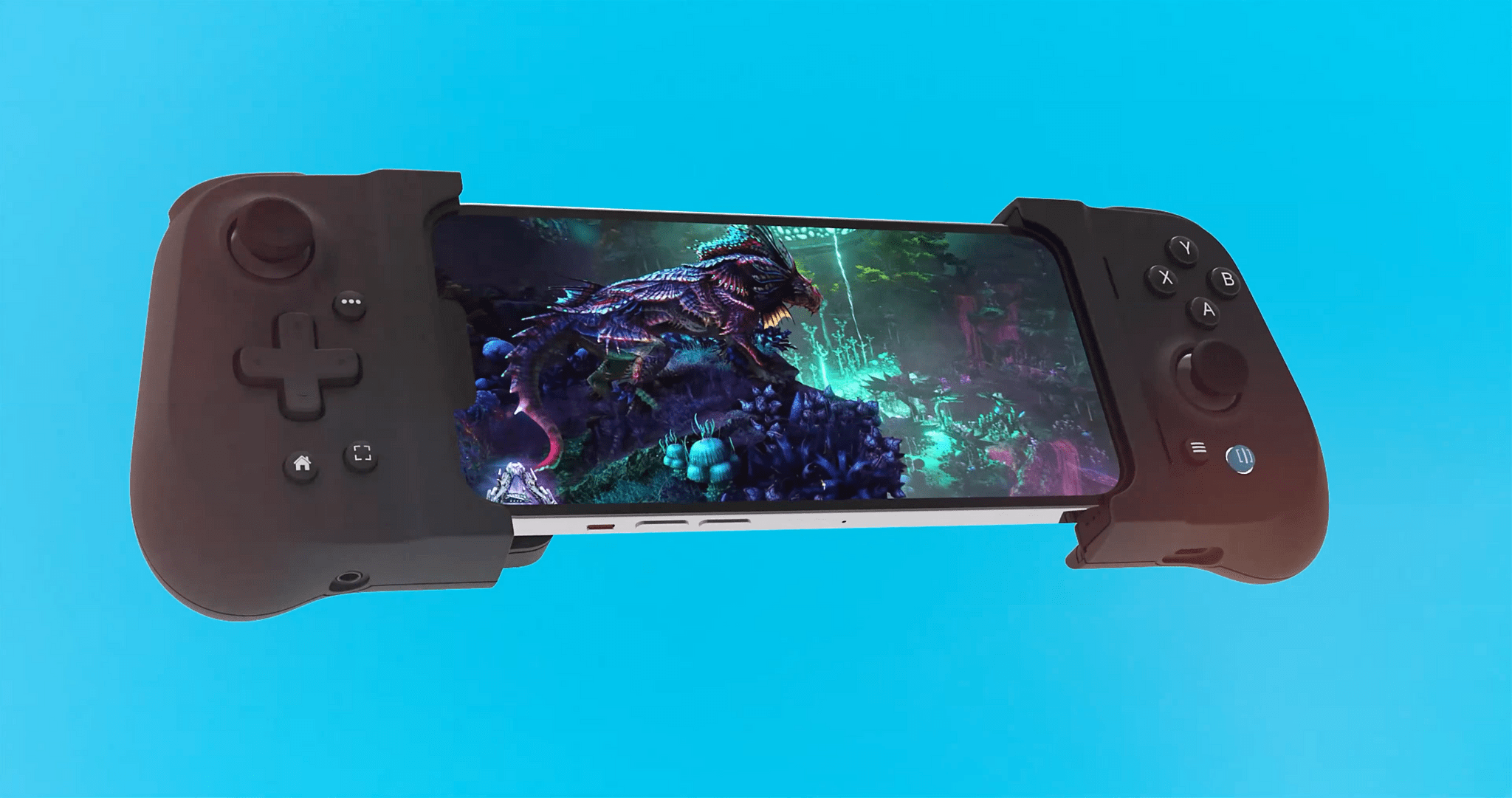
Today, Gamevice announced pre-orders for the Flex, a new MFi-certified, case-compatible game controller for the iPhone. Like the Backbone One and Razer Kishi V2, the Flex separates an Xbox-style controller into two halves that connect to the ends of your iPhone for playing controller-compatible iOS games. I haven’t had a chance to try the Gamevice Flex, but based on the company’s announcement video, there are a handful of features that set it apart from the Backbone One and Razer Kishi V2 that are worth considering if you’re shopping for an iPhone game controller.
Like the Razer Kishi V2, the Gamevice Flex uses spacers to accommodate a long list of Apple and third-party cases, an advantage over the Backbone One, which requires you to remove your case before using it. The downside, of course, is keeping track of the collection of spacers to allow for moving to a different case in the future.
Gamevice says that the Flex uses Hall effect triggers, a technology that uses magnetic field sensors instead of mechanical parts to cut down on the wear and tear on components. The company hasn’t said if the Flex’s thumbsticks use the same technology or not.
Like the Backbone One, the Flex includes passthrough charging via a Lightning port on the end of one of the controller’s grips and a headphone jack on the other grip. The Razer Kishi V2 includes a Lightning port for charging but not a headphone jack. Although you can never be sure about how a controller will feel to use until you have it in your hands, I like the look of Flex’s grips too.
Originally announced in August with the video above, 9to5Mac has a hands-on with a prototype of the Flex with more details on what the device is like to use.
Set to start shipping later this month, the Gamevice Flex costs $109.95 for the iPhone model, which is about $10 more than the Backbone One or Razer Kishi V2, and $99.95 for the Android version. Customers who order before October 14th can get one month of Xbox Game Pass Ultimate free with their purchase.
Because Club MacStories now encompasses more than just newsletters, we’ve created a guide to the past week’s happenings along with a look at what’s coming up next:
 Widgets, iPhone Photography, and the Apple Watch Ultra with David Smith
This week, Federico and John are joined by Widgetsmith developer David Smith to talk about the history of his app, Widgetsmith, iOS 16 Lock Screen Widgets, and his recent hike through the Scottish Highlands, where he tested the iPhone 14 Pro’s camera and the Apple Watch
App Debuts ](https://cdn.macstories.net/banneras-1629219199428.png)
 Federico