John Voorhees

5405 posts on MacStories since November 2015

John is MacStories' Managing Editor, has been writing about Apple and apps since joining the team in 2015, and today, runs the site alongside Federico. John also co-hosts four MacStories podcasts: AppStories, which covers the world of apps, MacStories Unwind, which explores the fun differences between American and Italian culture and recommends media to listeners, Ruminate, a show about the weird web and unusual snacks, and NPC: Next Portable Console, a show about the games we take with us.

This Week's Sponsor:

Dropzone 5

Improve your Drag-and-Drop Workflow


AppStories, Episode 371 – Exploring visionOS

This week on AppStories, we move on from hardware to explore visionOS, where it hits, where it misses, and what we’d like to see in the future from the OS.

Sponsored by:

  • Paste – Endless clipboard for Mac and iOS devices
  • Crouton – A home for your favorite recipes from wherever you find them

On AppStories+, we discuss the developer strap and how it could potentially gain new features in the future, as well as the idea of using a headless Mac as a Vision Pro accessory.

We deliver AppStories+ to subscribers with bonus content, ad-free, and at a high bitrate early every week.

To learn more about the benefits included with an AppStories+ subscription, visit our Plans page, or read the AppStories+ FAQ.

Read more


Exploring visionOS

AppStories+ Deeper into the world of apps

AppStories Episode 371 - Exploring visionOS

0:00
42:27

AppStories+ Deeper into the world of apps

This week, Federico and John move on from hardware to explore visionOS, where it hits, where it misses, and what they’d like to see in the future from the OS.

Read more


The Tools I Use to Proofread My Writing

One thing I’ve learned about myself as a writer is that I’m not a very good proofreader. No matter how carefully I think I’m proofing something I wrote, typos slip through. There are a few things going on here. One is that by the time I’m proofreading, my brain has already moved on to the...


App Debuts

Bezel Bezel is a visionOS app with an iPhone companion utility that allows you to mirror your iPhone’s screen in real-time on the Vision Pro and display it into a resizable 3D iPhone frame. The idea is intriguing enough: I, for one, struggle to read my iPhone’s screen when I’m wearing the Vision Pro,...


Interesting Links

Writing for The Verge, Chris Welch reviews the Bose Ultra Open, the company’s latest wireless earbuds based on a brand new design that doesn’t go into your ears. (Link) [[John]] Sarah Perez, writing for TechCrunch, looks at what the demise of Twitter has meant to the social media landscape, RSS, and more. (Link) Zoë...


MacStories Unwind: Vision Pro Q&A with Club MacStories Members

AppStories+ Deeper into the world of apps
0:00
45:15

AppStories+ Deeper into the world of apps


This week on MacStories Unwind, we answer questions from Jonathan Reed and Club MacStories members about the Apple Vision Pro live from the Club MacStories Discord audio channel.

  • Kolide – It ensures that if a device isn’t secure it can’t access your apps.  It’s Device Trust for Okta. Watch the demo now.

MacStories Unwind+

We deliver MacStories Unwind+ to Club MacStories subscribers ad-free and early with high bitrate audio every week.

To learn more about the benefits of a Club MacStories subscription, visit our Plans page.

Read more


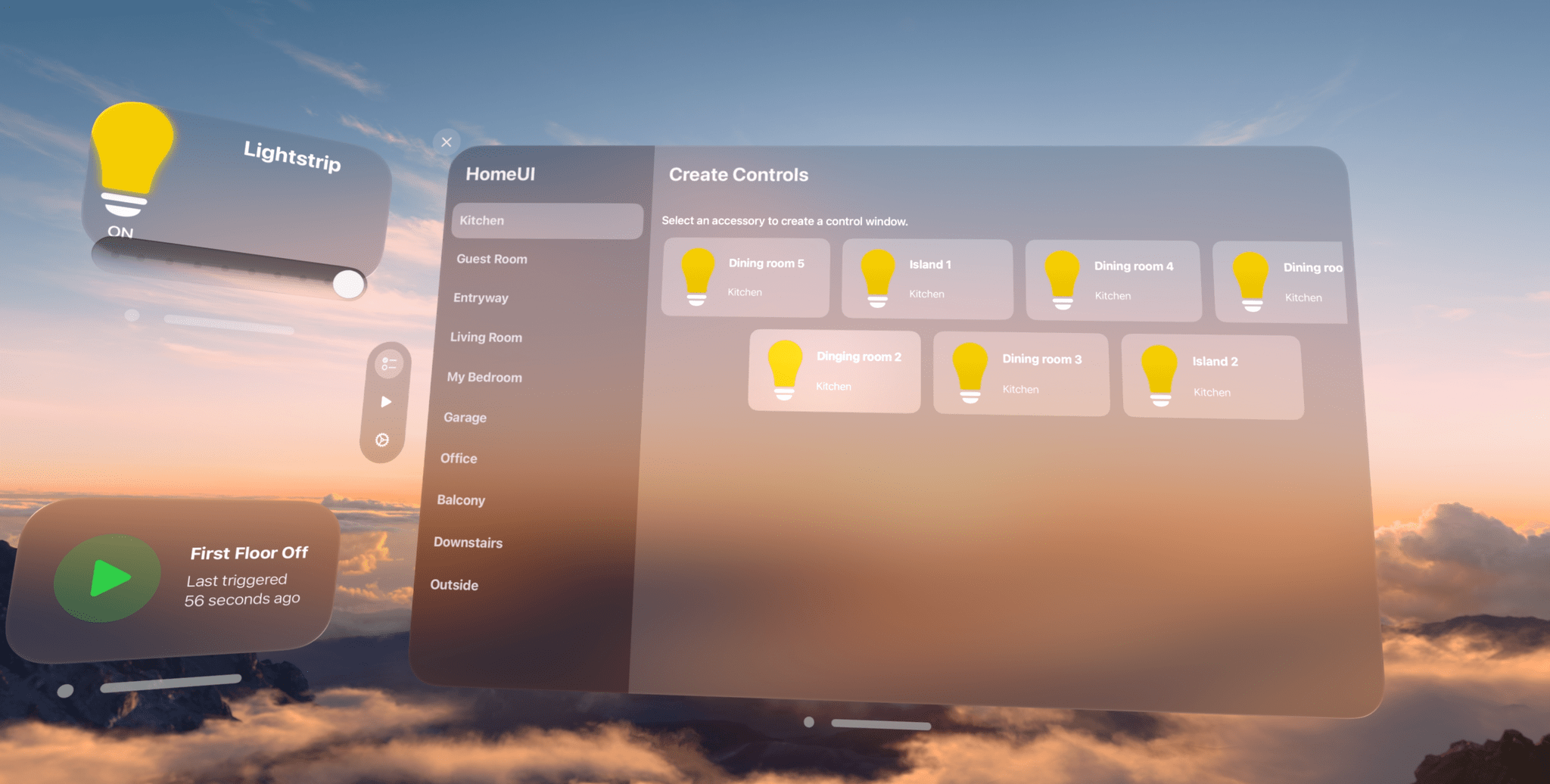
Vision Pro App Spotlight: HomeUI Enables Spatial Control over HomeKit Lights, Switches, and Outlets

The Apple Vision Pro doesn’t have a native version of the company’s Home app. You can launch the iPad version in compatibility mode, which I’m glad is available, but that means it doesn’t offer any spatial computing features beyond a window floating in your environment. Fortunately, HomeUI by Rob Owen fills the gap with a native visionOS app focused on lights, electrical outlets, and switches.

Read more


Welcome to Weird

Today, Chance Miller reported for 9to5Mac that the progressive web app (PWA) issues iPhone users in the EU have been seeing throughout the iOS 17.4 beta cycle are indeed intentional, breaking changes. The evidence is new developer documentation that added a Q&A section dealing with web apps. As Chance explains:

One change in iOS 17.4 is that the iPhone now supports alternative browser engines in the EU. This allows companies to build browsers that don’t use Apple’s WebKit engine for the first time. Apple says that this change, required by the Digital Markets Act, is why it has been forced to remove Home Screen web apps support in the European Union.

The upshot of Apple’s answer to why PWAs no longer work in the EU is that it would be hard to implement the same thing for other browsers, few people use PWAs, and the Digital Markets Act requires browser feature parity, so they took the feature out of Safari. Each step in that logic may be true, but it doesn’t make the results any more palatable for those who depend on web apps, which have only grown in importance to users in recent years.

For anyone who was there when Steve Jobs declared web apps a ‘Sweet Solution’ when developers clamored for Apple to open up the iPhone’s OS to native apps, taking them away in the face of regulations that force Apple to open up to alternative browser engines carries a heavy dose of irony. It also illustrates that when the motivations behind software design are driven by lawyers and regulators, not market forces, things get weird. And as iOS 17.4 shows, EU-iOS is solidly in weird territory.

PWAs may not be a top 10 feature of Safari, but that’s at least partly the result of the company’s own decisions because it wasn’t until recently that PWAs became viable alternatives to some native apps. Web apps aren’t going anywhere, and choosing to eliminate PWAs from Safari instead of doing the work to extend them to all browsers runs counter to the open web and the momentum of history. I hope Apple reconsiders its decision.

Permalink

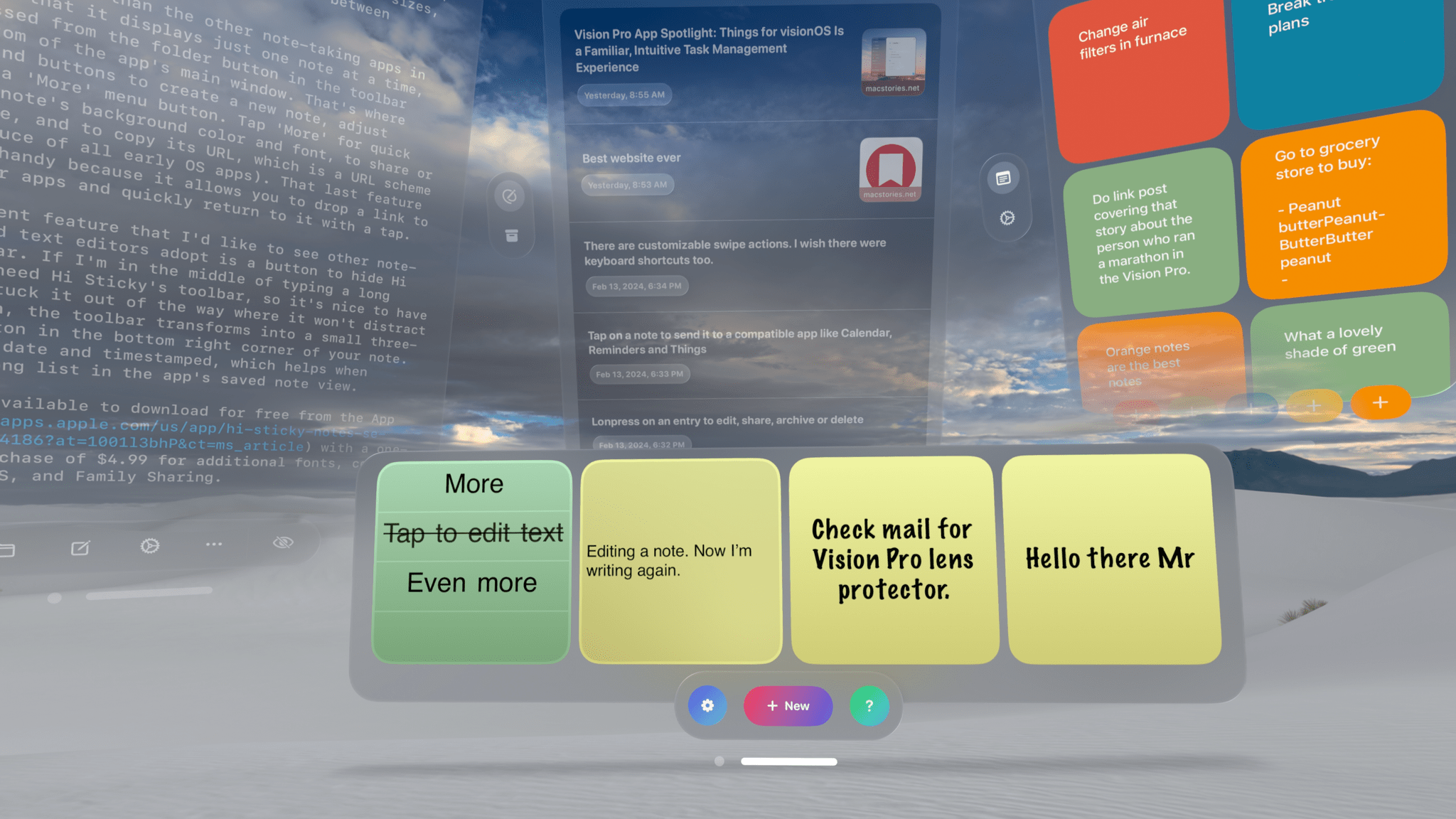
Vision Pro App Spotlight: My Favorite Ways to Take a Quick Note

One of the advantages of working with the Vision Pro is the flexibility of using your surroundings to spread out. Your entire room becomes your workspace, and if you’re in an Environment, your workable space expands even further. That makes it easier to keep a note-taking app open at all times than on any other device. In turn, that makes having an app to quickly jot down your thoughts all the more useful.

There are already quite a few interesting note-taking apps on the App Store, so I wanted to highlight a handful I like, each of which has something unique to offer.

Read more