John Voorhees

5404 posts on MacStories since November 2015

John is MacStories' Managing Editor, has been writing about Apple and apps since joining the team in 2015, and today, runs the site alongside Federico. John also co-hosts four MacStories podcasts: AppStories, which covers the world of apps, MacStories Unwind, which explores the fun differences between American and Italian culture and recommends media to listeners, Ruminate, a show about the weird web and unusual snacks, and NPC: Next Portable Console, a show about the games we take with us.

This Week's Sponsor:

Dropzone 5

Improve your Drag-and-Drop Workflow


Simple Scan: A Scanning Solution for People Who Don’t Scan Often

One of my favorite kinds of apps is simple utilities that solve a common problem and are straightforward to use. That’s exactly what Greg Pierce has created with Simple Scan, a scanning app for the iPhone and iPad that simplifies the process of one-off document scans.

Simple Scan is entering a crowded scanning market. Many scanning utilities also help you organize your scans, store them in the cloud, submit expense reports, and more. There are people who need that sort of extended feature set, but somewhere along the way, people with simpler needs have been forgotten.

That’s exactly my situation. I occasionally scan a receipt for one reason or another, but it’s not something I do often. As a result, it doesn’t make sense for me to pay a lot for a scanning app with features I’ll rarely use. Nor do I want to use a free version with ads, which is why I like Simple Scan so much.

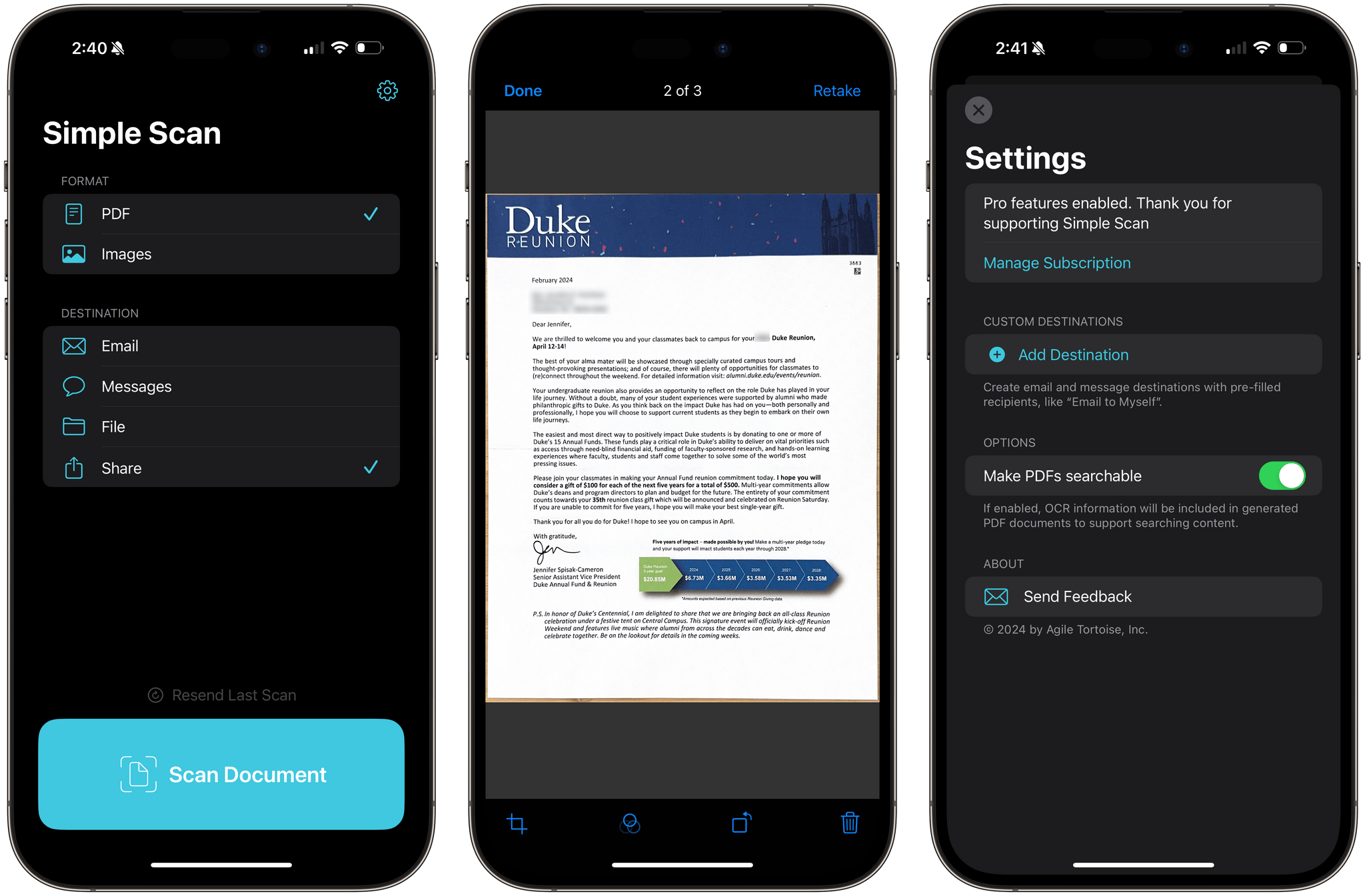
Simple Scan has two options and a big ‘Scan Document’ button. Pick whether you want to create a PDF or an image, select a destination, then point your device’s camera at a document and start scanning. That’s all there is to it. Destinations include email, Messages, the Files app, and the system share sheet, covering all the obvious places you’d want to send most scans.
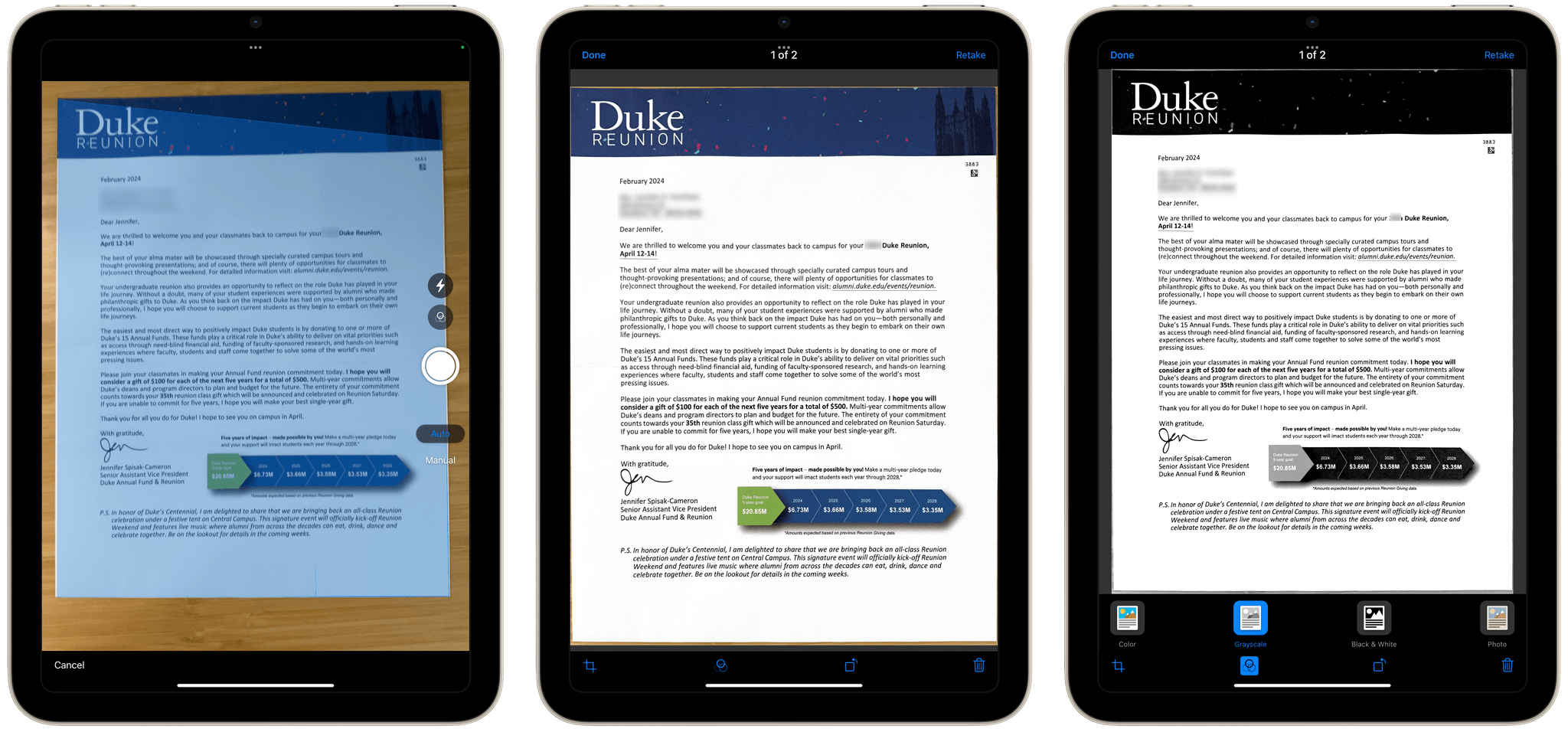
There are four scanning modes including color and black and white.

There are four scanning modes including color and black and white.

The destination options in Simple Scan are key. You can already scan documents into Apple Notes, but it adds to the overhead of scanning and clutters Notes with one-off scans. With Simple Scan, you’re up and running faster and with more options for where to store or send your documents.

The scanning process uses Apple’s built-in scanning feature, allowing you to drag points to the corners of your document for cropping. The app also supports:

  • Manual or automatic shutter
  • Color, Greyscale, black and white, and photo scans
  • Automatic, on, and off settings for your camera’s flash

Plus, there’s a toggle in settings to turn OCR of PDF files on or off.

As you scan pages, they stack up as thumbnails in the corner of the screen, where you can tap on them to make basic edits or discard them. When you’re finished, there’s a Save button on the opposite side of the shutter button that sends the images to whatever destinations you’ve chosen. That’s all there is to Simple Scan, but for a lot of people, myself included, it’s also enough.

Simple Scan is free to download from the App Store and use for your first five scans. Paying $4.99 per year or $19.99 one time unlocks unlimited scans and custom destinations that allow you to pre-fill email and iMessage recipients.


AppStories, Episode 372 – Apple Vision Pro Entertainment Apps

This week on AppStories, we share some of our favorite visionOS entertainment apps.

Sponsored by:

  • Memberful – Help Your Clients Monetize Their Passion
  • Porkbun: Get $1 off your next domain name with the code APPDEVFOO1.

AppStories+ Pre-Show

Vision Pro Entertainment Apps


On AppStories+, I explain all the little gotchas involved with taking screenshots even if you have the Vision Pro Developer Strap.

We deliver AppStories+ to subscribers with bonus content, ad-free, and at a high bitrate early every week.

To learn more about the benefits included with an AppStories+ subscription, visit our Plans page, or read the AppStories+ FAQ.

Read more


Apple Arcade’s Prestige Problem

Brendon Bigley wrote about the Apple Arcade report by mobilegamer.biz today on Wavelengths too. This part really rang true to me:

I don’t agree that there is any “real” difference in prestige between mediums beyond ever-changing societal norms, all art is capable of rising to sit upon a pedestal. I also don’t agree that any art necessarily needs to rise up in that way, and games built for quick hit sessions or telling small and relatable stories are just as valuable to the culture as anything else. Apple Arcade launched with a lineup that seemed to make a statement aligning with that belief, and has since drifted away from it while Netflix Games has run with the baton.

That belief is exactly the vibe Apple Arcade started with and still has – to a degree. But it’s also a vibe that people seem to sense is fading. I hope not. As much as I enjoy AAA titles, there need to be places to showcase games from small studios and for indie ‘finds.’ I’d love Apple Arcade to continue to be one of those places.

Permalink

Some Game Developers Are Unhappy about Apple Arcade

According to multiple unnamed mobilegamer.biz sources, some game developers are unhappy with Apple Arcade, citing shrinking payouts and canceled games. No specifics about canceled projects are cited in the story. Nor are concrete revenue numbers shared. Moreover, the criticisms leveled by some developers were not universal, with some sources speaking favorably about their relationship with Apple. Clearly, however, not everyone who has worked on Arcade titles is happy.

The details of mobilegamer.biz’s story that I think are most interesting are the ones about the business terms Apple has struck with game developers. Those are details that developers seem to be contractually prohibited from talking about. I know because I’ve asked developers about how it works before. However, according to mobilegamer.biz, Arcade developers are paid an up-front fee and from a ‘bonus pool’ based on something called ‘qualifying sessions’:

“They have this opaque metric that they call a qualifying session, and bonus pool payments are made based on that,” said one source. “But no-one knows what a qualifying session actually is – it has something to do with if the game was launched, how long the player played for and how often they return. But it’s a black box, really.”

It will be interesting to see if those arrangements change in light of the purportedly declining revenue developers are earning and the money that Netflix is spending to attract games to its newish subscription-based videogame service.

We’re about three weeks away from the annual Game Developers Conference in San Francisco, and this story strikes me as an attempt to send a message to Apple by developers who feel their games have been abandoned by the service as it has evolved. Maybe Apple hasn’t been as clear with developers as some would like. However, it’s hard to imagine that game developers paying attention to Arcade are truly surprised by the projects it approves.

Permalink

Apple Vision Pro Entertainment Apps

AppStories+ Deeper into the world of apps

AppStories Episode 372 - Apple Vision Pro Entertainment Apps

0:00
33:26

AppStories+ Deeper into the world of apps

This week, Federico and John share some of their favorite visionOS entertainment apps.

Read more


Apps for Readers

The eBook landscape is dominated by big players like Kindle, its affiliates Goodreads and Audible, and, to a lesser extent, Apple Books, but there are other options for reading, listening to audiobooks, and discovering new books. Yomu Books from the big online sellers are protected by DRM, but there are publishers who release books without...


App Debuts

Tape Measure What’s better than measuring things in the real world with an actual tape measure? Easy: measuring things in the real world with a virtual tape measure while wearing a Vision Pro. That’s the whole premise of this utility for iPhone and iPad that has now come to visionOS to let you quickly...


Interesting Links

[[Federico]] Brendon Bigley wrote about a low-profile, slim iPhone case that looks exactly like what I’ve been searching for to combine the pleasure of using an iPhone caseless with the benefits of some basic protection for its back. I’m waiting for mine to arrive. (Link) Luke Plunkett, writing at Aftermath, reminds us of one of...


MacStories Unwind: Ripping CDs for a Living

This week on MacStories Unwind, I share my tech discoveries during a visit to a classical music radio station, Federico finally goes for a spider-style gaming Wi-Fi router, and I recommend Criminal Record on Apple TV+.


This episode is sponsored by:

  • Paste – Endless Clipboard for Mac and iOS Devices

Unplugged

  • Radio station tech

Picks


MacStories Unwind+

We deliver MacStories Unwind+ to Club MacStories subscribers ad-free and early with high bitrate audio every week.

To learn more about the benefits of a Club MacStories subscription, visit our Plans page.

Read more