Graham Spencer

917 posts on MacStories since January 2011

Former MacStories contributor.


Alleged iPhone 5 Design Documents Show Bigger Screen

Update 2: To keep the display of the iPhone one that qualifies as a “Retina Display” whilst increasing the physical size and not the number of pixels, Apple could increase the display up to a size of 3.845-inches (diagonal) before it drops below 300 pixels per inch which as Steve Jobs explained in the iPhone 4 keynote, was the required PPI specification so that the human eye cannot differentiate between individual pixels when looking at a display around 10 or 12 inches away. (Thanks @ianharrier)

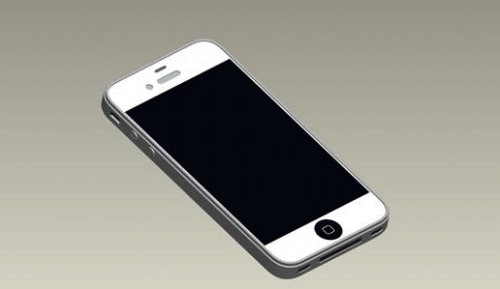
Update: MacRumors forum member, ‘Bartboy919’ did some clever comparison on those images to the current iPhone 4 and it seems as though the form factor is exactly the same which would suggest something around a 3.7-inch display rather than the current 3.5-inch display.

In a new purported leak of the iPhone 5’s design, iDealsChina claims to have gotten a hold of engineering diagrams of the iPhone 5, which show a nearly identical design to the iPhone 4 with the exception of a larger screen, potentially one that is 4 inches. The screen seems to take up a larger portion of the front face of the phone and the bezel on the sides of the display is much thinner.

Whilst there are a number of purported leaks of design documents for upcoming Apple device releases, iDealsChina has previously leaked accurate design renderings of the fourth generation iPod Nano and they have also previously claimed to have posted a photo of the iPhone 5’s bezel which correspond with these drawings. Whilst this doesn’t confirm these designs are accurate it does decrease the likelihood that these are fake. Jump the break for another picture of the drawings.

Read more


iPad Becomes More Enterprise Friendly With VMWare View

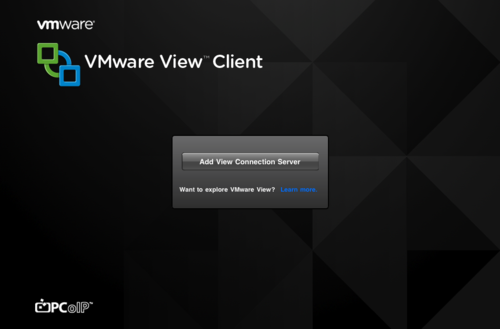
In what is definitely a big win for the iPad in the Enterprise world, the fairly ubiquitous VMWare has released a new iPad app named VMWare View. The iPad app allows users to access and use virtual desktops from a company’s VMWare servers.

VMWare joins Citrix another fairly ubiquitious company that offers enterprise virtualisation services in offering a similar iPad app. As Robert Scoble notes (and you can watch him talk with some of the VMWare executives after the break) these virtualisation apps will become more usable and functional with the iPad 2’s external display function, cameras and speed increase.

Read more


Australian Government Wants To Classify Mobile Games

The Australian Government has today revealed that it plans to enforce a classification of review of any mobile games (and possibly apps) that are referred to the Australian Classification Board after a complaint. Any app referred for review would have to receive a rating of MA15+ or lower to remain on sale legally in Australia.

The Government has said that if the proposal goes through it would force Apple and Google to comply by removing any app that is banned by the Classification Board as well as ensuring that any app that has gone through classification would have its classification displayed for consumers to see.

Currently there is ambiguity over classifying new online content including mobile apps for the iPhone or for Google’s Android OS in Australia with some suggesting that technically every game should be classified, an impossible feat with the number of apps in the App Store alone. The new proposal by the Home Affairs Minister would only require classification of game apps that the Classification Board receive complaints about and the Minister believes that there would be “very, very few games” that would be refused classification (banned).

Read more


Instaprint Could Well Be The Coolest Use Of Instagram’s API Yet

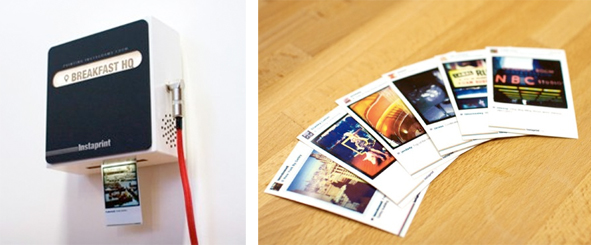
Just like the launch of Instagram itself, the Instagram API has enjoyed some substantial success with a number of cool web apps that have utilized it. But none of those really matter much at all once you see Instaprint, its not a webapp but an actual printer that can print any Instagram photo onto Polaroid-esque paper for those tagged at a certain location or with a specific hashtag.

Right now Instaprint has set up a demo box at SXSW and plans to eventually offer to rent the printers out, which sounds great for big events or promotional campaigns that want to utilise social media in a new and unique way. You can try it out right now by tagging any Instagram photo with the hashtag #Instaprint and see it being printed live in the Ustream video after the break (although as of writing it wasn’t live).

Read more


Celeste Brings Tightly Integrated Bluetooth Sharing To iOS

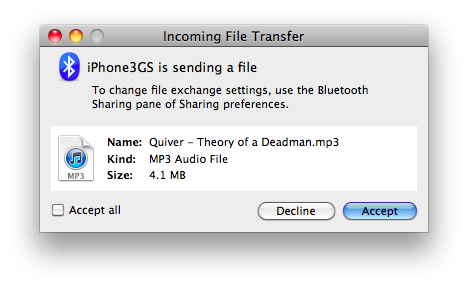
Coming later this week to the Cydia Store is a new tweak from CocoaNuts called Celeste, a handy little tweak that will allow you to send and receive various audio, video and image files to and from your iOS device using Bluetooth. Whilst there have been other apps and tweaks distributed through Cydia that brought Bluetooth sharing to iOS such as iBlueNova, Celeste seems to be a much more tightly and neatly integrated tweak.

Celeste keeps it simple by just indicating, via an inverted Bluetooth icon on the status bar, that the tweak is running and then to share files is just a click or two away. Another feature that others have lacked is that Celeste will also make sure any songs and videos you receive over Bluetooth will automatically be synced over into iTunes, as if you had purchased it. Jump the break for a demo of how the tweak works.

Read more


Adobe Releases Its Flash To HTML5 Conversion Tool

Adobe has released its Flash to HTML5 conversion tool to its Adobe Labs website for designers and developers to easily produce HTML5 (and thus iOS compatible) content from a Flash project. John Nack, the Principal Product Manager at Adobe said back in October last year (when the tool was announced) that Adobe’s goal was to “Cut the cost of targeting multiple runtimes & we’ll deliver real wins”.

The tool, codenamed “Wallaby” is limited and far from complete but it should work fine with most Flash banner ads, however projects utilizing ActionScript are currently not supported by the tool. The tool allows simple drag and drop conversion and Adobe says that it “allows you to reuse and extend the reach of your content to devices that do not support the Flash runtimes.”

Whilst Adobe is not at all backing off from backing Flash, it certainly seems that they have been forced into implementing HTML5 support in order to please its customers who see the wide usage of devices such as the iPad and iPhone which don’t support Flash. It is also evident that at least part of Steve Job’s ‘Thoughts on Flash’ article from last April is coming true;

New open standards created in the mobile era, such as HTML5, will win on mobile devices (and PCs too). Perhaps Adobe should focus more on creating great HTML5 tools for the future, and less on criticizing Apple for leaving the past behind.

[Via The Loop]


Seventh Beta of 10.6.7 Now Available in Mac Dev Center

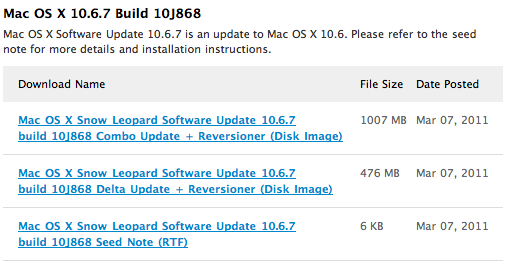
Earlier today Apple seeded the seventh beta of OS X 10.6.7 (a Snow Leopard update, not Lion) and is available for developers at the Mac Dev Center. The build number is 10J868.

There are no known issues with the build and as has been a similar case with previous betas, Apple is asking developers to focus on Safari, Mac App Store, AirPort, Bonjour, SMB, and Graphics Drivers.

[Via 9to5 Mac]


iPad 2 Launch Details Roundup

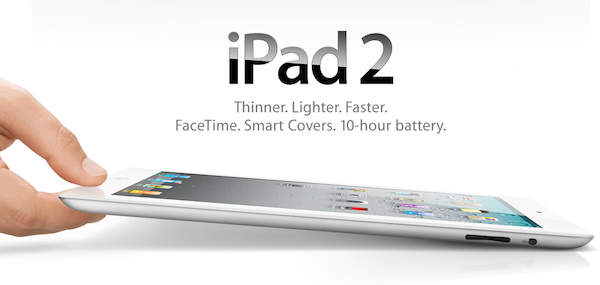
There has been an avalanche of information regarding the iPad 2 launch since the Apple event last week so if you are confused, unsure or just want a refresher on the launch details just jump the break for a full roundup of all the important details!

Also be sure to check out our iPad 2 roundup to get all the details what exactly is new and awesome about the iPad 2.

Read more


Yes, The iPad 2 Is Carrier Unlocked

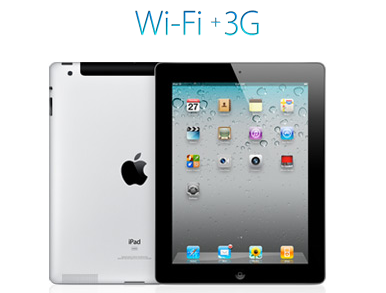
Over the weekend there were some reports that WiFi+3G iPad 2’s would be locked to a specific carrier after people read on the Canadian Apple site that “the iPad model you purchase is specially configured to work with either Bell, Rogers, or Telus.” It turns out that this wordage, whilst technically correct, is very confusing in that whilst the iPad is initially configured to work with a specific carrier, it can be reconfigured to work with other carriers at any stage.

This has been confirmed by a number of people from iPadinCanada to TUAW that have all confirmed from a variety of sources including Rogers Wireless, Apple Experts and Apple Support that you can swap SIMs and carriers with the iPad 2. The only issue (a very minor one) is that the iPad will need to connect to iTunes after the SIM has been swapped to download the new carrier settings, which is required for the 3G service to be usable.

So to be totally clear to all those interested, the iPad 2 is not carrier locked, rather Apple has just over-simplified the information it provided, because you can indeed reconfigure the iPad to work with another carrier with a simple SIM swap and iTunes sync. The one caveat to all this is of course the Verizon (CDMA) iPad 2 which will not be able to switch to any carrier using a GSM network because it does not contain a 3G chipset compatible with GSM networks.

[Via TUAW]