Graham Spencer

997 posts on MacStories since January 2011

Former MacStories contributor.

iOS 5 & iCloud Tips: Sharing an Apple ID With Your Family

With the launch of iOS 5 and iCloud on Wednesday, Apple took another huge step towards the Post-PC era. They have increasingly made the PC less important and iCloud has meant that it is no longer the ‘hub’ to which your devices sync to - iCloud is now that hub and importantly, it is all tied to an Apple ID. As many are realizing as they update to iOS 5 and begin to use iCloud, this can be somewhat problematic when iCloud is used with the Apple ID that is shared by their whole family.

Prior to iOS 5, sharing an Apple ID wasn’t really a problem because its main purpose was for purchasing content on iTunes, using it for support purposes and purchasing items on the online Apple Store - all tasks that worked fine when sharing an ID. Now that Apple ID is tied to a bunch of services, a lot of which involve personal and private data that you don’t necessarily want to share with others - even family members. The other issue is that iCloud involves a lot of data synchronization and this doesn’t work well with multiple people as it results in data conflicts and devices syncing data (such as calendar events) that are meant for another person in the family.

Fortunately there are a number of ways to resolve these issues, whilst still benefiting from all of the new iOS 5 and iCloud features. Jump the break to see all of our tips in dealing with this issue.

Read more


New MacBook Pro Part Numbers Suggest A Minor Refresh Soon

According to 9to5 Mac, supply for all current MacBook Pro models are constrained in anticipation of an imminent refresh. They claim that new part numbers have appeared in Apple’s inventory system for all three MacBook Pro sizes. The new model numbers are K90IA for the updated 13 inch model, K91A for the 15 inch and K92A for the 17 inch.

These model numbers, combined with last month’s rumour of a refresh, suggest that these models will be just a minor specification bump - rather than the rumoured redesign of the MacBook Pro. MacRumors reported earlier this year that such a redesign will probably debut sometime after Intel’s Ivy Bridge line of processors is released.

[Via MacRumors]


iOS 5: Newsstand Overview

Sitting on every user’s iPad, iPhone or iPod touch when they update to iOS 5 is a new “app” called Newsstand which organises all of your magazine and newspaper subscriptions in one place. Whilst this might sound pretty underwhelming at first, it is actually a fairly significant feature addition that actually contains a lot of ‘behind-the-scenes’ changes to how iOS devices and the App Store deals with magazines and newspapers.

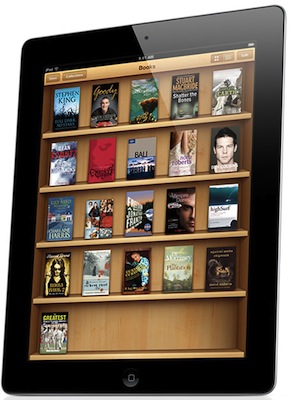
I called it in “app” in quotes because visually it looks no more than an iOS folder with a new skin that turns it into something that looks like iBooks with its cedar bookshelves. In fact all it does is store all your magazines and newspapers so that they can be found in a centralised location, as well as give users a shortcut to the Newsstand section of the App Store.

Jump the break to read our overview of Newsstand and how it’s much more than just a pretty iOS folder.
Read more


iOS 5: iMessage

With today’s release of iOS 5, Apple has added a significant new feature to their Messages app with the introduction of iMessage. Seamlessly integrating into the existing Messages application, iMessage is a new service from Apple that acts as a replacement for the traditional text message service that comes with mobile phones.

In actual fact, a more accurate description of the Messages app with iMessage on iOS 5 would be that it improves on the traditional text messaging service whilst maintaining compatibility with it. The new iMessage service works by associating a person with an Apple ID - rather than a particular device or SIM card as the traditional text message service does. This is one of iMessage’s advantages, you are not restricted to a single device and you can now use your iPad or iPod touch (and hopefully Mac soon) for receiving and sending messages to other people.

Jump the break to read the rest of our iMessage overview.
Read more


An Overview Of PC Free In iOS 5

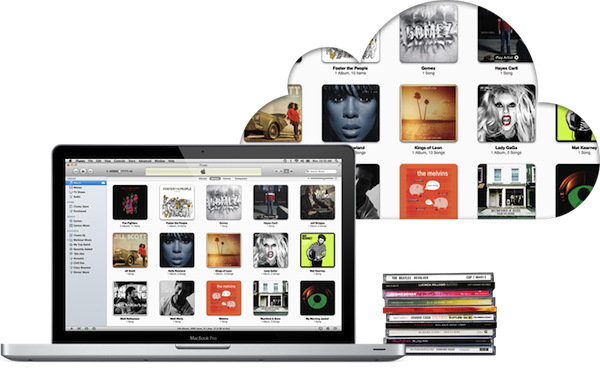
A core focus of iOS 5 is the introduction of iCloud (be sure to read our overview of it here), and one could say that the fundamental goal of iCloud is to free the iPhone and iPad from its reliance on a Mac or PC, making them more independent and powerful devices. iCloud goes along way in achieving this and reducing the need to sync devices (through features such as Photo Stream, iCloud Backup, iTunes Match etc.), but it doesn’t completely remove the requirement of syncing - particularly for those in regions that don’t yet have iTunes Match or don’t have Internet speeds capable of utilising iCloud Backup.

To fully accomplish this goal of making the iOS devices independent, Apple has added two additional features that complement iCloud, even if they aren’t technically deemed to be a feature of iCloud. These features are PC-Free and Wi-Fi syncing with iTunes; jump the break to view our full overview of these features.

Read more


iOS 5: Improvements In Safari, Camera, Photos, Mail, Calendar, Music & Video

Today’s release of iOS 5 sees the inclusion of new apps such as Reminders, significant upgrades to existing apps such as the integration of iMessage in Messages and the introduction of iCloud, which is set to change the way we use our iOS devices. Yet amidst all these significant changes to the iOS platform, Apple hasn’t forgotten about the apps that have existed since day 1 of the first iPhone.

The Safari, Mail, Camera, Calendar, Music and Video apps have all received updates in iOS 5 and the updates range from addressing common complaints, tweaking the user interfaces, adding iCloud support to adding features that improve productivity and usability. Be sure to jump through the break to view the entire overview of changes to these apps.

Read more


AT&T Sees 200,000 Pre-orders Of The iPhone 4S, Sprint Very Pleased With Demand

AT&T said late yesterday that it has seen 200,000 pre-orders of Apple’s iPhone 4S, breaking its record for first-day pre-orders. Speaking to AllThingsD, an AT&T representative said “AT&T has seen extraordinary demand for iPhone 4S, with more than 200,000 preorders in the first 12 hours alone, the most successful iPhone launch we’ve ever had”.

Sprint, who is selling the iPhone for the first time this week, was also pleased with results although they didn’t reveal numbers. “We are very, very pleased with the initial first day of iPhone 4S preorders,” Sprint Vice President of Product Development Fared Adib said in a statement. “Today’s sales and the overall customer experience greatly exceeded our expectations.”

Meanwhile if you are now looking to pre-order the iPhone 4S from the online Apple Store, you’ll have to put up with delayed shipping times. Apple now claims that new orders (of any model) will take 1-2 weeks for shipping (from the October 14th date).

[Via AllThingsD]


Sony Rumored To Be Looking For Steve Jobs Movie Rights

Sony Pictures is apparently “in the process” of making a large offer for the feature movie rights of the upcoming biography of Steve Jobs by Walter Isaacson, according to Mike Fleming of Deadline. The move isn’t surprising, and Sony has recent history of turning business success books into successful drama movies in The Social Network and Moneyball.

I’m hearing the deal is $1 million against $3 million and that Mark Gordon will be the biopic’s producer. But this will be an MG360 project, which is the movie production partnership between Gordon and Management 360.

The release of Walter Isaacson’s authorised biography of Steve Jobs was this week moved forward to October 24th after Steve Jobs passed away this past Wednesday. Based on over 40 interviews and over 100 conversations with friends, family and competitors, the biography covers 448 pages. Walter Isaacson’s previous biographies include those of Albert Einstein, Henry Kissinger and Benjamin Franklin.

[Via The Next Web]


Real Racing’s “Party Play” To Bring Split Screen Multiplayer with AirPlay Mirroring

One of the lesser publicised new features coming in iOS 5 is AirPlay Mirroring, a new functionality that enables an app to connect to an Apple TV and mirror its contents on to the connected TV. It effectively allows users to show their iPad or iPhone screen on a TV without the HDMI cable as is currently required. Back in June, Apple’n’Apps posted a video of how it worked and Engadget showed off Angry Birds Rio HD and Real Racing 2 HD being played on a TV through AirPlay Mirroring.

In June Firemint announced that it will be bringing an optimised AirPlay experience to the app, and today they are expanding upon that announcement, revealing ‘Party Play’. Using AirPlay and wireless local multiplayer, ‘Party Play’ in Real Racing 2 will enable up to 4 players to play together in a split screen match streamed to a TV through AirPlay.

The only downside is that it will require a host player to be using an iPad 2 or the newly announced iPhone 4S (this is due to the requirement of the A5 processor when using AirPlay Mirroring). The other players can be using any other iOS device that supports Real Racing 2 or Real Racing 2 HD - you can even have a mix of iPhones, iPads and iPod touches. Firemint is also promising that the update including ‘Party Play’ will also come with “gorgeous graphical enhancements that make use of the iPad 2 & iPhone 4S A5 processor”.

Jump the break to view a promo video of Real Racing 2’s ‘Party Play’ mode.

Read more