Many years ago, weekends at my grandparents’ went like this: flip on the TV, peruse through all the channels hoping to find something I like, and eventually hand over the remote to my grandfather, when he would then search the paper TV guide for that night’s programming.
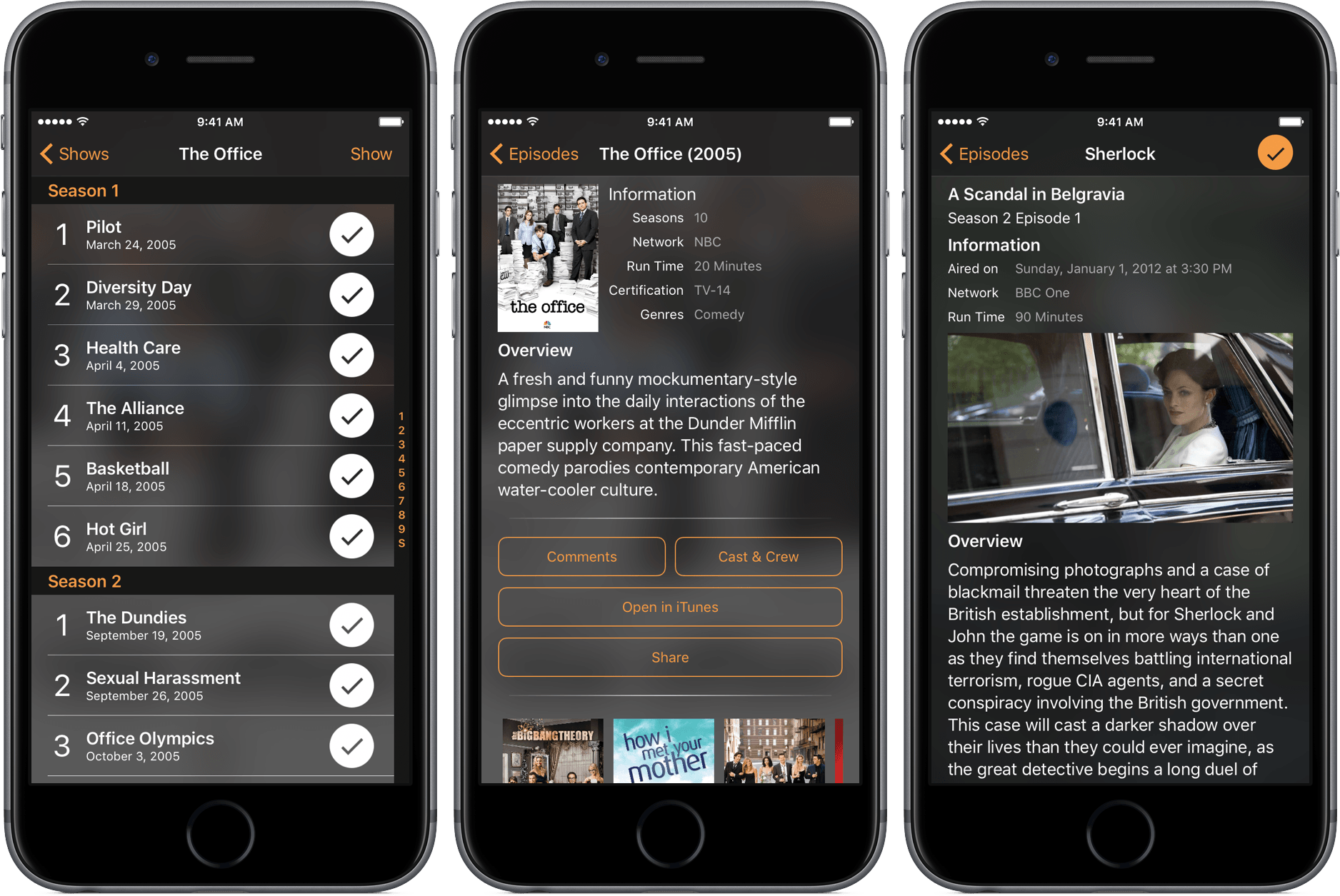
The days of using those guides are long gone, but the need to see what shows are coming up is still relevant. For that, I’ve been using Television Time, a beautiful TV guide for iPhone, iPad, and Apple Watch.
This week Fraser and Federico dive into Web service API programming in Workflow.
In the latest episode of the Workflow series, Fraser and I turn our attention to the web and what you can do with web services and APIs in Workflow. You can listen here.
If you haven’t listened to the previous episodes of the Workflow series yet, you’ll want to go back and start from there.
In the latest update released today, Workflow has received support for six new Bear actions. Bear is the note-taking app with power-user features I reviewed in November, which I’m still using.
With the new Workflow actions, you can further automate Bear without writing a single URL scheme yourself. They are quite powerful: you can create new notes in the app, open a specific note in Bear (something Apple Notes can’t do), and even turn a webpage into Markdown and save it as a note in Bear.
My favorite action, though, is ‘Add to Bear Note’, which can take any file or text and append it to an existing note. I have a Scratchpad note in Bear where I keep a little bit of everything, and with this workflow I can quickly pick a file or a photo and send it to the bottom of the note. Great stuff.
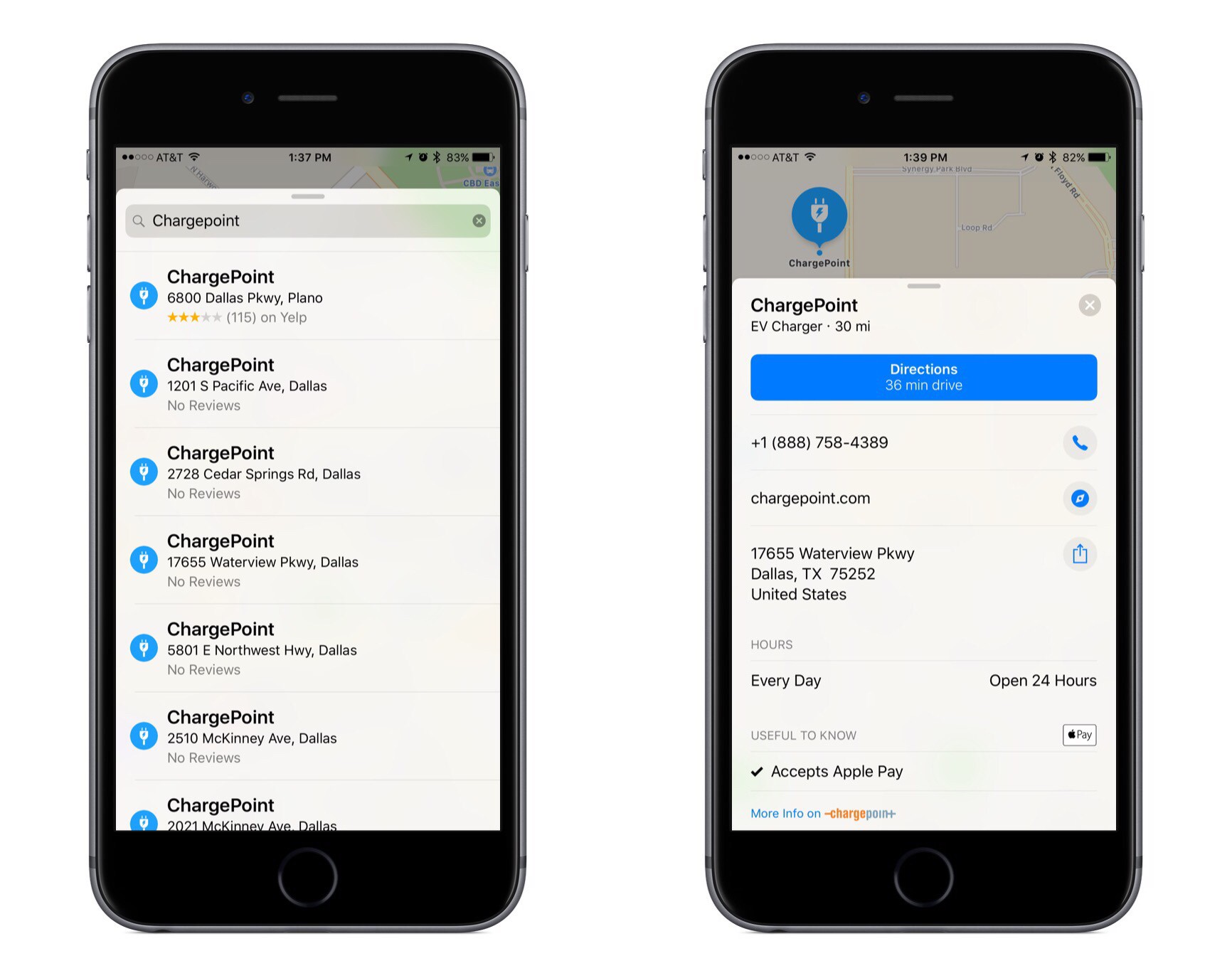
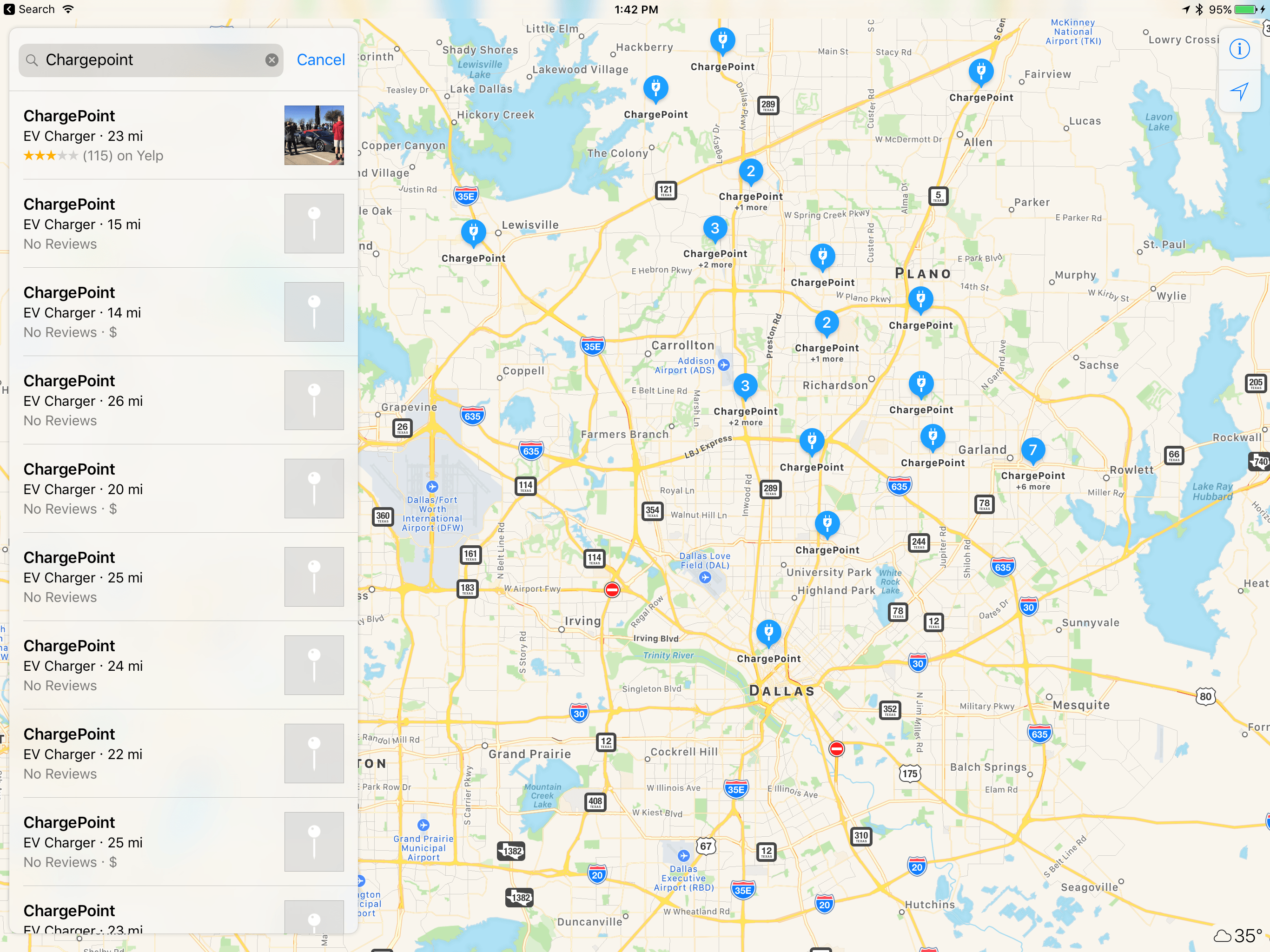
Apple has been slowly adding more electric charging station listings to Apple Maps since the release of iOS 10, and today the world’s largest EV charging network, ChargePoint, officially confirmed integration.
The official integration not only means that ChargePoint’s network of charging stations will now be visible as EV Charger badges within Apple Maps, allowing users to tap through to get more info on the station, but users can also initiate charging and complete payment from a link in Apple Maps to the ChargePoint app (Apple Pay included).
Ever since Apple first set out to create its own mapping solution, and found it more difficult than expected, it has aggressively pursued various partnerships to expand the breadth and veracity of its mapping data. Those partnerships have seemed to slow down of late, likely because Maps has less improving to do today than it did shortly following its 2012 launch.
Having spent several years building partnerships to ensure its data won’t lead any drivers astray, Apple has more recently been able to focus on integrating data that’s less important, but still quite useful. A few months ago we saw the company team up with Parkopedia to improve parking data, and now charging stations are a natural next step.
There are lots of interesting tidbits on what Apple is doing, but this part about image processing and GPUs caught my attention:
A bragging point for Apple was the efficiency of its algorithms on graphics processing units, or GPUs, the hardware commonly used in servers to speed processing in deep learning. One slide claimed that Apple’s image recognition algorithm could process twice as many photos per second as Google’s (pdf), or 3,000 images per second versus Google’s 1,500 per second, using roughly one third of the GPUs. The comparison was made against algorithms running on Amazon Web Services, a standard in cloud computing.
While other companies are beginning to rely on specialty chips to speed their AI efforts, like Google’s Tensor Processing Unit and Microsoft’s FPGAs, it’s interesting to note that Apple is relying on standard GPUs. It’s not known, however, whether the company builds its own, custom GPUs to match its custom consumer hardware, or buys from a larger manufacturer like Nvidia, which sells to so many internet companies it has been described as “selling shovels to the machine learning gold rush.”
In my review of iOS 10, I wondered4 how Apple was training its image recognition feature in the Photos app, citing the popular ImageNet database as a possible candidate. We have an answer to that today:
The images Apple uses to train its neural network on how to recognize images also seems to be proprietary, and is nearly twice the size of the standard ImageNet database.
According to Salakhutdinov, Apple will also be more open about their research and they will actively participate in the academic community.
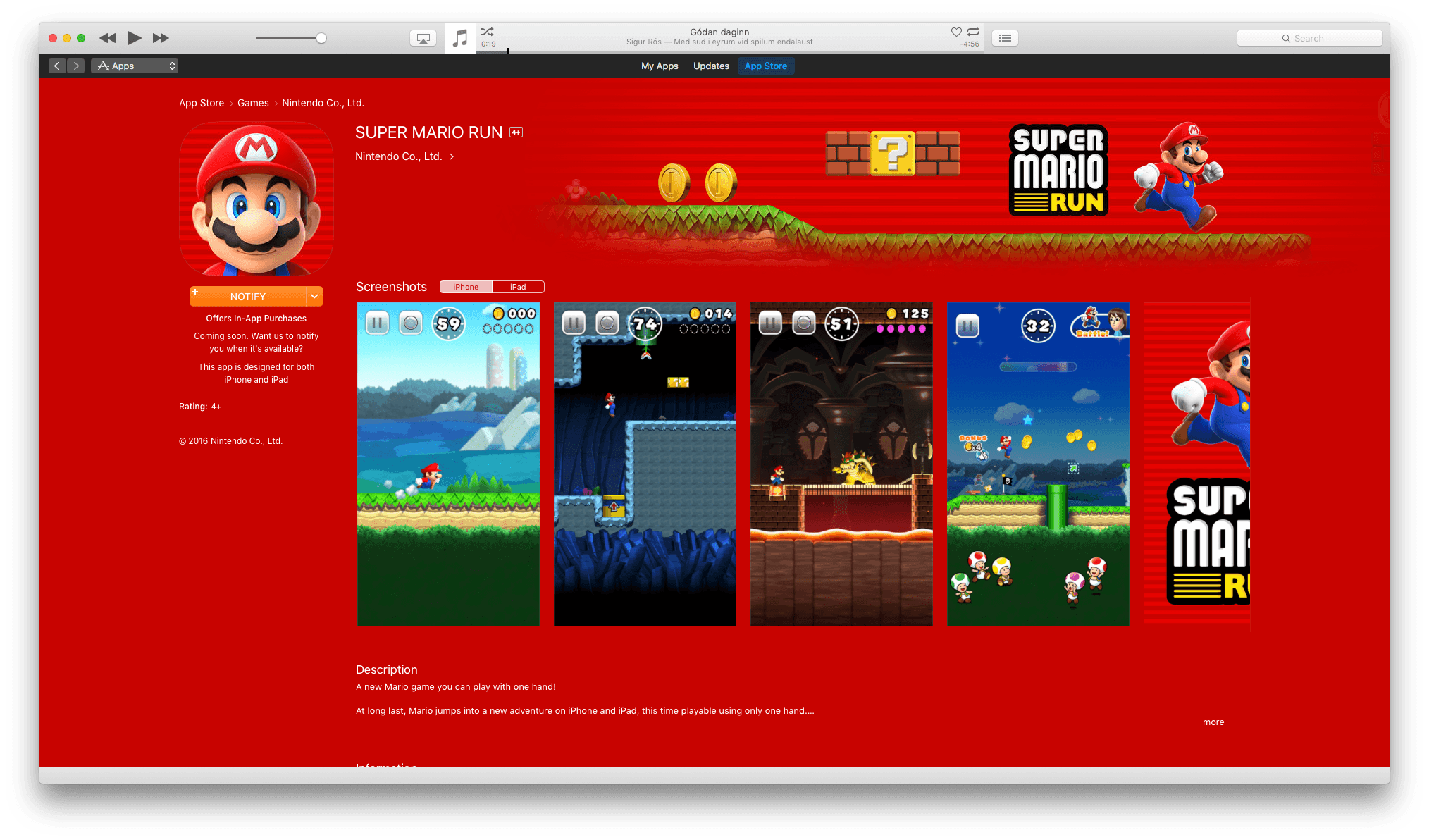
The Super Mario Run marketing blitz has begun. With the launch of Super Mario Run on iOS just one week away, Shigeru Miyamoto was interviewed by The Verge and BuzzFeed News. The creator of Mario spoke at length with both publications about the game, Nintendo’s goals for it, and how it was made.
Miyamoto discussed the thought process behind Super Mario Run’s gameplay with The Verge:
“We felt that by having this simple tap interaction to make Mario jump, we’d be able to make a game that the broadest audience of people could play.”
“Kids are playing on devices that they’re getting from their parents when their parents are upgrading,” Miyamoto said. “We wanted to take an approach of how can we bring Nintendo IP to smart devices and give kids the opportunity to interact with our characters and our games.”
It’s a strategy that makes a lot of sense given the dominance of smartphones and rise of casual gaming.
Nintendo’s goal to make Super Mario Run a one-handed game necessitated designing it for portrait mode, which led to new opportunities for Nintendo’s creative team. Miyamoto told The Verge that:
“Once we did start to focus on the vertical gameplay and one-handed play, we were surprised at how much having that vertical space in a Mario game could add to the verticality of the game itself and how that added a new element of fun to Mario,” Miyamoto explains. “They’re all brand new levels that we created for this game, but because of the vertical orientation, it gave us a lot of new ideas for how to stretch the game vertically. I think it’s been maybe since the Ice Climbers days that we’ve had a game where you’re trying to climb a tower.”
Miyamoto also shared with BuzzFeed News that the inspiration for creating an “endless runner” style Mario game was influenced by fans who do speed runs through Mario and other games. You may have seen videos of speed runs; there is no shortage of them on YouTube. BuzzFeed explains that:
Watching online videos of these gamers’ astounding speed runs and other feats of gaming skill, Nintendo employees noticed that the gamers never let up on the D-Pad. Mario always kept running, and all of the skill came down to the incredible precision of the jumping. What if, the Nintendo braintrust reasoned, all players could have that experience?
In addition, Nintendo executive Reggie Fils-Aimé and Shigeru Miyamoto paid a visit to The Tonight Show Starring Jimmy Fallon last night, demoing Super Mario Run and the Nintendo Switch console that is slated for release in March. If anyone wasn’t sure before, there is no doubt that Jimmy Fallon is a huge Nintendo fan and geek. This video is wonderful:
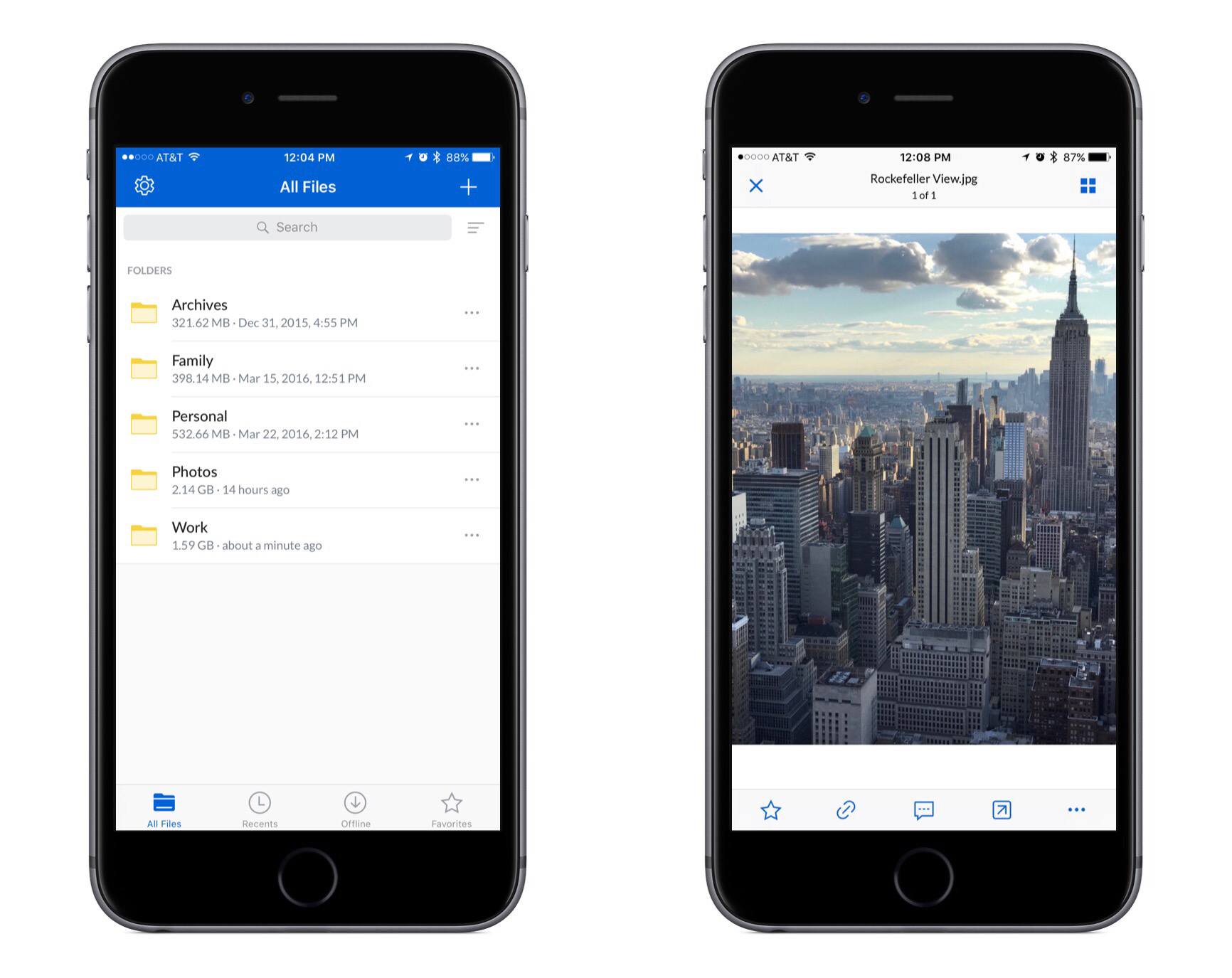
Yesterday Box launched version 4.0 of its iPhone and iPad app. The update includes a full visual refresh featuring brighter colors and a design that seems to blend better with iOS as a whole.
Douglas Queneua of Campaign US has put together an extensive oral history of Apple’s famous “Get a Mac” ad campaign. Written in two parts, the history is told by actors Justin Long (Mac) and John Hodgman (PC), as well as many of the creative minds that birthed the campaign.
In September 2005, Steve Jobs gave his advertising agency, TBWA\Chiat\Day, an assignment: Come up with a campaign that clearly demonstrates the Mac’s superiority to the PC. There was no deadline.
Seven months, dozens of tense meetings and countless discarded ideas later, the agency produced “Get a Mac.” It would go on to become one of the most succesful and admired ad campaigns in Apple’s history, no small feat when “1984,” “Think Different” and “Silhouette” are the competition. Among those legendary ads, “Get a Mac” stands out as the most overtly comedic and one of the most expansive: The team shot 323 spots over three years just to get the 66 that made it on air.
To mark the 10-year anniversary, Campaign US asked members of the creative team, the crew and the actors to share the untold stories of how the campaign came to life. What follows is their recollections—inconsistencies, errors, biases and all—lightly edited and condensed for clarity.
There are plenty of great stories shared here from a memorable campaign.
One of my favorite tidbits from the article is that Justin Long initially assumed he would be playing the PC role, because up until then he had been playing primarily nerdy parts. “Nerdy parts,” he says, “suited my natural personality.”