
 MacStories Weekly: Issue 197
Apple’s TV App Arrives on Amazon Fire TV Devices→
Benjamin Mayo, reporting for 9to5Mac:
Apple today released the Apple TV app for Amazon TV devices, starting with the Amazon Fire TV Stick 4K and the older HD model. Support for Amazon Fire TV Cube, Fire TV (3rd generation penchant design) and some other models is coming soon.
The TV app experience on Amazon’s platform mirrors the functionality of the Roku app, which launched last week. Users can watch their purchased iTunes movies and TV shows, access Apple TV Channel subscriptions and watch Apple TV+ content when the streaming service launches on November 1st.
This isn’t a surprise, as the impending launch of Apple TV+ meant all previously-announced TV app platforms were likely to arrive before November 1st. Now that the app is available on Roku and Fire TV devices, plus Samsung TVs, the only platforms still waiting for support are smart TV sets from LG, Vizio, and Sony.
GameClub Launches a Subscription Service That Revives a Growing Catalog of 70 Classic iOS Games
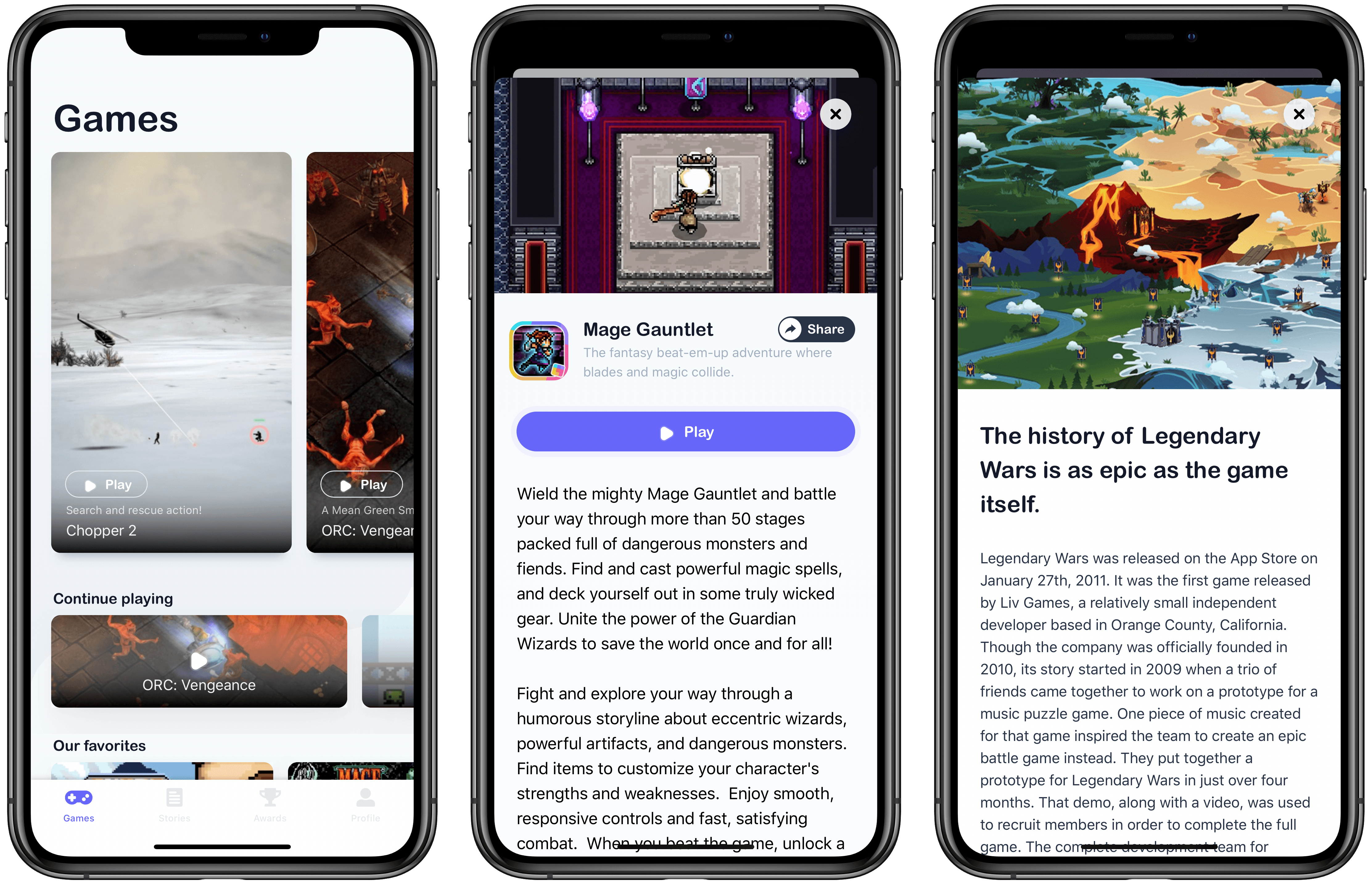
Last March, I sat down with Eli Hodapp at Blue Bottle Coffee in San Francisco. We were in town for the annual Game Developers Conference (GDC). For me, it was strange to be back in the environs of the Moscone Center for something other than WWDC. I felt a little like a fish out of water, and I sensed Hodapp did too, though for a very different reason.
You see, Hodapp had just announced that he was leaving as Editor-in-Chief of TouchArcade, after a decade of helping build it into one of the premier websites that covers iOS games. As a reader, I was sorry to see him go, but I was also eager to chat with Hodapp because what brought us together was the buzz surrounding the reason he left: GameClub.

Hodapp and I are both from the Chicago area, but we’d never met before GDC. What led me to contact him was a column he’d written for gameindustry.biz about preserving the legacy of iOS games that had disappeared from the App Store, a topic that we’ve covered many times on MacStories and elsewhere in the past.
In the gameindustry.biz story, Hodapp explained why he left TouchArcade:
I’ve been incredibly vocal about preserving our digital history over the years, and it’s distressing to think how many great, historically important (and simply fun!) games have been lost. That reality is my prime motivation in stepping down from TouchArcade: to raise awareness of this problem.
Hodapp had joined GameClub as its VP of Business Development shortly before GDC to help build the library of 70 classic iOS games that are launching with the service today.

Over coffee, Hodapp and I discussed the state of gaming on iOS, game preservation, and, of course, GameClub. It was still very early days, but Hodapp articulated a clear vision of how classic iOS games could be resurrected in an economically viable way. As we chatted, Hodapp outlined the very thing GameClub is launching today: a service designed to reintroduce dozens of games to a new generation of iOS gamers without ads, manipulative In-App Purchases, or other gimmicks. The business model hadn’t been locked down yet, but if all the business and technical hurdles could be cleared, a subscription service was likely.
Shortly thereafter, GameClub launched a beta program to test games that it had already updated to work on modern iOS hardware and software. I joined immediately. I enjoyed playing some old favorites throughout the summer, and watching as the ranks of GameClub’s beta testers grew on Discord.
As I checked in periodically over the summer, it was clear that something about GameClub had struck a chord. For some gamers, it was the fatigue built up over many years from the constant barrage of ads and In-App Purchases. For others, it was the delight and nostalgia of rediscovering the first games they’d played on iOS. Even in those early days, it was clear that GameClub had tapped into something special by releasing a steady stream of classics and building a community of people that cared about them.
Now, after over seven months and many more beta-tested games, GameClub has launched, and I love it. Not only is the service brimming with many of my all-time favorite iOS games, but the GameClub app itself is a terrific way to discover new games and keep track of favorites. There’s a lot going on with GameClub, so let’s dig in.
Connected, Episode 266: What Are You, an Accountant?→
On this week’s episode of Connected:
Stephen got into an eBay bidding war with someone he knows and Federico helps his friends with Catalina, before coming clean about his new iPhone case. The group also considers Apple’s expanding line of audio products and Myke reviews the iMac Pro.
You can listen below (and find the show notes here).




Sponsored by:
- PDFpen, from Smile : The ultimate tool for editing PDFs on the Mac.
- Pingdom: Start monitoring your website performance and availability today, and get instant alerts when an outage occurs or a site transaction fails. Use offer code CONNECTED to get 30% off.
- Freshbooks: Online invoicing made easy.
AppStories, Episode 135 – Mac Catalyst with James Thomson Plus Federico’s iPhone 11 Pro Camera Story→
On this week’s episode of AppStories, we interview James Thomson, the creator of PCalc and Dice, for a developer’s perspective on Mac Catalyst and go behind the scenes of Federico’s iPhone 11 Pro camera story, Eternal City, Modern Photography: The iPhone 11 Pro in Rome.
Sponsored by:
- Linode - High-performance SSD Linux servers for all of your infrastructure needs. Get a $20 credit.
- Zapier - The easiest way to automate your work. Start your 14-day free trial today.
- Kolide - User focused security for teams that Slack. Try it free for 30 days.

AppStories Episode 135 - Mac Catalyst with James Thomson Plus Federico’s iPhone 11 Pro Camera Story
0:00
46:51
46:51


iA Writer 5.3 Adds Multiwindow Support, Dark Mode, Content Block Improvements
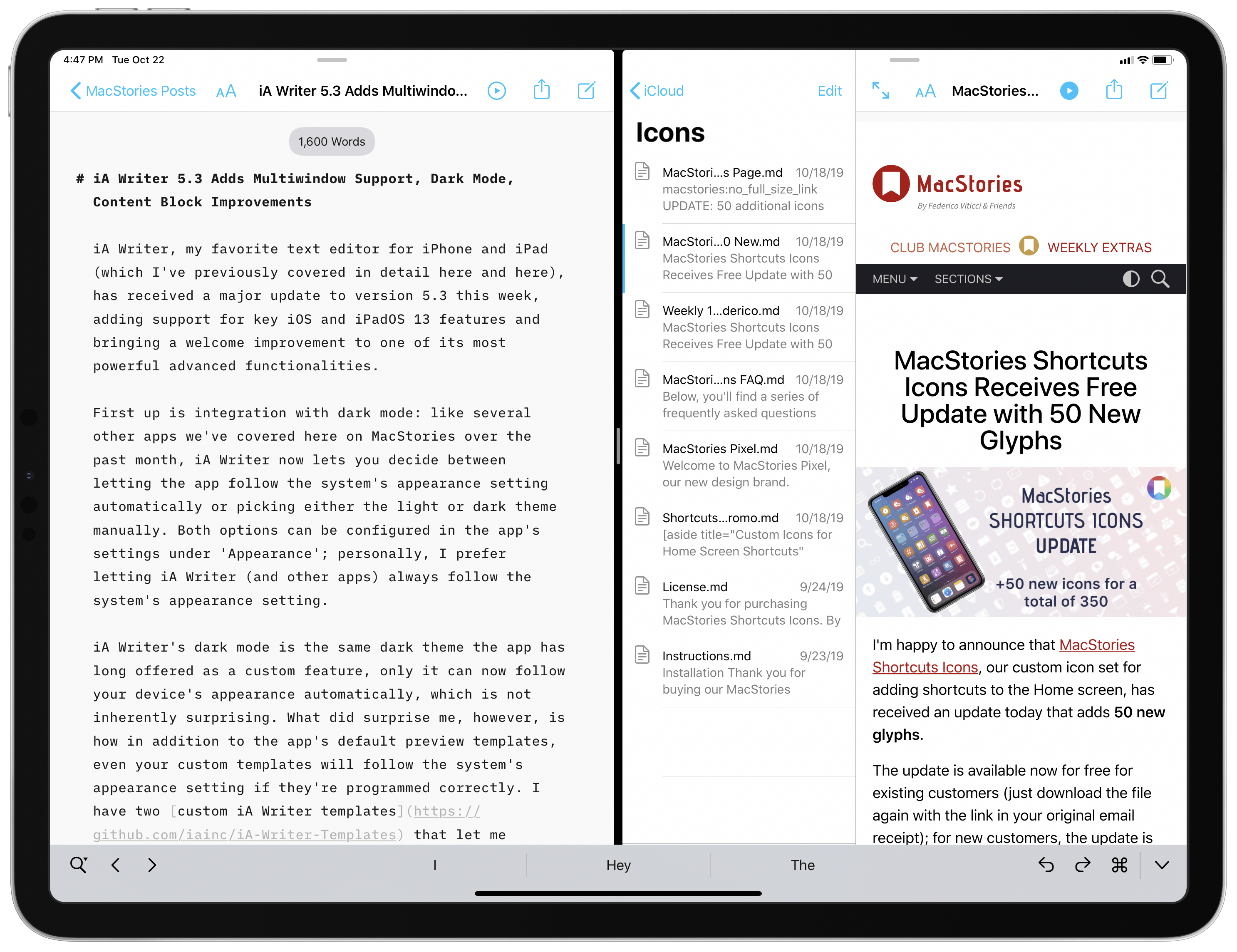
iA Writer, my favorite text editor for iPhone and iPad (which I’ve previously covered in detail here and here), has received a major update to version 5.3 this week, adding support for key iOS and iPadOS 13 features and bringing a welcome improvement to one of its most powerful advanced functionalities.
Todoist Foundations: Key Refinements Modernize the Popular Task Manager
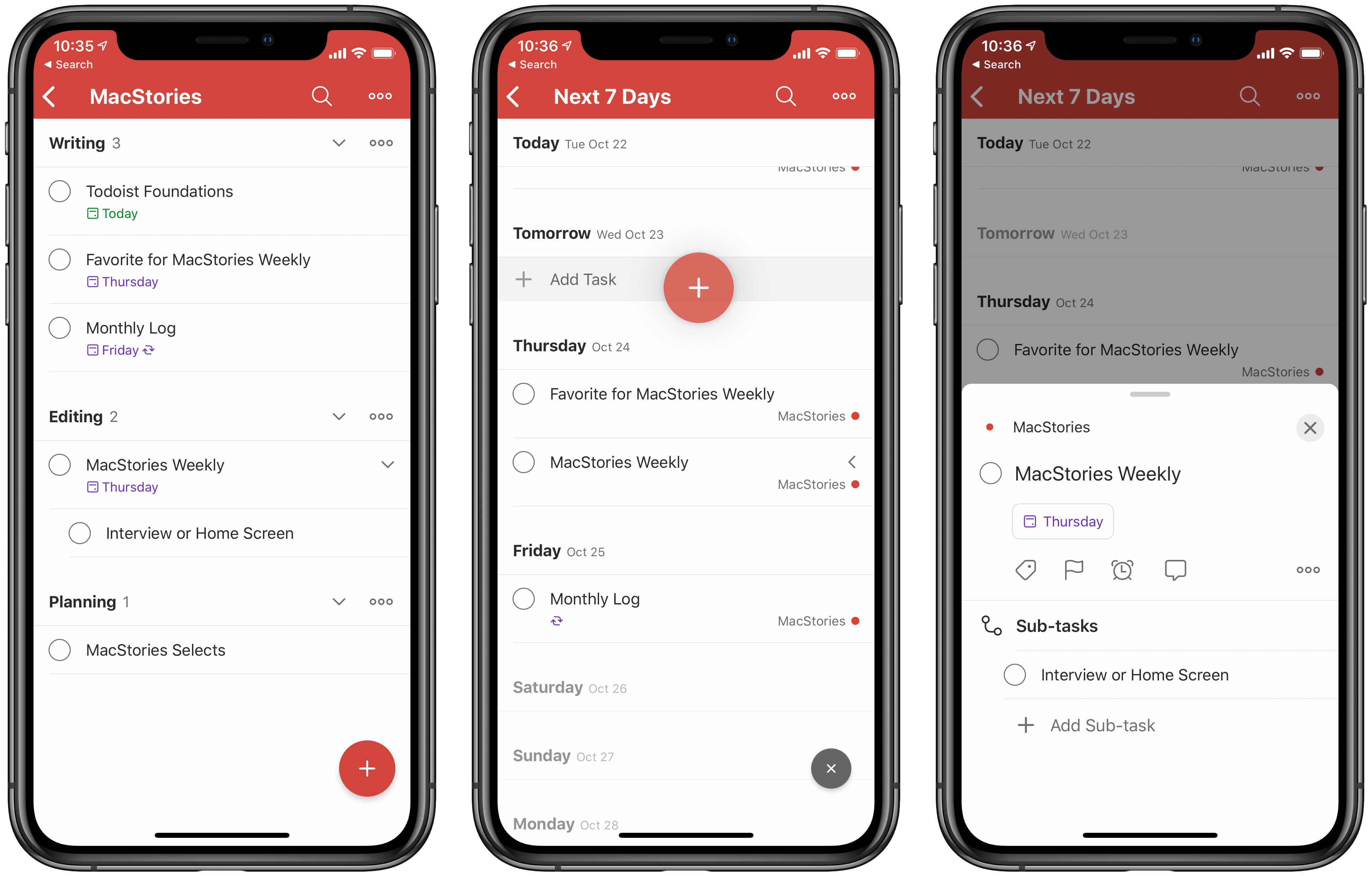
Today Todoist has launched a major update across all platforms under the branding Todoist Foundations. That name implies a complete ground-up revision to the app, and while that’s accurate in terms of under-the-hood code changes, from a user-facing standpoint this is still the Todoist you know, but with a variety of new features: project sections, a dynamic add button, new task and sub-task views, and more. Todoist’s team also says that Foundations lays the necessary coding groundwork for more substantial features that are coming in the future, such as Boards and an Upcoming View.
Todoist didn’t need a big rethinking, but what it did stand to benefit from was design enhancements and streamlining that makes everything quicker, easier to use, and more flexible, and that’s exactly what this release brings. If you haven’t tried Todoist in a while, Todoist Foundations is a compelling reason to give the task manager another try.
Remote Control for Mac: Turn Your Mac into a Home Media Center [Sponsor]
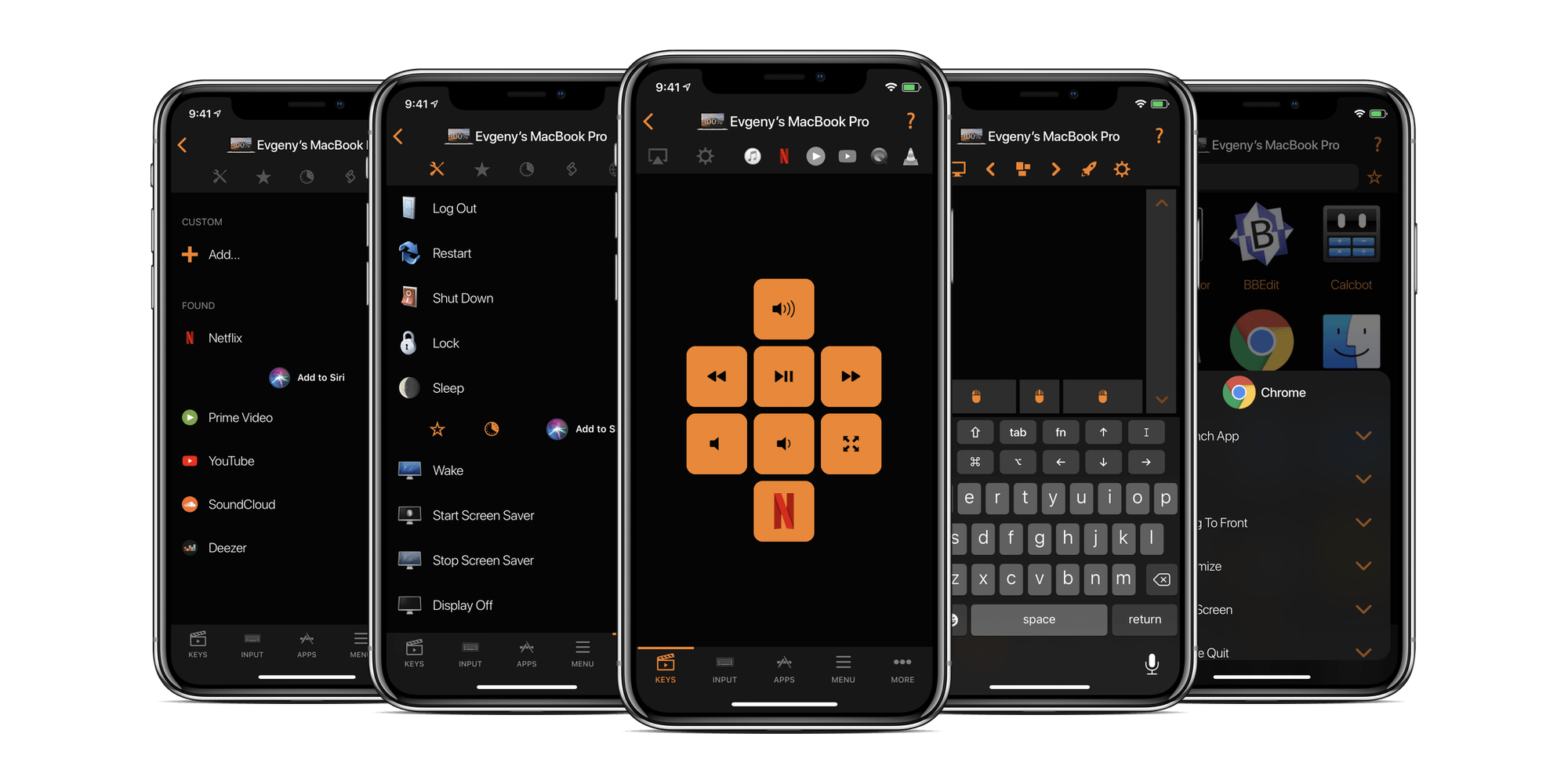
Remote Control for Mac is a powerful app for the iPhone, iPad, and Apple Watch that works with a helper app on your Mac to free you from your desk, so you can enjoy your Mac anywhere on your network. Whether you’re running a Mac as a media center, want to launch apps remotely, or control your Mac’s system settings while doing something else, Remote Control for Mac can handle it all.
A Mac makes a fantastic media center. However, balancing a mouse or trackpad and a keyboard from the couch or in bed isn’t ideal, which is where Remote Control for Mac comes in. With it, you can control the apps on your Mac from your iOS devices or with the brand new Apple Watch app, which offers keypads, mouse interactions, and system commands. It’s an incredibly flexible combination that opens up amazing new options.
On top of that, the app’s AirPlay controls are a fantastic way to send the screen of your Mac or it’s audio to your Apple TV. You can also control the apps on your Mac with Remote Control for Mac and even use system commands to put your Mac to sleep, turn its display on and off, and even restart it. There is Shortcuts integration too. Add the app’s actions to Siri, so you can run them by voice or as part of a custom shortcut. They’re perfect for combining with HomeKit accessory actions in a smart home environment.
Remote Control for Mac has a special giveaway just for MacStories readers. The first 50 readers who visit this link will get a free copy of the app.
Take control of your Mac today. Download Remote Control for Mac from the App Store now.
Our thanks to Remote Control for Mac for supporting MacStories this week.