

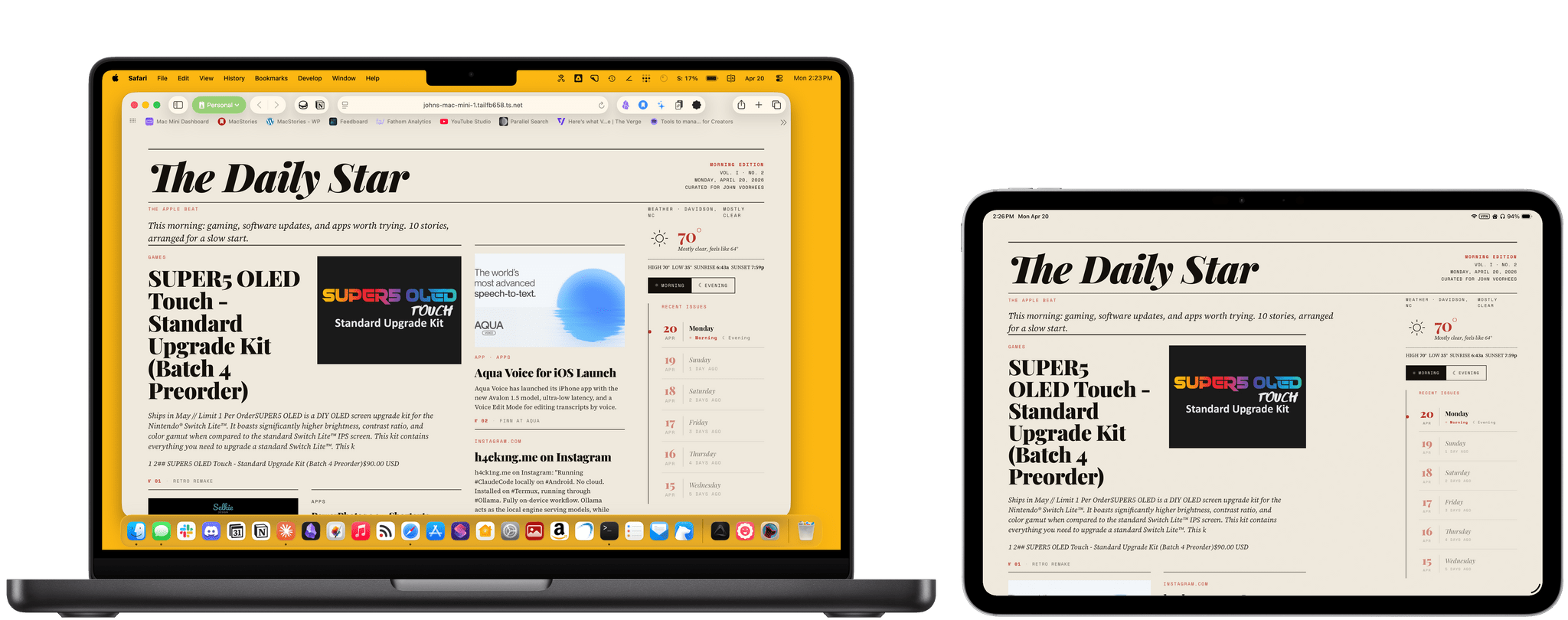
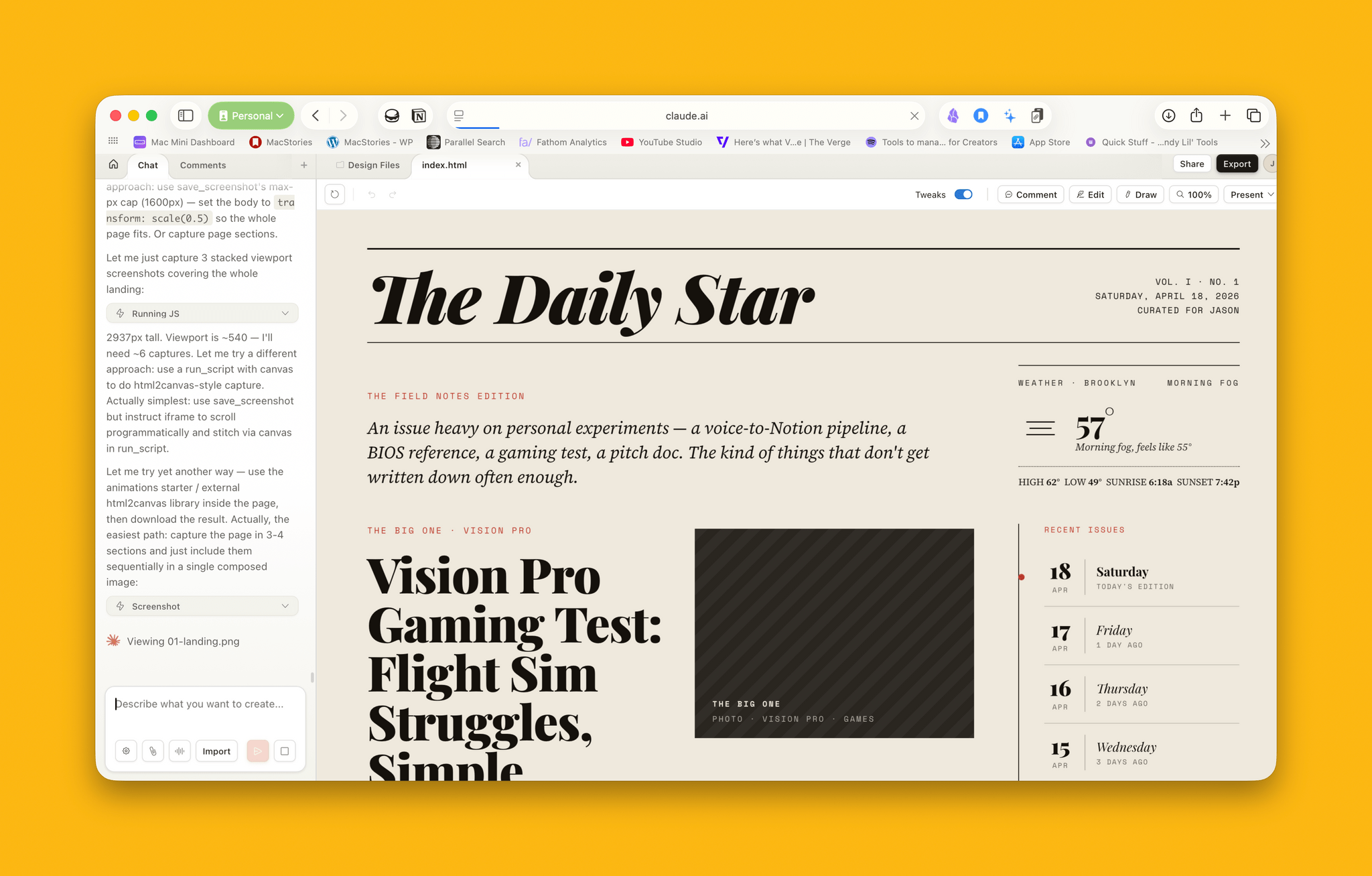
Last week, Anthropic introduced Claude Design, a new research preview product from the equally new Anthropic Labs. Claude Design, which is currently available to Pro, Max, Team, and Enterprise subscribers through the Claude web app, can prototype apps and websites, design presentation materials, generate marketing materials, and more. As someone who has felt as though Claude’s design skills noticeably lagged behind its coding, I was eager to give it a try. So, over the weekend, I tasked Claude Design with coming up with a brand new progressive web app and helping me design a new feature for an existing project.
I’m always looking for a way to resurface articles, apps, products, and other links I save in a variety of places, so my first test of Claude Design was to build an iPad-first web app that would deliver those things to me automatically using a magazine-style design. Claude Design is organized into a sidebar and canvas with tabs in the sidebar for creating prototypes, slide decks, template-based designs, and blank designs. To get started, I named my project and picked a “high fidelity” prototype. Then, I dragged some screenshots of a similar AI assisted reading app I’d seen on social media into Claude Design and described what I wanted, answered some follow-up questions, and let Claude get at it.
Claude Design takes advantage of Opus 4.7’s new support for images as wide as 2576 pixels. That burns through tokens faster because the images are larger, and it can take a long time for Claude to finish a design, but the wait was worth it. The initial attempt was better than I’d expected.
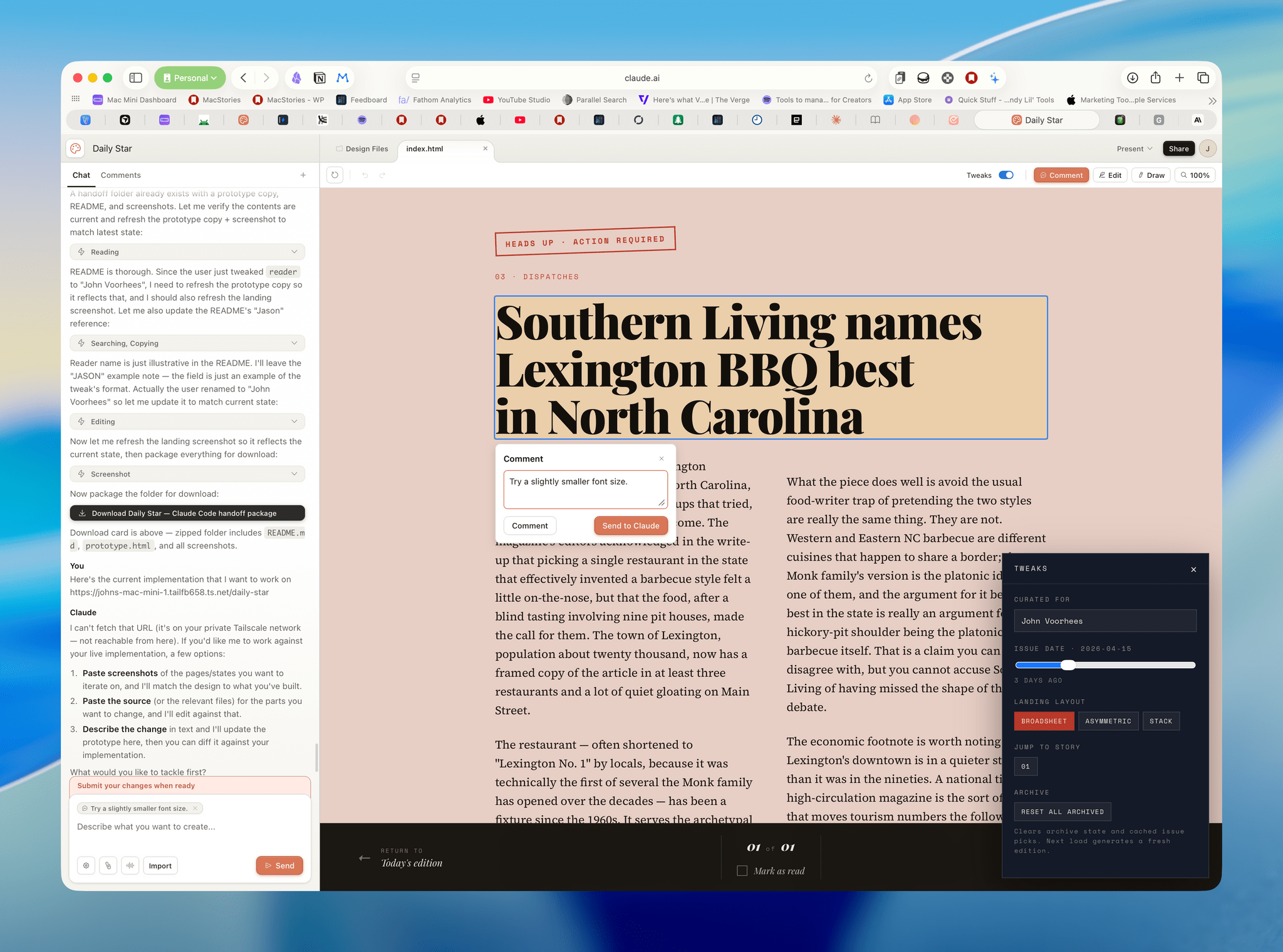
Once I had a rough draft, I spent time refining it. Probably the single best part of Claude Design is the ability to select an on-screen element, which are highlighted as you mouse over them and leave a comment for Claude, which immediately begins working on it. Alternatively, you can simply save the comment for a team member or yourself. Plus, there are tools to tweak various prototype settings and edit variables like the background color, font size, and typeface, and draw right on the canvas. For my purposes, though, the Comment to Claude tool covered 95% of what I needed and allowed me to quickly iterate on design details in a way that just isn’t possible in Claude Code.
When I had taken the prototype as far as I could, I clicked the Share button and handed the project off to Claude Code, which receive a URL pointing to my prototype’s files. I added a prompt explaining were the articles and links should be pulled from for the app and how they should be picked, and before long, what had been a prototype was populated with a mix of links saved to Notion, starred RSS articles, and longform articles from Matter, all arranged using the new CSS Grid Lanes added to Safari 26.4.
Claude Design has some rough edges here and there, which is to be expected for a research preview, but they didn’t slow me down in any meaningful way. To the contrary, the loop between chatting with Claude, reviewing the visuals it created, commenting, and Claude making revisions was much faster than trying to do the same thing in Claude Code. I felt that friction as soon as I moved to Terminal and wanted to make more design changes. Feeding screenshots to Claude Code and checking the edits it made in the live app was noticeably slower.
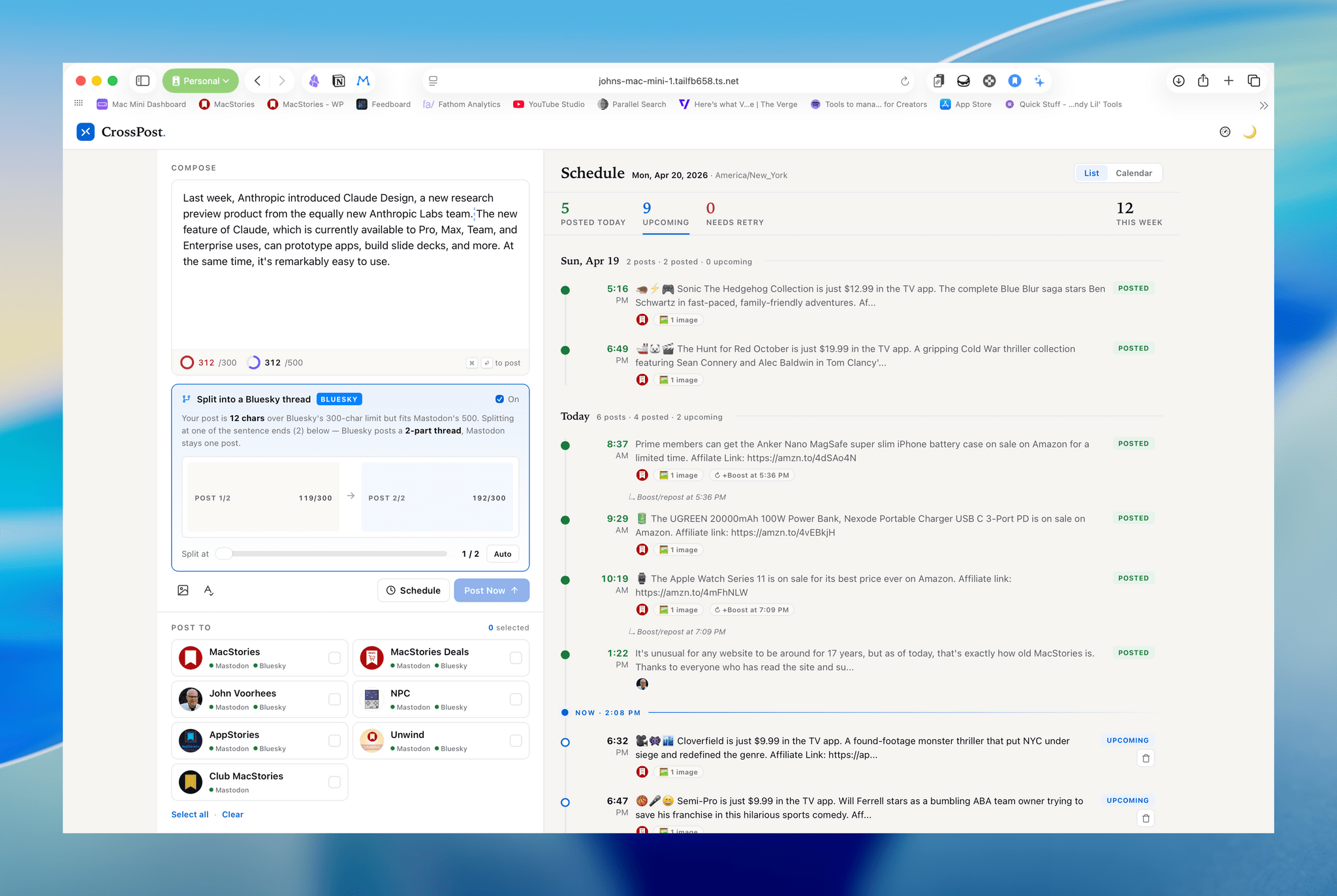
The second challenge I gave Claude was to help me design a new feature that I wasn’t sure how to approach. I have a web app for cross-posting to Bluesky and Mastodon. Because the app didn’t allow for splitting Bluesky posts, I was artificially limiting myself to Bluesky’s 300 character limit for posts on both services. I knew Bluesky could split posts but wasn’t sure how to implement it visually, so I just asked Claude to take a stab at it and was pleasantly surprised with the slider solution it implemented. It needed some tweaks, but the slider was a good starting point. Claude Design also helped me create better visual separation between posts that had already been published and upcoming posts that are editable.
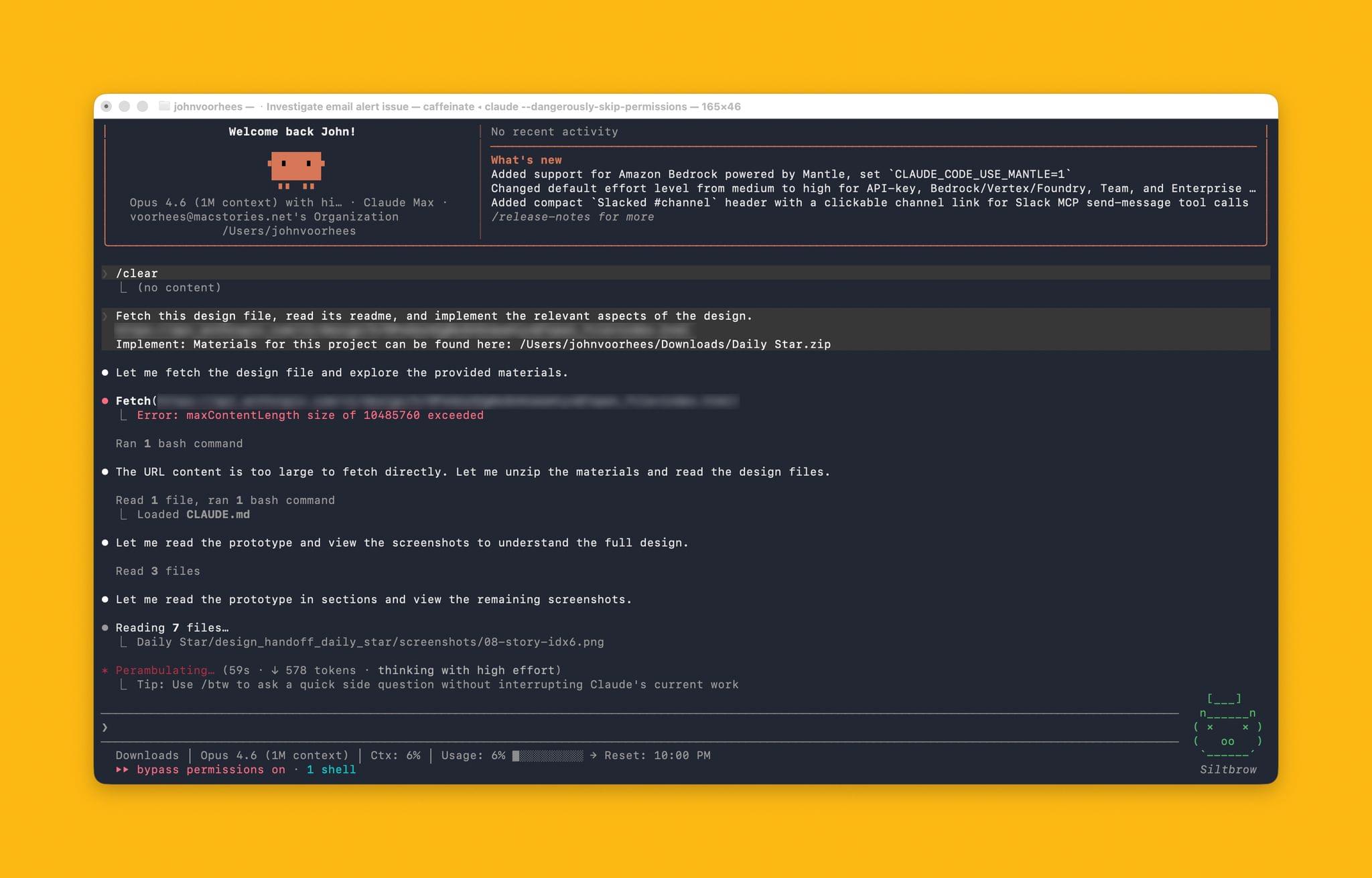
There are bugs to work out in Claude Design and a few features like the difference between the Tweak panel and Edit button could use refinement, but the tool is a great start and one that I hope makes its way to the Claude desktop and mobile apps soon. I’d also like to see Design be more tightly integrated with Claude Code. While it’s simple to send a prototype to Claude Code for implementation, I’d like to see substantive hooks back to Design from Code to allow for further iteration once real data and logic are in place on the Code side. You can do this to a degree by feeding screenshots back into Design, but allowing Design to interact with a fully-coded prototype would be better.
It’s also unclear to me how pricing for Claude Design works. Anthropic’s announcement says it comes out of your subscription but at one point I ran out of tokens and started spending extra tokens that I’d purchased, even though I hadn’t used my full session allotment yet.
Still, Claude Design is an exciting development for anyone who has been working with Claude Code and hit a design wall. Most of the tools I build for myself are fine without a lot of design polish. However, there are a few I use a lot that have already benefitted from a little help from Claude Design. I’ll definitely be starting new projects with Claude Design and continuing to tune up more of my existing apps with it.
