This Week's Sponsor:

Halide

Unlock Your iPhone Camera


Posts tagged with "sponsorships"

CardioBot: Heart Rate and Activity Tracker for Apple Watch [Sponsor]

Make sense of the heart rate data the Apple Watch collects with CardioBot. The Apple Watch measures your heart rate throughout the day. In fact, the Watch captures your heart rate every four minutes. That adds up to a lot of data very quickly. With CardioBot’s beautifully-designed charts and graphs, understanding what it all means is easy.

Collecting data is simple. The hard part is recognizing patterns in the data that help you make healthy lifestyle choices. CardioBot, which has been featured in the App Store in over 85 countries, combines heart rate data collected throughout the day, workout data, and sleep analysis to provide you with a comprehensive dashboard that includes data for individual days, detailed timelines, and day-over-day comparisons. The app also categorizes your heart rate data into low, resting, high-resting, and elevated levels assigning a separate color to each making it simple to spot trends.

Just this past week, CardioBot was updated to support Heart Rate Variability (HRV) analysis. HRV is the the variation in intervals between heartbeats. It’s believed that high HRV readings are good and that an increasing HRV trend indicates improved fitness, whereas declining HRV can indicate overtraining and accumulated fatigue. With its all-new HRV tracking, CardioBot has even more tools to track your fitness and health, which makes it a must-have addition to your iPhone and Apple Watch.

CardioBot is available on the App Store for just $2.99.

Our thanks to CardioBot for sponsoring MacStories this week.


Clean Up Your Inbox Today (and Keep It That Way Forever) with SaneBox [Sponsor]

What if you had someone who would sort through your email and find only the important messages? That is exactly what SaneBox does. After you set it up, SaneBox leaves your important messages in your inbox and moves the rest to a SaneLater folder for reviewing later. That initial inbox purge is powerful because it reduces your inbox to a manageable number of messages. With additional training to tell SaneBox what’s important to you, it only gets better at dealing with the daily deluge of messages.

There’s much more to SaneBox than shuffling unimportant messages into a designated folder, though. If there’s something you never want to see ever again, send it to the SaneBlackHole, which is much easier than unsubscribing to unwanted messages.

You can also set up SaneReminders by sending messages to an address that sends a reminder to you at a later date if the recipient of your message hasn’t responded after a certain amount of time. Or forward messages to SaneReminders to have them pop back into your inbox at a later date when you are ready to deal with them.

SaneBox works on top of your existing email setup. There’s no app to download or new email account to set up. It all works server-side so you can use any email client you want.

Sign up today for a free 14-day SaneBox trial to take back control of your email. MacStories readers can receive a special $25 credit automatically by using this link to sign up.

Our thanks to SaneBox for sponsoring MacStories this week.

MacStadium: Hosting Solutions for Apple Mac Infrastructure [Sponsor]

MacStadium is the premier Mac hosting company that provides dedicated Mac hardware and private cloud services. They have multiple data centers where your hardware is secure, always available, and supported by a team of Mac experts.

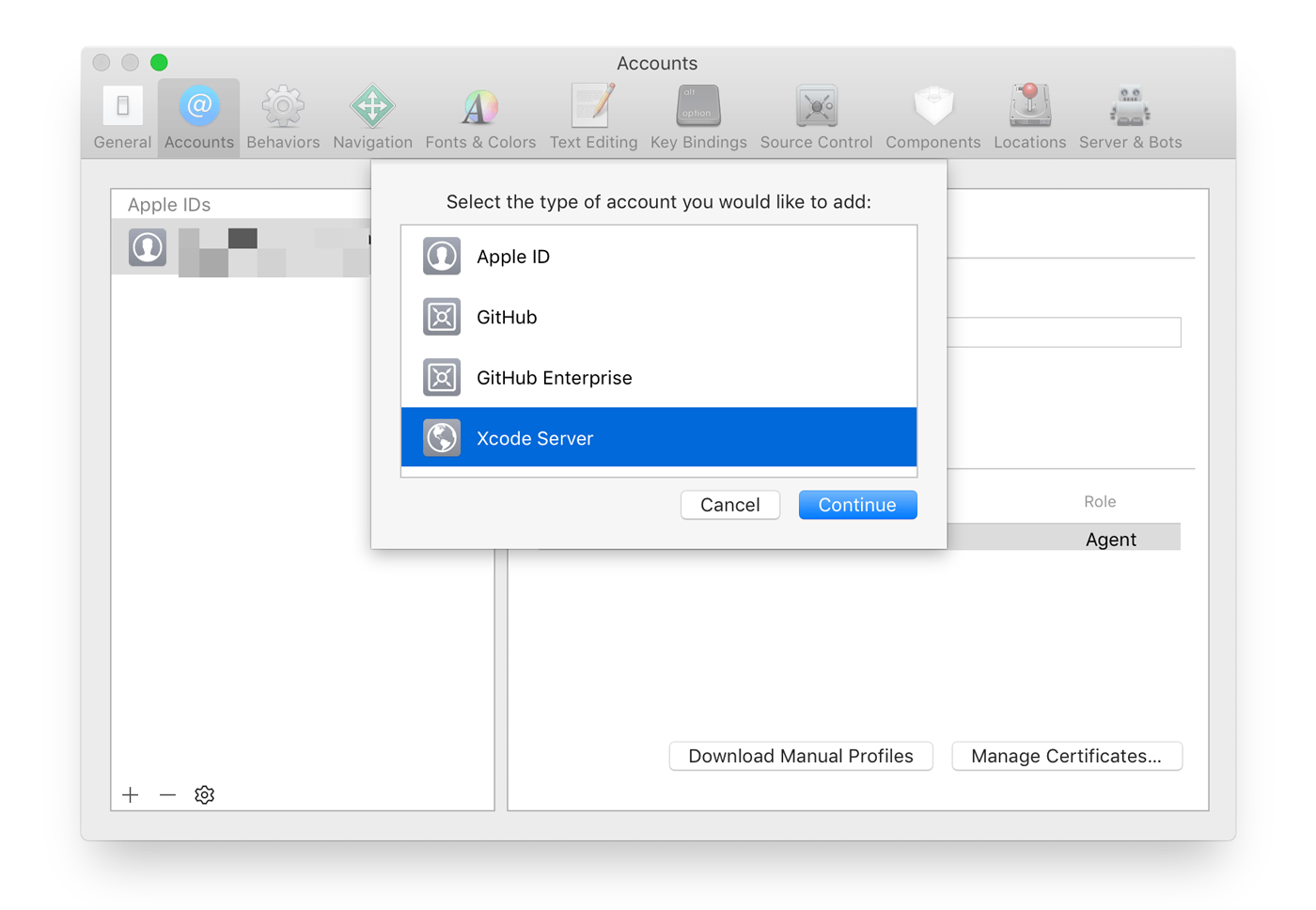
The ways you can use a Mac mini server are only limited by your imagination. For example, developers from small indie shops to some of the biggest companies in the world use MacStadium minis as build servers. With Xcode 9, it’s easy to set up an Xcode Server bot to handle your builds.

A Mac mini server is also a fantastic option for hosting a website. MacStories has run on a Mac mini at MacStadium for years, and it’s always been fast and reliable.

MacStadium’s servers work great with tools like Transmit, Sendy, Yourls, for storing files, sending email newsletters, and shortening URLs. You can even create a private Dropbox-like service with ownCloud and bill clients with tools like Pancake. Those are just a few of the possibilities available when you use a Mac mini server.

The folks at MacStadium are running a special promotion for MacStories readers who want to try a Mac mini server for themselves. You can trial a Mac mini server in their data center for a full month at no cost. Sign up to rent a Mac mini using coupon code “MACSTORIES,” and you’ll be all set.

You can check out the details here.

Our thanks to MacStadium for sponsoring MacStories this week.

Inko: A Collaborative Whiteboard for iPad, iPhone, and Apple TV [Sponsor]

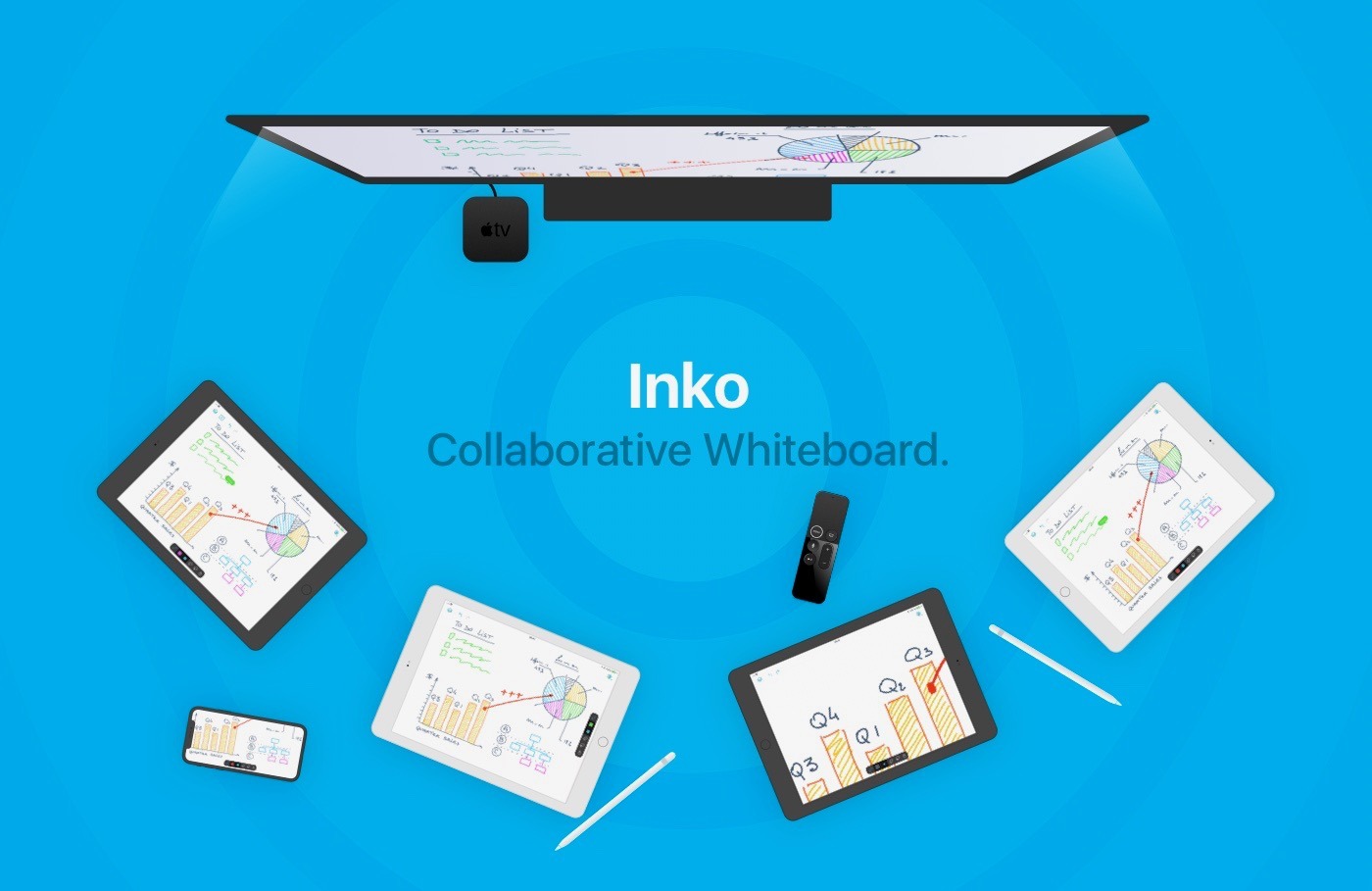
Inko is a collaborative whiteboard that lets several people draw together using multiple iPads or iPhones, and even interact on Apple TV. Ideal for teams of coworkers in a brainstorming session, for a creative classroom project, or for an interactive meeting between a graphic designer and their client.

Creating a group and starting to drawing together is easy. There’s no complex network setup, or even any network at all, thanks to nearby connectivity. With peer-to-peer connections, you can work wherever you are, be it in a bar or on the beach. Your drawings can also be displayed on the big screen, thanks to the free companion app for Apple TV. The app instantly connects and interacts with all devices in the room, making it a great alternative to those bulky and expensive interactive boards.

Even though Inko is both simple and intuitive, it’s also backed with sophisticated, advanced features like vibrant colors and beautiful pixel-free drawing display that stays sharp when zooming in. Inko also offers precise Apple Pencil support for an amazing lag-free, undo-capable, real-time drawing experience, as well as hi-res PDF exports to share with your group when you’re finished.

Inko’s Collaboration Pack is 20% OFF ($15.99 instead of $19.99) this week only. Hint: the discounted Collaboration Pack also entitles you to the introductory subscription price.

Our thanks to Inko for sponsoring MacStories this week.


Downie: Elegant and Efficient Video Downloads for Your Mac [Sponsor]

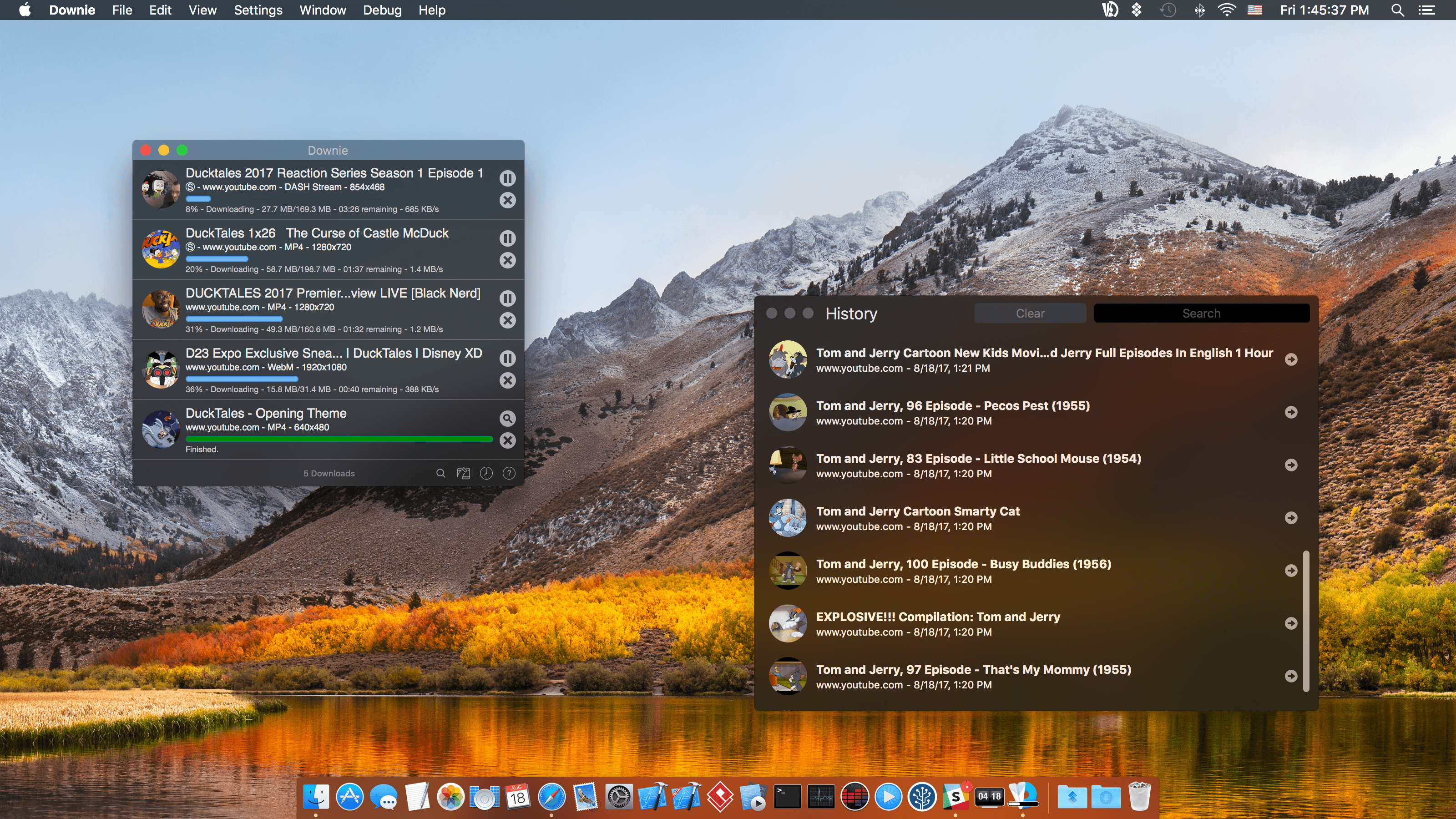
Downie for Mac makes downloading video from the web as simple as dragging and dropping a URL. From your browser, drag a URL to Downie’s menu bar icon or onto its Dock icon from sites like YouTube, Youku, Bilibili, Vimeo, and many more to immediately download a video. The app supports video downloads for over 1,000 different sites, and the list keeps growing.

Downie is efficient and organized. Instead of downloading now, queue up downloads for later. It’s a great way to process dozens of videos while you sleep and aren’t using your Internet connection for something else. Downloads can be organized autmatically into folders too based on source and playlist, saving you the hassle of organizing them yourself.

When you use Downie, you also know you’re getting the best version of a video that’s available. For example, unlike many other download apps, Downie can grab the 4K version from YouTube if one is available. It’s that sort of attention to detail, combined with attentive support, frequent updates, and localization that makes Downie a great choice for video downloads.

Downie has a special 25% discount just for MacStories readers. All you need to do is use this link to purchase the app. The same great deal applies to the Downie and Permute bundle if you use this link. Permute is a great companion to Downie that lets you convert video between a wide variety of formats. You can use the coupon code 905E0C5D at checkout to get either discount too.

Expand your video collection the easy way, with Downie.

Our thanks to Downie for sponsoring MacStories this week.


Prizmo Go: Quickly Grab Text with Your iPhone or iPad [Sponsor]

Aim at text. Shoot. It’s yours! Prizmo Go lets you quickly grab text with an iPhone or iPad’s camera. Text is recognized in a blink of an eye, after which you can interact with it in many useful ways in Prizmo Go or send it to another app. If you’ve got a Mac, you can copy/paste it there too. No more retyping. It feels like magic at your fingertips.

Prizmo Go provides rich interactions with captured text. After shooting, text from the original picture is revealed, and swiping through it allows fast and accurate text selection directly from the image. Selected text can be read aloud, or you can tap to go straight to any web URL, call phone numbers, trigger the Mail app from an email address, or reveal physical addresses in Apple Maps and initiate navigation.

Prizmo Go comes with enhancements specifically built for VoiceOver, in addition to spoken guidance prior to capturing text. That, combined with its text-to-speech capabilities, make the app a great companion if you need help reading printed documents.

Prizmo Go has just been updated to version 2.0, which brings handwriting recognition (English only), translation to/from 59 languages, and new, more powerful, built-in neural network-based OCR in more languages.

Prizmo Go 2.0 Export Pack is 20% off ($3.99 instead of $4.99) this week only, so download it on the App Store today. Hint: the discounted Export Pack also entitles you to an introductory subscription price.

Our thanks to Prizmo Go for sponsoring MacStories this week.


Setapp: An App for Every Job, Already on Your Mac [Sponsor]

Setapp is a Mac app subscription service created by MacPaw, the maker of CleanMyMac. For one low monthly fee, Setapp offers more than 110 of the very best Mac apps from big names like Ulysses, Bartender, and iMazing. It’s a collection that grows every month becoming more and more valuable to subscribers.

Setapp includes a vast array of apps. There are productivity apps like task managers, time trackers, and text editors, as well as photo editors, developer tools, and much more. When you sign up, Setapp installs a handy catalog on your Mac that lets you easily browse its offerings. Nothing is downloaded until you decide to install it.

The app is designed to make finding just the right app easy too. The included apps are carefully vetted and curated, so you know that only the highest quality apps from the best developers are included. The business model couldn’t be more clear either. There are no hidden costs or gimmicks. You pay just $9.99 per month for access to the entire catalog of apps including any updates. There are no fees for upgrades, no In-App Purchases, or other hidden costs. Every app is a fully functional version that updates automatically.

Sign up today to unlock this amazing collection of Mac apps. Setapp is free to try, and you can extend the trial period up to six months by referring friends.

Our thanks to Setapp for sponsoring MacStories this week.

FlightLogger: Real-Time Flight Tracking for Worry-Free Travels [Sponsor]

Air travel can be stressful. FlightLogger, which is available on iOS and Android, reduces the stress of travel by making it simple to search and save your flights, get up-to-date notifications on any changes to gates and terminals, share your travel plans with friends and family, and much more.

Too many flight tracking apps are a cluttered mess. FlightLogger’s design reduces the number of taps and information you have to input. Combined with a clear, glanceable timeline of your itinerary, FlightLogger is the perfect companion for the modern traveler.

FlightLogger is packed with innovative features:

  • Track the flights of over 1500 airlines and 30,000 airports worldwide for worry-free travel.
  • Add flights in-app or by forwarding flight confirmation emails to FlightLogger.
  • Track departure and arrival times, delays, cancellations, and gate and baggage claim information.
  • Receive flight status notifications on your iOS devices and Apple Watch.
  • Track flights on your Apple Watch and other iOS devices with iCloud sync.
  • View the approximate location of aircraft during flights.
  • Keep family and friends up-to-date by sharing your travel details.
  • Organize flights by trips, so you only see the information you need, when you need it.

The spring and summer travel seasons are just around the corner. Make your life easier by heading over to FlightLogger’s website to learn more and download the app today.

Our thanks to FlightLogger for sponsoring MacStories this week.


Tinderbox: Analyze, Organize, and Visualize Your Best Ideas [Sponsor]

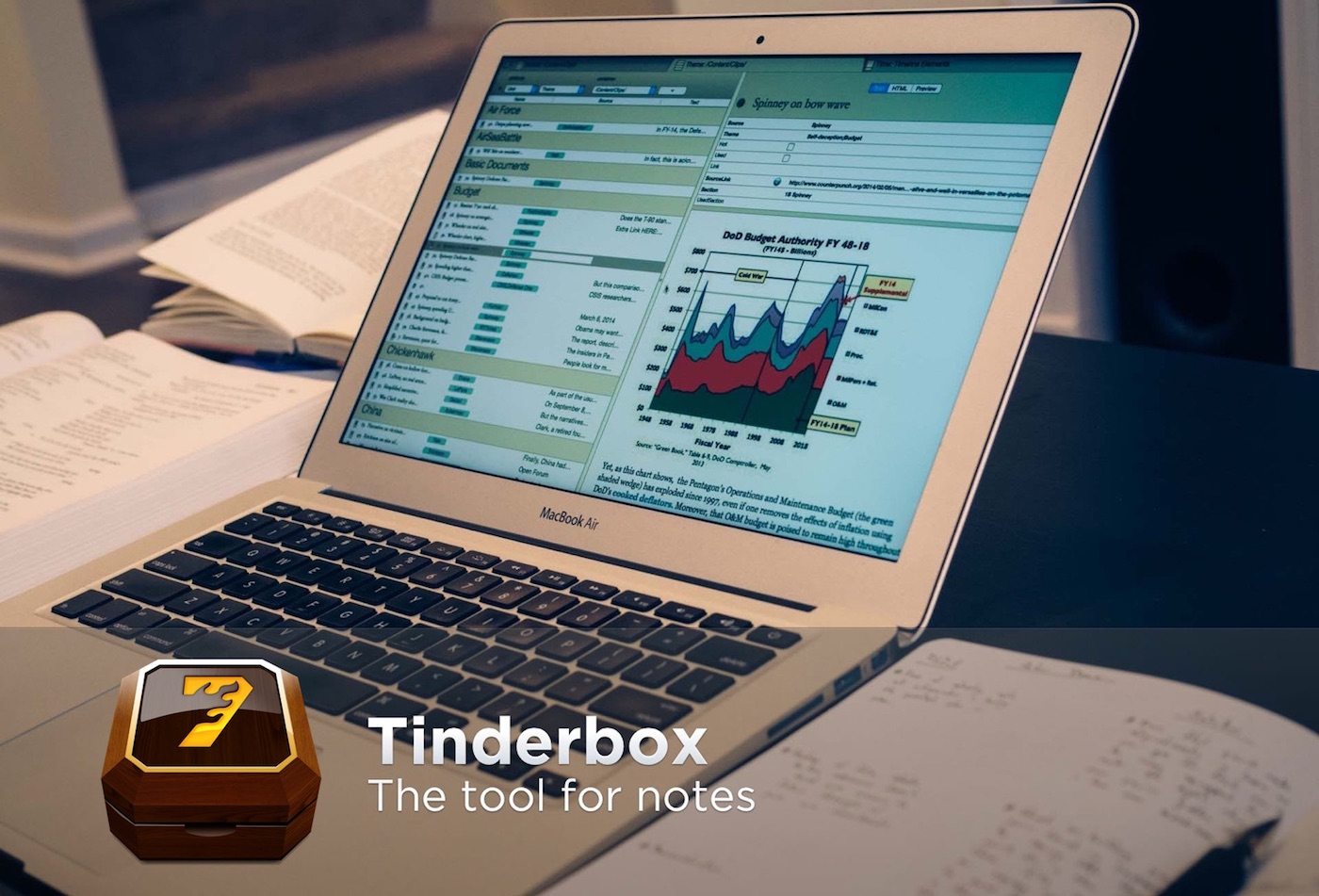
Tinderbox is a powerful Mac app that stores and organizes your notes, plans, and ideas, bringing order and understanding to the vast amounts of information collected when you’re working on a big project. Whether that’s writing a book, creating course materials, planning a wedding, or just managing your day-to-day life, Tinderbox helps impose structure on your data.

The app acts as a personal content assistant giving you the tools you need to discover connections and relationships between your notes that you might otherwise miss. Best of all, Tinderbox adapts to the way you work. You can use mind maps with shapes, colors, and links to surface connections between ideas, or one of many other tools like outlines, word clouds, timelines, and dashboards. Each is a powerful way to gain new insights and perspectives on your ideas.

Tinderbox also has agents and rules, which are fantastic automation tools that can do things like surface a series of tasks coming due soon or a particular topic you’re tracking. The options are only limited by your imagination.

Tinderbox works beautifully with other apps and platforms too. Connect the app to Apple’s Notes app, and notes you enter on your iOS devices or Mac can be automatically categorized in Tinderbox. The app also works with other apps like Evernote, DEVONthink Pro, and Dropbox.

Eastgate, the maker of Tinderbox, has a very special deal just for MacStories readers. Use this link to save $53 on Tinderbox – that’s over 20% off the usual price.

Our thanks to Tinderbox for supporting MacStories this week.