This Week's Sponsor:

GoodLinks

Save articles for later and enjoy them when you have time


Posts tagged with "Qwen"

M5 Ultra Mac Studio Review: The Dream Mac for Local AI Agents

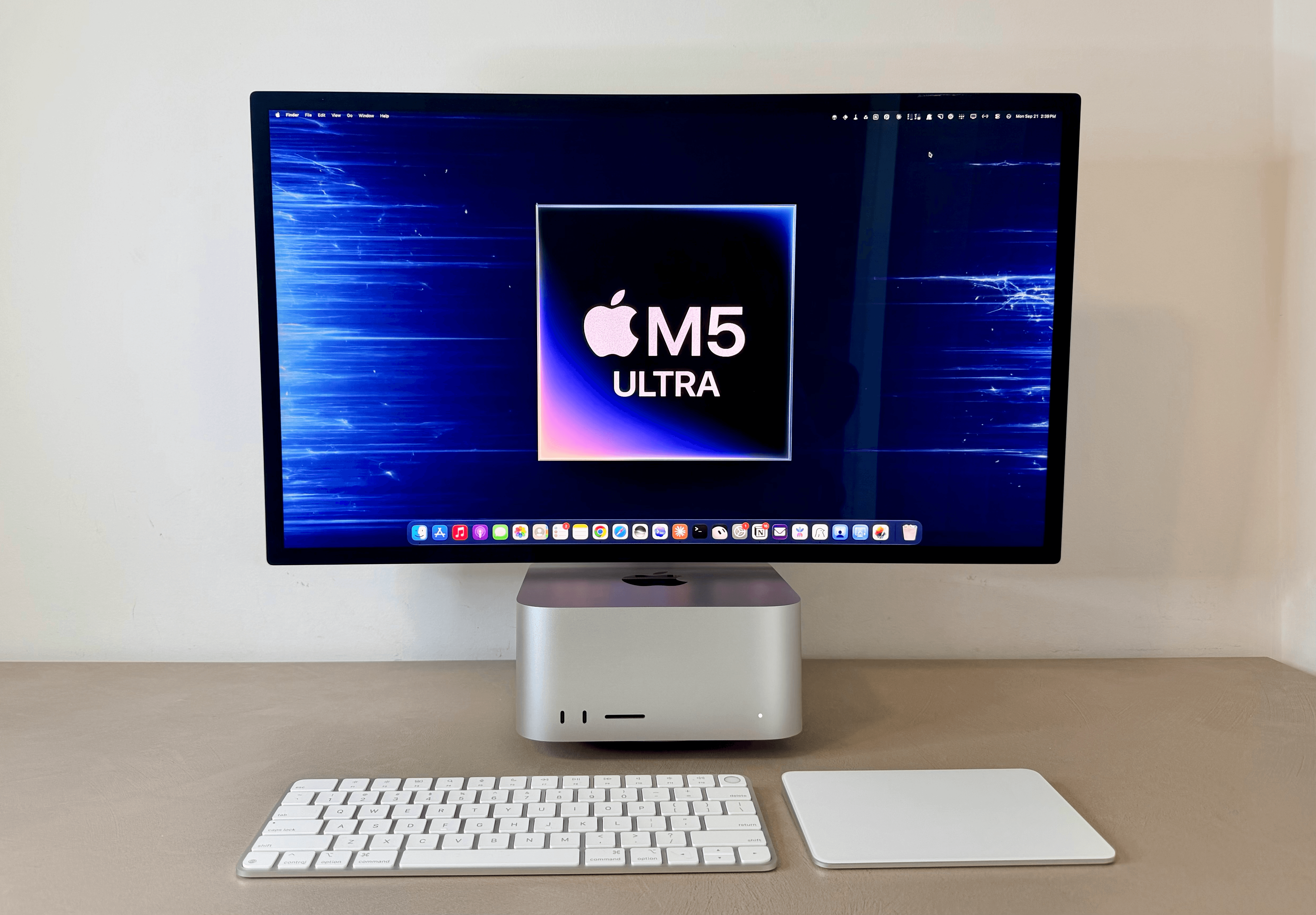
The M5 Ultra Mac Studio.

The M5 Ultra Mac Studio.

For the past few days, I’ve been testing the (currently) top-of-the-line M5 Ultra Mac Studio with 256 GB of RAM.

I’ll cut to the chase: the M5 Ultra Mac Studio is a dream machine for local AI agents. This computer makes it possible to run personal assistants powered by local models with great performance and no additional cloud costs. If you’ve been skeptical of testing OpenClaw or Hermes Agent with local models because they’d never be even remotely near the intelligence and speed of cloud ones, this Mac will change your mind about that.

Since last Thursday, I’ve been comparing this Mac Studio to its predecessor, the M3 Ultra with 512 GB of RAM, as well as my own desktop gaming PC with an RTX 5090 inside. For its size, price, thermal performance – not to mention Apple’s approach to unified memory – the M5 Ultra Mac Studio has fundamentally changed how I think about models running locally and what they can enable now. A 5090, of course, still has an edge over the M5 Ultra thanks to its higher memory bandwidth. But considering the sheer size of my PC build, as well as its heat and noise, I would prefer an M5 Ultra Mac Studio any day. It also happens to be a Mac, with an operating system that looks nice and doesn’t suck, plus a vibrant app ecosystem. (Windows fans, I’m sorry, but Microsoft software will never get my sympathy.)

As I’ll explore in this article, running the latest Qwen3.8-Flash-Next model on the M5 Ultra Mac Studio has been so nice and fast, I’ve made it my default in both Open Minis for iOS and Hermes Agent. That’s right: the personal assistants I use the most – more than Siri AI, in fact – are now entirely powered by a model running locally on a Mac Studio. Furthermore, thanks to the M5 Ultra’s faster GPU and higher memory bandwidth, these agents start responding more quickly, stay fast at larger context windows, and can run long, multi-turn loops without slowing to a crawl as the session grows. Because of this, I’ve also been using local models in the Codex app on my Mac – either as main threads or subagents orchestrated by GPT-6 Astra – and I’ve had a great experience doing so.
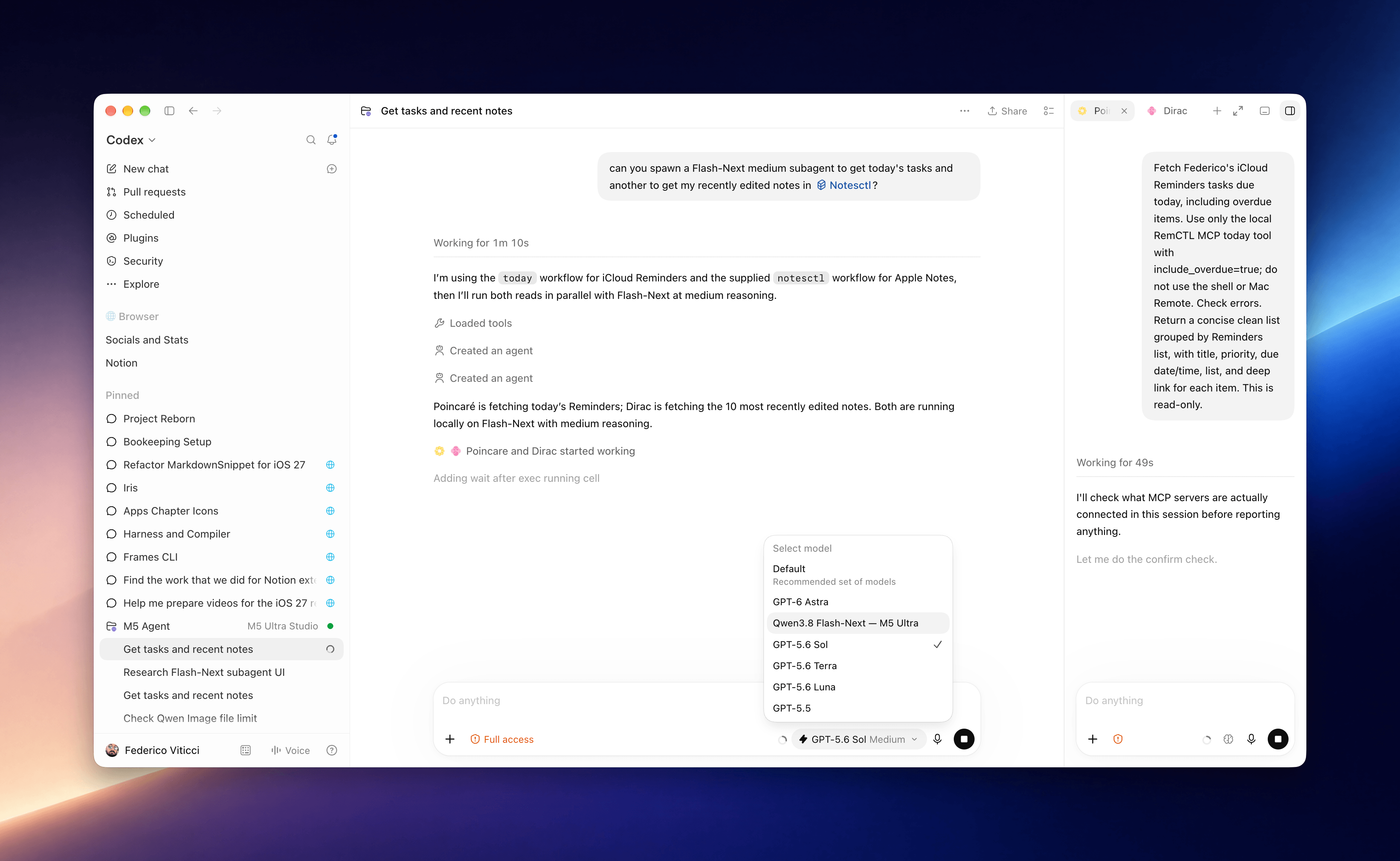
Local subagents running in Codex on the M5 Ultra Mac Studio.

Local subagents running in Codex on the M5 Ultra Mac Studio.

I should note upfront that I’m not an AI developer by trade: I do not train or fine-tune models. I’m a tinkerer at heart, and I’ve been playing around with local AI models for over a year at this point. This summer, I went all-in on local AI usage for a big project I was working on, which I will explain in the following section.

My goal with this article is to provide you with a mix of two things: numbers and visualizations based on the (many) tests I’ve run over the course of four days, and an explanation of my practical use cases for local AI applied to my workflow and how I get things done for MacStories.

Let’s dive in.
Read more


Notes on Early Mac Studio AI Benchmarks with Qwen3-235B-A22B and Qwen2.5-VL-72B

I received a top-of-the-line Mac Studio (M3 Ultra, 512 GB of RAM, 8 TB of storage) on loan from Apple last week, and I thought I’d use this opportunity to revive something I’ve been mulling over for some time: more short-form blogging on MacStories in the form of brief “notes” with a dedicated Notes category on the site. Expect more of these “low-pressure”, quick posts in the future.

I’ve been sent this Mac Studio as part of my ongoing experiments with assistive AI and automation, and one of the things I plan to do over the coming weeks and months is playing around with local LLMs that tap into the power of Apple Silicon and the incredible performance headroom afforded by the M3 Ultra and this computer’s specs. I have a lot to learn when it comes to local AI (my shortcuts and experiments so far have focused on cloud models and the Shortcuts app combined with the LLM CLI), but since I had to start somewhere, I downloaded LM Studio and Ollama, installed the llm-ollama plugin, and began experimenting with open-weights models (served from Hugging Face as well as the Ollama library) both in the GGUF format and Apple’s own MLX framework.

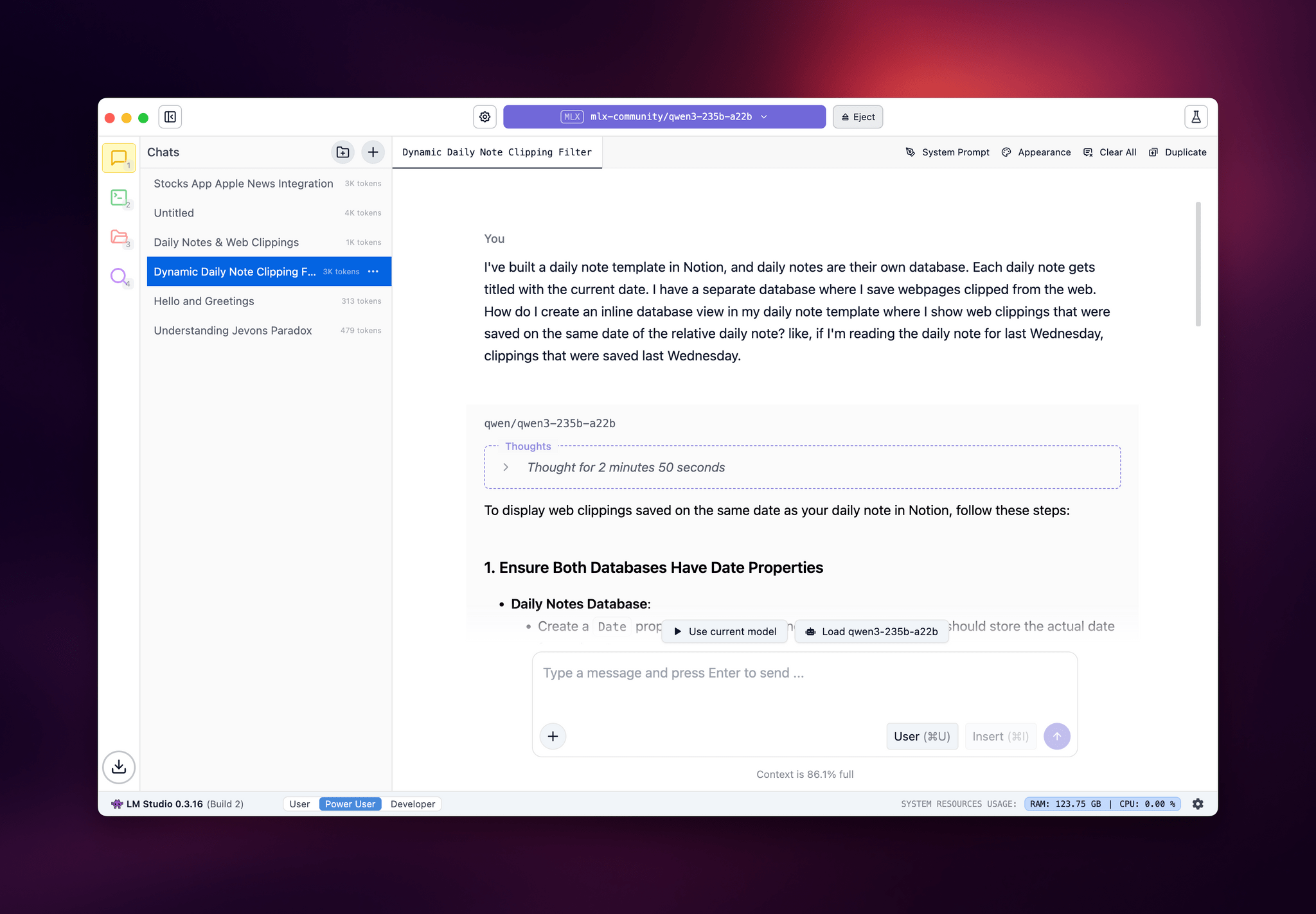
LM Studio.

LM Studio.

I posted some of these early tests on Bluesky. I ran the massive Qwen3-235B-A22B model (a Mixture-of-Experts model with 235 billion parameters, 22 billion of which activated at once) with both GGUF and MLX using the beta version of the LM Studio app, and these were the results:

  • GGUF: 16 tokens/second, ~133 GB of RAM used
  • MLX: 24 tok/sec, ~124 GB RAM

As you can see from these first benchmarks (both based on the 4-bit quant of Qwen3-235B-A22B), the Apple Silicon-optimized version of the model resulted in better performance both for token generation and memory usage. Regardless of the version, the Mac Studio absolutely didn’t care and I could barely hear the fans going.

I also wanted to play around with the new generation of vision models (VLMs) to test modern OCR capabilities of these models. One of the tasks that has become kind of a personal AI eval for me lately is taking a long screenshot of a shortcut from the Shortcuts app (using CleanShot’s scrolling captures) and feed it either as a full-res PNG or PDF to an LLM. As I shared before, due to image compression, the vast majority of cloud LLMs either fail to accept the image as input or compresses the image so much that graphical artifacts lead to severe hallucinations in the text analysis of the image. Only o4-mini-high – thanks to its more agentic capabilities and tool-calling – was able to produce a decent output; even then, that was only possible because o4-mini-high decided to slice the image in multiple parts and iterate through each one with discrete pytesseract calls. The task took almost seven minutes to run in ChatGPT.

This morning, I installed the 72-billion parameter version of Qwen2.5-VL, gave it a full-resolution screenshot of a 40-action shortcut, and let it run with Ollama and llm-ollama. After 3.5 minutes and around 100 GB RAM usage, I got a really good, Markdown-formatted analysis of my shortcut back from the model.

To make the experience nicer, I even built a small local-scanning utility that lets me pick an image from Shortcuts and runs it through Qwen2.5-VL (72B) using the ‘Run Shell Script’ action on macOS. It worked beautifully on my first try. Amusingly, the smaller version of Qwen2.5-VL (32B) thought my photo of ergonomic mice was a “collection of seashells”. Fair enough: there’s a reason bigger models are heavier and costlier to run.

Given my struggles with OCR and document analysis with cloud-hosted models, I’m very excited about the potential of local VLMs that bypass memory constraints thanks to the M3 Ultra and provide accurate results in just a few minutes without having to upload private images or PDFs anywhere. I’ve been writing a lot about this idea of “hybrid automation” that combines traditional Mac scripting tools, Shortcuts, and LLMs to unlock workflows that just weren’t possible before; I feel like the power of this Mac Studio is going to be an amazing accelerator for that.

Next up on my list: understanding how to run MLX models with mlx-lm, investigating long-context models with dual-chunk attention support (looking at you, Qwen 2.5), and experimenting with Gemma 3. Fun times ahead!