

Those familiar with Audanika know SoundPrism as a must have music creation app for their iPad. Just in time for the holidays, the same folks who’ve brought you a synthesized summer are bringing you some holiday cheer with their new SoundFlavors app, which is both free to download and a ton of fun for the holidays.
Posts tagged with "music"
SoundFlavors Christmas Edition Delivers Musical Cheer
Tap Tap Revenge 4 Available: Game Center, 100 Free Songs, Retina Graphics
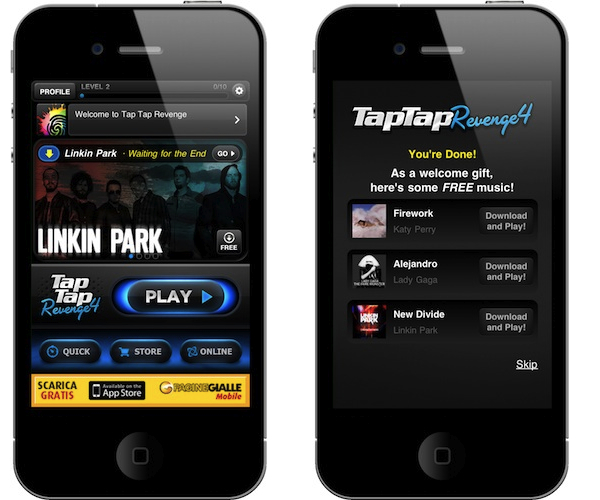
A few hours ago Tapulous (now part of Disney), released a major new version of their iPhone hit Tap Tap Revenge: Tap Tap Revenge 4 is now live in the App Store, and it’s free. This new update is the most important one since the original release of TTR 3 and all its spin-offs, and it features lots of new functionalities, songs and graphics.
First off, the app now sports Retina Display graphics and it’s got Game Center integration. TTR now has global leaderboards to see who has the best scores worldwide, a “like” button to see who else likes the same songs as you and sharing on Twitter, Facebook and email. As far as the built-in community tools go, you can create your own avatar and buy accessories and clothes in the game stores, have chats and private messages with other users, engage in online battles and download free tracks every week.
Speaking of which, Tap Tap Revenge 4 comes with 100 free songs from artists like Linkin Park, Taio Cruz, Metallica, Nicki Minaj and My Chemical Romance, plus premium content from the in-app store. The song selection is pretty huge and should contribute to the game’s replay value. The new user interface is cool although a little bit cluttered in my opinion, the app is free but there’s ugly in-app advertising in the main screen. It kind of ruins the whole feeling of the game – still the Retina graphics are really shiny on the iPhone 4.
Tap Tap Revenge 4 is available for free in the App Store. Full changelog and video below. Read more
iRip 2: The Best Way To Get Anything Out Of iOS Devices
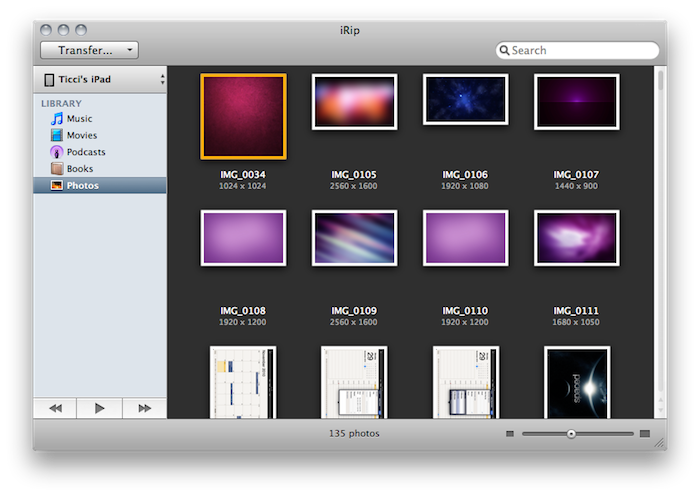
The Little App Factory has published some great Mac apps in the past year. First for me came Evom, a simple and free utility that can save videos from the web (even Flash videos) and convert to a number of different devices, such as iPads or Apple TVs. Then I installed Rivet, another little utility for the Mac that can stream video from your local machine to a PlayStation 3 or Xbox 360 console in your local network. Works like magic.
Last week I took a look at The Little App Factory’s latest effort, Grappler for Mac. Grappler provides an integrated view to browse Youtube without leaving the app and download videos to convert for an iTunes-compatible format. It’s got a great UI, inline previews and a lot more. Make sure to check out my review here if you missed it. Read more
My Artists 1.1 - Still My Favorite iPod Alternative
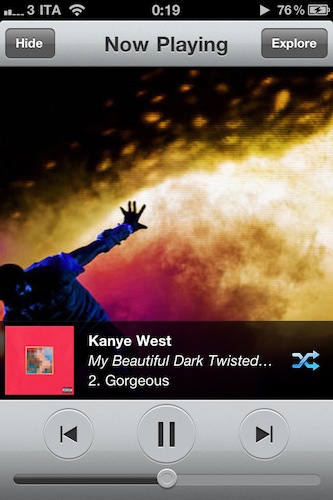
In my review of My Artists for iPhone months ago, I wrote that the app was the ultimate iPod.app replacement for me. It still is, months after its release and with lots of alternative music players available in the App Store. I never deleted My Artists from my device, and I don’t see it going away from that Music folder on my homescreen anytime soon.
My Artists fetches artists and songs already synced to your device and sitting in the iPod app but provides a completely new layout that offers more information thanks to the magic of the Internet. Not only does the app provide better artist profile pics and cover albums, it also lets you check on detailed bios and related artists.
The latest 1.1 update brings several interface improvements, especially in the main list view where the app feels more solid and crisp than ever. You can also shuffle entire albums or artists now – heck, you can even shuffle your entire library from the main view. That’s quite handy. Last, the app’s engine has been update to be faster, and more stable.
My Artists 1.1 is a nice update to an app that is still one of my favorites on the iPhone. Highly recommended. Go download it here.
Acapella Group Rocks Out Madonna With iPads [Video]
Finnish acapella group Viisi got their hands (literally) on some iPads and thought it’d be nice to rock out some tunes with the tablets. After all, it’s not that the Internet hasn’t seen examples of Apple’s iDevices music before. The result, as you can guess, it’s pretty sweet.
The group made a cover of Madonna’s Material Girl using their voices to create harmonies (the main concept behind acapella performances) and ran a bunch of iPads as background instruments. I can spot a few pianos apps in there.
Check out the video below. [via TUAW]
Spotify iPhone App: Faster, Retina-ready
Spotify is still nowhere to be seen in the US – although they keep saying that the service will find its way to America, eventually – but it’s doing quite well in Europe. I, for instance, have been a subscriber for over a year now and I can say Spotify has changed the way I think of music availability and my personal library. I don’t care about downloads and purchases anymore.
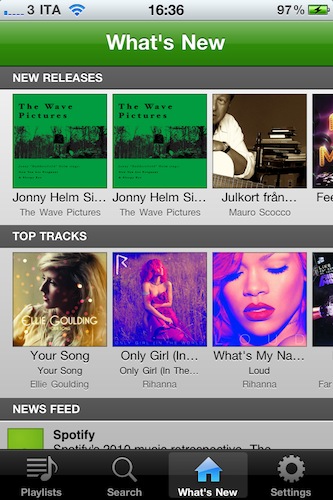
The Spotify app for Mac has always been a sexy piece of software with neat functionalities, but the iPhone app is just better. It’s a mobile client that allows you to access your music anywhere, even on 3G, with high quality streams and the possibility to check on your favorite tracks and playlists.
With the latest updates released in iTunes last night, Spotify for iPhone got even better. The app now starts up to 6 times faster, and I can tell you this is a difference you will spot. The app sports a new loading indicator and it takes seconds to load up your account info, playlists and new releases. Bug fixes and updated graphics for the Retina Display aside, the developers changed the way the client handled saved state on each relaunch. Now you no longer have to wait for an internet connection to kick in before using the app. It feels immediate.
Spotify for iPhone requires a premium subscription and it’s only available in the UK App Store. Full changelog below. Read more
How To: Create Social Playlists In Ping
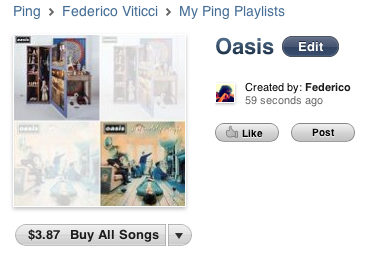
Last week, Apple launched a new feature for Ping users: social playlists. As the name suggests, a social playlist allows you to group two or more songs together and share the playlist with your friends (followers) on Ping.
It’s a very simple and effective concept, but the menu to get started with it is somehow buried into Ping’s homepage. Here’s how you can create your first social playlists. Read more
Grappler for Mac Grabs Music and Videos From The Web
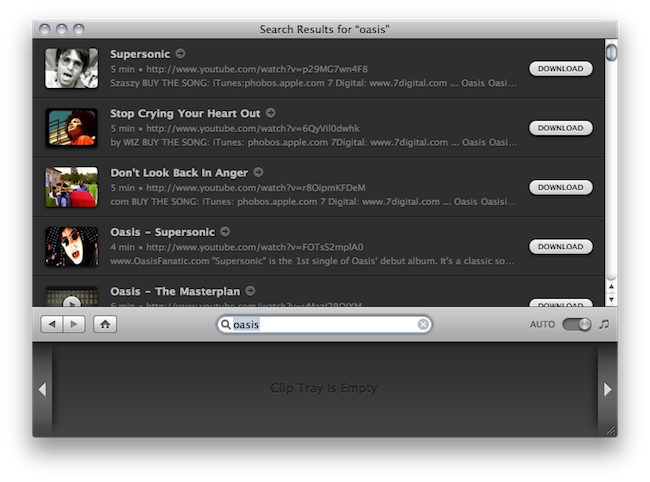
I know a lot of people who don’t listen to music through their iTunes library, or a Music folder saved somewhere on their computers. Every time they want to listen to their favorite band, they fire up Youtube. This behavior is particularly common among my friends, who find it “easier” to search for a video rather than organizing a media library. Maybe they just don’t want to buy songs and don’t feel like downloading pirated copies, either. I don’t really know why they keep doing this.
There’s also another reason why people listen to music through Youtube: rare footage and live performances. iTunes offers a large selection of official live performances from thousands of artists, yet Youtube manages to keep an impressive archive of unofficial, yet high quality, footage from millions of bands. That 1994 Oasis concert at New York? Go find it on iTunes if you can. Sometimes the quality isn’t exactly record-like, but the average user (and fan) doesn’t care.
That’s where an app like Grappler for Mac by The Little App Factory comes in handy: it’s a beautiful and simple utility that helps you save music and videos from the web, especially Youtube.com. It’s deeply integrated with iTunes, so you can have the best of both worlds with an organized library that relies upon a huge web archive. Read more
A Rapper, 10 iPads, 20 Apps
What would you expect from a rapper and his crew freestyling with 10 iPads and 20 music apps? A Youtube video that’s making the rounds of the Internet, you’re right. Featuring hip hop vocalist Tinchy Stryder and his crew using apps such as djay or the popular ReBirth and I Am T-Pain, the result is cool, although we would have loved to see more. Perhaps we’ll just have to wait until the next rap.
Check out the video below, and full list of apps after the break. [9to5mac via iPadevice]