

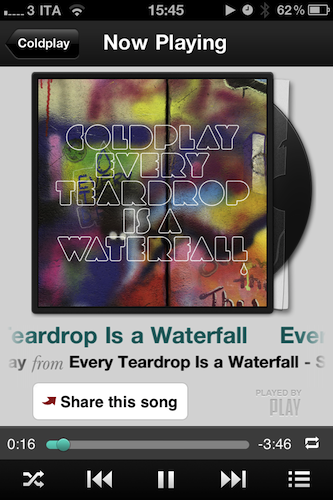
Play by AOL, the latest contendant in the social music discovery and sharing space, aims at providing a streamlined solution to what could be considered a common problem among iPhone and Android users: there is no unified system to share what you’re listening to and discover new music through the songs and albums your friends are liking. Ping by Apple failed at offering a solution truly meant for mobile with quick, instant access by being nothing but a mere social layer on top of the iTunes Store; on the other hand, apps like NowPlayer could be regarded as social attempts to get the music out of your device and onto the Internet (e.g. where your friends are), yet there’s always the issue with people finding tweets about #nowplaying annoying and, most of the times, out of context. Imagine if I tweeted all day about the music I’m listening to. That wouldn’t work. So that’s why in the past months we’ve seen the rise of SoundTracking (our review), a clever utility and social network by itself that lets you quickly share what’s playing on your device and send it off to an Instagram-like stream made by people you decided to follow within the app itself. Soundtracking can send items to Twitter and Facebook, but you don’t have to, as the app can live as a network on its own. Furthermore, sharing is made simple by a button that integrates with the iOS Music app to grab what’s playing in seconds, artist’s info and album artwork included. Read more
Posts tagged with "music"
Review: Play by AOL Aggregates Music, Lets You Share & Discover
Hands on with Amazon Cloud Player for iPad→
Hands on with Amazon Cloud Player for iPad
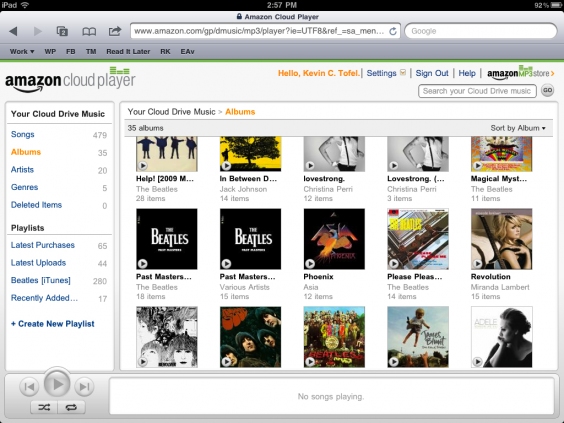
For all intents and purposes, outside of the track scrubbing, the Amazon Cloud Player site on iPad simulates a basic music application reasonably well. The music quality sounds no different from when I stream my tunes on a desktop browser, and thanks to iOS multitasking, I can use other apps on my iPad while streaming music over the web. I have noticed that the service runs best if it retains the focus, however. When using another app, the music tends to stop after a song or two. A quick return to the web page nudges the stream to start up right away: something I hope is addressed in the future.
Amazon’s extended support for Cloud Player for the iPad is quite nice: if you’re an Amazon customer, all of the music that you’ve purchased or will purchase is now immediately available for playback via an online browser.
Amazon is making some nice strides with their Amazon Cloud Player, but the biggest hurdle to get users into the service is that you have to upload all of your music to their storage locker, and you still can’t play that music well on your iPhone or iPod touch (the device you’re most likely to have with you all of the time). The act of uploading isn’t something I want to do — and iPads have more than enough storage to carry enough of your music if you’re arguably normal and don’t need to carry your 150 GB library with you at all times. Too, services like Spotify can put a damper on Amazon’s service. Unless you listen to a lot of local music or uncommon artists, Spotify (especially now that it’s coming to the US) is going to have all of your music already online and ready to stream at $5 to $10 a month.
I have nothing against Amazon — I think having the option is spectacular and their addition of unlimited music streaming is big move — but it’s going to be hard to hook and sink iPad users who want to browse the Internet while listening to music, or who want the instant gratification of competing online services. What Amazon really needs is an app, although I’m not sure Apple would allow that to happen.
Apple Releases iTunes Festival 2011 App with Live Shows and AirPlay
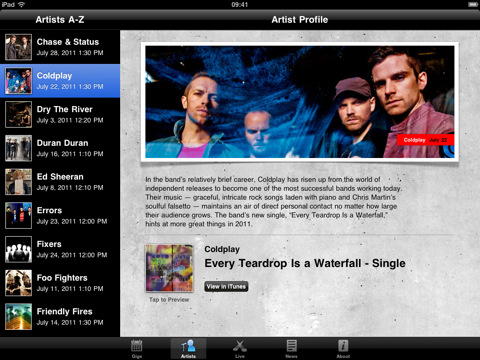
Kicking off on July 1 at the Roundhouse in London for 31 nights of consecutive live performances from 62 bands, the iTunes Festival 2011 has seen Coldplay, Beady Eye, Arctic Monkeys, Foo Fighters and Mogwai signing up for Apple’s annual initiative, among others. Today Apple released an official app for the iTunes Festival 2011 which, besides letting you check on the schedule for the venue and check out more information about the performing bands, will enable you to follow shows live or on demand “for a limited period from wherever you are in the world”, as well as beam video contents from your iPhone or iPad to an Apple TV or unofficial third-party receiver like MacStories staff favorite AirServer. This is the first time Apple is supporting both the iPhone and iPad with options for live streaming, AirPlay and Apple TV. Apple’s recent experiments with live streaming events include special media events and WWDC keynotes, though they have seemed to refrain from streaming announcements as of lately. It’ll be interesting to see how the app will allow users to watch live concerts come July 1.
You can download the iTunes Festival London 2011 app for free here.
Kickstarter: iBamboo Speaker Is A Really Cool Eco-Friendly iPhone Speaker
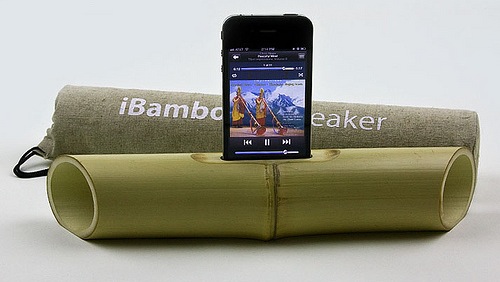
We’ve talked about a number of really cool Kickstarter projects over the past few months and today we’ve found another one; iBamboo speaker. Using just a foot of bamboo it uses the natural resonance to amplify the sound coming from an iPhone to create an ‘electricity-free’ speaker.
Merging the latest high tech with the simple beauty of nature, iBamboo is a100% eco-friendly speaker made from a whole length of bamboo.
Brilliant in simplicity, the iBamboo speaker is literally a foot of bamboo that has only had minor modifications; a slot for the iPhone, a flattened out base (so it sits flat on a surface) and the two edges of the bamboo tapered to direct the sound forward.
These speakers combine the high-tech of the modern day with the simplicity and aesthetics of nature. Since bamboo is a natural material, no two iBamboos are alike. Every piece has the same functional parameters, but each one is unique in its appearance and beauty.
You can support the project on Kickstarter from $5 and if you pledge $25 or more you’ll be pre-ordering your own iBamboo speaker. Jump the break for a video demonstration of the iBamboo speaker in action.
[Via Tree Hugger]
Read more
Shazam for iPhone Updated, Gets New LyricPlay Feature
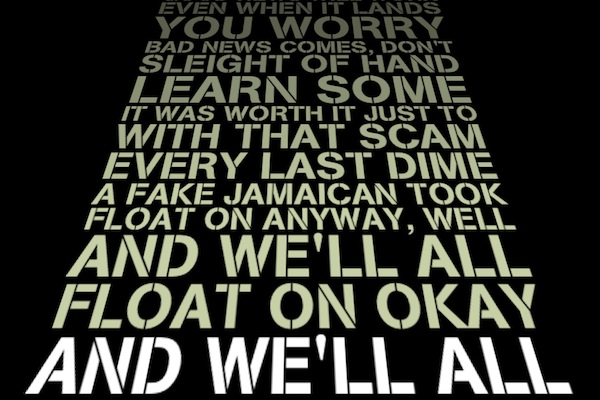
Shazam, the popular music tagging application for iPhone that allows you to hold your device up to a speaker and instantly get to know what’s playing, has been updated earlier today to include a new functionality called LyricPlay that, according to the developers, will display lyrics for the song you’ve just tagged in a beautiful landscape view. It works like this: once Shazam (Encore or RED, as LyricPlay has only been added to the Premium versions) has found a song, it’ll be saved in the My Tags section as usual. In the section, there’s a new LyricPlay button that is capable of syncing lyrics with the song you’ve just tagged, quite possibly promising to start visualizing lyrics in the exact position you just tagged a song. Turn your iPhone in landscape, and lyrics will start flowing in real-time in a Star Wars-esque interface that’s actually quite nice and undoubtedly accurate as far as lyrics go (Shazam says they have access to 25,000 songs with Lyrics after the acquisition of Silicon Valley startup Tunezee).
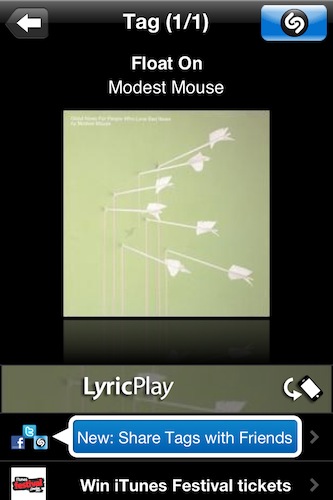
In reality, I found Shazam’s new LyricPlay feature somewhat unreliable, as it didn’t show up on most (old and recent) songs I have in my iTunes library (best way to run a quick Shazam experiment is to use your own songs), and when it did it definitely wasn’t “synced” with the position of the song. I’m not sure how a listener is supposed to follow the song and the lyrics running on screen, but there’s no doubt Shazam needs to make the whole thing more intuitive.
Overall though, the idea is pretty nice and it comes s a free update. I’m sure LyricsPlay will get better over time, so go download the app here and check out what Shazam has to say in the official press release below. Read more
Musicon Lets You Add Albums To Your Home Screen
In the weeks leading to Apple’s WWDC announcements, there was one possible feature of iOS 5 that was making the rounds of the Internet, meeting many people’s expectations for the new OS: the possibility to create shortcuts for anything on a device’s Home screen would have been an interesting option to, say, let users create a WiFi icon to quickly access Network settings without opening the dedicated app. Playing around with the concept of aliases and app-specific shortcuts, the theories surrounding iOS 5 pointed at Apple building such a functionality to reduce the time spent tapping and scrolling around. That, of course, didn’t happen, but it hasn’t stopped third-party developers from releasing their own solutions that take on this idea of “creating Home screen shortcuts”.
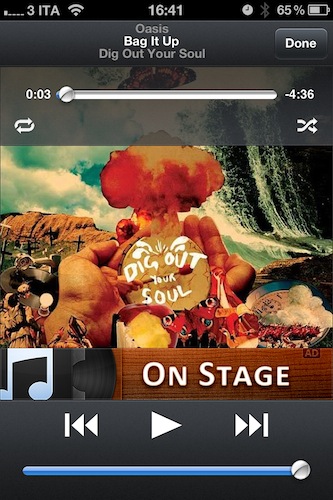
Musicon, a new iPhone app by developer Fabian Kreiser, enables you to create Home screen icons for music albums you have synced on your device or, if you’re rocking the latest iCloud features, bought on your computer and automatically pushed to your iPhone. Musicon works like this: it scans your music library (the one from iPod.app, or Music.app if you’re already on iOS 5) and fetches albums and album artworks. If music is playing from the native iOS app, a “Now Playing” button lets you control it – this app isn’t meant to be a music controller on its own, unlike Kreiser’s other iPhone app On Stage. In fact, if you have On Stage (which we reviewed here) installed on your device the app won’t show any advertisement.
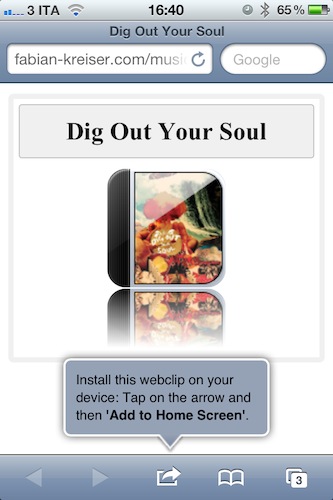
Once you’ve found an album you like, select it, and hit the big “Install Webclip” button. The app will already display a preview of the icon that you’ll end up with in the Home screen in the upper section of the screen. As you hit the button, Musicon does its thing to create a shortcut: it takes you to the developer’s website to install a webclip on your device. That’s right, these shortcuts are nothing but links to a webpage that somehow takes you to Musicon after you tap on the icon. Music will start playing in the native iPod app, and Musicon will come in foreground with the playback control UI. Not the most elegant solution if you ask me, but it works and the Home screen icons shine on the Retina Display.
Musicon is free, but I wish I could pay to remove advertising without having to keep On Stage installed. The idea is pretty nice and I can see why some people would want to save a couple of albums for quick access on a daily basis – if you’re one of them, get Musicon here and start creating your own shortcuts.
Apple Paying Record Companies Up To $150 Million For iCloud

According to The New York Post, Apple will hand over between $100 and $150 million in advance payments to the four major record labels as part of its iCloud deal with them. Each of the four, which includes Sony Music, EMI, Warner Music and Universal, were offered between $25 million and $50 million as incentives to get on board with Apple. The exact figures will ultimately depend on how many tracks consumers end up storing on Apple’s iCloud offering.
Yesterday we reported on the expected initial cost of iCloud, which is rumoured, to be free for the first year and $25 a year after that. The New York Post also notes that Apple will take a 30% cut of fees, the music publishers receiving 12% and the rest to going towards record labels and artists.
We also reported yesterday that Apple had finalised its iCloud deals with Universal Music, which was the hold out record company. The New York Post also notes that the size of the advance payments was the major stumbling block for Google, which had apparently been negotiating with the music companies before launching its cloud music offering last month. The official iCloud announcement will come on Monday at the WWDC keynote.
[Via The New York Post]
The Beatles Anthology To Launch As iTunes Exclusive
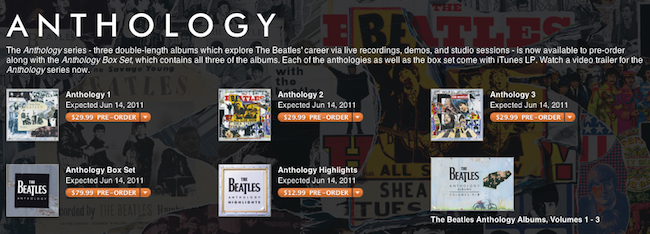
The Loop reports The Beatles Anthology series will debut exclusively on iTunes on June 14, expanding the existing music catalog of the Fab Four that was released after years of rumors and speculation last November. Apple heavily promoted the launch of The Beatles’ music on iTunes as a day music lovers and iTunes customers would never forget, granting EMI and The Beatles 5 million songs sold in two months. The Loop reports The Beatles have now sold more than 8 million songs and 1.3 million albums on iTunes worldwide.
EMI on Tuesday said the The Beatles’ three remastered Anthology music collections will debut on June 14. Anthology, Vols. 1-3 are available for preorder on iTunes starting today.
The Anthology Box Set comes with all 155 tracks from the three volumes ($79.99) and an exclusive 23-track “Anthology Highlights” collection of standout tracks from each ($12.99).
The Anthology is available for pre-order now, with a special introductory video and a “Meet The Beatles” radio series available for streaming in iTunes, for free. The new sets, Anthology box and streaming material can be viewed on The Beatles’ official iTunes page.
MacStories Product Review: SuperTooth Disco

Bluetooth AD2P has opened up a market of fantastic audio products that allow us to stream high quality stereo audio from our smartphones to speakers, headsets, and to car electronics. SuperTooth is just one of many companies who focus specifically on handsfree, bluetooth accessories for travel that work seamlessly with iPhones (and other smartphones of course). Straying from the tradition of car kits and speakers, SuperTooth has launched into the fray of home and portable audio with the SuperTooth Disco, a 28 Watt RMS Bluetooth AD2P speaker that can blast tunes without the need for an electrical outlet. Our full review past the break!