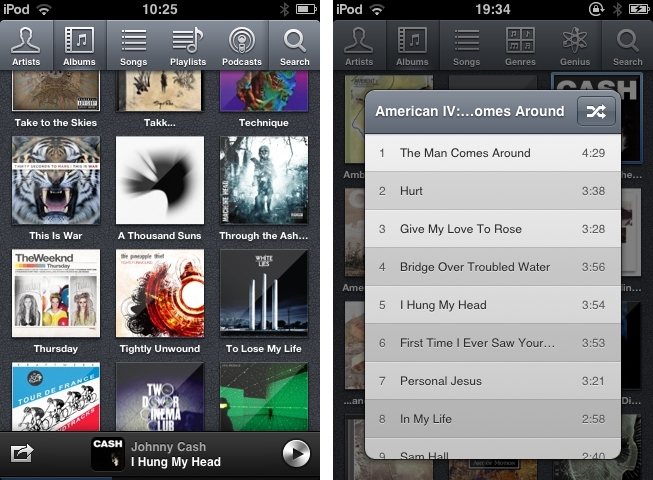
Independence Day in the USA is tomorrow (July 4th) and there are many great deals rolling in! Here are today’s @MacStoriesDeals on hardware, iOS, and Mac apps that are on sale for a limited time, so get them before they end!
Read more
Posts tagged with "iPhone"
#MacStoriesDeals - Tuesday
Five
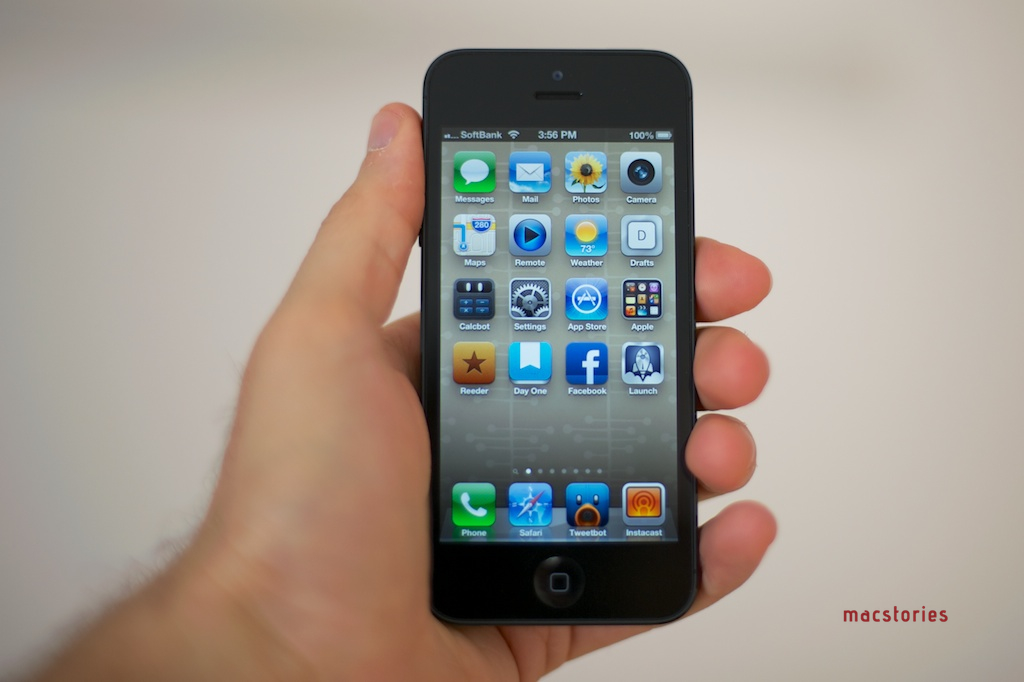
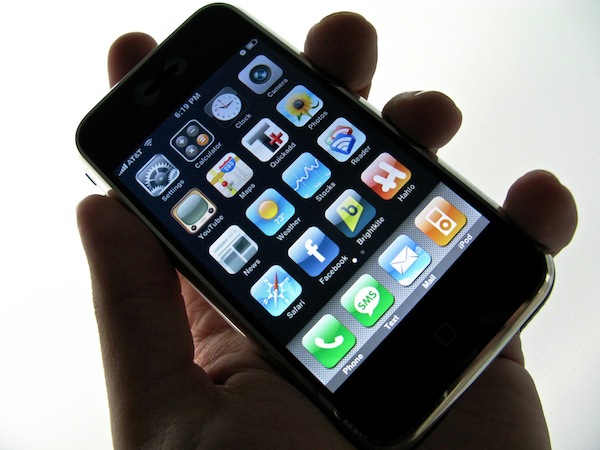
It’s easy to look back at five years of iPhone and say that it was just about technology.
Five years ago, the original iPhone launched in the United States to much hype and a slightly different world. Apple was a much smaller company; Obama wasn’t President of the United States; R.E.M. were still together. The interface design behind the iPhone was, too, a little different than the bits we touch and swipe today. Both Ars Technica and Macworld have published solid retrospectives about the past five years.
The iPhone has created an economy that’s spurring the creation of jobs and new positions all over the globe. It reignited the mobile phone industry, and, in one fell swoop, turned competitors upside down as they struggled to keep their eyes open to the new wind blowing in their direction. The App Store didn’t launch until 2008, but its numbers are the very example of the software revolution spearheaded by the iPhone.
Unlike most inventions of modern history, though, the iPhone created a culture. And that’s because – unlike the ATM or the cordless telephone – the iPhone brought people together. By allowing developers to craft software for consumers willing to pay for it, the iPhone took down the wall between creation and consumption – the virtual barrier that normally separates an inventor from people using a product.
Both sides affected by this change – developers and users – ultimately became the starting point, the goal, and the focus.
The iPhone is about the people.
Like any other company looking for a profit, Apple has always needed to make money with the iPhone. But, after five years, I like to think that there can be a good cause behind profit and industry strategies – that there can be a purpose to “make great products”. And maybe I’m wrong, but I believe the iPhone has proved to be one of those major changes that have made people’s lives better. By combining breakthrough hardware design with the human touch, iPhone didn’t just change the way people communicate, work, and play: it saved lives, improved workplaces, told stories.
Sometimes there’s more to progress than just technology.
[image credit: Flickr]
Apple Wins Preliminary Injunction Against Samsung’s Galaxy Tab 10.1 In The US
Apple has today won a preliminary injunction against Samsung’s Galaxy Tab 10.1 in the US, just a day before Google’s I/O conference begins. Issued by US Disctrict Judge Lucy Koh, it means that Samsung can no longer sell their tablet in the United States.
Although Samsung has a right to compete, it does not have a right to compete unfairly, by flooding the market with infringing products. While Samsung will certainly suffer lost sales from the issuance of an injunction, the hardship to Apple of having to directly compete with Samsung’s infringing products outweighs Samsung’s harm in light of the previous findings by the Court.
The judgment from Judge Koh also came before Friday’s hearing that was meant to cover the preliminary injunction. She said in her order that the strength of Apple’s case left her no choice but to grant the injunction, deciding she didn’t need to hear further arguments on the issue in Friday’s hearing. As noted by AllThingsD, she had previously denied a preliminary injunction request against the Galaxy Tab 10.1 by Apple back in December.
Once Apple fronts up with a $2.6 million bond (for Samsung if it is later ruled the injunction should not have been granted), the order will become effective. Speaking to an Apple representative, AllThingsD got a familiar statement on the matter:
“It’s no coincidence that Samsung’s latest products look a lot like the iPhone and iPad, from the shape of the hardware to the user interface and even the packaging
[via AllThingsD]
Review of WTHR - A Simpler, More Beautiful Weather App
I admit it, I have a bit of a fetish for weather apps. My taste in them is a bit different than all the other categories because I am a data geek when it comes to what’s happening outside. Apps like WeatherSnitch do a great job showing you a lot of info on a small screen but many don’t present them to the user very effectively. Until Dark Sky for iPhone came out, I didn’t think I could use a weather app that focused on the important details instead of all of them. Since then I have changed the way I use weather apps and rely on Dark Sky for short forecasts / radar and iOS’ built-in Weather app for extended forecasts until today.
WTHR is a brand new weather app from David Elgena. He wanted to build a weather app based on Dieter Rams’ 10 principles of design so the user could stop wasting time staring at weather radars and atmospheric pressure readings and spend more time enjoying what’s happening outside. WTHR started as a mockup on Dribbble about a month ago and received a lot of attention there. More mockups and a programmer later, WTHR was submitted to Apple and is available today.
WTHR is one of the best looking weather apps available — I love the style and simplicity of it. I appreciate that it hides the status bar to give your entire iPhone the look of being a handheld weather device with zero distraction. Launch the app, watch the animations, get your forecast and go. Some people may not like the color scheme but if you know Dieter Rams’ designs you understand where the colors come from. When you launch the app, it asks for your location then the UI presents the weather data in a retro-futuristic style. There’s only 2 buttons to interact with, one to refresh the forecast and the other to flip from Celcius to Fahrenheit. The refresh animation is great and the spinning notification in the 7-day forecast almost looks like a Rams dial. Underneath the current forecast is a 7 day extended forecast. All the weather icons are Adam Whitcroft’s wonderful Climacons which look perfect to the stylings of WTHR.
David Elgena told me that they are already working on future updates to include, but not complicate, more features and data like multiple locations and a dark mode. “My intentions with WTHR was really to create something as beautiful as the device that hosts them… and I do believe that even UI designers and app developers could gain inspiration from Dieter Ram’s product designs. Too often we load digital products with features and hidden or hard to use interfaces because we are suddenly given this almost infinitely layered product, the real discipline is control. There is no difference from when Dieter Rams was designing his first clock face…to an app on the iPhone. I look forward to creating more apps in the future…and continually improving upon WTHR.”
The lack of contrast in the 7-day forecast can make you squint a bit — an option to switch to a 5-day forecast could help. I’m glad the app icon wasn’t designed with the same skeuomorphism in mind, as I am not a fan of doing this in iOS because it clashes too much with most other icons. International iOS users – don’t worry, WTHR uses a global geo-location weather API so no one is exempt from using this great app. The weather data is a little different than what iOS uses but only a few degrees at times as Federico noticed in Italy. WTHR has gained a spot on my home screen with its beautiful, focused purpose. WTHR is available for 99¢ via the App Store.
Kickstarter: TAKTIK - A Premium Protection System for the iPhone
Many people take their iPhone protection very seriously. With cases like OtterBox and Griffin’s Armored case, there are some nice options available. LUNATIK, the makers of the TikTok+LunaTik watch, have started a new Kickstarter campaign to target these users with a new case called TAKTIK.
The design of the TAKTIK was injected from the TikTok+LunaTik and the LUNATIK Touch Pen with its hard lines and tactical feel. To take the rigidness of the case to the extreme, they have also included a Gorilla Glass lens (for an extra $25) for ultimate screen protection. The case itself has a shockproof suspension system with great iconic aesthetics. The TAKTIK also has GORE acoustic port covers to protect your iPhone from liquids, sand, dirt, etc. It has a nifty little patent-pending Silence Switch that only requires one fingertip to activate; there’s even a lanyard loop to fasten your iPhone safely to you. Videos after the break. Read more
Kickstarter: Hone for iPhone 4S: Never Lose Your Keys Again
During CES 2012 we were introduced to the BiKN, an iPhone case-dongle solution for finding and tracking your stuff. The BiKN was a hit at CES but it is expensive ($130 US) and burdened by a case that you must use. Louis Gerbarg and Geoff Litwack have come up with a much simpler and lighter solution called the Hone and now they have a Kickstarter project focused on getting it into the public’s hands. Video after the break. Read more
Agenda 3.0: Fast Event Creation, Custom Repeats and More
Agenda, by Savvy Apps, is a fantastic and minimal calendar replacement for iOS (universal) with many built-in options. We’ve covered Agenda a few times already but the new 3.0 update adds some excellent new features and updates.
The first, and most important update is a custom event creation screen that’s much faster than the default iOS one. It has a simplified layout that lets you access event elements without going into second and third screens. This means you only need to tap once to access the event title, start & end time, alerts, location, and notes. You can swipe between calendar months and the animation is very slick! The dots beneath the calendar identify what month you are in - past, present or future. Agenda now imports your contacts from iOS so once an event is created, you can attach them by tapping the calendar icon and choosing what contacts you want to add to your event for things such as text, email, calls, or status taps.
Another great feature that Agenda now has is a set of customizable repeat options. While on the event creation screen, tap the icon next to the repeat section to choose dates for ending repeating events, create repeating events for specific days or dates of the month, and much more.
Defaults, defaults, defaults! I wish more apps had a larger set of defaults — it makes data entry much easier if there is a predefined set of options. You can now pick defaults for calendar, event alert sounds, view, duration, alert, and all day alert time via Agenda’s built-in Settings > Defaults menu.
iPad users also get a few new options: swiping right or left will now change views, year and week view now move up or down instead of right or left and you can now change settings to a smaller modal view.
To read the complete release notes for Agenda 3.0, Savvy Apps has a listing for your viewing pleasure. They also have a great little Tips & Tricks section on the Agenda page to help you enter events even faster. If you don’t like the new “Fast Event Creation” screen you can always toggle back to the native iOS event creation from Agenda’s settings, but the new way is so much easier and more fun!
Agenda 3.0 is a great upgrade to a great product — anytime you can streamline manual data entry into one screen gets a big thumbs up from me. The Tips & Tricks are worth 2 minutes of your time to read so that you can fully understand the new “Fast Event Creation” screen. Agenda is a universal app and available in the App Store for 99¢, while existing users get the 3.0 update for free.
Kickstarter: Pebble, an E-Paper Watch for the iPhone
People love to fit their iPod nanos with a super sweet watch band. With its nice watch face and music on the fly, it’s a very attractive piece to add to your Apple nerdware. The Nano “iWatch” could be improved when it comes to its wrist functionality though. Pebble Technology from Palo Alto, California, is not only improving wrist technology but incorporating our smartphones with the Pebble watch, “it’s infinitely customizable, with beautiful downloadable watch faces and useful internet-connected apps.” Pebble connects to our iPhones via Bluetooth and sends information through silent vibrations for incoming calls, emails, messages, and more.
Pebble can easily be customized by adding apps (via the iPhone Pebble app) to be used for cyclists, runners, controlling music, a golf rangefinder and infinitely more apps via the SDK that they have also developed. The Pebble also has customizeable watch faces (much like the iPod nano) to fit each owner’s unique style. The watch will also come in 4 colors - arctic white, jet black, cherry red and one to be voted on my Kickstarter backers.
Video after the break. Read more
Apple Updates Most of Its iOS Apps for the new iPad
Today, during Apple’s Keynote, they showed off updates for iWork, iMovie and GarageBand after revealing the new iPad. After the Keynote, many more of Apple’s iOS apps also received updates as well. All these updates are available now in support of the new iPad. Lucky for you we have the entire list (with direct links) for our loyal readers!
iOS Apps
Find My Friends 1.1:
- Support for Retina display-capable devices
- Bug Fixes
- Stability enhancements
iTunes U 1.1:
- Now designed for the spectacular Retina display on the all new iPad.
- This version also includes a number of performance improvements.
GarageBand 1.2:
- Start a Jam Session to play or record live with up to three of your friends using iPad, iPhone, or iPod touch*
- Conduct an entire string orchestra using Smart Strings
- Use the Note Editor to adjust or fine-tune any Touch Instrument recording
- Combine recordings to free up additional tracks using Track Merge
- Keep your GarageBand songs up to date across all your iOS devices with iCloud*
- Share your songs directly to Facebook, YouTube, and SoundCloud
- Perform retro and modern synth bass lines and grooves with new Smart Bass instruments
- Play synth melodies and arpeggios with new Smart Keyboard instruments
*Jam Session and iCloud are available on iPhone 4 or later, 4th generation iPod touch, and all iPad models.
iMovie 1.3:
- Create beautiful movie trailers with stunning graphics and world-class soundtracks*
- Swipe up on the playhead to freeze a frame in your video
- Preview music and sound effects in the Audio Browser
- Create a song in GarageBand and send it directly to iMovie
*Trailers are available on iPhone 4 or later and iPad 2 or later
Find My iPhone 1.4:
- Support for Retina display-capable devices
- Bug Fixes
- Stability enhancements
iBooks 2.1:
- Read books more easily with sharply detailed text on the new iPad’s amazing Retina display
- See page numbers that correspond to the printed edition of select titles
- Search for a page number to jump to a desired page with a single tap
- Use your finger as a highlighter when swiping over text
- This version also includes a number of important stability and performance improvements
Numbers 1.6: (Numbers 1.6 requires iOS 5.1 software update or later)
- Create and view stunning 3D bar, line, area, and pie charts
- Numbers 1.6 is enhanced to take advantage of the Retina display on the new iPad
- Includes performance improvements
Keynote 1.6: (Keynote 1.6 requires iOS 5.1 software update or later)
- Create and view stunning 3D bar, line, area, and pie charts
- Animate your 3D charts with Crane, Grow, Radial, Rotate, Rotate & Grow, and Z Axis builds
- Keynote 1.6 is enhanced to take advantage of the Retina display on the new iPad
- Use new builds and transitions including Iris, Shimmer, Wipe, Flame, Perspective, Swing, Object Push, Object Zoom, and Fade Through Color
- Includes performance improvements
Pages 1.6: (Pages 1.6 requires iOS 5.1 software update or later)
- Easily enter text using the landscape keyboard on iPhone and iPod touch
- Create and view stunning 3D bar, line, area, and pie charts
- Pages 1.6 is enhanced to take advantage of the Retina display on the new iPad
- Includes performance improvements
Remote 2.3:
- Support for iTunes Match on Apple TV
- Support for Retina display on iPad
Mac Apps
Xcode 4.3.1:
- Includes SDKs for Mac OS X 10.7 Lion and iOS 5.1
- New code signing workflow supports signing OS X apps with Developer ID
- Adds installation of command-line tools to the Downloads preference pane
- Open Developer Tool menu launches Instruments, File Merge, and other tools
- ARC migration tool converts both retain/release and garbage collected code
- Additional bug fixes and stability improvements
iBooks Author 1.1:
- iBooks Author 1.1 is enhanced to create books that take advantage of the Retina display on the new iPad
- Includes performance and stability improvements
iPhoto 9.2.2:
- Photos can now be deleted from Photo Stream