Posts tagged with "featured"

For iPad, Accessibility Gives ‘It’s Just a Big iPhone’ New Meaning

Perhaps the most common complaint hurled against the iPad over its first decade of life is that it‘s little more than a bigger iPhone. At a fundamental level, the criticism is certainly valid: by and large, the iPad runs the same software as the iPhone. The penchant for bemoaning this bigness emanates from discontentment over the fact that substantial improvements to the iPad’s software have come at a glacially slow pace. Until last year, meaningful upgrades tailored to the tablet were few and far between.1 As much as Apple has extolled the iPad for being “unlike any computer,” the truth is the product stagnated for quite a while in terms of software.2 For better or worse, the company has been preoccupied with savoring every last drop of mother’s milk from the cash cow that is the iPhone. The iPad was left to wither thirstily when it came to its own growth, and it suffered for some time as a result.

In actuality, the iPad being more or less a scaled-up iPhone isn’t necessarily an entirely bad thing. The reason is iOS; familiarity breeds comfort – Apple shrewdly created the iPad’s user interface (and to lesser extents, Apple Watch and Apple TV) to largely resemble the iPhone. Especially for less nerdy users, the consistency across devices makes for a seamless, less intimidating experience. From icons to text to features to the touchscreen, the iPad being so similar to the iPhone means acclimating to the device takes minimal time and effort. From an accessibility standpoint, easy acclimation sets the tone for an enjoyable user experience. The foremost reason this is important is that the easier it is to acclimate to a device, the easier it is to find and configure mission-critical accessibility features.

Thus, it’s not at all unreasonable to look at what was heretofore a pejorative assessment – the iPad is nothing but a big iPhone – and turn it into a positive. One of the unheralded aspects of the device’s success is how its approachable, intuitive nature has made it a hit in accessibility-centric contexts such as special education classrooms and as a communicative aid. Such advances get right at the heart of the oft-cited Steve Jobs quote on the so-called intersection of technology and the liberal arts, when he said, “It’s in Apple’s DNA that technology alone is not enough.” Assistive technology obviously caters to the humanities part of the liberal arts, and it’s not hard to see how the iPad’s roots as ostensibly a bigger iPhone can be an asset rather than a liability. You just have to be willing to keep an open mind.
Read more


The iPad at 10: Emerging from the Shadow of the iPhone

The trouble with looking back over a long period is that time has a way of compressing history. The clarity of hindsight makes it easy to look back at almost anything and be disappointed in some way with how it turned out years later.

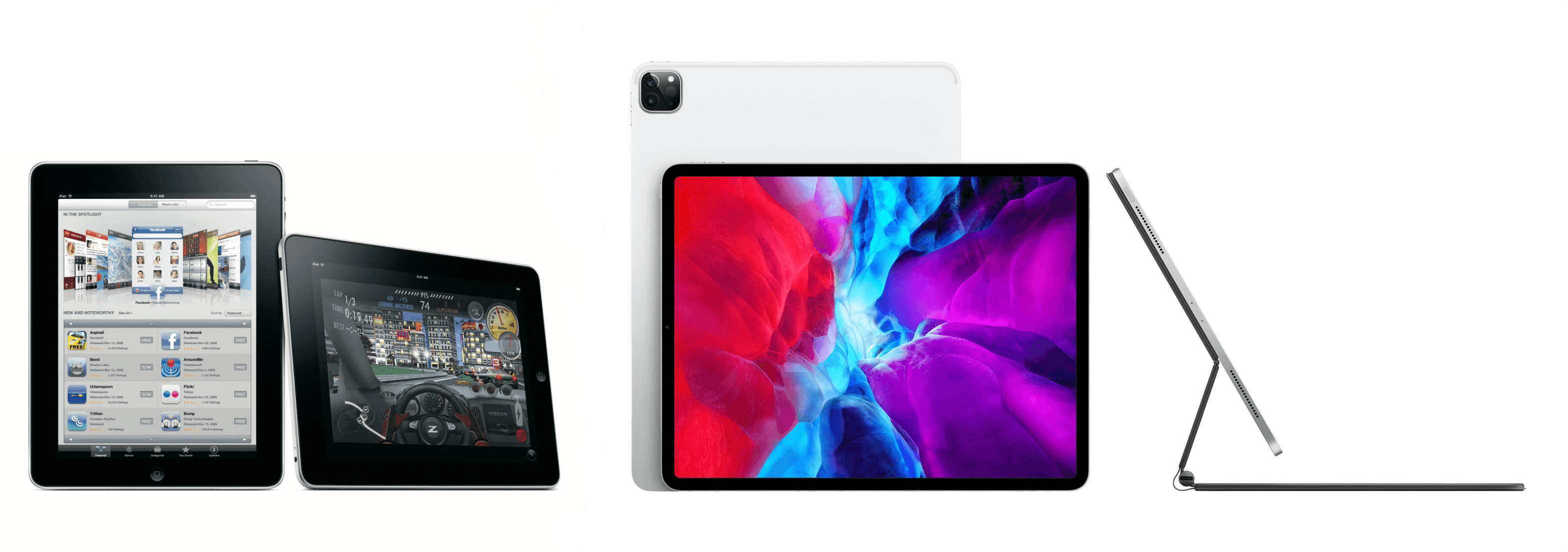
We certainly saw that with the anniversary of the introduction of the iPad. Considered in isolation a decade later, it’s easy to find shortcomings with the iPad. However, the endpoints of the iPad’s timeline don’t tell the full story.

It’s not that the device is short on ways it could be improved; of course, it isn’t. However, the path of the iPad over the past decade isn’t a straight line from point A to point B. The iPad’s course has been influenced by countless decisions along the way bearing consequences that were good, bad, and sometimes unintended.

The 10th anniversary of the iPad isn’t a destination, it’s just an arbitrary point from which to take stock of where things have been and consider where they are going. To do that, it’s instructive to look at more than the endpoints of the iPad’s history and consider what has happened in between. Viewed from that perspective, the state of the iPad ten years later, while at times frustrating, also holds reason for optimism. No single product in Apple’s lineup has more room to grow or potential to change the computing landscape than the iPad does today.

Read more


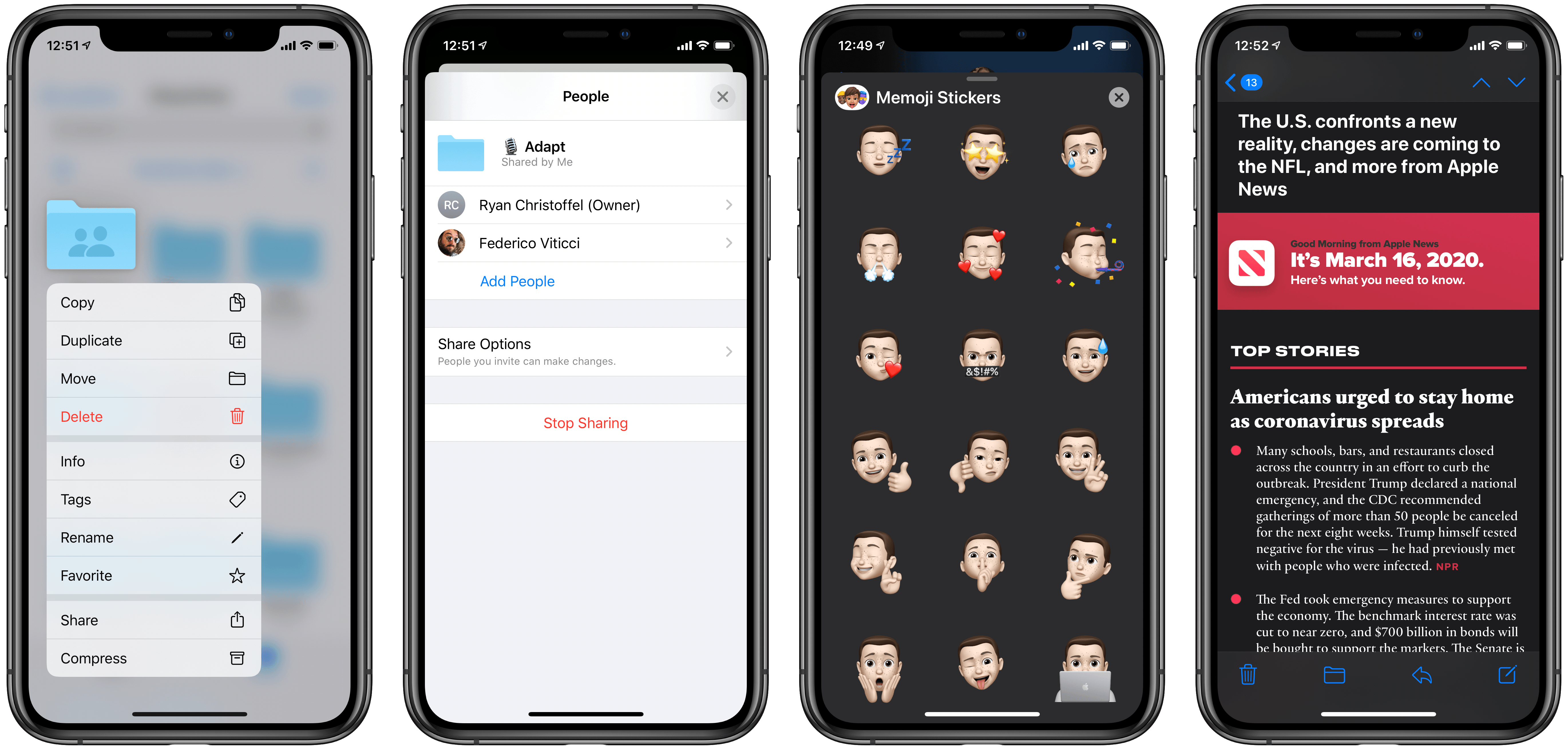
Apple Releases iOS and iPadOS 13.4 with iPad Cursor Support and Keyboard Improvements, iCloud Drive Shared Folders, and More

Today Apple released the latest updates for its suite of software platforms, most notable of which are iOS and iPadOS 13.4. Timed with the release of the latest iPad Pro models, the hallmark features include brand new systemwide support for mouse and trackpad on iPad, plus a handful of external keyboard enhancements. Shared folders for iCloud Drive is the other big addition – first announced at WWDC last June then delayed out of the initial 13.0 release, iCloud users may finally be able to consider reducing their Dropbox dependency. Beyond those highlights, Apple has also included smaller OS tweaks in a variety of areas.

Read more


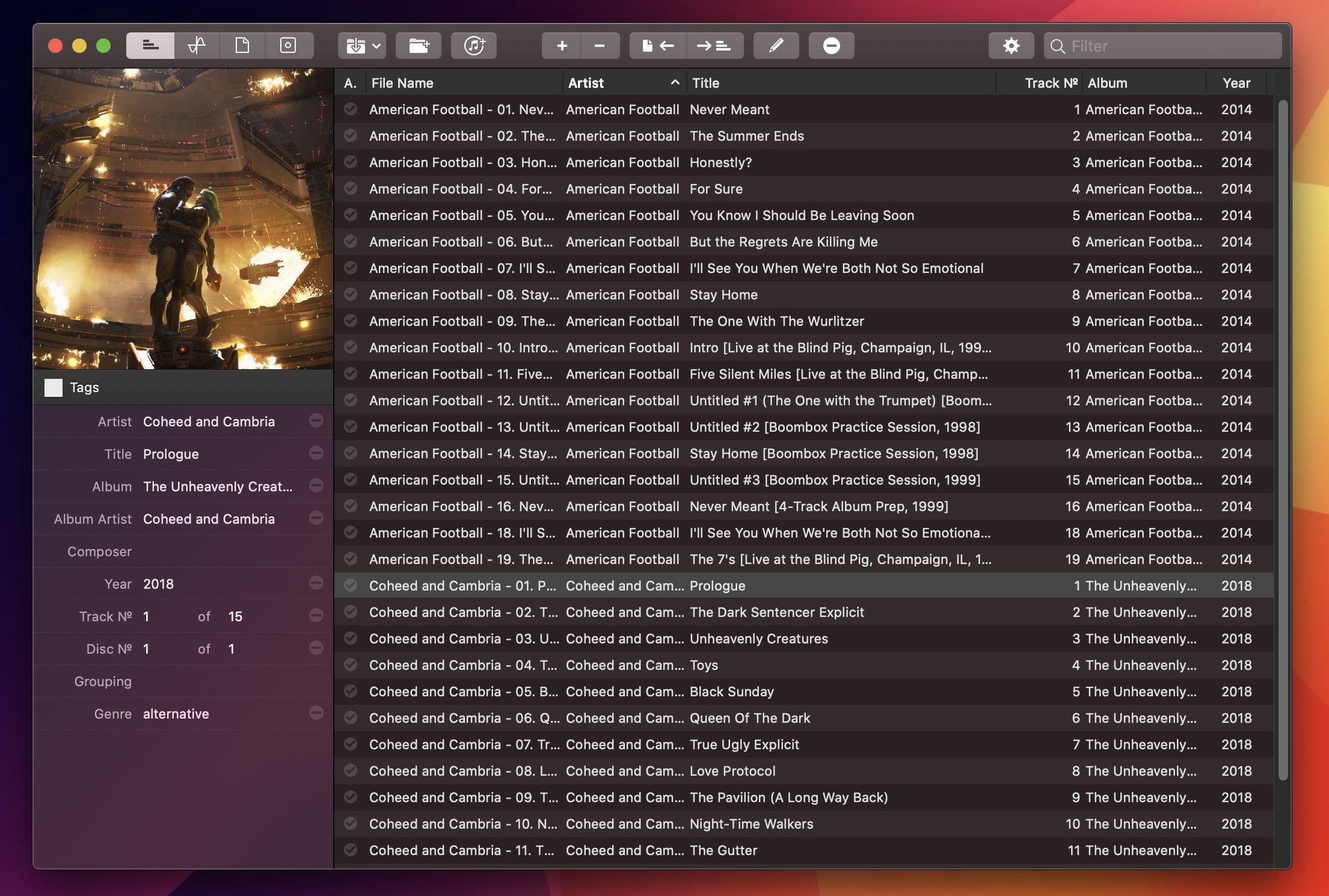
Editing FLAC Metadata with Meta for Mac

Meta for Mac.

Meta for Mac.

For the past year, I’ve been using a high-res Sony music player to listen to my personal music collection. I detailed the entire story in the December 2019 episode of our Club-exclusive MacStories Unplugged podcast, but in short: I still use Apple Music to stream music every day and discover new artists; however, for those times when I want to more intentionally listen to music without doing anything else, I like to sit down, put on my good Sony headphones, and try to enjoy all the sonic details of my favorite songs that wouldn’t normally be revealed by AirPods or my iPad Pro’s speakers. But this post isn’t about how I’ve been dipping my toes into the wild world of audiophiles and high-resolution music; rather, I want to highlight an excellent Mac app I’ve been using to organize and edit the metadata of the FLAC music library I’ve been assembling over the past year.

Read more


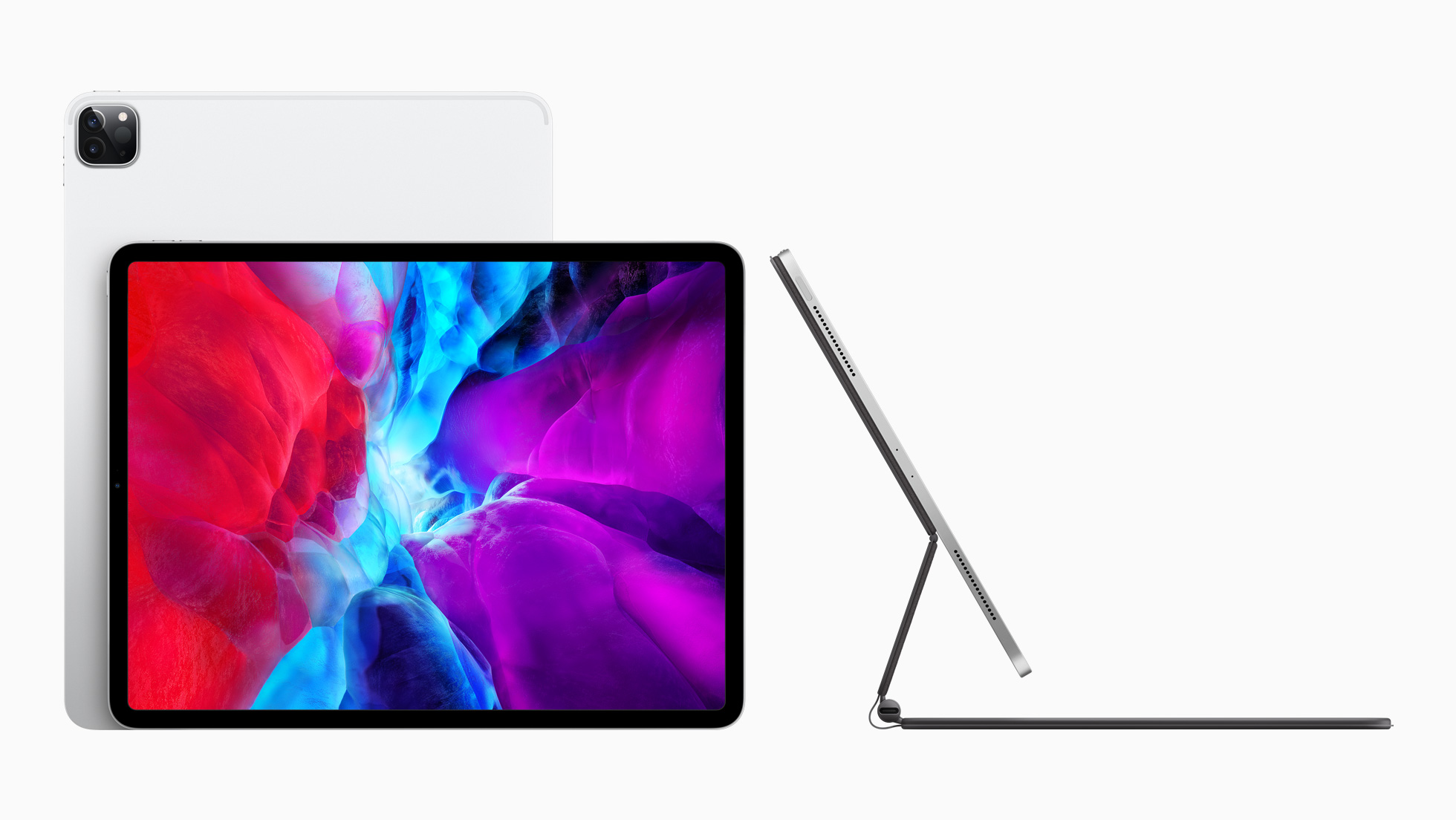
The New iPad Pro and Magic Keyboard with Trackpad: The MacStories Overview

The new iPad Pro and Magic Keyboard.

The new iPad Pro and Magic Keyboard.

With a press release published earlier today, Apple officially announced the fourth generation of its iPad Pro line. The new iPad Pro models – available, as with the current generation, in 11-inch and 12.9-inch flavors – feature the all-new A12Z Bionic chip, a new camera system that includes an ultra-wide camera and LiDAR scanner for augmented reality, and integration with a long-awaited accessory, which will become available starting in May: the new Magic Keyboard with trackpad.

Read more


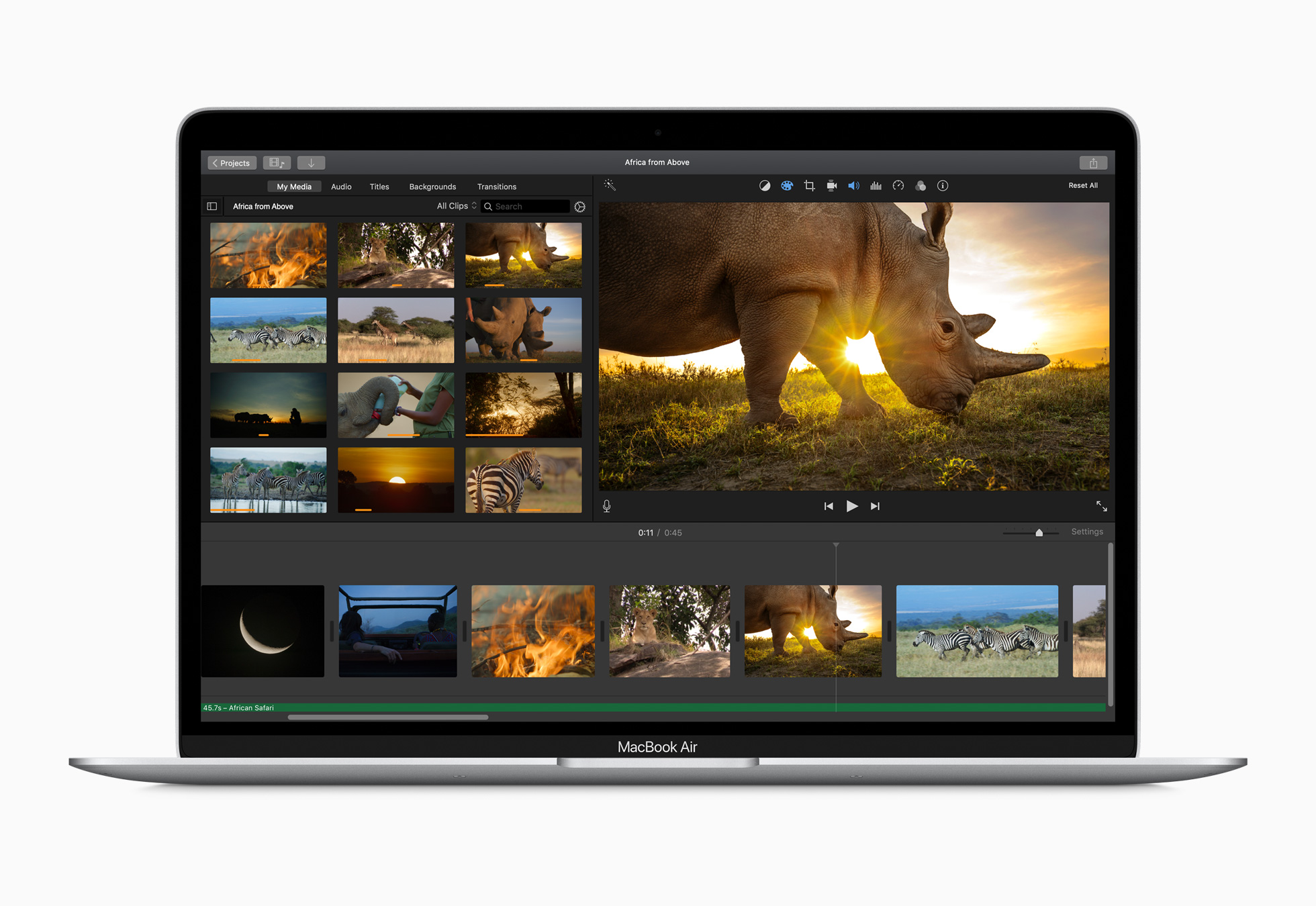
Apple Releases Faster MacBook Air with New Keyboard and Increased Storage Starting at $999 and Doubles Storage on Base-Model Mac minis

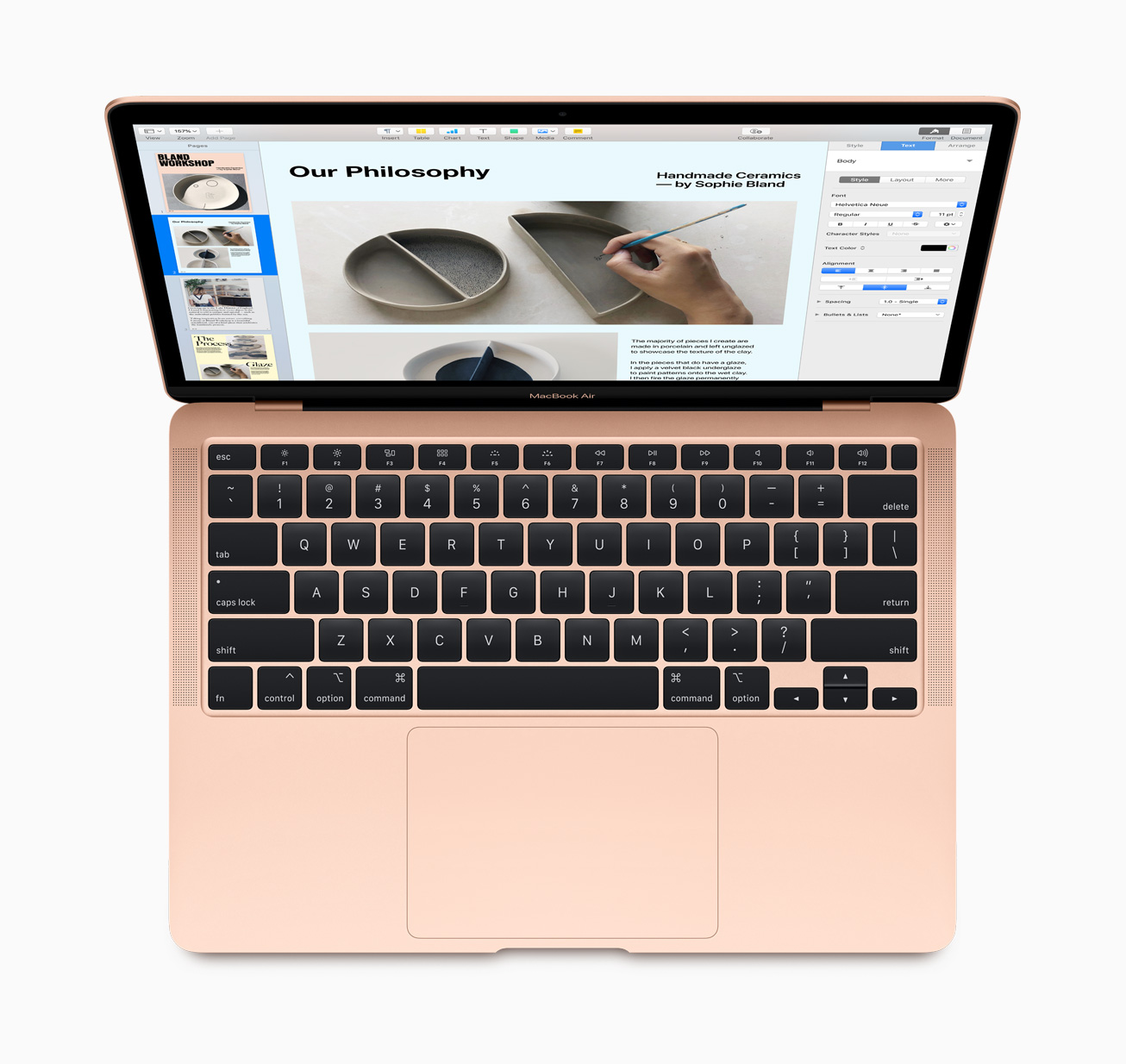
Apple has released a new, faster MacBook Air with an updated keyboard and more storage at a lower price. The company also released a minor update to the storage of base-model Mac minis.

According to a press release from the company, the new Air features a 1.2GHz quad-core Core i7 that, with Turbo Boost, can achieve speeds up to 3.8GHz. This is the first time the Air has included a quad-core processor. The laptop also features Intel Iris Plus Graphics, which Apple says are 80% faster than previous models.

The Air’s keyboard has been updated too with a scissor switch-based Magic Keyboard that has 1 mm of key travel and an inverted-T layout of the arrow keys.

The Air's keyboard now uses scissor switches and an inverted-T layout for its arrow keys.

The Air’s keyboard now uses scissor switches and an inverted-T layout for its arrow keys.

The Air, which is available in gold, silver, and space gray, starts at $999, a $100 drop from prior models. Thankfully, Apple has also increased the base storage of the entry-level model from 128GB to 256GB SSD storage, a capacity that will make it easier for users to store photos and other media locally without resorting to external solutions. The new Air can also be configured with up to 2TB of storage, which is twice as much as could be previously configured, and is equipped with Apple’s T2 Security Chip, which ensures a secure boot process and handles Touch ID information.

Apple’s press release highlights the following features too:

  • A three-mic array for more clear voice capture for FaceTime calls with friends and family.
  • The industry-best Force Touch trackpad for precise cursor control and multi-touch navigation.
  • Thunderbolt 3 ports for data transfer, charging and video output in a single connector.
  • Support for up to a 6K external display, a first for the MacBook Air.
  • Advanced stereo speakers for immersive, wide stereo sound for activities like watching Apple TV+ content or playing games in Apple Arcade.

The new Airs can be ordered on apple.com starting today.

Finally, the base configurations of the Mac mini received a small update today. The $799 model now comes with 256GB of storage and the $1,099 configuration has a 512GB SSD.

The MacBook Air has been difficult to recommend because of its previous-generation keyboard. With a new keyboard, increased storage, faster CPU and graphics, all at a lower price-point, the MacBook Air looks like the Mac that will meet most people’s needs.


NetNewsWire for iOS and iPadOS Review: The Perfect Complement to the App’s macOS Counterpart

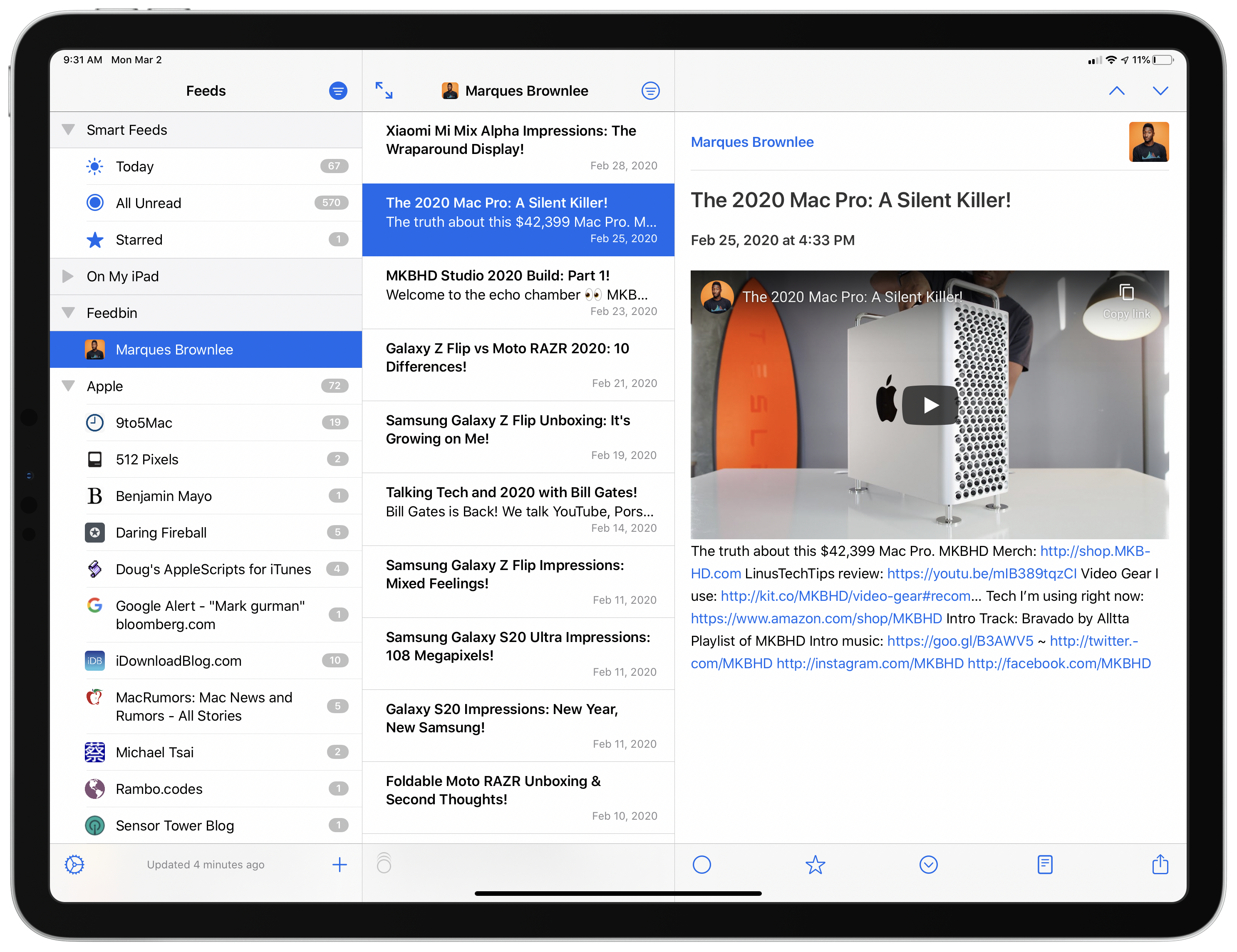
NetNewsWire, which was relaunched on the Mac last August, is now available on iOS and iPadOS. Like its Mac counterpart, the iOS and iPadOS version is built on a foundation of fast syncing and sensible, bug-free design. As with any 1.0 app, there are additional features and refinements I hope to see in future releases. Unlike most 1.0 releases, though, you won’t find lots of rough edges and bugs. NetNewsWire is ready to be your primary RSS client today.

Read more


Unread 2 Review: The Elegant RSS Client Leaps into Modernity

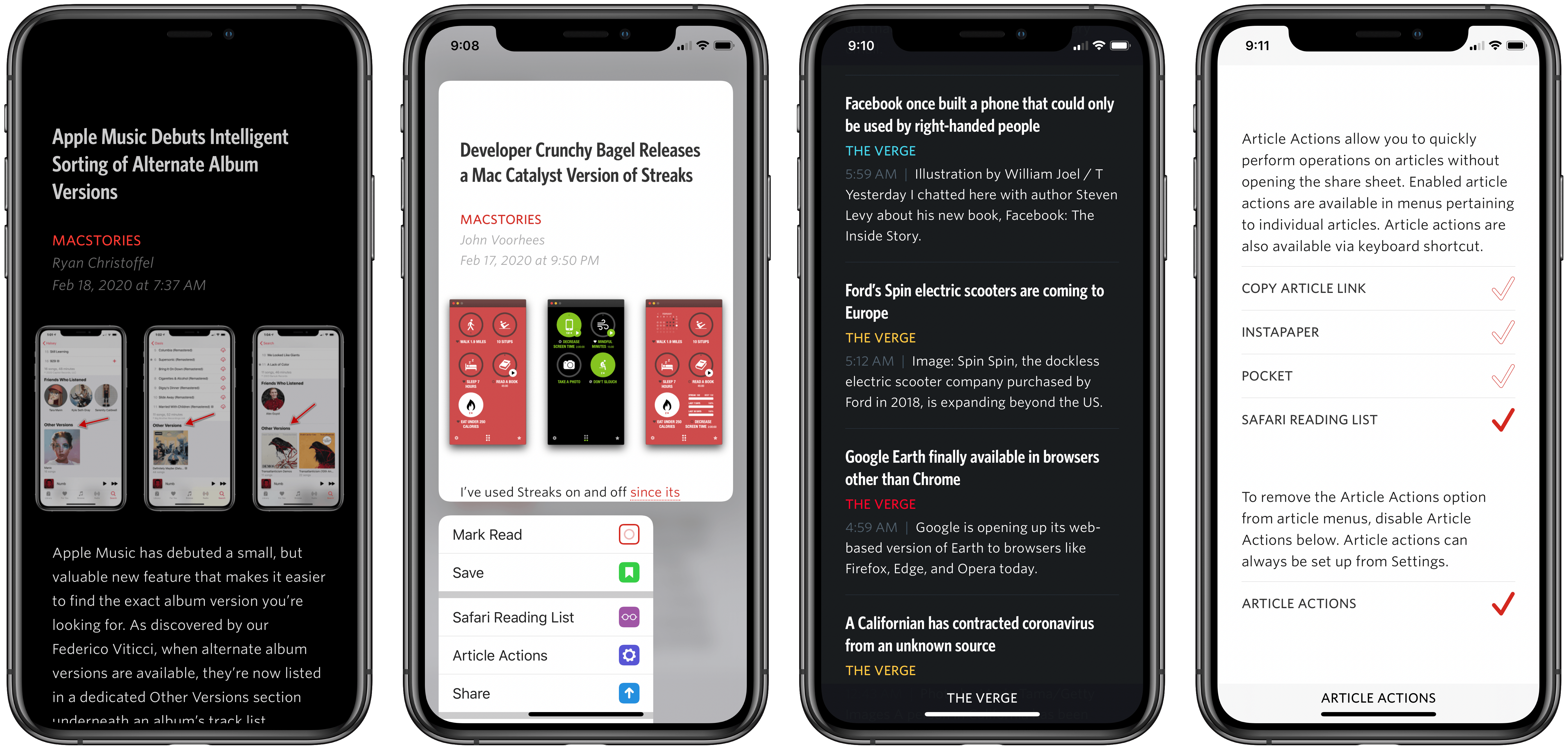
Unread has always been one of my favorite RSS clients due to its clean, elegant, gesture-based design, but as competing apps have continued advancing at a steady pace, Unread’s development stalled leading up to its acquisition in 2017 by Golden Hill Software. Since that time, the app has received new life in the form of regular updates, but nothing on the level of what’s debuting today.

Unread 2, on one hand, brings a lot of change and propels the beloved RSS client into the present. It does this, however, with almost no design changes. Unread 2 looks and feels just like Unread 1, but with more power and a roster of modern features under the hood.

If Unread wasn’t the app for you before, then version 2 almost certainly won’t change your mind. But if you already appreciated the elegant RSS reader, Unread 2 provides a lot more reasons to love it.

There are so many big and small upgrades in Unread 2, for my review I’ve chosen to break its noteworthy improvements into three different categories: RSS, iPad, and OS features.

Read more