Posts tagged with "developers"

Mac App Store: Year One

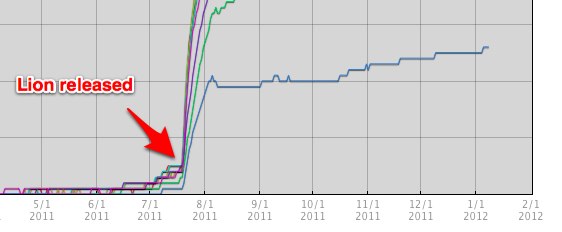
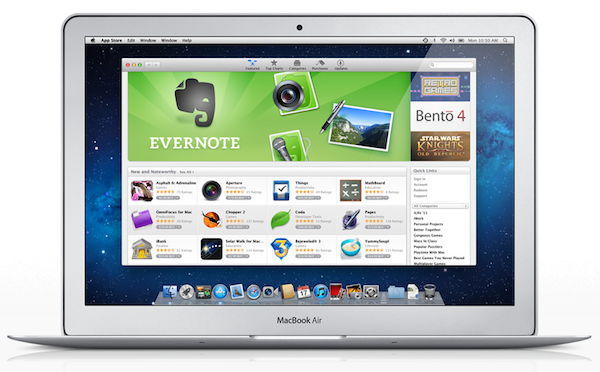
One year ago today, Apple’s Mac App Store officially opened for business. Bundled into Snow Leopard’s 10.6.6 software update, and later installed by default on OS X Lion, the Mac App Store is a native, built-in marketplace for third-party developers and Apple’s own software. Just as the iOS App Store has contributed to the solidification of a software ecosystem built around iPhones, iPods and iPads in the past three years, helping “indie” as well as bigger developers achieve a sustainable business model in selling smartphone and tablet apps, in the past 365 days the Mac App Store has quickly reshaped and fundamentally changed the OS X software landscape and users’ perception of “desktop apps”.

It’s not absurd to say many didn’t even know it was possible to “install apps” on a Mac before the launch of the Mac App Store. What the Mac App Store did – besides allowing long-time Mac users and developers to consolidate their software library in a single place and provide them with a better way to discover and showcase the latest indie hit – is it finally created a viable and consumer-friendly way to find and buy apps. Before the Mac App Store, the average Mac user could get work done easily with just Safari and Mail because he or she knew those were all the apps a Mac came with. Great apps, for sure, but just those apps. The Mac App Store, just like the iOS App Store, opened a whole new portal for users and a market for developers (and a way for Apple to break even on costs with a 30% cut) to know a completely new world made of utilities, productivity apps, games, news readers and more. The Mail aficionados of 2010 have likely jumped over to Sparrow, and those who swore by Preview perhaps have found something more attractive in Pixelmator 2.0.

With 100 million downloads under its belt and Apple’s latest major OS X revision, Lion, available digitally, there’s no denying the Mac App Store had a great run in 2011. Here’s a look back at these 365 days, and how the Mac App Store we know today (quickly) came to be. Read more


Apple Confirms iTunes Connect Holiday Shutdown December 22-29

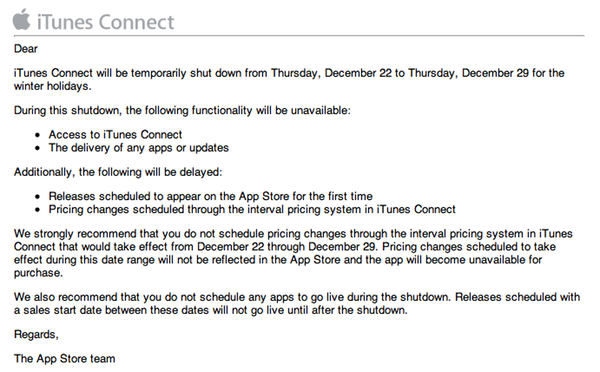
In an email sent to developers earlier today, Apple has confirmed that iTunes Connect – the developer portal to manage applications to sell in the App Store – will be closed from December 22 to December 29.

We strongly recommend that you do not schedule pricing changes through the interval pricing system in iTunes Connect that would take effect from December 22 through December 29. Pricing changes scheduled to take effect during this date range will not be reflected in the App Store and the app will become unavailable for purchase.

We also recommend that you do not schedule any apps to go live during the shutdown. Releases scheduled with a sales start date between these dates will not go live until after the shutdown.

As with last year’s shutdown, for the end user this means App Store apps won’t receive updates or price changes for a week, quite possibly the most profitable for iOS developers alongside the Thanksgiving festivities in the US. Access to iTunes Connect, delivery of app updates and scheduled releases as well as price changes will be disabled or delayed between December 22 and December 29. If you’re a developer, plan your Christmas app releases accordingly.


My Must-Have iPad Apps, 2011 Edition

Last year, six months after the release of the original iPad, I published an article called “My Must-Have 20 iPad Apps” in which I collected my favorite iPad applications – the ones I used and enjoyed the most – as of September 2010. Fast forward thirteen months, the iPad’s software ecosystem has matured into something completely different from last year’s “experimentation” stage, when third-party developers, and quite possibly Apple as well, were still trying to figure out how, exactly, the iPad would change our digital lifestyles. Looking back to the iPad 1 and the App Store in 2010, it’s no surprise the list of apps I have today is so much different.

In the past year, Apple has sold millions of iPads and has seen the device being used in far more variegate scenarios than they initially expected. The whole point of the iPad: Year One video presented at the iPad 2’s introduction in March was, in fact, to showcase not only the hardware and software capabilities of the device, admittedly improved over the past months, but to demonstrate how the iPad has entered more markets than “consumer technology” alone. The iPad is being used by pilots, doctors, teachers, parents and artists who have found a whole new dimension through the tablet’s multi-touch screen. If the demographics of the iPad expanded to new segments and usage scenarios, so did the kinds of apps that are available on the App Store.

Once again, Apple itself has set new standards for developers to write their apps against. With iOS 5 and iCloud, released in October, the company is providing third-party app makers with powerful new tools to optimize their software and make it interconnected across devices and platforms. But I believe that there’s been a shift in “iPad development mentality” among developers and users alike that goes way back prior to iCloud’s announcement and launch. Sure, iOS 5 and iCloud will lead towards a future of invisible cloud backups and app connections, but Ambitious iOS Apps started making their way to the App Store before iCloud and all these latest, greatest software updates. It was immediately after the 2010 holiday season and the “second wave” of iPad apps that developers realized the iPad could be so much more. And so they wrote great, innovative, standard-setting apps that shaped the past thirteen months and are helping us transition to the next great revolution – the cloud and the post-PC device.

It’s always been about the apps. And I’m fairly certain that as long as Apple doesn’t focus on hardware specs alone and stands at the intersection of technology and liberal arts, it’ll always be about great software, rather than processors and RAM amounts. And more importantly, it will be about the people creating the apps that we use every day.

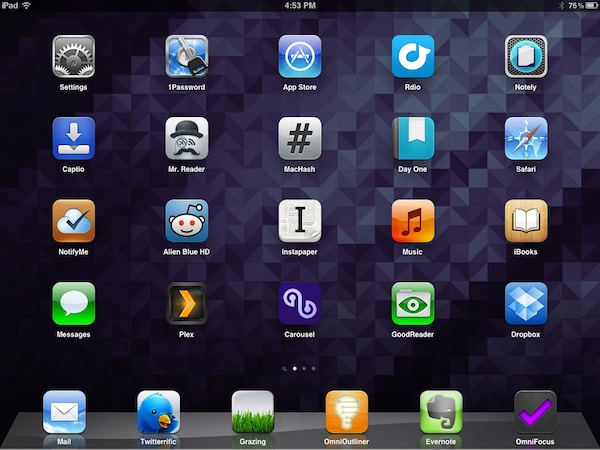
So here’s my list of “must-have” apps that have improved my workflow and ultimately made it more fun to use the iPad in the past year. And here’s to another year of iPad. Read more


Developers Explain Changes in Growl 1.3

Developers Explain Changes in Growl 1.3

Speaking of Growl themes, the developers of the popular notification system for OS X have seen a bit of confusion after the release of version 1.3 on the Mac App Store. They have published a post with a summary of changes, and here’s the most important point:

Growl is still open source and under the BSD license, but version 1.3 is sold at $1.99 on the Mac App Store. This paid model allows the developers to work on Growl full-time.

So why upgrade to Growl 1.3 when the old version might still work? First off, to get the new features. More importantly, for a reason I didn’t know about:

Growl 1.2 and older will not work with Sandboxed applications - Sandboxing is meant to protect users from bad things happening (which is a good thing!), but it has consequences for applications which are doing good things too (like Growl). Apple announced this summer that Sandboxing is a requirement for all applications in the Mac App Store. As our developers who went to WWDC this year quickly realized, the impending Sandboxing requirement would have broken Growl entirely for applications in the App Store, for everyone, without a large amount of changes. Growl 1.3 introduces support for Sandboxed applications.

We may debate on the pros and cons of sandboxing, but the point is that, eventually, the old Growl will stop working with sandboxed Mac App Store applications. If new features and compatibility aren’t compelling reasons to upgrade, then I guess the problem is with those users not willing to spend $1.99, not Growl. The Mac App Store charts, by the way, seem to indicate Growl 1.3 has been pretty successful so far.

I use Growl on a daily basis and I like the new version a lot. Another thing I didn’t know about: apps written with the Growl 1.3 SDK will be able to display notifications even if Growl 1.3 isn’t installed. The system is called “Mist”, and a comparison table is available for developers here.

Permalink

Apple Releases iAd Producer 2.0

Apple today released an update for iAd Producer, its developer-oriented design tool that enables easy creation of high-quality, interactive content for Apple’s iAd platform. First released in December of last year, iAd Producer is an HTML and CSS layout application that automatically manages the technologies behind iAd (CSS 3, JavaScript, HTML5) to offer a visual aid in the designing process of rich and animated ads with an easy-to-use interface. iAd Producer allows developers to create and re-use their own page templates and components, manage the structure and flow of iAds for specific iOS devices in a single window UI, and test the results with a built-in simulator.

Today’s update, available here, brings changes in the animation section, an improved editor, project validation and a new Object List. The new Project Validation ”automatically checks the size and type of image assets, and that pages and components are configured correctly” and makes sure an iAd has been built correctly before submitting it to Apple; it even checks for possible performance issues and other common errors. The Object List is another handy addition for developers, providing one-click access to all the objects or elements in a single page. Among changes to the JavaScript editor and other performance improvements, iAd Producer’s animation tools let you pick from a library of effects and animations that include wipes, fades, spinning effects, cube transitions and more.

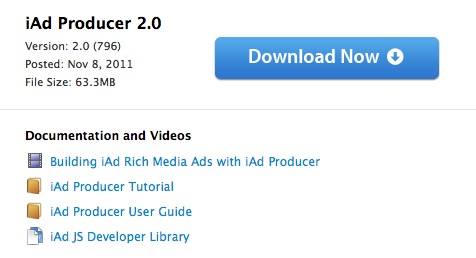
iAd Producer is available for download on Apple’s website. A list of features is available on the app’s product page.


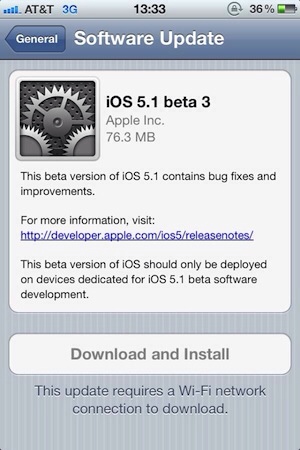
Apple Releases iOS 5.0.1 Beta 2

Just 2 days after seeding iOS 5.0.1 beta 1 to developers, beta 2 of 5.0.1 is now available in Apple’s Dev Center. The build number is 9A404 and is available over-the-air (800MB for iPhone 4S, 45MB for iPad 2) for users with the previous iOS 5.0.1 beta 1 installed. To download updates OTA, open the Settings.app > General > Software Update. The original beta build apparently suffered from some bugs related to failed activations. Beyond these bug fixes, it doesn’t appear that iOS 5.0.1 beta 2 contains anything more.

iOS 5.0.1 beta 2 is available now in the iOS Dev Center.

UPDATE: It looks like the iOS 5.0.1 beta 2 OTA update for the iPhone 4S is not a delta update, 800MB is too large.


Apple Seeds New iTunes 10.5.1 Beta with iTunes Match To Developers

iTunes Match, Apple’s upcoming cloud music service based on “scan and match” technology, was scheduled to launch by the end October. As October went by and Apple missed its pre-announced release date – which Apple’s Eddy Cue announced at the “Let’s talk iPhone” media event on October 4th – it appears the company is now requiring additional testing for iTunes Match, which is available in a new version of iTunes not released to the public yet, iTunes 10.5.1.

A new beta of iTunes 10.5.1 has been seeded to developers a few minutes ago, including the iTunes Match functionality that Apple has been testing since August. From the release notes of this beta, it appears iTunes Match is now also available on Apple TV for testing. iTunes 10.5.1 beta 2 comes with a number of bug fixes and improvements, and Apple notes iCloud music libraries will be deleted at the end of this beta.

iTunes Match is currently in beta for developers and US-only. Rumors in the past weeks suggested another reason for the delay of iTunes Match could be Apple trying to get international rights to launch iTunes Match in additional countries besides the US – a rumor seemingly confirmed by Apple’s Eddy Cue himself, who stated iTunes Match would become available in Canada shortly after the US launch. Of course Apple may have added more countries to the launch list since September, although the company’s website still reports iTunes Match as a US-only service.

iTunes Match will work on iTunes for Macs and PCs, iPhone, iPad, iPod touch and Apple TV.


Apple Releases iOS 5.0.1 Beta

Right after the statement from Apple regarding the iOS 5 battery life issues and the promised software update “in a few weeks”, the company just posted a beta of iOS 5.0.1 to developers. It’s unclear what’s new in this beta, but it’s very likely testing will focus on battery life before the update is released publicly.

Update: According to the first reports surfacing on Twitter, it appears iOS 5.0.1 beta restores multitasking gestures on the iPad 1 (a feature that wasn’t available in the public release of iOS 5), resolves various bugs with iCloud and, as mentioned above, fixes battery life issues. Pre-release software is only available to registered developers, and users will be able to upgrade wirelessly to iOS 5.0.1 once it comes out “in a few weeks”.

iOS 5.0.1 is available now in the iOS Dev Center.


Apple Announces iOS 5 Tech Talk World Tour 2011

Earlier this year, Apple was rumored to be considering a new edition of the Tech Talk World Tour, a series of developer-focused events in different cities to provide developers with additional sessions, trainings and answers to common questions outside of the typical WWDC environment. Apple has just announced the new iOS 5 Tech Talk World Tour, which will take place in nine cities this year:

We’re taking iOS 5 on a world tour and we want you to come along for the ride. Learn from Apple experts as you take your apps to the next level with the exciting new technologies in iOS. Space is limited, so register today.

The Tech Talk World Tour will start in November, and run through the end of January. The nine cities that will host the event are:

  • Berlin - November 2
  • London - November 7
  • Rome - November 9
  • Beijing - December 5
  • Seoul - December 8
  • Sao Paolo - January 9
  • New York City - January 13
  • Seattle - January 18
  • Austin - January 23

As Apple notes, all iOS Developer Program members are eligible to attend, however priority will be given to developers with at least an app available on the App Store. Tech Talk World Tour sessions are “highly technical”, Apple explains, as a team of expert will travel around the world covering advanced coding and design techniques that developers can implement in their apps.

Tech Talk is free and developers can register with their existing Dev account, however they can’t bring guests as registration is limited to those who got a confirmation email from Apple. Each Tech Talk will share the same agenda and sessions listed on Apple’s website, and developers can’t register for more than one city as Apple wants “to give as many developers as possible the opportunity to attend a Tech Talk”. Apple also states that pre-release software may be covered at Tech Talk, so developers will have to follow the iOS Developer Program License Agreement and Registered Apple Developer Agreement to not share confidential information.

Topics that will be covered in each Tech Talk session include iPhone and iPad User Interface Design, AirPlay, UIKit, Turn-Based Gaming with Game Center, AV Foundation, Core Image and Newsstand apps. Developers can register for Tech Talk World Tour 2011 on Apple’s official page for the event.