Posts tagged with "browser"

Opera Tries to Be Relevant Again With Slick “Tab Stacking” Feature, Extensions and More

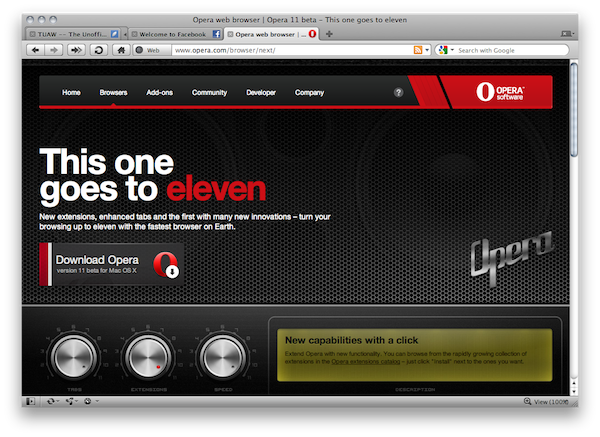
For all those of you who have always been interested in trying Opera but never quite made the switch, perhaps it’s time to reconsider. Today the Opera team shipped version 11 beta, which adds a lot of new features to the already innovative (yet not so popular) browser including what the team says to be a revolutionary “tab stacking” functionality.

Think of tab stacking as “tab grouping” ported to the address bar: if you click and hold on a tab, you can drag it onto another one to create a “stack”, which is basically a group of tabs aimed at uncluttering your browser window. Say you want to group all your social networking sites or TSA-related links in one place, now Opera lets you do that with stacks. The implementation on OS X is nice, although I wished stacks had some sort of 3D” effect, where one would easily understand how many tabs are in each stacks. Instead, you get an expand button that indicates a tab is a stack. Animations are cool. Read more
Access Extra Content and Perks

Founded in 2015, Club MacStories has delivered exclusive content every week for nearly a decade.

What started with weekly and monthly email newsletters has blossomed into a family of memberships designed for every MacStories fan.

Learn more here and from our Club FAQs.

Club MacStories: Weekly and monthly newsletters via email and the web that are brimming with apps, tips, automation workflows, longform writing, early access to the MacStories Unwind podcast, periodic giveaways, and more;

Club MacStories+: Everything that Club MacStories offers, plus an active Discord community, advanced search and custom RSS features for exploring the Club’s entire back catalog, bonus columns, and dozens of app discounts;

Club Premier: All of the above and AppStories+, an extended version of our flagship podcast that’s delivered early, ad-free, and in high-bitrate audio.

Learn more here and from our Club FAQs.


Safari on iOS 4.2: Much Better HTML5 Support, Accelerometer

Safari on iOS 4.2: Much Better HTML5 Support, Accelerometer

Today, iOS 4.2 appears as a free update for every iPhone, iPod or iPad device. This release provides some major changes on HTML5 support, like WebSockets and Accelerometer support, new events, print support, new JavaScript data-types and better SVG support.

Apple didn’t update yet Safari documentation to reflect new APIs in iOS. This information is based on JavaScript research and testing over Safari itself.

iOS is a “closed” platform, right?

Permalink

The Safari Icon Set

The Safari Icon Set

Something that started out as a doodle on my iPad grew into a cascade of late nights studying compass concepts and exchanging ideas with designers and good-folk alike. Sometimes you just stumble upon a fun notion and you gotta run with it, in this case it was as simple as the idea of why the Safari icon always had to depict that one type of Compass.

Impressive work by Michael Flarup.

Permalink

Apple Releases Safari 5.0.3

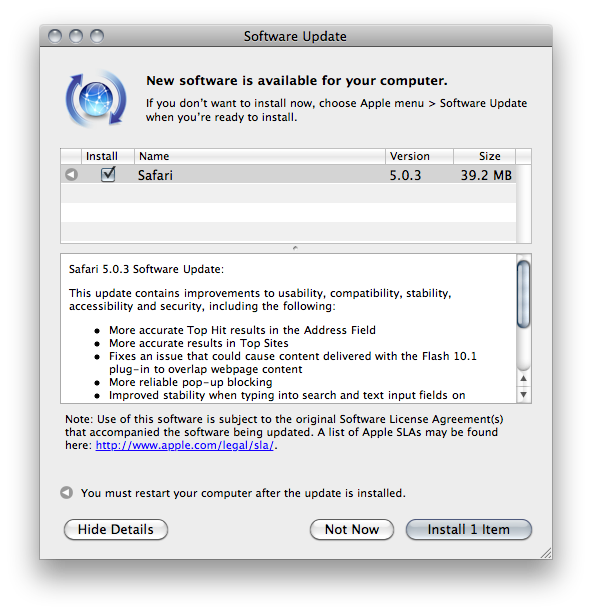
A few minutes ago Apple released an update to Safari, which reaches version 5.0.3. It’s available now in Software Update, or via direct download on Apple’s website.

Apple also released Safari 4.1.3 for Tiger users. Safari 5.0.3 comes with a variety of fixes and overall performance improvements. Specifically, the update addresses issues with search and text input fields on Netflix and Facebook, improves stability of Javascript-intensive extensions and introduces more reliable pop-up blocking.

Check out the full changelog below. Read more

Access Extra Content and Perks

Founded in 2015, Club MacStories has delivered exclusive content every week for nearly a decade.

What started with weekly and monthly email newsletters has blossomed into a family of memberships designed for every MacStories fan.

Learn more here and from our Club FAQs.

Club MacStories: Weekly and monthly newsletters via email and the web that are brimming with apps, tips, automation workflows, longform writing, early access to the MacStories Unwind podcast, periodic giveaways, and more;

Club MacStories+: Everything that Club MacStories offers, plus an active Discord community, advanced search and custom RSS features for exploring the Club’s entire back catalog, bonus columns, and dozens of app discounts;

Club Premier: All of the above and AppStories+, an extended version of our flagship podcast that’s delivered early, ad-free, and in high-bitrate audio.

Learn more here and from our Club FAQs.


Facebook Neue Safari & Chrome Extension Removes Ads, Makes Facebook Twitter-like

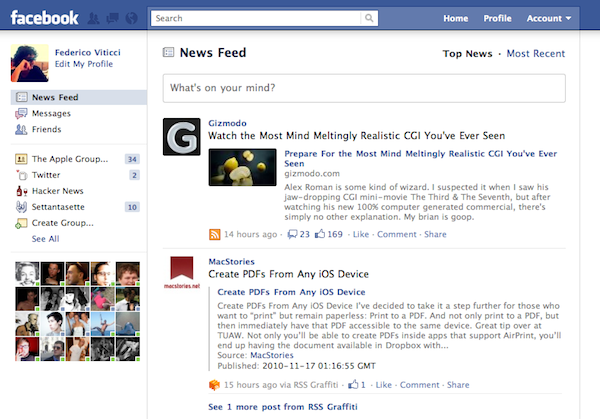
Developed by Milind Alvares of Smoking Apples (and Beautiful Pixels) Facebook Neue is an extension for Chrome and Safari 5 that does one thing very well: it makes Facebook simpler. The extension removes the ugly ads from Facebook (sorry Mark, I’m tired of Coca Cola ads) and resizes the main container to two columns, making it more Twitter-like. As Milind says it’s far from feeling exactly like Twitter, but I like this new layout. It makes everything readable and elegant.

Also in the extension:

I also selectively hid some of the settings in the sidebars, such as application links, or that language settings button next to the chat toolbar. I was happily using this until I realised I could very well just convert this into an extension and share it with everyone. Some more bug fixes, and a redesigned login page later, version 1.0 was ready.

I’m sure some of the changes, like the fixed masthead or the rounding of image avatars, are not going to be universally appreciated, and I’m okay with that.

I love it. Go download it here.

Access Extra Content and Perks

Founded in 2015, Club MacStories has delivered exclusive content every week for nearly a decade.

What started with weekly and monthly email newsletters has blossomed into a family of memberships designed for every MacStories fan.

Learn more here and from our Club FAQs.

Club MacStories: Weekly and monthly newsletters via email and the web that are brimming with apps, tips, automation workflows, longform writing, early access to the MacStories Unwind podcast, periodic giveaways, and more;

Club MacStories+: Everything that Club MacStories offers, plus an active Discord community, advanced search and custom RSS features for exploring the Club’s entire back catalog, bonus columns, and dozens of app discounts;

Club Premier: All of the above and AppStories+, an extended version of our flagship podcast that’s delivered early, ad-free, and in high-bitrate audio.

Learn more here and from our Club FAQs.


RIM Posts BlackBerry Playbook and iPad Comparison Video

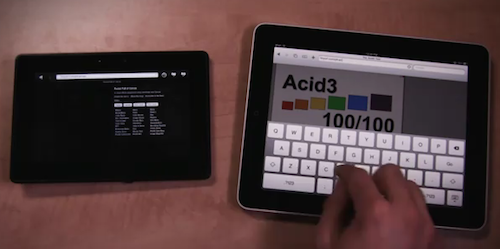
RIM believes in its upcoming Playbook tablet as a feasible alternative to Apple’s iPad. With the new video comparison they posted on their official Youtube channel, it looks like RIM is betting a lot on the web surfing capabilities of the device.

The video shows that the Playbook is faster at loading web pages than the iPad, although the selection of websites is limited and a test is focused on loading a website that feature “rich Flash content”. The iPad can’t load that, and the Playbook seems pretty fast at rendering it, but the video doesn’t show how scrolling speed is affected by Flash. The Playbook’s browser looks fast anyway, scoring a 100/100 on Acid3 test and loading a Javascript / HTML5 Canvas based webpage faster than the iPad. It looks fluid.

Check out the video below. Read more

Access Extra Content and Perks

Founded in 2015, Club MacStories has delivered exclusive content every week for nearly a decade.

What started with weekly and monthly email newsletters has blossomed into a family of memberships designed for every MacStories fan.

Learn more here and from our Club FAQs.

Club MacStories: Weekly and monthly newsletters via email and the web that are brimming with apps, tips, automation workflows, longform writing, early access to the MacStories Unwind podcast, periodic giveaways, and more;

Club MacStories+: Everything that Club MacStories offers, plus an active Discord community, advanced search and custom RSS features for exploring the Club’s entire back catalog, bonus columns, and dozens of app discounts;

Club Premier: All of the above and AppStories+, an extended version of our flagship podcast that’s delivered early, ad-free, and in high-bitrate audio.

Learn more here and from our Club FAQs.


How To Change Your iPhone’s Default Browser

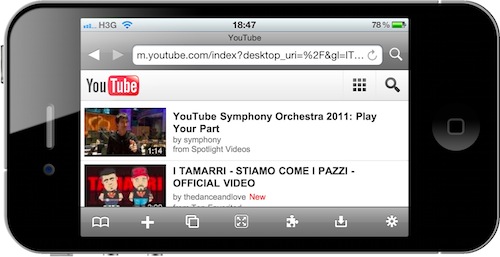
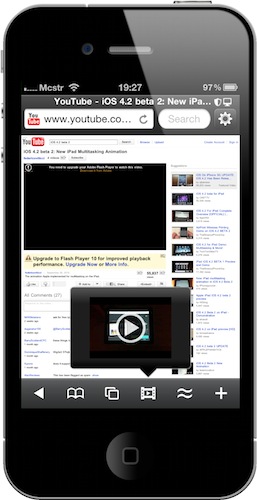
Last week I installed a new universal browser for iPhone and iPad called “iCab” which I’m going to review soon here on MacStories. The browser is so good I wondered if there was a way to force iOS to open links from any app using iCab instead of Safari. I know it’s not a recommended move and it might turn out to be pretty problematic in the future, plus I actually had tried to override Safari a few times in the past.

I didn’t know a tweak to change the iPhone’s default browser had been released in Cydia until I stumbled upon iCab’s excellent feature and decided to google that again. Browser Changer, available for free in Cydia, does just that: it replaces Mobile Safari as your iPhone default browser. Read more

Access Extra Content and Perks

Founded in 2015, Club MacStories has delivered exclusive content every week for nearly a decade.

What started with weekly and monthly email newsletters has blossomed into a family of memberships designed for every MacStories fan.

Learn more here and from our Club FAQs.

Club MacStories: Weekly and monthly newsletters via email and the web that are brimming with apps, tips, automation workflows, longform writing, early access to the MacStories Unwind podcast, periodic giveaways, and more;

Club MacStories+: Everything that Club MacStories offers, plus an active Discord community, advanced search and custom RSS features for exploring the Club’s entire back catalog, bonus columns, and dozens of app discounts;

Club Premier: All of the above and AppStories+, an extended version of our flagship podcast that’s delivered early, ad-free, and in high-bitrate audio.

Learn more here and from our Club FAQs.


Using Simplenote On Classic Mac OS

Using Simplenote On Classic Mac OS

First and foremost: as you may have guessed, there isn’t a ‘Simplenote client’ for Mac OS 9 or earlier versions, so your best option on a vintage Mac is to access your Simplenote account and your notes using the Web interface. On Mac OS 9, this is accomplished rather effortlessly using Classilla and enabling JavaScript for the Simplenote website. Classilla correctly renders the modern, iPad-flavoured Simplenote interface, and you can also use the old one if you so prefer.

It also works on Mac OS 8.6. Completely useless, but we love it.

Permalink

Skyfire Makes $1 Million In First Weekend, CNN Interviews CEO

As noted by MobileCrunch, alternative 3rd party iPhone browser Skyfire did great in its first weekend in the App Store. Even though the app wasn’t exactly off to a great start (the developers had to pull the app as they couldn’t keep up with the server demand), it still managed to win the hearts of thousands of iPhone users who apparently needed a browser capable of playing Flash videos:

The company isn’t sharing exact numbers, but they did just tell me that their download numbers for their first weekend on the store were well over 300,000. At $2.99 a pop, that works out to one hell of a bounty. SkyFire isn’t walking away with that whole million, of course; Apple’s going to get their 30% cut, which brings SkyFire’s share down to somewhere between $600-700,000.

Read more

Access Extra Content and Perks

Founded in 2015, Club MacStories has delivered exclusive content every week for nearly a decade.

What started with weekly and monthly email newsletters has blossomed into a family of memberships designed for every MacStories fan.

Learn more here and from our Club FAQs.

Club MacStories: Weekly and monthly newsletters via email and the web that are brimming with apps, tips, automation workflows, longform writing, early access to the MacStories Unwind podcast, periodic giveaways, and more;

Club MacStories+: Everything that Club MacStories offers, plus an active Discord community, advanced search and custom RSS features for exploring the Club’s entire back catalog, bonus columns, and dozens of app discounts;

Club Premier: All of the above and AppStories+, an extended version of our flagship podcast that’s delivered early, ad-free, and in high-bitrate audio.

Learn more here and from our Club FAQs.