
Posts tagged with "automation"

IFTTT for iPhone: A Different Kind of iOS Automation

IFTTT for iPhone

IFTTT for iPhone

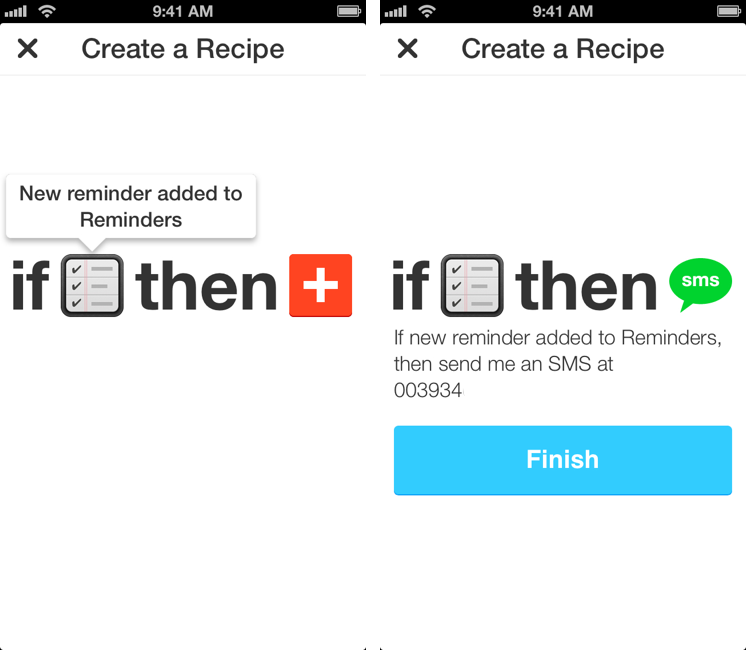
I used to heavily rely on IFTTT for my daily automation workflows that involved appending bits of text to files in my Dropbox, forwarding tweets to my OmniFocus inbox, generating PDFs, or archiving Instagram photos to my Dropbox account. IFTTT, acronym of If This Then That, is a web service that lets you connect other web services together to create automated workflows that run every time a piece of data is triggered: by leveraging a variety of APIs from compatible channels (such as Facebook, Dropbox, Evernote, Feedly, and more), IFTTT lets you automate the web in powerful (and sometimes unexpected) ways. Browsing Popular recipes on the IFTTT website can give you an idea of the scope of web automation that’s made possible by the service, and we’ve covered IFTTT in the past on MacStories as well.[1]

However, I stopped depending on IFTTT because, once I got more comfortable with my own Mac mini server as a remote automation assistant, I wanted to control the pipes of my personal data. I’m still using IFTTT for things like receiving an email if it’s going to rain tomorrow or a new SMS for press releases published by Apple (just an example of the power of IFTTT channels and recipes), but it’s not the primary system that I rely upon for automating daily tasks. The new IFTTT app for iPhone, which I have been testing and has been released today on the App Store, may make me (partially) reconsider my decision. Read more
Launch Center Pro 1.1

LCP

LCP

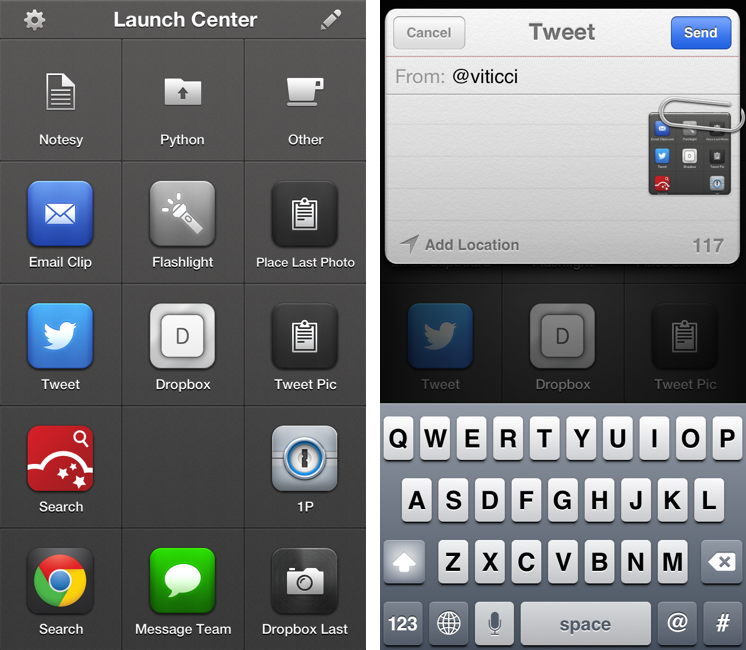
Released in December 2011, App Cubby’s Launch Center re-ignited interest in iOS URL schemes – shortcuts to automate communication between apps and get specific things done faster with less manual tapping and interactions. Its direct sequel, Launch Center Pro, was released in the summer of 2012 and doubled down on the entire idea of automating iOS tasks by providing a “Home screen for your actions” to allow users to better and more visually organize their shortcuts.

Launch Center Pro 1.1, released today, focuses on improving three key aspects of Launch Center Pro: native in-app actions, the Action Composer, and TextExpander support in URLs. Read more


Alex Guyot Chains 5 Apps with Drafts

Alex Guyot Chains 5 Apps with Drafts

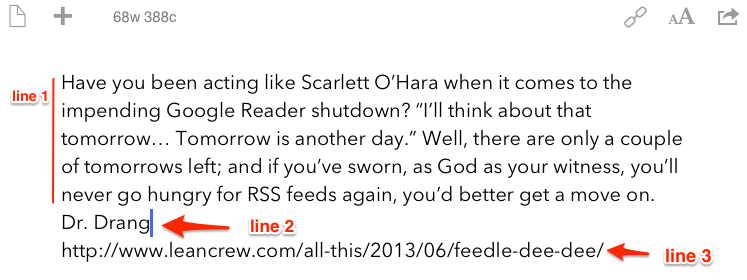
As I expected, people have started experimenting with chaining apps and services using Drafts, and Alex Guyot quickly beat me in chaining 5 apps. From his explanation of the workflow:

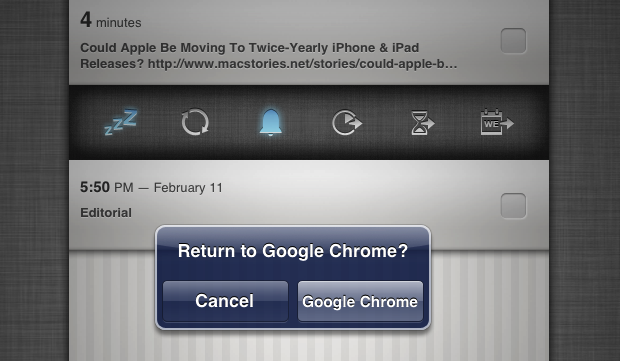
Follow the bookmark in Chrome and it will take the URL of the webpage you are on, send it to Drafts as a draft, upload it to Dropbox, send it to Due (where you choose a reminder time for it to remind you), take you back to Drafts, send you to Instapaper (Where you choose to save the link to Instapaper), then send you back to Chrome.

He also posted a quick video showing the workflow in action on his iPad. I like how, unlike me, he chained each action as an x-success parameter of the previous one.

As I’ve argued on multiple occasions here on the site, URL schemes are certainly a stopgap solution to a problem – better inter-app communication on iOS – that I wish Apple will tackle in the near future. However, that doesn’t mean people can’t get real work done with URL schemes and apps today. Looking ahead, I can only imagine new possibilities of iOS automation based on URL schemes that, however, abstract the need of manually building URLs from the end user’s workflow – using a more Automator-like interface to visually represent actions. And, who knows, perhaps in a future version of iOS “switching” between apps won’t even be required anymore, as “parts” of other apps will be linked to each other using something like XPC.

Permalink

Chris White’s iOS Workflows

Chris White’s iOS Workflows

Chris White is putting together an impressive collection of JavaScript bookmarklets, URL schemes, and iOS services and actions in a GitHub repo:

It seems like we’ve recently been seeing a ton of new ideas, clever tricks and tools for making users who are willing to dive into the deep-end more productive on our iOS devices through automation, seamless app communication and some really great shortcuts. This is a collection of bookmarklets, scripts and custom URL scheme actions that help bridge apps and manipulate the data you can send between them.

Chris included some of my bookmarklets and URL schemes in his collection, which I recommend checking out if you’re looking for a single place containing several moderately advanced tips for doing more than just launching apps via URLs.

iOS automation is, of course, a subject that I’ve been covering on a daily basis on MacStories for the past months. While I haven’t had the time to put together a GitHub repo like Chris did, allow me to list the various articles and tag pages where you can get started:

URL scheme tag page

Bookmarklet tag page

Automation with Drafts and Chaining Apps with Drafts

Pythonista review and scripts

Pythonista tag

I’m very glad Chris decided to collect these resources in a repo. I especially like the Drafts bookmarklets he made, which contain a check to see whether the browser has an active text selection (something I haven’t been doing as I’ve always created separate bookmarklets for Chrome and Safari).

Permalink

iOS Automation and Workflows with Drafts

The latest update to Drafts – a “quick note capturing” app that I’ve covered several times on MacStories – adds a series of features aimed at increasing the possibilities of workflows automation on iOS devices. Obviously, this is something I’m interested in.

It seems like enabling users to save time while using apps has been a common thread in the past few months. The success of Launch Center Pro probably “raised awareness” in regards to the whole concept of URL schemes, but it’s been the increased adoption of x-callback-url and interest in automated workflows that proves better inter-app communication is something that (at least) third-party developers are thinking about. Google included a powerful URL scheme in Google Maps and Google Chrome; more recently, Mr. Reader showed how to enable a “services menu” by requiring users to mix URL schemes from other apps with parameters for an article’s title or selected text. These aren’t ideal solutions, but it’s all we have for now.

Greg Pierce, creator of the x-callback-url specification, has improved Drafts in ways that not only make the app more useful to get text onto other services, but also broaden the possibilities for automation through the use of URL schemes.

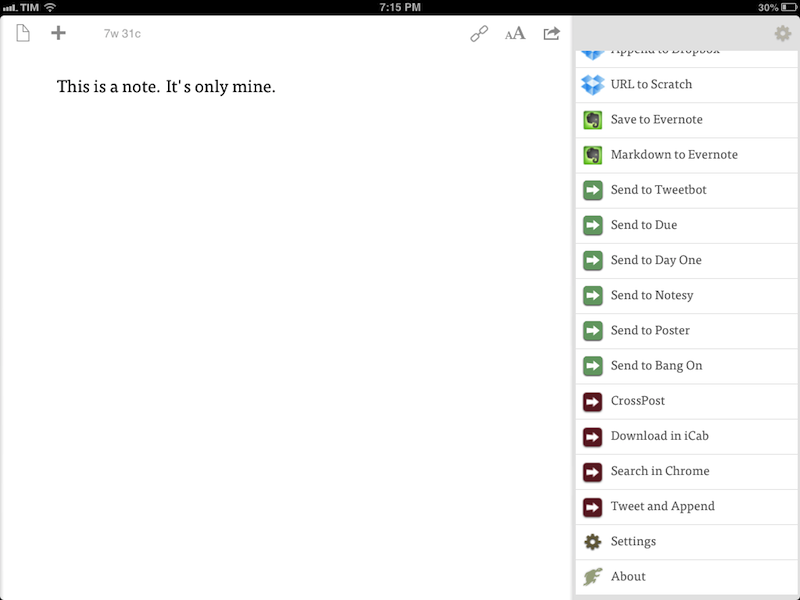
There are three main new features in the new Drafts: Dropbox actions, URL actions, and an improved URL scheme with support for callbacks and action triggers. I am going to explain how they work and include various actions and bookmarklets to demonstrate different use cases. Read more


Due Clipper For Google Chrome

When there are no actual news or notable app releases, I prefer investing my time in creating something for other people.

Continuing my ongoing series of tips on iOS URL schemes, here’s an adaptation of my existing Due bookmarklet to work better with Google Chrome for iOS (which, as I’ve pointed out several times, has a very nice URL scheme). The following code (to install it, simply copy it and paste the entire string into a bookmark) grabs a webpage’s title and URL and sends them to Due (also powered by a great URL scheme). Read more


“Open In” and Mobile Safari

“Open In” and Mobile Safari

Continuing the discussion about the “Open In” menu for iOS, David Chartier proposes “Open In” for Safari URLs:

Finally, Document Sharing in Mobile Safari would further promote an app-centric workflow on iOS. Bookmarklets are often designed to open another web service in a new browser tab, and let’s face it, working on the web is a crummy experience. But even if they’re wired to open an app, bookmarklets are still a colossal pain to install which cuts off most attempts at the knees. This largely confines Mobile Safari and its content to an island, making iOS’s URL-to-app workflow needlessly tedious for anyone brave enough to try it.

In its current form, Mobile Safari only supports “Open In” for documents displayed in the browser, such as PDFs that Safari can render. The (new in iOS 6) share sheet doesn’t come with options to send a URL around, but only to copy it to the system clipboard.

Bookmarklets were never meant to take off among consumers, because they require a minimal amount of knowledge (or steps) that average users don’t want to deal with. However, developers had to resort to using bookmarklets because it was the only way to provide something that worked to pass a URL from Safari to a third-party app/web service. Some developers have gone out of their way to provide an “Install Bookmarklet” experience that wouldn’t scare off the majority of users.

Overall, “Open In” for links doesn’t sound like a bad idea. Imagine being able to quickly send a YouTube video to Facebook or a link to the Twitter app with an Apple-sanctioned menu and not some JavaScript hack. There are aspects I don’t know how I’d solve right now (How do supported apps appear in the iOS 6 share sheet? Are they available in a dedicated page, or can users re-arrange them? Could Siri be told to perform such actions?), but, generally speaking, providing better web-to-apps communication would be a good start.

Two years ago, Marco Arment offered some ideas on a possible “Send To” panel for Safari. This is absolutely still relevant today, because it hasn’t gotten better.

Obviously, that would be far from my envisioned iOS automation for power users. I’ve been trying the beta release of Alfred 2 lately, and I like how the developers created a workflow visualization that is both powerful and intuitive in the way it connects visually triggers to actions and outputs. Ideally, I’d love to see Apple considering an “Automator for iOS” – the kind of feature that most users don’t care about but that would likely make a subset of them reconsider iPads as “real work” machines. Apple could even go as far as making that kind of user automation look “cool” with the right interface decisions and a powerful inter-app communication layer that is not limited to Apple apps (read: with an API).

I hope this kind of stuff is in the cards for iOS 7.

Permalink