

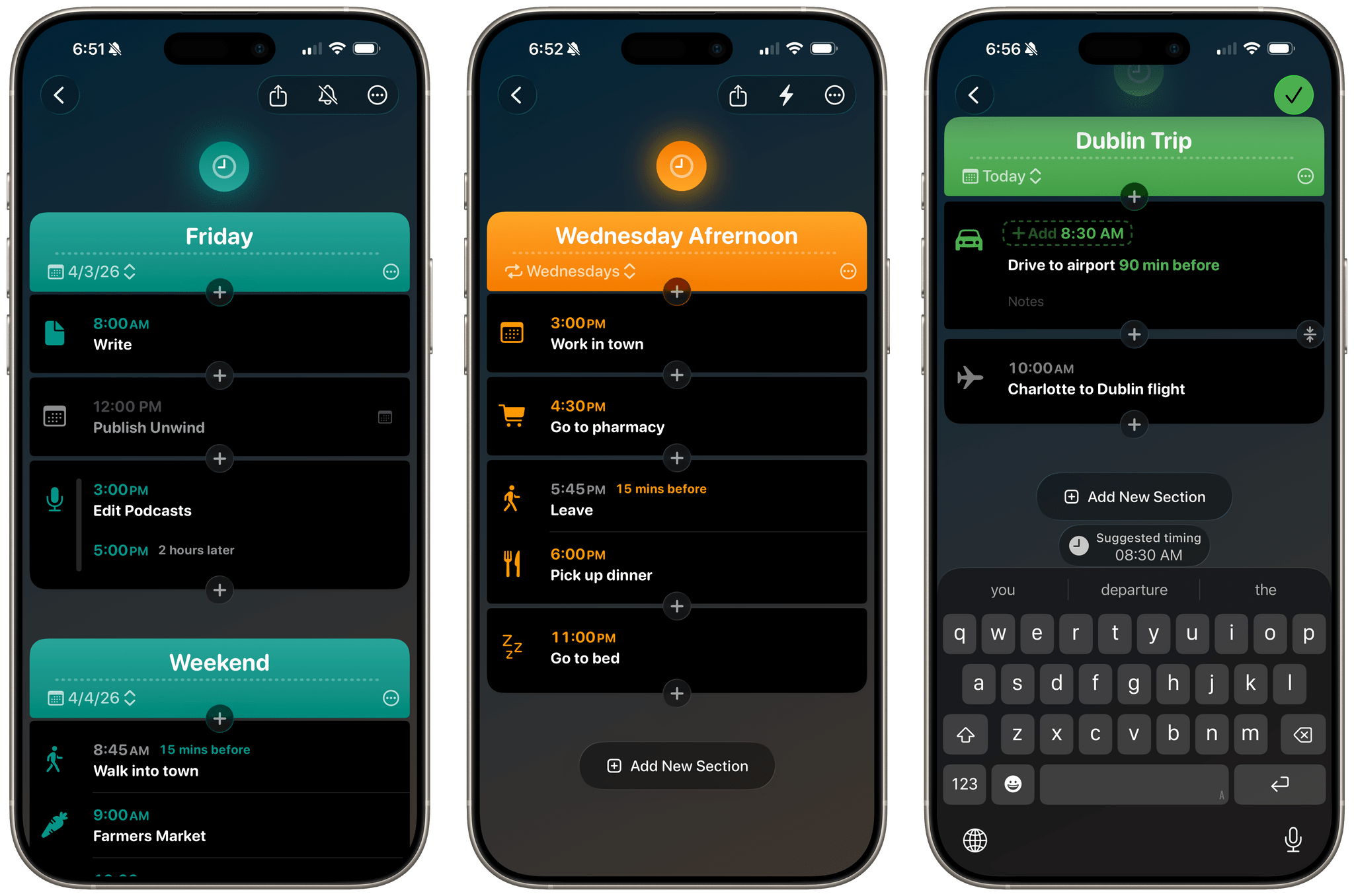
Hour by Hour is a clever new approach to scheduling your time from Joe Humfrey of Selkie Design that took me a little while to get used to, but has really grown on me.
The app was inspired by travel planning and the age-old question, “When should I leave for the airport?” You’ve probably been there before. You have a flight at, say, 2:00 pm, but you need to drive 30 minutes to the airport, add some time to park, take a shuttle to the terminal, get through security, and build in a little extra wiggle room just in case traffic is bad or something else goes sideways. Suddenly, 2:00 pm becomes an exercise in mental gymnastics as you work your way back to when you should walk out the door.
Hour by Hour solves this sort of scheduling, but for every type of event, by using the same kind of reverse planning. At the same time, it’s not really a calendar app so much as a scheduling companion for your calendar. You can pull your calendar events into Hour by Hour, but you don’t have to, and if you dive into the app expecting to use it the same way you use a traditional calendar, the assumptions you bring with you will probably trip you up.
Unlike a calendar app, Hour by Hour is document-based. The landing screen lists your previously created plans as brightly colored tiles that you can open and continue editing, or you can tap the compose button in the bottom corner to start a new schedule. Each schedule can be comprised of any number of days.
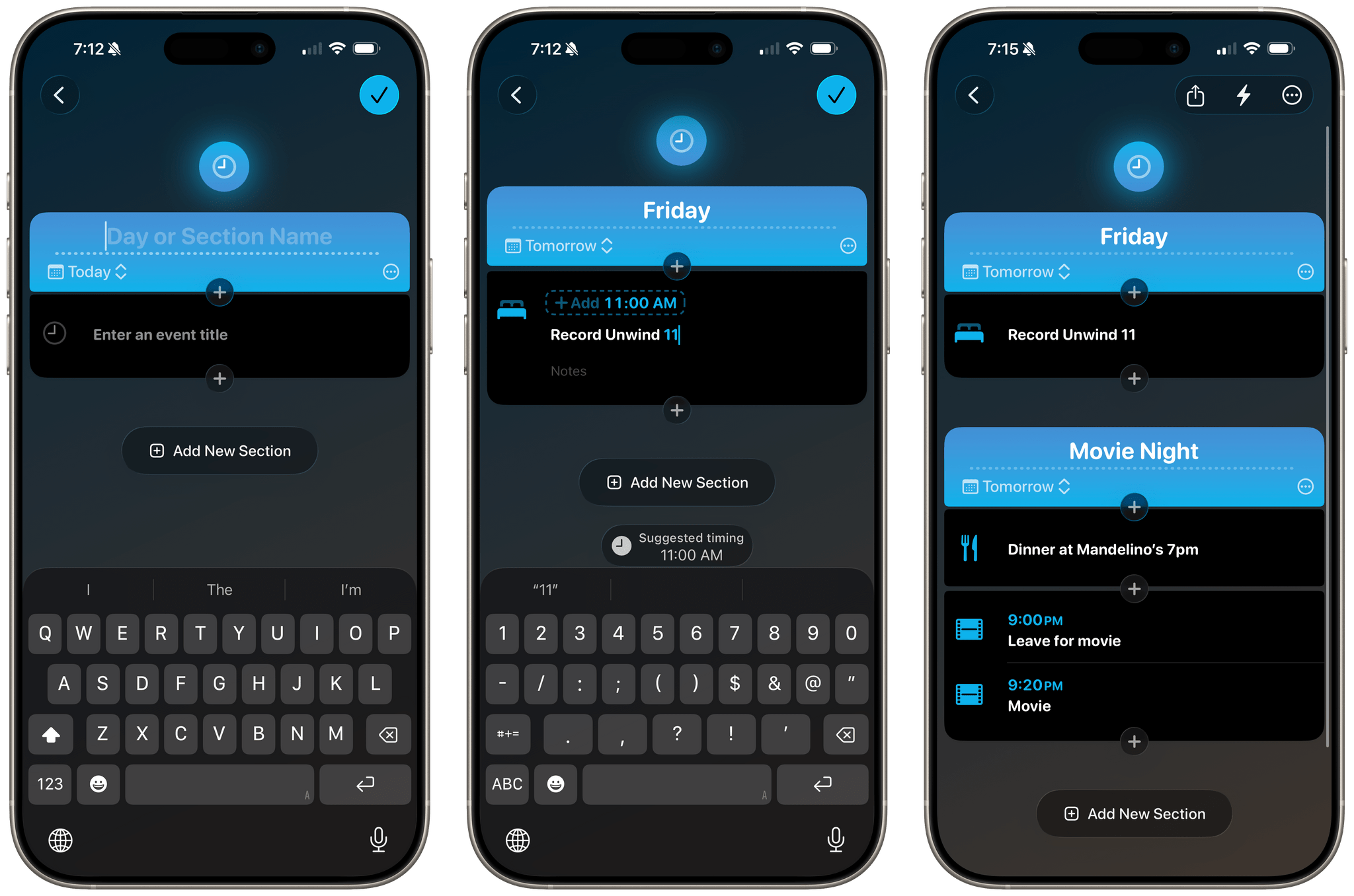
The app really starts to shine as soon as you’ve created a new schedule and started adding events because it understands natural language and relative times. If I type “Pick up Dinner at 6,” Hour by Hour suggests 6:00 pm and creates the event, assigning a fitting icon. Then, if I tap the ‘+’ button before “Pick up dinner” and add “Leave 15 min before,” “Leave” will be added at 5:45 pm. Before you know it, you’ve created a timeline of your day with the current event highlighted.
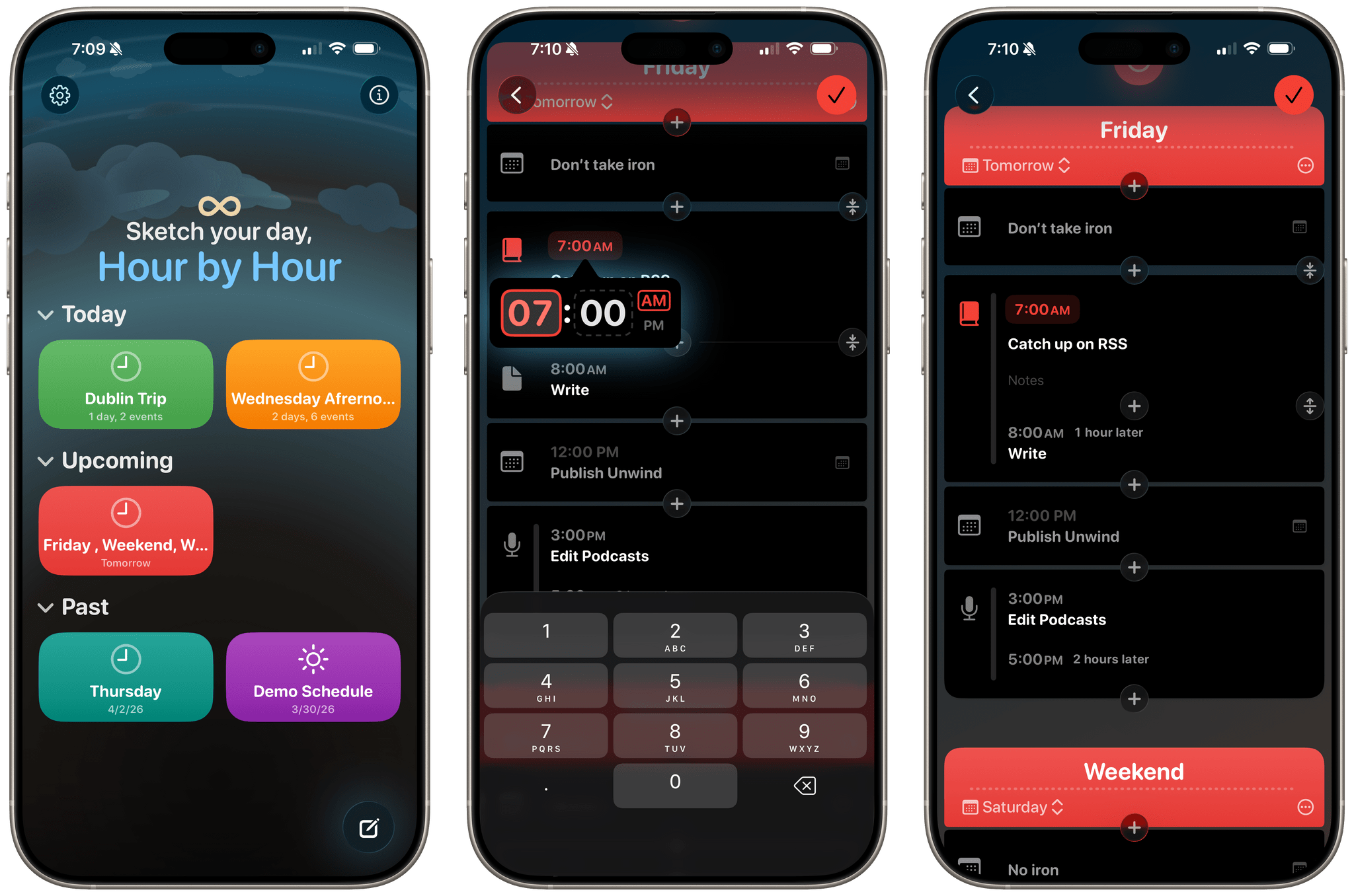
Of course, everything is editable, so you can tap into an event to change its icon, time, and description, or to add a notification. You can also merge and split events using the double arrows that appear along the side of the timeline when you’re in editing mode. When you’re finished, tapping on the big green checkmark button dismisses the editing UI and returns you to your timeline. The app also supports Live Activities, which can be used to track events in your schedule.
One of my favorite aspects of Hour by Hour is its flexibility. For example, you’re not limited to one section per schedule. If you have morning and evening plans, instead of creating two schedules, you can create two sections for the same day – one for morning events and one for the evening – though you can create them as separate schedules if you prefer, too. There’s also a picker that lets you choose whether the schedule you’ve created is a one-off, a daily routine, or one that repeats on weekdays, weekends, or over some other period. Schedules can also be used as templates and duplicated as needed.
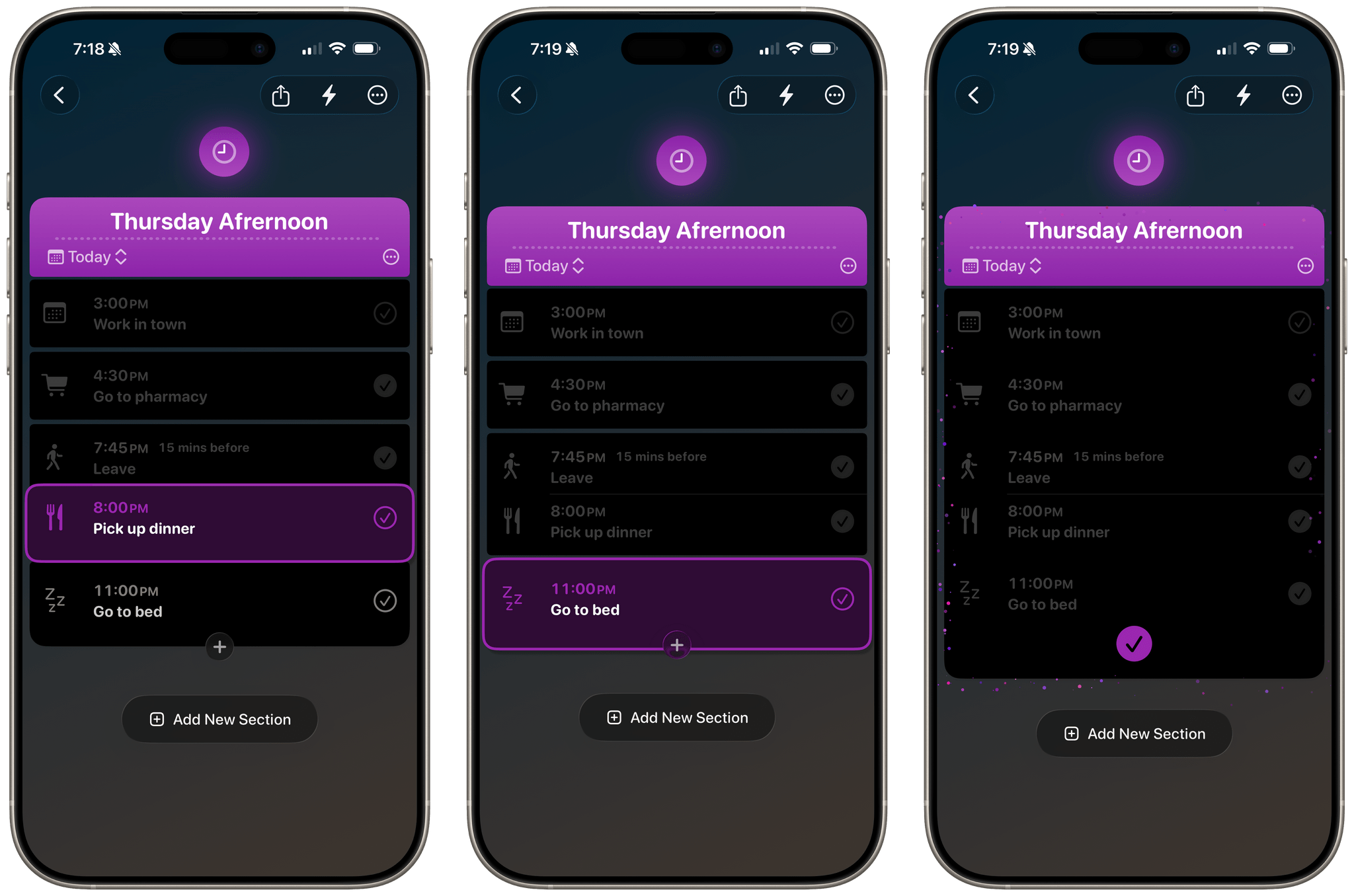
Events also work like checklists, allowing you to tick them off as you finish scheduled items, moving to the next one on the list. This works with untimed items, too, which lets you create an impromptu to-do list in the midst of your scheduled activities. In addition, Hour by Hour supports sharing, so you can send a link to your schedule to someone else, who can participate in checking items off as you go. The app can extract events from photos using AI as well.
It’s worth keeping in mind that Hour by Hour is an iPhone-only app. In future updates, I’d love to see the app expanded to the iPad and Mac. Widget and Shortcuts support would be nice additions, too.
I’ll admit that it took me a little while to wrap my head around Hour by Hour. I’ve never used time blocking as a way to organize my day, but on days with more scheduled events, I sometimes create a simple list of them in Notion to track when I can get other things done. Hour by Hour is a much more sophisticated way of doing the same thing. Through its use of bright colors, gaps between time blocks, iconography, and other cues, it does a terrific job of giving you a sense of your day and what’s next at a glance. It’s also much easier to set up than tapping through multiple calendar fields, which I appreciate. If timelines are how you plan your days, Hour by Hour is an app you should try.
Hour by Hour is available as a free download on the App Store for iPhone. A $9.99 one-time In-App Purchase unlocks the app’s full functionality, including unlimited schedules and importing events via photos.
