

Disco Zoo is Part Battleship, Part Get Your Groove On

I don’t know who opens a Zoo before putting animals in it, but nonetheless, you’re given a pile of money, a hot air balloon, and a mini-map where you have ten attempts to find a given animal in an old-school game of battleship. You read that right.

I mean, this is what the whole game inside the game really is. To find an animal you have to uncover a number of squares revealing it, and you have ten attempts to do it on a 5 x 5 grid. Each rescue, or ten attempts, costs a certain amount of gold, and you’ll initially be given enough gold to fail a few times and get a general gist for common patterns and shapes that animals can be found in. Each time you uncover an animal, it’s added to your zoo, and it’ll begin generating gold in its exhibit.

Back at the zoo, the animals you’ve rescued are throwing a party. They hop around. They say cute things. They pass out and you have to wake them back up. The more animals you have in your exhibits, the more money you make as a result. Pleased visitors will sometimes throw money at you. Sometimes you’ll earn cash for random contests that you didn’t even know where going on.

It’s a continuous cycle. Rescue animals. Get coins. Rinse and repeat. Oh sure, you’ll be required to wake your animals back up from time to time — animals that are asleep don’t generate any revenue at their exhibits — similar to how stocking and deliveries worked in NimbleBits’ Tiny Tower.

To keep your animals partying, you can throw a disco party. Throwing disco parties requires “bux,” a super currency common in NimbleBit titles that gives you some immediate benefit. In the case of Disco Zoo, you can use bux to throw a disco party, where animals will dance and groove for an extended period of time without falling asleep, whilst generating twice the revenue. Things get crazy in the best way possible.

Bux can also be used to add attempts to any given rescue, especially helpful if you’re trying to find rare or mythical creatures… like unicorns. If you’re out of bux, they can be purchased with real money. (A ha! There’s the revenue model!)

Soon enough you’ll have enough coins to get something better than a hot air balloon, which will allow you to expand your zoo and rescue more animals from different regions. The more animals you have, the longer they’ll stay awake, the better the ratings you’ll get, the more money you’ll make, etc. etc.

Remember how addicting Tiny Tower was when it landed on the iPhone? If you want to relive that addiction, but with zoo animals instead, get ready to lose hours of your life in Disco Zoo.

That said it’s ridiculous and fun and is clearly a trademark NimbleBit game through and through. Download it from the App Store for free.
Mimic Google Chrome’s x-callback-url Support In Mobile Safari

Speaking of Greg Pierce, I’m intrigued by the workaround he found to mimic support for x-callback-url in Safari for iOS:

For those not familiar, it is possible to use x-callback-url support in Google Chrome on iOS to open a URL from another app, and have Chrome present a “Back” button to return to the app you opened the URL from. Safari does not offer this level of integration.

To mimic this feature in Safari, I have created an intermediate HTML page with a little javascript that can take a “url” and “x-success” parameter. If it gets these, it will load the “url” in an iframe that displays full screen, and present a “< Back” button in the top left of the screen, which when tapped will open the URL in the “x-success” parameter.

Here’s what I did: I downloaded Greg’s HTML file on my Mac, put it in my Public folder in Dropbox, and got the direct link that can be accessed by any web browser. With that, I edited the Drafts action Greg made and now I have a custom “callback page” that I can integrate with Safari and actions from Drafts, Launch Center Pro, Editorial, or Mr. Reader. I’m thinking of how I could take advantage of this solution in my workflows – the nice part: you can navigate across pages inside the frame – but I believe I will mostly use it to quickly check a webpage in Safari and go back to the previous app quickly.

It’s an interesting workaround, but still a hack. For instance, it’s not possible to dynamically generate a callback address from the address that’s currently loaded in the frame. Still, if you want to put together a basic alternative to Chrome’s excellent x-callback-URL support, check it out.

Permalink

Phraseology Adds “Show Spelling Issues” Option

Cool new addition to the latest update to Phraseology by Greg Pierce:

This update adds a cool new “Show Spelling Issues” option in syntax highlighter. When used, possible spelling errors (based on the same spell checking used by auto-correct) will be highlighted in red. Tapping on one triggers the suggestion menu for replacements. The spelling issue highlighting cannot be used at the same time as part of speech highlighting, so will disable other highlights when turned on.

With version 2.0, Phraseology (which was already a great app) turned into a powerful solution for writers who want to enhance their writing workflow on iOS. Today’s update brings a minor but important addition: when I write in Editorial, I keep spelling turned off because I want to reduce distractions as much as possible. Phraseology is meant for highlighting words, so adding native spell checking to the app makes sense.

Phraseology is $2.99 on the App Store.

Permalink

Crashlytics Announces New Beta Distribution Tool

Matthew Panzarino from TechCrunch highlights a new beta distribution tool from Crashlytics, which was acquired by Twitter last year.

The new distribution tool is cross-platform — meaning that it works on both Android and iOS. That puts it on rough parity with Hockey, the other major player in the beta distribution space, though Hockey also supports Windows Phone.

The new tool comes out of Crashlytics Labs, the experimental arm of the crash-reporting and analytics firm. It’s been in private beta for a bit but is now expanding into public beta …

Crashlytics has their own blog post about the new venture here, where you can sign up to try their new tool.

Permalink

My Finances Lets You View Your Income and Expenses at a Glance

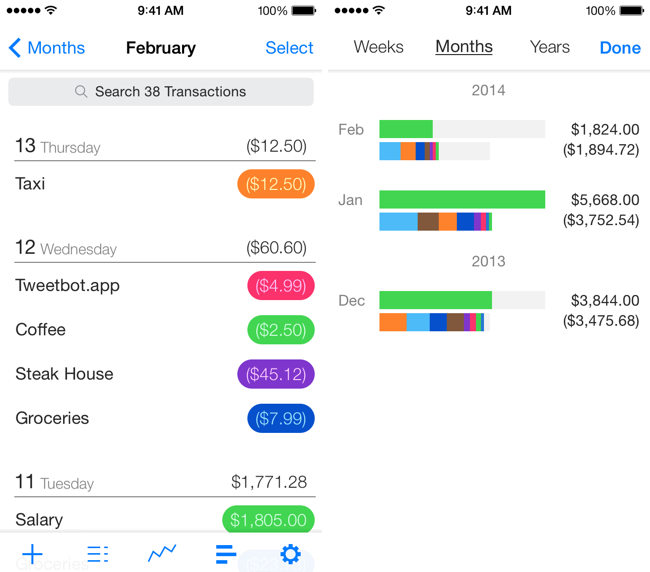
If you just want to keep tabs on your expenditures and income without the overhead of managing a budget, My Finances is a lightweight iPhone app that gives you a glance at how you’re spending your money and what your net worth is at any given time. Put expenditures into categories, track how you’re spending over time, and make quick decisions on whether you’re spending too much. To begin tracking, My Finances lets you enter a starting value in the settings to create a baseline. The app doesn’t connect to your bank to automatically track spending, but it does you mindful since you have to enter each transaction yourself. Setting up basic categories for gas, groceries, public transportation, and eating out can go a long way towards becoming aware of where your money is really going. The app is free to download, but an in-app purchase for $3.99 unlocks all of the features.

Permalink


The Effective Way To Ask For An App Review

The developers at Supertop, makers of Castro for iPhone, write:

Castro 1.0.4 had received 10 App Store reviews in the first three days of its release. After three days 1.0.5 had 48.

We wondered if the dramatic increase was a coincidence so when 1.0.6 was released we left the request out. Three days later we had only 4 new reviews, after a week we had 8. It took three weeks to get 24 reviews, half of what we had after three days for the previous version.

It’s good to know that asking for something nicely on the Internet can still produce satisfying results. Castro’s audience is certainly used to reading release notes, so until Apple changes how App Store reviews are reset for each app update, this might just work as a viable alternative to review prompts.

Permalink

Understanding Apple’s New Deployment Programs

Fraser Speirs explains the changes Apple introduced yesterday for deployment programs.

Yesterday Apple released two new deployment programs for iOS and Mac, and rolled out enhancements to another. I want to explain as best I can how they work together.

The Volume Purchase Program has been significantly enhanced and there are two new programs: Device Enrolment Program and AppleID for Students. Let’s look at each of these in turn.

I assume the topic will also be covered soon in Fraser’s podcast, Out of School.

Permalink

Documents 5 Brings iOS 7 Update, New “Add-On” Features for Inter-App Communication

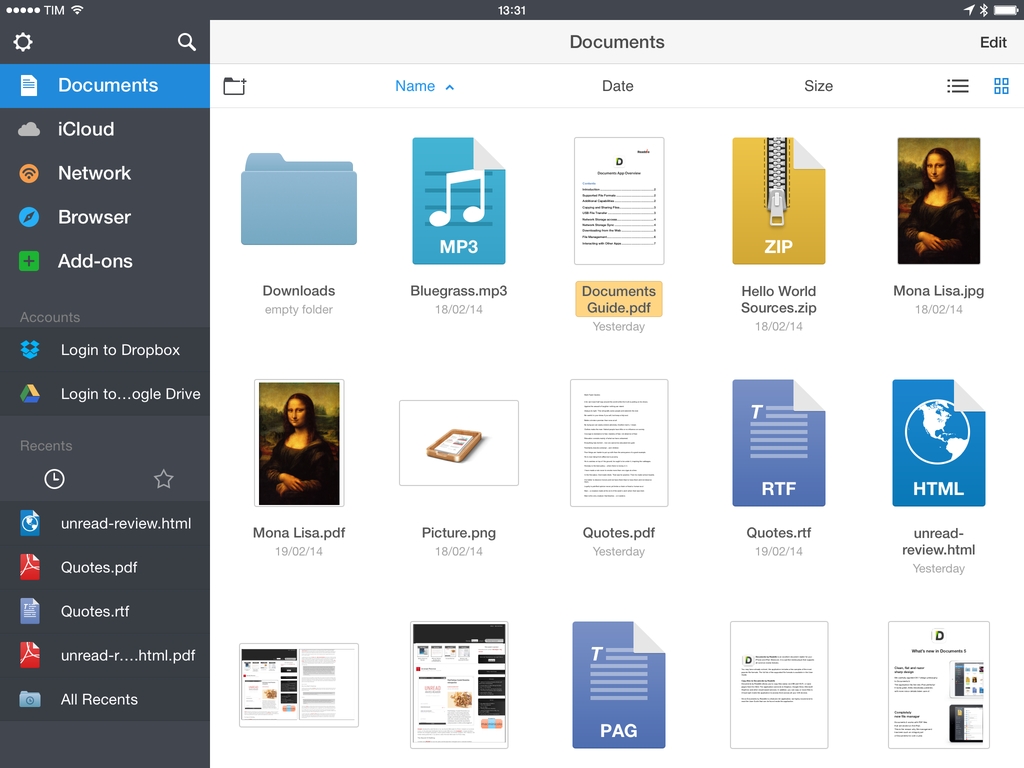
With Documents 5, released today on the App Store as a free update, Readdle is seeking to build its own ecosystem of interconnected apps on iOS. By leveraging inter-app communication features currently available on iOS but mostly ignored by Apple’s apps, Readdle is turning Documents into a centralized location for files, which can be sent to other Readdle apps and modified without creating duplicate entries.

Read more