This Week's Sponsor:

SoundSource

New Year, New Audio Setup: SoundSource 6 from Rogue Amoeba


The Ever-Changing App Store

This week, Federico and John explore current changes to the world of apps through the lens of its past evolution.

On AppStories+, we build “money’s no object” holiday wish lists for ourselves.

Also available on YouTube here.


We deliver AppStories+ to subscribers with bonus content, ad-free, and at a high bitrate early every week.

To learn more about an AppStories+ subscription, visit our Plans page, or read the AppStories+ FAQ.


AppStories+ Deeper into the world of apps

AppStories Episode 462 - The Ever-Changing App Store

0:00
32:35

AppStories+ Deeper into the world of apps

Read more


Podcast Rewind: Experiment Season, A Plain Text Challenge, Tech Nostalgia, and Audiobooks

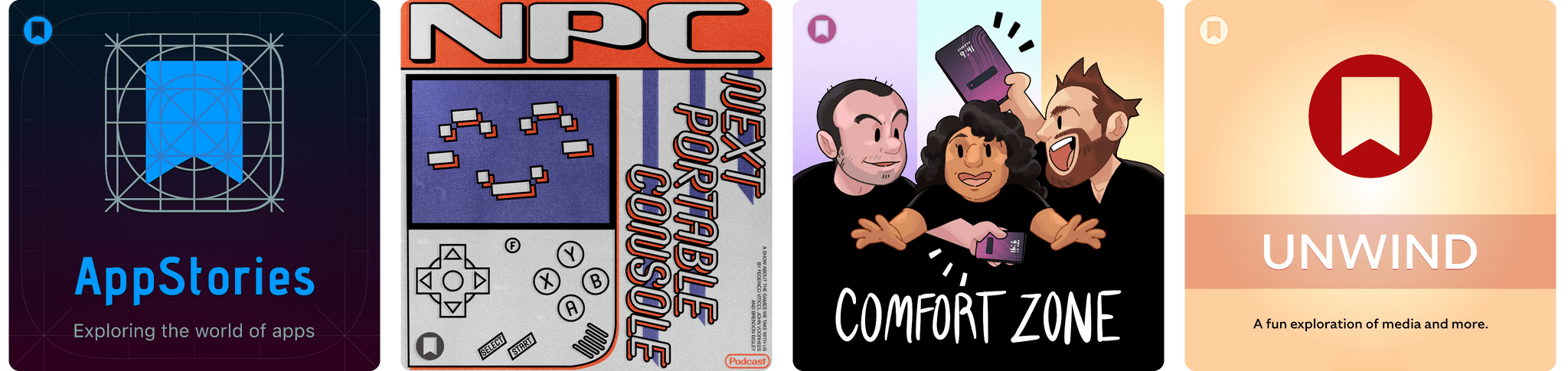
Enjoy the latest episodes from MacStories’ family of podcasts:

AppStories

This week, Federico and John kick off their holiday app and automation experimentation season a little earlier than usual with a mix of apps, automations, and services.

On AppStories+, they look ahead, considering the future of Shortcuts and automation.

Comfort Zone

Niléane is getting bold with laptop appendages, Chris is nostalgic about the iPad Pro, and everyone gets weird with text files.

This week’s Cozy Zone is a deep dive into 2012’s Les Misérables film.

MacStories Unwind

This week, Federico and John explore tech nostalgia and the importance of tech history before picking a new TV series and music artist.

Magic Rays of Light

Sigmund and Devon discuss Devon’s new audiobook listening habit and what it’s taught him about adaptations. Then, they share gift ideas for the Apple TV fan in your life.

Read more


Our Top Amazon Early Black Friday Picks

If you haven’t noticed, it’s not Friday, and Thanksgiving is still a week away. Yet here we are, talking about Black Friday deals. That’s because every year, Amazon pushes the start of its deals a little earlier.

This is far from the first article you’ll come across about Black Friday deals, and it won’t be the last. But what’s different about our approach to Black Friday is that we’re pickier than most sites.

When I sat down to consider Amazon’s Black Friday deals, I looked at a long list of factors, including:

  • whether we’ve reviewed and recommended a product on MacStories,
  • the percentage of the discount,
  • the absolute dollar amount of the discount (which we can’t list due to Amazon rules),
  • whether each deal beats past deals,
  • and a bunch of other factors.

What we’ve come up with is a list of a couple dozen excellent deals that will save you loads of money on everything from great holiday gifts to nerd staples like storage, networking gear, and upgrades to your computing setup.

Every time I write one of these roundups, I inevitably run across even more great deals after the story has been published. So in addition to this story, we’ll be posting deals on the MacStories Deals Mastodon and Bluesky accounts.

Club MacStories Plus and Premier members will be sharing their Black Friday deal finds on Discord too. If you’re not a member, you can sign up here. The Discord server is just one of the many perks of joining the Club.

Finally, please note that the Amazon links in this article are affiliate links. If you follow one of our links and buy something, we make a small commission.

Storage

Some of Amazon's best deals are on storage.

Some of Amazon’s best deals are on storage.

Storage is a staple of Black Friday, with excellent deals on hard drives and SSDs of all shapes and sizes. This year is no different. Whether your Mac’s drive is filling up and you need to offload some large files or you’re looking for a backup solution, now is the time to pull the trigger and get more storage.

I mention Samsung portable SSDs a lot on MacStories and the MacStories Deals accounts because I’ve used them for years and they’re reliable. Samsung’s fastest model – the T9 – is my favorite because it uses USB-C 3.2 Gen 2x2, making it equally good for quick backups and working on large files externally.

Currently, both the 4TB Samsung T9 SSD and the 2TB model are on sale on Amazon, with the biggest discount on the 4TB model. You can save a little more with SanDisk’s 2TB external drive, but it runs at half the speed of the Samsung T9, so I recommend the T9. However, if you want to go really big with an SSD, SanDisk has Samsung beat with an 8TB model that, while expensive and half the speed of a Samsung T9, will be far faster than a mechanical hard drive for backing up a Mac with lots of internal storage. Samsung sadly does not offer an 8TB T9 drive.

SSDs are great, but even on sale, they’re more expensive than mechanical hard drives. If you don’t need the fastest speeds and can tuck your hard drive away somewhere the heat and noise won’t bother you, Amazon has a great deal on a 14TB Western Digital Elements hard drive. I’ve used Elements drives a lot over the past several years for archiving big projects and Time Machine backups, and I’ve been very happy with their performance. If you need a big drive, now is the time to pick one of these up; they’ve never been cheaper.

Smart Home

For starters, the Aqara 4MP Camera Hub G5 Pro is deeply discounted for Black Friday. I reviewed this outdoor HomeKit-compatible camera earlier this year and love it. From the feedback I’ve heard, MacStories readers seem to love the camera, too.

I also reviewed the Philips Hue Play HDMI Sync Box 8K this summer. Paired with Philips Hue lights, it’s remarkably capable, syncing the colors of your lights to whatever is on your TV. While it’s not a smart home essential, it is a lot of fun, and if you need a little push to pull the trigger on this sort of gadget, this discount is a great excuse.

On the more practical end of the spectrum, Philips Hue is also offering a great deal on its Go Smart Portable Table Lamp, which works plugged in or via its built-in battery. I’ve had my eye on this lamp for a while because it’s very portable and would add nice accent lighting when I’m working on my balcony in the evening or anywhere else with less-than-ideal lighting.

Finally, as I mentioned on the Setups video that Federico and I recently released, I love my new SwitchBot Smart Desk Fan. It oscillates left and right as well as up and down, and it has nine speed settings. Best of all, I can control it from the buttons on the front of the device, using the included remote control, or with Shortcuts because it works with HomeKit.

Read more


I Finally Tested the M5 iPad Pro’s Neural-Accelerated AI, and the Hype Is Real

The M5 iPad Pro.

The M5 iPad Pro.

The best kind of follow-up article isn’t one that clarifies a topic that someone got wrong (although I do love that, especially when that “someone” isn’t me); it’s one that provides more context to a story that was incomplete. My M5 iPad Pro review was an incomplete narrative. As you may recall, I was unable to test Apple’s promised claims of 3.5× improvements for local AI processing thanks to the new Neural Accelerators built into the M5’s GPU. It’s not that I didn’t believe Apple’s numbers. I simply couldn’t test them myself due to the early nature of the software and the timing of my embargo.

Well, I was finally able to test local AI performance with a pre-release version of MLX optimized for M5, and let me tell you: not only is the hype real, but the numbers I got from my extensive tests over the past two weeks actually exceed Apple’s claims.

Read more


Apple Announces 45 App Store Awards Finalists for 2025

Source: Apple.

Source: Apple.

Today, Apple announced the finalists for the 2025 App Store Awards. The App Store Awards are Apple’s annual celebration of exceptional apps and games across 12 categories spanning the company’s platforms. It’s an excellent collection that includes solo developers, small indie teams, big companies, and many MacStories favorites.

Here’s the complete list of finalists.

iPhone App of the Year Finalists:

iPhone Game of the Year Finalists:

iPad App of the Year Finalists:

iPad Game of the Year Finalists:

Read more


MacStories Setups Update: An Apple Gear Refresh, Dual-Screen Gaming, and HomeKit

Our desk setups. Federico (left) and John (right).

Our desk setups. Federico (left) and John (right).

As we head into the final weeks of 2025, Federico and I figured it would be a good time to update the MacStories Setups page. There’s an ebb and flow to the gear and apps we test each year, and as the fall OS update season fades into the past, it’s not unusual for one or both of us to take stock of our setup and make changes. That’s been very true for both of us this year, but in different ways.

Federico has been focused on simplifying his hardware setup and testing a long list of apps and services. In contrast, I’ve made fewer gear cuts, focusing more on strategic changes to the gadgets I use and settling on a core set of work apps.

The result is that Federico’s hardware setup changes have primarily been updates to his Apple and portable gaming gear. He made the transition from the iPhone 16 Pro Max to the iPhone Air, and couldn’t be happier with the result. He also replaced the M4 iPad Pro with the latest M5 model and moved from the AirPods 4 to the AirPods Pro 3.

Both of us ditched our previous Apple Vision Pro head strap solutions for the Apple Dual Knit Band, which has been a big upgrade. It’s comfortable, and having one dial to adjust both bands is both clever and far simpler than other solutions I’ve tried.

Ayn Thor.

Ayn Thor.

Federico also added the Ayn Thor to his handheld gaming lineup. The Thor, which I also bought this fall, is a dual-screen OLED gaming handheld that runs Android. It’s perfect for emulating dual-screen systems like the Nintendo DS and 3DS, but it has also been excellent for game streaming and testing the emerging world of emulating SteamOS on Android. If game tinkering is your thing and this sounds intriguing, we have two episodes of NPC: Next Portable Console that go in-depth on the Ayn Thor.

Read more


iPadOS 26.2 Beta Restores Drag and Drop Gestures for Split View and Slide Over

Following the comeback of Slide Over in iPadOS 26.1, Apple is continuing to iterate on iPadOS 26 multitasking by restoring functionalities that had been removed from the launch version of iPadOS 26.0 in September. Yesterday, in the third developer beta of iPadOS 26.2, the company brought back drag and drop gestures to put app windows directly in Split View and Slide Over without having to interact with additional menus. To understand how these old gestures work in the context of iPadOS 26, I recommend watching this video by Chris Lawley:

As you can see, the gestures are pretty much the same ones as iPadOS 18, but the interaction is slightly different insofar as the “pull indicator” for Slide Over (re-introduced in iPadOS 26.1) now serves two purposes. That indicator now acts both as a signal that you can drop a window to instantly tile it as one half of a Split View, and it’s also a drop target to enter Slide Over right away. The design is clever, if maybe a little too hard to discover…but that’s always been the case with multitasking gestures that aren’t exposed by a menu – which is exactly why Apple is now offering plenty of options in iPadOS 26 to discover different multitasking features in different menus.

I’m glad to see Apple quickly iterate on iPadOS 26 by finding ways to blend the old multitasking system with the platform’s new windowing engine. Based on the comments I received after publishing my iPadOS 26 review, enough people were missing the simplicity of Split View and Slide Over that I think Apple’s doing the right thing in making all these multitasking systems coexist with one another.

As I argued on last week’s episode of Connected, and as Myke and Jason also elaborated on this week’s episode of Upgrade, the problem with the iPad Pro now is that we have a great foundation with iPadOS 26 and very few third-party apps that take advantage of it beyond the usual names. I suspected as much months ago, when I explained why, in a world dominated by web apps, the iPad’s next problem was going to be its app ecosystem. The web services I use on a daily basis (Slack, Notion, Claude, Superhuman, Todoist – the list goes on) simply don’t make iPad apps of the same caliber as their desktop/web counterparts. So I find myself using Safari on the iPad to get my work done these days, but, for a variety of reasons and dozens of small papercuts, Safari for iPad simply isn’t as good as Safari on the Mac.

Given how the third-party app ecosystem story for iPad is outside of Apple’s control and how most companies aren’t incentivized to make excellent native iPad apps anymore, now that multitasking has been largely “fixed” in iPadOS 26.2, I hope Apple turns its attention to something they can control: making Safari for iPad truly desktop-class and not a baby version of Safari for Mac.

Permalink

Apple Beefed Up Its Rule Against Copycat Apps

Last week, I wrote about Apple’s new policies surrounding mini apps. However, that wasn’t the only change made to the App Review Guidelines last week. Apple also added a new subsection “c” to its rule against Copycat apps:

4.1(c) You cannot use another developer’s icon, brand, or product name in your app’s icon or name, without approval from the developer.

As I wrote earlier this year, this isn’t a new problem, especially for developers of popular games on other platforms. Copycat versions of Blue Prince, Palworld, Wordle, Cuphead, Balatro (before it was released on the App Store), and Unpacking have all appeared on the App Store in recent years.

The update to App Guideline 4.1 shows that Apple is aware of the problem, which is a step in the right direction. Hopefully, the awareness will lead to better enforcement, too.

Permalink