

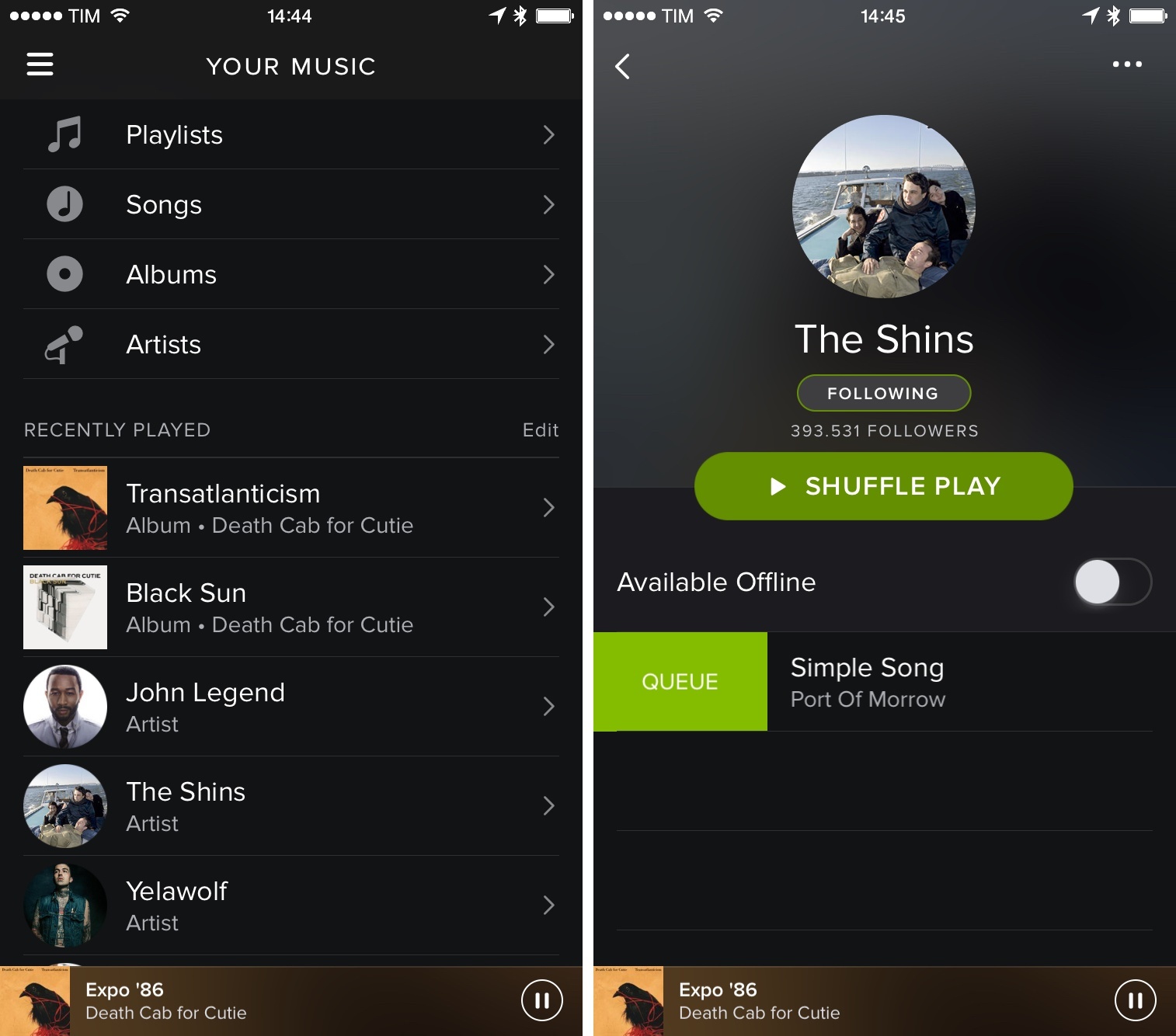
For the past couple of months, I’ve been using Spotify again (I moved from Beats Music) because my girlfriend and I were looking for a Family subscription that wasn’t Rdio and I was interested in Spotify’s iPad app. Beats Music is still extremely dear to my heart, but I’m missing the ability to create a Family account and I find their iPad app to be inferior in terms of navigation and presentation to Spotify’s. When Apple fixes these aspects, I expect to reconsider a switch.
Spotify Gestures and History
Snapchat’s Discover: Daily Mini-Magazines from CNN, Cosmopolitan & More
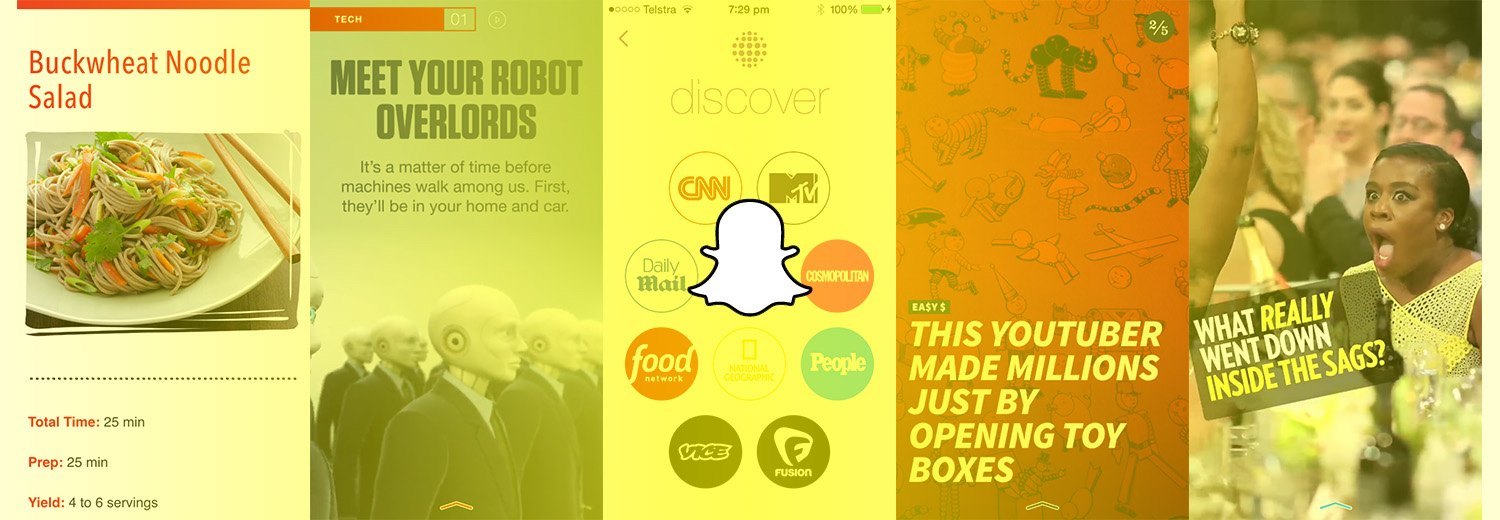
Snapchat yesterday released ‘Discover’, a big new feature that sees Snapchat partner with news and entertainment brands such as CNN, National Geographic, MTV and Cosmopolitan to produce and publish content for the Snapchat app. The easiest way to explain the content is to try it out yourself, or watch the video below (which shows the CNN and National Geographic packages from January 27). But essentially, each partner will publish new content every 24 hours and that content can include video, articles, pictures, and other editorial content.
Read more
Apple Q1 2015 Results: $74.6 Billion Revenue, 74.5 Million iPhones, 21.4 Million iPads Sold

Apple has published their Q1 2015 financial results for the quarter that ended in December 2014. The company posted revenue of $74.6 billion. The company sold 21.4 million iPads, 74.5 million iPhones, and 5.5 million Macs, earning a quarterly net profit of $18 billion.
“We’d like to thank our customers for an incredible quarter, which saw demand for Apple products soar to an all-time high,” said Tim Cook, Apple’s CEO. “Our revenue grew 30 percent over last year to $74.6 billion, and the execution by our teams to achieve these results was simply phenomenal.”
The quarter sets a new record for Apple: before today’s results, the company’s record was $57.6 billion revenue reported for Q1 2014.
iOS 8.1.3, OS X 10.10.2 Released
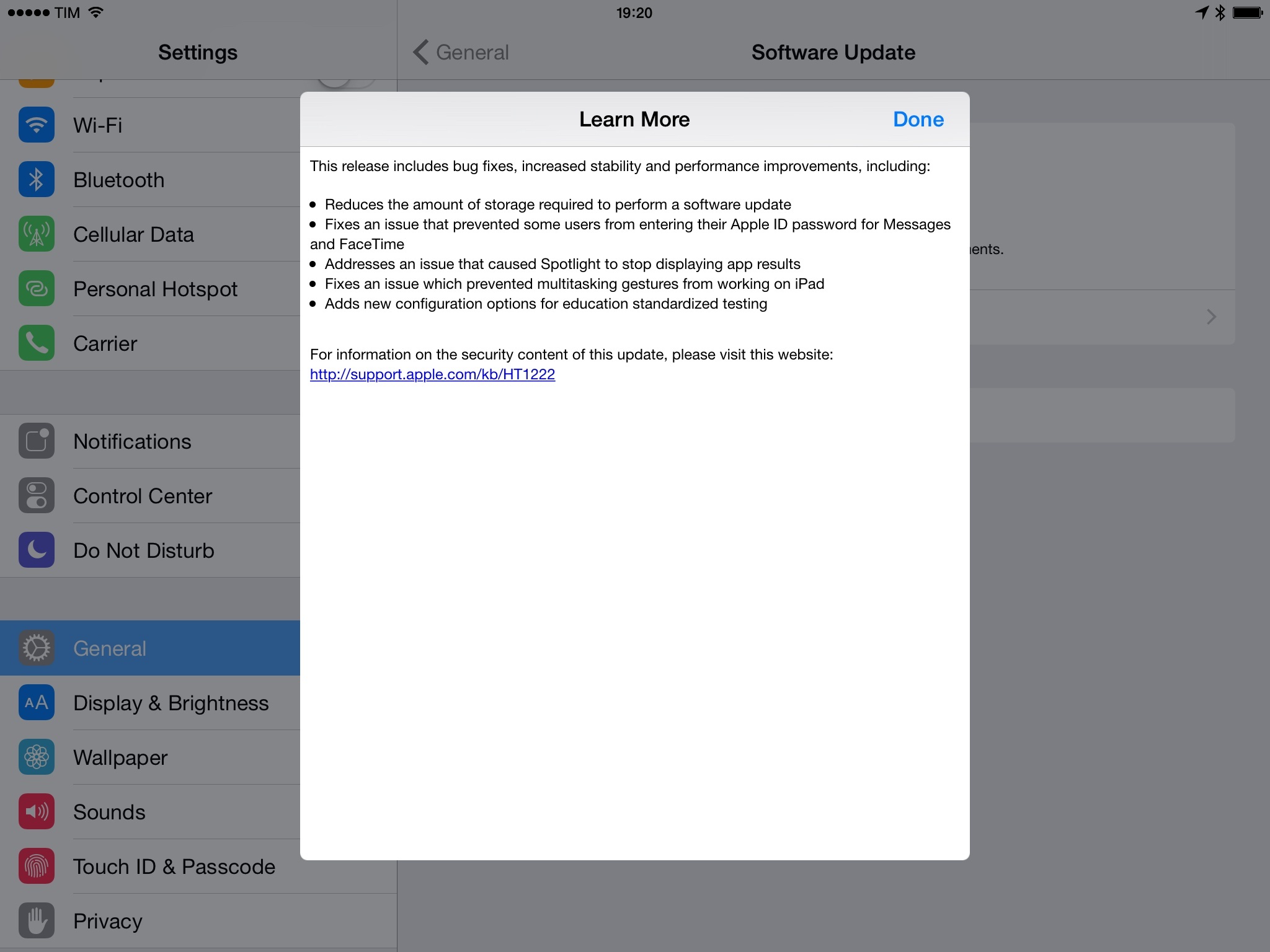
Apple today released software updates for iOS 8 and OS X Yosemite, bringing bug fixes and stability improvements alongside some welcome enhancements to the iOS update process and Yosemite’s iCloud Drive.
In the iOS 8.1.3 changelog (pictured above), Apple notes that they have reduced the amount of storage required to perform a software update. This is an important change as Apple has been criticized for releasing OTA (over-the-air) software updates for iPhones and iPads that required users to free up too much storage on their devices. Notably, iOS 8.1.3 also includes fixes for Spotlight, which often failed to find results for apps previously downloaded and installed.
In OS X Yosemite, Apple resolved a series of issues with WiFi connections, slow performance in loading webpages, and a security issue with loading remote Mail content in Spotlight. iCloud Drive content can now be browsed in Time Machine, the company’s local backup solution for OS X.
Both iOS 8.1.3 and OS X 10.10.2 are now available in Software Update.
Alfred Remote→
Very nice addition to Alfred for Mac released today: Alfred Remote lets you control Alfred and even trigger workflows from an iOS device. I’ve been testing the app and, while not for me (I work on my iOS devices), I think it’s a great solution for those who get work done at a Mac and wouldn’t mind keeping an iPhone or iPad next to it to offload some shortcuts.
The app is easy to use, with large touch targets and a page-based UI to organize and launch shortcuts. Besides files and folders, I like how you can trigger workflows from an iPhone – nice, say, to wake up in the morning and prepare your Mac for work before you sit down.
Now this is where things get really fun! Add a “Remote Trigger” to a workflow to allow you to launch it from your Remote. A single tap can launch multiple things; For example the “Morning tasks” action launches all of my essential websites and apps to start the day at once.
Alfred Remote is $4.99 on the App Store and requires Alfred 2.6 for Mac.
Vine Is a Window→
Speaking of video on Twitter, Mat Honan has an excellent take on two years of Vine:
That’s not to say there isn’t a performance element to most of the year’s best. There very much is. Vine’s best is still largely dominated by dancing and singing and sports and music and gags. And I would argue that the best stuff on there is still mostly people performing.
But increasingly the popular clips have a documentary element; a human element. I’m guessing there will be quite a few really beautiful Vines of the Juno snowstorm, and part of what will be so gorgeous about them will be the futility of man in the face of nature.
You can find the best Vines of 2014 here.
Twitter Announces Video Sharing, Group DMs

Twitter is rolling out the ability to share 30-second video clips and hold private conversations with up to 20 people, the company announced in a blog post today.
Legacy TestFlight Service Shutting Down on February 26→
Apple has informed developers that the legacy TestFlightApp.com beta testing service will shut down on February 26:
The services offered at TestFlightApp.com will no longer be available after February 26, 2015. To prepare for the TestFlightapp.com closure, developers and team leaders are recommended to transfer their testers to the all-new TestFlight Beta Testing in iTunes Connect.
The legacy TestFlight website has continued working in spite of Apple’s acquisition of TestFlight last year and subsequent integration in iTunes Connect. Apple is providing developers with instructions to migrate existing testers to the new TestFlight service, with more details available here.
As I wrote last week, the new TestFlight is not perfect, but its native presence on iOS 8 offers a superior solution for testers and developers thanks to the reliance on Apple IDs. Notably, the legacy TestFlight website allowed developers to release betas for devices running older versions of iOS, whereas the new TestFlight is only available for iOS 8.
Twitterrific 5.9 Brings Media Improvements
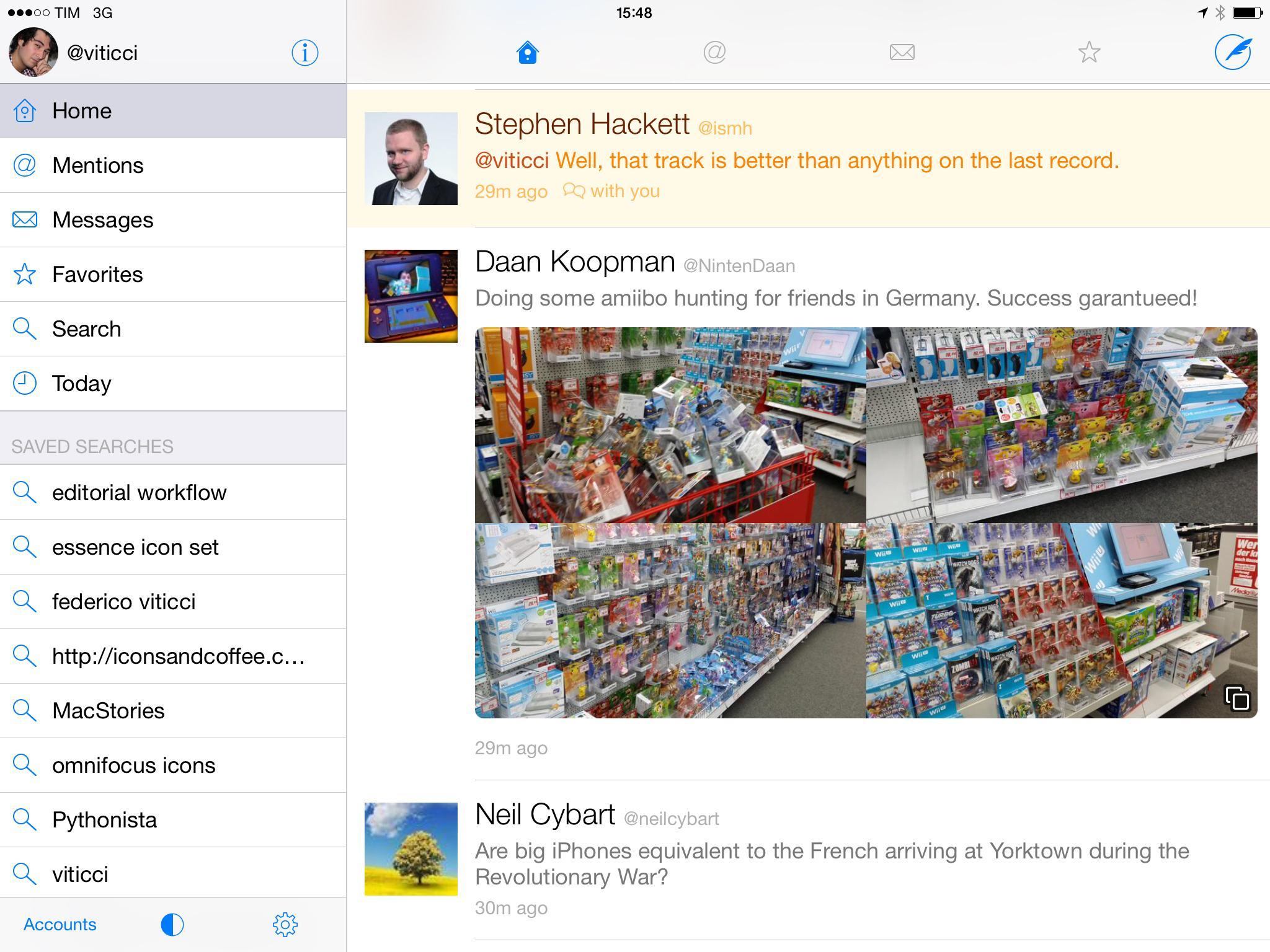
In my in-depth look at Twitter clients for iOS from December 2014, I noted Twitterrific’s fantastic support for iOS 8 extensions and thoughtful design touches, but lamented the app’s lack of integration with modern Twitter media features. In particular, Twitterrific didn’t support multiple images in tweets and animated GIFs; compared to Tweetbot, Twitterrific didn’t have inline playback for popular third-party sharing services such as Vine and Instagram either.
With today’s 5.9 update, The Iconfactory has considerably improved their client’s media preview capabilities by bringing native integration with the aforementioned services and support for Twitter’s GIFs and multiple images. Furthermore, Twitterrific has gained minor but welcome changes such as the ability to save source tweets to Pocket and show a user’s mentions by long-tapping a profile picture.