MedCity News has shared the story of Ken Robson, Apple Watch user who was able to correctly self-diagnose a heart ailment thanks to Apple Watch heart rate data:
When he got to the hospital, Robson told staff that he had been tracking his heart rate on the watch, and had two weeks of back data. “Going in with the data certainly reduced my stay by a couple of days,” he told MedCity News. It also assured that he could have the operation nearly immediately.
Because the hospital could check his Apple Watch data, Robson did not have to wear a heart monitor for a week before the medical team at Scripps Mercy could confirm the diagnosis of sick sinus syndrome.
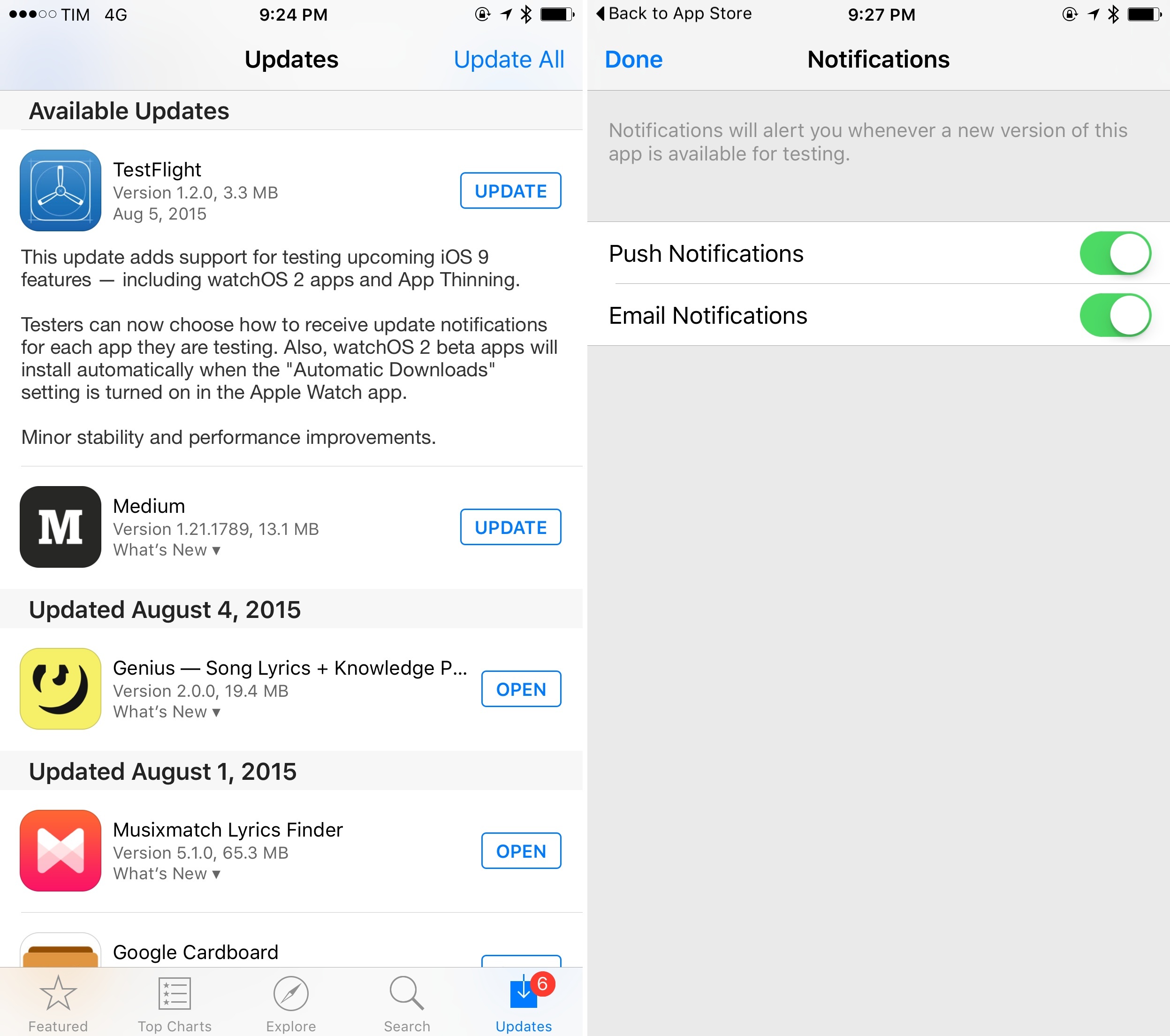
Apple has updated its official TestFlight app for iOS today, bringing support for iOS 9 and watchOS 2 betas, plus a new App Thinning feature that will allow developers to deliver slimmer apps in iOS 9.
Version 1.2 of TestFlight supports, according to Apple, “upcoming iOS 9 features”. The first beta of iOS 9 was first released in June, and, following the launch of the fourth developer beta, several members of the developer community were wondering when Apple would start allowing developers to distribute iOS 9 app betas to external testers. The release notes of the update don’t mention external testers, so it’s still fair to wonder when Apple will actually let developers expand their beta pools beyond internal testers.
Update: As confirmed in an email by Apple, TestFlight’s iOS 9 features are currently limited to watchOS 2 apps and App Thinning for internal testers only.
In addition to iOS 9 and watchOS 2 support, the TestFlight app has been updated with new notification settings. You can now turn off email and notification updates on a per-app basis – a welcome addition for those testing dozens of different apps.
Graava is a new action camera that promises to automatically edit footage using sensors that include GPS, accelerometer, microphone, gyroscope, and heart rate monitor. Unlike similar solutions such as GoPro, Graava wants to remove the friction from manually picking the best footage out of a session using connected sensors to figure out what’s interesting and worth saving and what’s boring and can be discarded. Graava has opened preorders for $249 today and it ships early next year. You can read more about it at The New York Times and TechCrunch, and watch the great promo video above.
What immediately caught my attention is that Graava will rely on an Apple Watch app to monitor a user’s heart rate and detect sudden changes that may correspond to interesting moments. That, of course, would require watchOS 2, which will give developers deeper access to the Apple Watch hardware. According to Graava’s website, “Android Gear and Apple Watch equipped with heartbeat sensors are supported”, so I am assuming Graava will ship a watchOS 2 app once it launches next year.
This is anotherexample of the kind of richer experiences that watchOS 2 will enable developers to build. Graava could also work by connecting to Bluetooth chest monitors to gather a user’s heart rate data – and they likely will – but it is far more convenient to rely on a device that is accurate enough and worn all the time and that works with a full-featured app. Even more interesting is that Graava won’t use the heart rate sensor to build a strictly fitness-related app: rather, it’ll use the data collected by it for additional context used in video editing. It’s an intriguing use case, and I’m curious to see how well Graava’s automatic process will actually work.
You can check out Graava’s website and preorder information here.
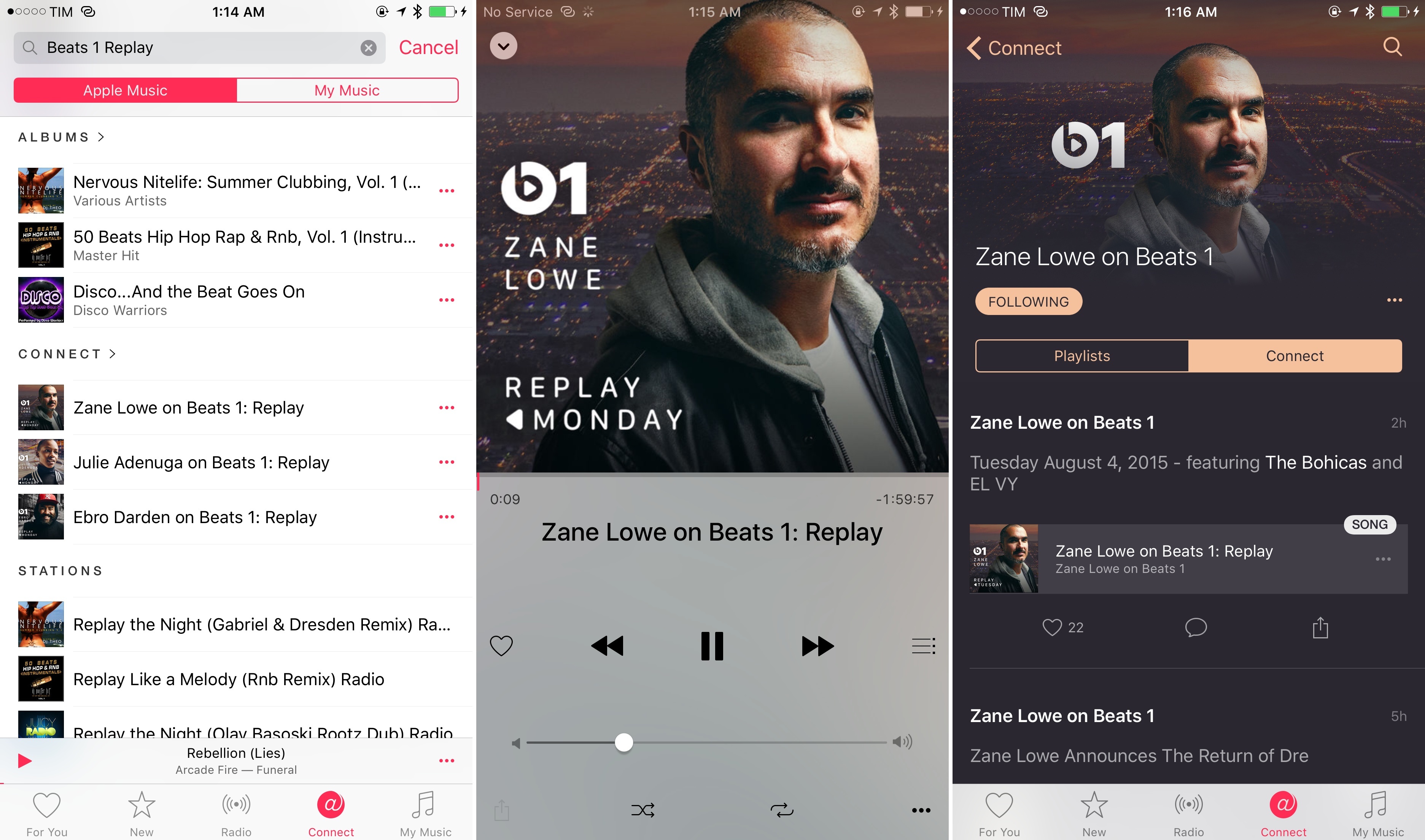
I’m not sure when Apple rolled out this change, exactly (though it appears to have gone live over the past three days), but you can now listen to several Beats 1 shows (including those by Zane, Julie, and Ebro) in full through Beats 1 Replays.
Previously, unless you listened to a show live or during its rerun twelve hours later, you were out of luck. Some of the shows on Beats 1 offered the ability to follow them on Connect and listen to the playlists of songs played during the show, but that didn’t include the complete show with DJ and guests.
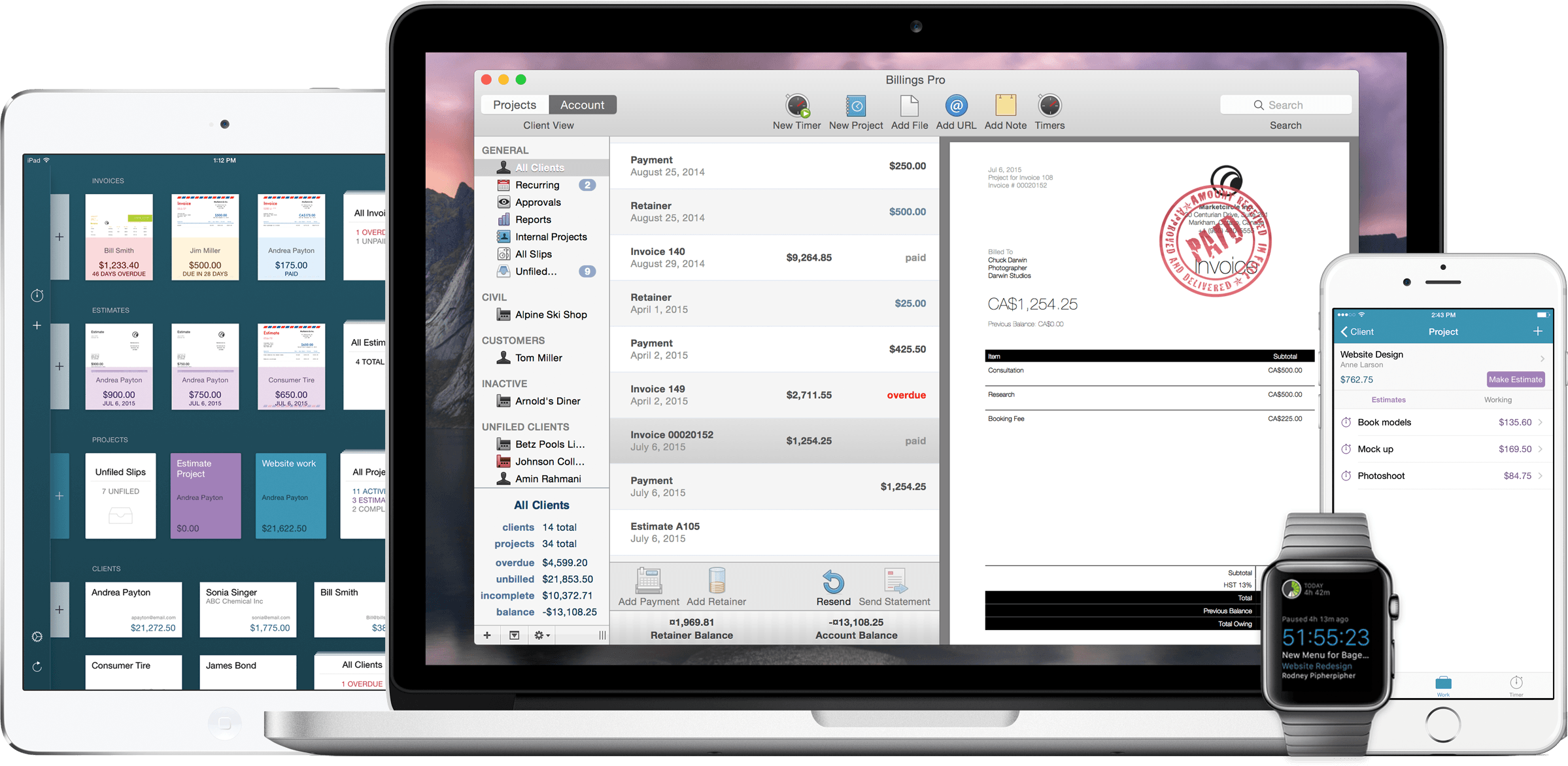
I’ve used Billings for invoicing and time tracking since shortly after I first started freelancing years ago. I recently (finally) upgraded to Billings Pro, and I’ve been testing out the most recent update to the apps for Mac and iOS. The latest version brings Apple Watch support, mobile estimates, and seamless integration of all of the Billings Pro features across all my devices.
Here’s another example of how watchOS 2 will, potentially, improve the experience of using apps on Apple Watch. August announced an Apple Watch version of their app to unlock smart locks with a tap. Because of WatchKit 1.0, it wouldn’t be uncommon for the August app to take several seconds to launch, be slow, or occasionally crash. Exactly not the kind of experience you’d want when standing in front of a locked door that you want to open with the convenience of a smart device (just use your keys at that point).
The couple of watchOS 2 apps I’m using so far are already considerably faster and more reliable than their WatchKit 1.0 counterparts. While not completely native to the Watch, watchOS 2 apps will benefit from speed improvements besides access to sensors, and that should help companies such as August when it comes to everyday performance and enjoyment.
Starting today, some U.S. Twitter users will see a News tab appear in their Twitter apps.
The experimental feature, part of Twitter’s effort to make its best content easy to find, inhabits the middle tab of the app’s navigation bar and brings up a list of headlines that are trending on the platform. When you click a headline, you’re taken to a story screen with an image, headline, block of text from the story, and the top tweets discussing it.
I feel like I can no longer make the joke that Twitter keeps experimenting without supporting basic iOS features. This looks like a good summary of trending news on Twitter, but it’s also no Nuzzel, and I wonder how quickly it’ll be supplanted by Project Lightning (“Moments?”) when it launches.
Maybe I should start coming up with punchlines about their iPad app in the meantime.
Run 5k for watchOS 2 will tap your arm when you need to change pace during the training run thus not interrupting your music, ever. And at the end, you will see your results right on the watch app.
When you get home, you take the Watch off, place it anywhere close to your iPhone and while you shower all the data will be synced over. You can check your results in either Run 5k or in Apple’s own Activity app. Or in any other 3rd party app that’s leveraging Apple Health platform.
It’s not just that they’ll be faster. watchOS 2 apps will have a deeper access to Apple Watch hardware that will start making them more independent from the iPhone and personal – truly, as this is the kind of data that not even an iPhone can simulate on its own. I have a feeling this will be a massive change for fitness and health apps on the Watch this Fall.