Tim Cook on the iPad Pro and PCs

Tim Cook, speaking to The Telegraph about the iPad Pro:

“Yes, the iPad Pro is a replacement for a notebook or a desktop for many, many people. They will start using it and conclude they no longer need to use anything else, other than their phones,” Cook argues in his distinctly Southern accent (he was born in Alabama). He highlights two other markets for his 12.9 inch devices, which go on sale online on Wednesday. The first are creatives: “if you sketch then it’s unbelievable..you don’t want to use a pad anymore,” Cook says.

The second is music and movie consumers: the sound system and speakers are so powerful that the iPad appears to pulsate in one’s hands when one plays a video.

In a separate interview with The Independent, he noted that he’s only travelling with his iPhone and iPad Pro for his European tour that will see him deliver a keynote speech at the Bocconi university in Milan tomorrow:

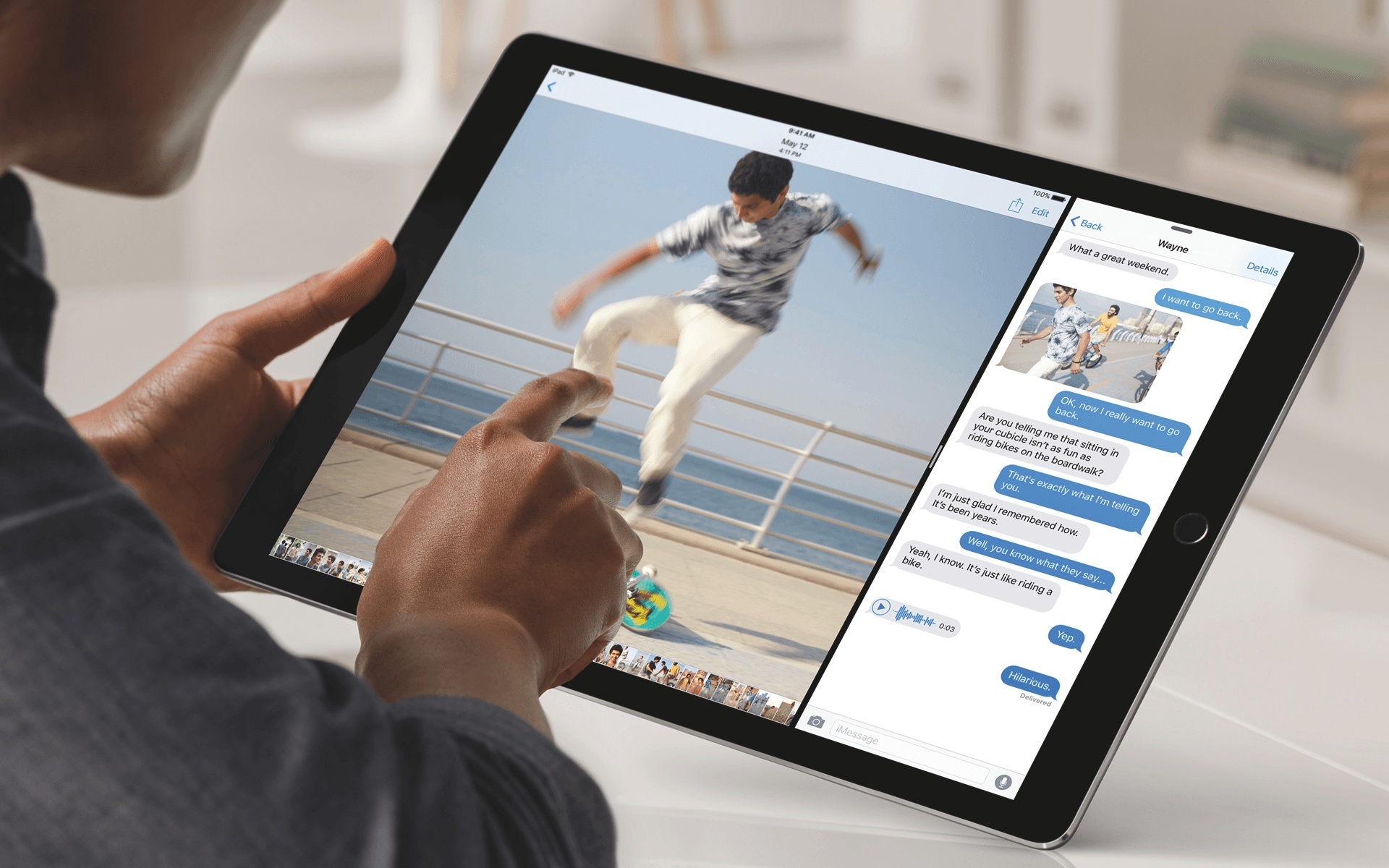
Along with the Pencil, there’s a keyboard cover. Cook says it’s different from rival keyboards because with none of those would you say it “came from the same parent” as the tablet itself. “Now all of a sudden you have a keyboard that has been perfectly designed for the iPad, it’s integrated and then you’ve got the software with split view and it’s inherently very productive. I’m travelling with the iPad Pro and other than the iPhone it’s the only product I’ve got.”
Permalink

Apple Airs New iPad Pro Commercial, ‘A Great Big Universe’

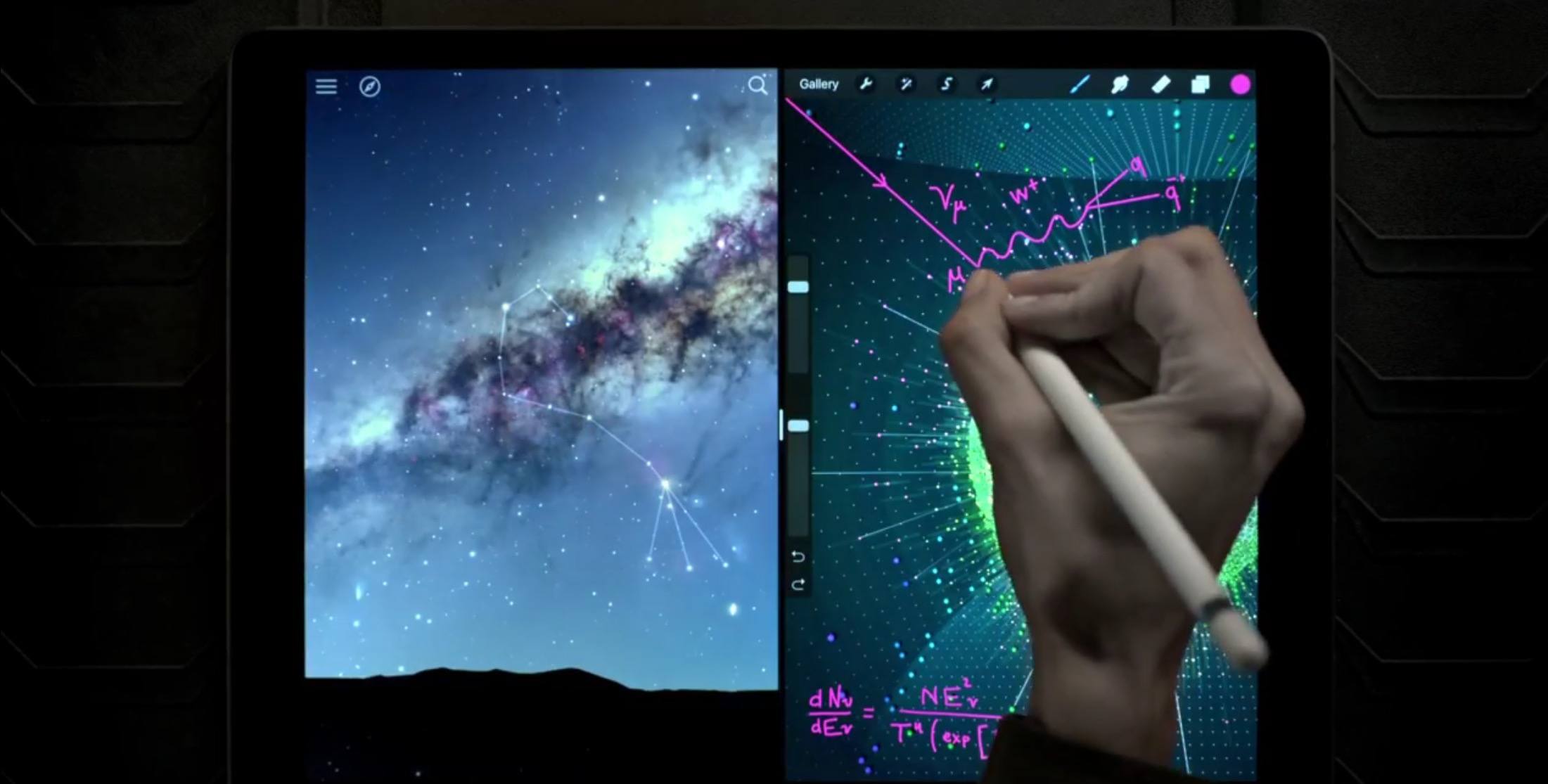
Earlier today, Apple aired a new commercial for the iPad Pro, with a focus on the Retina display, iOS 9 Split View multitasking, and drawing with Apple Pencil on the new device.

There’s a great big universe in the new iPad Pro. It’s the largest iPad ever and takes your creativity and productivity to an epic scale.

In the ad, featuring Alabama Shakes’ Sound & Color as the background song, Apple starts by showcasing the space-themed imagery that’s been on marketing materials for the iPad Pro since its introduction in September. Then, the video zooms out to reveal Sky Guide and Procreate, working simultaneously in multitasking on the iPad Pro. Apple Pencil, the iPad Pro’s stylus accessory to draw and annotate, is also showcased in the commercial with annotations in Procreate – one of the apps that has been updated with early iPad Pro support.

Today, Apple confirmed that the iPad Pro is launching this Wednesday, November 11, for online orders, with retail availability to follow later in the week. You can watch the ad below.

Read more


Apple Confirms iPad Pro Is Launching This Week

In a press release, Apple has confirmed that the iPad Pro, the company’s new 12.9-inch tablet, will be launching this week. Online orders will begin on Wednesday, November 11, and the iPad Pro will be available at retail stores, select carriers, and authorized resellers later this week.

“The early response to iPad Pro from app developers and our customers has been incredible, and we’re excited to get iPad Pro into the hands of customers around the world this week,” said Philip Schiller, Apple’s senior vice president of Worldwide Marketing. “iPad Pro is the most powerful iPad we’ve ever made, giving users the ability to be even more creative and more productive with the epic 12.9-inch Retina display, powerful 64-bit A9X chip and groundbreaking Apple Pencil and new Smart Keyboard. We can’t wait to see what they do with iPad Pro.”

In the press release, Apple has quoted several developers of iPad apps that will be updated to take advantage of Apple Pencil, a new stylus built specifically for iPad Pro with support for pressure sensitivity, tilt, and high precision.

iPad Pro features a bigger display than the iPad Air 2, a new four speaker audio system, and nearly double the CPU performance and double the graphics performance of previous iPads. You can read more in our original overview from September here.


Apple Music’s Connect and Its Video Embed Option

Jordan Kahn, writing for 9to5Mac on Apple Music’s somewhat hidden video embed option:

While we’ve known it has been hosting videos for artists using its own video player inside Apple Music, Apple quietly started adding an embed button to the video player that takes it out of Apple Music and makes it sharable across the rest of the web. The feature is notable for a few reasons and could mean big things to come for Apple, video, and its relationship with YouTube and other competitive music and video services…

The new sharing option began appearing sometime in recent weeks as new videos from Drake and the company’s latest Apple Music ad featuring Kenny Chesney included an embed button on Apple’s usual video player. It’s currently hidden, only appearing on the videos in some locations and only when videos are copied from raw webpage code, but it looks to be something Apple could really exploit.

I’ve come across Apple Music embeds a couple of times already when reading news on some music blogs I follow, and I thought they were part of special publisher or artist features (here’s an example, which I can only watch on OS X). It’s interesting to imagine how video embeds could signal a proliferation of ad-free music videos available anywhere, hosted by Apple.

Permalink

The Case for Emoji Search on iOS

Jason Snell, writing for Macworld on the need for a better way to search for emoji on iOS:

While Apple is doing great at displaying emoji, it could do a much better job of letting us input them. The other morning, I was browsing through my Twitter feed on my iPad and wanted to reply to a particular tweet with a bit of an inside joke involving the German flag. (Sorry, Germans.) In my bleary post-sleep haze, I ended up sending the flag of Belgium instead. I don’t know what I was thinking—those countries are close geographically but their flags are as different as horizontal and vertical strips can make them.

This has been in the back of my mind for a while as well, and I completely agree. I especially struggle to find emoji flags too – are they in alphabetical order? – and, like Jason points out, there should be ways to search emoji or autocomplete them as you type.

Of course, either option would add complexity to the iOS keyboard: an autocomplete syntax would be tricky to explain to non-techie users, and displaying a search box inside the emoji picker would still revert to the QWERTY keyboard to type an emoji’s name. With over 1600 emoji available on iOS and more coming every year, I wonder how Apple is approaching this problem.

Permalink

App Store Gets New Shopping Category

Rene Ritchie, writing for iMore:

Apple’s App Store for iPhone and iPad is adding a new category—Shopping! It’s no secret that there’s been an explosion in online shopping and iOS has driven a lot of that growth. Thanks to an incredibly rich ecosystem and empowering technologies like Apple Pay, there’s no better way to compare prices, check reviews, and grab deals when on the go than iPhone, and no better place to sit back, browse, share, and check out than on iPad. And that’s probably why Apple is moving shopping apps out of Lifestyle and into a category all their own.

From Apple’s developer blog:

The new Shopping category is now available in all 155 App Store territories. This category makes it easy for iPhone and iPad users to find and enjoy apps that enhance the shopping experience—including mobile commerce apps, marketplace apps, coupon apps, and apps that incorporate Apple Pay.

Interesting that Apple has teamed up with some of the featured companies to run promotions to celebrate the new category. And it’s a smart move to do this before the holiday season, when millions of people will be buying gifts and browsing catalogues directly from their iPhones and iPads. Yet another example of just how much mobile has changed online commerce over the past few years – it needed its own App Store category.

Permalink

How Apple TV Turned Me Into a Game Developer

Alexander Repty documents his experience in developing his first game, Cosmos — Infinite Space, which launched last week on iOS and the new Apple TV:

For several reasons, I have never created a game before. This changed on October 30th, 2015, when I released my first one, Cosmos — Infinite Space. In just over seven weeks, I went from not knowing the first thing about making games to having published a complete, viable game on the App Store for two platforms.

This is a great little story, and whilst the app isn’t selling in great quantities, Repty approached the project as a hobby and in that context the result has been terrific. Something that was particularly interesting to me was that Apple’s introduction of Top Charts to the Apple TV’s App Store earlier this week appeared to have quite a meaningful impact on sales of Cosmos. Hopefully yesterday’s introduction of Categories to the Apple TV App Store will be a further boost to Cosmos and other App Store games.

When Apple slowly introduced top charts and categories, the effect on sales was really noticeable. Before the introduction of charts, my sales in Europe were almost double those of the US market. When charts were introduced in the US, sales there started surpassing sales in Europe by over 50%.

After six days on the store now, Cosmos has brought in $463 for us with no sign of slowing down. Even if it were to keep this up, it would not be remotely enough to live off, but it’s nice to see some reward for all the work in addition to all the lessons learned.

Permalink

Apple Adds Categories to the Apple TV App Store

Jeff Benjamin on iDownloadBlog notes that the Apple TV App Store now has a Categories section:

Good news for Apple TV owners looking for better ways to discover new apps on the App Store. After adding Top Charts, Apple has added a new Categories section to the App Store as well. As of now, the Categories section appears to be a bit limited, so far listing only Games and Entertainment.

On Monday it was the introduction of Top Charts to the Apple TV’s App Store, and today it’s the introduction of Categories (albeit limited to just two at the moment). Apple’s listening and (thankfully) moving quickly to address concerns about app discoverability. The next thing that should be on their list, in my opinion, is the ability to link to Apple TV apps and preview them on the web. And whilst we’re on the topic of Apple TV wishes, let’s hope a few developers at Apple have also been re-allocated to quickly update the iOS Remote app to support the new Apple TV.

Although the Categories section appears to be US-only for the moment, this will likely roll-out internationally within a few days. Top Charts was also limited to the US at first, but is now available internationally.

Permalink

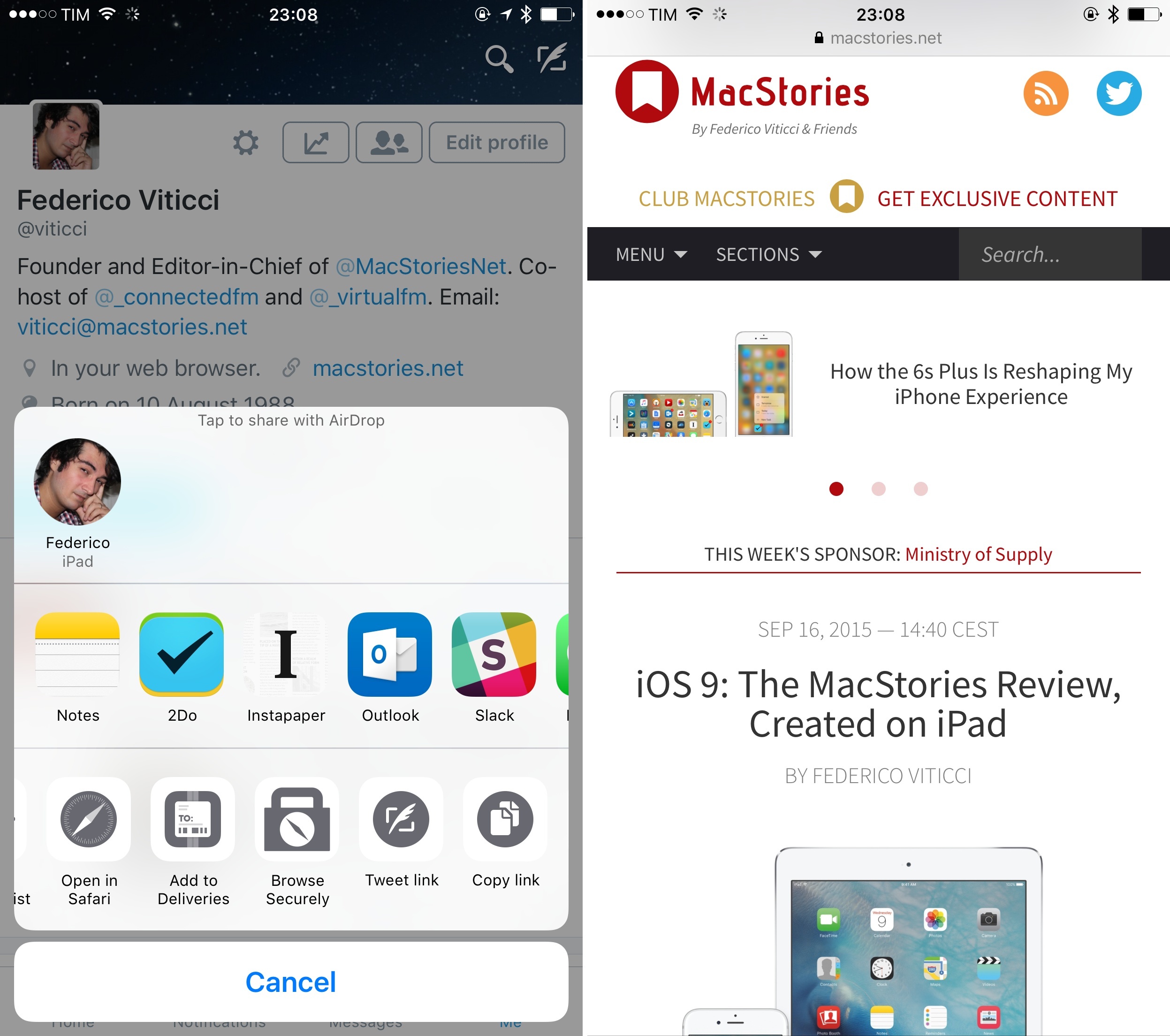
Browsecurely Brings Safari View Controller Anywhere with an Action Extension

Typically, you wouldn't be able to do this in the Twitter app for iOS.

Typically, you wouldn’t be able to do this in the Twitter app for iOS.

One of the best details of Peace, Marco Arment’s original Ghostery-based Content Blocker for iOS 9, was the ability to summon Safari View Controller anywhere with an extension. As I wrote in my review:

Open Unrestricted and Open in Peace are interesting, as they leverage Safari View Controller to temporarily disable (Unrestricted) or use Peace for a link passed to the extension. This means that, besides Safari and apps that support Safari View Controller, you can enjoy the benefits of Peace from the system share sheet. Even if an app doesn’t integrate with Safari View Controller – such as Twitter, but there will be many others – as long as they can share a URL with native extensions, you’ll be able to use Peace’s Content Blocker and Safari View Controller. This is a genius way to circumvent apps that don’t support the superior Safari View Controller experience in iOS 9, and I bet that other developers will be “inspired” by it once they see it.

Developed by Martin Gordon, Browsecurely is a new app for iPhone and iPad that lets you open Safari-based web views in every app that supports the iOS share sheet.

The idea is extremely simple: in spite of the many advantages of Safari View Controller (which include privacy features, performance gains, Content Blockers, and an experience consistent with the system browser), there are still some apps –like Twitter’s official client – that prefer not to implement it, using their own web views independent from Safari. Browsecurely offers a way out from those web views: as long as you can share a webpage’s URL with native extensions, you’ll be able to open the selected webpage with Safari View Controller using the Browsecurely action extension. By doing this, you’ll simply be opening a URL in Safari View Controller without leaving the app you’re using; current Content Blocker, Reader, and other Safari settings will carry over from the browser automatically.

I was waiting for someone to replicate Peace’s Safari View Controller extension in a dedicated app, and it doesn’t surprise me that this basic functionality is available for free with an optional In-App Purchase to support the developer. Browsecurely has no additional features – it’s just a way to open links in Safari View Controller with an extension.

I have to wonder if, eventually, Apple will make a Safari extension themselves, allowing users to always open links with Safari View Controller as a system-level option available in every app. In the meantime, Browsecurely comes in handy to quickly view webpages in Safari View Controller from the share sheet, and it’s available for free on the App Store.