
In this month's edition of the Monthly Log:
 Monthly Log: November 2016
Read more
Spark Arrives on macOS
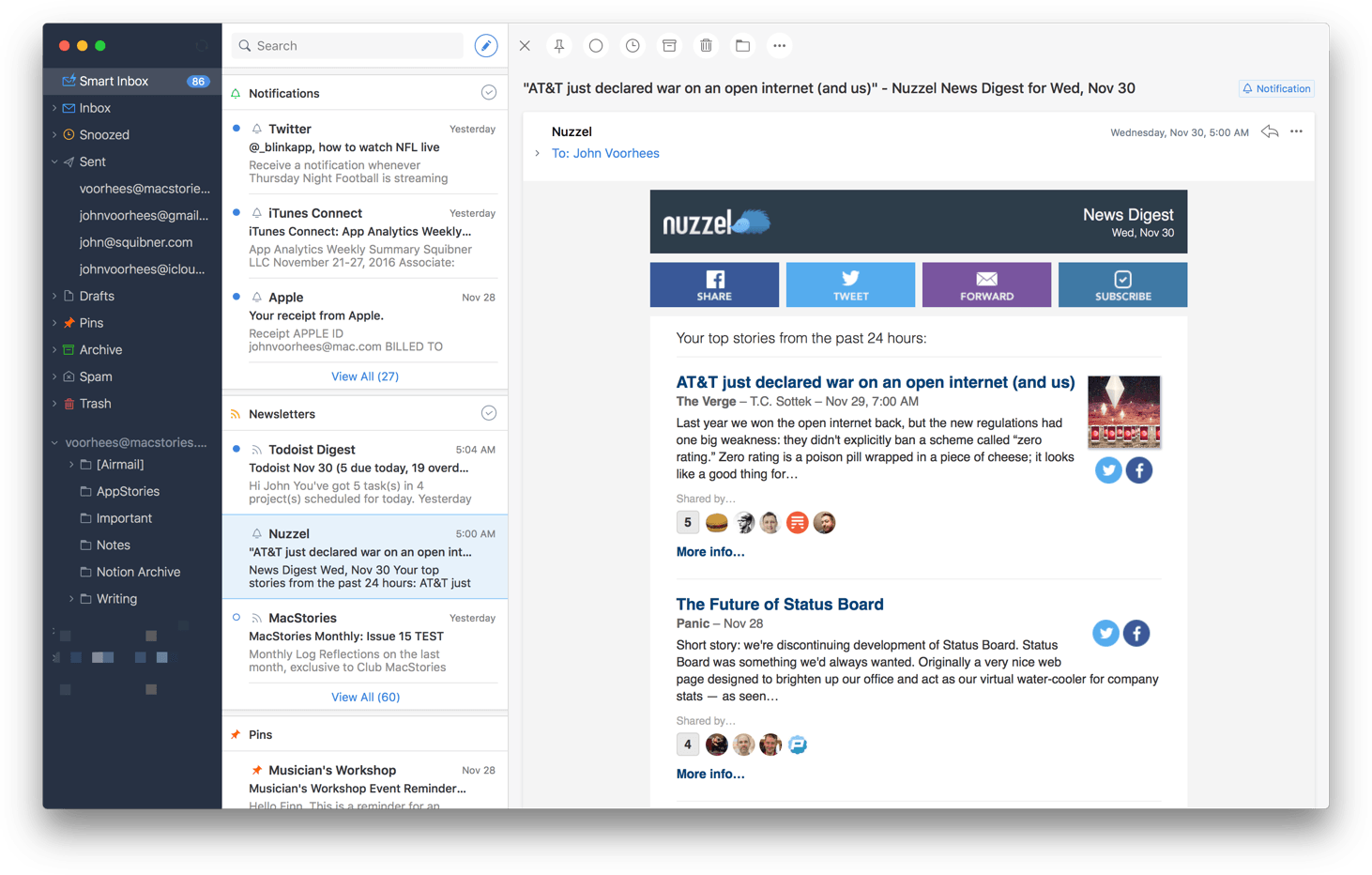
Competition among email clients on the Mac and iOS has heated up over the past couple of years. With that comes innovation, making email clients one of the most interesting app categories.
Today, Readdle released Spark for Mac, bringing its popular iOS email client to the Mac for the first time. Spark excels at bringing order to the chaos of your inbox and providing tools to help you quickly triage common types of email individually, or in bulk. But perhaps the greatest benefit of Spark for Mac is that it’s a solid free solution for fans of the iOS version of the app who felt constrained by the lack of a macOS version.
App Review Downtime Announced→

Each year around the Christmas holiday, Apple’s App Review team takes a break from reviewing the thousands of apps that pour into the App Store on a typical day. During the break, new apps and app updates are not accepted. This year is no different. According to Apple’s Developer news site:
The busiest season on the App Store is almost here. Make sure your apps are up-to-date and ready for the winter holidays. New apps and app updates will not be accepted December 23 to 27 (Pacific Time), so any releases should be submitted, approved, and scheduled in advance. Other iTunes Connect and developer account features will remain available.
Google Introduces Featured Photos Screensaver for macOS→
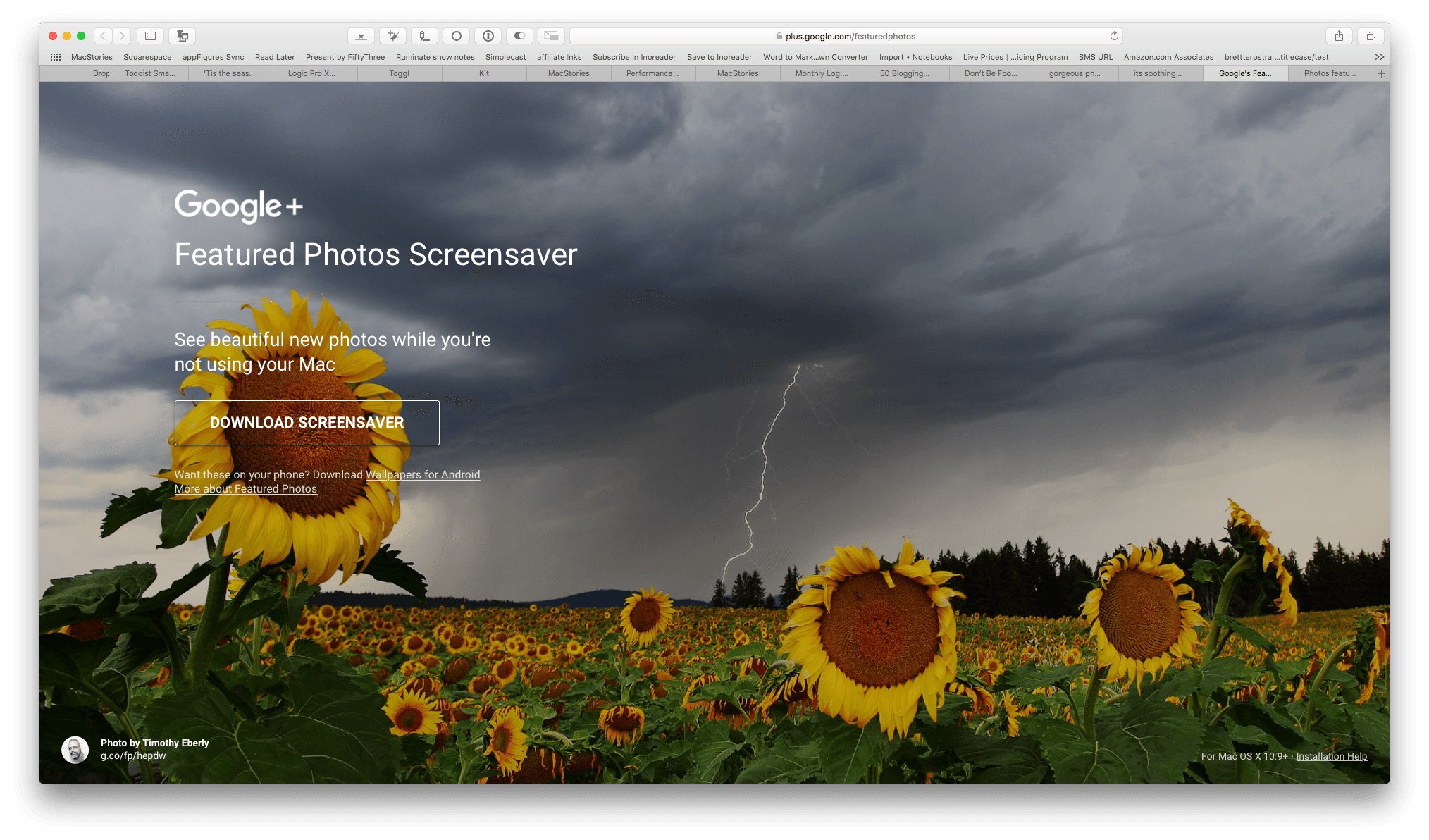
Popular Google+ photos have been available via Google’s Wallpapers app on Android and on Google Fiber and Chromecast devices, but today, Google is bringing them to macOS too. Google’s Featured Photos Screensaver rotates through a selection of high-resolution photographs that have been publicly shared on Google+ and don’t include people in them. Each photo also includes information about the photographer that took the shot and links to more of their work. If you’re a photographer and want your photos to be considered for inclusion in the app, you can learn more here.
Panic Discontinuing Status Board→

Panic announced that it is discontinuing its Status Board app and remove it from the App Store within the next couple of weeks. Status Board was inspired by the custom webpage pictured above that Panic developed and displayed on a large display in its offices to track company statistics. Panic brought its status board to iOS in 2013 with pre-made modules and the ability to create custom widgets and display the whole thing on an iPad or TV.
Panic decided to discontinue Status Board for a few reasons:
First, we had hoped to find a sweet spot between consumer and pro users, but the market for Status Board turned out to be almost entirely pro, which limits potential sales on iOS — as we’ve learned the hard way over the past couple of years, there’s not a lot of overlap right now between “pro” and “iOS”. Second, pro users are more likely to want a larger number of integrations with new services and data sources, something that’s hard to provide with limited revenue, which left the app “close but not quite” for many users. Finally, in the pro/corporate universe, we were simply on the wrong end of the overall “want a status board” budget: companies would buy a $3,000 display for our $10 app.
I’m sad to see Status Board go. One of the first programming projects I ever created was a custom Status Board widget. I’ve used the app on and off over the years and just last weekend I was thinking I should revisit it and make myself a board for my current projects. I may still do that because despite the fact that Status Board will no longer be supported, it will remain available to anyone who previously purchased it and will continue to work until something in iOS changes that breaks it.
Mac App Store Results Polluted with Questionable Results→
Justin Pot, writing for How-To Geek, walks through some damning examples of apps on the Mac App Store that seem designed to create the false impression that they’re apps like Microsoft Excel:
Seemingly official applications of dubious value are way to easy to accidentally find by searching. It’s understandable that Apple wants the App Store to appear full, but leaving things seemingly designed to deceive people is hardly an answer.
This is an issue I raised in June in the context of the problem of app discovery where I cited similar tests run by Ben Lovejoy of 9to5Mac on the iOS App Store. My point was that developers suffer from ineffective search results polluted with irrelevant and questionable results. But as Pot demonstrates from the reviews of the apps he uses as examples, Apple’s customers also suffer when they purchase an app thinking it’s something that it’s not.
Apple has made some progress in cleaning up search results in the iOS App Store. However, in an all too familiar trend, Pot shows that the Mac App Store lags behind its sibling store and needs attention.
Castro Makes Accessing Podcasts Easier Than Ever and Drops Price
Castro is designed around the philosophy of making it easy to access the podcast episodes you want to hear. The focus of Castro 2.0 when it launched in August was to make it simple to assemble a single queue of podcast episodes using an inbox to triage episodes from your podcast subscriptions.
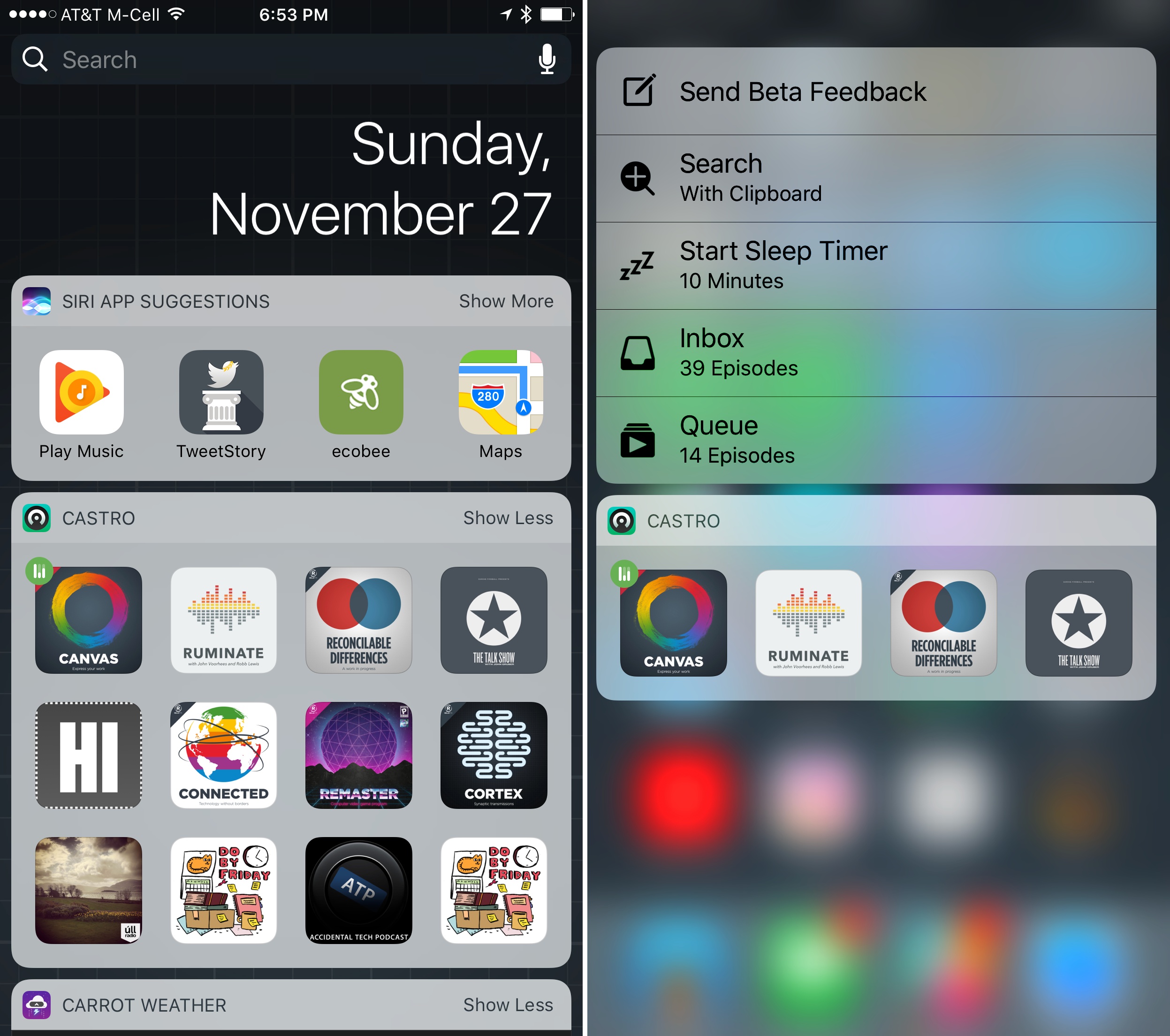
Version 2.2 of Castro leverages its flat inbox/queue hierarchy to its advantage with new ways to get at your favorite podcasts. On the iPhone, Castro adds a new widget and 3D Touch support. By default, both display the first four podcast episodes in your queue with buttons featuring show art that can be tapped to start or resume an episode.
Castro’s widget can be expanded to reveal up to twelve episodes at the top of your queue. The use of show art makes identifying and playing an episode easy. The one downside of this approach though, is that there is no way to distinguish between different episodes if you have multiple episodes of the same show near the top of your queue.
In addition to displaying the first four episodes in your queue, 3D Touch adds shortcuts to other functionality, including the ability to kick off a search for new shows in Castro’s Discover tab using text on your clipboard, a feature that is handy if you read about a podcast somewhere that doesn’t include a ‘subscribe’ link. You can also set a sleep timer or jump directly to your inbox or queue with 3D Touch.
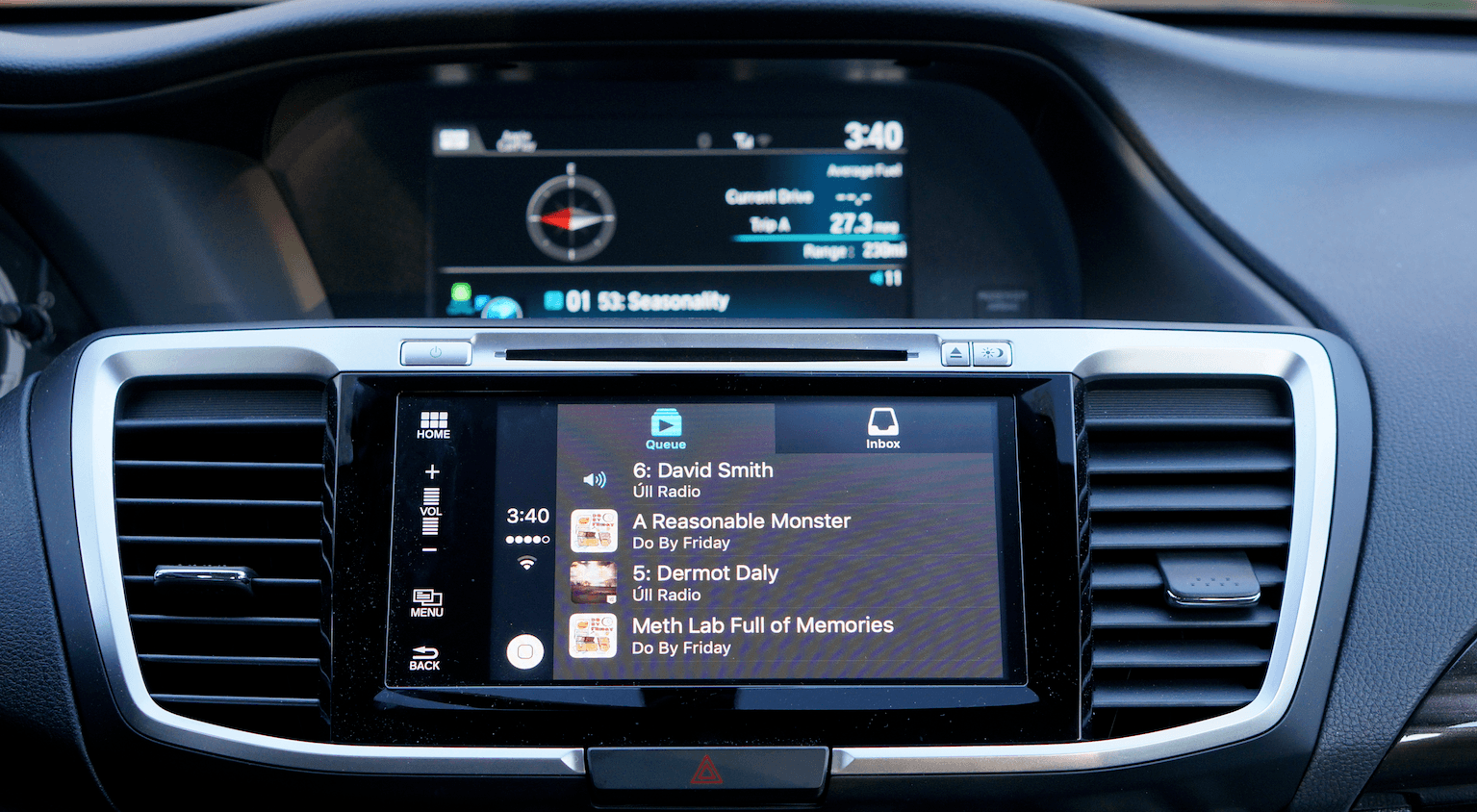
Finally, Castro 2.2 adds CarPlay integration, which I previewed in my CarPlay review last week. With just a queue and inbox to contend with, Castro makes navigating podcast episodes in your car a breeze. Instead of drilling through layers of playlists to find what you want to hear, you can go straight to your queue, or jump to your inbox if you’ve exhausted the queue, using the tabs at the top of Castro’s CarPlay interface.
Castro 2.2 is a free update for existing customers and $3.99 for new customers, a $1.00 price reduction from its launch price.
Studio Neat Reveals Canopy, a Magic Keyboard Case and Stand
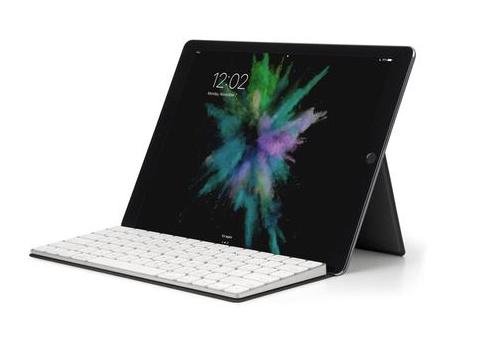
Studio Neat has opened pre-orders for a new combination Magic Keyboard case and iOS device stand called Canopy. I used an Origami stand by Incase Designs with my early iPads, but they are designed for Apple’s previous generation Bluetooth keyboards, which were a little bulky and heavy for my taste. Canopy is a case for Apple’s latest Magic Keyboard that folds open to create a stand that can be used with any iOS device, which should make it more practical to carry regularly.
Federico spent time with a prototype of the Canopy over the Summer as he wrote his iOS 10 review. We haven’t had a chance to try the final design yet, but when we do, we’ll post a review.
For a preview of the Canopy, head on over to Studio Neat’s website and check out the video preview of their upcoming product.
The New MacBook Pro Is Kind of Great for Hackers→
A million hot takes have been posted about how the late-2016 MacBook Pro with USB-C is the undeniable proof that Apple doesn’t care about developers anymore. They took away all the ports! No Esc key! It’s just a more expensive MacBook Air!
But in some ways, the new MacBook Pro is the most techy and expandable laptop Apple has ever made. They are trusting their pro users to wade into murky USB-C waters in search of the holy grail of a universal, open standard for moving data and power between devices.
I’m not here to change your mind about the MacBook Pro. Yes, it’s probably too expensive and more RAM is better than less RAM. But everyone posting complaints without actually using a MBP for a few weeks is missing out on all the clever things you can do because it is built on USB-C. Over the past week or two with a new MacBook Pro (15in, 2.9ghz, TouchBar), I’ve been constantly surprised with how USB-C makes new things possible. It’s a kind of a hacker’s dream.
His examples make me wish the iPad Pro had a USB-C port to plug anything into it without having to buy adapters.