

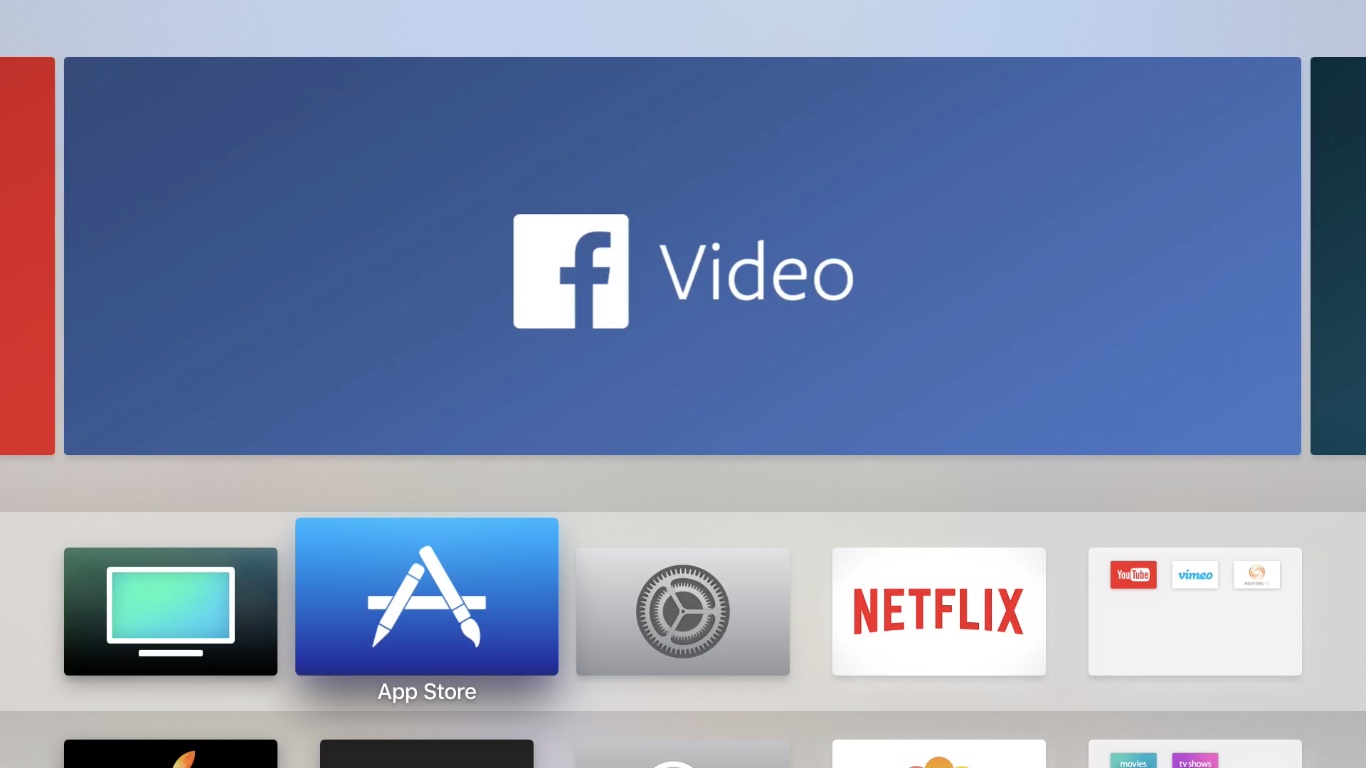
Last night Facebook launched its first app for the Apple TV. Its technical name is simply ‘Facebook,’ since it’s bundled with the Facebook iOS app, but marketing images dub it Facebook Video. The app provides the first native way to watch video content from Facebook on an Apple TV.
Facebook Launches Video App for Apple TV
Workflow 1.7.1 Brings New Icon Glyphs, ‘Run Workflow’ Action
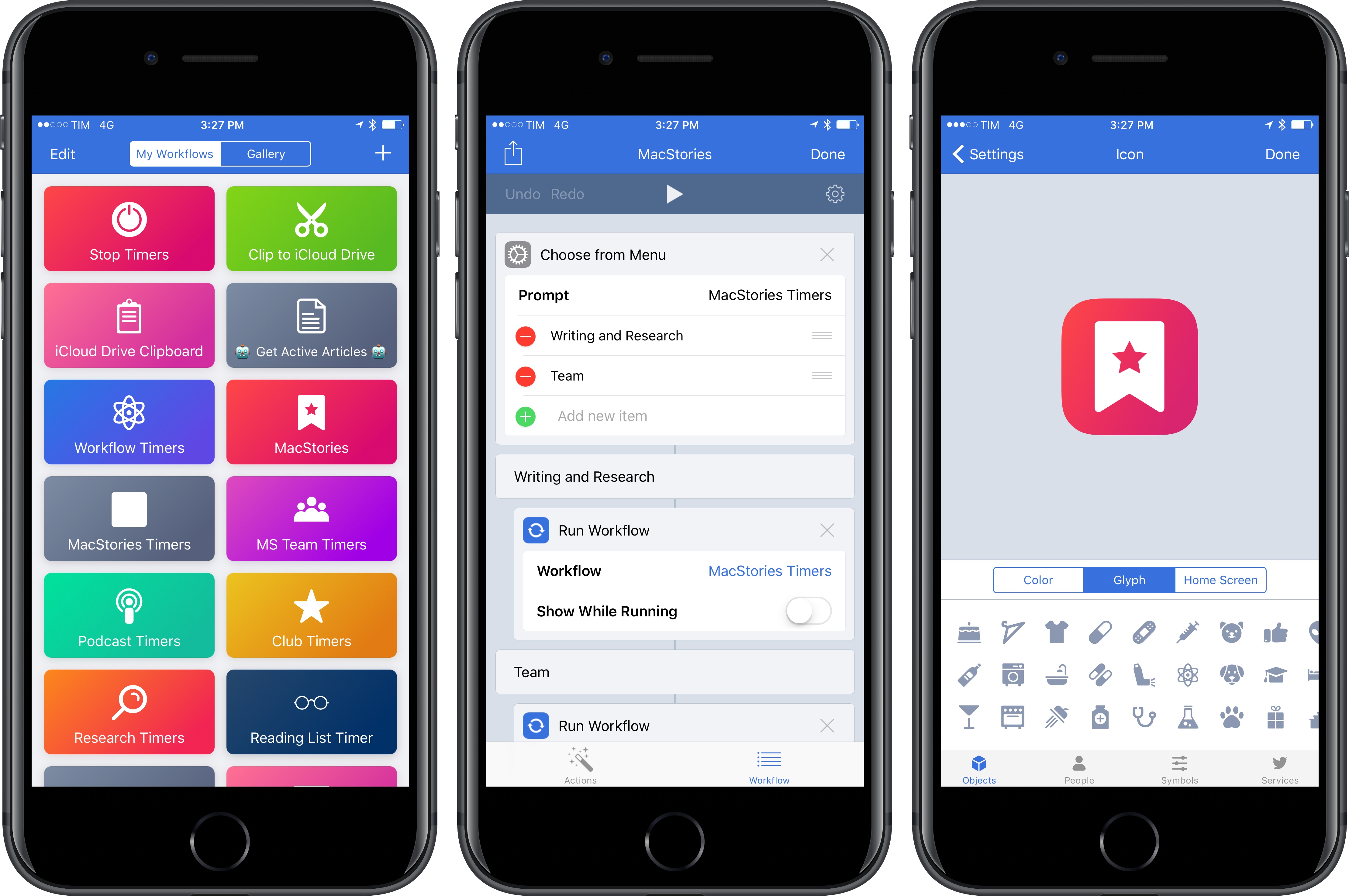
Following the release of Workflow 1.7 earlier this month, the Workflow team is debuting a set of tweaks and additions this week that further simplify the creation and management of workflows for both beginners and advanced users.
Keep or Delete Review: Tinder-like Swiping for Tweets
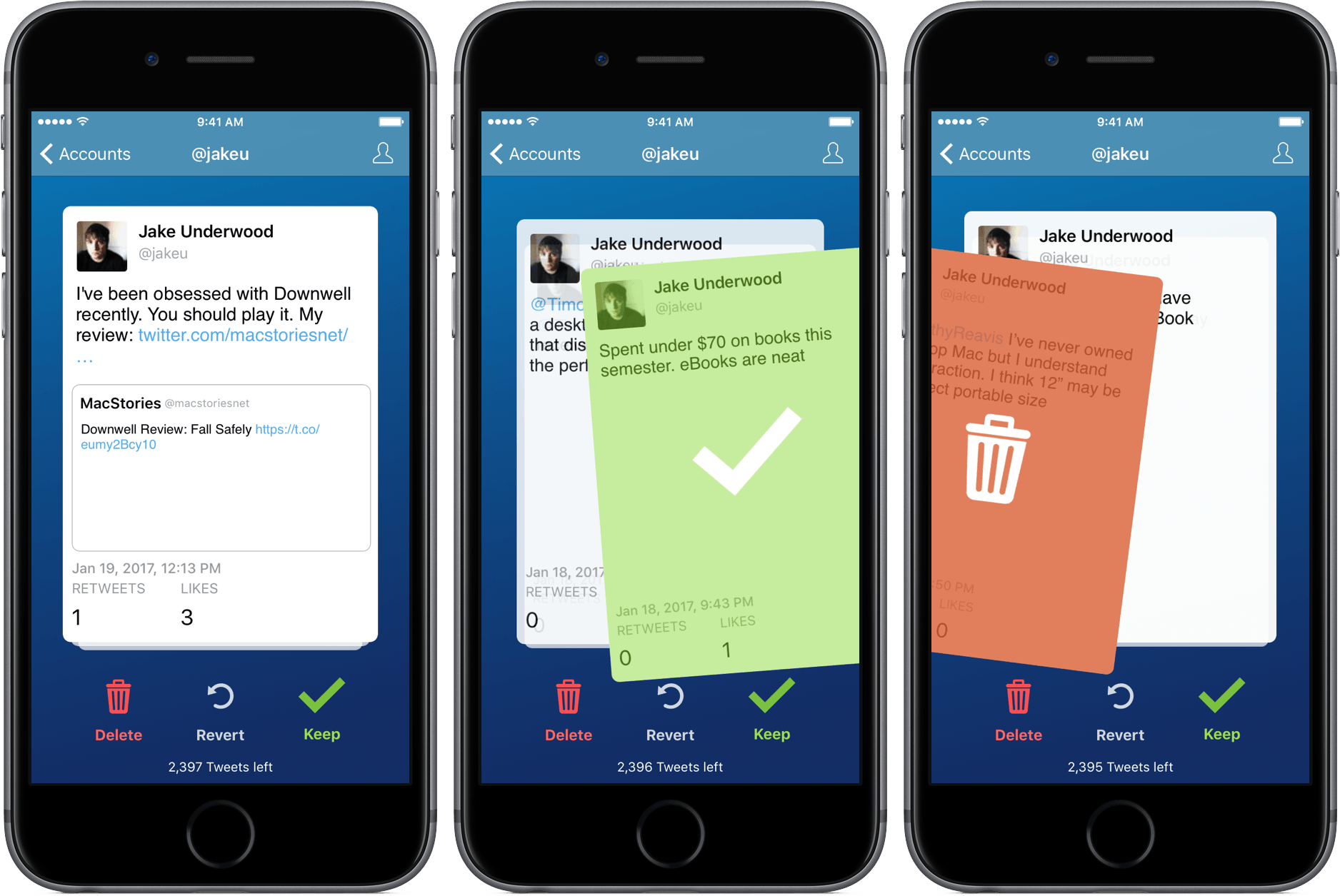
With March’s arrival, I’ve started my digital spring cleaning a little early this year with Keep Or Delete, a Tinder-like way to sift through your tweets.
Twitter Announces More User Safety Initiatives→
Continuing the company’s recent efforts geared at stopping abuse on its platform, Twitter today announced several changes in a blog post by Ed Ho.
One behind-the-scenes change is in how Twitter monitors potential abuse and proactively addresses it. The company has implemented algorithms meant to detect potentially abusive behavior and address it without the need for users to report the behavior. Ed Ho gives the examples of an account “repeatedly Tweeting without solicitation at non-followers or engaging in patterns of abusive behavior that is in violation of the Twitter Rules.” He admits that mistakes will likely be made as they begin this proactive monitoring, but states that the algorithms and tools will be continually worked on for improvement.
A change more visible to users involves additional tools found in the Twitter app. Ho writes:
We’re also introducing new filtering options for your notifications to give you more control over what you see from certain types of accounts, like those without a profile photo, unverified email addresses or phone numbers…We’re also expanding the mute feature to build on the work we did in November which lets you remove certain keywords, phrases, or entire conversations from your notifications. Now, you’ll be able to mute from your home timeline and you can decide how long this content is muted – one day, one week, one month, or indefinitely.
The final change announced today has to do with Twitter’s transparency in responding to reported harassment. Notifications will be used to confirm that a report of abuse has been received, and also to share if/when an action is taken in response to that report.
The user-facing features announced today will be rolling out soon to all users.
Connected, Episode 131: The High School Reunion of Phones→
This week, Stephen yells at the cloud, Myke gets new emojis and Federico speaks wisdom to the masses.
Another fun episode of Connected this week, with plenty of speculation about USB-C on future Apple devices and what other companies are doing with smartphones in 2017. You can listen here.
Sponsored by:
- Mack Weldon: Smart underwear for smart guys. Get 20% off with the code CONNECTED.
- Incapsula: Secure and accelerate your website. Connected listeners get one month free.
- Blue Apron: A better way to cook. Get three meals free with your first purchase, and free shipping.
Tim Cook Affirms Apple’s Commitment to Pro Users in Annual Shareholder Meeting→
Apple hosted its annual shareholder meeting today, and Zac Hall of 9to5Mac has the scoop on Tim Cook’s remarks.
Besides mentioning that this would be the last shareholder meeting at Town Hall because Apple Park will open soon, Cook showed shareholders an unreleased AirPods promo video and called the new product “quite the cultural phenomenon.”
Perhaps the most interesting tidbit from the meeting had to do with Apple’s efforts in the pro market:
Cook also hinted at Apple’s product pipeline by promising Apple will “do more in the pro area.” Cook called out the creative field as especially important to Apple while pushing back against the notion that Apple is too consumer focused now. “Don’t think that something we’ve done or something we’re doing that isn’t visible yet is a signal that our priorities are elsewhere.”
While this isn’t confirmation of a new Mac Pro in the works, or substantial investment in pro software, it is good to hear Cook reaffirm that creatives are an important customer base. He seems convinced that Apple’s product pipeline will prove that the company’s priorities haven’t shifted when it comes to creative professionals.
The Power of Apple TV’s Top Shelf→
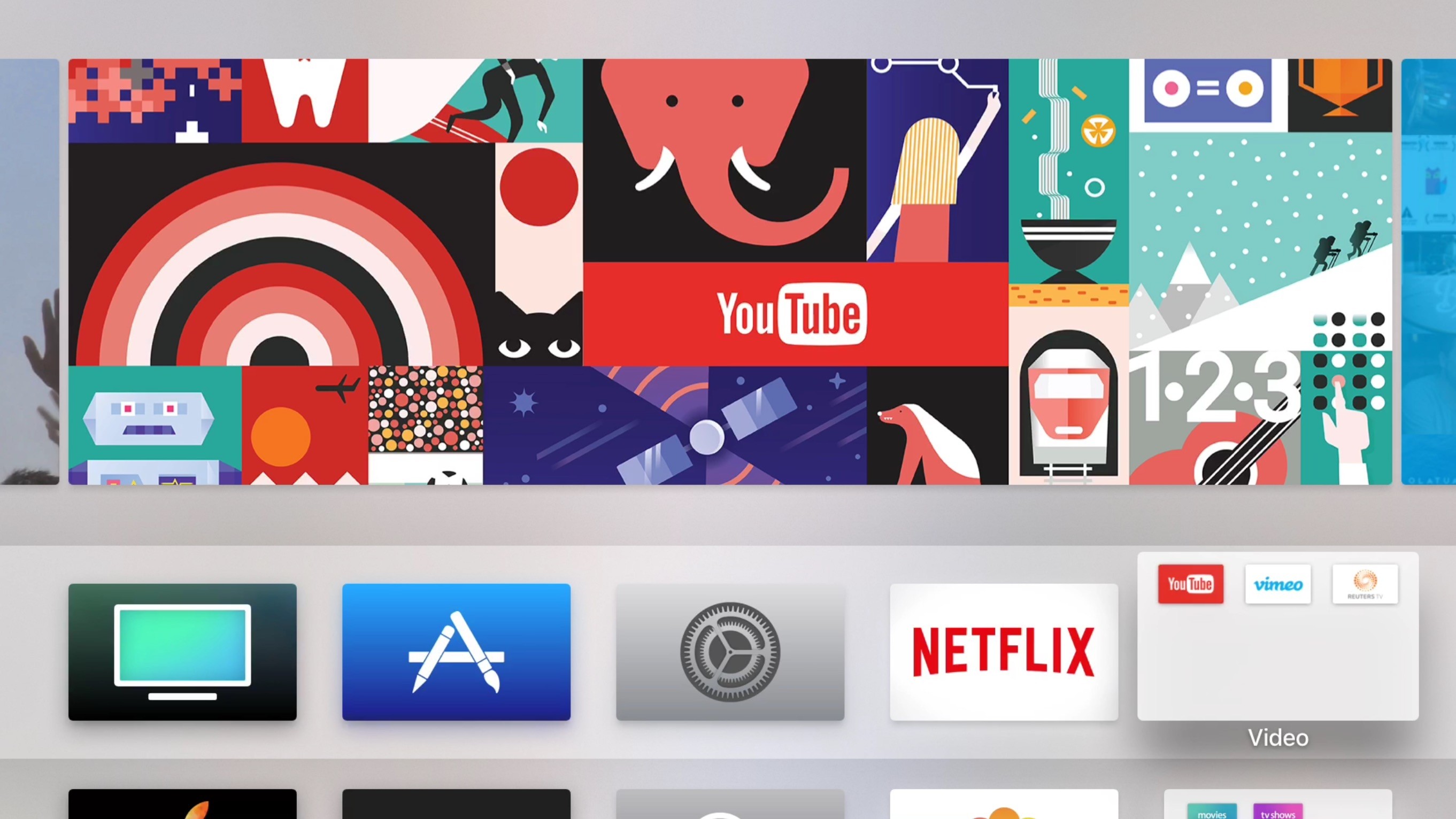
Michael Rockwell of Initial Charge shares how the Apple TV’s Top Shelf feature impacted his recent reorganization of his Home screen:
As it turns out, if you create a folder on your Apple TV and place it among the top row of apps, you can scroll through its contents from the Top Shelf.
I hadn’t made use of this feature until this most recent reorganization, though. And it brought me to a conclusion that, perhaps, many others have already come to — the Top Shelf is the most powerful user interface element on tvOS. It turns the Apple TV’s boring grid of icons into an immensely practical display of content from within your favorite apps, that you can play straight from your home screen.
The Apple TV is regularly criticized for its iPhone-like interface of a grid of apps. Rockwell makes a good point though in highlighting how a feature like Top Shelf makes that grid of apps significantly more useful, whether as a tool to navigate folders of apps or to get straight to the content you want.
Despite the navigation improvements made possible by Top Shelf, very few apps make the most of the feature. Currently on my Apple TV’s Home screen, only the App Store and TV app have Top Shelf implementations that I find valuable.
Top Shelf seems to be one of the casualties of a weak App Store on the Apple TV. Because the demand for Apple TV apps appears weak, developers don’t have a strong incentive to take advantage of features like Top Shelf.
As a daily Apple TV user, I’m hopeful Apple will put more concerted efforts into the platform that sparks greater activity in the app ecosystem.