
The first game review I ever wrote on MacStories was for a delightful puzzle game called A Good Snowman is Hard to Build. The team behind Snowman is back with a new game called Cosmic Express that brings toy-like charm to this challenging puzzle game through playful animation, bright colors, and sound design that perfectly complements the artwork.
Game Day: Cosmic Express
Alexa Comes to the Amazon iOS App
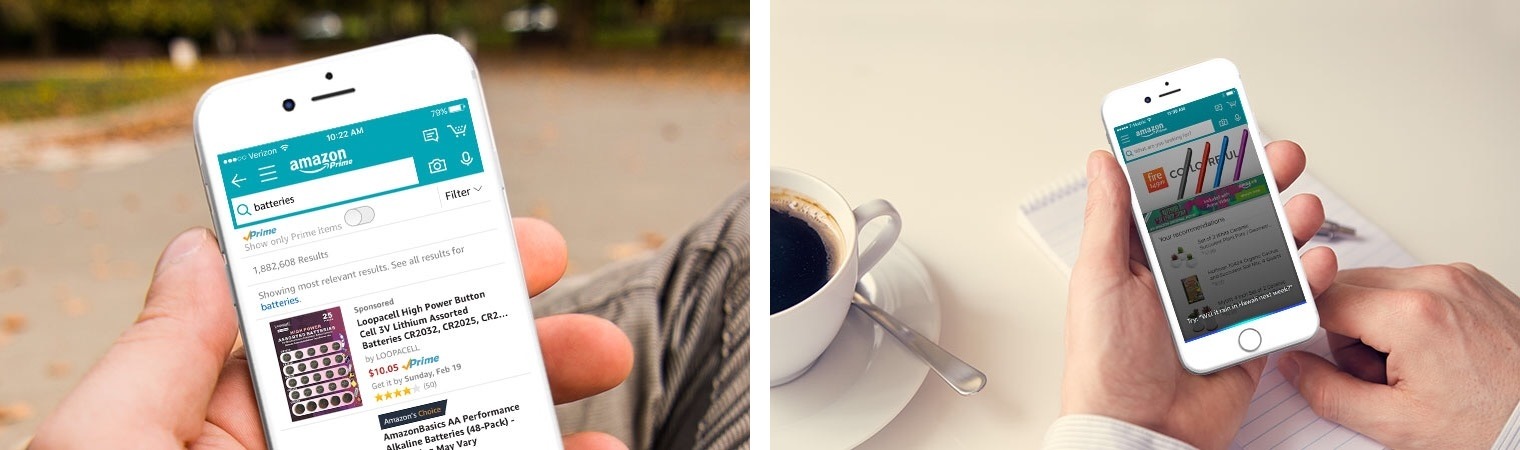
Today Amazon announced that its digital assistant, Alexa, is being integrated with its iOS shopping app.
Using the app’s current microphone button, which is available to the right of the search bar, users can make nearly any type of Alexa request. This request can consist of things you might ask of an Amazon Echo, such as playing music, turning on smart lights, checking the weather, and so on.
Both first-party and third-party skills will work from within the Amazon app. The one limitation so far, noted by Khari Johnson of VentureBeat, is that the Door Lock API is not currently available, so smart locks can’t be controlled through the app. Johnson also shares that while Alexa will be available to some users in the Amazon app today, it will be rolling out to all users over the next week.
Today’s announcement hopefully means that existing Amazon Echo users will have a solid first-party experience on iOS, something that surprisingly has not been provided by the company’s current Amazon Alexa app. It also opens up Alexa to any Amazon customer who doesn’t currently own an Echo.
Game Day: Euclidean Lands

Every so often the mashup of familiar game styles results in something unexpected and delightful, which is precisely what Vienna-based Miro Straka and kunabi brother have created with Euclidean Lands. The game has been compared favorably to Monument Valley and Square Enix’s Hitman GO from a design and gameplay perspective. The comparison is apt but doesn’t capture the uniqueness of Euclidean Lands.
Google Chrome for iOS Adds Read Later Feature
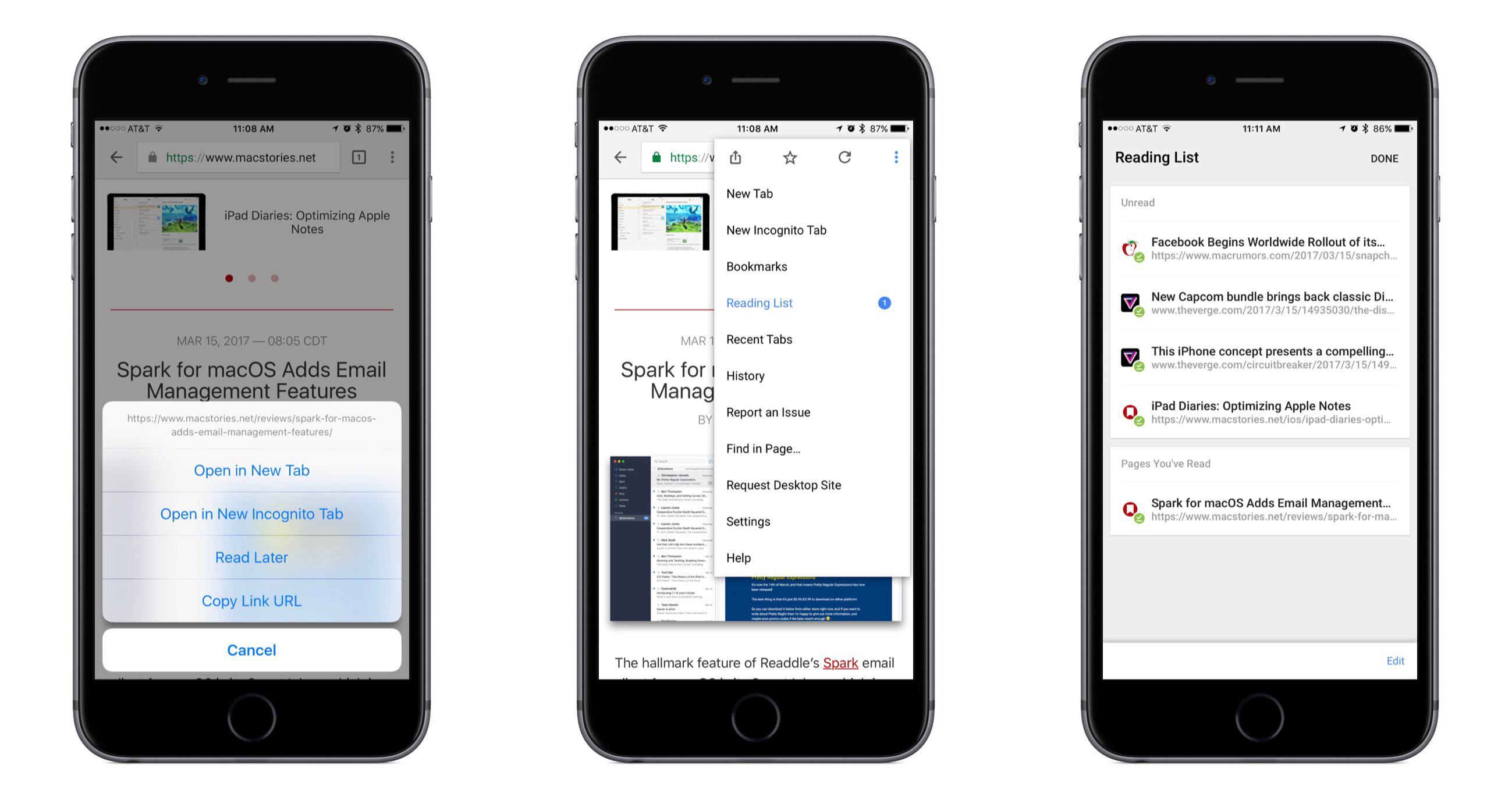
In its latest update, Google Chrome for iOS has added a native Read Later feature to quickly save articles for later consumption. From the app’s release notes:
If you find an interesting article that you want to read later, tap the Share icon and then Read Later to add the page to your Reading List. Articles on your Reading List are saved on your device so you can read them wherever you are, even when you aren’t connected to the web.
Although the release notes mention tapping the Share icon to save articles, I’ve found the quicker way to be long-pressing a link, which presents a menu that contains the ‘Read Later’ option.
In testing the offline functionality, I discovered that Chrome will not save a webpage’s full formatting for offline viewing; instead, it stores a stripped down version of the page. All of the necessary content, including images, is still preserved, but the viewing experience is not as pleasant as that of other read-later services.
Overall, although there’s nothing particularly interesting or innovative about the way Read Later works, it’s still a nice feature addition for Chrome users.
Spark for macOS Adds Email Management Features
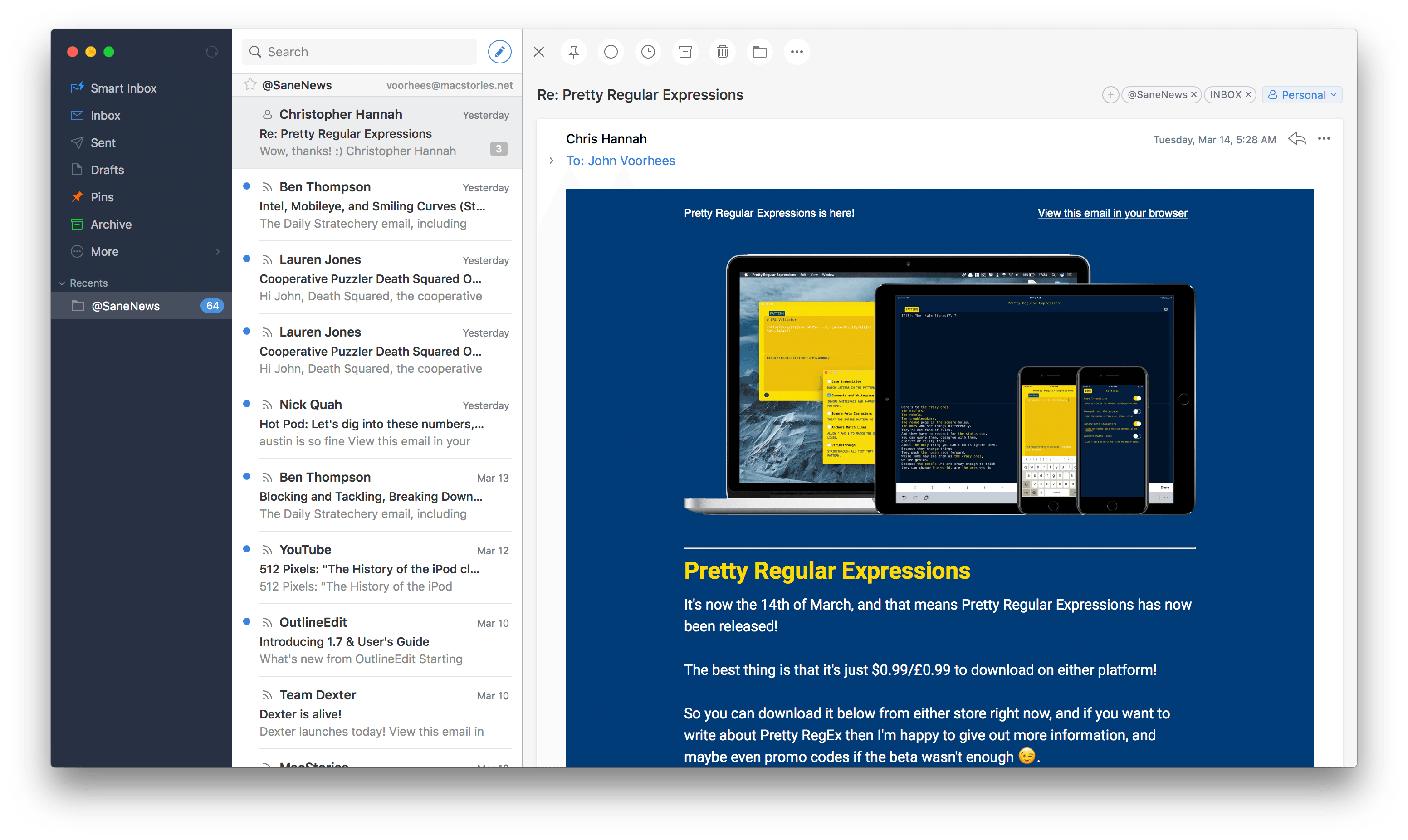
The hallmark feature of Readdle’s Spark email client for macOS is its Smart Inbox, which is designed to surface important email messages intelligently. That feature, along with a unified inbox and swipe gestures for common actions, goes a long way to simplifying email management. Nonetheless, email is one of those areas where personal preferences matter a lot. People are particular about how their email is organized, an area that was underserved by Spark. With version 1.2 for macOS, Readdle has begun to tackle email organization, which should make Spark a more attractive option for people who like Spark’s approach to email but want a little more control over how their messages are managed.
Connected, Episode 133: The Italian Word for Spoon→
Apple has a new ad, Casey has an iMac, Ticci watches TV and everyone has workflows.
On today’s Connected, we covered a lot of the automations we’ve created with Workflow, as well as some custom workflows I’ve built for MacStories. You can listen here.
Sponsored by:
- Pingdom: Start monitoring your websites and servers today. Use offer CONNECTED to get 20% off.
- Incapsula: Secure and accelerate your website. Connected listeners get one month free.
- Squarespace: Make your next move. Enter offer code WORLD at checkout to get 10% off your first purchase.
The Clamshell iBook G3
Close your eyes and picture a Mac laptop. It has a small screen in a case unique among a sea of PC notebooks. It runs without a fan, and has impressive battery life. The trackpad is smooth and the keyboard is responsive.
Now open your eyes. Is this what you had in mind?

Let’s talk about the original “Clamshell” iBook.
LiquidText 3.0: A Uniquely Digital PDF Experience
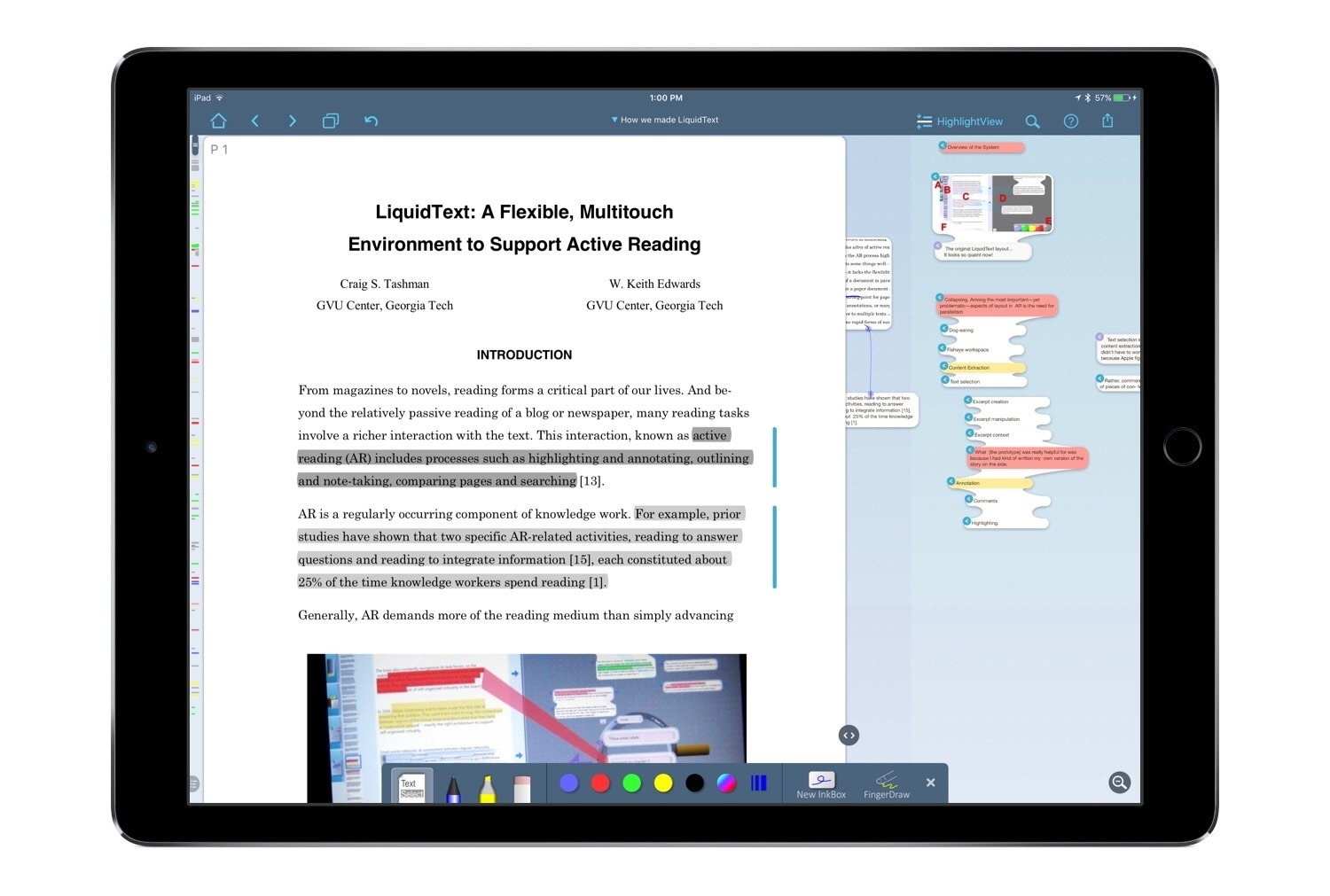
LiquidText is one of the few apps that feels uniquely built for the iPad. There is currently no desktop version available, nor iPhone version, and though that may be a negative in some ways, the positive side is that every new feature and enhancement is focused exclusively on iPad use. As a PDF reader, LiquidText has always provided tools that make its reading experience something you couldn’t get with a physical document. This is perhaps why it was recognized by Apple as the most innovative iPad app of 2015. But today, with version 3.0, LiquidText not only offers a reading experience that’s uniquely digital – it does the same with note-taking and annotation. And the Apple Pencil is a big reason for that.