Apple’s Reminders App Reimagined

Source: Tim Nahumck

Source: Tim Nahumck

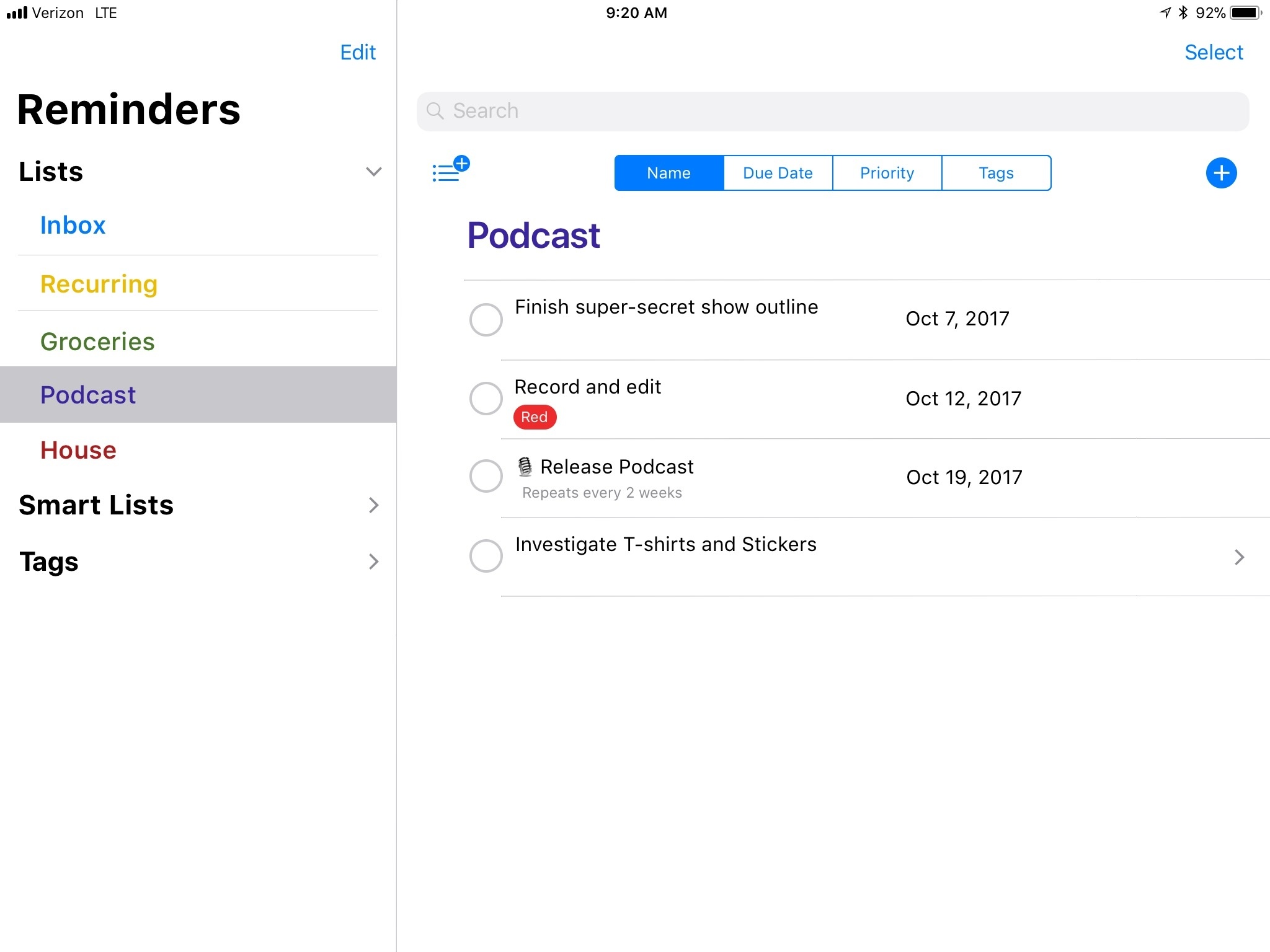
Tim Nahumck has outlined his vision for a new and improved Reminders app, inspired by the iOS 11 design language and existing concepts found in apps like Files. I’ve long hoped for a full Reminders revamp to make the app look and feel more modern, and Nahumck has some good ideas for what Apple could do. The words that resonated most with me, however, are where Nahumck explains why Apple should do this:

I think a lot of people’s lives can be improved by task management. For years, I’ve tried to get family and friends to see the benefits; sometimes they do, most times they don’t. But that doesn’t stop me from trying.

What I have often found is that the idea of downloading a separate app bothers people. Sure, they’ll have a few dozen free apps – camera and photo editing apps, several social media apps, a bunch of couponing apps – but heaven forbid they get a paid productivity app involved in the mix. The mental friction of having a separate app to manage their lives can be difficult to get over. This is usually the point where I suggest simply using Reminders: it’s basic enough to get the job done, it’s a part of the OS, and they don’t have to pay to try it out. But the app isn’t where it needs to be.

These words highlight the inspiration that I believe Apple should take in approaching a full Reminders rebuild. I know tons of people whose lives would be improved by a bit of task management help; the number of people in this category among all iOS users has to be enormous. As such there’s great potential for a new Reminders – rethought from the ground up – to add true benefit to the lives of millions of users. Like Nahumck’s concept shows, I think this could be done in a way that still offers significant utility to power users, while keeping it simple for those who want it so.

For the last several years I’ve had a refreshed Reminders on my WWDC wish list, only to be disappointed. Maybe with the important groundwork of drag and drop and the new iOS design language now taken care of, 2018 will be the year my wish comes true.
Permalink

Comic Protanopia Comes to Life with Game-Like Tilt Controls

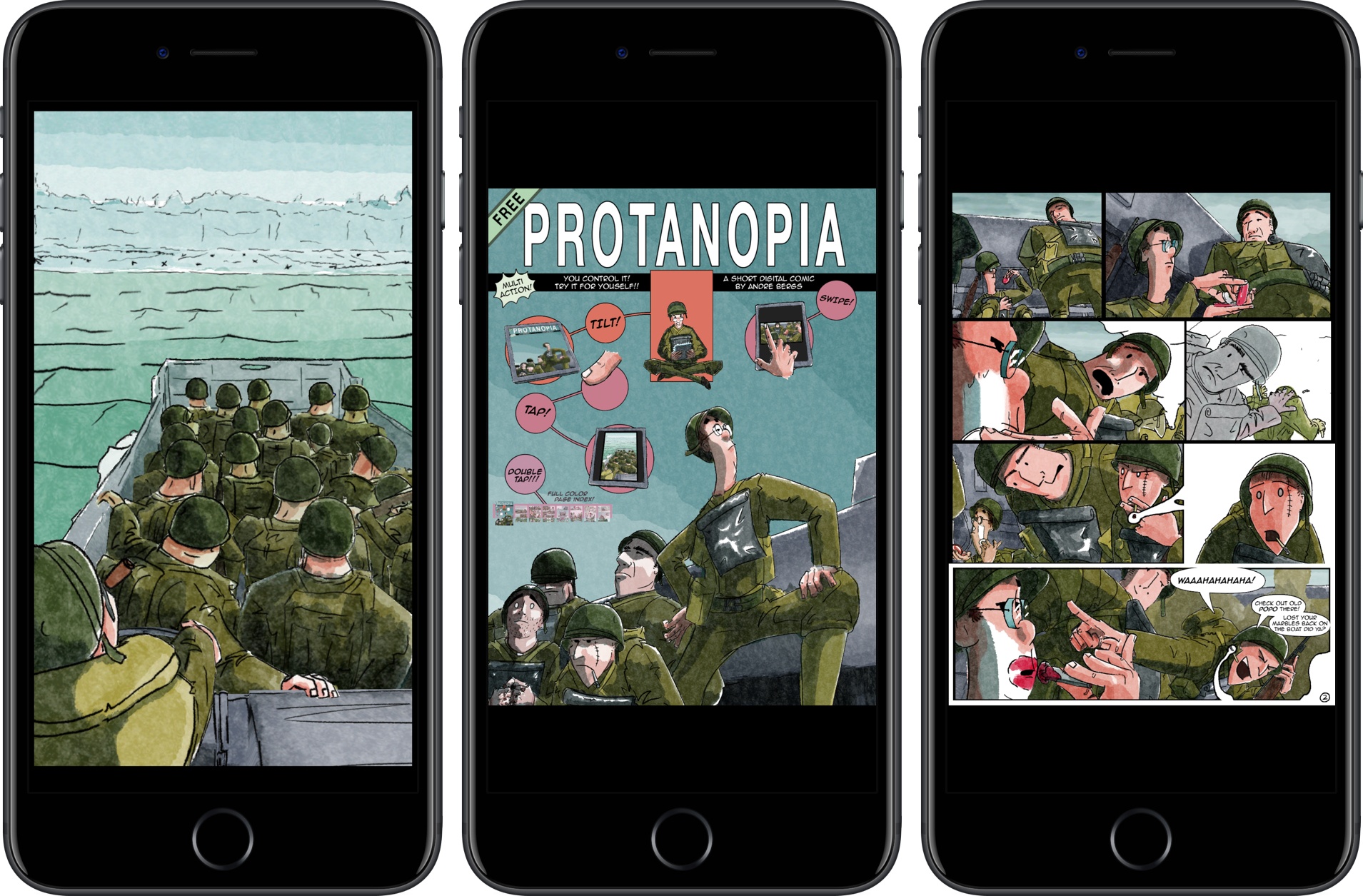
Protanopia is a reimagination of what a comic book can be on an iOS device. The short comic is a stand-alone Universal app, that tells the story of soldiers landing on the beaches of Normandy during World War II.

The free comic is the work of artist Andre Bergs who describes the book as follows:

Created as an experiment into the possibilities of digital comics. Using elements from 3D and 2D animation in a realtime game engine, it creates an unique visual style, whilst still having a familiar feeling.

As the landing craft bobs on the waves, the soldiers inside it move too. By layering the 2D art and animating each layer independently, a 3D effect is created. By itself, it’s a cool effect that brings the comic to life, but there’s more to it than that. The comic also responds to tilting your iOS device. You can tilt your iPhone or iPad to get a different perspective on the scene and peek at details that can’t be viewed from certain angles.

Protanopia is unlike any other comic I’ve read. While tilt control may not suit the storyline of every comic, it adds a dynamism to this story that makes it come alive in a way that static art doesn’t. It’s fascinating to see game engine technology deployed in a different medium and something with which I’d love to see more artist experiment.

Protanopia is available on the App Store.


Microsoft Edge Is Coming to iPhones Soon

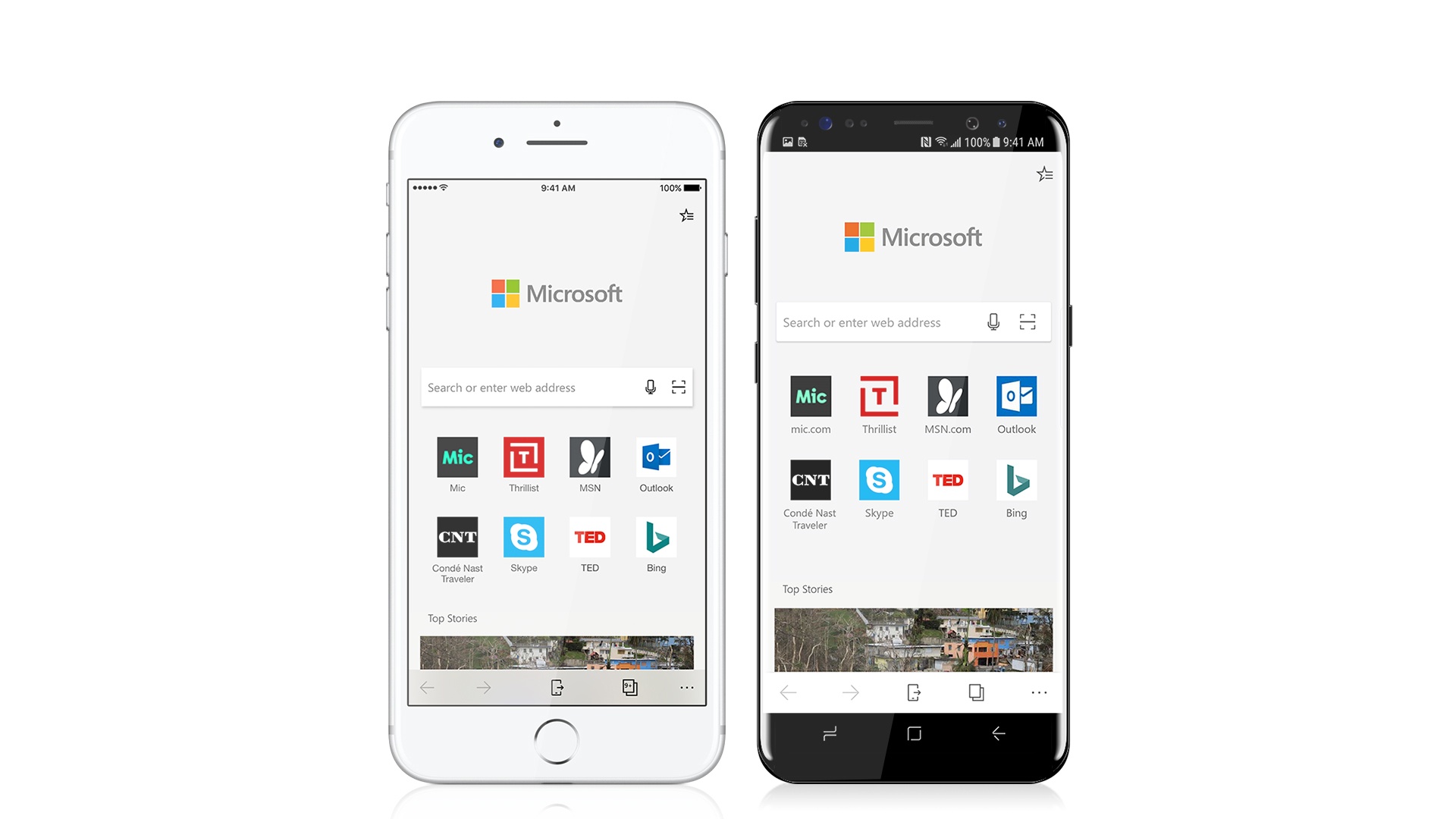
In line with Microsoft’s post-Windows Phone mobile strategy, the company announced today that its Windows 10 browser, Microsoft Edge, would be coming soon to iOS and Android smartphones. The focus of the mobile browser, at least at first, doesn’t appear to be offering any revolutionary features, but instead providing a more seamless web experience to Windows users on their phones. From Microsoft’s announcement post:

Microsoft Edge for iOS and Android brings familiar features like your Favorites, Reading List, New Tab Page and Reading View across your PC and phone, so, no matter the device, your browsing goes with you. But what makes Microsoft Edge really stand out is the ability to continue on your PC, which enables you to immediately open the page you’re looking at right on your PC—or save it to work on later.

A release date for the app is unknown, but users can gain early access to a preview build starting today. The one major caveat is that in order to gain access to the preview version, you have to visit this page from a PC running the latest preview build of Windows 10. Also of note: this initial release is limited to phones only, so iPad users will have to wait until Edge makes its way to tablet platforms.

Permalink

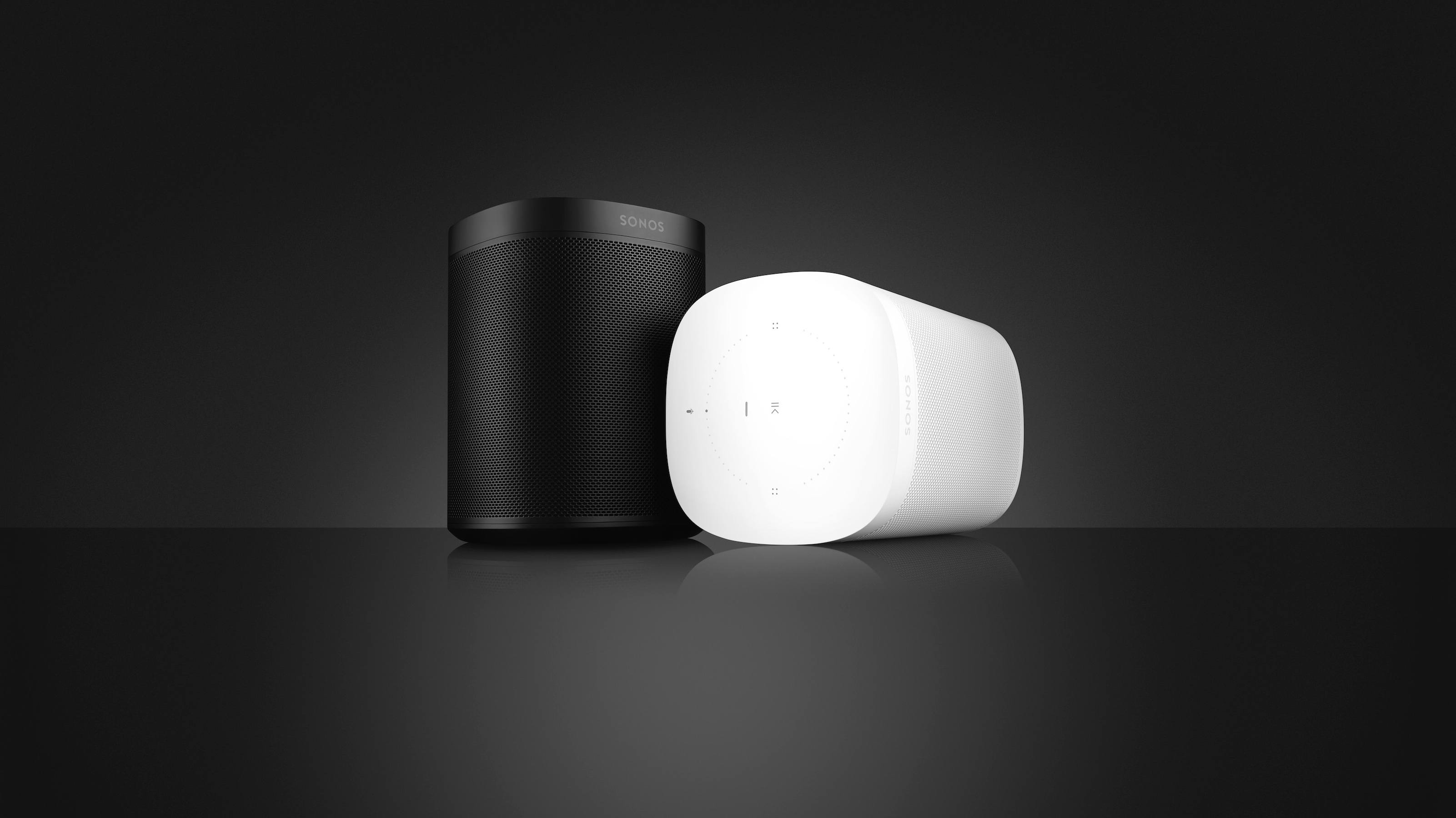
Sonos Unveils New Sonos One Smart Speaker, Voice Assistant Integrations, Revamped App, and More

Sonos made several major announcements today, launching the company’s products further into their roles as platform-agnostic options in a market increasingly segmented by ecosystem. The last few years have seen an avalanche of new interest in the home speaker space from major players like Amazon, Google, and Apple, and without the accompanying ecosystems those players possess, Sonos stood at a crucial juncture: it could seek to further establish its own platform and compete directly with the tech titans, or it could aim to stand outside that main battleground and make products that tie together the benefits of all ecosystems. They clearly have chosen the latter, and today’s announcements demonstrate the fruits of that decision.

Read more


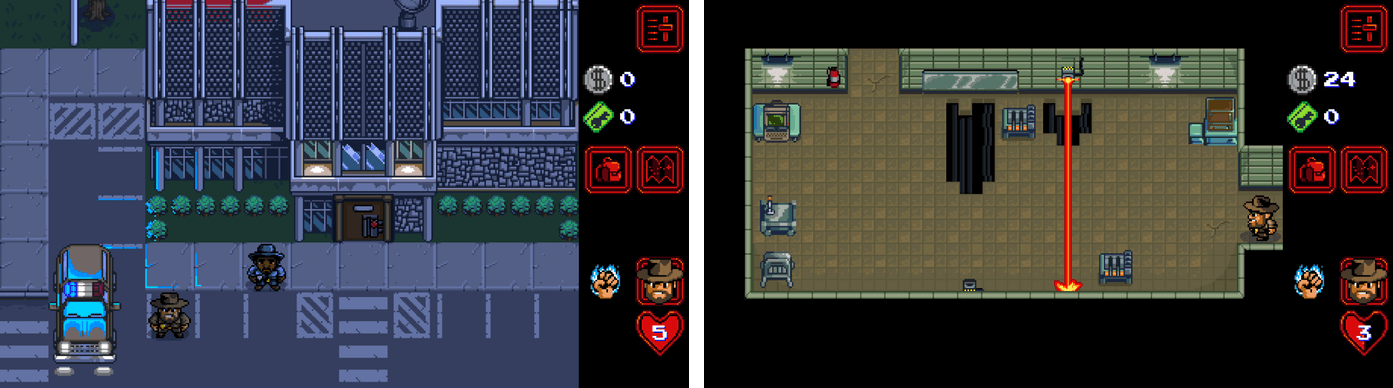
Stranger Things Retro-Style Game Launched

Season 2 of Netflix’s original series Stranger Things will debut on October 27th. To promote the new season, a retro-style RPG game featuring the characters and scenes from the show has been released on the App Store.

The free game promises hours of gameplay with 7 playable characters, 6 dungeons, and 30 quests. There are two difficulty levels, ‘Normal’ and a punishing ‘Classic’ mode, and lots of in-game collectibles and puzzles to solve along the way.

I have only had a short time to start exploring Stranger Things: The Game, but anyone who enjoys the TV show and retro-style games should have fun playing through the Stranger Things world and listening to the excellent chiptune soundtrack.

Stranger Things: The Game is available on the App Store.


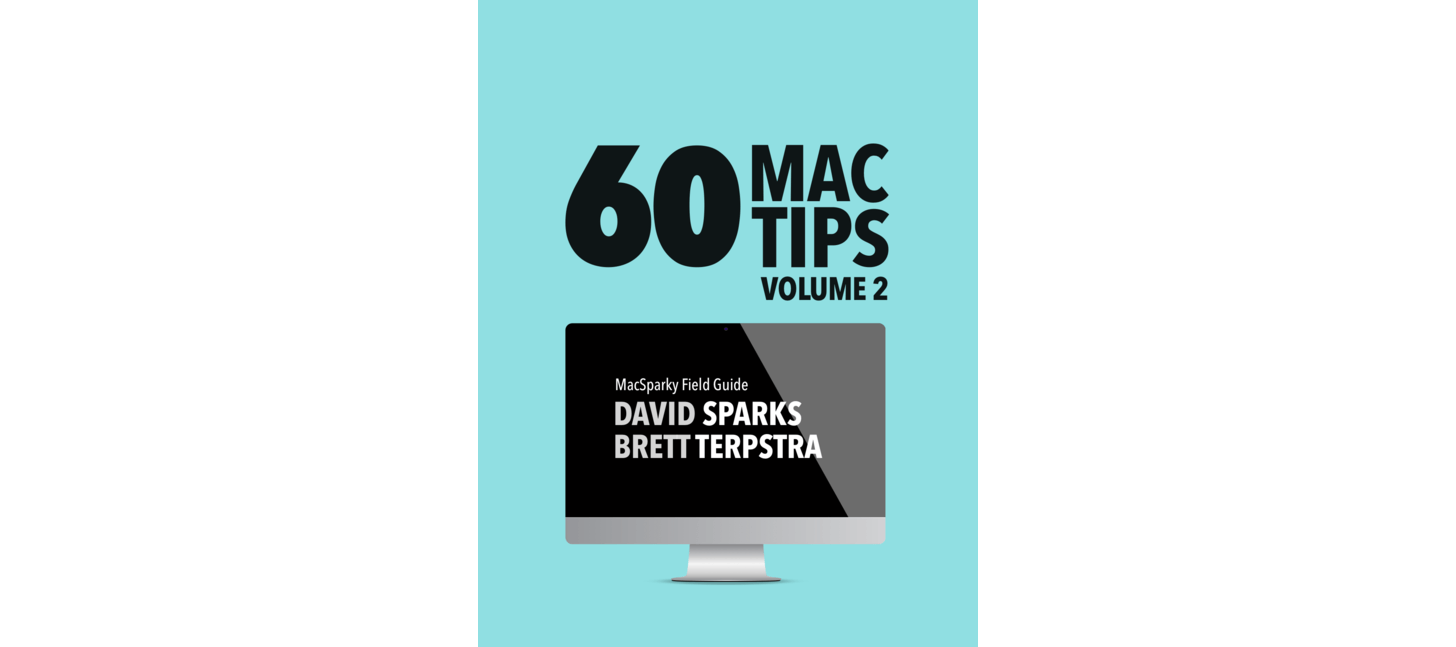
60 Mac Tips, Volume 2 Released

Yestereday, David Sparks and Brett Terpstra released a new MacSparky Field Guide called 60 Mac Tips, Volume 2. The new volume picks up where Volume 1 left off with lots of great tips that are accompanied by highly polished screencasts narrated by the two authors. Sparks, who also co-hosts Mac Power Users on Relay FM with Katie Floyd, and Terpstra, an independent developer, author, and podcaster, have packed 60 Mac Tips with a wide range of topics that should appeal to beginners and experts alike including, Mail, Automator, Safari, Siri, Apple Notes, Apple Photos, Terminal, and much more.

60 Mac Tips, Volume 2 is available as an iBook on the iBook Store or from Vimeo as a series of downloadable videos. Both versions include high definition video, but I like the iBook version the best because it creates a convenient organizational structure around the videos.


Connected, Episode 162: Daily Dongle Carry

Federico makes a confession, the trio considers how Apple could improve Do Not Disturb and then Myke forgets how Round Robins work.

On this week’s Connected, we talk about Alexa, iPhone dongles, and more iOS 11 app updates. You can listen here.

Sponsored by:

  • Balance: Find out more about Balance Open and get $2 in Ethereum.
  • Squarespace: Make your next move. Enter offer code WORLD at checkout to get 10% off your first purchase.
  • FlightLogger: Real-time flight tracking for worry-free travel.
Permalink

My App Story

Last Friday, I left my job as a lawyer. Many readers may not even know that’s something I did because it’s not pertinent to what I do at MacStories. Over the course of many years, that job became less interesting and challenging. Eventually, I recognized that I needed a change, but nothing felt quite right. That is, until the day I decided to make an app. I’m not much of an app developer, but I wouldn’t be where I am now, writing this, if I hadn’t built one. This is my app story.

Read more