

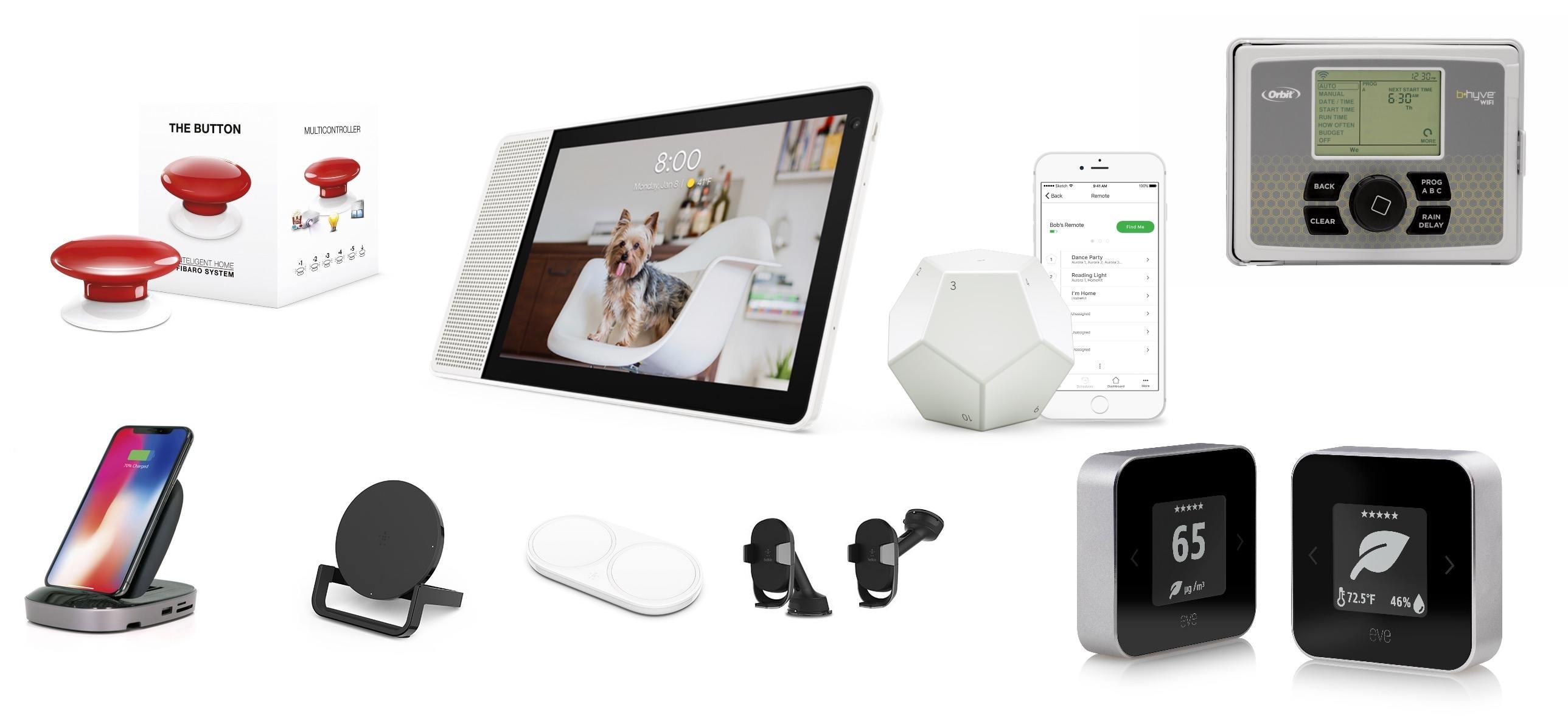
CES is a big, messy spectacle that has everything from vaporware and products you didn’t know you needed – and probably don’t – to truly cool new gadgets. We’ve been following the announcements this week and have rounded up a collection of the most interesting and promising gear we’ve seen so far. Many of these products have not shipped yet, so we haven’t had an opportunity to try them, but these are gadgets we will be watching closely throughout 2018 and that are likely to turn up again on MacStories later this year. CES doesn’t end until Friday, so be sure to check back for updates on any additional announcements that catch our eyes.
A Roundup of CES Home Automation and Apple Accessory Announcements
The Effects of Safari’s Intelligent Tracking Prevention→
Alex Hern, reporting for The Guardian on the results of Safari’s new Intelligent Tracking Prevention (ITP), launched last year with iOS 11 and macOS High Sierra (via John Gruber):
Internet advertising firms are losing hundreds of millions of dollars following the introduction of a new privacy feature from Apple that prevents users from being tracked around the web.
Advertising technology firm Criteo, one of the largest in the industry, says that the Intelligent Tracking Prevention (ITP) feature for Safari, which holds 15% of the global browser market, is likely to cut its 2018 revenue by more than a fifth compared to projections made before ITP was announced.
Here’s how Apple officially describes ITP in Safari 11’s documentation:
Added Intelligent Tracking Prevention, which updates the default cookie and website data policy to isolate and remove cookies and website data for sites with the ability to track users across-site.
This isn’t the first time ad companies have complained about Apple’s protection of user privacy in Safari and stance against invasive cross-site tracking. In September, six trade groups claimed Apple was “sabotaging” the industry with a “unilateral and heavy-handed approach”, to which Apple responded:
“Ad tracking technology has become so pervasive that it is possible for ad tracking companies to recreate the majority of a person’s web browsing history,” according to an Apple spokesperson. “This information is collected without permission and is used for ad re-targeting, which is how ads follow people around the Internet.”
“Unilateral” is exactly right: Apple should only care for the interests of users buying their devices, not those of third-party ad companies creepily tracking them around the web.
Cross-site tracking and ad targeting has gotten so out of hand over the past couple of years, it’s become a regular comment from friends who don’t follow tech news – “Why am I seeing an ad for something I was checking out two days ago on another site?” is a question I hear frequently despite the existence of third-party ad blockers and Apple’s own ITP in Safari. Personally, I think the more Apple can advance ITP, the better it is for the privacy of all iOS users.
Sharing Links from Twitter for iOS Appends Garbage to the URL→
Last night on Twitter, I noted that the company’s iOS app now appends a query parameter based on an app’s bundle identifier when you share a tweet’s link via the system share sheet.
As some have noted, this appears to be a recent change in Twitter for iOS, which is less than ideal as the resulting link contains a long string of URL-encoded garbage. More than ugly URLs, however, what bothered me was Twitter’s implicit tracking of which apps users invoke to share links with – something that even applies to core iOS features such as Apple’s own Messages extension.
I wondered whether Apple should consider this a violation of App Store guidelines, but it appears that Twitter isn’t breaking any rules by appending app-based query parameters to their shareable URLs. Benjamin Mayo looked into this feature and explained how Twitter is leveraging public iOS APIs to read bundle identifiers from the share sheet – he even posted a proof-of-concept code snippet to show how it’d work in practice.
He writes:
In reality, this is very easily achieved. As part of the activity provider API, the system asks for content to share for each sharing extension the user has installed. The Apple framework openly passes the activity type to the app. Twitter simply takes the base URL it wants to share and appends the ‘garbage’ before returning.
And:
The important thing to note here is that the mechanism is innocuous and uses valid APIs provided by Apple. Twitter is not exploiting private APIs to achieve this. A cursory look at the app review guidelines suggests to me there are no grounds for Apple to scold Twitter (or any other app) for doing it.
My personal stance is that this is annoying but does not violate user privacy. Importantly, Twitter cannot append arbitrary information to its URLs system-wide; it is confined to cases where users share something from inside the Twitter app itself. I don’t really see a justification for Apple to amend the guidelines to disallow it. I just take it as another reason not to use the official Twitter app.
In conclusion, if links to tweets you copied from the Twitter app suddenly look longer and messier than before, this is why. Personally, while Twitter may be taking advantage of a publicly available API, I still think the implementation is, at the very least, in poor taste – especially because it’s coming from the same company that used to scan users’ devices to list installed apps and deliver “tailored content” based on them. Even though I won’t stop using the Twitter app because of this, I wish Twitter would revert to standard, clean URLs when sharing tweets from the app. I also hope Apple is taking a closer look at this.
Connected, Episode 175: The Devil on my Shoulder→
2018 is here, and so is Stephen’s new computer and our predictions for the next year. Also, CES is a thing.
In the first episode of Connected for 2018, we share our annual predictions and discuss some of the overarching themes from CES. You can listen here.
Sponsored by:
- Linode: High performance SSD Linux servers for all of your infrastructure needs. Get a $20 credit with promo code ‘connected2018’
- Squarespace: Make your next move. Enter offer code WORLD at checkout to get 10% off your first purchase.
- MissionU: An education for the 21st century
AppStories, Episode 37 – Our Ideal Email Client→
On this week’s episode of AppStories, we discuss the features that our ideal iOS and Mac email clients would have and what we are using now.
Sponsored by:
- The Streaks New Years Resolution Bundle: Get in shape in 2018, both physically and mentally.
- Streaks: The to-do list that helps you form good habits
- Streaks Workout: Work out in your lounge room with no equipment.

AppStories Episode 37 - Our Ideal Email Client
0:00
42:17
42:17






Aquarelo: A Beautifully-Designed Mac Color Utility
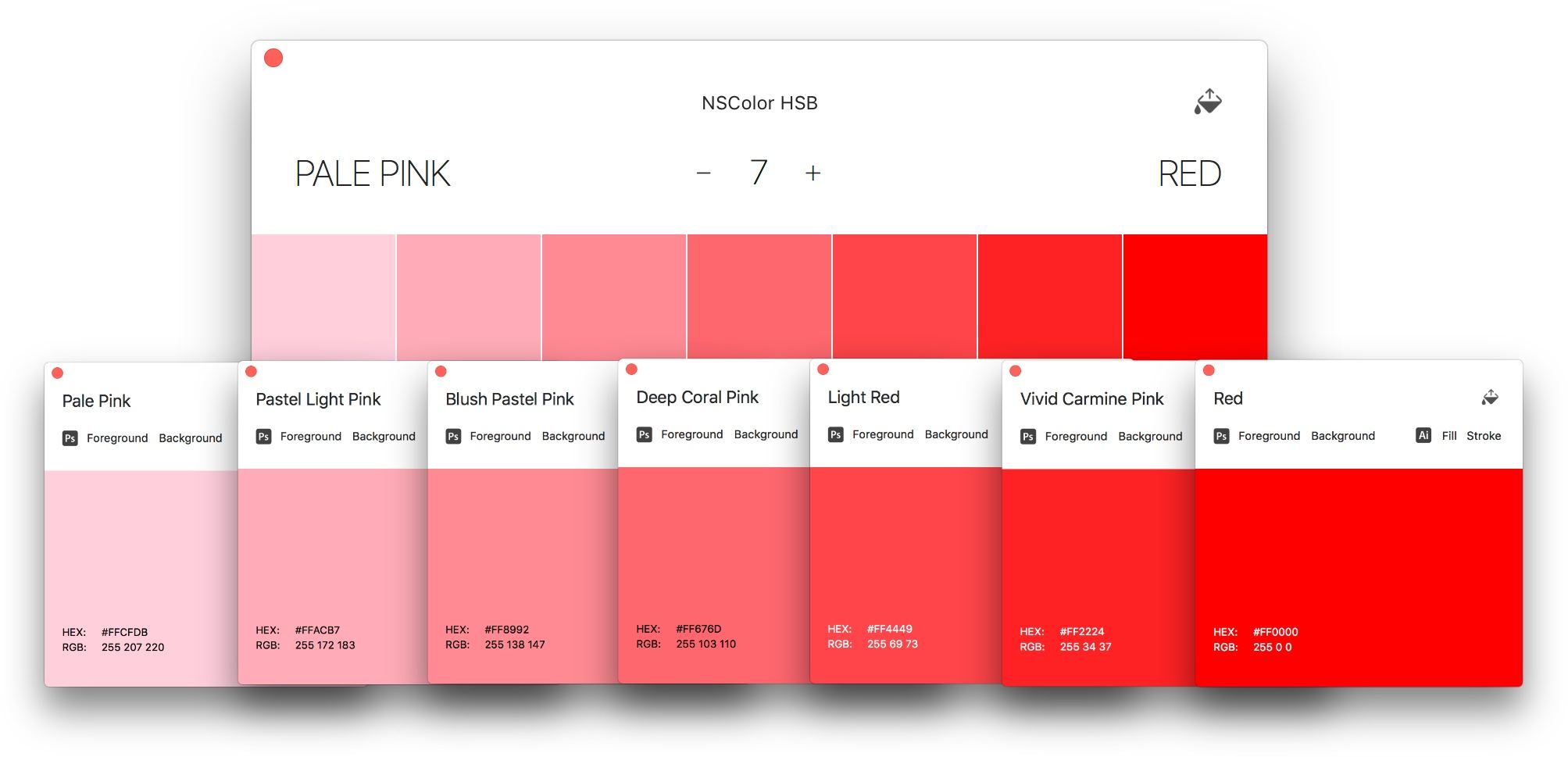
There are a seemingly endless number of ways to represent colors. Whether you’re a professional designer or developer, or someone who just wants to update a website template, you’ve undoubtedly come across several. The trouble with so many different formats is that it guarantees that at some point, the color value you have won’t be the one you require. Aquarelo is a beautifully-designed new Mac app that cuts through the thicket of formats to help you find the colors you want and convert them to the format you need.
Matt Wilkinson Joins Beats 1’s Primetime Lineup→
Serenity Caldwell, reporting for iMore on a major change to Beats 1’s primetime lineup:
Apple’s Beats 1 radio service (part of Apple Music) is shaking up its weekday primetime programming starting January 8, bringing a new DJ to its daily lineup and moving around its primetime shows.
Matt Wilkinson, who formerly hosted Beats 1’s weekly Saturday alternative music show, will now join Zane Lowe, Julie Adenuga, and Ebro Darden as a weekdaily presence on the network — he’ll be broadcasting live from London from 6AM-8AM ET Monday through Friday, and will have Mike D of the Beastie Boys on to celebrate his new show on January 15.
Wilkinson’s deep music knowledge (he’s the former NME New Music Editor) is a solid addition to Beats 1’s regular programming.
Here’s Caldwell again on the significance the announcement:
This is the first time since Beats 1’s launch in 2015 that the primetime lineup has changed significantly: Adding another London voice at the 6-8AM ET slot will nix many of the replays and countdown shows formerly occupying that space; in addition, Julie Adenuga is moving from 3PM ET to 9AM ET, with Ebro Darden bumping up to the 3PM ET slot from the 6-8PM ET evening beat. Beats Creative Director Zane Lowe will continue to hold his flagship 12PM ET slot.
I haven’t listened to Beats 1 much over the past year, but I’m going to check out Wilkinson’s new show (to get an idea of Wilkinson’s style, you can listen to his last show of 2017 – Episode 128 – here.)
Reverse-Engineering the iPhone X Home Indicator Color→
I noticed an unusual behavior of the iPhone X home indicator while working on my most recent app. The app’s background near the home indicator is purple. When the app launches, the home indicator is very light gray.
But something odd happened when I pressed the app’s “share” button, which opened a default iOS activity view (aka “share sheet”). When I hit the “cancel” button to close the activity view, the home indicator animated to a dark gray color.
Home indicator starts light, then a share sheet passing makes it dark.
Even though the background color was exactly the same, the light-colored activity view passing underneath caused the home indicator to change color. The only way to get the home indicator back to its original color was to leave the app and come back.
I had never seen this before, and it prompted my curiosity.
Fascinating study of the iPhone X’s Home indicator behavior. I had no idea that the indicator adapted to background color changes within the bar itself. Don’t miss the second (and more technical) half of the story with Gitter’s detailed color tests.
Jamf Now: Easily Set Up, Manage and Protect Your Apple Devices [Sponsor]
For some people, IT is a task and not a career. Jamf Now helps you manage and secure your iPad, iPhone and Mac devices at work.
For example, when a business is first starting out, it’s pretty easy to keep track of a couple of Apple devices. But as a company grows and it start to buy more tech for employees, it gets harder to keep track of everyone’s Mac, iPhone, and iPad. Figuring out how to secure an iPad that an employee lost can be tough — especially if they work remotely.
Jamf Now makes that, and much more, easier. You can check real-time inventory, configure Wi-Fi and email settings, deploy applications, protect sensitive company data, and even lock or wipe a device from anywhere. Jamf Now helps manage your devices so you can focus on your business. There’s no IT experience needed.
MacStories readers can start securing their business today — by setting up the first 3 devices for free. Add more, for just $2 a month, per device. Create your free Jamf Now account today.
Thanks to Jamf Now for supporting MacStories this week.