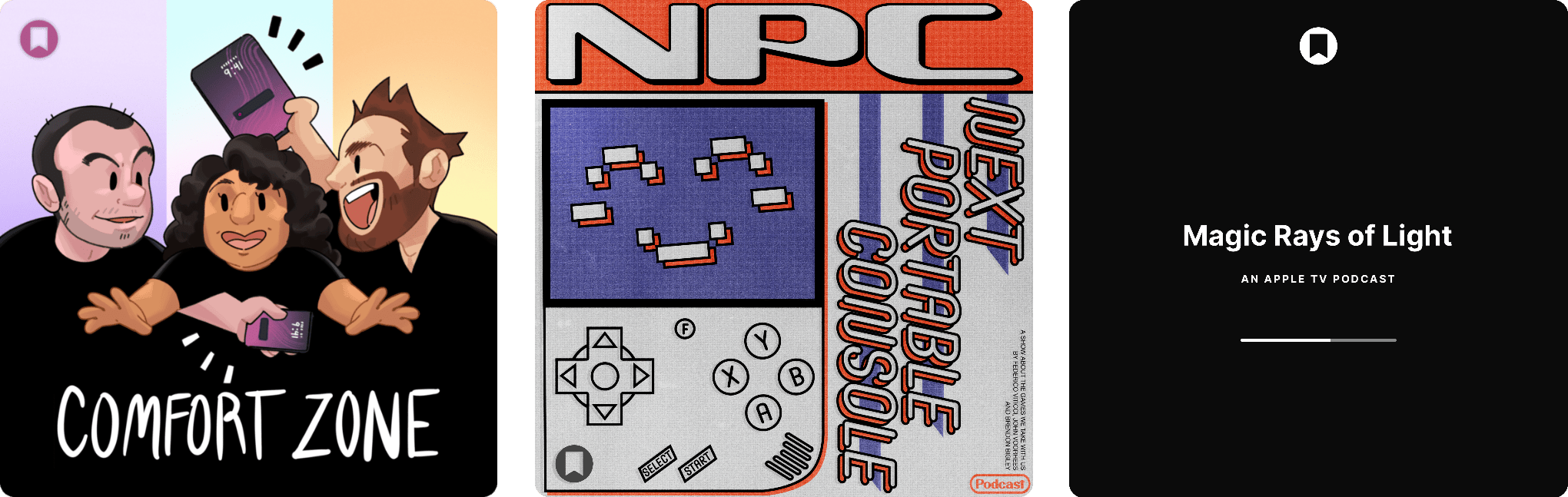
The Latest from Comfort Zone, MacStories Unwind, and Magic Rays of Light

Enjoy the latest episodes from MacStories’ family of podcasts:

Comfort Zone

Chris has a first look at a new iPad stand, Matt is ready to drop out and have some fun, and a our Coldplay challenges pushes some of the gang to their limits.


MacStories Unwind

This week, Federico questions my character before discovering the joy of audiobooks, while I have been listening to more podcasts and have a question for listeners about which TV show he should watch next.


Magic Rays of Light

Devon and Jonathan highlight the premiere of German-language medical drama Berlin ER and go immersive arctic surfing on Apple Vision Pro.

Read more

Access Extra Content and Perks

Founded in 2015, Club MacStories has delivered exclusive content every week for nearly a decade.

What started with weekly and monthly email newsletters has blossomed into a family of memberships designed for every MacStories fan.

Learn more here and from our Club FAQs.

Club MacStories: Weekly and monthly newsletters via email and the web that are brimming with apps, tips, automation workflows, longform writing, early access to the MacStories Unwind podcast, periodic giveaways, and more;

Club MacStories+: Everything that Club MacStories offers, plus an active Discord community, advanced search and custom RSS features for exploring the Club’s entire back catalog, bonus columns, and dozens of app discounts;

Club Premier: All of the above and AppStories+, an extended version of our flagship podcast that’s delivered early, ad-free, and in high-bitrate audio.

Learn more here and from our Club FAQs.


Hands-On with Raycast’s New AI Extensions

Yesterday, Raycast unveiled AI Extensions as yet another addition to the app’s ever-expanding feature set. As we’ve covered on MacStories before, Raycast is a powerful launcher and command bar for the Mac with a sizable ecosystem of built-in and third-party extensions. Extensions allow the launcher to integrate with apps installed on your Mac as well as a multitude of online services such as Google Calendar, translation tools like DeepL, and even handy development tools like Color Picker and Git Commands.

Starting this week, Raycast says it will be possible for any of these extensions to integrate with AI so they can be invoked with natural language directly from the app’s main command window and even chained together as part of complex workflows.

Here are my first impressions.

Read more

Access Extra Content and Perks

Founded in 2015, Club MacStories has delivered exclusive content every week for nearly a decade.

What started with weekly and monthly email newsletters has blossomed into a family of memberships designed for every MacStories fan.

Learn more here and from our Club FAQs.

Club MacStories: Weekly and monthly newsletters via email and the web that are brimming with apps, tips, automation workflows, longform writing, early access to the MacStories Unwind podcast, periodic giveaways, and more;

Club MacStories+: Everything that Club MacStories offers, plus an active Discord community, advanced search and custom RSS features for exploring the Club’s entire back catalog, bonus columns, and dozens of app discounts;

Club Premier: All of the above and AppStories+, an extended version of our flagship podcast that’s delivered early, ad-free, and in high-bitrate audio.

Learn more here and from our Club FAQs.


How I’m Learning Japanese 14 Days In

Brendon Bigley, my co-host on NPC: Next Portable Console, is getting married soon and planning a honeymoon to Japan. Before leaving, he and his partner decided to learn Japanese together. In doing so, Brendon has done a ton of research, quizzing friends who have learned the language, and trying a long list of resources, which he’s published on Wavelengths.

I love the idea that one of the biggest steps in learning Japanese is to learn how to learn Japanese:

So there are about one million different ways to go from here, and because every person is different it means you’ll need to try a few different things to get going. Many people say the first step of learning Japanese is to learn how to learn Japanese, and I’d say that’s almost correct. The first step, once again, is to learn hiragana and katakana… second is learning how to learn Japanese.

The reason things get so wild here is that people will say that you need to start learning kanji, vocab, and grammar simultaneously and it’s not not true. Learning even the most basic grammar helps make sense of sentence structure, which enables you to discern kanji and vocab words in the context of real written language. Conversely, the more kanji and vocab you learn the easier it will become to intuitively parse new grammatical rules as they’re introduced.

Learning how to learn something is a crucial step to any new and complicated undertaking but often gets overlooked. That’s because, as Brendon points out, everyone’s path to expertise in anything is different. It pays to listen to the advice of people you trust, as he did, but it’s just as important to listen to yourself and understand how you learn.

Brendon’s story has great advice for learning anything, but in particular, it’s packed with resources for learning Japanese. There are Mac and iOS apps, web apps, Android apps, textbooks, and more. As someone who has a kid traveling around Tokyo and Kyoto right now, I immediately sent him the link. It’s a great one to file away if you’ve ever thought to yourself, “Maybe I’ll try to learn Japanese some day.”

Permalink

“Everyone Is Caught Up, Except for Apple”

Good post by Parker Ortolani (who’s blogging more frequently now; I recommend subscribing to his blog) on the new (and surprisingly good looking?) Alexa+ and where Apple stands with Siri:

So here we are. Everyone is caught up, except for Apple. Siri may have a pretty glowing animation but it is not even remotely the same kind of personal assistant that these others are. Even the version of Siri shown at WWDC last year doesn’t appear to be quite as powerful as Alexa+. Who knows how good the app intents powered Siri will even be at the end of the day when it ships, after all according to reports it has been pushed back and looks like an increasingly difficult endeavor. I obviously want Siri to be great. It desperately needs improvement, not just to compete but to make using an iPhone an even better experience.

I continue to think that Apple has immense potential for Apple Intelligence and Siri if they get both to work right with their ecosystem. But at this point, I have to wonder if we’ll see GTA 6 before Siri gets any good.

Permalink

With Pokémon Champions, Competitive Pokémon ‘VGC’ May Finally Go Mainstream

Pokémon Champions artwork. Source: Pokémon.com.

Pokémon Champions artwork. Source: Pokémon.com.

Today is Pokémon Day, and, as they do every year, The Pokémon Company held a Pokémon Presents keynote showcasing the latest updates coming to their slate of titles, including a gameplay reveal for the upcoming Pokémon Legends: Z-A for Nintendo Switch.

Read more

Access Extra Content and Perks

Founded in 2015, Club MacStories has delivered exclusive content every week for nearly a decade.

What started with weekly and monthly email newsletters has blossomed into a family of memberships designed for every MacStories fan.

Learn more here and from our Club FAQs.

Club MacStories: Weekly and monthly newsletters via email and the web that are brimming with apps, tips, automation workflows, longform writing, early access to the MacStories Unwind podcast, periodic giveaways, and more;

Club MacStories+: Everything that Club MacStories offers, plus an active Discord community, advanced search and custom RSS features for exploring the Club’s entire back catalog, bonus columns, and dozens of app discounts;

Club Premier: All of the above and AppStories+, an extended version of our flagship podcast that’s delivered early, ad-free, and in high-bitrate audio.

Learn more here and from our Club FAQs.


PicoChat or PictoChat: Can You Tell the Difference?

It’s been a very long time since I reviewed an iMessage app, but past issues of MacStories Weekly and this site chronicle the hundreds of iMessage apps Federico and I tried and wrote about. Today, though, I was reminded that there’s still fun to be had in what has to be Apple’s most obscure corner of the App Store because this afternoon, Brendon Bigley sent me a link to PicoChat for iMessage, a nostalgia-filled delight from developer Idrees Hassan.

PicoChat lovingly recreates the look and feel of PictoChat, a local messaging app that shipped with the Nintendo DS beginning in 2004 and later with the DS Lite and DSi. PictoChat used a short-range proprietary wireless protocol that could only extend about 65 feet, which ultimately led to its demise as smartphones with cellular connections and Wi-Fi became popular. However, for several years, it served as a short-range communications and creative outlet for a generation of kids.

For context, here’s PictoChat running on my matte black Nintendo DSi, a model that is one of Brendon’s ‘dream devices,’ as he recently shared on NPC: Next Portable Console:

Now, here’s a close-up of the original PictoChat interface and the iMessage app side-by-side.

PictoChat on a DS (left) and the PicoChat for iMessage app (right).

PictoChat on a DS (left) and the PicoChat for iMessage app (right).

Just like the DS, the iMessage version has a teeny tiny keyboard with space above it for doodles. If it weren’t for the lower resolution of the DS’s screen, I bet most people would have a hard time telling them apart.

Getting back to Hassan’s app, it’s accessed like other iMessage apps from the Plus button in a Messages thread. Once you’re finished composing your masterpiece, the app converts it into an image and sends it like any other image is sent in Messages.

That’s it, but it’s more than enough to have sent a whole lot of Nintendo DS fans down a nostalgia-filled rabbit hole today, which was cool. Even if the DS wasn’t your thing, check out PicoChat and send some doodles to your friends and family. It’s a lot of fun.

PicoChat is available as a free download on the App Store.

Access Extra Content and Perks

Founded in 2015, Club MacStories has delivered exclusive content every week for nearly a decade.

What started with weekly and monthly email newsletters has blossomed into a family of memberships designed for every MacStories fan.

Learn more here and from our Club FAQs.

Club MacStories: Weekly and monthly newsletters via email and the web that are brimming with apps, tips, automation workflows, longform writing, early access to the MacStories Unwind podcast, periodic giveaways, and more;

Club MacStories+: Everything that Club MacStories offers, plus an active Discord community, advanced search and custom RSS features for exploring the Club’s entire back catalog, bonus columns, and dozens of app discounts;

Club Premier: All of the above and AppStories+, an extended version of our flagship podcast that’s delivered early, ad-free, and in high-bitrate audio.

Learn more here and from our Club FAQs.


Beyond ChatGPT’s Extension: How to Redirect Safari Searches to Any LLM

xSearch for Safari.

xSearch for Safari.

Earlier this week, OpenAI’s official ChatGPT app for iPhone and iPad was updated with a native Safari extension that lets you forward any search query from Safari’s address bar to ChatGPT Search. It’s a clever approach: rather than waiting for Apple to add a native ChatGPT Search option to their list of default search engines (if they ever will), OpenAI leveraged extensions’ ability to intercept queries in the address bar and redirect them to ChatGPT whenever you type something and press Return.

However, this is not the only option you have if you want to redirect your Safari search queries to a search engine other than the one that’s set as your default. While the solution I’ll propose below isn’t as frictionless as OpenAI’s native extension, it gets the job done, and until other LLMs like Claude, Gemini, Perplexity, and Le Chat ship their own Safari extensions, you can use my approach to give Safari more AI search capabilities right now.

Read more

Access Extra Content and Perks

Founded in 2015, Club MacStories has delivered exclusive content every week for nearly a decade.

What started with weekly and monthly email newsletters has blossomed into a family of memberships designed for every MacStories fan.

Learn more here and from our Club FAQs.

Club MacStories: Weekly and monthly newsletters via email and the web that are brimming with apps, tips, automation workflows, longform writing, early access to the MacStories Unwind podcast, periodic giveaways, and more;

Club MacStories+: Everything that Club MacStories offers, plus an active Discord community, advanced search and custom RSS features for exploring the Club’s entire back catalog, bonus columns, and dozens of app discounts;

Club Premier: All of the above and AppStories+, an extended version of our flagship podcast that’s delivered early, ad-free, and in high-bitrate audio.

Learn more here and from our Club FAQs.