
 MacStories Weekly: Issue 126
Apple Discontinues AirPort Routers→
With a statement provided to iMore earlier today, Apple confirmed what Bloomberg’s Mark Gurman first reported in late 2016 (not a typo): the company is officially exiting the WiFi router business by discontinuing the AirPort line of products.
From Rene Ritchie’s story:
Routers are different. They’re infrastructure. They’re behind televisions, underneath desks, and in closets. For some people, especially people who appreciate Apple’s design and manufacturing, and its unequivocal stance on security and privacy, the loss of the AirPort line will still be a blow.
I’m one of those people.
But I’m also reminded of a comment Steve Jobs once said to one of his direct reports: Sure, Apple could do that and make some money at it, but was it really a business Apple had to be in?
As much as I’ve tried to understand the argument that Apple needs to focus on fewer products, I just can’t buy into the idea that they had to stop making WiFi routers.
My stance is pretty straightforward: everybody needs a WiFi router and the vast majority of routers suck. They are unsightly pieces of plastic that feature an assortment of meaningless blinking lights which you have to manage through terrifyingly confusing web apps intentionally designed to resemble accounting software from the late 90s. Sure, you could buy one of the fancy modern mesh systems, but they’re expensive, and some of them are not available in all regions, and people who live in small homes don’t need them. Doesn’t an elegant, integrated, affordable, and modern router sound like something that Apple should continue to offer as an option for its users?
I guess that WiFi routers don’t generate as much good PR as recommitting to Pro displays. But if there’s an aspect of modern technology that could use great hardware and software design, a focus on privacy and security, and user-friendly controls for families, that would be WiFi routers. I’m disappointed to learn that Apple has chosen to give up instead.
Connected, Episode 190: The Robot Should Keep Its Mouth Shut→
Federico is gone, but the show had to to go on, so Stephen and Myke talk about the death of Liam, whatever is happening with Flickr and Amazon’s future robotic army.
I wasn’t on Connected this week, but I really enjoyed the discussion on robots – both those that passed away and the ones who may become our home assistants in the future. You can listen here.
Sponsored by:
- TextExpander, from Smile: Communicate smarter with TextExpander.
- Molekule: The only air purifier that actually destroys pollutants.
- Slack: Where work happens.
1Blocker X for iOS Review
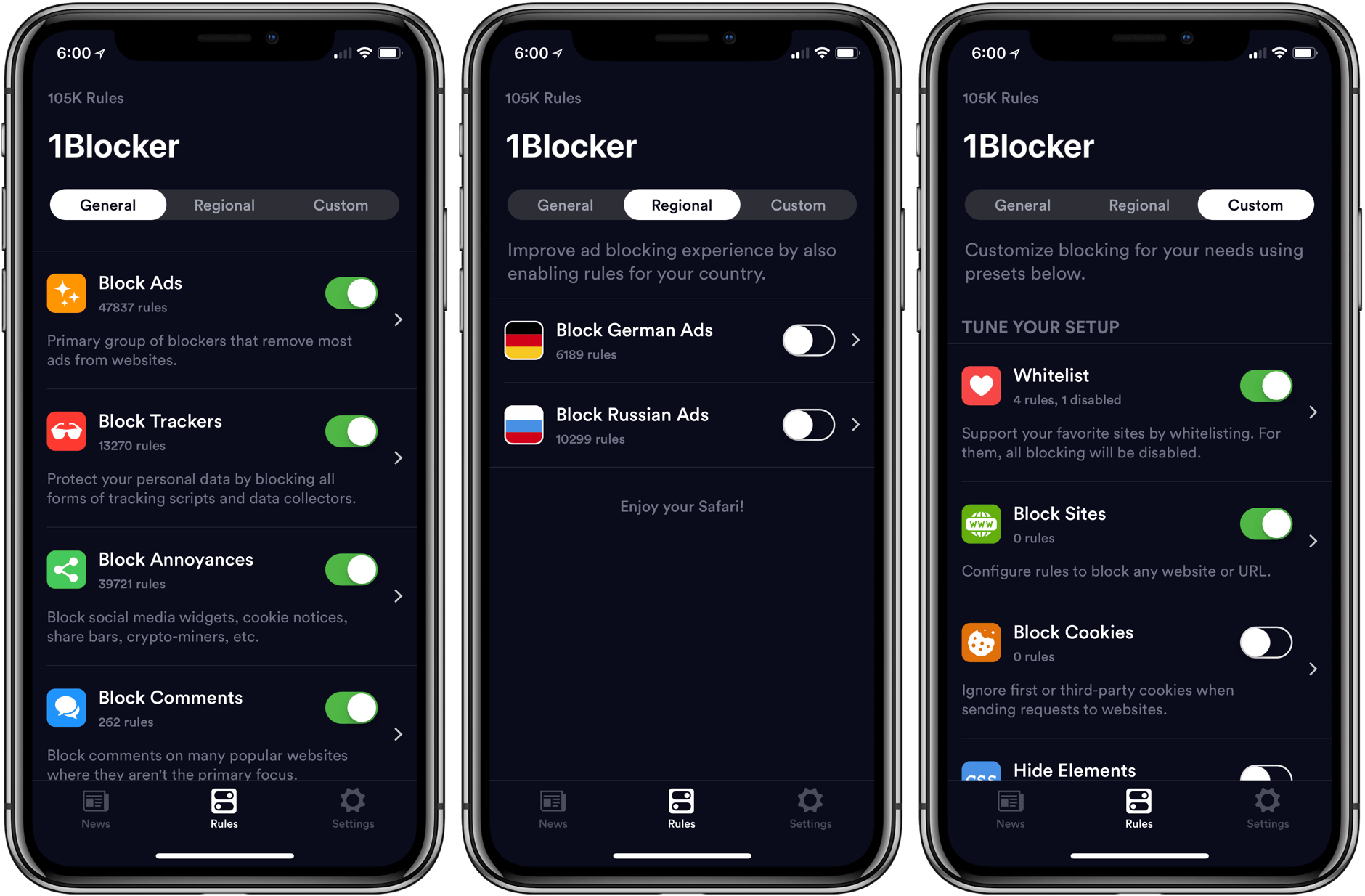
The first thing you will notice when you set up 1Blocker X on an iOS device is its 7 toggles in Safari’s Content Blocker section of the Settings app. It’s a bit of a head-scratcher at first until you realize that this is what allows 1Blocker X to expand beyond the confines of its predecessor.
You see, iOS limits the number of blocking rules that can be implemented by an app to 50,000. That’s a lot of rules, but sadly not enough given the amount of junk on the Internet these days. As a result, it’s a limit that 1Blocker began to run into not long after it launched in 2015.
Finding a way around that hard limit required a rewrite of 1Blocker from the ground up. The result is 1Blocker X, an app with around three times as many blocking rules, room to grow, and enhanced flexibility for applying those rules.
Pretext: Files-Rooted Simple Markdown for iOS
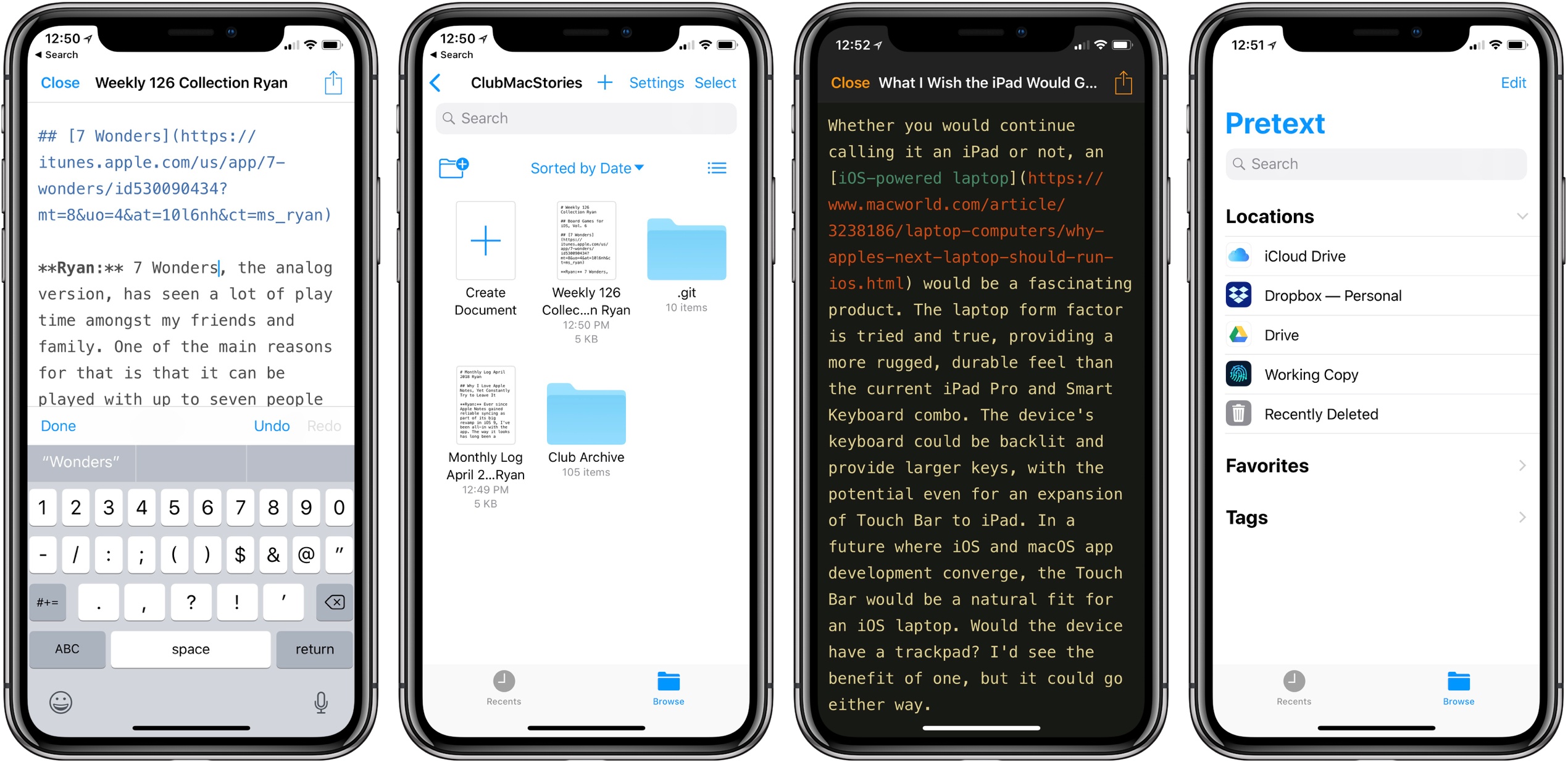
Last month I was delighted to discover a new plain text editor for iOS, Textor, that focused simply on the basics of text editing. Though I valued Textor’s minimalism, one feature I did miss was support for Markdown styling. This hasn’t been added to the app since then, but fortunately, I no longer have to wait for it; a new app just launched that’s essentially Textor with Markdown, and its name is Pretext.
Pretext integrates directly with iOS 11’s Files app, making it easy to create or edit Markdown and plain text files stored across any of your file providers. Open the app and you’ll see a document browser for choosing a file to edit; alternately, you can create a new file by hitting the plus button in the top-right. If you’re creating a new file, Pretext asks you to set a file name, with the option of automatically prepending the date to it, and you can choose to make it either a .md or .txt file.
While the simplicity of Pretext’s “just you and the text” environment is its greatest strength, the app does offer a few specific features that are of benefit to Markdown writers especially. First is the great keyboard shortcut support: all the basics of Markdown syntax can be done with a quick shortcut, including tasks like link insertion; because of this, Pretext offers one of the most efficient means of adding links to an article. The remaining few features of the app are found by hitting the share icon during editing, which offers access to the share sheet, the app’s settings screen, and previewing your Markdown file as HTML – the latter is especially useful for anyone who publishes their work online. Options in settings include tweaking the text size, switching themes from light to dark, and a couple alternate app icons.
I’ve been using Pretext in beta for the last few weeks to edit Markdown files shared by other MacStories collaborators in Working Copy, and the app has been exactly what I need. I can open Pretext, make my edits aided by visual Markdown styling and keyboard shortcuts, and preview the finished product as HTML. All changes are then saved directly in the file’s source.
Pretext is a simple utility, and isn’t going to replace Ulysses for me as a daily driver, but for some people it legitimately could. Too often writing apps are overly complicated, and Pretext focuses on offering just what a writer needs: space, and a few key tools to aid the writing process.
Pretext is available as a free download, with a $0.99 In-App Purchase unlocking the app’s dark theme and alternate icons.
Google Launches New ‘Tasks’ App for iPhone
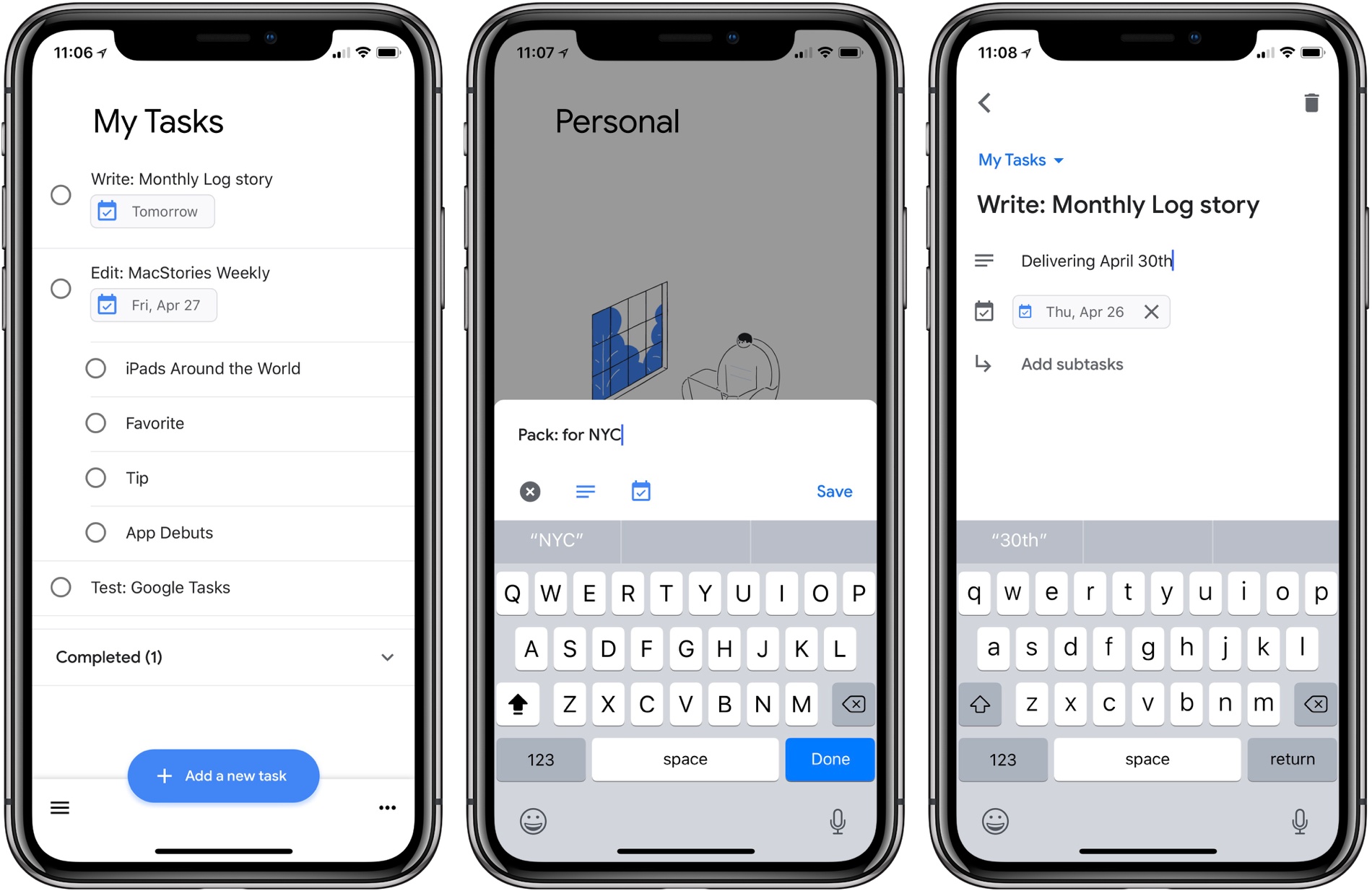
Google Tasks is a service many Google users may be unfamiliar with. Historically it’s been a somewhat hidden feature of Gmail and Google Calendar, but today alongside a redesign of Gmail, Google is helping Tasks break out and receive slightly better treatment with the launch of a new iPhone app.
I have to say up front: if this app wasn’t a Google property, tied to an existing Google service, it likely wouldn’t merit much attention. Essentially it’s a barebones home for task lists, with a couple small task manager-like functions. Each task you create can include additional details in a note area, be assigned a due date, and can include embedded subtasks. And that’s basically it. You can create multiple lists to store your tasks, but there’s not even a smart list that consolidates all your tasks containing due dates.
Ultimately, this is an extremely lightweight task manager that makes Apple’s Reminders, its closest analog, seem like a heavy duty task powerhouse by comparison. Rita El Khoury of Android Police sums it up well in her take on the Android app:
https://twitter.com/dcseifert/status/989144268005658624
I struggle to see who Tasks is for with this first version, and hope it’s quickly iterated upon. If you’re deeply invested in the Google ecosystem, and have very minimal task needs, but want something integrated with Google’s other products, I guess Tasks could be for you. But only on the iPhone; there’s no iPad version at this time.
Google Tasks is available as a free download on the App Store.
Google Launches Major Gmail Redesign
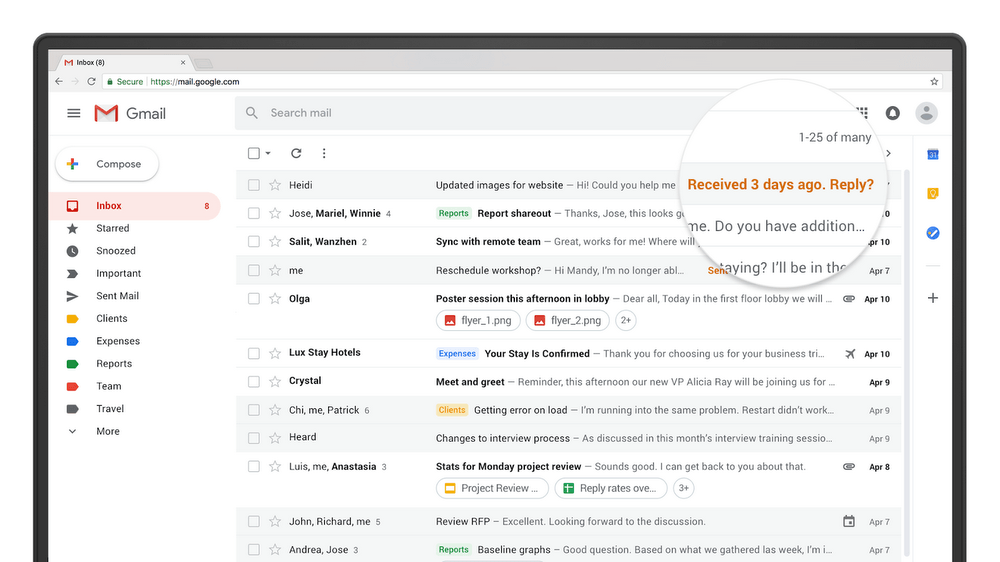
Today, Google announced a long list of updates to Gmail. The new features, which are beginning to roll out worldwide are focused primarily on security, artificial intelligence, and the incorporation of modern email features, some of which were first tested in the company’s Inbox app.
Google has addressed phishing with new, prominent warnings in the Gmail update. For sensitive information, Google is adding a ‘confidential mode’ in the coming weeks that will let users set expiration dates for messages and even revoke previously-sent messages. Google is also implementing per-message level two-factor authentication, which requires authentication via text message. Finally, users will be able to preclude message recipients from forwarding, copying, downloading, or printing messages.

Google is adding AI-powered functionality to Gmail. Nudging is a feature that will remind you of messages you haven’t responded to yet, so they don’t get lost. Gmail is also adding quick replies, which suggest responses based on the contents of the messages you receive.
The web interface of Gmail is getting several new features too. There’s a sidebar on the right-hand side of the screen for quick access to several Google apps and Gmail Add-Ons from third parties. A hover-over menu lets users RSVP to meeting invitations, archive message threads, and snooze messages. You can also view attachments without opening the message to which a document is attached. A new offline mode is available too, which will be a welcome addition for travelers when an Internet connection is unavailable.
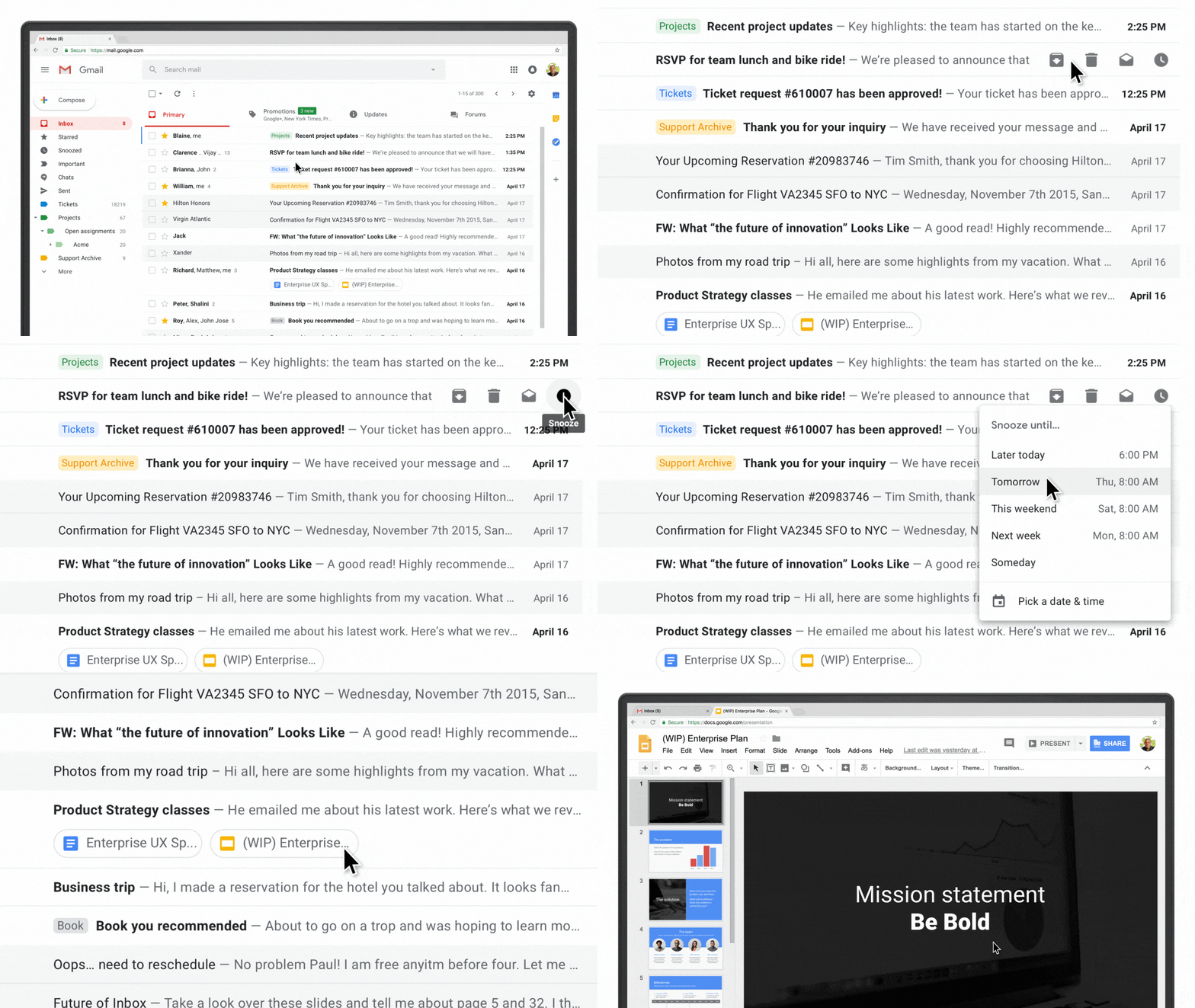
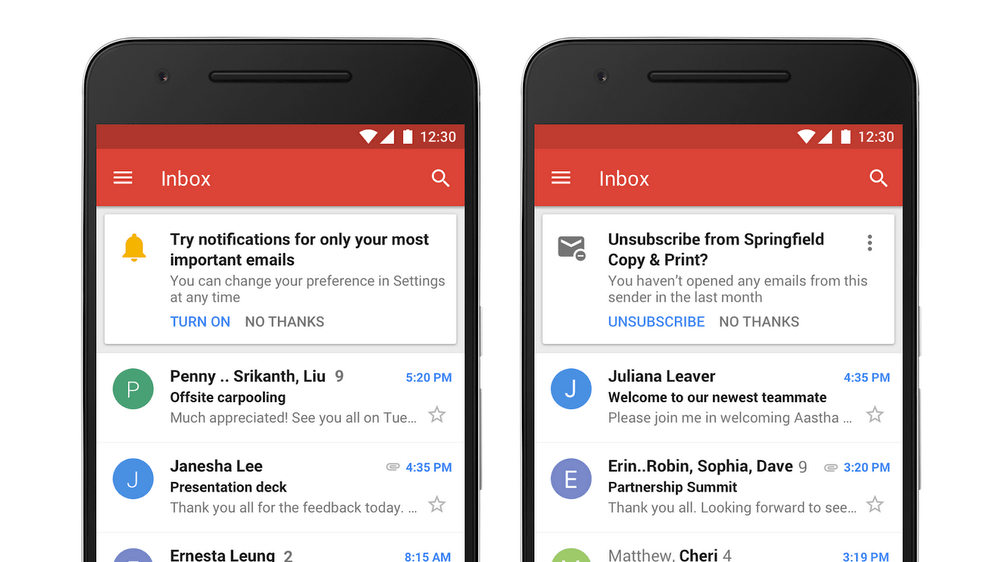
Most of the changes to Gmail are to its web interface, but a couple of changes are coming to Gmail’s mobile apps in the coming weeks including high-priority notifications that only notify users of important messages and a one-tap unsubscribe feature.
Many of the new Gmail features are being rolled out globally in phases, so you may not see them right away. Google says others will be available in the upcoming weeks. Individual Gmail users can check the Settings menu for the updates and pick ‘Try the new Gmail’ to activate the new functionality. If you use G Suite, the new functionality can be turned on by participants in the G Suite Early Adopter Program from the Admin console.
Microcasting on Micro.blog with Wavelength
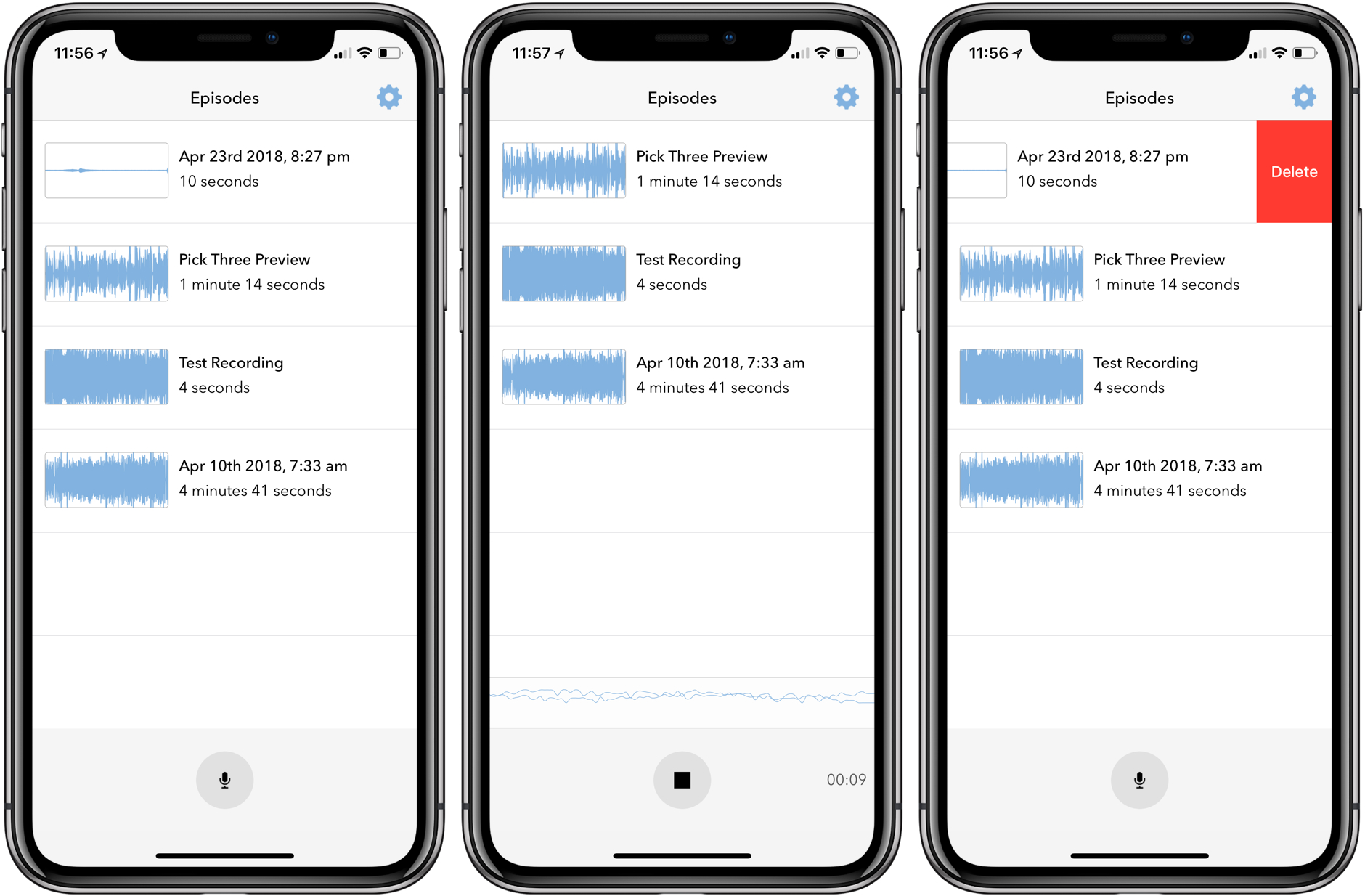
Last month I covered the return of Sunlit, the iOS photo blogging app from Manton Reece that works with Micro.blog and blogging platforms like WordPress. Reece is back with another iOS app that’s aimed at bringing microcasting, which is short-form podcasting, to Micro.blog. Wavelength is an end-to-end solution for recording, editing, and publishing audio using nothing but an iPhone. It’s an interesting approach to podcasting designed to lower the barriers to entry by simplifying the workflow, while also creating new uses for Micro.blog.
Spotify Announces Improvements to Mobile App for Both Free and Paid Tiers→
Today Spotify held an event in New York City where it announced several changes to its mobile app that impact users of both free and paid tiers of the service. Jordan Crook reports for TechCrunch:
Spotify’s…free tier has always limited users to shuffle. With the new version, users can listen on-demand to whatever song they want, as many times as they want, as long as those songs appear on one of the 15 personalized discovery playlists like Daily Mix, Discover Weekly, Release Radar or Today’s Top Hits.
Considering the breadth of Spotify’s discovery playlists, the ability to choose songs from those playlists on-demand is a significant change. Crook also mentions how machine learning is being used not just to impact the quality of those discovery playlists, but also, now, to help users make better playlists themselves. This new feature, called “assisted playlisting,” aids in playlist creation by recommending songs below the search field that are similar to the songs you searched for.
Another noteworthy change is that Spotify introduced a new “data saver” mode for its app that reportedly cuts data use by up to 75% when streaming music. This feature is available to all users, but it’s particularly beneficial to free tier users who don’t have the option of downloading songs for offline playback.
Each of these updates are currently being rolled out to all users of the Spotify app; it’s unclear if an App Store update will be necessary, or if the changes will all be server-side.
Unlike Apple Music, which only exists as a paid service, Spotify has the challenge of balancing the features of its paid and free tiers in a way that satisfies free users, while simultaneously encouraging them to upgrade. Today’s improvements seem to do a great job of that by leveraging one of Spotify’s strengths over Apple Music – machine learning-powered personalized playlists. The deeper invested you are in teaching the service your likes and dislikes, the more likely you are to eventually become a paid Spotify user rather than jumping ship to Apple Music.